2017 CHEVROLET SONIC turn signal
[x] Cancel search: turn signalPage 135 of 342
Chevrolet Sonic Owner Manual (GMNA-Localizing-U.S./Canada-10122660) -2017 - crc - 5/13/16
134 Lighting
Lighting
Exterior Lighting
Exterior Lamp Controls . . . . . . . 134Headlamp High/Low-BeamChanger . . . . . . . . . . . . . . . . . . . . 134Flash-to-Pass . . . . . . . . . . . . . . . . 135Daytime RunningLamps (DRL) . . . . . . . . . . . . . . . 135Automatic HeadlampSystem . . . . . . . . . . . . . . . . . . . . . . 135Hazard Warning Flashers . . . . . 136Turn and Lane-ChangeSignals . . . . . . . . . . . . . . . . . . . . . . 136Fog Lamps . . . . . . . . . . . . . . . . . . . 137
Interior Lighting
Instrument Panel IlluminationControl . . . . . . . . . . . . . . . . . . . . . . 137Courtesy Lamps . . . . . . . . . . . . . . 138Dome Lamps . . . . . . . . . . . . . . . . . 138Reading Lamps . . . . . . . . . . . . . . 138
Lighting Features
Entry Lighting . . . . . . . . . . . . . . . . 138Exit Lighting . . . . . . . . . . . . . . . . . . 138Battery Load Management . . . 139Battery Power Protection . . . . . 139Exterior Lighting BatterySaver . . . . . . . . . . . . . . . . . . . . . . . 139
Exterior Lighting
Exterior Lamp Controls
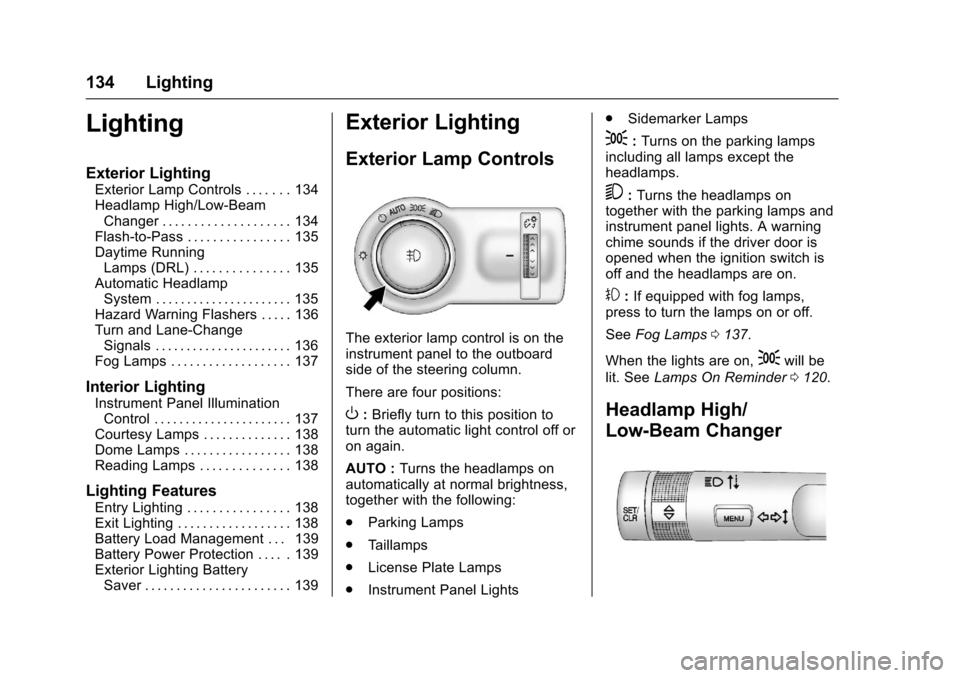
The exterior lamp control is on theinstrument panel to the outboardside of the steering column.
There are four positions:
O:Briefly turn to this position toturn the automatic light control off oron again.
AUTO :Turns the headlamps onautomatically at normal brightness,together with the following:
.Parking Lamps
.Ta i l l a m p s
.License Plate Lamps
.Instrument Panel Lights
.Sidemarker Lamps
;:Turns on the parking lampsincluding all lamps except theheadlamps.
5:Turns the headlamps ontogether with the parking lamps andinstrument panel lights. A warningchime sounds if the driver door isopened when the ignition switch isoff and the headlamps are on.
#:If equipped with fog lamps,press to turn the lamps on or off.
SeeFog Lamps0137.
When the lights are on,;will be
lit. SeeLamps On Reminder0120.
Headlamp High/
Low-Beam Changer
Page 136 of 342
Chevrolet Sonic Owner Manual (GMNA-Localizing-U.S./Canada-10122660) -2017 - crc - 5/13/16
Lighting 135
3:Push the turn signal lever awayfrom you to turn the high beams on.
Push the lever again or pull thelever toward you to return to lowbeams.
This indicator light turns on in theinstrument cluster when thehigh-beam headlamps are on.
Flash-to-Pass
To f l a s h t h e h i g h b e a m s , p u l l t h eturn signal lever all the way towardyou. Then release it.
Daytime Running
Lamps (DRL)
DRL can make it easier for others tosee the front of your vehicle duringthe day. Fully functional DRL arerequired on all vehicles first sold inCanada.
The DRL system makes thelow-beam headlamps come on at areduced brightness when thefollowing conditions are met:
.The ignition is in the ON/RUN mode.
.The exterior lamp control isin AUTO.
.The engine is running.
When the DRL are on, only thelow-beam headlamps, at a reducedlevel of brightness, will be on. Thetaillamps, sidemarker, instrumentpanel, and other lamps will notbe on.
The headlamps automaticallychange from DRL to the regularheadlamps depending on thedarkness of the surroundings. Theother lamps that come on with theheadlamps will also come on.
When it is bright enough outside,the headlamps go off and the DRLcome on.
To t u r n t h e D R L l a m p s o f f o r o nagain, turn the exterior lamp control
toOand then release. For vehicles
first sold in Canada, the DRL canonly be turned off when thetransmission is in P (Park).
Automatic Headlamp
System
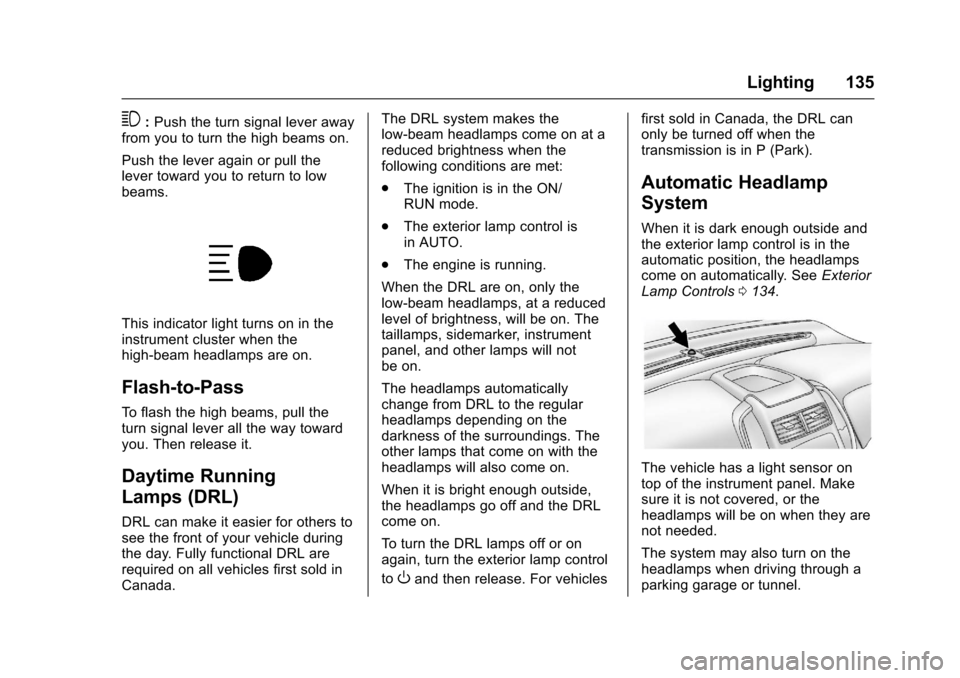
When it is dark enough outside andthe exterior lamp control is in theautomatic position, the headlampscome on automatically. SeeExteriorLamp Controls0134.
The vehicle has a light sensor ontop of the instrument panel. Makesure it is not covered, or theheadlamps will be on when they arenot needed.
The system may also turn on theheadlamps when driving through aparking garage or tunnel.
Page 137 of 342
Chevrolet Sonic Owner Manual (GMNA-Localizing-U.S./Canada-10122660) -2017 - crc - 5/13/16
136 Lighting
Lights On with Wipers
If the windshield wipers areactivated in daylight with the engineon, and the exterior lamp control isin AUTO, the headlamps, parkinglamps, and other exterior lampscome on. The transition time for thelamps coming on varies based onwiper speed. When the wipers arenot operating, these lamps turn off.
Move the exterior lamp control toP
or;to disable this feature.
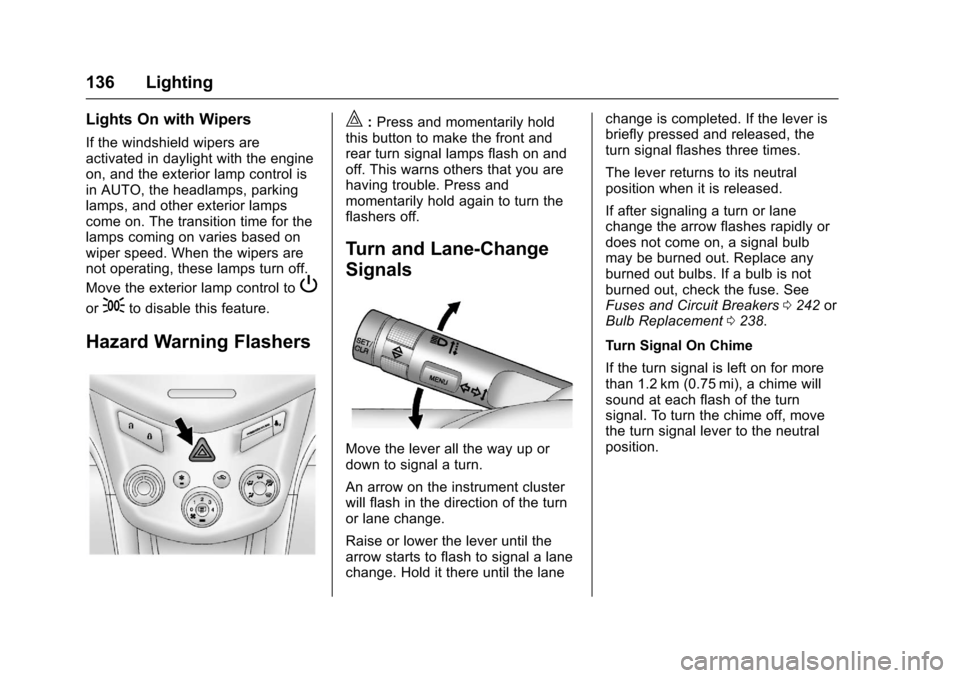
Hazard Warning Flashers
|:Press and momentarily holdthis button to make the front andrear turn signal lamps flash on andoff. This warns others that you arehaving trouble. Press andmomentarily hold again to turn theflashers off.
Turn and Lane-Change
Signals
Move the lever all the way up ordown to signal a turn.
An arrow on the instrument clusterwill flash in the direction of the turnor lane change.
Raise or lower the lever until thearrow starts to flash to signal a lanechange. Hold it there until the lane
change is completed. If the lever isbriefly pressed and released, theturn signal flashes three times.
The lever returns to its neutralposition when it is released.
If after signaling a turn or lanechange the arrow flashes rapidly ordoes not come on, a signal bulbmay be burned out. Replace anyburned out bulbs. If a bulb is notburned out, check the fuse. SeeFuses and Circuit Breakers0242orBulb Replacement0238.
Turn Signal On Chime
If the turn signal is left on for morethan 1.2 km (0.75 mi), a chime willsound at each flash of the turnsignal. To turn the chime off, movethe turn signal lever to the neutralposition.
Page 149 of 342
Chevrolet Sonic Owner Manual (GMNA-Localizing-U.S./Canada-10122660) -2017 - crc - 5/13/16
148 Infotainment System
Radio Reception
Frequency interference and staticcan occur during normal radioreception if items such as mobilephone chargers, vehicleconvenience accessories, andexternal electronic devices areplugged into the accessory poweroutlet. If there is interference orstatic, unplug the item from theaccessory power outlet.
FM
FM signals only reach about 16 to65 km (10 to 40 mi). Although theradio has a built-in electronic circuitthat automatically works to reduceinterference, some static can occur,especially around tall buildings orhills, causing the sound to fade inand out.
AM
The range for most AM stations isgreater than for FM, especially atnight. The longer range can causestation frequencies to interfere witheach other. Static can occur whenthings like storms and power lines
interfere with radio reception. Whenthis happens, try reducing the trebleon the radio.
SiriusXM®Satellite Radio
Service
SiriusXM Satellite Radio Servicegives digital radio reception fromcoast to coast in the 48 contiguousUnited States, and in Canada. Justas with FM, tall buildings or hills caninterfere with satellite radio signals,causing the sound to fade in andout. In addition, traveling or standingunder heavy foliage, bridges,garages, or tunnels may cause lossof the SiriusXM signal for a periodof time.
Cell Phone Usage
Cell phone usage, such as makingor receiving phone calls, charging,or just having the phone on maycause static interference in theradio. Unplug the phone or turn it offif this happens.
Multi-Band Antenna
The multi-band antenna is on theroof of the vehicle. The antenna isused for OnStar, the SiriusXMSatellite Radio Service System, andGPS (Global Positioning System),if the vehicle has these features.Keep the antenna clear ofobstructions for clear reception.
If the vehicle has a sunroof, and it isopen, reception can also beaffected.
Page 178 of 342
Chevrolet Sonic Owner Manual (GMNA-Localizing-U.S./Canada-10122660) -2017 - crc - 5/13/16
Driving and Operating 177
clear roads in shaded areas.The surface of a curve or anoverpass can remain icy whenthe surrounding roads are clear.Avoid sudden steeringmaneuvers and braking whileon ice.
.Turn off cruise control.
Blizzard Conditions
Stop the vehicle in a safe place andsignal for help. Stay with the vehicleunless there is help nearby.If possible, use RoadsideAssistance. SeeRoadsideAssistance Program0311.Togethelp and keep everyone in thevehicle safe:
.Turn on the hazard warningflashers.
.Tie a red cloth to an outsidemirror.
{Warning
Snow can trap engine exhaust
under the vehicle. This may
cause exhaust gases to get
inside. Engine exhaust contains
carbon monoxide (CO), which
cannot be seen or smelled. It can
cause unconsciousness and even
death.
If the vehicle is stuck in snow:
.Clear snow from the base ofthe vehicle, especially anyblocking the exhaust pipe.
.Open a window about 5 cm(2 in) on the vehicle sidethat is away from the wind,to bring in fresh air.
.Fully open the air outlets onor under the instrumentpanel.
.Adjust the climate controlsystem to circulate the airinside the vehicle and set
(Continued)
Warning (Continued)
the fan speed to the highestsetting. See“ClimateControl Systems.”
For more information about CO,
seeEngine Exhaust0190.
To s a v e f u e l , r u n t h e e n g i n e f o rshort periods to warm the vehicleand then shut the engine off andpartially close the window. Movingabout to keep warm also helps.
If it takes time for help to arrive,when running the engine, push theaccelerator pedal slightly so theengine runs faster than the idlespeed. This keeps the batterycharged to restart the vehicle and tosignal for help with the headlamps.Do this as little as possible, tosave fuel.
Page 184 of 342
Chevrolet Sonic Owner Manual (GMNA-Localizing-U.S./Canada-10122660) -2017 - crc - 5/13/16
Driving and Operating 183
Caution
Using a tool to force the key to
turn in the ignition could cause
damage to the switch or break the
key. Use the correct key, make
sure it is all the way in, and turn it
only with your hand. If the key
cannot be turned by hand, see
your dealer.
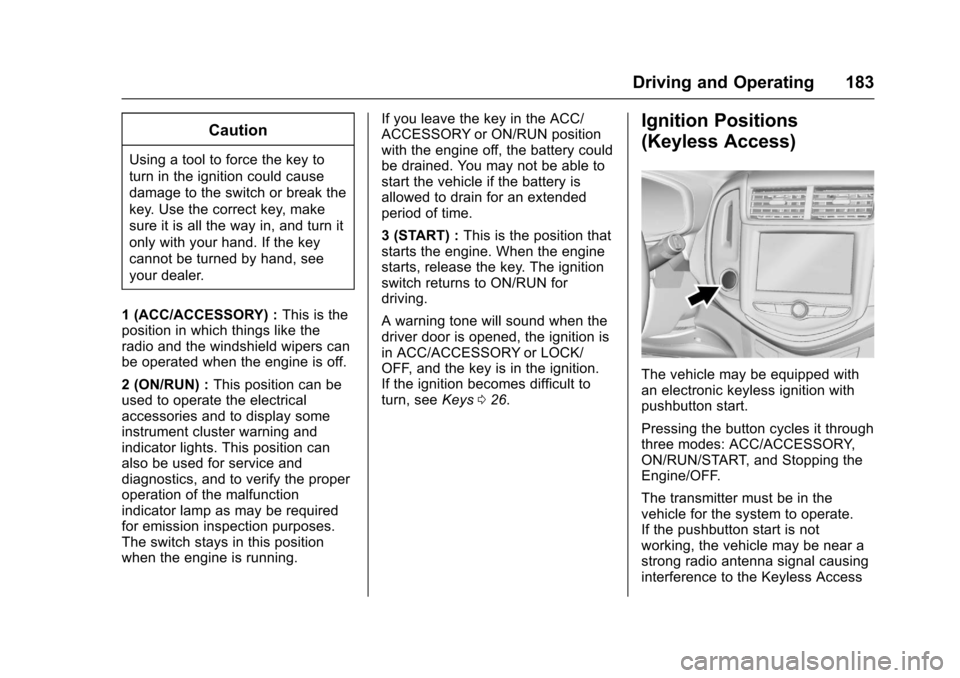
1(ACC/ACCESSORY):This is theposition in which things like theradio and the windshield wipers canbe operated when the engine is off.
2(ON/RUN):This position can beused to operate the electricalaccessories and to display someinstrument cluster warning andindicator lights. This position canalso be used for service anddiagnostics, and to verify the properoperation of the malfunctionindicator lamp as may be requiredfor emission inspection purposes.The switch stays in this positionwhen the engine is running.
If you leave the key in the ACC/ACCESSORY or ON/RUN positionwith the engine off, the battery couldbe drained. You may not be able tostart the vehicle if the battery isallowed to drain for an extendedperiod of time.
3(START):This is the position thatstarts the engine. When the enginestarts, release the key. The ignitionswitch returns to ON/RUN fordriving.
Awarningtonewillsoundwhenthedriver door is opened, the ignition isin ACC/ACCESSORY or LOCK/OFF, and the key is in the ignition.If the ignition becomes difficult toturn, seeKeys026.
Ignition Positions
(Keyless Access)
The vehicle may be equipped withan electronic keyless ignition withpushbutton start.
Pressing the button cycles it throughthree modes: ACC/ACCESSORY,ON/RUN/START, and Stopping theEngine/OFF.
The transmitter must be in thevehicle for the system to operate.If the pushbutton start is notworking, the vehicle may be near astrong radio antenna signal causinginterference to the Keyless Access
Page 207 of 342
Chevrolet Sonic Owner Manual (GMNA-Localizing-U.S./Canada-10122660) -2017 - crc - 5/13/16
206 Driving and Operating
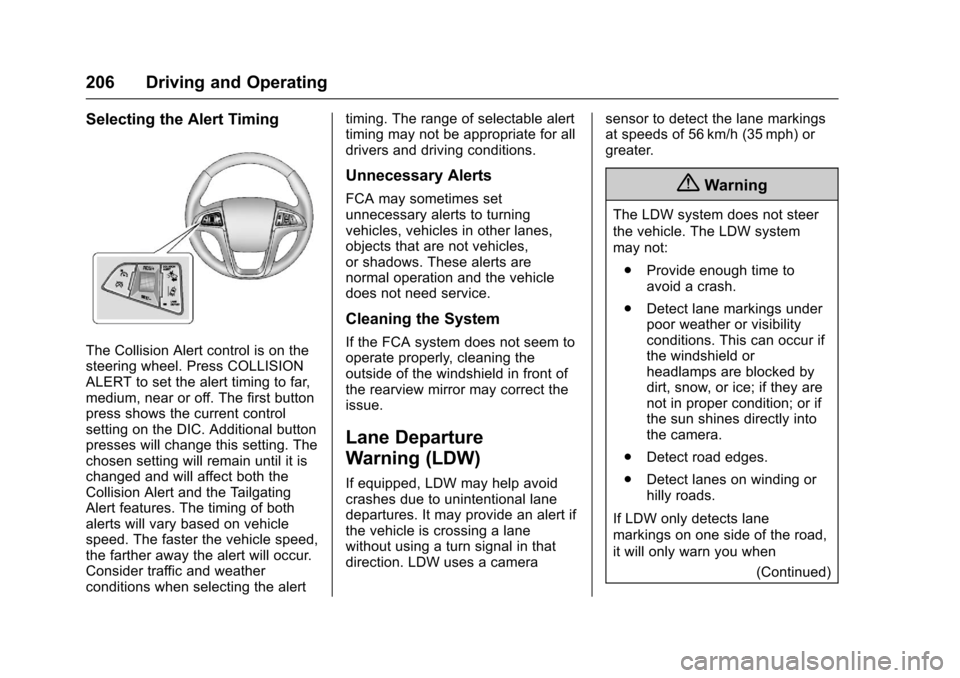
Selecting the Alert Timing
The Collision Alert control is on thesteering wheel. Press COLLISIONALERT to set the alert timing to far,medium, near or off. The first buttonpress shows the current controlsetting on the DIC. Additional buttonpresses will change this setting. Thechosen setting will remain until it ischanged and will affect both theCollision Alert and the TailgatingAlert features. The timing of bothalerts will vary based on vehiclespeed. The faster the vehicle speed,the farther away the alert will occur.Consider traffic and weatherconditions when selecting the alert
timing. The range of selectable alerttiming may not be appropriate for alldrivers and driving conditions.
Unnecessary Alerts
FCA may sometimes setunnecessary alerts to turningvehicles, vehicles in other lanes,objects that are not vehicles,or shadows. These alerts arenormal operation and the vehicledoes not need service.
Cleaning the System
If the FCA system does not seem tooperate properly, cleaning theoutside of the windshield in front ofthe rearview mirror may correct theissue.
Lane Departure
Warning (LDW)
If equipped, LDW may help avoidcrashes due to unintentional lanedepartures. It may provide an alert ifthe vehicle is crossing a lanewithout using a turn signal in thatdirection. LDW uses a camera
sensor to detect the lane markingsat speeds of 56 km/h (35 mph) orgreater.
{Warning
The LDW system does not steer
the vehicle. The LDW system
may not:
.Provide enough time toavoid a crash.
.Detect lane markings underpoor weather or visibilityconditions. This can occur ifthe windshield orheadlamps are blocked bydirt, snow, or ice; if they arenot in proper condition; or ifthe sun shines directly intothe camera.
.Detect road edges.
.Detect lanes on winding orhilly roads.
If LDW only detects lane
markings on one side of the road,
it will only warn you when
(Continued)
Page 208 of 342
Chevrolet Sonic Owner Manual (GMNA-Localizing-U.S./Canada-10122660) -2017 - crc - 5/13/16
Driving and Operating 207
Warning (Continued)
departing the lane on the side
where it has detected a lane
marking. Always keep your
attention on the road and
maintain proper vehicle position
within the lane, or vehicle
damage, injury, or death could
occur. Always keep the
windshield, headlamps, and
camera sensors clean and in
good repair. Do not use LDW in
bad weather conditions.
How the System Works
The LDW camera sensor is on thewindshield ahead of the rearviewmirror.
To t u r n L D W o n a n d o f f , p r e s s@on
the center console. The controlindicator will light when LDW is on.
When LDW is on,@is green if
LDW is available to warn of a lanedeparture. If the vehicle crosses adetected lane marking without using
the turn signal in that direction,@
changes to amber and flashes.Additionally, there will be threebeeps on the right or left, dependingon the lane departure direction.
When the System Does Not
Seem To Work Properly
The system may not detect lanes aswell when there are:
.Close vehicles ahead.
.Sudden lighting changes, suchas when driving through tunnels.
.Banked roads.
If the LDW system is not functioningproperly when lane markings areclearly visible, cleaning thewindshield may help.
LDW alerts may occur due to tarmarks, shadows, cracks in the road,temporary or construction lanemarkings, or other roadimperfections. This is normal systemoperation; the vehicle does not needservice. Turn LDW off if theseconditions continue.
Fuel
GM recommends the use of TOPTIER Detergent Gasoline®to keepthe engine cleaner and reduceengine deposits. Seewww.toptiergas.com for a list of TOPTIER Detergent Gasoline marketersand applicable countries.
Do not use any fuel labeled E85 orFlexFuel. Do not use gasoline withethanol levels greater than 15% byvolume.
Use regular unleaded gasolinemeeting ASTM specification D4814with a posted octane rating of 87 orhigher. Do not use gasoline with a