2017 CHEVROLET SONIC tow
[x] Cancel search: towPage 89 of 342
Chevrolet Sonic Owner Manual (GMNA-Localizing-U.S./Canada-10122660) -2017 - crc - 5/13/16
88 Seats and Restraints
Caution
Do not let the LATCH
attachments rub against the
vehicle’ssafetybelts.Thismay
damage these parts. If necessary,
move buckled safety belts to
avoid rubbing the LATCH
attachments.
Do not fold the rear seatback
when the seat is occupied. Do not
fold the empty rear seat with a
safety belt buckled. This could
damage the safety belt or the
seat. Unbuckle and return the
safety belt to its stowed position,
before folding the seat.
If you need to secure more than onechild restraint in the rear seat, seeWhere to Put the Restraint083.
This system is designed to makethe installation of child restraintseasier. When using lower anchors,do not use the vehicle's safety belts.Instead, use the vehicle's anchorsand child restraint attachments to
secure the restraints. Somerestraints also use another vehicleanchor to secure a top tether.
1. Attach and tighten the lowerattachments to the loweranchors. If the child restraintdoes not have lowerattachments or the desiredseating position does not havelower anchors, secure the childrestraint with the top tether andthe safety belts. Refer to yourchild restraint manufacturerinstructions and theinstructions in this manual.
1.1. Find the lower anchorsfor the desired seatingposition.
1.2. Put the child restraint onthe seat.
For rear outboard seatingpositions, if the headrestraint interferes withthe proper installation ofthe child restraint, thehead restraint may beremoved. See“Head
Restraint Removal andReinstallation”at the endof this section.
1.3. Attach and tighten thelower attachments on thechild restraint to the loweranchors.
2. If the child restraintmanufacturer recommends thatthe top tether be attached,attach and tighten the toptether to the top tether anchor,if equipped. Refer to the childrestraint instructions and thefollowing steps:
2.1. Find the top tetheranchor.
2.2. Open the cover,if equipped, to access thetop tether anchors.
2.3. For hatchback models,remove the cargo coverbefore installing the toptether. The cargo covershould remain off whilethe top tether is in use.
Page 94 of 342
Chevrolet Sonic Owner Manual (GMNA-Localizing-U.S./Canada-10122660) -2017 - crc - 5/13/16
Seats and Restraints 93
6. If the child restraint has a toptether, follow the child restraintmanufacturer's instructionsregarding the use of the toptether. SeeLower Anchors andTe t h e r s f o r C h i l d r e n ( L AT C HSystem)084.
7. Before placing a child in thechild restraint, make sure it issecurely held in place. Tocheck, grasp the child restraintat the safety belt path andattempt to move it side to sideand back and forth. When thechild restraint is properlyinstalled, there should be nomore than 2.5 cm (1 in) ofmovement.
To r e m o v e t h e c h i l d r e s t r a i n t ,unbuckle the vehicle safety belt andlet it return to the stowed position.If the top tether is attached to a toptether anchor, disconnect it.
Securing Child Restraints
(With the Safety Belt in
the Front Seat)
This vehicle has airbags. A rearseat is a safer place to secure aforward-facing child restraint. SeeWhere to Put the Restraint083.
In addition, the vehicle has apassenger sensing system which isdesigned to turn off the frontoutboard passenger frontal airbagand knee airbag under certainconditions. SeePassenger SensingSystem071andPassenger AirbagStatus Indicator0111for moreinformation on this, includingimportant safety information.
Never put a rear-facing child seat inthe front. This is because the risk tothe rear-facing child is so great,if the airbag deploys.
{Warning
Achildinarear-facingchild
restraint can be seriously injured
or killed if the front outboard
passenger frontal airbag inflates.
This is because the back of the
rear-facing child restraint would
be very close to the inflating
airbag. A child in a forward-facing
child restraint can be seriously
injured or killed if the front
outboard passenger frontal airbag
inflates and the passenger seat is
in a forward position.
Even if the passenger sensing
system has turned off the front
outboard passenger airbag(s), no
system is fail-safe. No one can
guarantee that an airbag will not
deploy under some unusual
circumstance, even though the
airbag(s) are off.
Secure rear-facing child restraints
in a rear seat, even if the
airbag(s) are off. If you secure a
(Continued)
Page 104 of 342

Chevrolet Sonic Owner Manual (GMNA-Localizing-U.S./Canada-10122660) -2017 - crc - 5/13/16
Instruments and Controls 103
If the ignition is put in OFF while thewipers are performing wipes due towindshield washing, the wiperscontinue to run until they reach thebase of the windshield.
nL:Pull the windshield wiperlever toward you to spray windshieldwasher fluid and activate the wipers.The wipers will continue until thelever is released or the maximumwash time is reached. When thewindshield wiper lever is released,additional wipes may occurdepending on how long thewindshield washer had beenactivated. SeeWasher Fluid0231for information on filling thewindshield washer fluid reservoir.
{Warning
In freezing weather, do not use
the washer until the windshield is
warmed. Otherwise the washer
fluid can form ice on the
windshield, blocking your vision.
Clear snow and ice from the wiperblades before using them. If frozento the windshield, carefully loosen orthaw them. Damaged wiper bladesshould be replaced. SeeWiperBlade Replacement0236.
Heavy snow or ice can overload thewiper motor. A circuit breaker willstop the motor until it cools down.
Rear Window Wiper/
Washer
If equipped with the rear wiper/washer, the controls are on the endof the windshield wiper lever.
ON :Press the upper portion of thebutton for continuous rear windowwipes.
OFF :The rear wiper turns off whenthe button is returned to the middleposition.
INT :Press the lower portion of thebutton for a delay between wipes.
a:Push the windshield wiper leverforward to spray washer fluid on therear window. The lever returns to itsstarting position when released.
Rear Wiper Arm AssemblyProtection
When using an automatic car wash,move the rear wiper control to OFFto disable the rear wiper. In somevehicles, if the transmission is inN(Neutral)andthevehiclespeedisvery slow, the rear wiper willautomatically park under the rearspoiler.
The wiper operations return tonormal when the transmission is nolonger in N (Neutral) or the vehiclespeed has increased.
Auto Wipe in Reverse Gear
If the rear wiper control is off, therear wiper will automatically operatecontinuously when the shift lever is
Page 115 of 342
Chevrolet Sonic Owner Manual (GMNA-Localizing-U.S./Canada-10122660) -2017 - crc - 5/13/16
114 Instruments and Controls
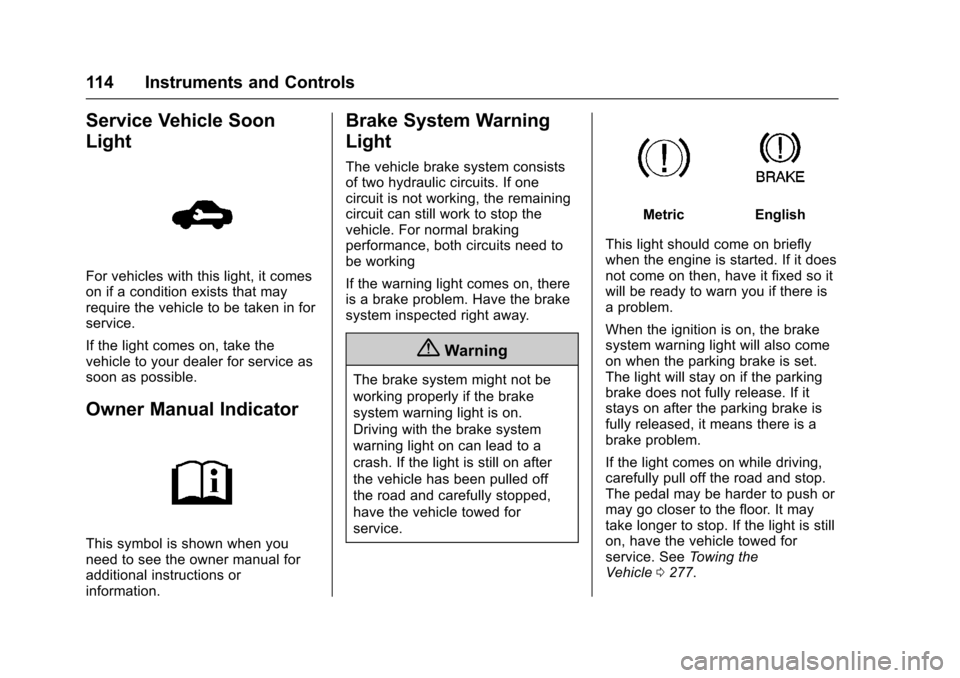
Service Vehicle Soon
Light
For vehicles with this light, it comeson if a condition exists that mayrequire the vehicle to be taken in forservice.
If the light comes on, take thevehicle to your dealer for service assoon as possible.
Owner Manual Indicator
This symbol is shown when youneed to see the owner manual foradditional instructions orinformation.
Brake System Warning
Light
The vehicle brake system consistsof two hydraulic circuits. If onecircuit is not working, the remainingcircuit can still work to stop thevehicle. For normal brakingperformance, both circuits need tobe working
If the warning light comes on, thereis a brake problem. Have the brakesystem inspected right away.
{Warning
The brake system might not be
working properly if the brake
system warning light is on.
Driving with the brake system
warning light on can lead to a
crash. If the light is still on after
the vehicle has been pulled off
the road and carefully stopped,
have the vehicle towed for
service.
MetricEnglish
This light should come on brieflywhen the engine is started. If it doesnot come on then, have it fixed so itwill be ready to warn you if there isaproblem.
When the ignition is on, the brakesystem warning light will also comeon when the parking brake is set.The light will stay on if the parkingbrake does not fully release. If itstays on after the parking brake isfully released, it means there is abrake problem.
If the light comes on while driving,carefully pull off the road and stop.The pedal may be harder to push ormay go closer to the floor. It maytake longer to stop. If the light is stillon, have the vehicle towed forservice. SeeTo w i n g t h eVehicle0277.
Page 136 of 342
Chevrolet Sonic Owner Manual (GMNA-Localizing-U.S./Canada-10122660) -2017 - crc - 5/13/16
Lighting 135
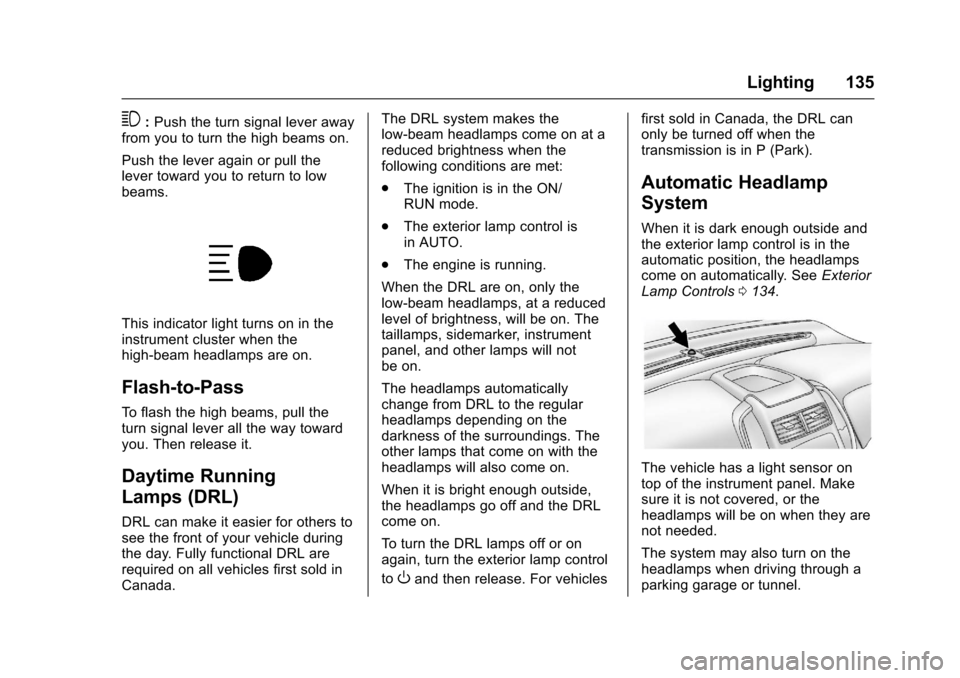
3:Push the turn signal lever awayfrom you to turn the high beams on.
Push the lever again or pull thelever toward you to return to lowbeams.
This indicator light turns on in theinstrument cluster when thehigh-beam headlamps are on.
Flash-to-Pass
To f l a s h t h e h i g h b e a m s , p u l l t h eturn signal lever all the way towardyou. Then release it.
Daytime Running
Lamps (DRL)
DRL can make it easier for others tosee the front of your vehicle duringthe day. Fully functional DRL arerequired on all vehicles first sold inCanada.
The DRL system makes thelow-beam headlamps come on at areduced brightness when thefollowing conditions are met:
.The ignition is in the ON/RUN mode.
.The exterior lamp control isin AUTO.
.The engine is running.
When the DRL are on, only thelow-beam headlamps, at a reducedlevel of brightness, will be on. Thetaillamps, sidemarker, instrumentpanel, and other lamps will notbe on.
The headlamps automaticallychange from DRL to the regularheadlamps depending on thedarkness of the surroundings. Theother lamps that come on with theheadlamps will also come on.
When it is bright enough outside,the headlamps go off and the DRLcome on.
To t u r n t h e D R L l a m p s o f f o r o nagain, turn the exterior lamp control
toOand then release. For vehicles
first sold in Canada, the DRL canonly be turned off when thetransmission is in P (Park).
Automatic Headlamp
System
When it is dark enough outside andthe exterior lamp control is in theautomatic position, the headlampscome on automatically. SeeExteriorLamp Controls0134.
The vehicle has a light sensor ontop of the instrument panel. Makesure it is not covered, or theheadlamps will be on when they arenot needed.
The system may also turn on theheadlamps when driving through aparking garage or tunnel.
Page 150 of 342
Chevrolet Sonic Owner Manual (GMNA-Localizing-U.S./Canada-10122660) -2017 - crc - 5/13/16
Infotainment System 149
Audio Players
Avoiding Untrusted Media
Devices
When using media devices such asCDs, DVDs, Blu-ray Discs®,SDcards, USB drives, and mobiledevices, consider the source.Untrusted media devices couldcontain files that affect systemoperation or performance. Avoid useif the content or origin cannot betrusted.
USB Port
Using the USB Port
The infotainment system can playmusic by connecting an auxiliarydevice to the USB port.
USB Support
The vehicle is equipped with eitherasingleUSBportordualUSBportslocated in the center stack for dataand charging, and uses theUSB 2.1A standard.
USB Supported Devices
.USB Flash Drives
.iPods/iPhones
.Portable USB Hard Drives
Not all iPods and USB drives arecompatible with the USB port.
Make sure the iPod has the latestfirmware from Apple®for properoperation. iPod firmware can beupdated using the latest iTunes®
application. See www.apple.com/itunes.
For help with identifying your iPod,go to www.apple.com/support.
The USB port can play both lowerand upper case .mp3, .wma, .ogg,and .wav files stored on a USBstorage device.
Supported Apple®Devices
To v i e w s u p p o r t e d d e v i c e s i n t h eU.S., see www.my.chevrolet.com\learned.
To v i e w s u p p o r t e d d e v i c e s i nCanada, seewww.chevroletowner.ca.
To v i e w s u p p o r t e d d e v i c e s i nMexico, see your dealer.
USB Supported File and FolderStructure
The infotainment system supports:
.FAT 1 6 .
.FAT 3 2 .
.exFAT.
Connecting a USB Storage
Device or iPod/iPhone
To c o n n e c t a U S B s t o r a g e d e v i c e ,connect the device to the USB port.
To c o n n e c t a n i P o d / i P h o n e , c o n n e c tone end of the device’scabletotheiPod/iPhone and the other end tothe USB port.
The iPod/iPhone charges while it isconnected to the vehicle if thevehicle is in ACC/ACCESSORY orON/RUN. SeeIgnition Positions(Key Access)0182orIgnitionPositions (Keyless Access)0183.When the vehicle is turned off, theiPod/iPhone automatically powersoff and will not charge or drawpower from the vehicle's battery.
Page 162 of 342
Chevrolet Sonic Owner Manual (GMNA-Localizing-U.S./Canada-10122660) -2017 - crc - 5/13/16
Infotainment System 161
.If the Bluetooth music playbackis not functioning, then check tosee if the Bluetooth device is inthe waiting screen mode.
.Sounds may be cut off duringthe Bluetooth music playback.
.The infotainment system outputsthe audio from the cell phone orBluetooth device as it istransmitted.
Apple CarPlay and
Android Auto
If equipped, Android Auto™and/orApple CarPlay™capability may beavailable through a compatiblesmartphone. If available, aPROJECTION icon will appear asAndroid Auto or Car Play on theHome Page of the infotainmentdisplay.
To u s e A n d r o i d A u t o a n d / o r A p p l eCarPlay:
1. Download the Android Autoapp to your phone from theGoogle™Play store. There is
no app required for AppleCarPlay. Use the latestavailable operation system.
2. Connect your Android phone orApple iPhone by using thecompatible phone USB cableand plugging into a USB dataport. For best performance, usethe device’sfactory-providedUSB cable. Aftermarket orthird-party cables maynot work.
The PROJECTION icon on theHome Page will change to AndroidAuto or Apple CarPlay dependingon the phone. Android Auto and/orApple CarPlay may automaticallylaunch upon USB connection. If not,touch the ANDROID AUTO and/orAPPLE CARPLAY icon on theHome Page to launch.
For further information on how to setup Android Auto and Apple CarPlayin the vehicle, seewww.my.chevrolet.com for the U.S.and www.chevroletowner.ca forCanada only orCustomerAssistance Offices0309.
Android Auto is provided by Googleand is subject to Google’stermsand privacy policy. CarPlay isprovided by Apple and is subject toApple’stermsandprivacypolicy.For Android Auto support seehttps://support.google.com/androidauto or Apple CarPlaysupport at https://www.apple.com/ios/carplay/. Apple or Google maychange or suspend availability atany time. Android Auto is atrademark of Google Inc.; AppleCarPlay is a trademark of Apple Inc.
Hands-Free Phone
General Information
Vehicles with a Hands-Free Phonesystem can use a Bluetooth-capablecell phone with a hands-free profileto make and receive phone calls.The infotainment system and voicecontrol are used to operate thesystem. Not all phones support allfunctions and not all phones workwith the Hands-Free Phone system.
Page 172 of 342

Chevrolet Sonic Owner Manual (GMNA-Localizing-U.S./Canada-10122660) -2017 - crc - 5/13/16
Driving and Operating 171
Driving and
Operating
Driving Information
Distracted Driving . . . . . . . . . . . . 172Defensive Driving . . . . . . . . . . . . . 172Drunk Driving . . . . . . . . . . . . . . . . . 172Control of a Vehicle . . . . . . . . . . . 173Braking . . . . . . . . . . . . . . . . . . . . . . . 173Steering . . . . . . . . . . . . . . . . . . . . . . 173Off-Road Recovery . . . . . . . . . . . 174Loss of Control . . . . . . . . . . . . . . . 174Driving on Wet Roads . . . . . . . . 175Hill and Mountain Roads . . . . . 176Winter Driving . . . . . . . . . . . . . . . . 176If the Vehicle Is Stuck . . . . . . . . 178Vehicle Load Limits . . . . . . . . . . . 178
Starting and Operating
New Vehicle Break-In . . . . . . . . . 181Ignition Positions (KeyAccess) . . . . . . . . . . . . . . . . . . . . . 182Ignition Positions (KeylessAccess) . . . . . . . . . . . . . . . . . . . . . 183Starting the Engine . . . . . . . . . . . 185Engine Heater . . . . . . . . . . . . . . . . 186Retained AccessoryPower (RAP) . . . . . . . . . . . . . . . . 187
Shifting Into Park (AutomaticTransmission) . . . . . . . . . . . . . . . 187Shifting out of Park (AutomaticTransmission) . . . . . . . . . . . . . . . 188Parking . . . . . . . . . . . . . . . . . . . . . . . 189Parking over ThingsThat Burn . . . . . . . . . . . . . . . . . . . 189Extended Parking . . . . . . . . . . . . 189
Engine Exhaust
Engine Exhaust . . . . . . . . . . . . . . 190Running the Vehicle WhileParked . . . . . . . . . . . . . . . . . . . . . . 190
Automatic Transmission
Automatic Transmission . . . . . . 191Manual Mode . . . . . . . . . . . . . . . . . 192
Manual Transmission
Manual Transmission . . . . . . . . . 193
Brakes
Antilock BrakeSystem (ABS) . . . . . . . . . . . . . . . 195Parking Brake . . . . . . . . . . . . . . . . 196Brake Assist . . . . . . . . . . . . . . . . . . 196Hill Start Assist (HSA) . . . . . . . . 197
Ride Control Systems
Traction Control/ElectronicStability Control . . . . . . . . . . . . . 197
Cruise Control
Cruise Control . . . . . . . . . . . . . . . . 199
Driver Assistance Systems
Rear Vision Camera (RVC) . . . 201Parking Assist . . . . . . . . . . . . . . . . 203Forward Collision Alert (FCA)System . . . . . . . . . . . . . . . . . . . . . . 204Lane DepartureWarning (LDW) . . . . . . . . . . . . . 206
Fuel
Fuel . . . . . . . . . . . . . . . . . . . . . . . . . . 207California FuelRequirements . . . . . . . . . . . . . . . 208Fuels in Foreign Countries . . . 208Fuel Additives . . . . . . . . . . . . . . . . 208Filling the Tank . . . . . . . . . . . . . . . 209Filling a Portable FuelContainer . . . . . . . . . . . . . . . . . . . 210
Trailer Towing
General Towing Information . . . 211
Conversions and Add-Ons
Add-On ElectricalEquipment . . . . . . . . . . . . . . . . . . 211