2017 CHEVROLET SONIC M on drive
[x] Cancel search: M on drivePage 18 of 342

Chevrolet Sonic Owner Manual (GMNA-Localizing-U.S./Canada-10122660) -2017 - crc - 5/13/16
In Brief 17
Climate Control System with
Heater and Air Conditioning
1. Temperature Control
2. Fan Control
3. Air Delivery Mode Control
4. Driver and Passenger HeatedSeats (If Equipped)
5. Recirculation
6. Rear Window Defogger
7. Air Conditioning
Climate Control System with
Heater Only
1. Temperature Control
2. Fan Control
3. Air Delivery Mode Control
4. Rear Window Defogger
SeeClimate Control Systems0166.
Transmission
Automatic Transmission
Manual Mode
If equipped, this position allows youto change gears similar to a manualtransmission. To use this feature:
1. Move the shift lever fromD(Drive) rearward toM(Manual Mode).
2. Press the + (plus) end of thebutton on the side of the shiftlever to upshift, or press the✓(minus) end of the button todownshift.
SeeManual Mode0192.
Page 22 of 342

Chevrolet Sonic Owner Manual (GMNA-Localizing-U.S./Canada-10122660) -2017 - crc - 5/13/16
In Brief 21
Cruise Control
5:Press to turn the cruise controlsystem on and off. A white indicatorcomes on in the instrument clusterwhen cruise is turned on.
RES/+ :If there is a set speed inmemory, move the thumbwheel upbriefly to resume to that speed orhold upward to accelerate. If cruisecontrol is already active, use toincrease vehicle speed.
SET/✓:Move the thumbwheel downbriefly to set the speed and activatecruise control. If cruise control isalready active, use to decreasespeed.
*:Press to disengage cruisecontrol without erasing the setspeed from memory.
SeeCruise Control0199.
Driver Information
Center (DIC)
The DIC display is in the instrumentcluster. It shows the status of manyvehicle systems. The controls forthe DIC are on the turn signal lever.
1.SET/CLR:Press to set or clearthe menu item displayed.
2.wx:Turn the band to scroll
through the menu items.
3.MENU:Press to display theDIC menus. This button is alsoused to return to or exit the lastscreen displayed on the DIC.
SeeDriver Information Center(DIC)0121.
Forward Collision Alert
(FCA) System
If equipped, FCA may help avoid orreduce the harm caused byfront-end crashes. FCA provides a
green indicator,V,whenavehicle
is detected ahead. Whenapproaching a vehicle ahead tooquickly, FCA provides a red flashingalert and rapidly beeps. This alertstays lit if you follow a vehicle muchtoo closely.
SeeForward Collision Alert (FCA)System0204.
Lane Departure
Warning (LDW)
If equipped, LDW may help avoidunintentional lane departures atspeeds of 56 km/h (35 mph) or
Page 24 of 342
Chevrolet Sonic Owner Manual (GMNA-Localizing-U.S./Canada-10122660) -2017 - crc - 5/13/16
In Brief 23
Performance and
Maintenance
Traction Control/
Electronic Stability
Control
The Traction Control System (TCS)limits wheel spin. The system is onwhen the vehicle is started.
The StabiliTrak system assists withdirectional control of the vehicle indifficult driving conditions. Thesystem is on when the vehicle isstarted.
.To t u r n o f f t r a c t i o n c o n t r o l , p r e s s
and releasegon the center
console. The traction off lighti
illuminates.
.Press and releasegagain to
turn traction control back on.
.To t u r n o f f b o t h t r a c t i o n c o n t r o land StabiliTrak, press and holdguntil the traction off lighti
and the StabiliTrak OFF lightg
illuminate.
.Pressgagain to turn on both
systems.
SeeTr a c t i o n C o n t r o l / E l e c t r o n i cStability Control0197.
Tire Pressure Monitor
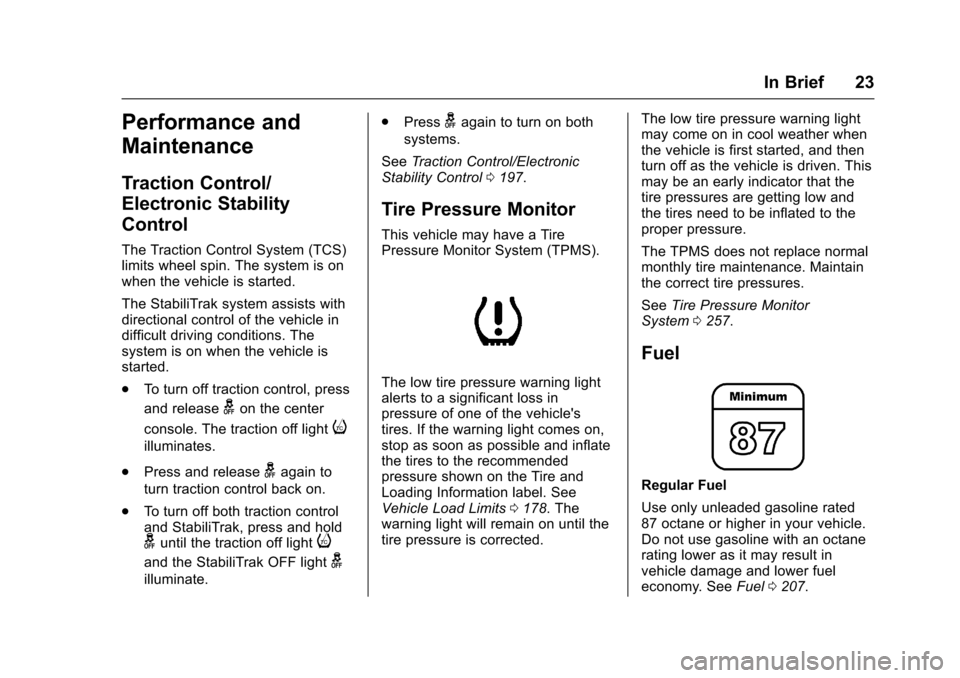
This vehicle may have a TirePressure Monitor System (TPMS).
The low tire pressure warning lightalerts to a significant loss inpressure of one of the vehicle'stires. If the warning light comes on,stop as soon as possible and inflatethe tires to the recommendedpressure shown on the Tire andLoading Information label. SeeVehicle Load Limits0178.Thewarning light will remain on until thetire pressure is corrected.
The low tire pressure warning lightmay come on in cool weather whenthe vehicle is first started, and thenturn off as the vehicle is driven. Thismay be an early indicator that thetire pressures are getting low andthe tires need to be inflated to theproper pressure.
The TPMS does not replace normalmonthly tire maintenance. Maintainthe correct tire pressures.
SeeTire Pressure MonitorSystem0257.
Fuel
Regular Fuel
Use only unleaded gasoline rated87 octane or higher in your vehicle.Do not use gasoline with an octanerating lower as it may result invehicle damage and lower fueleconomy. SeeFuel0207.
Page 25 of 342

Chevrolet Sonic Owner Manual (GMNA-Localizing-U.S./Canada-10122660) -2017 - crc - 5/13/16
24 In Brief
E85 or FlexFuel
No E85 or FlexFuel
Gasoline-ethanol fuel blends greaterthan E15 (15% ethanol by volume),such as E85, cannot be used in thisvehicle.
Engine Oil Life System
The engine oil life system calculatesengine oil life based on vehicle use
and displays the:%CHANGE
message on the Driver InformationCenter (DIC) when it is necessary tochange the engine oil and filter.
Remember, the oil life display mustbe reset after each oil change. It willnot reset itself.
Resetting the Oil Life System
1. Press MENU to showRemaining Oil Life on thedisplay. This display shows anestimate of the oil’sremaininguseful life. If 99% is displayed,that means that 99% of thecurrent oil life remains.
2. To reset the engine oil lifesystem, press SET/CLR whilethe oil life display is active.Select YES and press and holdSET/CLR. After a few seconds,there will be a single chime andthe oil life will be resetto 100%.
Be careful not to reset the oil lifedisplay accidentally at any timeother than when the oil has justbeen changed. It cannot be resetaccurately until the next oil change.
SeeEngine Oil Life System0222.
Driving for Better Fuel
Economy
Driving habits can affect fuelmileage. Here are some driving tipsto get the best fuel economypossible.
.Avoid fast starts and acceleratesmoothly.
.Brake gradually and avoidabrupt stops.
.Avoid idling the engine for longperiods of time.
.When road and weatherconditions are appropriate, usecruise control.
.Always follow posted speedlimits or drive more slowly whenconditions require.
.Keep vehicle tires properlyinflated.
.Combine several trips into asingle trip.
.Replace the vehicle's tires withthe same TPC Spec numbermolded into the tire's sidewallnear the size.
Page 28 of 342

Chevrolet Sonic Owner Manual (GMNA-Localizing-U.S./Canada-10122660) -2017 - crc - 5/13/16
Keys, Doors, and Windows 27
{Warning
If the key is unintentionally
rotated while the vehicle is
running, the ignition could be
moved out of the RUN position.
This could be caused by heavy
items hanging from the key ring,
or by large or long items attached
to the key ring that could be
contacted by the driver or
steering wheel. If the ignition
moves out of the RUN position,
the engine will shut off, braking
and steering power assist may be
(Continued)
Warning (Continued)
impacted, and airbags may not
deploy. To reduce the risk of
unintentional rotation of the
ignition key, do not change the
way the ignition key and Remote
Keyless Entry (RKE) transmitter,
if equipped, are connected to the
provided key rings.
The ignition key, key rings, and RKEtransmitter, if equipped, aredesigned to work together. As asystem, it reduces the risk ofunintentionally moving the key outof the RUN position. If replacementsor additions are required, see yourdealer. Limit added items to a fewessential keys or small, light itemsno larger than an RKE transmitter.
Interference from radio-frequencyidentification (RFID) tags mayprevent the key from starting thevehicle. Keep RFID tags away fromthe key when starting the vehicle.
Page 30 of 342

Chevrolet Sonic Owner Manual (GMNA-Localizing-U.S./Canada-10122660) -2017 - crc - 5/13/16
Keys, Doors, and Windows 29
Remote Keyless Entry
(RKE) System Operation
(Key Access)
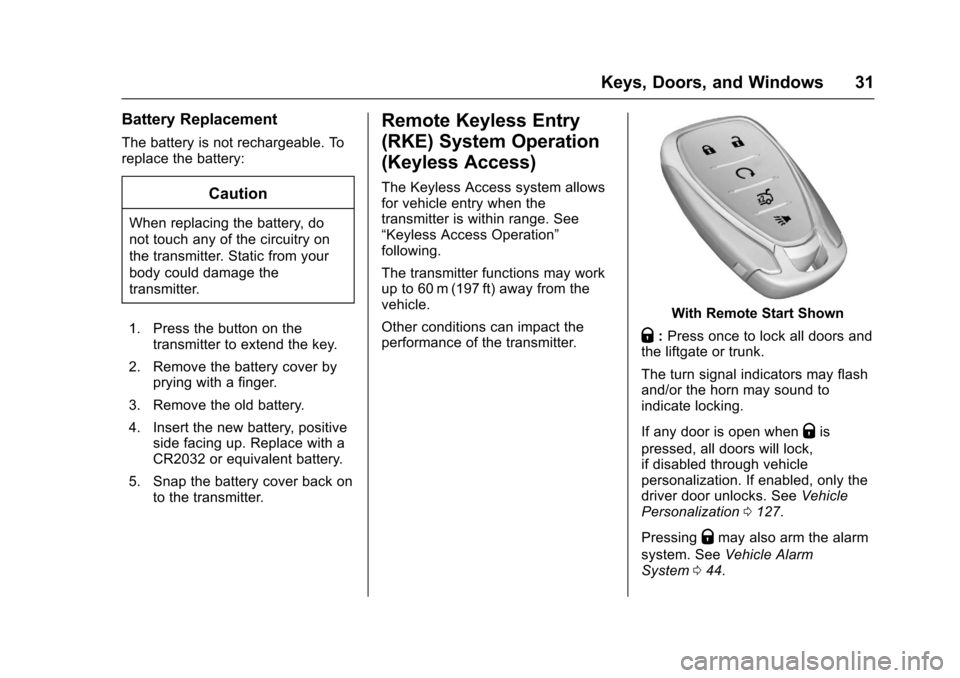
The RKE transmitter may work up to60 m (197 ft) away from the vehicle.
Other conditions can affect theperformance of the transmitter. SeeRemote Keyless Entry (RKE)System028.
With Remote Start Shown
The following buttons are on thetransmitter:
Q:Press to lock all doors liftgate ortrunk. The turn signal indicators mayflash and/or the horn may sound toindicate locking. SeeVehiclePersonalization0127.
If the driver door is open whenQis
pressed, all doors lock except thedriver door, if Unlocked Door AntiLock Out is enabled through vehiclepersonalization. SeeVehiclePersonalization0127.Ifthe
passenger door is open whenQis
pressed, all doors lock.
PressingQmay also arm the
theft-deterrent system. SeeVehicleAlarm System044.
K:Press to unlock the driver dooror all doors liftgate or trunk. The turnsignal indicators flash to indicateunlocking has occurred. SeeVehiclePersonalization0127.
PressingKmay also disarm the
theft-deterrent system. SeeVehicleAlarm System044.
Y:If equipped, press and hold torelease the trunk.
7:Press and release one time toinitiate vehicle locator. The exteriorlamps flash and the horn chirps
three times. Press and hold7for at
least three seconds to sound thepanic alarm. The horn sounds andthe turn signals flash for 30 seconds
until7is pressed again, or until the
key is placed in the ignition andturned to ON/RUN.
/:If equipped, press and releaseQand then immediately press and
hold/for at least four seconds or
until the turn signal lamps flash tostart the engine from outside thevehicle using the RKE transmitter.SeeRemote Vehicle Start037.
The buttons on the RKE transmitterare disabled when there is a key inthe ignition.
Page 32 of 342
Chevrolet Sonic Owner Manual (GMNA-Localizing-U.S./Canada-10122660) -2017 - crc - 5/13/16
Keys, Doors, and Windows 31
Battery Replacement
The battery is not rechargeable. Toreplace the battery:
Caution
When replacing the battery, do
not touch any of the circuitry on
the transmitter. Static from your
body could damage the
transmitter.
1. Press the button on thetransmitter to extend the key.
2. Remove the battery cover byprying with a finger.
3. Remove the old battery.
4. Insert the new battery, positiveside facing up. Replace with aCR2032 or equivalent battery.
5. Snap the battery cover back onto the transmitter.
Remote Keyless Entry
(RKE) System Operation
(Keyless Access)
The Keyless Access system allowsfor vehicle entry when thetransmitter is within range. See“Keyless Access Operation”following.
The transmitter functions may workup to 60 m (197 ft) away from thevehicle.
Other conditions can impact theperformance of the transmitter.
With Remote Start Shown
Q:Press once to lock all doors andthe liftgate or trunk.
The turn signal indicators may flashand/or the horn may sound toindicate locking.
If any door is open whenQis
pressed, all doors will lock,if disabled through vehiclepersonalization. If enabled, only thedriver door unlocks. SeeVehiclePersonalization0127.
PressingQmay also arm the alarm
system. SeeVehicle AlarmSystem044.
Page 33 of 342
Chevrolet Sonic Owner Manual (GMNA-Localizing-U.S./Canada-10122660) -2017 - crc - 5/13/16
32 Keys, Doors, and Windows
K:Press to unlock the driver doorand the liftgate or trunk. Press againto unlock all doors.
The turn signal indicators may flashto indicate unlocking has occurred.SeeVehicle Personalization0127.
PressingKwill disarm the alarm
system. SeeVehicle AlarmSystem044.
X:If equipped, press twice torelease the trunk.
7:Press and release one time toinitiate vehicle locator. The exteriorlamps flash and the horn chirpsthree times.
Press and hold7for at least
three seconds to sound the panicalarm. The horn sounds and theturn signals flash for about
30 seconds until7is pressed again
or ignition is turned to ON/RUN.
/:If equipped, pressQand then
immediately press and hold/for at
least four seconds or until the turnsignal lamps flash to start the
engine from outside the vehicleusing the RKE transmitter. SeeRemote Vehicle Start037.
Keyless Access Operation
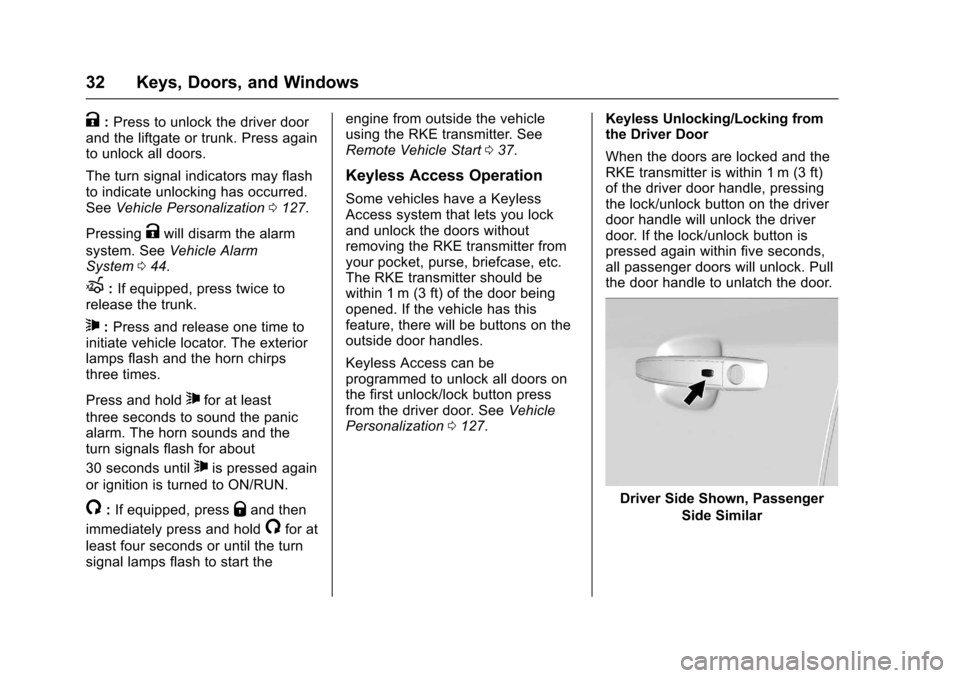
Some vehicles have a KeylessAccess system that lets you lockand unlock the doors withoutremoving the RKE transmitter fromyour pocket, purse, briefcase, etc.The RKE transmitter should bewithin 1 m (3 ft) of the door beingopened. If the vehicle has thisfeature, there will be buttons on theoutside door handles.
Keyless Access can beprogrammed to unlock all doors onthe first unlock/lock button pressfrom the driver door. SeeVehiclePersonalization0127.
Keyless Unlocking/Locking fromthe Driver Door
When the doors are locked and theRKE transmitter is within 1 m (3 ft)of the driver door handle, pressingthe lock/unlock button on the driverdoor handle will unlock the driverdoor. If the lock/unlock button ispressed again within five seconds,all passenger doors will unlock. Pullthe door handle to unlatch the door.
Driver Side Shown, Passenger
Side Similar