2017 CHEVROLET MALIBU Stop
[x] Cancel search: StopPage 37 of 419
Chevrolet Malibu Owner Manual (GMNA-Localizing-U.S./Canada/Mexico-10122664) - 2017 - crc - 5/23/16
36 Keys, Doors, and Windows
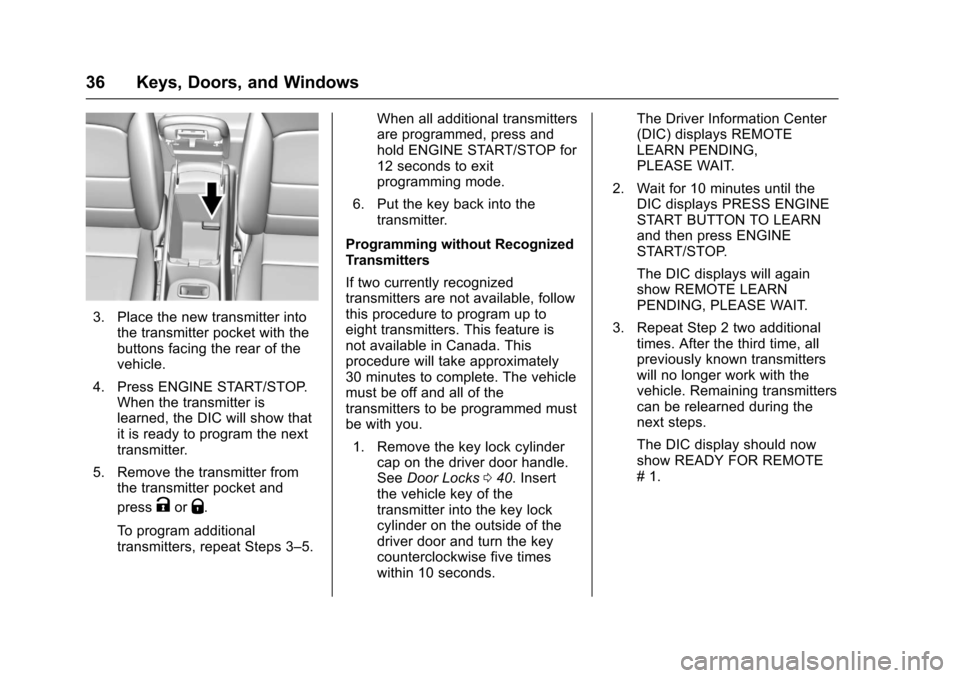
3. Place the new transmitter intothe transmitter pocket with thebuttons facing the rear of thevehicle.
4. Press ENGINE START/STOP.When the transmitter islearned, the DIC will show thatit is ready to program the nexttransmitter.
5. Remove the transmitter fromthe transmitter pocket and
pressKorQ.
To p r o g r a m a d d i t i o n a ltransmitters, repeat Steps 3–5.
When all additional transmittersare programmed, press andhold ENGINE START/STOP for12 seconds to exitprogramming mode.
6. Put the key back into thetransmitter.
Programming without RecognizedTransmitters
If two currently recognizedtransmitters are not available, followthis procedure to program up toeight transmitters. This feature isnot available in Canada. Thisprocedure will take approximately30 minutes to complete. The vehiclemust be off and all of thetransmitters to be programmed mustbe with you.
1. Remove the key lock cylindercap on the driver door handle.SeeDoor Locks040.Insertthe vehicle key of thetransmitter into the key lockcylinder on the outside of thedriver door and turn the keycounterclockwise five timeswithin 10 seconds.
The Driver Information Center(DIC) displays REMOTELEARN PENDING,PLEASE WAIT.
2. Wait for 10 minutes until theDIC displays PRESS ENGINESTART BUTTON TO LEARNand then press ENGINESTART/STOP.
The DIC displays will againshow REMOTE LEARNPENDING, PLEASE WAIT.
3. Repeat Step 2 two additionaltimes. After the third time, allpreviously known transmitterswill no longer work with thevehicle. Remaining transmitterscan be relearned during thenext steps.
The DIC display should nowshow READY FOR REMOTE#1.
Page 38 of 419
Chevrolet Malibu Owner Manual (GMNA-Localizing-U.S./Canada/Mexico-10122664) - 2017 - crc - 5/23/16
Keys, Doors, and Windows 37
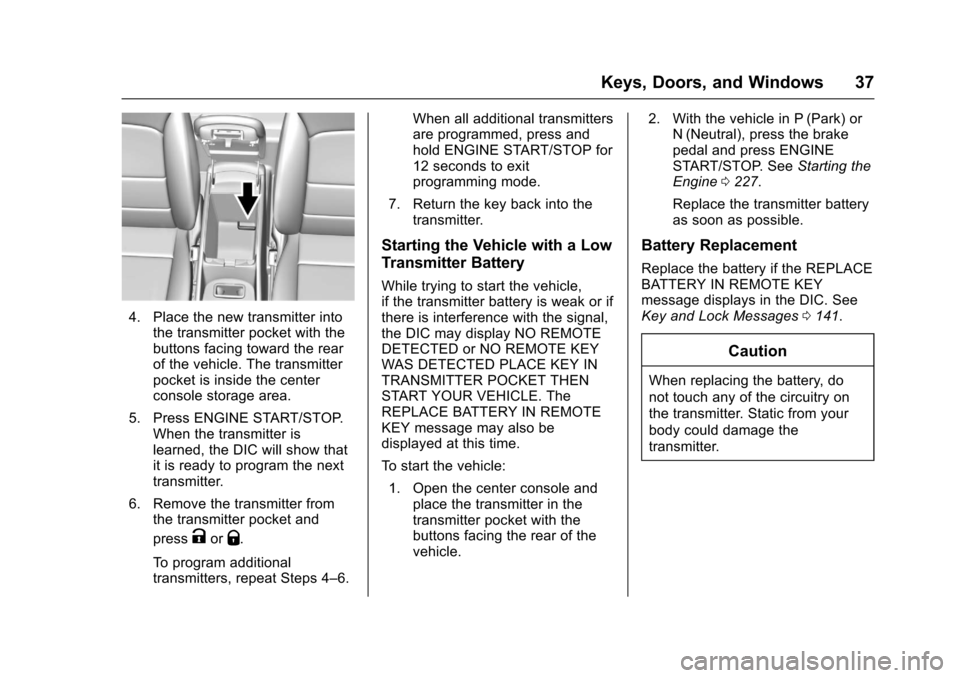
4. Place the new transmitter intothe transmitter pocket with thebuttons facing toward the rearof the vehicle. The transmitterpocket is inside the centerconsole storage area.
5. Press ENGINE START/STOP.When the transmitter islearned, the DIC will show thatit is ready to program the nexttransmitter.
6. Remove the transmitter fromthe transmitter pocket and
pressKorQ.
To p r o g r a m a d d i t i o n a ltransmitters, repeat Steps 4–6.
When all additional transmittersare programmed, press andhold ENGINE START/STOP for12 seconds to exitprogramming mode.
7. Return the key back into thetransmitter.
Starting the Vehicle with a Low
Transmitter Battery
While trying to start the vehicle,if the transmitter battery is weak or ifthere is interference with the signal,the DIC may display NO REMOTEDETECTED or NO REMOTE KEYWAS DETECTED PLACE KEY INTRANSMITTER POCKET THENSTART YOUR VEHICLE. TheREPLACE BATTERY IN REMOTEKEY message may also bedisplayed at this time.
To s t a r t t h e v e h i c l e :
1. Open the center console andplace the transmitter in thetransmitter pocket with thebuttons facing the rear of thevehicle.
2. With the vehicle in P (Park) orN(Neutral), press the brakepedal and press ENGINESTART/STOP. SeeStarting theEngine0227.
Replace the transmitter batteryas soon as possible.
Battery Replacement
Replace the battery if the REPLACEBATTERY IN REMOTE KEYmessage displays in the DIC. SeeKey and Lock Messages0141.
Caution
When replacing the battery, do
not touch any of the circuitry on
the transmitter. Static from your
body could damage the
transmitter.
Page 41 of 419
Chevrolet Malibu Owner Manual (GMNA-Localizing-U.S./Canada/Mexico-10122664) - 2017 - crc - 5/23/16
40 Keys, Doors, and Windows
Conditions in Which Remote StartWill Not Work
The remote vehicle start feature willnot operate if:
.Atransmitterisinthevehicle.
.The hood is not closed.
.The hazard warning flashersare on.
.The malfunction indicator lampis on.
.The engine coolant temperatureis too high.
.The oil pressure is low.
.Tw o r e m o t e v e h i c l e s t a r t s , o r asingle remote start with anextension, have alreadybeen used.
.The vehicle is not in P (Park).
Door Locks
{Warning
Unlocked doors can be
dangerous.
.Passengers, especiallychildren, can easily openthe doors and fall out of amoving vehicle. The doorscan be unlocked andopened while the vehicle ismoving. The chance ofbeing thrown out of thevehicle in a crash isincreased if the doors arenot locked. So, allpassengers should wearsafety belts properly and thedoors should be lockedwhenever the vehicle isdriven.
.Yo u n g c h i l d r e n w h o g e t i n t ounlocked vehicles may beunable to get out. A childcan be overcome byextreme heat and can sufferpermanent injuries or even
(Continued)
Warning (Continued)
death from heat stroke.Always lock the vehiclewhenever leaving it.
.Outsiders can easily enterthrough an unlocked doorwhen you slow down or stopthe vehicle. Locking thedoors can help prevent thisfrom happening.
To l o c k o r u n l o c k t h e d o o r s f r o m t h eoutside:
.PressQorKon the Remote
Keyless Entry (RKE) transmitter.SeeRemote Keyless Entry(RKE) System Operation032.
.Use the key in the driver door.The key lock cylinder is coveredwith a cap.
Page 52 of 419
Chevrolet Malibu Owner Manual (GMNA-Localizing-U.S./Canada/Mexico-10122664) - 2017 - crc - 5/23/16
Keys, Doors, and Windows 51
Window Lockout
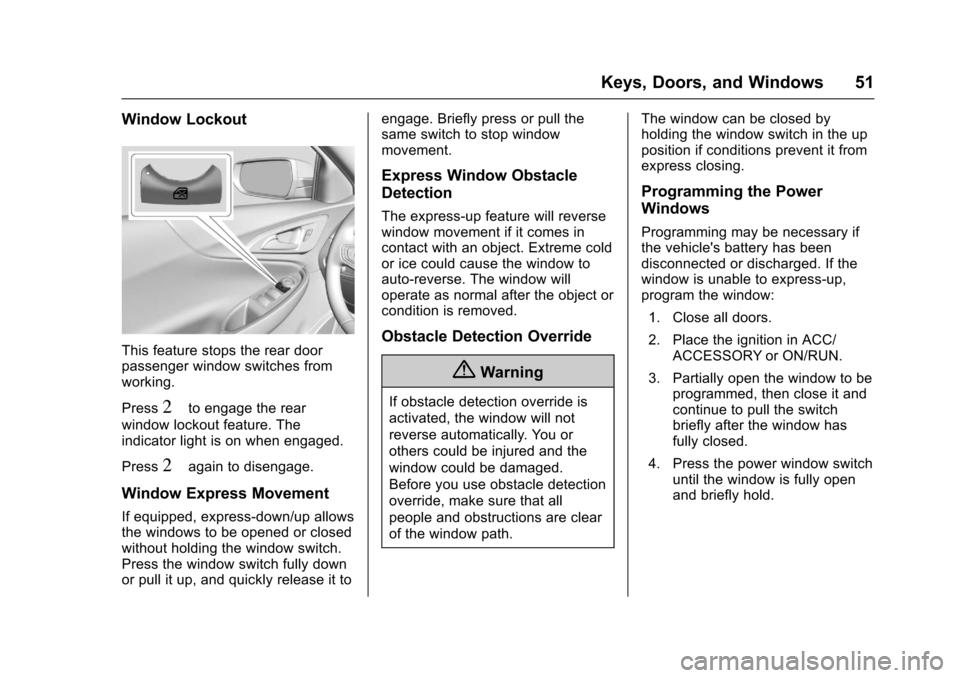
This feature stops the rear doorpassenger window switches fromworking.
Press2to engage the rear
window lockout feature. Theindicator light is on when engaged.
Press2again to disengage.
Window Express Movement
If equipped, express-down/up allowsthe windows to be opened or closedwithout holding the window switch.Press the window switch fully downor pull it up, and quickly release it to
engage. Briefly press or pull thesame switch to stop windowmovement.
Express Window Obstacle
Detection
The express-up feature will reversewindow movement if it comes incontact with an object. Extreme coldor ice could cause the window toauto-reverse. The window willoperate as normal after the object orcondition is removed.
Obstacle Detection Override
{Warning
If obstacle detection override is
activated, the window will not
reverse automatically. You or
others could be injured and the
window could be damaged.
Before you use obstacle detection
override, make sure that all
people and obstructions are clear
of the window path.
The window can be closed byholding the window switch in the upposition if conditions prevent it fromexpress closing.
Programming the Power
Windows
Programming may be necessary ifthe vehicle's battery has beendisconnected or discharged. If thewindow is unable to express-up,program the window:
1. Close all doors.
2. Place the ignition in ACC/ACCESSORY or ON/RUN.
3. Partially open the window to beprogrammed, then close it andcontinue to pull the switchbriefly after the window hasfully closed.
4. Press the power window switchuntil the window is fully openand briefly hold.
Page 53 of 419
Chevrolet Malibu Owner Manual (GMNA-Localizing-U.S./Canada/Mexico-10122664) - 2017 - crc - 5/23/16
52 Keys, Doors, and Windows
Sun Visors
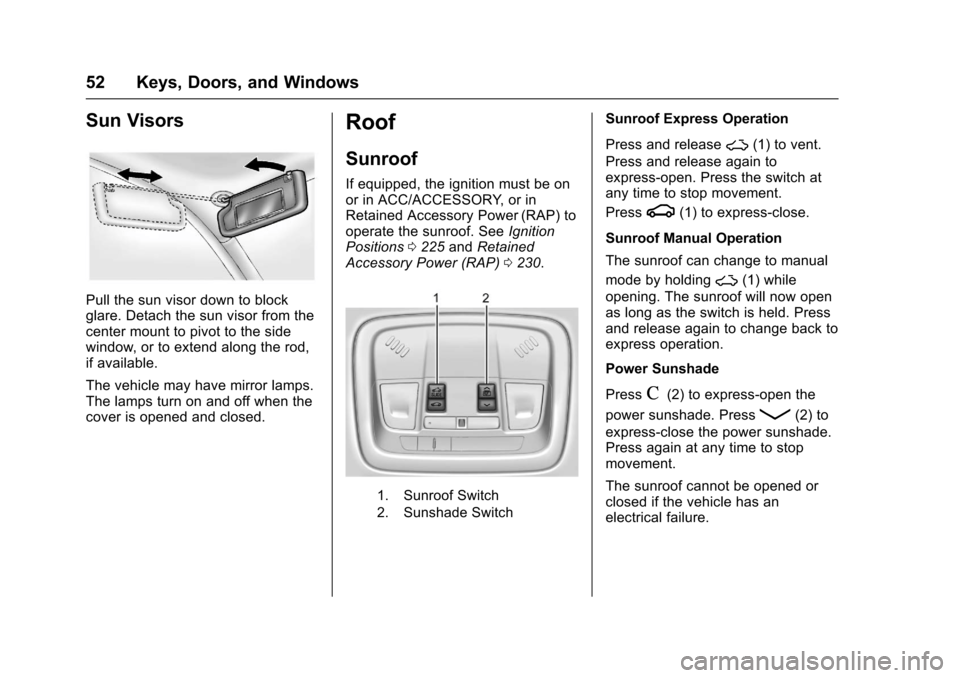
Pull the sun visor down to blockglare. Detach the sun visor from thecenter mount to pivot to the sidewindow, or to extend along the rod,if available.
The vehicle may have mirror lamps.The lamps turn on and off when thecover is opened and closed.
Roof
Sunroof
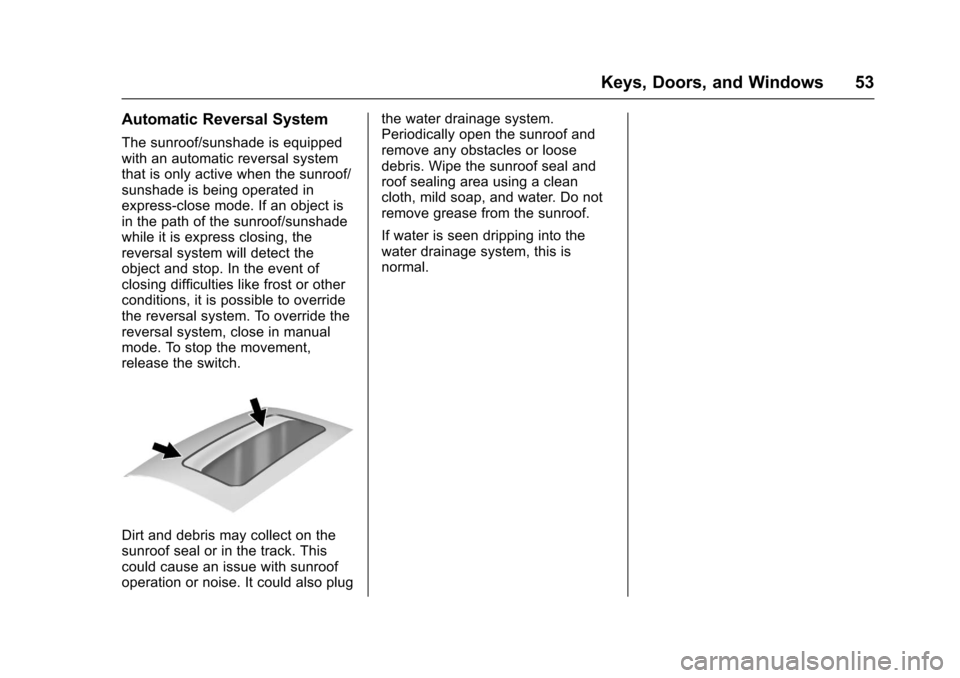
If equipped, the ignition must be onor in ACC/ACCESSORY, or inRetained Accessory Power (RAP) tooperate the sunroof. SeeIgnitionPositions0225andRetainedAccessory Power (RAP)0230.
1. Sunroof Switch
2. Sunshade Switch
Sunroof Express Operation
Press and release~(1) to vent.
Press and release again toexpress-open. Press the switch atany time to stop movement.
Pressg(1) to express-close.
Sunroof Manual Operation
The sunroof can change to manual
mode by holding~(1) while
opening. The sunroof will now openas long as the switch is held. Pressand release again to change back toexpress operation.
Power Sunshade
PressC(2) to express-open the
power sunshade. PressQ(2) to
express-close the power sunshade.Press again at any time to stopmovement.
The sunroof cannot be opened orclosed if the vehicle has anelectrical failure.
Page 54 of 419
Chevrolet Malibu Owner Manual (GMNA-Localizing-U.S./Canada/Mexico-10122664) - 2017 - crc - 5/23/16
Keys, Doors, and Windows 53
Automatic Reversal System
The sunroof/sunshade is equippedwith an automatic reversal systemthat is only active when the sunroof/sunshade is being operated inexpress-close mode. If an object isin the path of the sunroof/sunshadewhile it is express closing, thereversal system will detect theobject and stop. In the event ofclosing difficulties like frost or otherconditions, it is possible to overridethe reversal system. To override thereversal system, close in manualmode. To stop the movement,release the switch.
Dirt and debris may collect on thesunroof seal or in the track. Thiscould cause an issue with sunroofoperation or noise. It could also plug
the water drainage system.Periodically open the sunroof andremove any obstacles or loosedebris. Wipe the sunroof seal androof sealing area using a cleancloth, mild soap, and water. Do notremove grease from the sunroof.
If water is seen dripping into thewater drainage system, this isnormal.
Page 59 of 419
Chevrolet Malibu Owner Manual (GMNA-Localizing-U.S./Canada/Mexico-10122664) - 2017 - crc - 5/23/16
58 Seats and Restraints
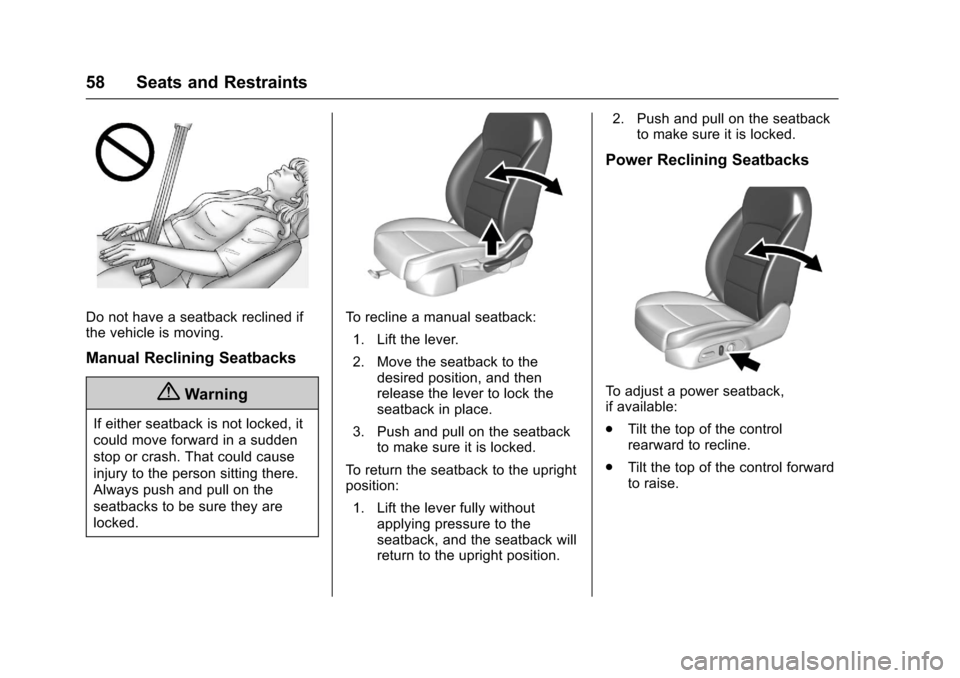
Do not have a seatback reclined ifthe vehicle is moving.
Manual Reclining Seatbacks
{Warning
If either seatback is not locked, it
could move forward in a sudden
stop or crash. That could cause
injury to the person sitting there.
Always push and pull on the
seatbacks to be sure they are
locked.
To r e c l i n e a m a n u a l s e a t b a c k :
1. Lift the lever.
2. Move the seatback to thedesired position, and thenrelease the lever to lock theseatback in place.
3. Push and pull on the seatbackto make sure it is locked.
To r e t u r n t h e s e a t b a c k t o t h e u p r i g h tposition:
1. Lift the lever fully withoutapplying pressure to theseatback, and the seatback willreturn to the upright position.
2. Push and pull on the seatbackto make sure it is locked.
Power Reclining Seatbacks
To a d j u s t a p o w e r s e a t b a c k ,if available:
.Tilt the top of the controlrearward to recline.
.Tilt the top of the control forwardto raise.
Page 60 of 419
Chevrolet Malibu Owner Manual (GMNA-Localizing-U.S./Canada/Mexico-10122664) - 2017 - crc - 5/23/16
Seats and Restraints 59
Memory Seats
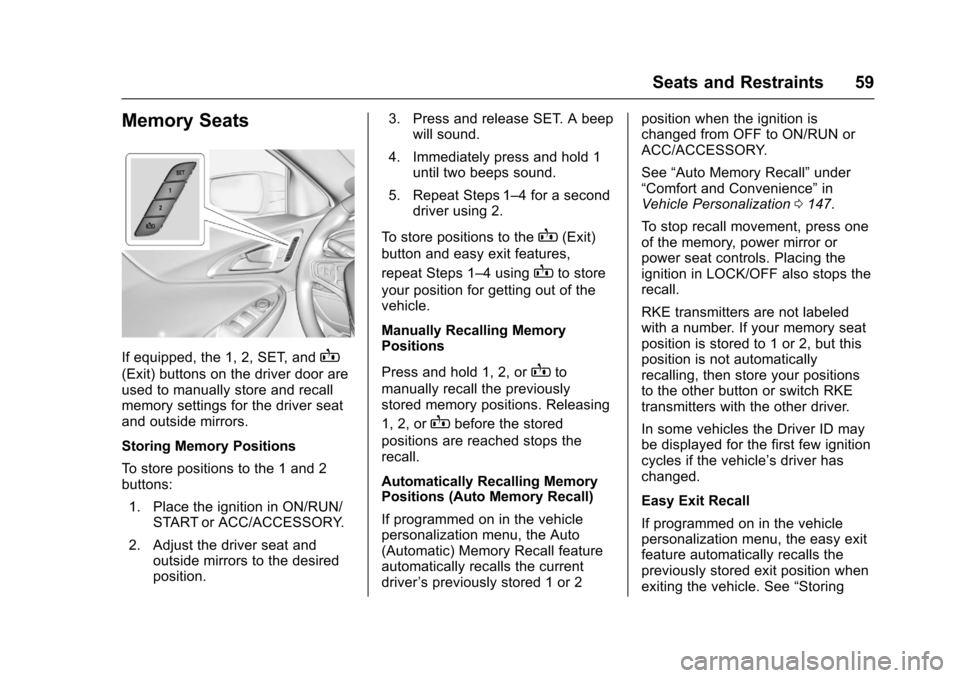
If equipped, the 1, 2, SET, andB
(Exit) buttons on the driver door areused to manually store and recallmemory settings for the driver seatand outside mirrors.
Storing Memory Positions
To s t o r e p o s i t i o n s t o t h e 1 a n d 2buttons:
1. Place the ignition in ON/RUN/START or ACC/ACCESSORY.
2. Adjust the driver seat andoutside mirrors to the desiredposition.
3. Press and release SET. A beepwill sound.
4. Immediately press and hold 1until two beeps sound.
5. Repeat Steps 1–4foraseconddriver using 2.
To s t o r e p o s i t i o n s t o t h eB(Exit)
button and easy exit features,
repeat Steps 1–4usingBto store
your position for getting out of thevehicle.
Manually Recalling MemoryPositions
Press and hold 1, 2, orBto
manually recall the previouslystored memory positions. Releasing
1, 2, orBbefore the stored
positions are reached stops therecall.
Automatically Recalling MemoryPositions (Auto Memory Recall)
If programmed on in the vehiclepersonalization menu, the Auto(Automatic) Memory Recall featureautomatically recalls the currentdriver’spreviouslystored1or2
position when the ignition ischanged from OFF to ON/RUN orACC/ACCESSORY.
See“Auto Memory Recall”under“Comfort and Convenience”inVehicle Personalization0147.
To s t o p r e c a l l m o v e m e n t , p r e s s o n eof the memory, power mirror orpower seat controls. Placing theignition in LOCK/OFF also stops therecall.
RKE transmitters are not labeledwith a number. If your memory seatposition is stored to 1 or 2, but thisposition is not automaticallyrecalling, then store your positionsto the other button or switch RKEtransmitters with the other driver.
In some vehicles the Driver ID maybe displayed for the first few ignitioncycles if the vehicle’sdriverhaschanged.
Easy Exit Recall
If programmed on in the vehiclepersonalization menu, the easy exitfeature automatically recalls thepreviously stored exit position whenexiting the vehicle. See“Storing