2017 CHEVROLET MALIBU ECO mode
[x] Cancel search: ECO modePage 76 of 419
Chevrolet Malibu Owner Manual (GMNA-Localizing-U.S./Canada/Mexico-10122664) - 2017 - crc - 5/23/16
Seats and Restraints 75
roof-rail airbags are designed toinflate during a rollover or in asevere frontal impact. Roof-railairbags are not designed to inflate inrear impacts. Both roof-rail airbagswill inflate when either side of thevehicle is struck or if the sensingsystem predicts that the vehicle isabout to roll over on its side, or in asevere frontal impact.
In any particular crash, no one cansay whether an airbag should haveinflated simply because of thevehicle damage or repair costs.
What Makes an Airbag
Inflate?
In a deployment event, the sensingsystem sends an electrical signaltriggering a release of gas from theinflator. Gas from the inflator fills theairbag causing the bag to break outof the cover. The inflator, the airbag,and related hardware are all part ofthe airbag module.
For airbag locations, seeWhere Arethe Airbags?072.
How Does an Airbag
Restrain?
In moderate to severe frontal ornear frontal collisions, even beltedoccupants can contact the steeringwheel or the instrument panel. Inmoderate to severe side collisions,even belted occupants can contactthe inside of the vehicle.
Airbags supplement the protectionprovided by safety belts bydistributing the force of the impactmore evenly over theoccupant's body.
Rollover capable roof-rail airbagsare designed to help contain thehead and chest of occupants in theoutboard seating positions in thefirst and second rows. The rollovercapable roof-rail airbags aredesigned to help reduce the risk offull or partial ejection in rolloverevents, although no system canprevent all such ejections.
But airbags would not help in manytypes of collisions, primarilybecause the occupant's motion isnot toward those airbags. SeeWhenShould an Airbag Inflate?074.
Airbags should never be regardedas anything more than a supplementto safety belts.
What Will You See after
an Airbag Inflates?
After the frontal, knee, andseat-mounted side impact airbagsinflate, they quickly deflate, soquickly that some people may noteven realize an airbag inflated.Roof-rail airbags may still be at leastpartially inflated for some time afterthey inflate. Some components ofthe airbag module may be hot forseveral minutes. For location of theairbags, seeWhere Are theAirbags?072.
The parts of the airbag that comeinto contact with you may be warm,but not too hot to touch. There maybe some smoke and dust comingfrom the vents in the deflatedairbags. Airbag inflation does not
Page 108 of 419
Chevrolet Malibu Owner Manual (GMNA-Localizing-U.S./Canada/Mexico-10122664) - 2017 - crc - 5/23/16
Instruments and Controls 107
aheadingagain.SeeCompassMessages0139for the messagesthat may be displayed for thecompass.
Clock
Radio without Touchscreen
The infotainment system controlsare used to access the time anddate settings through the menusystem. SeeOperation0176onhow to use the menu system.
Setting the Time and Date
1. Press MENU, then selectSettings.
2. Select Time and Date.
3. Select Set Time or Set Date.
4. Turn MENU to change thevalue.
5. Press MENU to select the nextvalue.
6. Turn MENU to change thevalue.
7. To exit without saving, pressBACK at any time; or to saveand return to the Time andDate menu, press MENUmultiple times.
Auto Set
When Auto Set is enabled, the timecannot be manually set.
From the Set Time or SetDate menu:
1. Press the preset button underAuto Set.
2. Turn MENU to select Off(Manual) or On-Cell Network,then press MENU to select itand return to the Time andDate menu.
3. To exit without saving, pressBACK at any time.
Setting the 12/24 Hour Format
From the Set Time menu:
1. Press the preset button under12-24 HR to change between12 hour and 24 hour modes.
2. To return to the Time and Datemenu, press BACK at any time.
Radio with Touchscreen
The infotainment system controlsare used to access the time anddate settings through the menusystem. SeeOperation0176onhow to use the menu system.
Setting the Time and Date
When Auto Set is enabled the timecannot be manually set.
1. Press{,thentouchSettings.
2. Touch Time and Date, then SetTime or Set Date.
3. Touch + or✓to adjust thevalue.
4. TouchRorQto adjust AM or
PM for 12 hour format.
5. Touch0to return to the
Time and Date menu.
Auto Set
1. Press{,thentouchSettings.
2. Touch Time and Date, thenAuto Set.
3. Select from the availableselections.
Page 123 of 419
Chevrolet Malibu Owner Manual (GMNA-Localizing-U.S./Canada/Mexico-10122664) - 2017 - crc - 5/23/16
122 Instruments and Controls
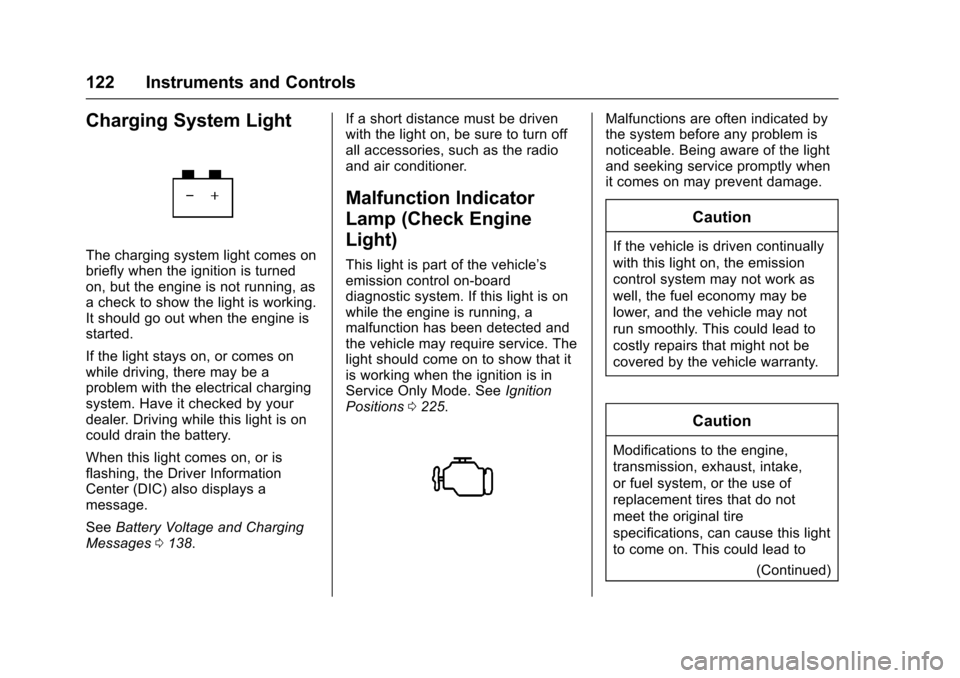
Charging System Light
The charging system light comes onbriefly when the ignition is turnedon, but the engine is not running, asachecktoshowthelightisworking.It should go out when the engine isstarted.
If the light stays on, or comes onwhile driving, there may be aproblem with the electrical chargingsystem. Have it checked by yourdealer. Driving while this light is oncould drain the battery.
When this light comes on, or isflashing, the Driver InformationCenter (DIC) also displays amessage.
SeeBattery Voltage and ChargingMessages0138.
If a short distance must be drivenwith the light on, be sure to turn offall accessories, such as the radioand air conditioner.
Malfunction Indicator
Lamp (Check Engine
Light)
This light is part of the vehicle’semission control on-boarddiagnostic system. If this light is onwhile the engine is running, amalfunction has been detected andthe vehicle may require service. Thelight should come on to show that itis working when the ignition is inService Only Mode. SeeIgnitionPositions0225.
Malfunctions are often indicated bythe system before any problem isnoticeable. Being aware of the lightand seeking service promptly whenit comes on may prevent damage.
Caution
If the vehicle is driven continually
with this light on, the emission
control system may not work as
well, the fuel economy may be
lower, and the vehicle may not
run smoothly. This could lead to
costly repairs that might not be
covered by the vehicle warranty.
Caution
Modifications to the engine,
transmission, exhaust, intake,
or fuel system, or the use of
replacement tires that do not
meet the original tire
specifications, can cause this light
to come on. This could lead to
(Continued)
Page 134 of 419
Chevrolet Malibu Owner Manual (GMNA-Localizing-U.S./Canada/Mexico-10122664) - 2017 - crc - 5/23/16
Instruments and Controls 133
Remaining Oil Life :Displays anestimate of the oil's remaining usefullife. If REMAINING OIL LIFE 99% isdisplayed, that means 99% of thecurrent oil life remains.
When the remaining oil life is low,the CHANGE ENGINE OIL SOONmessage will appear on the display.SeeEngine Oil Messages0141.The oil should be changed as soonas possible. SeeEngine Oil0288.In addition to the engine oil lifesystem monitoring the oil life,additional maintenance isrecommended in the MaintenanceSchedule. SeeMaintenanceSchedule0369.
The Oil Life display must be resetafter each oil change. Do not resetthe Oil Life display accidentally atany time other than when the oil hasjust been changed. It cannot bereset accurately until the next oilchange. To reset the engine oil lifesystem, seeEngine Oil LifeSystem0291.
Oil Pressure :Oil pressure isdisplayed in either kilopascal (kPa)or in pounds per square inch (psi).
Oil pressure can vary with enginespeed, outside temperature, and oilviscosity. On some models, the oilpump will vary engine oil pressureaccording to engine needs. Oilpressure may change quickly as theengine speed or load varies. This isnormal. If the oil pressure warninglight or Driver Information Center(DIC) message indicates oilpressure outside the normaloperating range, check the vehicle'soil as soon as possible. SeeEngineOil Messages0141.
Tire Pressure :Displays a vehiclewith the approximate pressures ofall four tires. Tire pressure isdisplayed in either kilopascal (kPa)or in pounds per square inch (psi).SeeTire Pressure Monitor System0327andTire Pressure MonitorOperation0328.
Battery Voltage :Displays thecurrent battery voltage, if equipped.Battery voltage changes are normalwhile driving. SeeCharging SystemLight0122.Ifthereisaproblemwith the battery charging system,
the DIC will display a message. SeeBattery Voltage and ChargingMessages0138.
Coolant Temperature :Shows theengine coolant temperature in eitherdegrees Celsius (°C) or degreesFahrenheit (°F).
Speed Warning :This display isused to set the vehicle speed atwhich the speed warning chimesounds and the alert is displayed.The speed can be set by pressingVwhile the speed warning displayis showing.
Units :Movewxto change
between Metric or US when the Unit
display is active. PressVto confirm
the setting. This will change thedisplays on the DIC to the type ofmeasurements you select.
ECO Drive Assist Menu (ECO)
Items
Usewxto scroll through the
menu items. Not all items areavailable on every vehicle. Thefollowing is a list of all possiblemenu items:
Page 138 of 419
Chevrolet Malibu Owner Manual (GMNA-Localizing-U.S./Canada/Mexico-10122664) - 2017 - crc - 5/23/16
Instruments and Controls 137
Following Distance Indicator :When Adaptive Cruise Control(ACC) is not engaged, the currentfollow time to the vehicle ahead isdisplayed as a time value on thispage. When ACC has beenengaged, the display switches to thegap setting page. This page showsthe current gap setting along withthe vehicle ahead indicator.
Battery Voltage :Displays thecurrent battery voltage, if equipped.Battery voltage changes are normalwhile driving. SeeCharging SystemLight0122.Ifthereisaproblemwith the battery charging system,the DIC will display a message. SeeBattery Voltage and ChargingMessages0138.
Coolant Temperature :Shows theengine coolant temperature in eitherdegrees Celsius (°C) or degreesFahrenheit (°F).
Oil Pressure :Oil pressure isdisplayed in either kilopascal (kPa)or in pounds per square inch (psi).
Oil pressure can vary with enginespeed, outside temperature, and oilviscosity. On some models, the oil
pump will vary engine oil pressureaccording to engine needs. Oilpressure may change quickly as theengine speed or load varies. This isnormal. If the oil pressure warninglight or Driver Information Center(DIC) message indicates oilpressure outside the normaloperating range, check the vehicle'soil as soon as possible. SeeEngineOil Messages0141.
Drive Cycle Info (Hybrid) :Thisscreen displays the distancetraveled and average fuel economyfor the current trip. The screen willalso be shown when the vehicle isturned off displaying the previoustrip’sinformation.
Efficiency Gauge (Hybrid) :Thisgauge is a guide to driving in anefficient manner by keeping theindicator in the center of the gauge.
.Accel: If the indicator moves tothe right of the gauge,acceleration is too aggressive tooptimize efficiency.
.Brake: If the indicator moves tothe left side of the gauge,braking is too aggressive tooptimize efficiency.
To t a l P o w e r D i s p l a y ( H y b r i d ) :Provides a numeric display of thetotal power being used to propel orstop the vehicle. The display showsthe power being provided by thebattery or charging the battery aswell as the power provided by theengine.
EV Operation (Hybrid) :The barmoves from left to right as the driverrequests more power from thepropulsion system. While in EVmode, maintaining the bar in thegreen zone will allow the driver tomaximize EV operation.
Blank Page :Shows noinformation.
Page 147 of 419
Chevrolet Malibu Owner Manual (GMNA-Localizing-U.S./Canada/Mexico-10122664) - 2017 - crc - 5/23/16
146 Instruments and Controls
STEERING ASSIST IS
REDUCED DRIVE WITH CARE
This message can appear forseveral reasons. Take the vehicle toyour dealer if the problem persists.
Starting the Vehicle
Messages
INITIALIZING—WAIT TO
SHIFT
In extreme cold temperatures thehybrid vehicle can take up to30 seconds to start. Wait to shiftfrom P (Park) while the vehicle isstarting.
PRESS BRAKE TO START
This message displays whenattempting to start the vehiclewithout first pressing the brakepedal.
Tire Messages
SERVICE TIRE MONITOR
SYSTEM
This message displays if there is aproblem with the Tire PressureMonitor System (TPMS). SeeTirePressure Monitor Operation0328.
TIRE LEARNING ACTIVE
This message displays when thesystem is learning new tires. SeeTire Pressure MonitorOperation0328.
TIRE PRESSURE LOW ADD
AIR TO TIRE
On vehicles with the Tire PressureMonitor System (TPMS), thismessage displays when thepressure in one or more of thevehicle's tires is low.
The low tire pressure warning lightwill also come on. SeeTirePressure Light0127.
If a tire pressure message displays,inflate the tires until the tire pressureis equal to the values shown on theTire and Loading Information label.SeeTires0317,Vehicle LoadLimits0325,andTirePressure0325.
More than one tire pressuremessage can be received at a time.The DIC also shows the tirepressure values. SeeDriverInformation Center (DIC) (BaseLevel)0131orDriver InformationCenter (DIC) (Uplevel)0134.
Transmission Messages
SERVICE TRANSMISSION
This message displays if there is aproblem with the transmission. Seeyour dealer.
SHIFT DENIED
This message displays whenattempting to use the automatictransmission manual mode to shiftto too low or too high of a gear. SeeManual Mode0235.
Page 152 of 419
Chevrolet Malibu Owner Manual (GMNA-Localizing-U.S./Canada/Mexico-10122664) - 2017 - crc - 5/23/16
Instruments and Controls 151
Remote Door Unlock
Select to set which doors will unlock
when pressingKon the RKE
transmitter. SeeRemote KeylessEntry (RKE) System Operation032.
Select Driver Door or All Doors.
Remote Start Auto Cool Seats
If equipped and turned on, thisfeature will turn the ventilated seatson when using remote start onwarm days.
Select Off, On-Driver andPassenger, or On-Driver.
Remote Start Auto Heat Seats
Select to enable or disable whichseat will come on when remote startis used. SeeHeated and VentilatedFront Seats060.
Select Off, On-Driver andPassenger, or On-Driver.
Passive Door Unlock
Select to set which doors will unlockwhen the RKE transmitter is withinrange and using the button on the
outside driver door handle to unlockthe vehicle. SeeRemote KeylessEntry (RKE) System Operation032.
Select Driver Door Only or AllDoors.
Passive Door Lock
This allows passive locking to beturned on or off and selectsfeedback. SeeRemote KeylessEntry (RKE) System Operation032.
Select Off, On, or On With HornChirp.
Remote Left in Vehicle Reminder
This feature sounds an alert whenthe RKE transmitter is left in thevehicle. This menu also enablesRemote No Longer Left in Vehiclealert.
Select Off or On.
Return to Factory Settings
Select to return all vehiclepersonalizations to the defaultsettings.
Select Yes or No.
Software Information
Select to view the radio softwareinformation.
Valet Mode (If Equipped)
This will lock the infotainmentsystem and steering wheel controls.It may also limit access to vehiclestorage locations (if equipped).
To e n a b l e v a l e t m o d e :
1. Enter a four-digit code on thekeypad.
2. Select Enter to go to theconfirmation screen.
3. Re-enter the four-digit code.
Select LOCK or UNLOCK to lock orunlock the system. Press BACK togo back to the previous menu.
Personalization Menu (Radio
with Touchscreen)
Settings can be made with theignition on and the vehicle notmoving.
Page 153 of 419
Chevrolet Malibu Owner Manual (GMNA-Localizing-U.S./Canada/Mexico-10122664) - 2017 - crc - 5/23/16
152 Instruments and Controls
The following are all possiblepersonalization features. Dependingon the vehicle, some may not beavailable.
{:Press to access the HomePage Menu.
QorR:To u c h t o s c r o l l t h r o u g h t h emenus or setup items.
0:To u c h t o e x i t o r r e t u r n t o t h eprevious screen or menu.
To a c c e s s t h e m e n u :
1. Press{.
2. Touch Settings.
To u c h t h e m e n u i t e m t o s e l e c t i t .Each of the menus is detailed in thefollowing information.
Settings menus and functions mayvary depending on vehicle options.
The following list of menu items maybe available:
.Time and Date
.Language
.Rear Seat Reminder
.Va l e t M o d e
.Te e n D r i v e r
.Radio
.Vehicle
.Bluetooth
.Apple CarPlay
.Android Auto
.Voice
.USB Auto Launch
.Turn Display Off
.Rear Camera
.Return to Factory Settings
.Software Information
Time and Date
Select Time and Date to adjust theclock. SeeClock0107.
Language
Select, then select from theavailable language(s).
Rear Seat Reminder
This allows for a chime and amessage‘Look in Rear Seat’whenthe rear door has been openedbefore or during operation of thevehicle.
Select Off or On.
Valet Mode (If Equipped)
This will lock the infotainmentsystem and steering wheel controls.It may also limit access to vehiclestorage locations (if equipped).
To e n a b l e v a l e t m o d e :
1. Enter a four-digit code on thekeypad.
2. Touch Enter to go to theconfirmation screen.
3. Re-enter the four-digit code.
To u c h L O C K o r U N L O C K t o l o c k o runlock the system. Touch Back togo back to the previous menu.
Teen Driver
See“Te e n D r i v e r”under“Settings”in the infotainment manual.