2017 CHEVROLET IMPALA lock
[x] Cancel search: lockPage 238 of 378

Chevrolet Impala Owner Manual (GMNA-Localizing-U.S./Canada-9921197) -
2017 - crc - 3/30/16
Driving and Operating 237
LCA may not operate when the LCA
sensors in the left or right corners of
the rear bumper are covered with
mud, dirt, snow, ice, or slush, or in
heavy rainstorms. For cleaning
instructions, see "Washing the
Vehicle" underExterior Care0316.
If the DIC still displays the system
unavailable message after cleaning
both sides of the vehicle toward the
rear corners of the vehicle, see your
dealer.
If the LCA displays do not light up
when moving vehicles are in the
side blind zone or rapidly
approaching this zone and the
system is clean, the system may
need service. Take the vehicle to
your dealer.
When LCA is disabled for any
reason other than the driver turning
it off, the Lane Change Alert On
option will not be available on the
personalization menu.
Radio Frequency Information
See Radio Frequency
Statement 0352.
Lane Departure
Warning (LDW)
If equipped, LDW may help avoid
crashes due to unintentional lane
departures. It may provide an alert if
the vehicle is crossing a lane
without using a turn signal in that
direction. LDW uses a camera
sensor to detect the lane markings
at speeds of 56 km/h (35 mph) or
greater.
{Warning
The LDW system does not steer
the vehicle. The LDW system
may not:
. Provide enough time to
avoid a crash.
. Detect lane markings under
poor weather or visibility
conditions. This can occur if
the windshield or
headlamps are blocked by
dirt, snow, or ice; if they are
(Continued)
Warning (Continued)
not in proper condition; or if
the sun shines directly into
the camera.
. Detect road edges.
. Detect lanes on winding or
hilly roads.
If LDW only detects lane
markings on one side of the road,
it will only warn you when
departing the lane on the side
where it has detected a lane
marking. Always keep your
attention on the road and
maintain proper vehicle position
within the lane, or vehicle
damage, injury, or death could
occur. Always keep the
windshield, headlamps, and
camera sensors clean and in
good repair. Do not use LDW in
bad weather conditions.
Page 242 of 378

Chevrolet Impala Owner Manual (GMNA-Localizing-U.S./Canada-9921197) -
2017 - crc - 3/30/16
Driving and Operating 241
Warning (Continued)
.Do not leave the fuel pump
unattended.
. Do not use a cell phone
while refueling.
. Do not re-enter the vehicle
while pumping fuel.
. Keep children away from
the fuel pump and never let
children pump fuel.
. Fuel can spray out if the fuel
cap is opened too quickly.
This spray can happen if the
tank is nearly full, and is
more likely in hot weather.
Open the fuel cap slowly
and wait for any hiss noise
to stop, then unscrew the
cap all the way.
The fuel cap is behind the fuel door
on the passenger side of the
vehicle. To open the fuel door, push
and release the rearward center
edge of the door.
Turn the fuel cap counterclockwise
to remove. If the vehicle has E85
fuel capability, the fuel cap will be
yellow and state that E85 or
gasoline can be used. See E85 or
FlexFuel 0240. While refueling,
hang the fuel cap from the hook on
the fuel door. Reinstall the cap by
turning it clockwise until it clicks.
{Warning
Overfilling the fuel tank by more
than three clicks of a standard fill
nozzle may cause:
. Vehicle performance issues,
including engine stalling and
damage to the fuel system.
. Fuel spills.
. Potential fuel fires.
Be careful not to spill fuel. Wait a
few seconds after you have finished
pumping before removing the
nozzle. Clean fuel from painted
surfaces as soon as possible. See
Exterior Care 0316.
When replacing the fuel cap, turn it
clockwise until it clicks. Make sure
the cap is fully installed. The
diagnostic system can determine if
the fuel cap has been left off or
improperly installed. This would
allow fuel to evaporate into the
atmosphere. See Malfunction
Indicator Lamp (Check Engine
Light) 0120.
Page 248 of 378

Chevrolet Impala Owner Manual (GMNA-Localizing-U.S./Canada-9921197) -
2017 - crc - 3/30/16
Driving and Operating 247
on the Tire and Loading Information
label. SeeVehicle Load Limits
0 199. Make sure not to go over the
GVW limit for the vehicle, including
the weight of the trailer tongue.
Towing Equipment
Hitches
Use the correct hitch equipment.
See your dealer or a hitch dealer for
assistance.
. The rear bumper on the vehicle
is not intended for hitches. Do
not attach rental hitches or other
bumper-type hitches to it. Use
only a frame-mounted hitch that
does not attach to the bumper.
. Will any holes be made in the
body of the vehicle when the
trailer hitch is installed? If so,
seal the holes when the hitch is
removed. If the holes are not
sealed, dirt, water, and deadly
carbon monoxide (CO) from the
exhaust can get into the vehicle.
See Engine Exhaust 0211.
Safety Chains
Always attach chains between the
vehicle and the trailer. Cross the
safety chains under the tongue of
the trailer to help prevent the tongue
from contacting the road if it
becomes separated from the hitch.
Leave enough slack so the rig can
turn. Never allow safety chains to
drag on the ground.
Trailer Brakes
Does the trailer have its own
brakes? Be sure to read and follow
the instructions for the trailer brakes
so they are installed, adjusted, and
maintained properly.
Because the vehicle has antilock
brakes, do not tap into the vehicle's
brake system. If this is done, both
brake systems will not work well or
at all.
Conversions and
Add-Ons
Add-On Electrical
Equipment
{Warning
The Data Link Connector (DLC) is
used for vehicle service and
Emission Inspection/Maintenance
testing. See Malfunction Indicator
Lamp (Check Engine Light)
0 120. A device connected to the
DLC —such as an aftermarket
fleet or driver-behavior tracking
device —may interfere with
vehicle systems. This could affect
vehicle operation and cause a
crash. Such devices may also
access information stored in the
vehicle’s systems.
Page 250 of 378

Chevrolet Impala Owner Manual (GMNA-Localizing-U.S./Canada-9921197) -
2017 - crc - 3/30/16
Vehicle Care 249
Vehicle Care
General Information
General Information . . . . . . . . . . 250
California Proposition65 Warning . . . . . . . . . . . . . . . . . 250
California Perchlorate Materials Requirements . . . . . 250
Accessories and Modifications . . . . . . . . . . . . . . . . 251
Vehicle Checks
Doing Your OwnService Work . . . . . . . . . . . . . . . 251
Hood . . . . . . . . . . . . . . . . . . . . . . . . . 252
Engine Compartment Overview . . . . . . . . . . . . . . . . . . . . 253
Engine Oil . . . . . . . . . . . . . . . . . . . . 256
Engine Oil Life System . . . . . . . 258
Automatic Transmission Fluid . . . . . . . . . . . . . . . . . . . . . . . . 259
Engine Air Cleaner/Filter . . . . . . 260
Cooling System . . . . . . . . . . . . . . 261
Engine Coolant . . . . . . . . . . . . . . . 262
Engine Overheating . . . . . . . . . . 265
Overheated Engine Protection Operating Mode . . . . . . . . . . . . . 266
Washer Fluid . . . . . . . . . . . . . . . . . 266
Brakes . . . . . . . . . . . . . . . . . . . . . . . 267
Brake Fluid . . . . . . . . . . . . . . . . . . . 268 Battery - North America . . . . . . 269
Starter Switch Check . . . . . . . . . 270
Automatic Transmission Shift
Lock Control Function
Check . . . . . . . . . . . . . . . . . . . . . . . 270
Ignition Transmission Lock Check . . . . . . . . . . . . . . . . . . . . . . . 271
Park Brake and P (Park) Mechanism Check . . . . . . . . . . 271
Wiper Blade Replacement . . . . 271
Headlamp Aiming
Headlamp Aiming . . . . . . . . . . . . 272
Bulb Replacement
Bulb Replacement . . . . . . . . . . . . 273
Halogen Bulbs . . . . . . . . . . . . . . . . 273
High Intensity Discharge (HID) Lighting . . . . . . . . . . . . . . . . . . . . . 273
LED Lighting . . . . . . . . . . . . . . . . . 273
Headlamps, Front Turn Signal, Sidemarker, and Parking
Lamps . . . . . . . . . . . . . . . . . . . . . . 273
Taillamps, Turn Signal, Stoplamps, and Back-Up
Lamps . . . . . . . . . . . . . . . . . . . . . . 275
License Plate Lamp . . . . . . . . . . 276
Replacement Bulbs . . . . . . . . . . . 277
Electrical System
High Voltage Devices and Wiring . . . . . . . . . . . . . . . . . . . . . . . 277 Electrical System Overload . . . 277
Fuses . . . . . . . . . . . . . . . . . . . . . . . . 278
Engine Compartment Fuse
Block . . . . . . . . . . . . . . . . . . . . . . . . 278
Instrument Panel Fuse
Block . . . . . . . . . . . . . . . . . . . . . . . . 281
Wheels and Tires
Tires . . . . . . . . . . . . . . . . . . . . . . . . . . 283
All-Season Tires . . . . . . . . . . . . . . 284
Winter Tires . . . . . . . . . . . . . . . . . . 285
Low-Profile Tires . . . . . . . . . . . . . 285
Summer Tires . . . . . . . . . . . . . . . . 285
Tire Sidewall Labeling . . . . . . . . 286
Tire Designations . . . . . . . . . . . . . 288
Tire Terminology andDefinitions . . . . . . . . . . . . . . . . . . 289
Tire Pressure . . . . . . . . . . . . . . . . . 291
Tire Pressure for High-Speed Operation . . . . . . . . . . . . . . . . . . . 292
Tire Pressure Monitor System . . . . . . . . . . . . . . . . . . . . . . 293
Tire Pressure Monitor Operation . . . . . . . . . . . . . . . . . . . 294
Tire Inspection . . . . . . . . . . . . . . . . 297
Tire Rotation . . . . . . . . . . . . . . . . . 297
When It Is Time for New Tires . . . . . . . . . . . . . . . . . . . . . . . . 298
Buying New Tires . . . . . . . . . . . . . 299
Different Size Tires and Wheels . . . . . . . . . . . . . . . . . . . . . . 300
Page 252 of 378

Chevrolet Impala Owner Manual (GMNA-Localizing-U.S./Canada-9921197) -
2017 - crc - 3/30/16
Vehicle Care 251
For additional information, see
www.dtsc.ca.gov/hazardouswaste/
perchlorate.
Accessories and
Modifications
Adding non-dealer accessories or
making modifications to the vehicle
can affect vehicle performance and
safety, including such things as
airbags, braking, stability, ride and
handling, emissions systems,
aerodynamics, durability, and
electronic systems like antilock
brakes, traction control, and stability
control. These accessories or
modifications could even cause
malfunction or damage not covered
by the vehicle warranty.
Damage to suspension components
caused by modifying vehicle height
outside of factory settings will not be
covered by the vehicle warranty.Damage to vehicle components
resulting from modifications or the
installation or use of non-GM
certified parts, including control
module or software modifications, is
not covered under the terms of the
vehicle warranty and may affect
remaining warranty coverage for
affected parts.
GM Accessories are designed to
complement and function with other
systems on the vehicle. See your
dealer to accessorize the vehicle
using genuine GM Accessories
installed by a dealer technician.
Also, see
Adding Equipment to the
Airbag-Equipped Vehicle 079.
Vehicle Checks
Doing Your Own
Service Work
{Warning
It can be dangerous to work on
your vehicle if you do not have
the proper knowledge, service
manual, tools, or parts. Always
follow owner manual procedures
and consult the service manual
for your vehicle before doing any
service work.
If doing some of your own service
work, use the proper service
manual. It tells you much more
about how to service the vehicle
than this manual can. To order the
proper service manual, see Service
Publications Ordering
Information 0351.
This vehicle has an airbag system.
Before attempting to do your own
service work, see Airbag System
Check 080.
Page 255 of 378

Chevrolet Impala Owner Manual (GMNA-Localizing-U.S./Canada-9921197) -
2017 - crc - 3/30/16
254 Vehicle Care
1.Engine Air Cleaner/Filter 0260.
2. Engine Cover.
3. Engine Oil Fill Cap. See Engine Oil 0256.
4. Engine Oil Dipstick. See Engine Oil 0256.
5. Engine Cooling Fans (Out of View). See Cooling
System 0261.
6. Transmission Fluid Cap. See Automatic Transmission
Fluid 0259.
7. Brake Fluid Reservoir. See Brake Fluid 0268.
8. Coolant Surge Tank and Pressure Cap. See Engine
Coolant 0262.
9. Battery (Under Cover). See Battery - North America 0269.
10. Windshield Washer Fluid Reservoir. See Washer
Fluid 0266.
11. Engine Compartment Fuse
Block 0278.
Page 257 of 378
Chevrolet Impala Owner Manual (GMNA-Localizing-U.S./Canada-9921197) -
2017 - crc - 3/30/16
256 Vehicle Care
1.Engine Air Cleaner/Filter 0260.
2. Engine Oil Fill Cap. See Engine Oil 0256.
3. Engine Oil Dipstick. See Engine Oil 0256.
4. Engine Cooling Fans (Out of View). See Cooling
System 0261.
5. Engine Cover.
6. Transmission Fluid Cap and Dipstick (Out of View). See
Automatic Transmission
Fluid 0259.
7. Brake Fluid Reservoir. See Brake Fluid 0268.
8. Coolant Surge Tank and Pressure Cap. See Engine
Coolant 0262.
9. Battery (Under Cover). See Battery - North America 0269.
10. Windshield Washer Fluid Reservoir. See Washer
Fluid 0266.
11. Engine Compartment Fuse
Block 0278.Engine Oil
To ensure proper engine
performance and long life, careful
attention must be paid to engine oil.
Following these simple, but
important steps will help protect
your investment:
.
Use engine oil approved to the
proper specification and of the
proper viscosity grade. See
“Selecting the Right Engine Oil”
in this section.
. Check the engine oil level
regularly and maintain the
proper oil level. See “Checking
Engine Oil” and“When to Add
Engine Oil” in this section.
. Change the engine oil at the
appropriate time. See Engine Oil
Life System 0258.
. Always dispose of engine oil
properly. See “What to Do with
Used Oil” in this section.
Checking Engine Oil
It is a good idea to check the engine
oil level at each fuel fill. In order to
get an accurate reading, the vehicle must be on level ground. The
engine oil dipstick handle is a loop.
See
Engine Compartment Overview
0 253 for the location of the engine
oil dipstick.
Obtaining an accurate oil level
reading is essential:
1. If the engine has been running recently, turn off the engine and
allow several minutes for the oil
to drain back into the oil pan.
Checking the oil level too soon
after engine shutoff will not
provide an accurate oil level
reading.
{Warning
The engine oil dipstick handle
may be hot; it could burn you.
Use a towel or glove to touch the
dipstick handle.
2. Pull out the dipstick and wipe it with a clean paper towel or
cloth, then push it back in all
the way. Remove it again,
keeping the tip down, and
check the level.
Page 265 of 378
Chevrolet Impala Owner Manual (GMNA-Localizing-U.S./Canada-9921197) -
2017 - crc - 3/30/16
264 Vehicle Care
How to Add Coolant to the
Coolant Surge TankCaution
This vehicle has a specific
coolant fill procedure. Failure to
follow this procedure could cause
the engine to overheat and be
severely damaged.
If no problem is found, check to see
if coolant is visible in the coolant
surge tank. If coolant is visible but
the coolant level is not at the
indicated level mark, add a 50/
50 mixture of clean, drinkable water
and DEX-COOL coolant at the
coolant surge tank, but be sure the
cooling system, including the
coolant surge tank pressure cap, is
cool before you do it.
{Warning
Steam and scalding liquids from a
hot cooling system can blow out
and burn you badly. Never turn (Continued)
Warning (Continued)
the cap when the cooling system,
including the surge tank pressure
cap, is hot. Wait for the cooling
system and surge tank pressure
cap to cool.
Caution
In cold weather, water can freeze
and crack the engine, radiator,
heater core, and other parts. Use
the recommended coolant and
the proper coolant mixture.
{Warning
You can be burned if you spill
coolant on hot engine parts.
Coolant contains ethylene glycol
and it will burn if the engine parts
are hot enough. Do not spill
coolant on a hot engine.
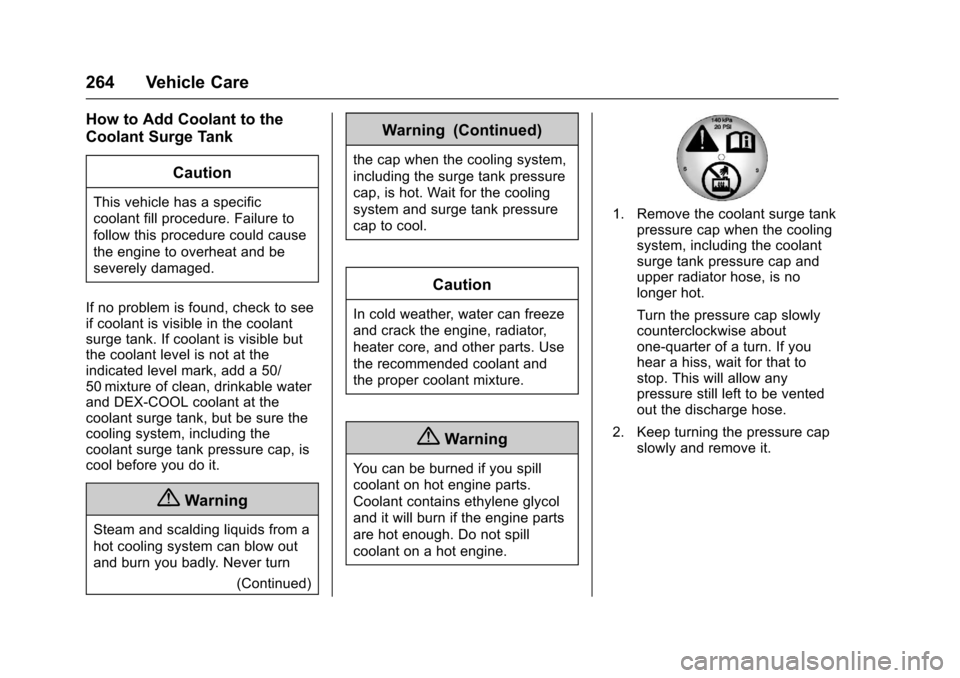
1. Remove the coolant surge tankpressure cap when the cooling
system, including the coolant
surge tank pressure cap and
upper radiator hose, is no
longer hot.
Turn the pressure cap slowly
counterclockwise about
one-quarter of a turn. If you
hear a hiss, wait for that to
stop. This will allow any
pressure still left to be vented
out the discharge hose.
2. Keep turning the pressure cap slowly and remove it.