2017 CHEVROLET EXPRESS CARGO VAN automatic transmission
[x] Cancel search: automatic transmissionPage 187 of 346
Chevrolet Express Owner Manual (GMNA-Localizing-U.S./Canada/Mexico-9967827) - 2017 - crc - 5/6/16
186 Driving and Operating
brakes off and on. See“RangeSelection Mode”underManualMode0186.
If you manually select 2 (Second) inan automatic transmission, thetransmission will start insecond gear. You can use thisfeature for reducing the speed of therear wheels when trying to start thevehicle from a stop on slippery roadsurfaces.
1:This position reduces vehiclespeed without using the brakes.Yo u c a n u s e i t f o r m a j o r / s e v e r edowngrades where the vehiclewould otherwise accelerate due tosteepness of grade. When you shiftto 1 (First) it provides the lowestgear appropriate to current roadspeed and continues to downshiftas the vehicle slows, eventuallydownshifting to 1 (First) gear. Thetransmission can be held in 1 (First)gear using Range Selection Modeor the shift lever. See“RangeSelection Mode”underManualMode0186.
Caution
Spinning the tires or holding the
vehicle in one place on a hill
using only the accelerator pedal
may damage the transmission.
The repair will not be covered by
the vehicle warranty. If you are
stuck, do not spin the tires. When
stopping on a hill, use the brakes
to hold the vehicle in place.
Normal Mode Grade Braking
This mode is enabled when thevehicle is started, but is not enabledin Range Selection Mode. It assistsin maintaining desired vehiclespeeds when driving on downhillgrades by using the engine andtransmission to slow the vehicle.The first time the system activatesfor each ignition key cycle, a DICmessage will be displayed. SeeTr a n s m i s s i o n M e s s a g e s011 8.
To d i s a b l e o r e n a b l e N o r m a l M o d eGrade Braking within the currentignition key cycle, press and holdthe Tow/Haul button for
three seconds. A DIC messagedisplays. SeeTr a n s m i s s i o nMessages011 8.
For other forms of grade braking,seeTo w / H a u l M o d e0187andCruise Control0192.
Manual Mode
Range Selection Mode
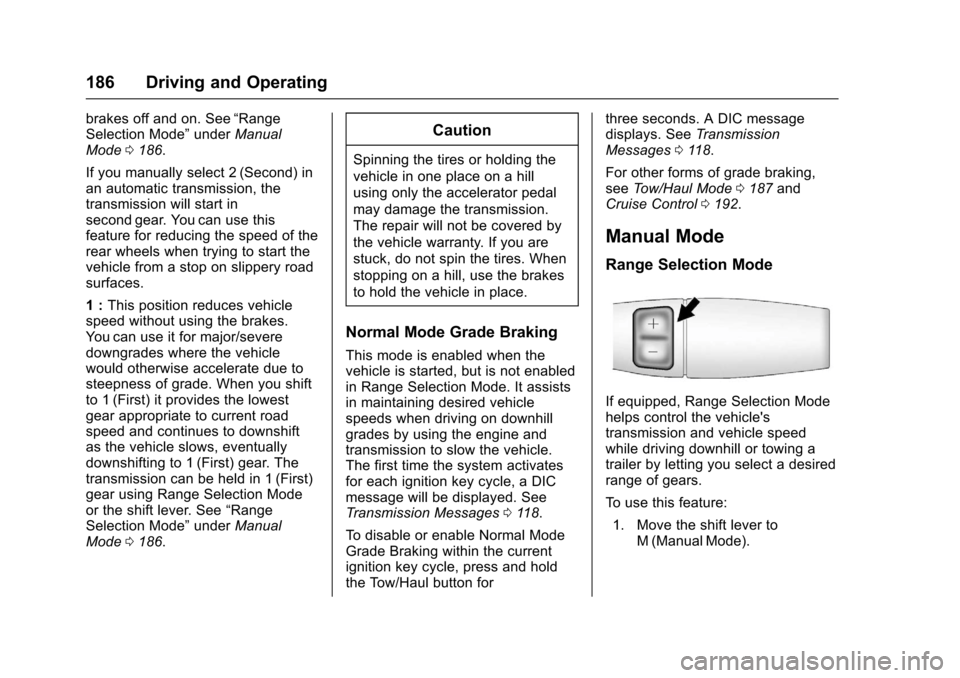
If equipped, Range Selection Modehelps control the vehicle'stransmission and vehicle speedwhile driving downhill or towing atrailer by letting you select a desiredrange of gears.
To u s e t h i s f e a t u r e :
1. Move the shift lever toM(ManualMode).
Page 188 of 346
Chevrolet Express Owner Manual (GMNA-Localizing-U.S./Canada/Mexico-9967827) - 2017 - crc - 5/6/16
Driving and Operating 187
2. Press the +/✓buttons on theshift lever, to select the desiredrange of gears for currentdriving conditions.
When M (Manual Mode) is selectedanumberdisplaysintheDICnexttothe M indicating the current gear.
This number is the highest gear thatcan be used. However, the vehiclecan automatically shift to lowergears as it adjusts to drivingconditions. This means that allgears below that number areavailable. When 5 (Fifth) is selected,1(First) through 5(Fifth) gears areautomatically shifted by the vehicle,but 6 (Sixth) cannot be used untilthe +/✓button on the steeringcolumn lever is used to change tothe gear.
Grade Braking is not available whenRange Selection Mode is active.SeeTo w / H a u l M o d e0187.
While using Range Selection Mode,cruise control and the Tow/HaulMode can be used.
Caution
Spinning the tires or holding the
vehicle in one place on a hill
using only the accelerator pedal
may damage the transmission.
The repair will not be covered by
the vehicle warranty. If you are
stuck, do not spin the tires. When
stopping on a hill, use the brakes
to hold the vehicle in place.
Low Traction Mode
Low Traction Mode can assist invehicle acceleration when roadconditions are slippery. While thevehicle is at a stop, select thesecond gear range using RangeSelection Mode. This will limittorque to the wheels after it detectswheel slip, preventing the tires fromspinning.
Tow/Haul Mode
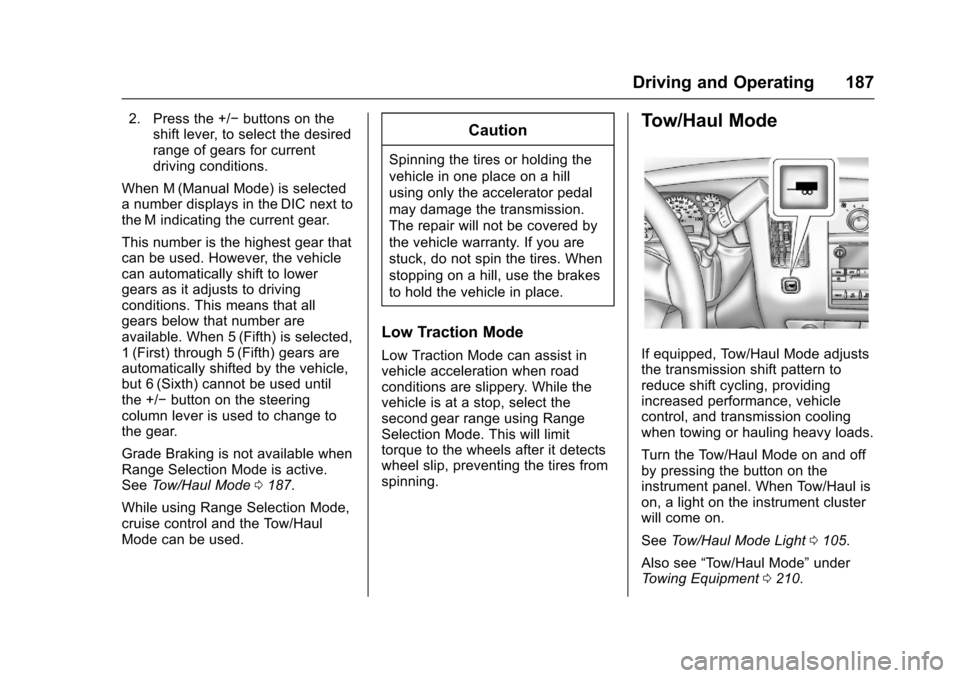
If equipped, Tow/Haul Mode adjuststhe transmission shift pattern toreduce shift cycling, providingincreased performance, vehiclecontrol, and transmission coolingwhen towing or hauling heavy loads.
Turn the Tow/Haul Mode on and offby pressing the button on theinstrument panel. When Tow/Haul ison, a light on the instrument clusterwill come on.
SeeTo w / H a u l M o d e L i g h t0105.
Also see“To w / H a u l M o d e”underTo w i n g E q u i p m e n t0210.
Page 189 of 346
Chevrolet Express Owner Manual (GMNA-Localizing-U.S./Canada/Mexico-9967827) - 2017 - crc - 5/6/16
188 Driving and Operating
Tow/Haul Mode Grade Braking
To w / H a u l M o d e G r a d e B r a k i n g i sonly enabled while the Tow/HaulMode is selected and the vehicle isnot in the Range Selection Mode.See“To w / H a u l M o d e”listedpreviously andManual Mode0186.To w / H a u l M o d e G r a d e B r a k i n gassists in maintaining desiredvehicle speeds when driving ondownhill grades by using the engineand transmission to slow thevehicle.
To d i s a b l e o r e n a b l e To w / H a u l M o d eGrade Braking within the currentignition key cycle, press and holdthe Tow/Haul button forthree seconds. A DIC message willbe displayed. SeeTr a n s m i s s i o nMessages011 8.
SeeTo w i n g E q u i p m e n t0210.
For other forms of grade braking,seeAutomatic Transmission0183andCruise Control0192.
Brakes
Antilock Brake
System (ABS)
This vehicle has an Antilock BrakeSystem (ABS), an advancedelectronic braking system that helpsprevent a braking skid.
When the vehicle begins to driveaway, ABS checks itself.Amomentarymotororclickingnoisemay be heard while this test is goingon, and it may even be noticed thatthe brake pedal moves a little. Thisis normal.
If there is a problem with ABS, thiswarning light stays on. SeeAntilockBrake System (ABS) WarningLight0104.
If driving safely on a wet road and itbecomes necessary to slam on thebrakes and continue braking toavoid a sudden obstacle, acomputer senses the wheels areslowing down. If one of the wheelsis about to stop rolling, the computerwill separately work the brakes ateach wheel.
ABS can change the brake pressureto each wheel, as required, fasterthan any driver could. This can helpyou steer around the obstacle whilebraking hard.
As the brakes are applied, thecomputer keeps receiving updateson wheel speed and controlsbraking pressure accordingly.
Remember: ABS does not changethe time needed to get a foot up tothe brake pedal or always decreasestopping distance. If you get tooclose to the vehicle in front of you,there will not be enough time toapply the brakes if that vehiclesuddenly slows or stops. Alwaysleave enough room up ahead tostop, even with ABS.
Page 192 of 346
Chevrolet Express Owner Manual (GMNA-Localizing-U.S./Canada/Mexico-9967827) - 2017 - crc - 5/6/16
Driving and Operating 191
appropriate messages will bedisplayed in the DIC. SeeRideControl System Messages011 6.
To t u r n S t a b i l i T r a k a n d T C S b a c k
on, pressgagain. StabiliTrak will
automatically turn back on when thevehicle speed exceeds 40 km/h(25 mph).
When the StabiliTrak system hasbeen turned off, system noises maystill be heard as a result of thebrake-traction control coming on.
It is recommended to leave thesystem on for normal drivingconditions, but it may be necessaryto turn the system off if the vehicleis stuck in sand, mud, ice, or snow,and you want to“rock”the vehicle toattempt to free it. SeeIf the VehicleIs Stuck0171.
StabiliTrak System Operation
The StabiliTrak system is normallyon, except when the system isinitializing or has been disabled withthe StabiliTrak button. TheStabiliTrak system will automaticallyactivate to assist the driver inmaintaining vehicle directional
control in most driving conditions.When activated, the StabiliTraksystem may reduce engine power tothe wheels and apply braking toindividual wheels as necessary toassist the driver with vehicledirectional control. If cruise controlis being used when StabiliTrakactivates, the cruise controlautomatically disengages. Thecruise control can be re-engagedwhen road conditions allow. SeeCruise Control0192.
The StabiliTrak system may alsoturn off automatically if it determinesthat a problem exists with thesystem. If the problem does notclear itself after restarting thevehicle, see your dealer for service.
Traction Control Operation
TCS is part of the StabiliTraksystem. TCS limits wheel spin byreducing engine power to thewheels and by applying brakes toeach individual wheel as necessary.
If the brake-traction control systemactivates constantly or if the brakeshave heated up due to high speedbraking, the brake-traction control
will be automatically disabled. Thesystem will come back on after thebrakes have cooled. This can takeup to two minutes or longerdepending on brake usage.
TCS may activate on dry or roughroads or under conditions such asheavy acceleration while turning orabrupt upshifts/downshifts of thetransmission. When this reduction inacceleration occurs, it may benoticed, or a noise or vibration maybe heard. This is normal.
Adding non-dealer accessories canaffect the vehicle's performance.SeeAccessories andModifications0216.
Locking Rear Axle
Vehicles with a locking rear axle cangive more traction on snow, mud,ice, sand, or gravel. It works like astandard axle most of the time, butwhen traction is low, this feature willallow the rear wheel with the mosttraction to move the vehicle.
Page 194 of 346
Chevrolet Express Owner Manual (GMNA-Localizing-U.S./Canada/Mexico-9967827) - 2017 - crc - 5/6/16
Driving and Operating 193
The cruise control indicator on theinstrument cluster turns green aftercruise control has been set to thedesired speed. SeeInstrumentCluster095.
Resuming a Set Speed
If the cruise control is set at adesired speed and then the brakesare applied, the cruise control isdisengaged without erasing the setspeed from memory.
Once the vehicle speed reachesabout 40 km/h (25 mph) or more,briefly press +RES. The vehiclereturns to the previous set speed.
Increasing Speed While UsingCruise Control
If the cruise control system isalready activated:
.Press and hold +RES until thedesired speed is reached, thenrelease it.
.To i n c r e a s e v e h i c l e s p e e d i nsmall increments, briefly press+RES. For each press, thevehicle goes about 1.6 km/h(1 mph) faster.
The speedometer reading can bedisplayed in either English or metricunits. SeeDriver Information Center(DIC)0108.Theincrementvalueused depends on the unitsdisplayed.
Reducing Speed While UsingCruise Control
If the cruise control system isalready activated:
.Press and hold SET–until thedesired lower speed is reached,then release it.
.To d e c r e a s e t h e v e h i c l e s p e e d i nsmall increments, briefly pressSET–.Foreachpress,thevehicle goes about 1.6 km/h(1 mph) slower.
The speedometer reading can bedisplayed in either English or metricunits. SeeDriver Information Center(DIC)0108.Theincrementvalueused depends on the unitsdisplayed.
Passing Another Vehicle WhileUsing Cruise Control
Use the accelerator pedal toincrease the vehicle speed. Whenyou take your foot off the pedal, thevehicle will slow down to theprevious set cruise speed. Whilepressing the accelerator pedal orshortly following the release tooverride cruise control, brieflypressing SET–will result in cruiseset to the current vehicle speed.
Using Cruise Control on Hills
How well cruise control works onhills depends on the vehicle speed,load, and the steepness of the hills.When going up steep hills, youmight have to step on theaccelerator pedal to maintain yourspeed.
While going downhill:
.Vehicles with a 4-speedautomatic transmission mayneed to have the brakes appliedor the transmission shifted to alower gear to help maintaindriver selected speed.
Page 195 of 346
Chevrolet Express Owner Manual (GMNA-Localizing-U.S./Canada/Mexico-9967827) - 2017 - crc - 5/6/16
194 Driving and Operating
.Vehicles with a 6-speedautomatic transmission haveCruise Grade Braking to helpmaintain driver selected speed.
Cruise Grade Braking is enabledwhen the vehicle is started andcruise control is active. It is notenabled in Range Selection Mode.It assists in maintaining driverselected speed when driving ondownhill grades by using the engineand transmission to slow thevehicle.
To d i s a b l e a n d e n a b l e C r u i s e G r a d eBraking for the current ignition keycycle, press and hold the Tow/Haulbutton for three seconds. A DICmessage displays. SeeTr a n s m i s s i o n M e s s a g e s011 8.
When the brakes are applied thecruise control is disengaged.
Ending Cruise Control
There are four ways to end cruisecontrol:
.Step lightly on the brake pedal.
.Press[.
.Shift the transmission toN(Neutral).
.To t u r n o f f c r u i s e c o n t r o l ,
pressI.
Erasing Speed Memory
The cruise control set speed is
erased from memory ifIis
pressed or if the vehicle isturned off.
Driver Assistance
Systems
Rear Vision
Camera (RVC)
If equipped, the RVC system isdesigned to help the driver whenbacking up by displaying a view ofthe area behind the vehicle.
{Warning
The camera(s) do not display
children, pedestrians, bicyclists,
crossing traffic, animals, or any
other object outside of the
cameras’field of view, below the
bumper, or under the vehicle.
Shown distances may be different
from actual distances. Do not
drive or park the vehicle using
only these camera(s). Always
check behind and around the
vehicle before driving. Failure to
use proper care may result in
injury, death, or vehicle damage.
Page 206 of 346
Chevrolet Express Owner Manual (GMNA-Localizing-U.S./Canada/Mexico-9967827) - 2017 - crc - 5/6/16
Driving and Operating 205
If parking the rig on a hill:
1. Press the brake pedal, but donot shift into P (Park) yet. Turnthe wheels into the curb iffacing downhill or into traffic iffacing uphill.
2. Have someone place chocksunder the trailer wheels.
3. When the wheel chocks are inplace, release the regularbrakes until the chocks absorbthe load.
4. Reapply the brake pedal. Thenapply the parking brake andshift into P (Park).
5. Release the brake pedal.
Leaving After Parking on a Hill
1. Apply and hold the brakepedal.
2. Start the engine.
3. Shift into a gear.
4. Release the parking brake.
5. Let up on the brake pedal.
6. Drive slowly until the trailer isclear of the chocks.
7. Stop and have someone pickup and store the chocks.
Maintenance when Trailer
Towing
The vehicle needs service moreoften when pulling a trailer. SeeMaintenance Schedule0297.Things that are especially importantin trailer operation are automatictransmission fluid, engine oil, axlelubricant, belts, cooling system, andbrake system. It is a good idea toinspect these before and duringthe trip.
Check periodically to see that allhitch nuts and bolts are tight.
Trailer Towing
If the vehicle has a diesel engine,see the Duramax dieselsupplement.
{Warning
The driver can lose control when
pulling a trailer if the correct
equipment is not used or the
vehicle is not driven properly. For
example, if the trailer is too heavy
or the trailer brakes are
inadequate for the load, the
vehicle may not stop as expected.
The driver and passengers could
be seriously injured. The vehicle
may also be damaged; the
resulting repairs would not be
covered by the vehicle warranty.
Pull a trailer only if all the steps in
this section have been followed.
Ask your dealer for advice and
information about towing a trailer
with the vehicle.
Page 215 of 346
Chevrolet Express Owner Manual (GMNA-Localizing-U.S./Canada/Mexico-9967827) - 2017 - crc - 5/2/16
214 Vehicle Care
Vehicle Care
General Information
General Information . . . . . . . . . . 215California Proposition65 Warning . . . . . . . . . . . . . . . . . 215California PerchlorateMaterials Requirements . . . . . 215Accessories andModifications . . . . . . . . . . . . . . . . 216
Vehicle Checks
Doing Your OwnService Work . . . . . . . . . . . . . . . 216Hood . . . . . . . . . . . . . . . . . . . . . . . . . 217Engine CompartmentOverview . . . . . . . . . . . . . . . . . . . . 218Engine Oil . . . . . . . . . . . . . . . . . . . . 219Engine Oil Life System . . . . . . . 221Automatic TransmissionFluid . . . . . . . . . . . . . . . . . . . . . . . . 222Engine Air Cleaner/Filter . . . . . . 225Cooling System . . . . . . . . . . . . . . 226Engine Coolant . . . . . . . . . . . . . . . 227Engine Overheating . . . . . . . . . . 230Engine Fan . . . . . . . . . . . . . . . . . . . 231Power Steering Fluid . . . . . . . . . 232Washer Fluid . . . . . . . . . . . . . . . . . 233Brakes . . . . . . . . . . . . . . . . . . . . . . . 233Brake Fluid . . . . . . . . . . . . . . . . . . . 234
Battery - North America . . . . . . 236Rear Axle . . . . . . . . . . . . . . . . . . . . 236Noise Control System . . . . . . . . 237Starter Switch Check . . . . . . . . . 238Automatic Transmission ShiftLock Control FunctionCheck . . . . . . . . . . . . . . . . . . . . . . . 238Ignition Transmission LockCheck . . . . . . . . . . . . . . . . . . . . . . . 239Park Brake and P (Park)Mechanism Check . . . . . . . . . . 239Wiper Blade Replacement . . . . 239
Headlamp Aiming
Headlamp Aiming . . . . . . . . . . . . 240
Bulb Replacement
Bulb Replacement . . . . . . . . . . . . 240Halogen Bulbs . . . . . . . . . . . . . . . . 240Headlamps . . . . . . . . . . . . . . . . . . . 241Front Turn Signal, Sidemarker,and Parking Lamps . . . . . . . . . 242Ta i l l a m p s . . . . . . . . . . . . . . . . . . . . . 2 4 3Center High-MountedStoplamp (CHMSL) . . . . . . . . . 244License Plate Lamp . . . . . . . . . . 244Replacement Bulbs . . . . . . . . . . . 245
Electrical System
Electrical System Overload . . . 245Fuses and Circuit Breakers . . . 246
Engine Compartment FuseBlock . . . . . . . . . . . . . . . . . . . . . . . . 246Floor Console Fuse Block . . . . 249
Wheels and Tires
Tires . . . . . . . . . . . . . . . . . . . . . . . . . . 252All-Season Tires . . . . . . . . . . . . . . 253Winter Tires . . . . . . . . . . . . . . . . . . 253All-Terrain Tires . . . . . . . . . . . . . . . 253Tire Sidewall Labeling . . . . . . . . 254Tire Designations . . . . . . . . . . . . . 256Tire Terminology andDefinitions . . . . . . . . . . . . . . . . . . 257Tire Pressure . . . . . . . . . . . . . . . . . 260Tire Pressure MonitorSystem . . . . . . . . . . . . . . . . . . . . . . 261Tire Pressure MonitorOperation . . . . . . . . . . . . . . . . . . . 262Tire Inspection . . . . . . . . . . . . . . . . 265Tire Rotation . . . . . . . . . . . . . . . . . 265Dual Tire Rotation . . . . . . . . . . . . 266When It Is Time for NewTires . . . . . . . . . . . . . . . . . . . . . . . . 267Buying New Tires . . . . . . . . . . . . . 268Different Size Tires andWheels . . . . . . . . . . . . . . . . . . . . . . 269Uniform Tire QualityGrading . . . . . . . . . . . . . . . . . . . . . 270Wheel Alignment and TireBalance . . . . . . . . . . . . . . . . . . . . . 271Wheel Replacement . . . . . . . . . . 271