2017 CHEVROLET CRUZE power
[x] Cancel search: powerPage 22 of 405
Chevrolet Cruze Owner Manual (GMNA-Localizing-U.S./Canada/Mexico-
9803785) - 2017 - CRC - 4/13/16
In Brief 21
Vehicle Features
Infotainment System
Base radio information is included in
this manual. See the infotainment
manual for information on other
available infotainment systems.
Read the following pages to
become familiar with these features.
{Warning
Taking your eyes off the road for
too long or too often while using
any infotainment feature can
cause a crash. You or others
could be injured or killed. Do not
give extended attention to
infotainment tasks while driving.
Limit your glances at the vehicle
displays and focus your attention
on driving. Use voice commands
whenever possible.The infotainment system has built-in
features intended to help avoid
distraction by disabling some
functions when driving. These
functions may gray out when they
are unavailable. Many infotainment
features are also available through
the instrument cluster and steering
wheel controls.
Before driving:
.
Become familiar with the
operation, faceplate buttons, and
screen buttons.
. Set up the audio by presetting
favorite stations, setting the
tone, and adjusting the
speakers.
. Set up phone numbers in
advance so they can be called
easily by pressing a single
button or by using a single voice
command if equipped with
Bluetooth phone capability.
See Defensive Driving 0201.
To play the infotainment system with
the ignition off, see Retained
Accessory Power (RAP) 0219.
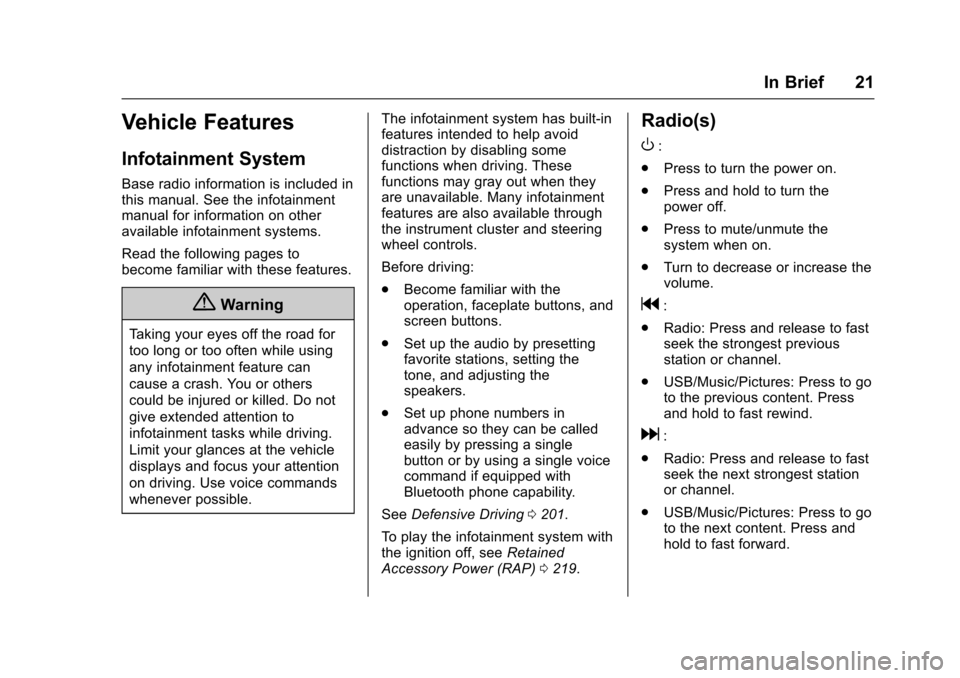
Radio(s)
O
:
. Press to turn the power on.
. Press and hold to turn the
power off.
. Press to mute/unmute the
system when on.
. Turn to decrease or increase the
volume.
g:
. Radio: Press and release to fast
seek the strongest previous
station or channel.
. USB/Music/Pictures: Press to go
to the previous content. Press
and hold to fast rewind.
d:
. Radio: Press and release to fast
seek the next strongest station
or channel.
. USB/Music/Pictures: Press to go
to the next content. Press and
hold to fast forward.
Page 26 of 405

Chevrolet Cruze Owner Manual (GMNA-Localizing-U.S./Canada/Mexico-
9803785) - 2017 - CRC - 4/13/16
In Brief 25
Rear Cross Traffic Alert
(RCTA) System
If equipped, the RCTA system uses
a triangle with an arrow displayed
on the RVC screen to warn of traffic
behind your vehicle that may cross
your vehicle's path while in
R (Reverse). In addition, beeps will
sound.
SeeAssistance Systems for Parking
or Backing 0240.
Parking Assist
If equipped, Rear Parking Assist
(RPA) uses sensors on the rear
bumper to assist with parking and
avoiding objects while in
R (Reverse). It operates at speeds
less than 8 km/h (5 mph). RPA may
display a warning triangle on the
Rear Vision Camera screen and/or
a graphic on the instrument cluster
to provide the object distance. In
addition, multiple beeps may occur
if very close to an object.
See Assistance Systems for Parking
or Backing 0240.
Power Outlets
The 12-volt accessory power outlet
can be used to plug in electrical
equipment, such as a cell phone or
MP3 player.
There is an accessory power outlet
on the center floor console in front
of the shift lever. This outlet is
powered when the ignition is in the
ON/RUN or ACC/ACCESSORY
position, or until the driver door is
opened within 10 minutes of turning
off the vehicle. See Retained
Accessory Power (RAP) 0219.
See Power Outlets 0112.
Sunroof
If equipped, the sunroof only
operates with the ignition on or in
ACC/ACCESSORY, or when
Retained Accessory Power (RAP) is
active. See Retained Accessory
Power (RAP) 0219.
1. Slide Switch
2. Tilt Switch
Slide Switch
Express-Open/Express-Close :
To express-open the sunroof, press
e(1) to the second detent
position and release. To
express-close the sunroof,
press
g(1) to the second detent
position and release. Press the
switch again to stop.
Page 30 of 405
Chevrolet Cruze Owner Manual (GMNA-Localizing-U.S./Canada/Mexico-
9803785) - 2017 - CRC - 4/13/16
In Brief 29
If the vehicle continues to be driven
in a manner that prevents effective
DPF cleaning, the DPF will become
plugged with particulates. If this
occurs, the engine computer will
turn on the service engine soon light
in the instrument cluster and a DIC
message will display. SeeDiesel
Particulate Filter 0222, Engine
Power Messages 0142, and Diesel
Particulate Filter Messages 0143.
Fuel
Use Ultra-Low Sulfur Diesel
Fuel (ULSD)
Use Ultra-Low Sulfur Diesel Fuel
(ULSD) only. The emission control
hardware used on the vehicle may
be damaged by using fuel with high
sulfur levels. Use only fuel that is
dispensed from pumps bearing the
ULSD label.
Do Not Use Low Sulfur Diesel
Fuel (LSD)
Do not use fuel that is dispensed
from pumps bearing the LSD label. Do Not Use Non-Highway Fuel
Fuel labeled as off road or
non-highway is typically very high in
sulfur content and will damage the
emission control system.
Non-highway fuel is not intended for
use in on-highway vehicles.
In addition:
.
Use the correct engine oil.
. Do not add gasoline to
diesel fuel.
. Do not modify the induction or
exhaust systems.
See Fuel for Diesel Engines 0250
and Engine Oil 0270.
Diesel Exhaust Fluid
Diesel Exhaust Fluid (DEF) is used
with diesel engines to reduce the
amount of regulated emissions
produced. The DEF system must be
maintained for the vehicle to run
properly. It is normal to hear the
DEF system purge fluid back into
the tank after the vehicle is shut off. Locating Diesel Exhaust Fluid
DEF can be purchased at a
Chevrolet dealer. It can also be
purchased at authorized vehicle
dealerships. Additionally, some
diesel fueling stations or retailers
may have DEF for purchase. For
vehicles with an active OnStar
®
subscription, OnStar can help to
locate a DEF retailer. See
“Customer Assistance Offices”
in
the owner manual for phone
numbers to assist you in contacting
a GM dealer. See Recommended
Fluids and Lubricants 0361.
As the DEF tank becomes low on
fluid, warnings begin with
approximately
1 600 km (1,000 miles) of remaining
range. These warnings will increase
in intensity as the tank becomes
empty. Once the tank is empty, the
vehicle speed will be limited. If there
is an issue with the quality of the
fluid or the exhaust fluid system,
warnings will be displayed in the
Driver Information Center (DIC).
See Diesel Exhaust Fluid 0223.
Page 32 of 405

Chevrolet Cruze Owner Manual (GMNA-Localizing-U.S./Canada/Mexico-
9803785) - 2017 - CRC - 4/13/16
Keys, Doors, and Windows 31
Keys, Doors, and
Windows
Keys and Locks
Keys . . . . . . . . . . . . . . . . . . . . . . . . . . . 31
Remote Keyless Entry (RKE)System . . . . . . . . . . . . . . . . . . . . . . . 33
Remote Keyless Entry (RKE) System Operation (Key
Access) . . . . . . . . . . . . . . . . . . . . . . 34
Remote Keyless Entry (RKE) System Operation (Keyless
Access) . . . . . . . . . . . . . . . . . . . . . . 36
Remote Vehicle Start . . . . . . . . . . 42
Door Locks . . . . . . . . . . . . . . . . . . . . 44
Power Door Locks . . . . . . . . . . . . . 45
Delayed Locking . . . . . . . . . . . . . . . 45
Automatic Door Locks . . . . . . . . . 46
Lockout Protection . . . . . . . . . . . . . 46
Safety Locks . . . . . . . . . . . . . . . . . . . 46
Doors
Trunk . . . . . . . . . . . . . . . . . . . . . . . . . . 47
Liftgate . . . . . . . . . . . . . . . . . . . . . . . . 49
Vehicle Security
Vehicle Security . . . . . . . . . . . . . . . . 50
Vehicle Alarm System . . . . . . . . . 50
Immobilizer . . . . . . . . . . . . . . . . . . . . 51 Immobilizer Operation (Key
Access) . . . . . . . . . . . . . . . . . . . . . . 51
Immobilizer Operation (Keyless Access) . . . . . . . . . . . . . . . . . . . . . . 52
Exterior Mirrors
Convex Mirrors . . . . . . . . . . . . . . . . 53
Power Mirrors . . . . . . . . . . . . . . . . . . 53
Folding Mirrors . . . . . . . . . . . . . . . . . 54
Heated Mirrors . . . . . . . . . . . . . . . . . 54
Interior Mirrors
Interior Rearview Mirrors . . . . . . . 54
Manual Rearview Mirror . . . . . . . . 54
Automatic Dimming RearviewMirror . . . . . . . . . . . . . . . . . . . . . . . . . 54
Windows
Windows . . . . . . . . . . . . . . . . . . . . . . . 55
Power Windows . . . . . . . . . . . . . . . 55
Sun Visors . . . . . . . . . . . . . . . . . . . . . 57
Roof
Sunroof . . . . . . . . . . . . . . . . . . . . . . . . 57
Keys and Locks
Keys
{Warning
Leaving children in a vehicle with
an ignition key or Remote
Keyless Entry (RKE) transmitter is
dangerous and children or others
could be seriously injured or
killed. They could operate the
power window or other controls or
make the vehicle move. The
windows will function with the key
in the ignition or with the RKE
transmitter in the vehicle, and
children or others could be caught
in the path of a closing window.
Do not leave children in a vehicle
with the ignition key or an RKE
transmitter.
Page 33 of 405
Chevrolet Cruze Owner Manual (GMNA-Localizing-U.S./Canada/Mexico-
9803785) - 2017 - CRC - 4/13/16
32 Keys, Doors, and Windows
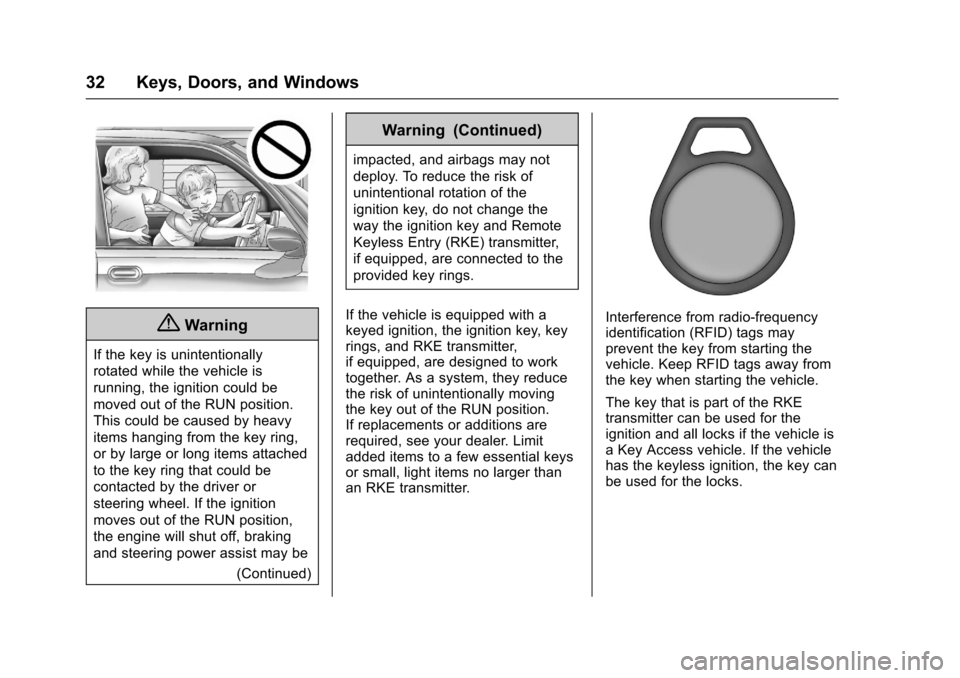
{Warning
If the key is unintentionally
rotated while the vehicle is
running, the ignition could be
moved out of the RUN position.
This could be caused by heavy
items hanging from the key ring,
or by large or long items attached
to the key ring that could be
contacted by the driver or
steering wheel. If the ignition
moves out of the RUN position,
the engine will shut off, braking
and steering power assist may be(Continued)
Warning (Continued)
impacted, and airbags may not
deploy. To reduce the risk of
unintentional rotation of the
ignition key, do not change the
way the ignition key and Remote
Keyless Entry (RKE) transmitter,
if equipped, are connected to the
provided key rings.
If the vehicle is equipped with a
keyed ignition, the ignition key, key
rings, and RKE transmitter,
if equipped, are designed to work
together. As a system, they reduce
the risk of unintentionally moving
the key out of the RUN position.
If replacements or additions are
required, see your dealer. Limit
added items to a few essential keys
or small, light items no larger than
an RKE transmitter.
Interference from radio-frequency
identification (RFID) tags may
prevent the key from starting the
vehicle. Keep RFID tags away from
the key when starting the vehicle.
The key that is part of the RKE
transmitter can be used for the
ignition and all locks if the vehicle is
a Key Access vehicle. If the vehicle
has the keyless ignition, the key can
be used for the locks.
Page 45 of 405
Chevrolet Cruze Owner Manual (GMNA-Localizing-U.S./Canada/Mexico-
9803785) - 2017 - CRC - 4/13/16
44 Keys, Doors, and Windows
.Two remote vehicle starts, or a
single remote start with an
extension, have already
been used.
. The vehicle is not in P (Park).
Door Locks
{Warning
Unlocked doors can be
dangerous.
. Passengers, especially
children, can easily open
the doors and fall out of a
moving vehicle. The chance
of being thrown out of the
vehicle in a crash is
increased if the doors are
not locked. So, all
passengers should wear
safety belts properly and the
doors should be locked
whenever the vehicle is
driven.
(Continued)
Warning (Continued)
.Young children who get into
unlocked vehicles may be
unable to get out. A child
can be overcome by
extreme heat and can suffer
permanent injuries or even
death from heat stroke.
Always lock the vehicle
whenever leaving it.
. Outsiders can easily enter
through an unlocked door
when slowing or stopping
the vehicle. Lock the doors
to help prevent this from
happening.
To lock or unlock the doors from
outside the vehicle:
. Press
QorKon the Remote
Keyless Entry (RKE) transmitter. .
Use the key in the driver door.
The key cylinder is covered with
a cap.
To lock or unlock the doors from
inside the vehicle:
. Press
QorKon the power door
lock switch.
. If equipped with Keyless Access,
pushing down the manual lock
knob on the driver door will lock
all doors.
. Pulling an interior door handle
will unlock the door. Pulling the
door handle again unlatches it.
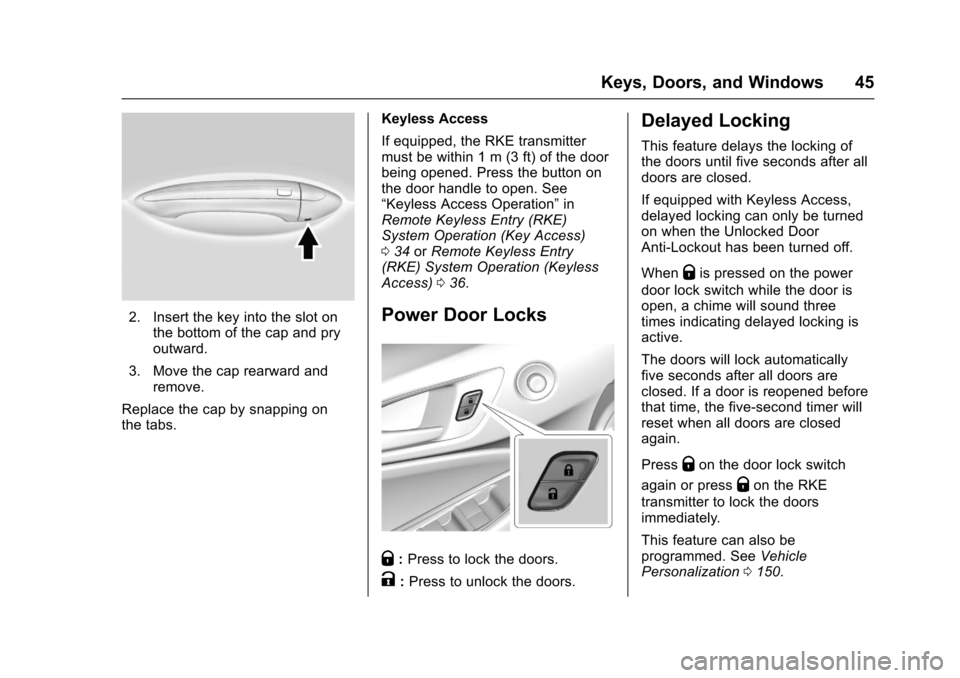
Key Cylinder Access
To access the key lock cylinder: 1. Pull the door handle to the open position.
Page 46 of 405
Chevrolet Cruze Owner Manual (GMNA-Localizing-U.S./Canada/Mexico-
9803785) - 2017 - CRC - 4/13/16
Keys, Doors, and Windows 45
2. Insert the key into the slot onthe bottom of the cap and pry
outward.
3. Move the cap rearward and remove.
Replace the cap by snapping on
the tabs. Keyless Access
If equipped, the RKE transmitter
must be within 1 m (3 ft) of the door
being opened. Press the button on
the door handle to open. See
“Keyless Access Operation”
in
Remote Keyless Entry (RKE)
System Operation (Key Access)
0 34 orRemote Keyless Entry
(RKE) System Operation (Keyless
Access) 036.Power Door Locks
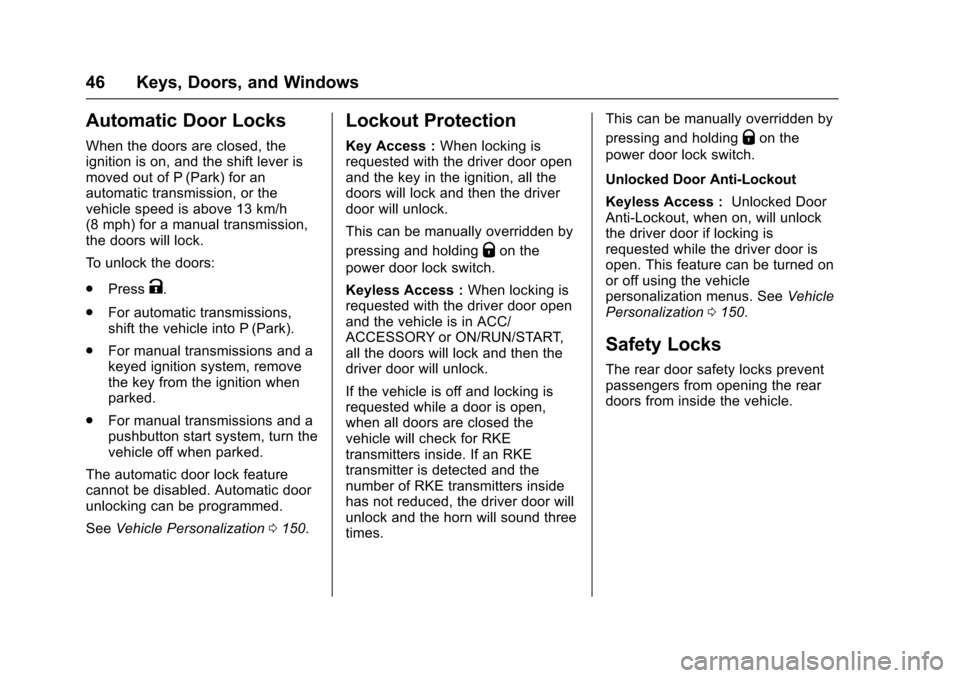
Q:Press to lock the doors.
K:Press to unlock the doors.
Delayed Locking
This feature delays the locking of
the doors until five seconds after all
doors are closed.
If equipped with Keyless Access,
delayed locking can only be turned
on when the Unlocked Door
Anti-Lockout has been turned off.
When
Qis pressed on the power
door lock switch while the door is
open, a chime will sound three
times indicating delayed locking is
active.
The doors will lock automatically
five seconds after all doors are
closed. If a door is reopened before
that time, the five-second timer will
reset when all doors are closed
again.
Press
Qon the door lock switch
again or press
Qon the RKE
transmitter to lock the doors
immediately.
This feature can also be
programmed. See Vehicle
Personalization 0150.
Page 47 of 405
Chevrolet Cruze Owner Manual (GMNA-Localizing-U.S./Canada/Mexico-
9803785) - 2017 - CRC - 4/13/16
46 Keys, Doors, and Windows
Automatic Door Locks
When the doors are closed, the
ignition is on, and the shift lever is
moved out of P (Park) for an
automatic transmission, or the
vehicle speed is above 13 km/h
(8 mph) for a manual transmission,
the doors will lock.
To unlock the doors:
.Press
K.
. For automatic transmissions,
shift the vehicle into P (Park).
. For manual transmissions and a
keyed ignition system, remove
the key from the ignition when
parked.
. For manual transmissions and a
pushbutton start system, turn the
vehicle off when parked.
The automatic door lock feature
cannot be disabled. Automatic door
unlocking can be programmed.
See Vehicle Personalization 0150.
Lockout Protection
Key Access : When locking is
requested with the driver door open
and the key in the ignition, all the
doors will lock and then the driver
door will unlock.
This can be manually overridden by
pressing and holding
Qon the
power door lock switch.
Keyless Access : When locking is
requested with the driver door open
and the vehicle is in ACC/
ACCESSORY or ON/RUN/START,
all the doors will lock and then the
driver door will unlock.
If the vehicle is off and locking is
requested while a door is open,
when all doors are closed the
vehicle will check for RKE
transmitters inside. If an RKE
transmitter is detected and the
number of RKE transmitters inside
has not reduced, the driver door will
unlock and the horn will sound three
times. This can be manually overridden by
pressing and holding
Qon the
power door lock switch.
Unlocked Door Anti-Lockout
Keyless Access : Unlocked Door
Anti-Lockout, when on, will unlock
the driver door if locking is
requested while the driver door is
open. This feature can be turned on
or off using the vehicle
personalization menus. See Vehicle
Personalization 0150.
Safety Locks
The rear door safety locks prevent
passengers from opening the rear
doors from inside the vehicle.