2017 CHEVROLET COLORADO oil temperature
[x] Cancel search: oil temperaturePage 33 of 419

Chevrolet Colorado Owner Manual (GMNA-Localizing-U.S./Canada/Mexico-10122675) - 2017 - crc - 8/22/16
32 Keys, Doors, and Windows
2. Press and slide the batterydown toward the pocket of thetransmitter in the direction ofthe key ring. Do not use ametal object.
3. Remove the battery.
4. Insert the new battery, positiveside facing up. Replace with aCR2032 or equivalent battery.
5. Push together the transmitterback cover top side first, andthen the bottom toward thekey ring.
Remote Vehicle Start
If equipped, the engine can bestarted from outside of the vehicle.The climate controls and rearwindow defogger may alsocome on.
If the vehicle has heated seats andthe feature is turned on in vehiclepersonalization, the heated seatswill turn on during colder outsidetemperatures and will shut off whenthe key is turned to ON/RUN. SeeHeated Front Seats048.
Laws in some communities mayrestrict the use of remote starters.Check local regulations for anyrequirements on remote starting ofvehicles.
Do not use remote start if thevehicle is low on fuel.
The vehicle cannot be remotestarted if:
.The key is in the ignition.
.The hood is not closed.
.There is an emission controlsystem malfunction and themalfunction indicator lamp is on.
The engine will turn off during aremote vehicle start if:
.The coolant temperature getstoo high.
.The oil pressure gets low.
The RKE transmitter range may beless while the vehicle is running.
Other conditions can affect theperformance of the transmitter. SeeRemote Keyless Entry (RKE)System030orVehiclePersonalization0139.
Starting the Engine Using RemoteStart
1. Press and releaseQ.
2. Immediately press and hold/
until the turn signal lamps flashor for at least four seconds.
When the vehicle starts, theparking lamps will turn on. Thedoors will be locked and theclimate control system maycome on.
Page 103 of 419

Chevrolet Colorado Owner Manual (GMNA-Localizing-U.S./Canada/Mexico-10122675) - 2017 - crc - 8/22/16
102 Instruments and Controls
Instruments and
Controls
Controls
Steering Wheel Adjustment . . . 103Steering Wheel Controls . . . . . . 104Horn . . . . . . . . . . . . . . . . . . . . . . . . . . 104Windshield Wiper/Washer . . . . 104Compass . . . . . . . . . . . . . . . . . . . . . 105Clock . . . . . . . . . . . . . . . . . . . . . . . . . 106Power Outlets . . . . . . . . . . . . . . . . 107Wireless Charging . . . . . . . . . . . . 107
Warning Lights, Gauges, and
Indicators
Warning Lights, Gauges, andIndicators . . . . . . . . . . . . . . . . . . . 109Instrument Cluster (BaseLevel) . . . . . . . . . . . . . . . . . . . . . . . 110Instrument Cluster(Uplevel) . . . . . . . . . . . . . . . . . . . . 112Speedometer . . . . . . . . . . . . . . . . . 114Odometer . . . . . . . . . . . . . . . . . . . . . 114Trip Odometer . . . . . . . . . . . . . . . . 114Ta c h o m e t e r . . . . . . . . . . . . . . . . . . . 11 4Fuel Gauge . . . . . . . . . . . . . . . . . . . 114Engine Coolant TemperatureGauge . . . . . . . . . . . . . . . . . . . . . . 115Safety Belt Reminders . . . . . . . . 116
Airbag Readiness Light . . . . . . . 117Passenger Airbag StatusIndicator . . . . . . . . . . . . . . . . . . . . . 117Charging System Light . . . . . . . 118Malfunction Indicator Lamp(Check Engine Light) . . . . . . . . 118Brake System WarningLight . . . . . . . . . . . . . . . . . . . . . . . . 120Antilock Brake System (ABS)Warning Light . . . . . . . . . . . . . . . 121Up-Shift Light (ManualTransmission) . . . . . . . . . . . . . . . 121To w / H a u l M o d e L i g h t . . . . . . . . . 1 2 1Hill Descent Control Light . . . . 121Lane Departure Warning(LDW) Light . . . . . . . . . . . . . . . . . 122Vehicle Ahead Indicator . . . . . . 122Traction Off Light . . . . . . . . . . . . . 122StabiliTrak®OFF Light . . . . . . . . 122Traction Control System (TCS)/StabiliTrak®Light . . . . . . . . . . . 123Tire Pressure Light . . . . . . . . . . . 123Engine Oil Pressure Light . . . . 124Low Fuel Warning Light (BaseLevel) . . . . . . . . . . . . . . . . . . . . . . . 124Low Fuel Warning Light(Uplevel) . . . . . . . . . . . . . . . . . . . . 124Security Light . . . . . . . . . . . . . . . . . 125High-Beam On Light . . . . . . . . . . 125Front Fog Lamp Light . . . . . . . . . 125Lamps On Reminder . . . . . . . . . 125
Cruise Control Light . . . . . . . . . . 125Door Ajar Light (UplevelCluster) . . . . . . . . . . . . . . . . . . . . . 126
Information Displays
Driver Information Center (DIC)(Base Level) . . . . . . . . . . . . . . . . 126Driver Information Center (DIC)(Uplevel) . . . . . . . . . . . . . . . . . . . . 129
Vehicle Messages
Vehicle Messages . . . . . . . . . . . . 132Battery Voltage and ChargingMessages . . . . . . . . . . . . . . . . . . . 132Brake System Messages . . . . . 133Compass Messages . . . . . . . . . . 133Door Ajar Messages . . . . . . . . . . 133Engine Cooling SystemMessages . . . . . . . . . . . . . . . . . . . 133Engine Oil Messages . . . . . . . . . 134Engine Power Messages . . . . . 134Fuel System Messages . . . . . . . 135Key and Lock Messages . . . . . 135Lamp Messages . . . . . . . . . . . . . . 135Object Detection SystemMessages . . . . . . . . . . . . . . . . . . . 135Ride Control SystemMessages . . . . . . . . . . . . . . . . . . . 136Airbag System Messages . . . . 136Safety Belt Messages . . . . . . . . 136Security Messages . . . . . . . . . . . 137
Page 129 of 419
Chevrolet Colorado Owner Manual (GMNA-Localizing-U.S./Canada/Mexico-10122675) - 2017 - crc - 8/22/16
128 Instruments and Controls
recommended in the MaintenanceSchedule in this manual. SeeMaintenance Schedule0366.
The Oil Life display must be resetafter each oil change. Do not resetthe Oil Life display accidentally atany time other than when the oil hasjust been changed. It cannot bereset accurately until the next oilchange. To reset the engine oil lifesystem, seeEngine Oil LifeSystem0288.
Oil Pressure :Oil pressure isdisplayed in either kilopascal (kPa)or in pounds per square inch (psi).
Tire Pressure :Displays a vehiclewith the approximate pressures ofall four tires. Tire pressure isdisplayed in either kilopascal (kPa)or in pounds per square inch (psi).SeeTire Pressure Monitor System0325andTire Pressure MonitorOperation0326.
Battery Voltage :Displays thecurrent battery voltage, if equipped.Battery voltage changes are normalwhile driving. SeeCharging SystemLight011 8.Ifthereisaproblemwith the battery charging system,
the DIC will display a message. SeeBattery Voltage and ChargingMessages0132.
Engine Hours :Shows the totalnumber of hours the engine has run.
Tr a n s m i s s i o n F l u i dTe m p e r a t u r e :Shows thetemperature of the automatictransmission fluid in either degreesCelsius (°C) or degreesFahrenheit (°F).
Tr a i l e r B r a k e ( I f E q u i p p e d ) :TRAILER GAIN shows the trailergain setting. This setting can beadjusted from 0.0 to 10.0 with eitheratrailerconnectedordisconnected.
OUTPUT shows the power output tothe trailer anytime a trailer withelectric brakes is connected. Outputis displayed as a bar graph. Dashesmay appear in the OUTPUT displayif a trailer is not connected.
Units :Movewxto change
between Metric or US when the Unitdisplay is active. Press SET/CLR toconfirm the setting. This will changethe displays on the DIC to the typeof measurements you select.
ECO Drive Assist Menu (ECO)
Items
This menu is only available on somevehicles. Press MENU on the turnsignal lever until the ECO menu is
displayed. Usewxto scroll
through the menu items. Not allitems are available on every vehicle.The following is a list of all possiblemenu items:
Best Average Fuel Economy :Thebottom displays the best averagefuel economy (AFE) that is achievedfor a selected distance. The topdisplays a running average of fueleconomy for the most recentlytraveled selected distance. Thecenter bar graph displays theinstantaneous fuel economy.Quickly press the SET/CLR buttonto change the settings for thedistance options.
When viewing best AFE, a severalsecond press and hold of SET/CLRwill reset the best value. The bestvalue will show“---“until theselected distance has beentraveled.
Page 132 of 419

Chevrolet Colorado Owner Manual (GMNA-Localizing-U.S./Canada/Mexico-10122675) - 2017 - crc - 8/22/16
Instruments and Controls 131
vehicle speeds recorded since thelast reset. Reset the average speed
by pressingVwhen it is displayed.
Fuel Economy :The centerdisplays the approximateinstantaneous fuel economy as anumber and bar graph. Displayedabove the bar graph is a runningaverage of fuel economy for themost recently traveled selecteddistance. Displayed below the bargraph is the best average fueleconomy that has been achieved forthe selected distance. The selecteddistance is displayed at the top ofthe page as“last xxx mi/km.”
Presspto select the distance or
reset best value. Usewandxto
choose the distance and pressV.
Presswandxto select“Reset
Best Score.”PressVto reset the
best average fuel economy. Afterreset, the best value displays“-,-”until the selected distance has beentraveled.
The display provides information onhow current driving behavior affectsthe running average and how wellrecent driving compares to the bestthat has been achieved for theselected distance.
Timer :This display can be used as
atimer.Tostartthetimer,pressV
while this display is active. Thedisplay will show the amount of timethat has passed since the timer was
last reset. To stop the timer, pressV
briefly while this display is activeand the timer is running. To reset
the timer to zero, press and holdV
while this display is active, or presspand select reset.
Speed Limit :Shows signinformation, which comes from aroadway database in the onboardnavigation, if equipped.
Battery Voltage :Displays thecurrent battery voltage, if equipped.Battery voltage changes are normalwhile driving. SeeCharging SystemLight011 8.Ifthereisaproblemwith the battery charging system,
the DIC will display a message. SeeBattery Voltage and ChargingMessages0132.
Oil Pressure :Oil pressure isdisplayed in either kilopascal (kPa)or in pounds per square inch (psi).
Engine Hours :Shows the totalnumber of hours the engine has run.
Tr a n s m i s s i o n F l u i dTe m p e r a t u r e :Shows thetemperature of the automatictransmission fluid in either degreesCelsius (°C) or degreesFahrenheit (°F).
Tr a i l e r B r a k e ( I f E q u i p p e d ) :TRAILER GAIN shows the trailergain setting. This setting can beadjusted from 0.0 to 10.0 with eitheratrailerconnectedordisconnected.
OUTPUT shows the power output tothe trailer anytime a trailer withelectric brakes is connected. Outputis displayed as a bar graph. Dashesmay appear in the OUTPUT displayif a trailer is not connected.
Blank Page :Shows noinformation.
Page 135 of 419

Chevrolet Colorado Owner Manual (GMNA-Localizing-U.S./Canada/Mexico-10122675) - 2017 - crc - 8/22/16
134 Instruments and Controls
ENGINE OVERHEATING, IDLE
ENGINE
This message displays when theengine coolant temperature is toohot. Stop and allow the vehicle toidle until it cools down. SeeEngineCoolant Temperature Gauge011 5.
When towing, use Tow/Haul Modeto prevent damage to the engine ortransmission. SeeTo w / H a u lMode0245.
ENGINE OVERHEATED STOP
ENGINE
This message displays and a chimemay sound if the engine coolingsystem reaches unsafetemperatures for operation. Stopand turn off the vehicle as soon as itis safe to do so to avoid severedamage. This message clears whenthe engine has cooled to a safeoperating temperature.
Engine Oil Messages
CHANGE ENGINE OIL SOON
This message displays when theengine oil needs to be changed.When you change the engine oil, besure to reset the CHANGE ENGINEOIL SOON message. SeeEngineOil Life System0288forinformation on how to reset themessage. SeeEngine Oil0286andMaintenance Schedule0366.
ENGINE OIL LOW ADD OIL
On some vehicles, this messagedisplays when the engine oil levelmay be too low. Check the oil levelbefore filling to the recommendedlevel. If the oil is not low and thismessage remains on, take thevehicle to your dealer for service.SeeEngine Oil0286.
ENGINE OIL HOT IDLE
ENGINE
This message displays when theengine oil becomes hotter than thenormal operating temperature. Stop
and allow the vehicle to idle until itcools down. SeeEngine CoolantTe m p e r a t u r e G a u g e011 5.
OIL PRESSURE LOW STOP
ENGINE
This message displays if low oilpressure levels occur. Stop thevehicle as soon as safely possibleand do not operate it until the causeof the low oil pressure has beencorrected. Check the oil as soon aspossible and have the vehicleserviced by your dealer. SeeEngineOil0286.
Engine Power Messages
ENGINE POWER IS REDUCED
This message displays and a chimemay sound when the cooling systemtemperature gets too hot and theengine further enters the enginecoolant protection mode. SeeEngine Overheating0296for moreinformation.
This message also displays whenthe vehicle's engine power isreduced. Reduced engine powercan affect the vehicle's ability to
Page 272 of 419
Chevrolet Colorado Owner Manual (GMNA-Localizing-U.S./Canada/Mexico-10122675) - 2017 - crc - 8/22/16
Driving and Operating 271
electric brakes, start thecombination moving and then applythe trailer brake controller by handto be sure the brakes work.
During the trip, check occasionallyto be sure that the load is secureand the lamps and any trailerbrakes still work.
Following Distance
Stay at least twice as far behind thevehicle ahead as you would whendriving the vehicle without a trailer.This can help to avoid heavybraking and sudden turns.
Passing
More passing distance is neededwhen towing a trailer. Thecombination will not accelerate asquickly and is longer so it isnecessary to go much fartherbeyond the passed vehicle beforereturning to the lane.
Backing Up
Hold the bottom of the steeringwheel with one hand. To move thetrailer to the left, move that hand tothe left. To move the trailer to the
right, move your hand to the right.Always back up slowly and,if possible, have someoneguide you.
Making Turns
Caution
Making very sharp turns while
trailering could cause the trailer to
come in contact with the vehicle.
The vehicle could be damaged.
Avoid making very sharp turns
while trailering.
When turning with a trailer, makewider turns than normal. Do this sothe trailer will not strike softshoulders, curbs, road signs, trees,or other objects. Avoid jerky orsudden maneuvers. Signal well inadvance.
If the trailer turn signal bulbs burnout, the arrows on the instrumentcluster will still flash for turns. It isimportant to check occasionally tobe sure the trailer bulbs are stillworking.
Driving on Grades
Reduce speed and shift to a lowergearbeforestarting down a long orsteep downgrade. If thetransmission is not shifted down, thebrakes might get hot and no longerwork well.
Vehicles can tow in D (Drive). Shiftthe transmission to a lower gear ifthe transmission shifts too oftenunder heavy loads and/or hillyconditions.
The Tow/Haul Mode may be used ifthe transmission shifts too often.SeeTo w / H a u l M o d e0245.
When towing at high altitude onsteep uphill grades, consider thefollowing: Engine coolant will boil atalowertemperaturethanatnormalaltitudes. If the engine is turned offimmediately after towing at highaltitude on steep uphill grades, thevehicle may show signs similar toengine overheating. To avoid this,let the engine run while parked,preferably on level ground, with thetransmission in P (Park) for a few
Page 289 of 419
Chevrolet Colorado Owner Manual (GMNA-Localizing-U.S./Canada/Mexico-10122675) - 2017 - crc - 8/22/16
288 Vehicle Care
Specification
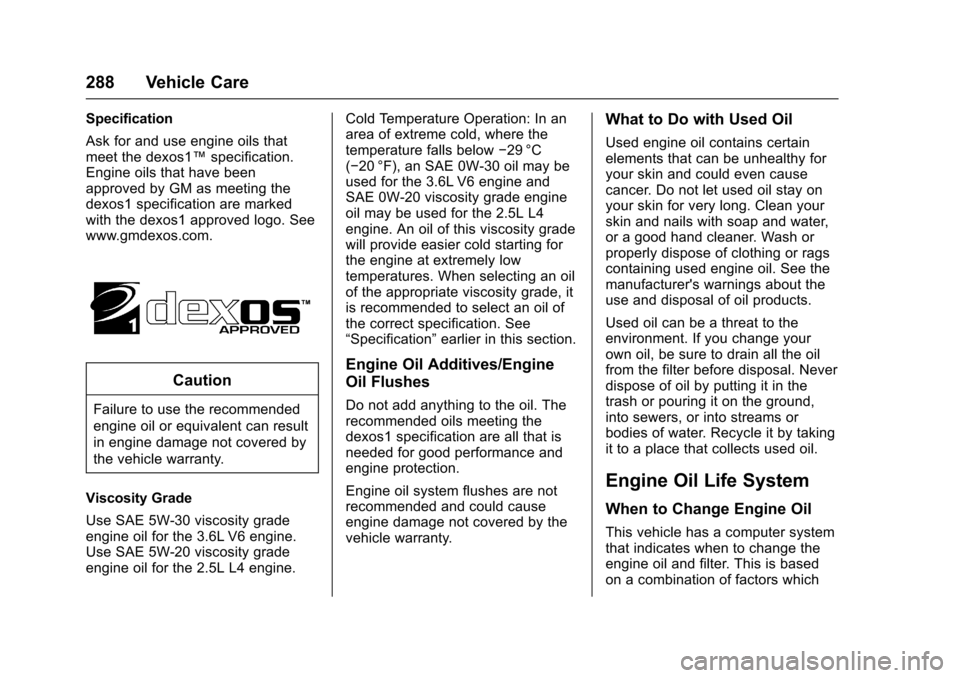
Ask for and use engine oils thatmeet the dexos1™specification.Engine oils that have beenapproved by GM as meeting thedexos1 specification are markedwith the dexos1 approved logo. Seewww.gmdexos.com.
Caution
Failure to use the recommended
engine oil or equivalent can result
in engine damage not covered by
the vehicle warranty.
Viscosity Grade
Use SAE 5W-30 viscosity gradeengine oil for the 3.6L V6 engine.Use SAE 5W-20 viscosity gradeengine oil for the 2.5L L4 engine.
Cold Temperature Operation: In anarea of extreme cold, where thetemperature falls below✓29 °C(✓20 °F), an SAE 0W-30 oil may beused for the 3.6L V6 engine andSAE 0W-20 viscosity grade engineoil may be used for the 2.5L L4engine. An oil of this viscosity gradewill provide easier cold starting forthe engine at extremely lowtemperatures. When selecting an oilof the appropriate viscosity grade, itis recommended to select an oil ofthe correct specification. See“Specification”earlier in this section.
Engine Oil Additives/Engine
Oil Flushes
Do not add anything to the oil. Therecommended oils meeting thedexos1 specification are all that isneeded for good performance andengine protection.
Engine oil system flushes are notrecommended and could causeengine damage not covered by thevehicle warranty.
What to Do with Used Oil
Used engine oil contains certainelements that can be unhealthy foryour skin and could even causecancer. Do not let used oil stay onyour skin for very long. Clean yourskin and nails with soap and water,or a good hand cleaner. Wash orproperly dispose of clothing or ragscontaining used engine oil. See themanufacturer's warnings about theuse and disposal of oil products.
Used oil can be a threat to theenvironment. If you change yourown oil, be sure to drain all the oilfrom the filter before disposal. Neverdispose of oil by putting it in thetrash or pouring it on the ground,into sewers, or into streams orbodies of water. Recycle it by takingit to a place that collects used oil.
Engine Oil Life System
When to Change Engine Oil
This vehicle has a computer systemthat indicates when to change theengine oil and filter. This is basedon a combination of factors which
Page 290 of 419

Chevrolet Colorado Owner Manual (GMNA-Localizing-U.S./Canada/Mexico-10122675) - 2017 - crc - 8/22/16
Vehicle Care 289
include engine revolutions, enginetemperature, and miles driven.Based on driving conditions, themileage at which an oil change isindicated can vary considerably. Forthe oil life system to work properly,the system must be reset every timethe oil is changed.
On some vehicles, when the systemhas calculated that oil life has beendiminished, a CHANGE ENGINEOIL SOON message comes on toindicate that an oil change isnecessary. SeeEngine OilMessages0134.Changetheoilassoon as possible within the next1000km (600mi). It is possible that,if driving under the best conditions,the oil life system might indicate thatan oil change is not necessary forup to a year. The engine oil andfilter must be changed at least onceayearand,atthistime,thesystemmust be reset. For vehicles withoutthe CHANGE ENGINE OIL SOONmessage, an oil change is neededwhen the OIL LIFE REMAININGpercentage is near 0%. Your dealerhas trained service people who willperform this work and reset the
system. It is also important to checkthe oil regularly over the course ofan oil drain interval and keep it atthe proper level.
If the system is ever resetaccidentally, the oil must bechanged at 5 000 km (3,000 mi)since the last oil change.Remember to reset the oil lifesystem whenever the oil is changed.
How to Reset the Engine Oil
Life System
Reset the system whenever theengine oil is changed so that thesystem can calculate the nextengine oil change. Always reset theengine oil life to 100% after every oilchange. It will not reset itself. Toreset the engine oil life system:
1. Display OIL LIFE REMAININGon the DIC. SeeDriverInformation Center (DIC) (BaseLevel)0126orDriverInformation Center (DIC)(Uplevel)0129.Ifthevehicledoes not have DIC buttons, thevehicle must be in P (Park) toaccess this display.
2. Press and holdVon the DIC,
or SET/CLR on the turn signallever if the vehicle does nothave DIC buttons, for severalseconds. The oil life willchange to 100%.
The oil life system can also be resetas follows:
1. Display OIL LIFE REMAININGon the DIC. SeeDriverInformation Center (DIC) (BaseLevel)0126orDriverInformation Center (DIC)(Uplevel)0129.
2. Fully press the acceleratorpedal slowly three times withinfive seconds.
If the display shows 100%, thesystem is reset.
If the vehicle has a CHANGEENGINE OIL SOON message and itcomes back on when the vehicle isstarted and/or the OIL LIFEREMAINING is near 0%, the engineoil life system has not been reset.Repeat the procedure.