2017 CHEVROLET COLORADO service
[x] Cancel search: servicePage 223 of 419

Chevrolet Colorado Owner Manual (GMNA-Localizing-U.S./Canada/Mexico-10122675) - 2017 - crc - 8/22/16
222 Driving and Operating
Traction is reduced on hard packedsnow and ice and it is easy to losecontrol. Reduce vehicle speed whendriving on hard packed snowand ice.
{Warning
Driving on frozen lakes, ponds,
or rivers can be dangerous. Ice
conditions vary greatly and the
vehicle could fall through the ice;
you and your passengers could
drown. Drive your vehicle on safe
surfaces only.
Driving in Water
{Warning
Driving through rushing water can
be dangerous. Deep water can
sweep your vehicle downstream
and you and your passengers
could drown. If it is only shallow
water, it can still wash away the
ground from under your tires.
(Continued)
Warning (Continued)
Traction could be lost, and the
vehicle could roll over. Do not
drive through rushing water.
Caution
Do not drive through standing
water if it is deep enough to cover
the wheel hubs, axles, or exhaust
pipe. Deep water can damage the
axle and other vehicle parts.
If the standing water is not too deep,drive slowly through it. At fasterspeeds, water splashes and thevehicle can stall. When goingthrough water, the brakes get wetand it may take longer to stop. See“Driving on Wet Roads”later in thissection.
After Off-Road Driving
Remove any brush or debris thathas collected on the underbody orchassis, or under the hood. Theseaccumulations can be a fire hazard.
After operation in mud or sand,have the brake linings cleaned andchecked. These substances cancause glazing and uneven braking.Check the body structure, steering,suspension, wheels, tires, andexhaust system for damage andcheck the fuel lines and coolingsystem for any leakage.
More frequent maintenance serviceis required. See theMaintenanceSchedule0366.
Driving on Wet Roads
Rain and wet roads can reducevehicle traction and affect yourability to stop and accelerate.Always drive slower in these typesof driving conditions and avoiddriving through large puddles anddeep-standing or flowing water.
Page 224 of 419
Chevrolet Colorado Owner Manual (GMNA-Localizing-U.S./Canada/Mexico-10122675) - 2017 - crc - 8/22/16
Driving and Operating 223
{Warning
Wet brakes can cause crashes.
They might not work as well in a
quick stop and could cause
pulling to one side. You could
lose control of the vehicle.
After driving through a large
puddle of water or a car/vehicle
wash, lightly apply the brake
pedal until the brakes work
normally.
Flowing or rushing water creates
strong forces. Driving through
flowing water could cause the
vehicle to be carried away. If this
happens, you and other vehicle
occupants could drown. Do not
ignore police warnings and be
very cautious about trying to drive
through flowing water.
Hydroplaning
Hydroplaning is dangerous. Watercan build up under the vehicle'stires so they actually ride on thewater. This can happen if the road iswet enough and you are going fastenough. When the vehicle ishydroplaning, it has little or nocontact with the road.
There is no hard and fast rule abouthydroplaning. The best advice is toslow down when the road is wet.
Other Rainy Weather Tips
Besides slowing down, other wetweather driving tips include:
.Allow extra following distance.
.Pass with caution.
.Keep windshield wipingequipment in good shape.
.Keep the windshield washer fluidreservoir filled.
.Have good tires with propertread depth. SeeTires0316.
.Turn off cruise control.
Hill and Mountain Roads
Driving on steep hills or throughmountains is different than drivingon flat or rolling terrain. Tips include:
.Keep the vehicle serviced and ingood shape.
.Check all fluid levels and brakes,tires, cooling system, andtransmission.
.Shift to a lower gear when goingdown steep or long hills.
{Warning
Using the brakes to slow the
vehicle on a long downhill slope
can cause brake overheating, can
reduce brake performance, and
could result in a loss of braking.
Shift the transmission to a lower
gear to let the engine assist the
brakes on a steep downhill slope.
Page 234 of 419
Chevrolet Colorado Owner Manual (GMNA-Localizing-U.S./Canada/Mexico-10122675) - 2017 - crc - 8/22/16
Driving and Operating 233
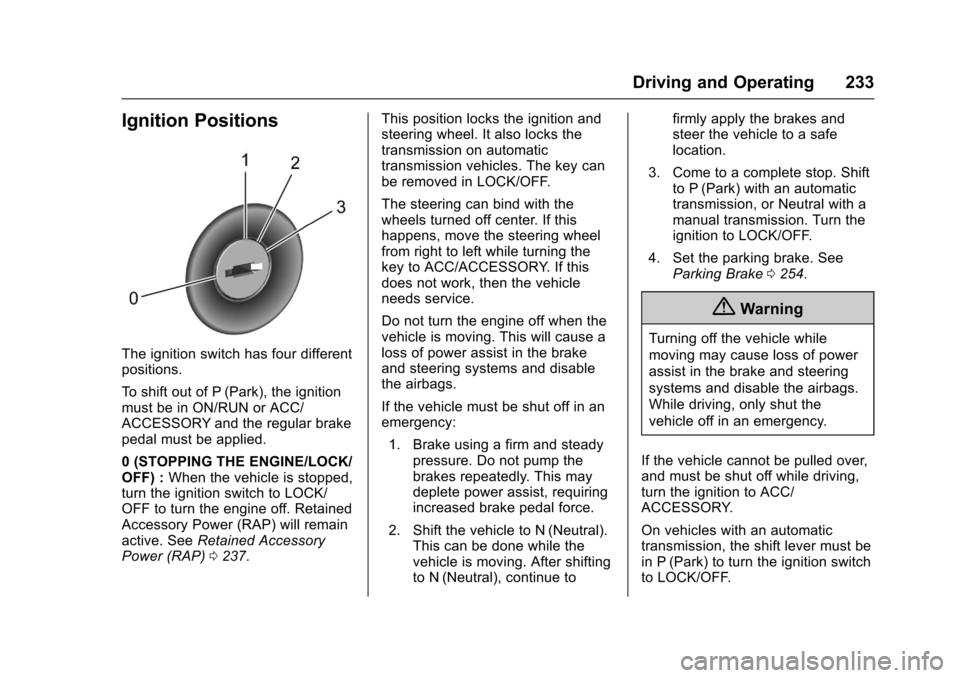
Ignition Positions
The ignition switch has four differentpositions.
To s h i f t o u t o f P ( P a r k ) , t h e i g n i t i o nmust be in ON/RUN or ACC/ACCESSORY and the regular brakepedal must be applied.
0(STOPPINGTHEENGINE/LOCK/OFF) :When the vehicle is stopped,turn the ignition switch to LOCK/OFF to turn the engine off. RetainedAccessory Power (RAP) will remainactive. SeeRetained AccessoryPower (RAP)0237.
This position locks the ignition andsteering wheel. It also locks thetransmission on automatictransmission vehicles. The key canbe removed in LOCK/OFF.
The steering can bind with thewheels turned off center. If thishappens, move the steering wheelfrom right to left while turning thekey to ACC/ACCESSORY. If thisdoes not work, then the vehicleneeds service.
Do not turn the engine off when thevehicle is moving. This will cause aloss of power assist in the brakeand steering systems and disablethe airbags.
If the vehicle must be shut off in anemergency:
1. Brake using a firm and steadypressure. Do not pump thebrakes repeatedly. This maydeplete power assist, requiringincreased brake pedal force.
2. Shift the vehicle to N (Neutral).This can be done while thevehicle is moving. After shiftingto N (Neutral), continue to
firmly apply the brakes andsteer the vehicle to a safelocation.
3. Come to a complete stop. Shiftto P (Park) with an automatictransmission, or Neutral with amanual transmission. Turn theignition to LOCK/OFF.
4. Set the parking brake. SeeParking Brake0254.
{Warning
Turning off the vehicle while
moving may cause loss of power
assist in the brake and steering
systems and disable the airbags.
While driving, only shut the
vehicle off in an emergency.
If the vehicle cannot be pulled over,and must be shut off while driving,turn the ignition to ACC/ACCESSORY.
On vehicles with an automatictransmission, the shift lever must bein P (Park) to turn the ignition switchto LOCK/OFF.
Page 235 of 419
Chevrolet Colorado Owner Manual (GMNA-Localizing-U.S./Canada/Mexico-10122675) - 2017 - crc - 8/22/16
234 Driving and Operating
Caution
Using a tool to force the key to
turn in the ignition could cause
damage to the switch or break the
key. Use the correct key, make
sure it is all the way in, and turn it
only with your hand. If the key
cannot be turned by hand, see
your dealer.
1(ACC/ACCESSORY):Thisposition lets things like the radioand the windshield wipers operatewhile the engine is off. It alsounlocks the steering wheel. Use thisposition if the vehicle must bepushed or towed.
2(ON/RUN):This position can beused to operate the electricalaccessories and to display someinstrument cluster warning andindicator lights. This position canalso be used for service anddiagnostics, and to verify the properoperation of the malfunctionindicator lamp as may be requiredfor emission inspection purposes.The switch stays in this position
when the engine is running. Thetransmission is also unlocked in thisposition on automatic transmissionvehicles.
If the key is left in the ACC/ACCESSORY or ON/RUN positionwith the engine off, the battery couldbe drained. The vehicle may notstart if the battery is allowed to drainfor an extended period of time.
3(START):This is the position thatstarts the engine. When the enginestarts, release the key. The ignitionswitch returns to ON/RUN fordriving.
Awarningtonewillsoundwhenthedriver door is opened, the ignition isin ACC/ACCESSORY or LOCK/OFF, and the key is in the ignition.
Starting the Engine
If the vehicle has a diesel engine,see the Duramax dieselsupplement.
Caution
If you add electrical parts or
accessories, you could change
the way the engine operates. Any
resulting damage would not be
covered by the vehicle warranty.
SeeAdd-On Electrical
Equipment0278.
Place the transmission in theproper gear.
Automatic Transmission
Move the shift lever to P (Park) orN(Neutral). The engine will not startin any other position. To restart theengine when the vehicle is alreadymoving, use N (Neutral) only.
Caution
Do not try to shift to P (Park) if the
vehicle is moving. If you do, you
could damage the transmission.
Shift to P (Park) only when the
vehicle is stopped.
Page 240 of 419
Chevrolet Colorado Owner Manual (GMNA-Localizing-U.S./Canada/Mexico-10122675) - 2017 - crc - 8/22/16
Driving and Operating 239
Torque Lock
If you are parking on a hill and youdo not shift the transmission intoP(Park) properly, the weight of thevehicle may put too much force onthe parking pawl in thetransmission. You may find it difficultto pull the shift lever out of P (Park).This is called torque lock. Toprevent torque lock, set the parkingbrake and then shift into P (Park)properly before you leave the driverseat. To find out how, seeShiftingInto Park0238.
When you are ready to drive, movethe shift lever out of P (Park) beforeyou release the parking brake.
If torque lock does occur, you mayneed to have another vehicle pushyours a little uphill to take some ofthe pressure from the parking pawlin the transmission. You will then beable to pull the shift lever out ofP(Park).
Shifting out of Park
This vehicle is equipped with anelectronic shift lock release system.The shift lock release isdesigned to:
.Prevent ignition key removalunless the shift lever is inP(Park).
.Prevent movement of the shiftlever out of P (Park), unless theignition is in ON/RUN and theregular brake pedal is applied.
To s h i f t o u t o f P ( P a r k ) :
1. Apply the brake pedal.
2. Press the button on the shiftlever.
3. Move the shift lever to thedesired position.
If you still are unable to shift out ofP(Park):
1. Ease the pressure on the shiftlever.
2. While holding down the brakepedal and pressing the shiftlever button, move the shiftlever all the way into P (Park).
3. While holding the shift leverbutton, move the shift lever tothe desired position.
If you are still having a problemshifting, then have the vehicleserviced soon.
This vehicle may have the SafetyBelt Assurance System, which mayprevent the vehicle from shifting outof P (Park). SeeSafety BeltMessages0136.
Parking
If the vehicle has a manualtransmission, before you get out ofthe vehicle, move the shift lever intoR(Reverse), and firmly apply theparking brake. Once the shift leverhas been placed into R (Reverse)with the clutch pedal pressed in,turn the ignition key to LOCK/OFF,remove the key and release theclutch.
If you are parking on a hill, or if thevehicle is pulling a trailer, seeDriving Characteristics and TowingTips0270.
Page 249 of 419
Chevrolet Colorado Owner Manual (GMNA-Localizing-U.S./Canada/Mexico-10122675) - 2017 - crc - 8/22/16
248 Driving and Operating
.Cause tires to wear faster.
.Cause additional driveline noise.
{Warning
Shifting the transfer case to
N(Neutral) can cause the vehicle
to roll even if the transmission is
in P (Park). You or someone else
could be seriously injured. Be
sure to set the parking brake
before placing the transfer case in
N(Neutral). SeeParking
Brake0254.
Caution
Extended high-speed operation in
4nmay damage or shorten the
life of the drivetrain.
Engagement noise and bump when
shifting between 4nand 4mor from
N(Neutral), with the engine running,is normal.
Shifting into 4nwill turn Traction
Control and StabiliTrak®off. SeeTr a c t i o n C o n t r o l / E l e c t r o n i c S t a b i l i t yControl0256.
Electronic Transfer Case
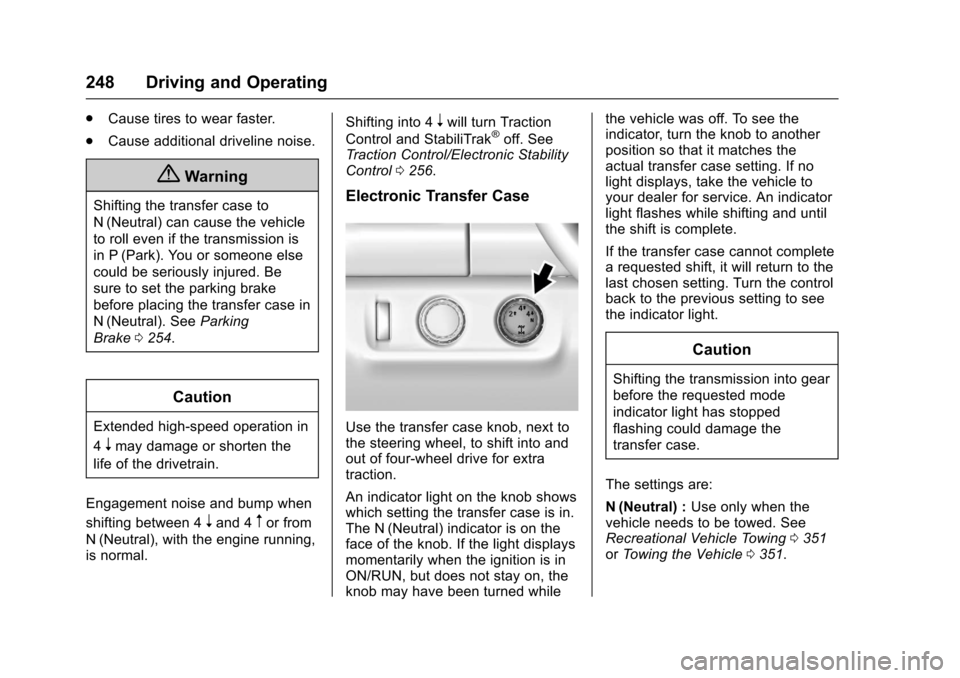
Use the transfer case knob, next tothe steering wheel, to shift into andout of four-wheel drive for extratraction.
An indicator light on the knob showswhich setting the transfer case is in.The N (Neutral) indicator is on theface of the knob. If the light displaysmomentarily when the ignition is inON/RUN, but does not stay on, theknob may have been turned while
the vehicle was off. To see theindicator, turn the knob to anotherposition so that it matches theactual transfer case setting. If nolight displays, take the vehicle toyour dealer for service. An indicatorlight flashes while shifting and untilthe shift is complete.
If the transfer case cannot completearequestedshift,itwillreturntothelast chosen setting. Turn the controlback to the previous setting to seethe indicator light.
Caution
Shifting the transmission into gear
before the requested mode
indicator light has stopped
flashing could damage the
transfer case.
The settings are:
N(Neutral) :Use only when thevehicle needs to be towed. SeeRecreational Vehicle Towing0351orTo w i n g t h e V e h i c l e0351.
Page 252 of 419
Chevrolet Colorado Owner Manual (GMNA-Localizing-U.S./Canada/Mexico-10122675) - 2017 - crc - 8/22/16
Driving and Operating 251
Automatic Transfer Case
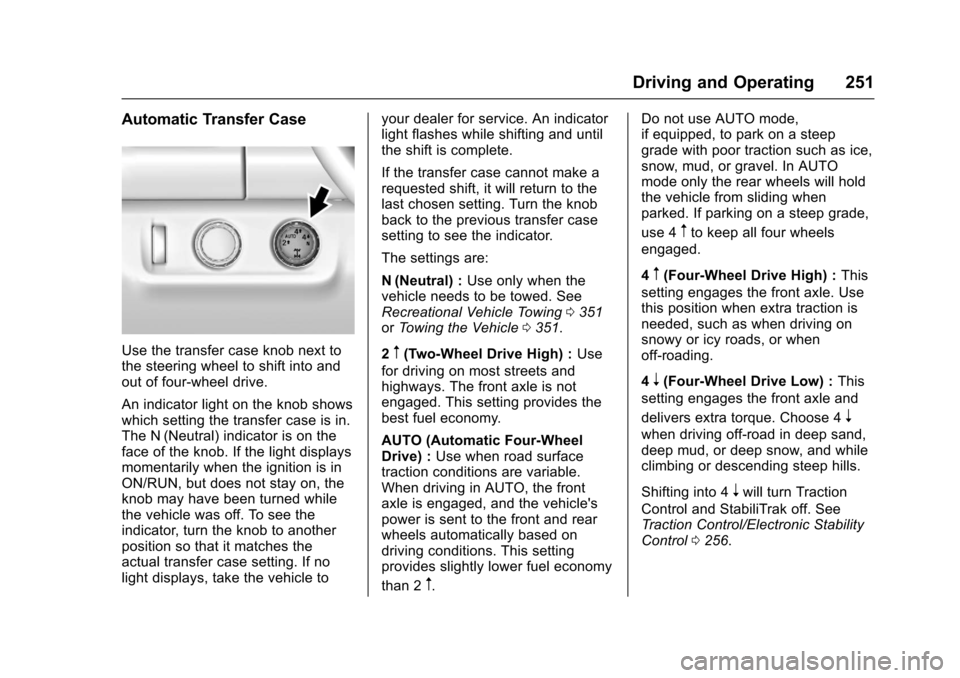
Use the transfer case knob next tothe steering wheel to shift into andout of four-wheel drive.
An indicator light on the knob showswhich setting the transfer case is in.The N (Neutral) indicator is on theface of the knob. If the light displaysmomentarily when the ignition is inON/RUN, but does not stay on, theknob may have been turned whilethe vehicle was off. To see theindicator, turn the knob to anotherposition so that it matches theactual transfer case setting. If nolight displays, take the vehicle to
your dealer for service. An indicatorlight flashes while shifting and untilthe shift is complete.
If the transfer case cannot make arequested shift, it will return to thelast chosen setting. Turn the knobback to the previous transfer casesetting to see the indicator.
The settings are:
N(Neutral) :Use only when thevehicle needs to be towed. SeeRecreational Vehicle Towing0351orTo w i n g t h e V e h i c l e0351.
2m(Two-Wheel Drive High) :Use
for driving on most streets andhighways. The front axle is notengaged. This setting provides thebest fuel economy.
AUTO (Automatic Four-WheelDrive) :Use when road surfacetraction conditions are variable.When driving in AUTO, the frontaxle is engaged, and the vehicle'spower is sent to the front and rearwheels automatically based ondriving conditions. This settingprovides slightly lower fuel economy
than 2m.
Do not use AUTO mode,if equipped, to park on a steepgrade with poor traction such as ice,snow, mud, or gravel. In AUTOmode only the rear wheels will holdthe vehicle from sliding whenparked. If parking on a steep grade,
use 4mto keep all four wheels
engaged.
4m(Four-Wheel Drive High) :This
setting engages the front axle. Usethis position when extra traction isneeded, such as when driving onsnowy or icy roads, or whenoff-roading.
4n(Four-Wheel Drive Low) :This
setting engages the front axle and
delivers extra torque. Choose 4n
when driving off-road in deep sand,deep mud, or deep snow, and whileclimbing or descending steep hills.
Shifting into 4nwill turn Traction
Control and StabiliTrak off. SeeTr a c t i o n C o n t r o l / E l e c t r o n i c S t a b i l i t yControl0256.
Page 263 of 419

Chevrolet Colorado Owner Manual (GMNA-Localizing-U.S./Canada/Mexico-10122675) - 2017 - crc - 8/22/16
262 Driving and Operating
4. Select Guidance Lines, thenselect Off or On.
Rear Vision Camera ErrorMessages
SERVICE REAR VISION CAMERASYSTEM :This message candisplay on the infotainment screenwhen the system is not workingproperly.
If any other problem occurs or if aproblem persists, see your dealer.
Rear Vision Camera Location
The camera is under the tailgatehandle.
The area displayed by the camera islimited. It does not display objectsthat are close to either corner orunder the bumper and can varydepending on vehicle orientation orroad conditions. Displayed imagesmay be further or closer than theyappear.
The following illustrations show thefield of view that the cameraprovides.
1. View displayed by thecamera.
1. View displayed by thecamera.
2. Corner of the rear bumper.
When the System Does Not
Seem to Work Properly
The RVC system may not workproperly or display a clear image if:
.It is dark.
.The sun or the beam ofheadlamps are shining directlyinto the camera lens.
.Ice, snow, mud, or anything elsebuilds up on the camera lens.Clean the lens, rinse it withwater, and wipe it with a softcloth.
.The back of the vehicle is in anaccident. The position andmounting angle of the cameracan change or the camera canbe affected. Be sure to have thecamera, its position, andmounting angle checked at yourdealer.
Disconnecting the Rear Vision
Camera (RVC)
The RVC must be disconnected ifthe tailgate needs to be removed.