2017 CHEVROLET COLORADO bluetooth
[x] Cancel search: bluetoothPage 171 of 419

Chevrolet Colorado Owner Manual (GMNA-Localizing-U.S./Canada/Mexico-10122675) - 2017 - crc - 8/22/16
170 Infotainment System
Volume and song selection maybe controlled using theinfotainment controls or thephone/device. If Pandora isselected and nothing is heard,check the volume setting on thephone/device and theinfotainment system.
Common Pandora Messages
Pandora Error/Please CheckDevice :Not signed in or Pandorais down for maintenance.
No Stations Available :No stationsare available on the Pandora serverthrough the connected device.
Action Unavailable. Please CheckDevice Connection :Afewconditions for loss of Internetconnection are:
.The connected device loses itscellular connection.
.The device does not supportInternet connectivity.
.The device is not in the vehicle.
.The Bluetooth signal is lost.
No Skips Remaining For ThisStation or Permitted DuringAdvertisements :
.The maximum Pandora skip limithas been reached according tothe plan that was obtained.
.Skipping an advertisement wastried.
See www.pandora.com/help. If theservice will not work, see yourdealer for assistance.
Audio Players
Avoiding Untrusted Media
Devices
When using media devices such asCDs, DVDs, Blu-ray Discs®,SDcards, USB devices, and mobiledevices, consider the source.Untrusted media devices couldcontain files that affect systemoperation or performance. Avoid useif the content or origin cannot betrusted.
USB Port (Base Radio)
If equipped, there is a USB port fordata and charging in the centerstack, inside the center console,and/or at the rear of the centerconsole. For uplevel radios, see theinfotainment manual.
Playing from a USB
AUSBmassstoragedeviceorMedia Transfer Protocol (MTP)device can be connected to theUSB port.
Page 176 of 419
Chevrolet Colorado Owner Manual (GMNA-Localizing-U.S./Canada/Mexico-10122675) - 2017 - crc - 8/22/16
Infotainment System 175
.Do not disconnect the USBstorage device while it is playing.This may cause damage to theproduct or affect theperformance of the USB device.
.Disconnect the USB storagedevice when the ignition isturned off. If the ignition is turnedon while the USB device isconnected, the USB device maybe damaged or may not operatenormally.
.USB storage devices can onlybe connected for playing music,viewing photo files,or upgrading.
.Do not use the USB terminal tocharge USB accessoryequipment. The heat generatedmay cause performance issuesor damage.
.Music files to which Digital RightManagement (DRM) is appliedcannot be played.
.USB storage device with acapacity limit of 5,000 files, suchas music, photo, video, and15 stages of folder structure.
Normal usage cannot beguaranteed for a storage devicethat exceeds this limit. The iPod/iPhone can play all music filesthat are supported. The musicfile lists will only display up to5,000 files on the screen. Thesefiles are sorted in alphabeticalorder.
.Some iPod/iPhone models maynot support the connectivity orfunctionality of this product.
.Only connect the iPod/iPhonewith connection cablessupported by iPod/iPhoneproducts. Other connectioncables cannot be used.
.The iPod/iPhone may bedamaged if it is connected to thevehicle with the ignition on.When not in use, disconnect theiPod/iPhone.
.When the iPod/iPhone isconnected to the USB port byusing the iPod/iPhone cable, theBluetooth music is notsupported.
.The iPod/iPhone playbackfunctions and the informationdisplayed may be different whenplayed on the infotainmentsystem.
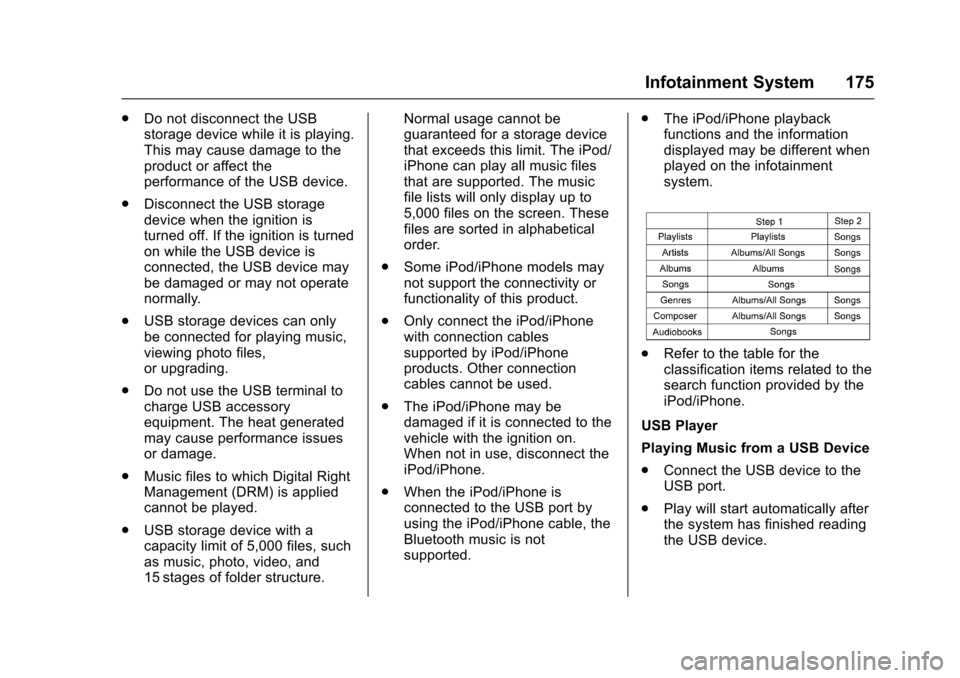
.Refer to the table for theclassification items related to thesearch function provided by theiPod/iPhone.
USB Player
Playing Music from a USB Device
.Connect the USB device to theUSB port.
.Play will start automatically afterthe system has finished readingthe USB device.
Page 181 of 419
Chevrolet Colorado Owner Manual (GMNA-Localizing-U.S./Canada/Mexico-10122675) - 2017 - crc - 8/22/16
180 Infotainment System
3. Touch Source.
4. Touch AUX.
To a d j u s t t h e t o n e s e t t i n g s , s e e“Audio Settings”in“SystemSettings”underAM-FM Radio (BaseRadio)0161orAM-FM Radio(Base Radio withTo u c h s c r e e n )0163.
To a d j u s t t h e a u t o v o l u m e s e t t i n g s ,see“Auto Volume”under“BaseRadio with Touchscreen”inAM-FMRadio (Base Radio)0161orAM-FM Radio (Base Radio withTo u c h s c r e e n )0163.
Bluetooth Audio
If equipped, music may be playedfrom a paired Bluetooth device. See“Pairing”under“Bluetooth(Infotainment Controls - BaseRadio)”or“Bluetooth (InfotainmentControls - Base Radio withTo u c h s c r e e n )”inBluetooth(Overview)0187orBluetooth(Infotainment Controls - BaseRadio)0188orBluetooth (VoiceRecognition)0192orBluetooth
(Infotainment Controls - Base Radiowith Touchscreen)0197for helppairing a device.
Volume and song selection may becontrolled by using the infotainmentcontrols or the phone/device.If Bluetooth Audio is selected andnothing is heard, check the volumesetting on both the phone/deviceand the infotainment system.
Launch music by touching theMEDIA screen button on theHome Page.
To p l a y m u s i c v i a B l u e t o o t h :
1. Power on the device, and pairto connect the device.
2. Once paired, go into the audioapplication from the HomePage or via the application tray.Select MEDIA until Bluetoothdisplays.
Bluetooth Audio Menu
To u c h t h e M E N U s c r e e n b u t t o n t odisplay the Bluetooth Audio menu.The following may be available:
To n e :Turn the MENU knob toadjust the tone settings.
To u c hoBACK to go back to the
previous menu.
Manage Bluetooth Devices:Selectto go to the Bluetooth page to addor delete devices.
When selecting Bluetooth Audio, theradio may not be able to launch theaudio player on the connecteddevice to start playing. When thevehicle is not moving, use thephone to begin playback.
All devices launch audio differently.When selecting Bluetooth Audio asasource,theradiomayshowaspaused on the screen. Press play
on the device or pressrto begin
playback.
Some phones support sendingBluetooth music information todisplay on the radio. When the radioreceives this information, it willcheck to see if any is available anddisplay it. For more informationabout supported Bluetooth features,see www.gm.com/bluetooth in theU.S. and Canada only.
Page 187 of 419
Chevrolet Colorado Owner Manual (GMNA-Localizing-U.S./Canada/Mexico-10122675) - 2017 - crc - 8/22/16
186 Infotainment System
The access commands for playlists,artists, and genres are prohibitedafter the number of this type ofmedia exceeds 4,000.
The system will provide feedbackthe first time voice recognition isinitiated if it has become apparentthat any of these limits are reachedduring a device initializing process.
Voice Recognition for the
Phone
“Call
“Call
“Call
“Pair Phone”:Begins theBluetooth pairing process. Followinstructions on the radio display.
“Switch Phone”:Select a differentphone for outgoing calls.
“Vo i c e K e y p a d”:Begins a dialogto enter special numbers likeinternational numbers. The numberscan be entered in groups of digitswith each group of digits beingrepeated back by the system. If thegroup of digits is not correct, thecommand“Delete”will remove thelast group of digits and allow themto be re-entered. Once the entirenumber has been entered, thecommand“Call”will start dialing thenumber.
“Vo i c e M a i l”:Initiate a call to voicemail numbers.
Voice Recognition for OnStar
(If Equipped)
“OnStar”:Begin OnStar VoiceRecognition.
Bluetooth Speech Recognition
(If Equipped)
Voice Pass-Thru allows access tothe speech recognition commandson the cell phone. See your cellphone manufacturer’suserguidetosee if the cell phone supports thisfeature.
Activating this function will start theBluetooth Speech Recognition on aconnected phone.
The steering wheel controls areused to operate this function.
Press and holdgto activate.
Avoicesessionbeginssothatvoicecommands can be given to Siri®ormany other controls provided by thecell phone.
Press@to exit or pressito
close and return to the previousapplication prior to the start of VoicePass-Thru.
Page 188 of 419
Chevrolet Colorado Owner Manual (GMNA-Localizing-U.S./Canada/Mexico-10122675) - 2017 - crc - 8/22/16
Infotainment System 187
Phone
Bluetooth (Overview)
Instructions for using the cell phonemay differ between infotainmentsystems. The base radio and baseradio with touchscreen instructionsare included in this manual. See theinfotainment manual for instructionson the uplevel radios.
Bluetooth-capable systems caninteract with many cell phones,allowing:
.Placement and receipt of calls inahands-freemode.
.Sharing of the cell phone’saddress book or contact list withthe vehicle.
To m i n i m i z e d r i v e r d i s t r a c t i o n ,before driving, and with the vehicleparked:
.Become familiar with thefeatures of the cell phone.Organize the phone book andcontact lists clearly and delete
duplicate or rarely used entries.If possible, program speed dialor other shortcuts.
.Review the controls andoperation of the infotainmentsystem.
.Pair cell phone(s) to the vehicle.The system may not work withall cell phones. See“Pairing”inthis section.
.If the cell phone has voicedialing capability, learn to usethat feature to access theaddress book or contact list.
.See“Deleting a Paired Phone”and/or“Deleting a BluetoothDevice”in this section.
{Warning
When using a cell phone, it can
be distracting to look too long or
too often at the screen of the
phone or the infotainment system.
Ta k i n g y o u r e y e s o f f t h e r o a d t o o
long or too often could cause a
crash resulting in injury or death.
Focus your attention on driving.
Vehicles with a Bluetooth systemcan use a Bluetooth-capable cellphone with a Hands-Free Profile tomake and receive phone calls. Theinfotainment system and voicerecognition are used to control thesystem. The system can be usedwhile in ON/RUN or ACC/ACCESSORY. The range of theBluetooth system can be up to 9.1 m(30 ft). Not all phones support allfunctions and not all phones workwith the Bluetooth system. Seewww.gm.com/bluetooth or see yourdealer for more information aboutcompatible phones.
Bluetooth Controls
Use the controls on the infotainmentdisplay, center stack, and thesteering wheel to operate theBluetooth system.
Steering Wheel Controls
SeeSteering Wheel Controls0104.
Page 189 of 419
Chevrolet Colorado Owner Manual (GMNA-Localizing-U.S./Canada/Mexico-10122675) - 2017 - crc - 8/22/16
188 Infotainment System
Infotainment System Controls
For information about how tonavigate the menu system using theinfotainment controls, seeOverview(Base Radio)0155orOverview(Base Radio withTo u c h s c r e e n )0157.
MENU :Turn to scroll through a list.Press to select the highlighted listoption.
{:Press to go to the Home Page.SeeHome Page (Base Radio)0158orHome Page (Base Radiowith Touchscreen)0160.
#:Select to enter the phone mainmenu. SeeBluetooth (Overview)0187orBluetooth (InfotainmentControls - Base Radio)0188orBluetooth (Voice Recognition)0192orBluetooth (Infotainment Controls -Base Radio withTo u c h s c r e e n )0197.
Voice Recognition
If equipped, the voice recognitionsystem uses commands to controlthe system and dial phone numbers.
Noise :The system may notrecognize voice commands if thereis too much background noise, suchas noise from open windows or loudtalking inside the vehicle.
When to Speak :Atonesoundstoindicate that the system is ready foravoicecommand.Waitforthetoneand then speak.
How to Speak :Speak clearly in acalm and natural voice.
Audio System
When using the Bluetooth system,sound comes through the vehicle'sfront audio system speakers andoverrides the audio system. Use theOknob during a call to change thevolume level. The system maintainsaminimumvolumelevel.
Bluetooth Audio Quality
Turn off the Echo and Noisecancellation feature on your phone,if supported, for the best hands-freeperformance.
See www.gm.com/bluetooth or seeyour dealer.
Bluetooth (Infotainment
Controls - Base Radio)
For information about how tonavigate the menu system using theinfotainment controls, seeOverview(Base Radio)0155orOverview(Base Radio withTo u c h s c r e e n )0157.
Switching to Handset or
Hands-Free Mode
To s w i t c h b e t w e e n h a n d s e t m o d eand hands-free mode, use theOnStar command,“transfer call.”
Pairing
ABluetooth-enabledcellphonemust be paired to the Bluetoothsystem and then connected to thevehicle before it can be used. Seeyour cell phone manufacturer's userguide for Bluetooth functions beforepairing the cell phone. If a Bluetoothphone is not connected, calls canbe made using OnStar Hands-FreeCalling, if available. SeeOnStarOverview0397,ifequipped.
Page 190 of 419
Chevrolet Colorado Owner Manual (GMNA-Localizing-U.S./Canada/Mexico-10122675) - 2017 - crc - 8/22/16
Infotainment System 189
Pairing Information
.Up to five cell phones can bepaired to the Bluetooth system.
.The pairing process is disabledwhen the vehicle is moving.
.Pairing only needs to becompleted once per phone,unless the pairing information onthe cell phone changes or thecell phone is deleted from thesystem.
.Only one paired cell phone canbe connected to the Bluetoothsystem at a time.
.If multiple paired cell phones arewithin range of the system, thesystem connects to the firstavailable paired cell phone in theorder that they were newlypaired to the system. To connectto a different paired phone, see“Connecting to a DifferentPhone”later in this section.
Pairing a Phone or Device
1. From the Home Page, turn theMENU knob to access thePHONE screen button, then
press the MENU knob to selectthe PHONE screen button. If adevice has been previouslypaired, the main Phone menuwill be shown. If no deviceshave been paired, Step 2 canbe skipped.
2. Turn the MENU knob andpress to select ManagePhones.
3. Press the button just below thePA I R s c r e e n b u t t o n . A f o u r - d i g i tPersonal Identification Number(PIN) appears on the display.The PIN is used in Step 5.
4. Start the pairing process on thecell phone to be paired to thevehicle. See your cell phonemanufacturer's user guide forinformation on this process.
5. Locate the device named“Yo u rVehicle”in the list on the cellphone. Follow the instructionson the cell phone to enter thePIN provided in Step 3. If a sixdigit code is shown on thephone and the vehicle screen,confirm the codes are thesame. The system recognizes
the new connected phone afterthe pairing process iscomplete.
6. If the phone prompts to acceptconnection or allow phonebook download, select AlwaysAccept and Allow. The phonebook may not be available ifnot accepted.
7. Repeat Steps 1–6topairadditional phones or devices.
Listing All Paired and ConnectedPhones
1. To list all paired devices, fromthe Home Page turn the MENUknob, then press to select thePHONE screen button.
2. Turn the MENU knob andpress to select ManagePhones.
Deleting a Paired Phone
1. From the Home Page, turn theMENU knob, then press toselect the PHONE screenbutton.
Page 191 of 419
Chevrolet Colorado Owner Manual (GMNA-Localizing-U.S./Canada/Mexico-10122675) - 2017 - crc - 8/22/16
190 Infotainment System
2. Turn the MENU knob andpress to select ManagePhones.
3. Turn the MENU knob tohighlight the phone to bedeleted.
4. Press the button below theDELETE screen button todelete the highlighted device.
5. A confirmation screen isdisplayed. Press the button justbelow the DELETE screenbutton to confirm deletion.
Connecting to a Different Phone
1. From the Home Page, turn theMENU knob, then press toselect the PHONE screenbutton.
2. Turn the MENU knob andpress to select ManagePhones.
3. Turn the MENU knob tohighlight the phone to beconnected.
4. Press the button just below theCONNECT screen button toconnect to the highlighteddevice.
Phone Menu
Once a phone is connected andselected, the following may display:
Recent Calls :Turn the MENUknob to highlight Recent Calls andpress to select.
Contacts :Turn the MENU knob tohighlight Contacts and press toselect.
Keypad :Turn the MENU knob tohighlight Keypad and press toselect.
Active Call :Turn the MENU knobto highlight Active Call and press toselect and display the active callscreen.
Manage Phones :Turn the MENUknob to highlight Manage Phonesand press to select.
Making a Call Using Contacts
and Recent Calls
For cell phones that support theContacts and Recent Calls feature,the Bluetooth system can use thecontacts stored on your cell phoneto make calls. See your cell phonemanufacturer’suserguideorcontact your wireless provider tofind out if this feature is supportedby your phone.
If the phone prompts to allow phonebook download during the pairingprocess, select Always Accept andAllow. The phone book may not beavailable if not accepted.
When a cell phone supports thephone book feature, the Contactsand Recent Calls menus areautomatically available.
The Contacts menu allows you toaccess the phone book stored in thecell phone to make a call.
The Recent Calls menu allows youto access the phone numbers fromthe Incoming Calls, Outgoing Calls,and Missed Calls menus on the cellphone to make a call.