2017 CHEVROLET BOLT EV instrument panel
[x] Cancel search: instrument panelPage 6 of 361

Chevrolet Bolt EV Owner Manual (GMNA-Localizing-U.S./Canada/Mexico-
10122739) - 2017 - CRC - 10/3/16
In Brief 5
In Brief
Instrument Panel
Instrument Panel . . . . . . . . . . . . . . . . 6
Initial Drive Information
Initial Drive Information . . . . . . . . . . 8
Remote Keyless Entry (RKE)System . . . . . . . . . . . . . . . . . . . . . . . . 8
Remote Start . . . . . . . . . . . . . . . . . . . . 8
Door Locks . . . . . . . . . . . . . . . . . . . . . 9
Liftgate . . . . . . . . . . . . . . . . . . . . . . . . 10
Windows . . . . . . . . . . . . . . . . . . . . . . . 11
Seat Adjustment . . . . . . . . . . . . . . . 11
Heated Seats . . . . . . . . . . . . . . . . . . 12
Head Restraint Adjustment . . . . 13
Safety Belts . . . . . . . . . . . . . . . . . . . . 13
Passenger Sensing System . . . 13
Mirror Adjustment . . . . . . . . . . . . . . 14
Steering Wheel Adjustment . . . . 14
Interior Lighting . . . . . . . . . . . . . . . . 14
Exterior Lighting . . . . . . . . . . . . . . . 15
Windshield Wiper/Washer . . . . . . 16
Climate Controls . . . . . . . . . . . . . . . 17
Vehicle Features
Radio(s) . . . . . . . . . . . . . . . . . . . . . . . 17
Satellite Radio . . . . . . . . . . . . . . . . . 18
Portable Audio Devices . . . . . . . . 18
Bluetooth
®. . . . . . . . . . . . . . . . . . . . . 18
Steering Wheel Controls . . . . . . . 18
Cruise Control . . . . . . . . . . . . . . . . . 19
Driver Information
Center (DIC) . . . . . . . . . . . . . . . . . 20
Forward Collision Alert (FCA) System . . . . . . . . . . . . . . . . . . . . . . . 20
Forward Automatic Braking (FAB) . . . . . . . . . . . . . . . . 20
Front Pedestrian Braking (FPB) System . . . . . . . . . . . . . . . . . . . . . . . 20
Lane Keep Assist (LKA) . . . . . . . 21
Lane Change Alert (LCA) . . . . . . 21
Rear Vision Camera (RVC) . . . . 21
Rear Cross Traffic Alert (RCTA) System . . . . . . . . . . . . . . . . . . . . . . . 21
Parking Assist . . . . . . . . . . . . . . . . . 21
Power Outlets . . . . . . . . . . . . . . . . . 22
Battery and Efficiency
High Voltage Safety Information . . . . . . . . . . . . . . . . . . . 22
Charging . . . . . . . . . . . . . . . . . . . . . . . 23
Regenerative Braking . . . . . . . . . . 28
Service . . . . . . . . . . . . . . . . . . . . . . . . 28
Performance and Maintenance
Traction Control/Electronic Stability Control . . . . . . . . . . . . . . 29
Tire Pressure Monitor . . . . . . . . . . 29
Driving for Better Energy Efficiency . . . . . . . . . . . . . . . . . . . . . 29
Roadside Assistance Program . . . . . . . . . . . . . . . . . . . . . . 31
Page 7 of 361

Chevrolet Bolt EV Owner Manual (GMNA-Localizing-U.S./Canada/Mexico-
10122739) - 2017 - CRC - 10/3/16
6 In Brief
Instrument Panel
Page 8 of 361

Chevrolet Bolt EV Owner Manual (GMNA-Localizing-U.S./Canada/Mexico-
10122739) - 2017 - CRC - 10/3/16
In Brief 7
1.Air Vents 0188.
2. Turn and Lane-Change Signals
0151.
3. Instrument Cluster 0111.
Driver Information Center (DIC)
0 133.
4. Windshield Wiper/Washer
0106.
5. Charging Status Feedback
0236.
Automatic Headlamp System
0 150.
Indicator Light and Solar
Sensor (ILSS). See “Sensors”
under Automatic Climate
Control System 0184.
6. Infotainment System. See AM-FM Radio 0160.
Heated Front Seats 058 (If
Equipped).
7. Automatic Climate Control
System 0184. 8.
Storage Compartments 0100.
9. Shift Lever. See Electric Drive
Unit 0206.
10. Electric Parking Brake 0210.
11. Power Outlets 0109.
12. Hazard Warning Flashers
0151.
Traction Control/Electronic
Stability Control 0213.
Driver Selected Operating
Modes 0205.
13. Power Button 0201.
14. Steering Wheel Controls 0104
(If Equipped).
15. Horn 0105.
16. Steering Wheel Adjustment
0104.
17. Steering Wheel Controls 0104
(If Equipped). 18. Regen on Demand®(Out of
View). See Regenerative
Braking 0212.
19. Cruise Control 0215.
Heated Steering Wheel 0105
(If Equipped).
Forward Collision Alert (FCA)
System 0222 (If Equipped).
Lane Keep Assist (LKA) 0229
(If Equipped).
20. Instrument Panel Fuse Block
0268.
21. Data Link Connector (DLC) (Out of View). See Service
Vehicle Soon Light 0118.
22. Exterior Lamp Controls 0148.
23. Instrument Panel Illumination
Control 0152.
Page 16 of 361

Chevrolet Bolt EV Owner Manual (GMNA-Localizing-U.S./Canada/Mexico-
10122739) - 2017 - CRC - 10/3/16
In Brief 15
1:When the button is returned to
the middle position, the lamps turn
on automatically when a door is
opened.
+ON : Press to turn on the dome
lamps.
Front and Rear Reading
Lamps
The front reading lamps are in the
overhead console.
Press the lamp lenses to turn the
reading lamps on or off.
The rear reading lamps are in the
headliner.
*OFF : Press to turn the lamp off.
+ON :Press to turn the lamp on.
For more information on interior
lighting, see Instrument Panel
Illumination Control 0152.
Exterior Lighting
Exterior Lamp Controls
The exterior lamp control is on the
instrument panel to the left of the
steering column.
O:Turns the exterior lamps on
and off.
AUTO : Turns the exterior lamps on
and off automatically, depending on
outside lighting.
;: Turns on the parking lamps
including all lamps, except the
headlamps.
Page 17 of 361

Chevrolet Bolt EV Owner Manual (GMNA-Localizing-U.S./Canada/Mexico-
10122739) - 2017 - CRC - 10/3/16
16 In Brief
5:Turns on the headlamps
together with the parking lamps and
instrument panel lights.
See:
. Exterior Lamp Controls 0148.
. Daytime Running Lamps (DRL)
0150.
Windshield Wiper/Washer
The windshield wiper/washer lever
is on the side of the steering
column. With the vehicle on or in
Service Mode, move the windshield
wiper lever to select the wiper
speed. HI :
Use for fast wipes.
LO : Use for slow wipes.
INT : If equipped with intermittent
wipes, move the windshield wiper
lever to INT. Turn the band up for
more frequent wipes or down for
less frequent wipes.
OFF : Use to turn the wipers off.
1X : For a single wipe, briefly move
the lever down. For multiple wipes,
hold the lever down.
f: Pull the windshield wiper
lever toward you to spray windshield
washer fluid and activate the wipers.
Rear Window Wiper/Washer
The controls are on the end of the
windshield wiper lever. Move the
control to:
ON : To turn on.
OFF : To turn off.
INT : To turn on intermittent rear
wipes.
1: Push the windshield wiper
lever to spray washer fluid on the
rear window.
See Windshield Wiper/Washer
0 106.
Page 25 of 361

Chevrolet Bolt EV Owner Manual (GMNA-Localizing-U.S./Canada/Mexico-
10122739) - 2017 - CRC - 10/3/16
24 In Brief
1. Make sure the vehicle isparked.
2. Push the rearward edge of thecharge port door and release to
open the door.
In cold weather conditions, ice
may form around the charge
port door. Remove ice from the
area before attempting to open
or close the charge port door.
3. Open the liftgate, lift the load
floor cover, and remove the
charge cord.
4. Plug the charge cord into the electrical outlet. See Electrical
Requirements for Battery
Charging 0246. Verify the
charge cord status. See
Charge Cord 0239. Select the
appropriate charge level. See
“Charge Limit Selection” under
Programmable Charging 0124.5. Plug in the AC vehicle plug of
the charge cord into the charge
port on the vehicle. Make sure
the AC vehicle plug is fully
connected to the AC charge
port. If it is not properly seated,
the charge may not occur.
6. Verify that the Charging Status Indicator illuminates on top of
the instrument panel and an
audible chirp occurs. See
Charging Status Feedback
0236.
Page 27 of 361

Chevrolet Bolt EV Owner Manual (GMNA-Localizing-U.S./Canada/Mexico-
10122739) - 2017 - CRC - 10/3/16
26 In Brief
5. Follow the steps listed on thecharging station to start
charging. The Electric Parking
Brake will automatically apply
once the charge process has
been started.
6. Once charging, the DC vehicle plug will be locked to the DC
charge port and cannot be
disconnected while charging is
active.
7. Verify that the Charging Status Indicator illuminates on top of
the instrument panel and an
audible chirp occurs. See
Charging Status Feedback
0236.
Caution
Do not attempt to disconnect the
DC vehicle plug while charging is
active. This action may damage
vehicle or charging station
hardware. Stop Charge
Controls on the charging station can
be used to stop the charge process
at any time.
To stop the charge when inside the
vehicle, you may use the stop
charging button on the Charging
screen. See
Programmable
Charging 0124.
There is also an available mobile
app with several charging functions.
See KeyPass 044.
Stop Charge —Automatic
When the vehicle no longer needs
to use power from the charging
station, it will stop charging and the
DC vehicle plug will be unlocked
from the DC charge port.
Energy can still be consumed from
the charging station when the
vehicle’s displays and indicators
show that the battery is fully
charged. This is to ensure the
battery is in optimal temperature
operating range to maximize vehicle
range. See Programmable Charging
0 124. End Charge
1. Wait until the charging process has been fully stopped, the
vehicle plug is unlocked, and
the Charging Status Indicator is
solid green or off.
2. Unplug the DC vehicle plug from the DC charge port on the
vehicle and close the dust
cover.
3. Close the charge port door by pressing firmly in the center
until it latches.
4. The Electric Parking Brake should be manually
disengaged before driving the
vehicle.
5. To start another DC charge, remove the DC vehicle plug
and reconnect.
Charge Cord
See Radio Frequency Statement
0 336.
Page 64 of 361
Chevrolet Bolt EV Owner Manual (GMNA-Localizing-U.S./Canada/Mexico-
10122739) - 2017 - CRC - 10/3/16
Seats and Restraints 63
Warning (Continued)
passengers to ride in any area of
the vehicle that is not equipped
with seats and safety belts.
Always wear a safety belt, and
check that all passenger(s) are
restrained properly too.
This vehicle has indicators as a
reminder to buckle the safety belts.
See Safety Belt Reminders 0116.
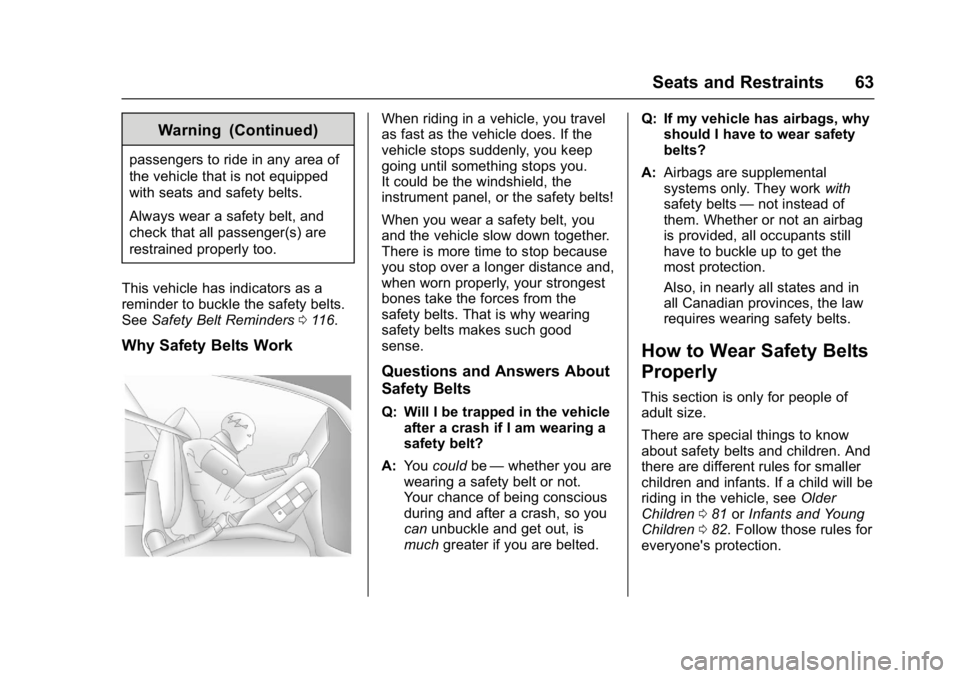
Why Safety Belts Work
When riding in a vehicle, you travel
as fast as the vehicle does. If the
vehicle stops suddenly, you keep
going until something stops you.
It could be the windshield, the
instrument panel, or the safety belts!
When you wear a safety belt, you
and the vehicle slow down together.
There is more time to stop because
you stop over a longer distance and,
when worn properly, your strongest
bones take the forces from the
safety belts. That is why wearing
safety belts makes such good
sense.
Questions and Answers About
Safety Belts
Q: Will I be trapped in the vehicle
after a crash if I am wearing a
safety belt?
A: You could be—whether you are
wearing a safety belt or not.
Your chance of being conscious
during and after a crash, so you
can unbuckle and get out, is
much greater if you are belted. Q: If my vehicle has airbags, why
should I have to wear safety
belts?
A: Airbags are supplemental
systems only. They work with
safety belts —not instead of
them. Whether or not an airbag
is provided, all occupants still
have to buckle up to get the
most protection.
Also, in nearly all states and in
all Canadian provinces, the law
requires wearing safety belts.
How to Wear Safety Belts
Properly
This section is only for people of
adult size.
There are special things to know
about safety belts and children. And
there are different rules for smaller
children and infants. If a child will be
riding in the vehicle, see Older
Children 081 orInfants and Young
Children 082. Follow those rules for
everyone's protection.