2017 AUDI Q7 battery
[x] Cancel search: batteryPage 339 of 402

u
(a) Curb weight
(b) Accessory weight
(c) Vehicle capacity weight, and
(d) Production options we ight
Ma ximum (permissible)
inflation pressure
means the maximum cold infla
tion pressure to which a t ire may
be inflated. Also called "maxi
mum inflation pressure."
Normal occupant weight
means 150 lbs. (68 kilograms)
times the number of occupants
seated in the veh icle up to the to
tal seating capacity of your vehi c le.
Occupant distribution
means distribution of occupants
in a vehicle.
Outer diameter
means the overall diameter of an
inflated new tire.
Overall width
means the linear distance be
tween the exteriors of the side
walls of an inflated tire, including
elevations due to labeling, deco
rations, or protective bands or
~ ribs . N
" N .... 0
0
l'. ...
Wheels
Ply
means a layer of rubber-coated
parallel cords .
Production options weight
means the combined weight of
those installed regular production
options weighing over 5 lbs. (2.3 kg) in excess of those standard
items which they replace, not pre
viously considered in curb weight
or accessory weight, including
heavy duty brakes, ride levelers,
roof rack, heavy duty battery, and
special trim .
Radial ply tire
means a pneumatic tire in which
the ply cords that extend to the beads are laid at substantially 90
degrees to the centerline of the
tread.
Recommended inflation
pressure
see ~ page 336, Cold tire infla
tion pressure .
Reinforced tire
means a tire designed to operate
at higher loads and at higher in
flation pressures than the corre sponding standard tire. Rein
forced tires may be identified as .,.
337
Page 374 of 402

Emergency situations
Emergency situations
General
This chapter is intended for trained emergency crews and working personnel who have the nec
essary tools and equipment to perform these
operations.
Starting by pushing or
towing
(D Note
Vehicles with an automatic transmission
cannot be started by pushing or towing.
Starting with jumper
cables
If necessary, the engine con be started by con
necting it to the battery of another vehicle.
If the engine should fail to start because of a dis
charged or weak battery, the battery can be con
nected to the battery of
another vehicle, using a
pair of jumper cables to start the engine.
Jumper cables
Use only jumper cables of sufficiently large cross
section
to carry the starter current safely. Refer
to the manufacturer's specifications.
Use only jumper cables with
insulated terminal
clamps which are distinctly marked :
plus(+) cable in most cases colored red
minus(-) cable
in most cases colored black.
A WARNING
Batteries contain electricity, acid, and gas.
Any of these can cause very serious or fatal in
jury. Follow the instructions below for
safe
handling of your vehicle's battery.
-Always shield your eyes and avoid leaning
over the battery whenever possible.
-A dead battery can freeze at temperatures
around 32 °F (0 °C) . If the vehicle battery is
frozen, you must thaw it before connecting
the jump start cables.
If you do not, this in-
372
creases the risk of an explosion and chemi
cal burns. After jump starting the vehicle,
drive to an authorized Audi dealer or author
ized Audi Service Facility immediately to
have the vehicle battery checked.
- Do not allow battery acid to contact eyes or
skin . Flush any contacted area with water
immediately.
- Improper use of a booster battery to start a
vehicle may cause an explosion .
- Vehicle batteries generate explosive gases.
Keep sparks, flame and lighted cigarettes
away from batteries.
- Do not try to jump start any vehicle with a
low acid level in the battery.
- The voltage of the booster battery must also
have a 12-Volt rating. The capacity (Ah) of
the booster battery should not be lower
than that of the discharged battery. Use of
batteries of different voltage or substantial
ly different "Ah" rating may cause an explo
sion and personal injury.
- Never charge a frozen battery. Gas trapped
in the ice may cause an explosion.
- Never charge or use a battery that has been
frozen. The battery case may have be weak
ened.
- Use of batteries of different voltage or sub
stantially different capacity (Ah) rating may
cause an explosion and injury. The capacity (Ah) of the booster battery should not be
lower than that of the discharged battery.
- Before you check anything in the engine
compartment, always read and heed all
WARNINGS
r=:> poge 322.
([) Note
-Applying a higher voltage booster battery
will cause expensive damage to sensitive electronic components, such as control
units, relays, radio, etc.
- There must be no electrical contact between
the vehicles as otherwise current could al
ready start to flow as soon as the positive
(+) terminals are connected.
Page 375 of 402

u (0 ...... N r--. N ...... 0
0
:E
The discharged battery must be properly con
nected to the vehicle's electrical system .
When jump starting or charg ing the battery,
never connect the negative ground cable to
the battery negative post because the battery
manager system must be able to detect the
battery's state of charge. Always connect the
negative ground cable to the negative ground
post of the battery manager control unit.
Using the jump start
cable
Both jump start cables must be connected in the
correct order!
Fig. 292 Engine compartment: connect ors for jump start
cables and a charger
Fig. 293 Ju mp starting us ing a battery in another vehicle:
@ -providing current, @-drained
The procedure described below for connecting
jumper cables is intended to prov ide a jump start
for your vehicle .
Vehicle with discharged battery
•Turnoff lights and accessories, move automatic
transmission lever to N (Neutral) or P (Park)
and set parking brake.
Emergency situations
Connecting the positive cable (red) to the
positive terminal
• Open the red cover on the positive terminal
r=>fig. 292 .
1. Secure one end of the positive cable (red) to
the jump start pin
r=> fig. 293 (D (pin under
the red cover = "posit ive") on the vehicle that
needs to be started @.
2. Secure the other end of the positive cable
(red) to the positive termina l@ on the bat
tery provid ing the current @.
Connecting the negative cable (black) to the
negative terminal
3. Secure one end of the negative cable (black)
to the nega tive term inal @ on the battery
that is providing the current @.
4. Secure the other end of the negative cable
(black) to the jump start pin@ (hex head pin
= "negative") on the vehicle that needs to be
started @.
Starting the engine
• Start the engine on the vehicle providing the
jump start @and let it run at idle.
• Now start the engine on the vehicle with the
drained battery @.
• If the engine does not start, stop the starting
procedure after 10 seconds and then repeat it
after approx imately 30 seconds.
• Remove the cables when the engines are run
ning. Remove them in reverse order from the
way they were installed.
• Close the red cover on the positive terminal.
T he battery is vented to the outside to prevent
gases from enter ing the vehicle interior . Make
sure that the jumper clamps are well connected
with their
metal parts in full contact with the
battery terminals.
_& WARNING
-To avoid serious personal injury and damage to the vehicle, heed all warnings and instruc
tions of the jumper cable manufacturer. If in
doubt, call for road service.
- Jumper cables must be long enough so that
the vehicles do not touch . ..,_
373
Page 376 of 402

Emergency situations
-When connecting jumper cables, make sure
that they cannot get caught in any moving
parts in the engine compartment.
- Do not bend over the batteries -danger of
chemical burns!
- The battery cell locking screws must be
tightened securely.
- Before you check anything in the engine
compartment, always read and heed all
WARNINGS
i=> page 322.
(D Note
Improper hook-up of jumper cables can ruin
the generator.
- Always connect POSITIVE(+) to POSITIVE
(+), and NEGATIVE(-) to NEGATIVE(-)
ground post of the battery manager control
unit.
- Check that all screw p lugs on the battery
cells are screwed in firmly. If not, tighten
plugs prior to connect ing clamp on negative
battery terminal.
- Please note that the procedure for connect
i ng a jumper cable as described above ap
plies specifically to the case of your vehicle
being jump started . When you are giving a
ju mp start to another vehicle, do
not con
nect the negative (-) cable to the negative
(-) terminal on the discharged batte ry @
c> fig. 293. Instead, securely connect the
negative( -) cab le to either a solid metal
component that is firm ly bolted to the en
gine block or to the engine block itself. If
the battery that is being charged does not
vent to the outside, escap ing battery gas
could ignite and explode!
Towing with a tow truck
General hints
Your Audi requires special handling for towing.
The following information is to be used by com
mercial tow truck operators who know how to op
erate the ir equipment safely.
-Never tow your Audi, towing will cause dam
age to the engine and transmission.
374
-Never wrap the safety chains or winch cables
around the brake lines .
- To prevent unnecessary damage, your Audi
must be transported with a flat bed truck .
- To load the vehicle on to the flat bed, use the
towing loop found in the vehicle tools and at
tach to the front or rear anchorage
i=>page 374 and i=>page 375.
A WARNING
A vehicle being towed is not safe for passen
gers. Never allow anyone to ride in a vehicle
being towed, for any reason.
Front towing loop
Only install the front towing loop when it is
needed.
Fig. 294 Front bumper (cover): installing t he tow ing loop
Fig. 29S Front bumper (trim): install ing t he towing loo p
The threaded opening for the towing loop is lo
cated on the right side of the front bumper.
"' Remove the towing loop from the vehicle tool
kit
i=> page 360.
"'Press the cap inward with brief, forceful pres
sure
c> fig. 294. The cap will loosen from the
bumper. ""
Page 388 of 402

Index
Audio player
Bluetooth audio player . . . . . . . . . . . . . . . 231
W i-Fi aud io player . . . . . . . . . . . . . . . . . . . 232
Aud io track . . . . . . . . . . . . . . . . . . . . . . . . . . 24 0
Aud i pre sense . . . . . . . . . . . . . . . . . . . . . . . 117
Messages . . . . . . . . . . . . . . . . . . . . . . . . . . 122
Se ttings . . . . . . . . . . . . . . . . . . . . . . . . . . . 122
Aud i Serv ice Repair Man uals and Literature 381
Aud i side assis t . . . . . . . . . . . . . . . . . . . . . . . 126
Aud i smartphone interface ......... 247, 251
Audi virtua l cockpit
refer to Instr ument cluster . . . . . . . . . . . . . 10
AUTO Autom atic headlig hts . . . . . . . . . . . . . . . . . 48
Auto Lock (central locki ng system) . . . . . . . . 34
Automatic belt ret ractor . . . . . . . . . . . . . . . 268
Automatic climate control . . . . . . . . . . . . . . . 7 1
O per ation . . . . . . . . . . . . . . . . . . . . . . . . 72, 75
Automatic climate control system Aud i drive select . . . . . . . . . . . . . . . . . . . . . 134
Setup . . . . . . . . . . . . . . . . . . . . . . . . . . . 74, 77
Automatic transm ission . . . . . . . . . . . . . . . . . 91
Eme rgency program . . . . . . . . . . . . . . . . . . 95
H ill descent control . . . . . . . . . . . . . . . . . . . 94
Kick-down . . . . . . . . . . . . . . . . . . . . . . . . . . . 95
M anual sh ift ing . . . . . . . . . . . . . . . . . . . . . . 94
P a rking lock emergency re lease . . . . . . . . . 96
Selecto r leve r pos itions . . . . . . . . . . . . . . . . 9 1
Automatic wipe/wash system . . . . . . . . . . . . 55
Auto Safety Hotline . . . . . . . . . . . . . . . . . . . 263
AUTO (button) Autom atic clima te control. . . . . . . . . . . 73, 76
Auxiliary heater (automatic climate
control) . . . . . . . . . . . . . . . . . . . . . . . . . . . 7 4, 77
AUX inp ut . . . . . . . . . . . . . . . . . . . . . . . . . . . 235
Ave rage cons umption . . . . . . . . . . . . . . . . . . . 15
Average speed . . . . . . . . . . . . . . . . . . . . . . . . 15
B
BAC K button 156
B alance (sound) . . . . . . . . . . . . . . . . . . . . . . 253
Bass (sound) . . . . . . . . . . . . . . . . . . . . . . . . . 253
Battery Ju mp starting . . . . . . . . . . . . . . . . . . . . . . . 372
also refer to Veh icle battery . . . . . . . . . . . 330
Before driving 256
386
Be lt tens ioners . . . . . . . . . . . . . . . . . . . . . . . 271
B lended gasol ine . . . . . . . . . . . . . . . . . . . . . 314
B lower (automat ic climate contro l) . . . . . 73, 76
Bl uetoot h
Audio player . . . . . . . . . . . . . . . . . . . . . . . . 231
Connect ing a cell phone . . . . . . . . . . . . . . 176
Settings . . . . . . . . . . . . . . . . . . . . . . . . . . . 251
Boos te r seats . . . . . . . . . . . . . . . . . . . . . . . . 305
Brake flu id
Checking the brake fluid level . . . . . . . . . . 329
Brakes . . . . . . . . . . . . . . . . . . . . . . . . . . . . . . 150
B rake ass ist . . . . . . . . . . . . . . . . . . . . . . . . 148
Brake fl uid . . . . . . . . . . . . . . . . . . . . . . . . . 329
E lectromechanical parking brake . . . . . . . . 87
Emergency braking function . . . . . . . . . . . . 87
New brake pads . . . . . . . . . . . . . . . . . . . . . 150
Wo rn brake pads . . . . . . . . . . . . . . . . . . . . . 29
Breaking in New brake pads . . . . . . . . . . . . . . . . . . . . . 150
New engine . . . . . . . . . . . . . . . . . . . . . . . . . 79
New tires . . . . . . . . . . . . . . . . . . . . . . . . . . 340
Browser
refer to Media center . . . . . . . . . . . . . . . . . 238
Bu lbs . . . . . . . . . . . . . . . . . . . . . . . . . . . . . . . 371
Buttons Cont rol panel (M MI) . . . . . . . . . . . . . . . . . 156
Mult ifunct ion s teer ing whee l 12
C
Cable (USB adapter/AUX connector cable) 234
California Proposition 65 Warning . . . . . . . 322
Battery specif ic . . . . . . . . . . . . . . . . . . . . . 330
Call list . . . . . . . . . . . . . . . . . . . . . . . . . . . . . 179
Call options . . . . . . . . . . . . . . . . . . . . . . . . . . 186
Capacities AdBl ue ... .. .. .. .. .. ... . .. .... ... .. 318
Fuel tank...... .. .. .. ............. .. 379
Washer fluid reservoir . . . . . . . . . . . . . . . . 379
Care . . . . . . . . . . . . . . . . . . . . . . . . . . . . . . . . 354
Cargo area
refer to L oading the l uggage compa rt-
ment ..... .. .. .. .. .. ............. .. 261
Cargo floor . . . . . . . . . . . . . . . . . . . . . . . . . . . 69
Cata lytic converter . . . . . . . . . . . . . . . . . . . . 321
CD d rive (med ia d rives) . . . . . . . . . . . . . . . . 230
Page 393 of 402

Replacing the battery . . . . . . . . . . . . . . . . . 36
Unlocking/ locking . . . . . . . . . . . . . . . . . 37, 39
Veh icle code . . . . . . . . . . . . . . . . . . . . . . . . . 35
Kick-down (automatic transmission) . . . . . . . 95
L
Lane assist
refer to Audi act ive lane assist . . . . . . . . . 123
LATCH . . . . . . . . . . . . . . . . . . . . . . . . . . . . . . 309
Description ........ ....... ...... ... . 310
Installing a child restraint ......... ... . 311
Location . . . . . . . . . . . . . . . . . . . . . . . . . . . 310
Mounting and releasing the anchorage
hook . . . . . . . . . . . . . . . . . . . . . . . . . . . . . . 311
Leather care/clean ing . . . . . . . . . . . . . . . . . 357
Left contro l button . . . . . . . . . . . . . . . . . . . . . 13
License agreement (MMI) . . . . . . . . . . . . . . 254
Lifting points (vehicle jack) . . . . . . . . . . . . . 363
Light/rain sensor Headlights . . . . . . . . . . . . . . . . . . . . . . . . . . 48
Interva l mode (wipers) . . . . . . . . . . . . . . . . 55
Light functions . . . . . . . . . . . . . . . . . . . . . . . . 48
H igh beam assistant . . . . . . . . . . . . . . . . . . 49
I nstrument illumination . . . . . . . . . . . . . . . 52
Interior lighting . . . . . . . . . . . . . . . . . . . . . . 51
Lighting Exterior . . . . . . . . . . . . . . . . . . . . . . . . . . . . . 48
I nterior . . . . . . . . . . . . . . . . . . . . . . . . . . . . . 51
Lights Headlight range control system . . . . . . . . . 48
Listening to music
refer to Media .. ............. .. . 228, 237
L oading the luggage compartment . . . . . . . 261
Locking/unlocking By remote control . . . . . . . . . . . . . . . . . . . . 3 7
W ith the central locking switch . . . . . . . . . 38
W ith the convenience key . . . . . . . . . . . . . . 37
W ith the lock cylinder . . . . . . . . . . . . . . . . . 39
Low beam headlights . . . . . . . . . . . . . . . . . . . 48
Lowering the rear of the vehicle . . . . . . . . . 13 7
L uggage compartment. . . . . . . . . . . . . . . . . . 67
Cover.. .. .. .. .. ........... .. .. .. .... 68
Socket. .. .. .. ............... .. ...... 66
u ~ Storing cargo correctly . . . . . . . . . . . . . . . 261
N r-... N .... 0
0
:E: '
Tie-downs . . . . . . . . . . . . . . . . . . . . . . . . . . . 69
also refer to Loading the luggage compart-
ment...... ... .. .. ................. 261
Luggage compartment lid . . . . . . . . . . . . . . . 40
Emergency release . . . . . . . . . . . . . . . . . . . . 43
Lumbar support . . . . . . . . . . . . . . . . . . . . . . . 59
M
Maintenance . . . . . . . . . . . . . . . . . . . . . . . . . 381
Maintenance intervals . . . . . . . . . . . . . . . . . 332
Making an emergency call . . . . . . . . . . . . . . 181
Malfunction indicator lamp (MIL) . . . . . . . . . 21
Map Changing the scale . . . . . . . . . . . . . . . . . . . 207
Display . . . . . . . . . . . . . . . . . . . . . . . . . . . . 220
Operating . . . . . . . . . . . . . . . . . . . . . . . . . . 215
Settings . . . . . . . . . . . . . . . . . . . . . . . . . . . 216
Setting the destination . . . . . . . . . . . . . . . 207
Update ....... ................... .. 205
Map update . . . . . . . . . . . . . . . . . . . . . . . . . . 218
Mechanica l key . . . . . . . . . . . . . . . . . . . . . 35, 36
Media ..... .... ................. 228, 237
Drives . . . . . . . . . . . . . . . . . . . . . . . . . . . . . 229
Supported formats . . . . . . . . . . . . . . . . . . 243
Media center . . . . . . . . . . . . . . . . . . . . . . . . . 238
Memory buttons
refer to Shortcut keys . . . . . . . . . . . . 156, 163
Memory capacity Directory . . . . . . . . . . . . . . . . . . . . . . . . . . . 186
Jukebox . . . . . . . . . . . . . . . . . . . . . . . . . . . . 230
Memory card SD card reader (MMI) . . . . . . . . . . . . . . . . . 229 Supported types/formats . . . . . . . . . . . . . 243
Memory funct ion . . . . . . . . . . . . . . . . . . . . . . 64
MENU button . . . . . . . . . . . . . . . . . . . . . . . . 156
Menu language
refer to Setting the language . . . . . . . . . . 249
Menus/symbols . . . . . . . . . . . . . . . . . . . . . . 166
Messages . . . . . . . . . . . . . . . . . . . . . . . . . . . 181
Mirrors Adjusting exterior mirrors . . . . . . . . . . . . . . 52
Compass.. .... ..................... . 57
Dimming .. .. .. .. .. ...... ....... .. .. . 53
Vanity mirror . . . . . . . . . . . . . . . . . . . . . . . . 54
MMI
refer to Multi Media Interface . . . . . . . . . . 156
391
Page 399 of 402

u co ...... N r-... N ...... 0
0
:E: '
refer to MMI touch
Towing 160
Tow trucks . .. .. ........... .. .. .... . 374
T owing loop ..... .. .. .... ... .. .. . 374,375
TPMS Tire pressure monitoring system . ..... . 351
Traffic information . . . . . . . . . . . . . . . . 220 , 221
Traffic messages ............... .. .... . 216
Traffic sign recognition . . . . . . . . . . . . . . . . 104
Trailer mode (navigation) . . . . . . . . . . . . . . . 214
T railer towing . . . . . . . . . . . . . . . . . . . . . . . . . 98
Information . . . . . . . . . . . . . . . . . . . . . . . . 100
Parking systems . . . . . . . . . . . . . . . . . . . . . 147
Technical requirements . . . . . . . . . . . . . . . . 98
Trailer mode (air suspension) . . . . . . . . . . 100
Turn signa ls . . . . . . . . . . . . . . . . . . . . . . . . . 33
Transport Canada . . . . . . . . . . . . . . . . . . . . . 264
Travel guide
refer to Travel (travel guide) . . . . . . . . . . . 193
Travel (travel guide) . . . . . . . . . . . . . . . . . . . 193
Treb le (sound) . . . . . . . . . . . . . . . . . . . . . . . 253
Turnassist . .. .. ............... .. .... . 119
T urn signal . . . . . . . . . . . . . . . . . . . . . . . . . . . 49
u
ULSD No. 2 (Diesel fuel) ....... .. .. .... . 315
Unfastening safety belts . . . . . . . . . . . . . . . 270
Uniform tire quality grad ing . . . . . . . . . . . . 3S0
Unlocking/locking By remote control . . . . . . . . . . . . . . . . . . . . 3 7
With the central locking switch . . . . . . . . . 38
With the convenience key . . . . . . . . . . . . . . 37
With the lock cylinder . . . . . . . . . . . . . . . . . 39
Updating stations (radio) . . . . . . . . . . . . . . . 223
USB stick
refer to Audi music interface ...... . 234, 23S
V
Vanity m irror. . . . . . . . . . . . . . . . . . . . . . . . . . S4
Vehicle Care/cleaning . . . . . . . . . . . . . . . . . . . . . . . 3S4
D. ' 1mens1ons .
.. ................ .... . . 379
Out of service . . . . . . . . . . . . . . . . . . . . . . . 3S9
Raising . . . . . . . . . . . . . . . . . . . . . . . . . . . . 363
Index
Specifications . . . . . . . . . . . . . . . . . . . . . . . 3 78
Transporting . . . . . . . . . . . . . . . . . . . . . . . 3 77
Vehicle battery . . . . . . . . . . . . . . . . . . . . . . . 330
Charge level . . . . . . . . . . . . . . . . . . . . . . . . 153
Charging . . . . . . . . . . . . . . . . . . . . . . . . . . . 331
Winter operation . . . . . . . . . . . . . . . . . . . . 330
Vehicle control modules . . . . . . . . . . . . . . . . 154
Vehicle jack . . . . . . . . . . . . . . . . . . . . . . . . . . 360
Lifting points . . . . . . . . . . . . . . . . . . . . . . . 363
Wheel change mode . . . . . . . . . . . . . . . . . 362
Vehicle key . . . . . . . . . . . . . . . . . . . . . . . . . . . 35
Vehicle status report Audi connect vehicle contro l . . . . . . . . . . . 200
Vehicle tool kit . . . . . . . . . . . . . . . . . . . . . . . 360
Ventilation . . . . . . . . . . . . . . . . . . . . . . . . . . . 71
Version information . . . . . . . . . . . . . . . . . . . 252
VI EW button . . . . . . . . . . . . . . . . . . . . . . . . . . 12
VIN . . . . . . . . . . . . . . . . . . . . . . . . . . . . . . . . 378
Voice guidance
refer to Multifunction steering wheel . . 12, 14
Voicemail . . . . . . . . . . . . . . . . . . . . . . . . . . . 184
Vo ice recognit ion system . . . . . . . . . . . . . . . 169
Commands . . . . . . . . . . . . . . . . . . . . . . . . . 170
External . . . . . . . . . . . . . . . . . . . . . . . . . . . 174
Operating . . . . . . . . . . . . . . . . . . . . . . . . . . 169
Settings . . . . . . . . . . . . . . . . . . . . . . . . . . . 249
Volume . . . . . . . . . . . . . . . . . . . . . . . . . . . . 254
Volume 253
w
Warning lights
refer to Indicator lights . . . . . . . . . . . . . . . . 22
Warranty coverages . . . . . . . . . . . . . . . . . . . 381
Washing matte finish paint . . . . . . . . . . . . . 354
Web radio . . . . . . . . . . . . . . . . . . . . . . . . . . . 233
Weights.... .... .. ................. .. 379
What happens if you wear your safety belt too
loose? . . . . . . . . . . . . . . . . . . . . . . . . . . . . . . 269
What happens to unbelted occupants? . . . . 266
What impairs driving safety? . . . . . . . . . . . . 256
Wheel bolts . . . . . . . . . . . . . . . . . . . . . . . . . 348
Wheel rep lacement . . . . . . . . . . . . . . . . . . 362
Wheels . . . . . . . . . . . . . . . . . . . . . . . . . . . . . 333
Cleaning . . . . . . . . . . . . . . . . . . . . . . . . . . . 355
Glossary of t ire and loading terminology . 335
Replacing . . . . . . . . . . . . . . . . . . . . . . . . . . 362
397
Page 400 of 402
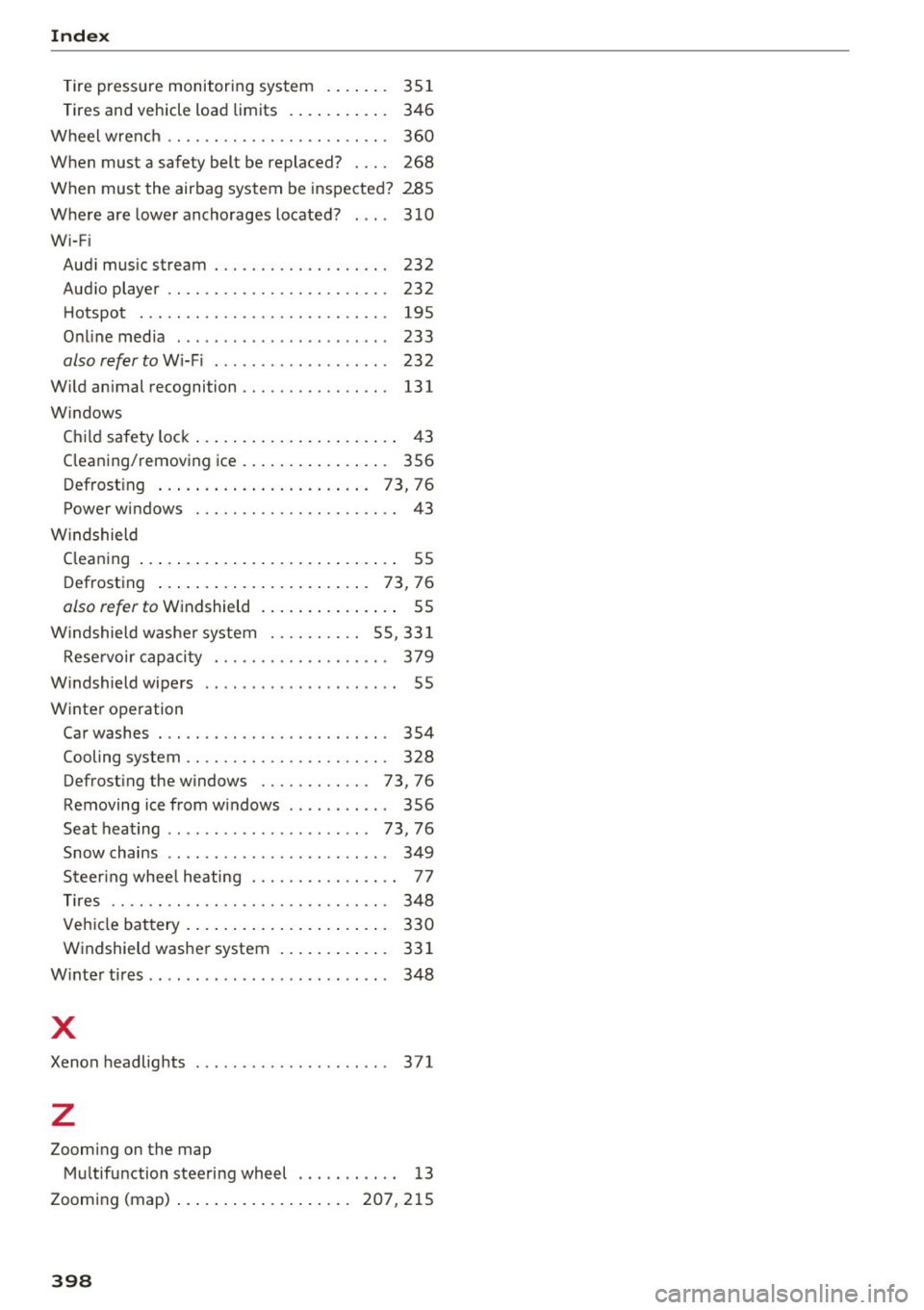
Index
Tire pressure monitoring system . . . . . . . 351
Tires and vehicle load limits . . . . . . . . . . . 346
Wheel wrench . . . . . . . . . . . . . . . . . . . . . . . . 360
When must a safety belt be replaced? . . . . 268
When must the airbag system be inspected? 285
Where are lower anchorages located?
310
Wi-F i
Audi music stream . . . . . . . . . . . . . . . . . . .
232
Audio player . . . . . . . . . . . . . . . . . . . . . . . . 232
Hotspot . . . . . . . . . . . . . . . . . . . . . . . . . . . 195
Online media . . . . . . . . . . . . . . . . . . . . . . . 233
also refer to Wi-Fi . . . . . . . . . . . . . . . . . . . 232
Wild animal recognition......... .. .. ... 131
W indows
Child safety lock . . . . . . . . . . . . . . . . . . . . . .
43
Cleaning/removing ice . . . . . . . . . . . . . . . . 356
Defrosting . . . . . . . . . . . . . . . . . . . . . . . 73, 76
Power windows . . . . . . . . . . . . . . . . . . . . . . 43
W indshield
Cleaning . . . . . . . . . . . . . . . . . . . . . . . . . . . . 55
Defrosting . . . . . . . . . . . . . . . . . . . . . . .
73, 76
also refer to Windshield . . . . . . . . . . . . . . . 55
W indshield washer system . . . . . . . . . . 55, 331
Reservoir capacity . . . . . . . . . . . . . . . . . . . 379
Windshield wipers . . . . . . . . . . . . . . . . . . . . . 55
Winter operation Car washes . . . . . . . . . . . . . . . . . . . . . . . . .
354
Cooling system . . . . . . . . . . . . . . . . . . . . . . 328
Defrosting the windows . . . . . . . . . . . . 73, 76
Removing ice from windows . . . . . . . . . . . 356
Seat heating . . . . . . . . . . . . . . . . . . . . . . 73, 76
Snow chains . . . . . . . . . . . . . . . . . . . . . . . . 349
Steering wheel heating . . . . . . . . . . . . . . . . 77
Tires . . . . . . . . . . . . . . . . . . . . . . . . . . . . . . 348
Vehicle battery . . . . . . . . . . . . . . . . . . . . . .
330
Windshield washer system . . . . . . . . . . . . 331
Winter tires . . . . . . . . . . . . . . . . . . . . . . . . . . 348
X
Xenon headlights . . . . . . . . . . . . . . . . . . . . . 371
z
Zooming on the map
Multifunction steering wheel . . . . . . . . . . .
13
Zooming (map) ... ................ 207,215
398