2017 AUDI A4 Starting
[x] Cancel search: StartingPage 4 of 386
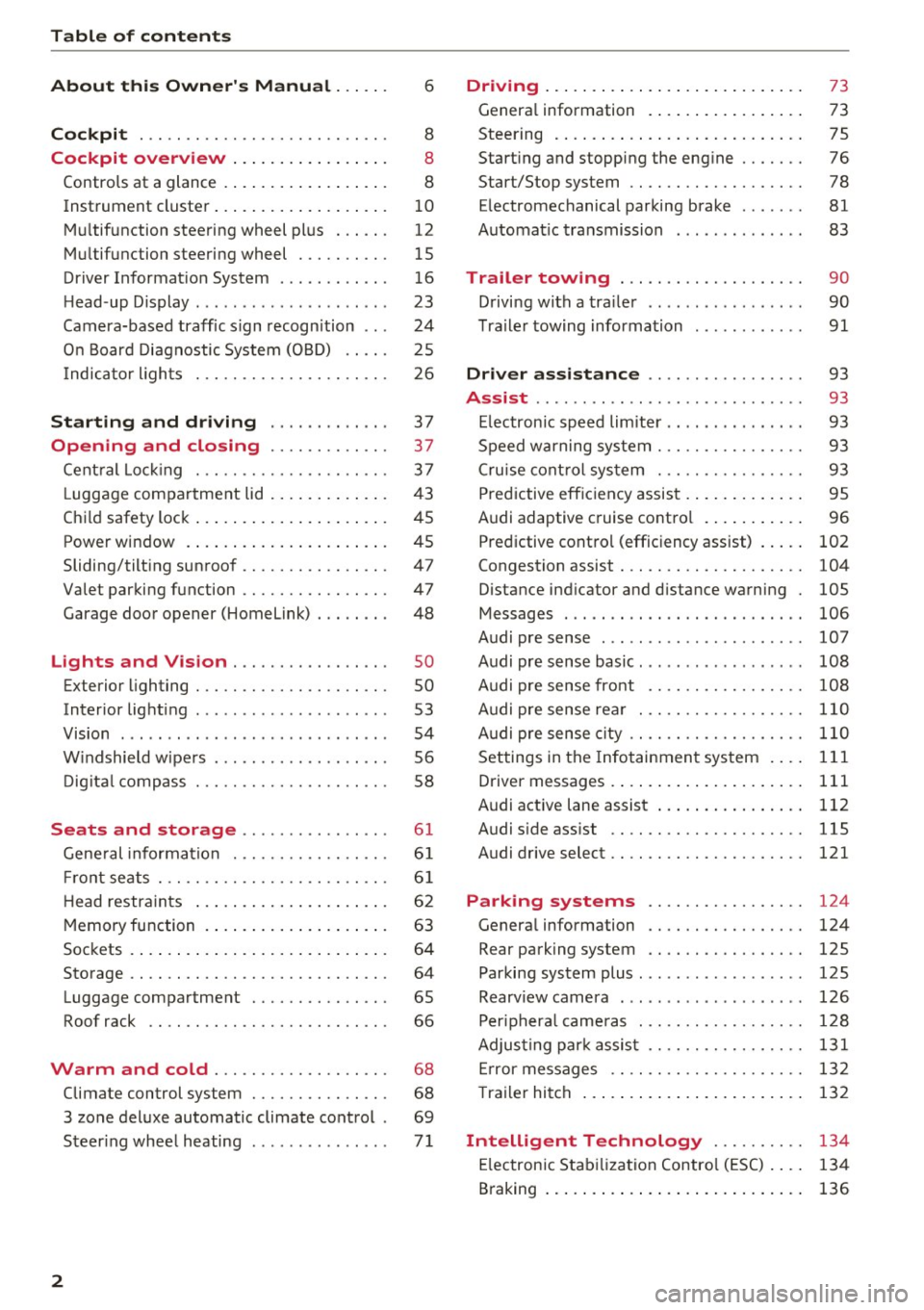
Table of contents
About this Owner's Manual ... .. .
Cockpit ... .. ............... .... .. .
Cockpit overview ................ .
Controls at a glance ... .......... .. .. .
Instrument cluster .. .......... .. .. .. .
Multifunction steering wheel plus ... .. .
Multifunction steering wheel ......... .
Driver Informat ion System ..... .. .... .
H ead-up Display .... .. .. ..... ... .. .. .
Camera-based traff ic sign recognition .. .
O n Board Diagnostic System (OBD) .... .
I ndicator l ights .............. .... .. .
Starting and driving
Opening and closing Cent ral Lock ing .............. .... .. .
L uggage compa rtment lid ... ..... .. .. .
Child safety lock .... .......... .. .. .. .
Power window ... .. .......... .. .. .. .
Sliding/tilting sunroof ......... .... .. .
Valet parking function ............. .. .
Garage door opener (Homelink) . .. .. .. .
L ights and Vision .............. .. .
Exterior lighting . .. . .......... .. .. .. .
Interior lighting ...... ........... ... .
V1s1on ....... .. ................ ... .
Windshield wipers . ... .... .... .. .. .. .
Digital compass . ............. .... .. .
Seats and storage ............ ... .
General information .......... .. .. .. . 6
8
8
8
10
12
15
16
23
24
25
26
37
37
3 7
43
45
45
47
47
48
so so
53
54
56
58
6 1
61
Front seats . . . . . . . . . . . . . . . . . . . . . . . . . 61
H ead restraints . . . . . . . . . . . . . . . . . . . . . 62
Memory function . . . . . . . . . . . . . . . . . . . . 63
Sockets . . . . . . . . . . . . . . . . . . . . . . . . . . . . 64
Storage . . . . . . . . . . . . . . . . . . . . . . . . . . . . 64
Luggage compartment . . . . . . . . . . . . . . . 65
Roof rack . . . . . . . . . . . . . . . . . . . . . . . . . . 66
Warm and cold . . . . . . . . . . . . . . . . . . . 68
Climate control system . . . . . . . . . . . . . . . 68
3 zone deluxe automatic climate control . 69
Steer ing whee l heating . . . . . . . . . . . . . . .
7 1
2
Driving ..... .. .. .. .. ... .......... . .
General information . ... ........... . .
Steering .......... .. .. . .......... . .
Start ing and stopping the eng ine ..... . .
Start/Stop system .. .. ............. . .
E le ctromechanical parking brake ...... .
Automat ic transmission
Trailer towing ... .. ... .. ..... ... . .
Driving with a trailer .. ........ ..... . .
Trailer towing information
Driver assistance .. ............ .. .
Assist ........... ... .............. .
Electronic speed limiter ... .. ... ... .. . . 73
73
75
76
78
81
83
90
90
91
93
93
93
Speed warning system . . . . . . . . . . . . . . . . 93
Cruise control system . . . . . . . . . . . . . . . . 93
Predictive efficiency assist . . . . . . . . . . . . . 95
Audi adaptive cruise control . . . . . . . . . . . 96
Predictive control (efficiency assist) . . . . .
102
Congestion assist . . . . . . . . . . . . . . . . . . . . 104
Distance ind icator and distance warning 105
Messages . . . . . . . . . . . . . . . . . . . . . . . . . . 106
Audi pre sense . . . . . . . . . . . . . . . . . . . . . . 107
Audi pre sense basic. . . . . . . . . . . . . . . . . . 108
Audi pre sense front . . . . . . . . . . . . . . . . . 108
Audi pre sense rear . . . . . . . . . . . . . . . . . . 110
Audi pre sense city . . . . . . . . . . . . . . . . . . . 110
Settings in the Infotainment system . . . . 111
Driver messages . . . . . . . . . . . . . . . . . . . . . 111
Audi active lane assist . . . . . . . . . . . . . . . . 112
Audi sid e ass ist . . . . . . . . . . . . . . . . . . . . . 115
Audi drive select . . . . . . . . . . . . . . . . . . . . . 121
Parking systems . . . . . . . . . . . . . . . . . 124
Genera l information . . . . . . . . . . . . . . . . . 124
Rear parking system . . . . . . . . . . . . . . . . . 125
Parking system plus . . . . . . . . . . . . . . . . . . 125
Rearview camera . . . . . . . . . . . . . . . . . . . . 126
Peripheral cameras . . . . . . . . . . . . . . . . . . 128
Adjusting park assist . . . . . . . . . . . . . . . . . 131
Error messages . . . . . . . . . . . . . . . . . . . . . 132
T railer hitch . . . . . . . . . . . . . . . . . . . . . . . . 132
Intelligent Technology . . . . . . . . . . 134
Electronic Stabilization Control (ESC) . . . . 134
Braking . . . . . . . . . . . . . . . . . . . . . . . . . . . . 136
Page 6 of 386

Table of content s
Multimedia connections . . . . . . . . . . . . . . 215
P laying m edia . . . . . . . . . . . . . . . . . . . . . . . 217
Addit iona l sett ings . . . . . . . . . . . . . . . . . . 220
Suppo rted media and file formats . . . . . . 223
Troubleshoot ing. . . . . . . . . . . . . . . . . . . . . 224
Audi smartphone interface . . . . . . 227
Setup . . . . . . . . . . . . . . . . . . . . . . . . . . . . . 227
Operating . . . . . . . . . . . . . . . . . . . . . . . . . . 227
Troubleshoot ing . . . . . . . . . . . . . . . . . . . . . 228
System settings . . . . . . . . . . . . . . . . . . 229
Sett ing the date and time . . . . . . . . . . . . . 229
MMI sett ings . . . . . . . . . . . . . . . . . . . . . . . 229
Con nection manager . . . . . . . . . . . . . . . . . 230
System update . . . . . . . . . . . . . . . . . . . . . . 23 2
So und setti ngs .. .... ......... .... .. .
Volume sett ings .... .. ..... ... .. .. .. .
R estarting the M MI . .. ..... ... .. .. .. .
Software license information 233
233
234
235
Safety first .
.. ... .. ..... ... .. .. ... 23 6
Driving safety . . . . . . . . . . . . . . . . . . . . 236
General notes . . . . . . . . . . . . . . . . . . . . . . . 236
Correct seating position for passengers . . 23 7
Driver's and fron t passenger's footwell . . 240
Pedal area . . . . . . . . . . . . . . . . . . . . . . . . . . 241
Storing cargo co rrectly . . . . . . . . . . . . . . . 242
Repo rting Safety Defects . . . . . . . . . . . . . . 243
Safety belts . . . . . . . . . . . . . . . . . . . . . . 245
Gene ral information . . . . . . . . . . . . . . . . . 24 5
W hy use safety belts? . . . . . . . . . . . . . . . . 246
Safety bel ts . . . . . . . . . . . . . . . . . . . . . . . . 248
B el t tensioner ... ... ... .... ... .. .. ... 251
Airbag system . . . . . . . . . . . . . . . . . . . . 25 3
I mportant inform ation . . . . . . . . . . . . . . . 253
Fr ont ai rbags . . . . . . . . . . . . . . . . . . . . . . . 257
M onitoring the Advanced Airbag System . 265
K nee airbags. . . . . . . . . . . . . . . . . . . . . . . . 269
Side airbags . . . . . . . . . . . . . . . . . . . . . . . . 271
Side curtain airbags ........... .... ... 274
Child safety . . . . . . . . . . . . . . . . . . . . . . 277
Important information . . . . . . . . . . . . . . . 277
Ch ild seats . . . . . . . . . . . . . . . . . . . . . . . . . 283
Secur ing ch ild seats . . . . . . . . . . . . . . . . . . 288
4
LATCH system (Lower anchorages and
tethers for c hildren) . . . . . . . . . . . . . . . . . 291
Additional informat ion . . . . . . . . . . . . . . . 295
Maintenance and Care . . . . . . . . . . . 296
Checking and Filling . . . . . . . . . . . . . 296
Gasoline . . . . . . . . . . . . . . . . . . . . . . . . . . . 296
Diesel fuel . . . . . . . . . . . . . . . . . . . . . . . . . 297
Refueling . . . . . . . . . . . . . . . . . . . . . . . . . . 298
Se lective catalytic reduction (AdBlue) . . . 300
Emissions control systems . . . . . . . . . . . . 303
En gine compartment .. ............. . .
E ngine o il ... .. .. .. .. .. ........... . .
Cooli ng sys tem . .. .. .. ............. . .
B rake fl uid . ... .. .. .. .. .. .. .... ... . .
Battery ... .. .. .. .. .. ... . .. .... ... . .
Windshie ld washer system .. ..... ... . .
Service interva l display 304
306
3
10
311
312
316
316
Wheels .. .. .. .. .. .. ... . .. .... ... .. 317
Wheels and t ires . .. .. ............... 317
Tire pressure monitoring indicator . . . . . . 334
Care and cleaning . . . . . . . . . . . . . . . . 337
General information . . . . . . . . . . . . . . . . . 337
Car washes . . . . . . . . . . . . . . . . . . . . . . . . . 337
Cleaning and care information . . . . . . . . . 338
Plac ing your vehicle out of serv ice . . . . . . 342
Troubleshooting . . . . . . . . . . . . . . . . . 343
Emergency assistance . . . . . . . . . . . 343
T runk escape latch . . . . . . . . . . . . . . . . . . . 343
Genera l information . . . . . . . . . . . . . . . . . 343
E q ui pment . . . . . . . . . . . . . . . . . . . . . . . . . 343
T ire mobility kit . . . . . . . . . . . . . . . . . . . . . 343
Replacing wheels . . . . . . . . . . . . . . . . . . . . 3 45
Space -sav ing spa re tire . . . . . . . . . . . . . . . 349
Fuses and bulbs ... ... . .. .... ... .. 351
Fuses.. ... .. .. .. .. .. .. .. .. .... ... .. 351
Bul bs. . . . . . . . . . . . . . . . . . . . . . . . . . . . . . 355
Emergency situations . . . . . . . . . . . . 356
Genera l . . . . . . . . . . . . . . . . . . . . . . . . . . . . 356
Start ing by push ing or tow ing . . . . . . . . . . 356
Start ing with j umper cables . . . . . . . . . . . 356
Using the jump start cable . . . . . . . . . . . . 357
Page 11 of 386

<( a, .... N ,....
N .... 0 0
3 a,
(!) side assist displays, warning abo ut
exiting the vehicle ..... ... .. .. .
@ Door handle
@ Cent ral locking switch ....... .. .
@ Memory buttons ........... .. .
® Vent
® Thumbwhee l for vent
(J) Lever for:
- T urn signals and h igh beams
- Headl ight assistant ......... .
- Active lane assist .. ..... ... . .
- Congestion assist ....... .. .. .
@ Mul tifunction steer ing wheel with:
- Horn
- Driver's airbag . ..... ... .. .. .
- Drive r information system con -
t rols .. .. ............. .. .. .
- Audio/v ideo, telephone, nav iga
t ion and voice recognition con-
trols . ... .... .. .... ... .. .. .
- Button ~/steering wheel heating
- Sh ift paddles .............. .
® Instrument cluster ....... .. .. .
@
@
@
@
~
@
Reset trip odometer ........ .. .
W indshie ld w asher system lever
Emergency flashers .... ... .. .. .
Knee a irbag ........ ... .. ... . .
Adjustable steer ing column
Lever for:
- Cruise cont rol system ..... .. .
- Adaptive cruise cont rol .. ... . .
@ Instrument i llum ination ... .. .. .
@ Data link connector for On Board
Diagnostic System (OBD II) .. .. .
@ H ood release . ........... .. .. .
@ Button for switching the Head-up
d isplay on/off, adjust ing the
height .. .. ............... .. .
@ Lig ht switch ............... .. .
@ Buttons for :
- All weather lights
llS
41
63
5 1
5 1
112
104
25 7
12, 15
14, 15
1 4
86
10
12
56
53
269
75
93
96
54
25
305
23 50
50
Coc kpit o ve rv iew
-Rear fog lights .. .. .. ..... .. .
@ Switch for luggage compartment
li d .... ... .. .. .. .... .. ... .. . .
@ Power exterior m irro r adjustment
@ Power windows .............. .
@ Parental cont rol ............. .
@ Infotainment system dis play . .. .
@ Lockable glove compartment ... .
@ Drives for CD, DVD, SI M cards .. .
@ Front passenger's airbag .... .. .
@ Valet Park ing funct ion ........ .
@ Climate cont ro l system ........ .
@ Depend ing on equ ipment, buttons
for:
- drive select .. .. ............ .
- Start/Stop system . ... ... .. . .
- Electronic Stabilization Control
(ESC) ..... .. .. ... ....... .. .
- Parking system . .... . ..... .. .
- Switching the Infota inment sys-
tem disp lay on/off .......... .
@) Socke t ... .. .. .. ............ .
@ Cup holder . ... .. .... . ..... .. .
@ Infotai nment system on/off
button ... .. .. .. .... .. ... .. . .
@ Center armrest w ith sto rage com
partment . Depending on vehicle
equipment, it may have:
- Aud i m usic interface ........ .
@ starting the engine when the re is a
ma lfunction .. ... .... . ..... .. .
@ E lectromechanical parking brake
@ Automa tic transmission se lector
lever ... .. .. . ... ............ .
@ Infotainment unit ............ .
@ I START EN GIN E STOP ! ........ .
(D Tips
50
43 54
45
45
142 64
2 10
257 47
68
121
78
135
124
142
64
64
141
215
78
81
83
141
76
Some the equipment listed here is only instal
l ed in certa in models or is available as an op-
tion .
9
Page 21 of 386

that was p laced on hold st ays on ho ld and can be
taken
off ho ld wit h Resume.
Conferen ce* :
a call on ho ld and up to five ac tive
p art ies ( depend ing o n the ce ll phone serv ice p ro
vider) can be added to a conference call . To ma ke
an ad ditional call, put all part ici pants i n the c ur
rent confe rence call on ho ld usin g
Hold*. By
p ressing the left cont rol b utton, you can make
addit io nal calls from t he d irectory o r the call list .
Resume * takes all part ies off hold .
(D Tips
-The telephone functions can only be con
troll ed w it h the multifunction stee ring
whee l if the te lepho ne e qui pme nt was in
stalled
at the f actory.
- The telephone functions depend on the cell
p hone and whethe r th ey a re s up porte d by
you r ce ll phone servic e prov ider or not.
- The
Call waiting * function must be activa t
ed in your c ell phone and in the MMI to be
a lert ed to an inco ming call dur ing an act ive
call
9 pa ge 1 70. Th e call options d epend
on t he ce ll p hone and s ervice pr ovider. Y ou
c an obtain m ore in for mat ion from your c ell
p hone service provi der.
Navigation
Applies to: ve hicles with navigation system
R equ irement: a dest ination must be entered
¢
page 187 and the route g uidance must be
started .
~ Press the l<1 1>I butto n repeated ly unt il the Navi-
gatio n tab is displayed .
~ Press the left contro l button ¢ page 13.
Dependin g on vehicle equipmen t, the following
fu nctions may be avai lab le in t he dr ive r informa
tion system.
- Displaying navigation during active route
guidance :
select and confi rm Map* / Street
view* or Arrow view*.
- Showing the map when route guidance is not
active* :
select and co nfirm Map *.
- Accessing last destinations :
select and confirm
Last destinations > the desired destina tion.
Cockpit overview
- Accessing favorites* :
select and confirm Favor
ites
> the desired destination.
- Starting route guidance to the stored home
address :
se lect and confir m Cancel route guid
ance
i f necessa ry and t hen Home address .
If you h ave not start ed any rou te g uid ance, a
c om pass (analo g instr ume nt cl us ter) or the ar
row view (monoch rome instrument cluster) is
displayed depending on the e quipment. Th e map
is d isp layed in the Aud i virtua l coc kpit *.
Canceling active route guidance
-Sele ct: r ig ht con trol butto n > Cancel route
guidance
Additional settings
- Select: r igh t con trol button > desired entry .
Depending on the function se lected, t he follow
i ng additional settings may be possible:
- Map dis p lay ¢
page 198
-Map colo rs ¢ page 198
- Map orien tati on ¢ page 1 98
- Auto mati c zo om ¢ page 1 98
Nav igation view with route guidance
started
Appl ies to : vehicles wit h navigat ion system and Aud i v irtual
cockp it
Fig. 16 Sta ndard map w he n ro ute guida nce is active (A udi
vi rtua l cockpit)
Requireme nt: a dest ina tion must be entered
¢
pag e 18 7, ro ute guidance must be sta rted and
t h e nav iga tion tab m ust be displayed .
Depen ding on the vehicle equipment a nd t hese
lected view¢
page 14, the follow ing information
will be di splayed in the d river info rmatio n sys -
tem:
~
19
Page 28 of 386

Cockpit overview
If the light does not turn off after starting the
engine
or turns on while driving, this may indi·
cate that there is a malfunction in the eng ine. If
the indicator turns on , the catalytic converter
may be damaged.
Drive
with reduced engine performance (avoid
h ig h speeds for extended periods of time and/ or
fast acce leration) and have the malfunction cor
rected. See an authorized Aud i dealer or author
ized Audi Service Fac ility .
The electronic speed limiter may be faulty if the
indicator light turns on. For additional informa
tion, refer to
¢ page 93, Electronic speed limit
er .
The MIL indicator light may also turn on if the
fuel filler cap is not closed correctly
¢page 298.
On-Board Diagnostics
Fig . 24 Locat ion of Data Link Connector (D LC)
On-Board Diagnostics monitors the components
of your emission control system. Each monitored
component in your engine system has been as
signed a code . In case of a malfunction, the com
ponent w ill be identified and the fault stored as a
code in the control module memory.
The MIL light may also illuminate if there is a
leak in the on-board fuel vapor recovery system .
If the light illuminates after a refuel ing, stop the
veh icle and make sure the fue l filler cap is prop
erly closed (on ly vehicles with gasol ine engine)
¢page 298.
In order to make an accurate d iagnosis, the stor
ed data can only be disp layed using specia l diag
nostic equipm ent (ge ne ric scan tool for OBD) .
26
In order to connect the special diagnostic equip
ment, push the plug into the Data Link Connector
(DLC). The DLC is located to the r ight of the hood
release
¢ fig. 24.
Your authorized Audi dea le r or qualified work
shop can interpret the code and perform the nec
essary repair.
_& WARNING
Do not use the diagnostic connector for per
sonal use. Incorrect usage can cause malfunc
tions, which can increase the risk of a colli
sion!
Indicator lights
Description
The indicator lights in the instrument cluster
blink or tur n on. They indicate functions or mal
funct ions.
-
Messages may appear with some indicator lights .
A warning signal will sound at the same time.
The ind icator lights and messages in the instru
ment cluster disp lay can be covered by other dis
plays. To show them again, select the second tab
with the multifunction steering wheel ¢page 12.
If there are several ma lfunctions, you can display
them one at a time using the thumbwheel.
Some indicator lights in the display can display in
several colors.
& Central indicator lights
If
the . or Q indicator lig ht turns on, check
the message in the instrument cluster.
Overview
Some indicator lights turn on briefly as a function
check when you switch the ignition on. These sys
tems are marked with a ./ in the fo llow ing tables.
If one of these ind icator lights does not turn on,
there is a malfunction in that system.
Your vehicle has e ither a monoch rome display or
a multicolored display, depending on vehicle
equipment . Some indicator lights appear white
1111-
Page 33 of 386

<( a, .... N ,....
N .... 0 0
3 a,
Please relea se parking br ake
Re lease the par king brake if this message ap
pears .
Please press brak e pedal to r ele as e par king
brake
To release the parking brake, press the brake
pedal and press the~ button at the same time,
or start driv ing with hill start ass ist
¢ page 82,
Starting from a stop .
(D Tips
For additional information on the parking
brake, refer to ¢
page 81.
_L Cooling system
• Turn off engin e and che ck co olant le vel.
The coolant level is too low.
Do not continue driving and switch the engine
off. Check the coolant level ¢
page 310.
-If the coolant leve l is too low, add coolant
~ page 310. Only continue driv ing once the in
dicator light turns off.
• Coolant temperature : to o high . Let engine
run with vehicle s tati onar y
Let the eng ine run at idle for a few minutes to
cool off, until the ind icator light tu rns off.
- If the indicator light does not turn off, do not continue driving the vehicle. See an author ized
Audi dealer or author ized A udi Se rvice Facility
for assistance.
_& WARNING
- Never open the hood if you ca n see or hear
steam o r coolant escaping from the engine
compartment. This increases the risk of
burns . Wait until you no longer see or hear
steam or coolant escap ing .
- The engine compartment in any veh icle can
be a dangerous area. Stop the engine and
allow it to cool before working in the engine
compartment. A lways follow the informa
t io n found in
¢ page 304, Working in the
engine compartment.
Coc kpit o ve rv iew
(D Note
Do not continue driv ing if the . indicator
light turns on as this increases the risk of en
gine damage.
~ -Safety belt
The . indicator light stays on until the dr iver 's
and front passenger's safety belts are fastened .
Above a certa in speed, there will also be a war n
ing tone.
@ Tips
For additional informat ion on safety belts, re
fer to¢
page 245 .
0 Generator/battery
If the . or(•) indicator light t urns on , the re is a
malfunction in the generator or the vehicle e lec
t rical system .
• Electric al sy stem: malfunction! Saf ely stop
v e hicle
Do not continue dr iving and switch the engine
off . See an authorized Audi dealer or authorized
Audi Se rvice Facility for assistance .
(•j Electrical system: mal function! Re start not
po ssible . Plea se co ntac t Se rvice
Disconnecting the vehicle battery from the elec
trical system prevents it from d ischarging. Drive
to an authori zed Aud i dealer or authori zed Aud i
Service Facility immed iately .
Do not stop the engine, or you w ill not be able to
start it again. If you can no longer start the en gine, see an authori zed Audi dealer or autho riz ed
Audi Service Facility for assistance .
(•) Electri cal system: malfunction! Ple ase con
tact Se rvice
Drive to an authori zed A udi dealer or authorized
A udi Service Facility immediate ly. Because the ve
hicle battery is discharging, turn off a ll unneces
sary electrical equipment such as the rad io. See
your authori zed Aud i dealer or authori zed Audi
Service Facility if the battery charge level is too
~w . ~
31
Page 34 of 386

Cockpit overview
(•) Electrical system: low battery charge. Plea se
turn on ignition
The start ing ability may be impaired.
If th is message turns off after a little while , the
battery charged enough while driving.
If the message does not turn off and stay off
when dr iv ing, have an authorized Aud i dea ler or
author ized Audi Service Facility repair the mal
function .
~ Engine oil pressure
• Turn off engine. Oil pressure too low
Stop the eng ine and do not continue driving .
Check the engine oil leve l¢
page 308 .
- If the engine oil level is too low, add engine o il
c=>page 308. Only cont inue driving once the in
dicator light turns off.
- If the engine oil leve l is correct and the indica
tor light st ill turns on, turn the eng ine off and
do not continue driving. See an authorized Audi
dealer or authorized Audi Service Fac ility for as
sistance .
(D Tips
The oil pressure warning is not an o il level in
dicator . Always check the o il level regularly .
~ Engine oil level (MIN)
• Please add oil immediately.
Add engine o il immed iate ly ¢page 308 .
l!I Please add max. x qt (l) oil. You can contin
ue driving
Add the maximum amount of oil indicated in the
display as soon as possible
¢page 308.
~- Steering lock
• Steering : malfunction! Please stop vehicle
There is a malfunction in the elect ronic steering
lock . You cannot turn the ignition on.
32
Do not tow your vehicle because it cannot be
steered. See an authorized Audi dealer or author
i zed Audi Service Facility for assistance.
1!11 Steering lock: malfunction! Please contact
Service
There is a malfunction in the electron ic steering
lo ck.
Drive to an authorized Audi dealer or authorized
Audi Service Facility immed iate ly to have the
malfunction corrected .
& WARNING
Do not tow your vehicle when there is a mal
function in the electron ic steering lock -this
increases the risk of an accident .
-e Engine start system
• Engine start system: malfunction! Please
contact Service
-
Do not switch the ignition off, or you may not be
able to switch it back on.
Drive to an authorized Audi dealer or authorized
Audi Service Facility immediately to have the
malfunction corrected .
13 Engine start system: malfunction! Please
contact Service
There is a ma lfunction in the engine starting sys
tem .
Drive to an authorized Audi dealer or authorized
Audi Service Facility immediate ly to have the
malfunction corrected.
f;. 
Lights and Vision
Changing windshield wiper blades
Fig. 56 Remov ing w indshi eld w iper blades
Windshield wiper service position/blade
replacement position
• To bring the wipers into the service position ,
turn the ignition off and move the windshield
wiper lever into position @~
page 56, fig. 55.
• To bring the wipers into the starting position,
switch the ignition on and move the windshield
wiper lever into position @~
page 56, fig. 55
for at least two seconds .
You can also turn the service position on or off in
the Infotainment system :
• Switch the windshield wipers off (position @
~page 56, fig. 55).
• Select : th e IMENU i button> Vehicle> left con
trol button >
Service & checks > Wiper change
position .
Removing the wiper blade
• Fold the windshield wiper arm away from the
windshield.
• Press the locking knob
(D ~ fig. 56 on the wiper
blade . Hold the wiper blade firmly.
• Remove the wiper blade in the direction of the
arrow .
Installing the wiper blade
• Insert the new wiper blade into the mount on
the wipe r arm @until it clicks into place.
• Place the wiper arm back on the windshield.
• Turn the service position off.
A WARNING
For safety reasons, the wiper blades should
be replaced once or twice each year .
58
-
(D Note
-Only fold the windshield wipers away when
they are in the service position. Otherwise,
you could damage the paint on the hood or
the windshield wiper motor.
- You should not move your vehicle or operate the windshield wiper lever when the wiper
arms are folded away from the windshield.
The windshield wipers would move back in
to their original position and could damage
the hood and windshield.
- To help prevent damage to the wiper sys
tem, always loosen blades which are frozen
to the windshield before operating the wip
ers.
- To help prevent damage to the wiper
blades, do not use gasoline, kerosene, paint
thinner, or other solvents on or near the
wiper blades.
- To help prevent damage to the wiper arms
or other components, do not attempt to
move the wipers by hand.
{l) Tips
-You can also use the service position, for ex
ample, if you want to protect the windshield
from icing by using a cover.
- You cannot activate the service position
when the hood is open.
Digital compass
Switching the compass on and off
App lies to: vehicles with digital compass
Fig. 57 Rearview mirror: d ig ital compass is sw itched on