2017 Alfa Romeo Giulia steering
[x] Cancel search: steeringPage 159 of 268
Activation/Deactivation
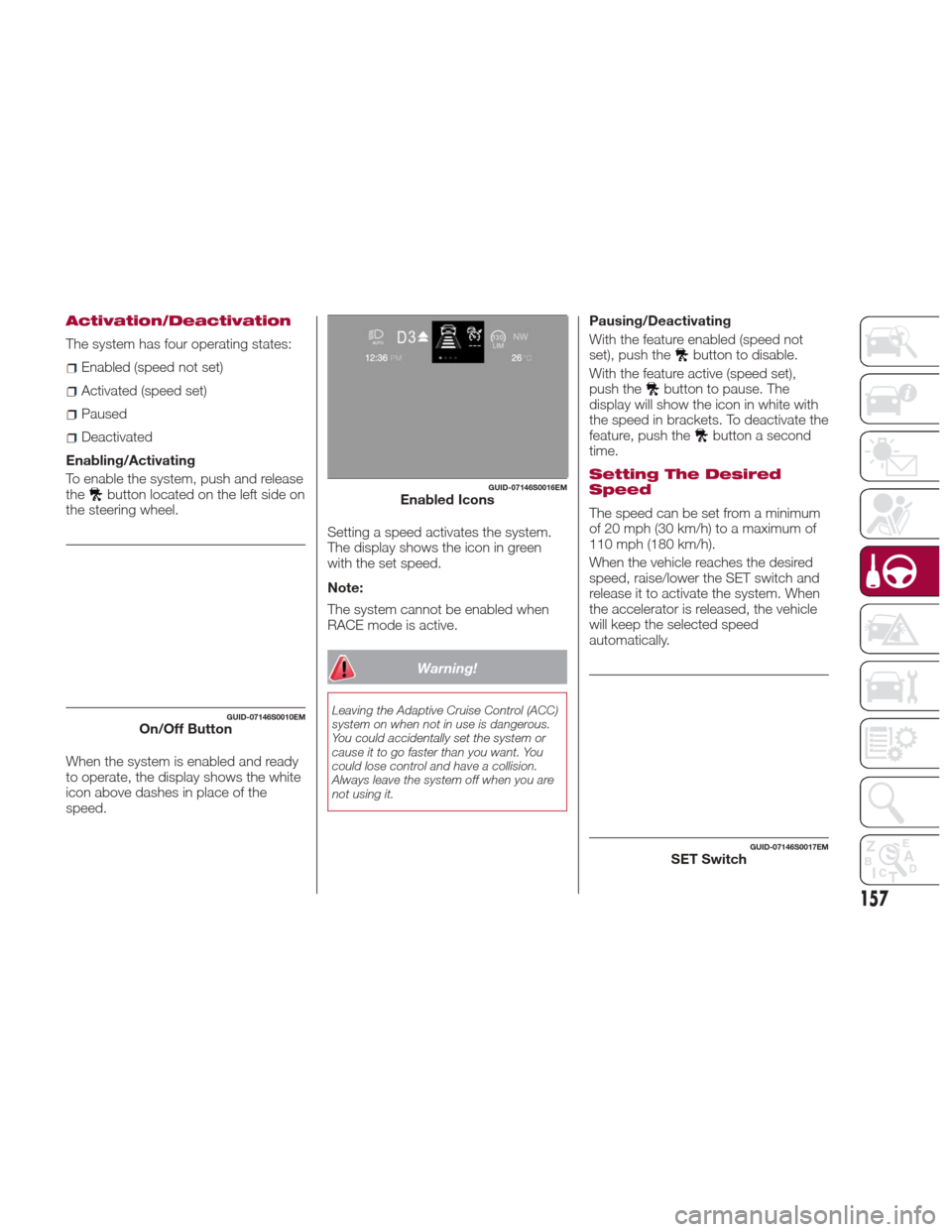
The system has four operating states:
Enabled (speed not set)
Activated (speed set)
Paused
Deactivated
Enabling/Activating
To enable the system, push and release
the
button located on the left side on
the steering wheel.
When the system is enabled and ready
to operate, the display shows the white
icon above dashes in place of the
speed. Setting a speed activates the system.
The display shows the icon in green
with the set speed.
Note:
The system cannot be enabled when
RACE mode is active.
Warning!
Leaving the Adaptive Cruise Control (ACC)
system on when not in use is dangerous.
You could accidentally set the system or
cause it to go faster than you want. You
could lose control and have a collision.
Always leave the system off when you are
not using it.
Pausing/Deactivating
With the feature enabled (speed not
set), push the
button to disable.
With the feature active (speed set),
push the
button to pause. The
display will show the icon in white with
the speed in brackets. To deactivate the
feature, push the
button a second
time.
Setting The Desired
Speed
The speed can be set from a minimum
of 20 mph (30 km/h) to a maximum of
110 mph (180 km/h).
When the vehicle reaches the desired
speed, raise/lower the SET switch and
release it to activate the system. When
the accelerator is released, the vehicle
will keep the selected speed
automatically.
GUID-07146S0010EMOn/Off Button
GUID-07146S0016EMEnabled Icons
GUID-07146S0017EMSET Switch
157
Page 163 of 268
Deactivation
The system is deactivated and the set
speed is canceled if:
Thebutton on the Active Cruise
Control is pushed (with the system
enabled or paused).
The ignition is in STOP mode.
RACE mode is activated.
The system is canceled (the set speed
and distance are stored):
When the system is paused (Refer to
the “Activation / Deactivation” section).
When the conditions shown in the
“Setting The Desired Speed” section
occur.
Limited Operation
Warning
If the dedicated message is shown on
the display, a condition limiting the
Adaptive Cruise Control operation may
have occurred.
This could be due to an obstruction of
the vehicles sensor or camera. It could
also be due to a fault in the system. If
an obstruction is detected, clean the
area of the windshield opposite the
interior rear view mirror, where the
camera is located, as well as the area
of the front bumper where the sensor is
located. Then check that the message
has disappeared. When the conditions limiting the system
functions end, normal operation will
resume.
Should the fault persist, contact an
authorized dealer.
Precautions While
Driving
The system may not work correctly in
some driving conditions (see below):
the driver must control the vehicle at all
times.
Vehicle Not Aligned
The system may not detect a vehicle
travelling in the same lane, in the same
direction, but is not aligned. It also may
not detect a vehicle which is cutting in
from a side lane. Sufficient distance
from the vehicles ahead may not be
guaranteed in these cases.
The non-aligned vehicle can weave in
and out of the driving lane causing the
vehicle to brake or accelerate
unexpectedly.
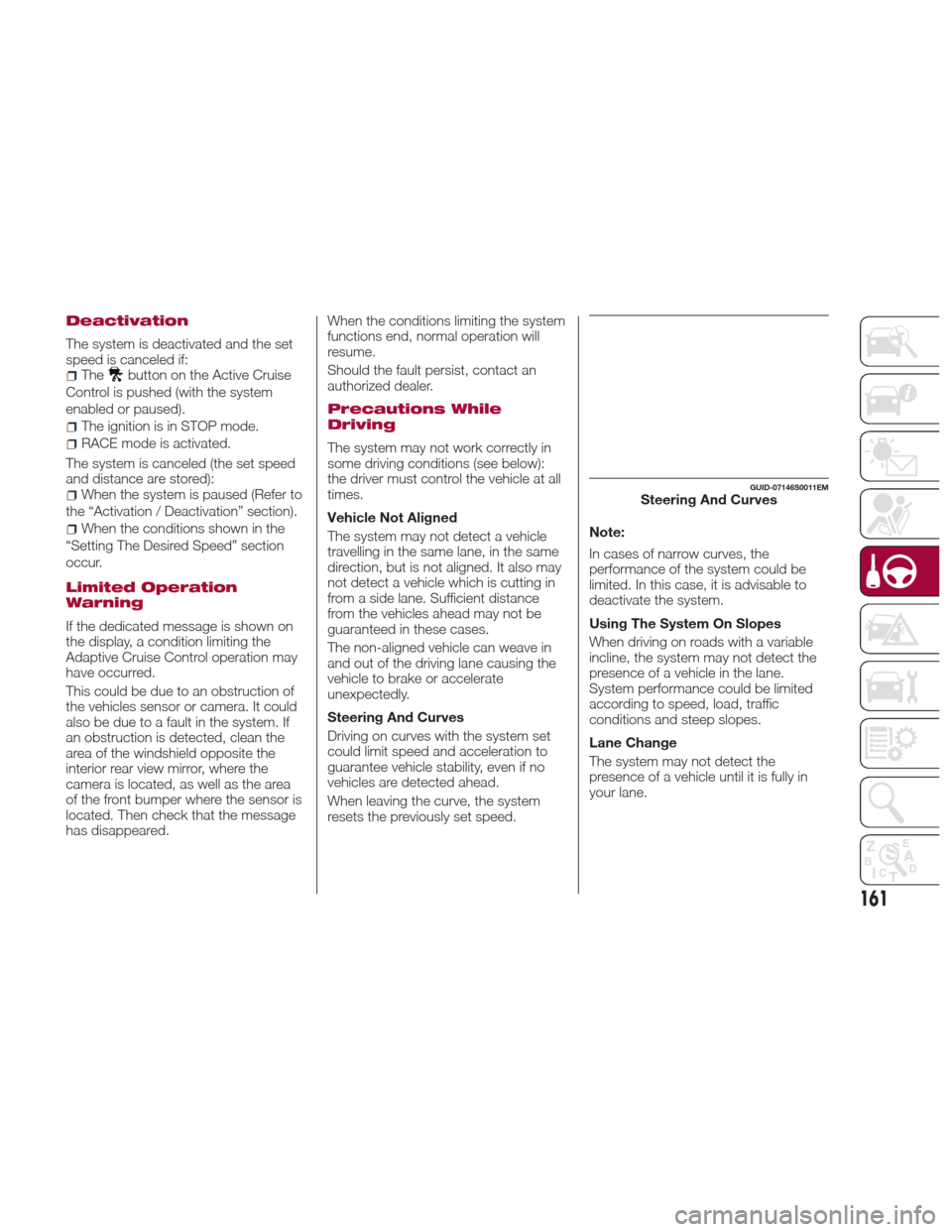
Steering And Curves
Driving on curves with the system set
could limit speed and acceleration to
guarantee vehicle stability, even if no
vehicles are detected ahead.
When leaving the curve, the system
resets the previously set speed.
Note:
In cases of narrow curves, the
performance of the system could be
limited. In this case, it is advisable to
deactivate the system.
Using The System On Slopes
When driving on roads with a variable
incline, the system may not detect the
presence of a vehicle in the lane.
System performance could be limited
according to speed, load, traffic
conditions and steep slopes.
Lane Change
The system may not detect the
presence of a vehicle until it is fully in
your lane.
GUID-07146S0011EMSteering And Curves
161
Page 173 of 268
Rear Back-Up Camera Features
To activate the Rear Back-Up Camera
features, select “Settings” from the
Main Menu of the Connect System.
Under “Driver Assistance”, Rear
Back-Up Camera features can be
selected:
View
Camera Delay
Camera Guidelines
Selecting “View” will activate the
camera view on the display.
Selecting “Camera Delay” will allow the
camera view to remain on the display
shortly after the vehicle is no longer in
REVERSE, followed by the previously
active screen. Selecting “Camera Guidelines” will
activate the display of the dynamic
guidelines that indicate the route of the
vehicle.
Warning!
Drivers must be careful when backing up
even when using the Rear Back Up
Camera. Always check carefully behind
your vehicle, and be sure to check for
pedestrians, animals, other vehicles,
obstructions, or blind spots before backing
up. You are responsible for the safety of
your surroundings and must continue to
pay attention while backing up. Failure to
do so can result in serious injury or death.
Caution!
To avoid vehicle damage, Rear Back Up
Camera should only be used as a parking
aid. The Rear Back Up Camera is unable to
view every obstacle or object in your drive
path.
To avoid vehicle damage, the vehicle
must be driven slowly when using the Rear
Back Up Camera to be able to stop in time
when an obstacle is seen. It is
recommended that the driver look
frequently over his/her shoulder when using
the Rear Back Up Camera.
Symbols And Messages
On The Display
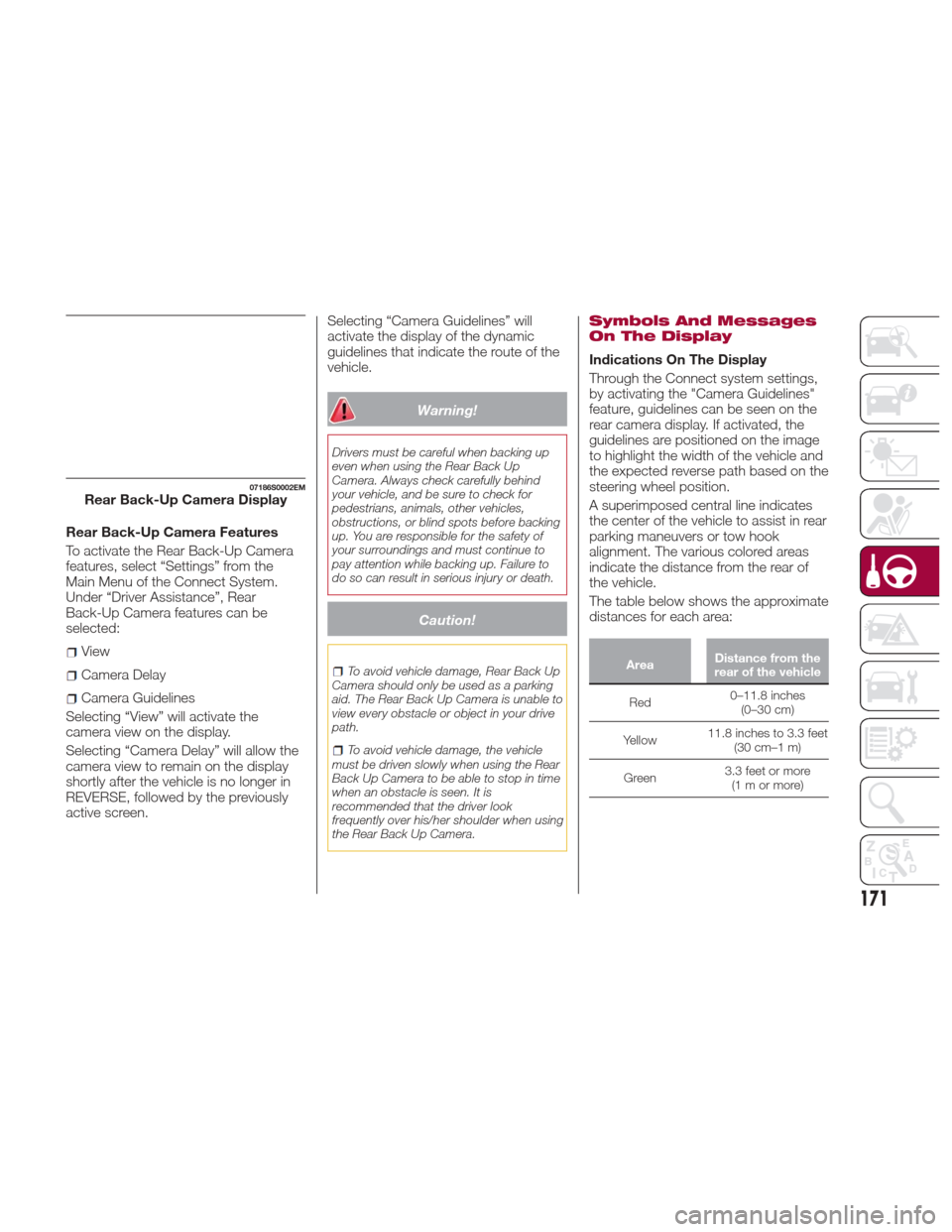
Indications On The Display
Through the Connect system settings,
by activating the "Camera Guidelines"
feature, guidelines can be seen on the
rear camera display. If activated, the
guidelines are positioned on the image
to highlight the width of the vehicle and
the expected reverse path based on the
steering wheel position.
A superimposed central line indicates
the center of the vehicle to assist in rear
parking maneuvers or tow hook
alignment. The various colored areas
indicate the distance from the rear of
the vehicle.
The table below shows the approximate
distances for each area:
Area Distance from the
rear of the vehicle
Red 0–11.8
inches
(0–30 cm)
Yellow 11.8 inches to 3.3 feet
(30 cm–1 m)
Green 3.3 feet or more
(1mormore)
07186S0002EMRear Back-Up Camera Display
171
Page 189 of 268
Warning!
When replacing a blown fuse, always
use an appropriate replacement fuse with
the same amp rating as the original fuse.
Never replace a fuse with another fuse of
higher amp rating. Never replace a blown
fuse with metal wires or any other material.
Failure to use proper fuses may result in
serious personal injury, fire and/or property
damage.
Before replacing a fuse, make sure that
the ignition is off and that all the other
services are switched off and/or
disengaged.
If the replaced fuse blows again, contact
an authorized dealer.
If a general protection fuse for safety
systems (air bag system, braking system),
power unit systems (engine system,
transmission system) or steering system
blows, contact an authorized dealer.
Fuse Location
The fuses, which can be replaced by
the user, are grouped in two boxes
below the passenger side foot board
and inside the trunk.
Control Unit Under
Passenger Side
Footboard
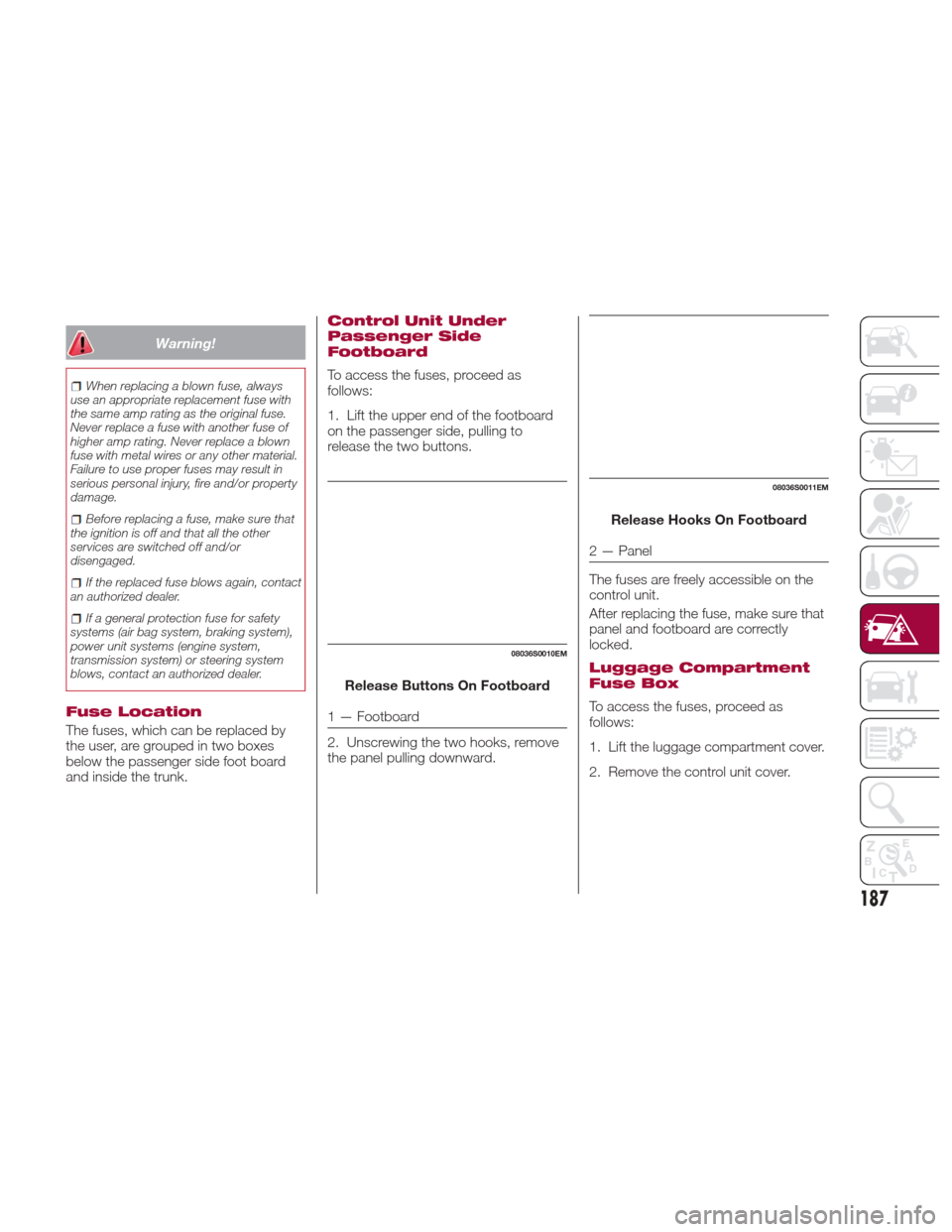
To access the fuses, proceed as
follows:
1. Lift the upper end of the footboard
on the passenger side, pulling to
release the two buttons.
Release Buttons On Footboard
1 — Footboard
2. Unscrewing the two hooks, remove
the panel pulling downward. Release Hooks On Footboard
2 — Panel
The fuses are freely accessible on the
control unit.
After replacing the fuse, make sure that
panel and footboard are correctly
locked.
Luggage Compartment
Fuse Box
To access the fuses, proceed as
follows:
1. Lift the luggage compartment cover.
2. Remove the control unit cover.
08036S0010EM
08036S0011EM
187
Page 197 of 268
12. Apply the adhesive label from the
sealant bottle where it can be easily
seen by the driver as a reminder that
the tire has been treated with a Tire
Repair Kit, as well as not to exceed the
speed restriction for the treated tire.
Warning!
Do not adhere the speed restriction sticker
to the padded area on the steering wheel.
Adhering the speed restriction sticker to
the padded area on the steering wheel is
dangerous because the air bag may not
operate (deploy) normally resulting in
serious injury. In addition, do not adhere
the sticker to areas where warning lights or
the speedometer cannot be viewed.
Checking And Restoring
Tire Pressure
The compressor can also be used to
check and, if necessary, restore the tire
pressure.
Proceed as follows:
1. Release the quick connector and
connect it directly to the valve of the tire
to be inflated.
2. Push the air release button.
Sealant Cartridge
Replacement
Note:Only use original cartridges,
which can be purchased at an
authorized dealer.
Proceed as follows:
1. Remove the sealant cartridge by
pushing the release button located on
the side of the compressor.
2. Insert the new sealant cartridge by
pushing downward firmly.
08066S0008EMAir Compressor Components
7— Air Release Button
8— Quick Connector
9— Release Button
08066S0009EMSealant Cartridge Replacement
1— Sealant Cartridge
9— Release Button
195
Page 213 of 268

Engine Coolant Fluid
If the level is too low, unscrew the cap
of reservoir and add the fluid described
in the "Technical Specifications"
chapter.
Washer Fluid For
Windshield/Headlights
The windshield and headlights washer
fluid reservoir (if equipped) has a
telescopic filler.
If the level is too low, remove reservoir
cap and lift the filler. Then, add the fluid
described in the "Technical
Specifications" chapter.
Note:
The headlight washing system will not
work if the liquid level is low (situation
indicated by the symbol on the
instrument panel display). The
windshield washer will keep working.
On vehicles equipped with headlight
washers, if equipped, there is a
reference notch on the dipstick: ONLY
the windshield/rear window washer
operates with the level below this
reference.
Brake Fluid
Check that the fluid is at the maximum
level. If the fluid level in the tank is low,
contact your authorized dealer to have
the system checked.
Automatic Transmission
Activation System Oil
The transmission control oil level should
only be checked at your authorized
dealer.
Useful Advice For
Extending The Life Of
Your Battery
To avoid draining your battery and
make it last longer, observe the
following instructions:
When you park the car, ensure that
the doors and trunk are closed properly
to prevent any lights from remaining on
inside the passenger's compartment.
Do not keep accessories (e.g. radio,
hazard warning lights, etc.) switched on
for a long time when the engine is not
running.
Before performing any operation on
the electrical system, disconnect the
negative battery cable.
If, after purchasing the car, you wish to
install electrical accessories that require
permanent electrical supply (e.g. alarm,
etc.), or accessories which influence the
electrical supply requirements, contact
your authorized dealer, whose qualified
staff will evaluate the overall electrical
consumption.
Caution!
If the charge level remains under 50% for a
long time, the battery may be damaged by
sulphation, reducing its capacity and
efficiency at start the vehicle. The battery is
also more prone to the risk of freezing (at
temperatures as high as 14°F (-10°C).
Note:
After the battery is disconnected, the
steering must be initialized. The
warning light on the instrument
panel switches on to indicate this. To
carry out this procedure, simply turn the
steering wheel all the way from one end
to the other, and then turn it back to the
central position.
211
Page 231 of 268

While studded tires improve
performance on ice, skid and traction
capability on wet or dry surfaces may
be poorer than that of non-studded
tires. Some states prohibit studded
tires; therefore, local laws should be
checked before using these tire types.
Snow Chains
It is only possible to put chains on the
rear 265/35 R19 tire (winter tire size).
Avoid using traditional chains as they
can damage the braking system if not
installed correctly, thereby
compromising the vehicles safety.
We strongly advise using
zero-clearance chains and to use
equipment proposed by an authorized
dealer.
Suggestions About The
Rotation Of The Tires
The front and rear tires are subject to
different loads and stress due to
steering, maneuver and braking. For
this reason they are subject to uneven
wear.
To resolve this problem, tires should be
rotated at each service interval
(approximately every 10,000 miles
[16,000km]). Inverting the tires means
moving them to different positions on
the same side of the car (front to back
and vice versa).Note:
Crossing the tires is not advised, so
placing a tire on a different axle on the
other side of the car is impossible.
On cars equipped with
differentiated tires (tire size different
between front and rear axles, ex.
Quadrifoglio models and other Giulia
vehicles equipped with 19”
performance tires) rotation of any of
the tires is not advised.
Tire rotation contributes to the
preservation of the grip and traction
performance on wet, muddy or snowy
roads, guaranteeing optimal driveability
of the vehicle.
In the case of irregular wear of the tires
identify the cause and correct it as soon
as possible, by contacting an
authorized dealer.
The suggested method for inverting the
tires is shown in (the arrow indicates the
vehicle's travel direction).
Tires — General
Information
Tire Pressure
Proper tire inflation pressure is essential
to the safe and satisfactory operation of
your vehicle. Four primary areas are
affected by improper tire pressure:
Safety and Vehicle Stability
Economy
Tread Wear
Ride Comfort
Safety
Warning!
Improperly inflated tires are dangerous
and can cause collisions.
Underinflation increases tire flexing and
can result in overheating and tire failure.
Overinflation reduces a tire's ability to
cushion shock. Objects on the road and
chuckholes can cause damage that result
in tire failure.
Overinflated or underinflated tires can
affect vehicle handling and can fail
suddenly, resulting in loss of vehicle
control.
Unequal tire pressures can cause
steering problems. You could lose control
of your vehicle.
09066S0002EMTire Rotation229
Page 232 of 268

Unequal tire pressures from one side of
the vehicle to the other can cause the
vehicle to drift to the right or left.
Always drive with each tire inflated to
the recommended cold tire inflation
pressure.
Both under-inflation and over-inflation
affect the stability of the vehicle and can
produce a feeling of sluggish response
or over responsiveness in the steering.
Note:
Unequal tire pressures from side to
side may cause erratic and
unpredictable steering response.
Unequal tire pressure from side to
side may cause the vehicle to drift left
or right.
Fuel Economy
Underinflated tires will increase tire
rolling resistance resulting in higher fuel
consumption.
Tread Wear
Improper cold tire inflation pressures
can cause abnormal wear patterns and
reduced tread life, resulting in the need
for earlier tire replacement.
Ride Comfort And Vehicle Stability
Proper tire inflation contributes to a
comfortable ride. Over-inflation
produces a jarring and uncomfortable
ride.
Tire Inflation Pressures
The proper cold tire inflation pressure is
listed on the driver's side B-Pillar or rear
edge of the driver's side door.
At least once a month:
Check and adjust tire pressure with a
good quality pocket-type pressure
gauge. Do not make a visual judgement
when determining proper inflation. Tires
may look properly inflated even when
they are under-inflated.
Inspect tires for signs of tire wear or
visible damage.
Caution!
After inspecting or adjusting the tire
pressure, always reinstall the valve stem
cap. This will prevent moisture and dirt
from entering the valve stem, which could
damage the valve stem.
Inflation pressures specified on the
placard are always “cold tire inflation
pressure”. Cold tire inflation pressure is
defined as the tire pressure after the
vehicle has not been driven for at least
three hours, or driven less than 1 mile
(1.6 km) after sitting for a minimum of
three hours. The cold tire inflation
pressure must not exceed the
maximum inflation pressure molded
into the tire sidewall. Check tire pressures more often if
subject to a wide range of outdoor
temperatures, as tire pressures vary
with temperature changes.
Tire pressures change by approximately
1 psi (7 kPa) per 12°F (7°C) of air
temperature change. Keep this in mind
when checking tire pressure inside a
garage, especially in the Winter.
Example: If garage temperature = 68°F
(20°C) and the outside temperature =
32°F (0°C) then the cold tire inflation
pressure should be increased by 3 psi
(21 kPa), which equals 1 psi (7 kPa) for
every 12°F (7°C) for this outside
temperature condition.
Tire pressure may increase from 2 to
6 psi (13 to 40 kPa) during operation.
DO NOT reduce this normal pressure
build up or your tire pressure will be too
low.
Tire Pressures For High Speed
Operation
The manufacturer advocates driving at
safe speeds and within posted speed
limits. Where speed limits or conditions
are such that the vehicle can be driven
at high speeds, maintaining correct tire
inflation pressure is very important.
Increased tire pressure and reduced
vehicle loading may be required for
high-speed vehicle operation. Refer to
your authorized tire dealer or original
equipment vehicle dealer for
230
SERVICING AND MAINTENANCE