2017 Alfa Romeo Giulia ECO mode
[x] Cancel search: ECO modePage 61 of 268
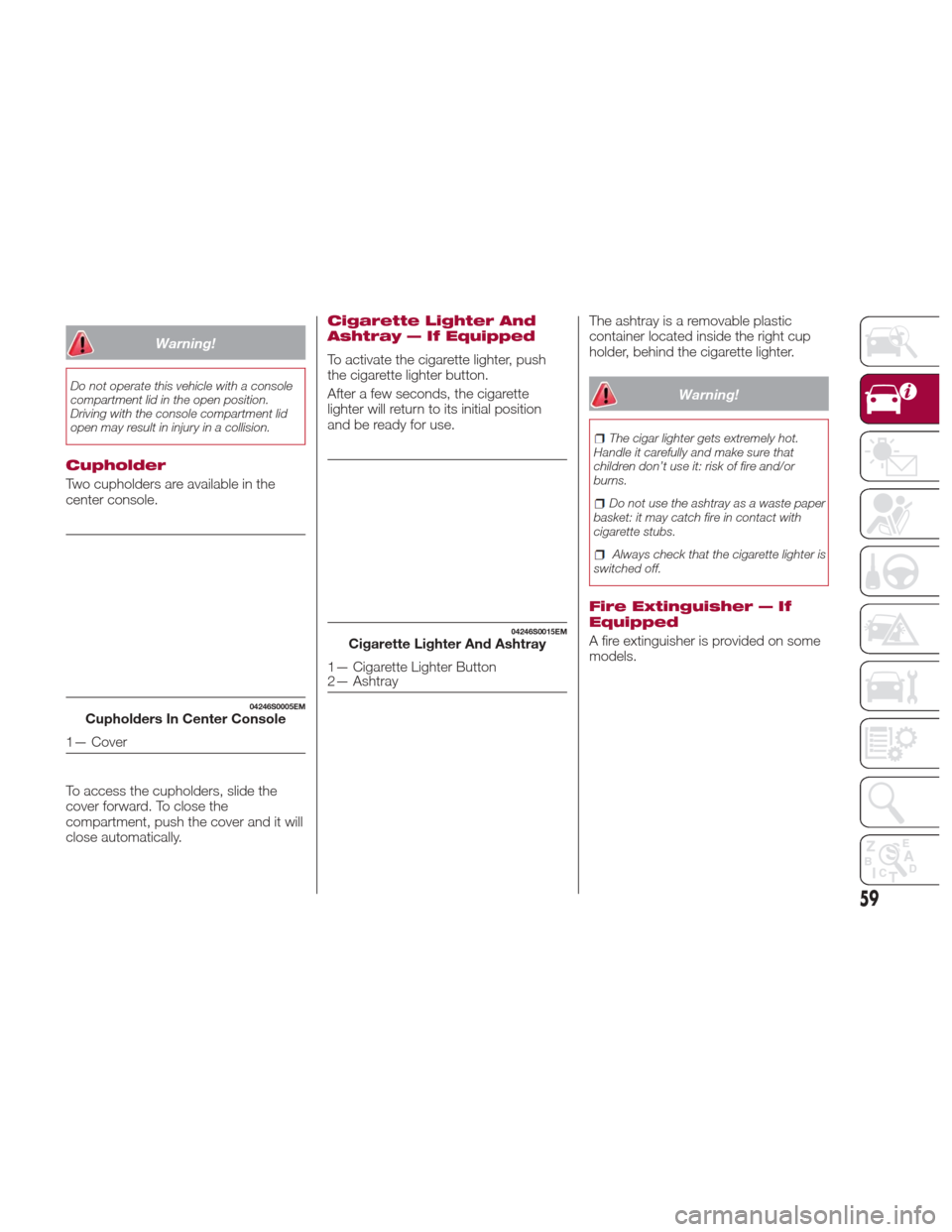
Warning!
Do not operate this vehicle with a console
compartment lid in the open position.
Driving with the console compartment lid
open may result in injury in a collision.
Cupholder
Two cupholders are available in the
center console.
To access the cupholders, slide the
cover forward. To close the
compartment, push the cover and it will
close automatically.
Cigarette Lighter And
Ashtray — If Equipped
To activate the cigarette lighter, push
the cigarette lighter button.
After a few seconds, the cigarette
lighter will return to its initial position
and be ready for use.The ashtray is a removable plastic
container located inside the right cup
holder, behind the cigarette lighter.
Warning!
The cigar lighter gets extremely hot.
Handle it carefully and make sure that
children don’t use it: risk of fire and/or
burns.
Do not use the ashtray as a waste paper
basket: it may catch fire in contact with
cigarette stubs.
Always check that the cigarette lighter is
switched off.
Fire Extinguisher — If
Equipped
A fire extinguisher is provided on some
models.
04246S0005EMCupholders In Center Console
1— Cover
04246S0015EMCigarette Lighter And Ashtray
1— Cigarette Lighter Button
2— Ashtray
59
Page 67 of 268
Reconfigurable
Multifunctional Display
1.Headlight Warning Lights
Displays the headlight warning light for
either of the following active modes:
Headlights
Automatic Headlights.
2. Gear Selector Information
Displays the following information
controlled by the gear selector function:
P = PARK
R = REVERSE
N = NEUTRAL
D= DRIVE, (automatic forward
speed)
AutoStick : + shifting to higher gear
in manual (sequential) driving mode; –
shifting to lower gear in sequential
driving mode.
3. Forward Collision, Lane
Departure, Cruise Control
Displays operations for the following
modes:
Forward Collision Warning (FCW)
Lane Departure Warning (LDW)
Cruise Control (CC) or Active Cruise
Control (ACC) (if equipped).
4. Speed Limit Warning Light
Shows information regarding the Speed
Limiter function. 5.
Compass
6. Reconfigurable Main Area
Can display the following screens:
Home
Trip A
Trip B (can be activated/deactivated
through the Connect system)
Performance
The screens can be selected, on
rotation, by pushing the MENU
selection button on the windshield
wiper stalk.
Depending on the driving mode chosen
using the “Alfa DNA Pro” (Dynamic,
Normal, Advanced Efficiency and
RACE), the screens can be graphically
different. Navigation instructions and
call information can be repeated, besides on the Connect system display,
also in this area of the display, these
functions can be set on the Connect
system.
Home
The parameters shown on the display,
for the modes: Dynamic, Normal and
Advanced Efficiency are:Time
Outside Temperature
Current Speed (shown if the repeat
modes of the Phone and Navigation
functions are not active)
Range
05036S0002EMMENU Selection Button05036S0004NAPremium Instrument Cluster Display
65
Page 68 of 268
In RACE mode, the consumption
indication index is not active and a
sports gearshift indicator is displayed.
The sports gearshift indicator is
represented by three yellow segments,
if the third indicator, characterized by
the word "SHIFT,” is on, it means that
the gear should be shifted.Trip A And B
The "Trip computer" can be used to
display, for all driving modes (Dynamic,
Normal, Advanced Efficiency and
RACE) and with the ignition device ON,
the measurements regarding the
operating state of the vehicle. This
function is characterized by two
separate records, called “Trip A” and
“Trip B” (the latter can be deactivated
by Connect system), where the
“complete missions” (journeys) are
recorded in a reciprocally independent
manner.
“Trip A” and “Trip B” are used to display
the values relating to:
Distance travelled
Average fuel consumption
Average speed
Active trip
Fuel consumption indicator
To reset the values, press and hold
down the button on the windshield
wiper stalk.
05036S0055NAPremium Instrument Cluster
Display
05036S0005NARace Mode
05036S0007NAPremium Instrument ClusterDisplay
05036S0002EMReset Button
66
GETTING TO KNOW YOUR INSTRUMENT PANEL
Page 99 of 268

and environmental conditions are such
that they wouldn't cause the tires to
slip. When the road and environmental
conditions require better traction, the
vehicle automatically goes to AWD
mode.
The driving mode, RWD or AWD, is
shown on the instrument cluster
display.
Note:If the system failure symbol
switches on, after starting the engine or
while driving, it means that the AWD
system is not working properly. If the
warning message activates frequently, it
is recommended to carry out the
maintenance operations.
Electronic Stability
Control (ESC) System
The ESC system improves the
directional control and stability of the
car in various driving conditions.
The ESC system corrects the car’s
understeer and oversteer, distributing
the brake force on the appropriate
wheels. The torque supplied by the
engine can also be reduced in order to
maintain control of the vehicle.
The ESC system uses sensors installed
on the car to determine the path that
the driver intends to follow and
compares it with the car’s effective
path. When the real path deviates from
the desired path, the ESC system
intervenes to counter the vehicle’s
understeer or oversteer.
Oversteer occurs when the car is
turning more than it should according
to the angle of the steering wheel.
Understeer occurs when the vehicle
is turning less than it should according
to the angle of the steering wheel.
System Intervention
The intervention of the system is
indicated by the flashing of the ESC
warning light on the instrument panel,
to inform the driver that the vehicle
stability and grip are critical.
Warning!
Electronic Stability Control (ESC) cannot
prevent the natural laws of physics from
acting on the vehicle, nor can it increase
the traction afforded by prevailing road
conditions. ESC cannot prevent accidents,
including those resulting from excessive
speed in turns, driving on very slippery
surfaces, or hydroplaning. ESC also cannot
prevent accidents resulting from loss of
vehicle control due to inappropriate driver
input for the conditions. Only a safe,
attentive, and skillful driver can prevent
accidents. The capabilities of an ESC
equipped vehicle must never be exploited
in a reckless or dangerous manner which
could jeopardize the user’s safety or the
safety of others.
Vehicle modifications, or failure to
properly maintain your vehicle, may change
the handling characteristics of your vehicle,
and may negatively affect the performance
of the ESC system. Changes to the
steering system, suspension, braking
system, tire type and size or wheel size
may adversely affect ESC performance.
Improperly inflated and unevenly worn tires
may also degrade ESC performance. Any
vehicle modification or poor vehicle
maintenance that reduces the effectiveness
of the ESC system can increase the risk of
loss of vehicle control, vehicle rollover,
personal injury and death.
Traction Control System
(TCS)
The system automatically operates in
the event of slipping, loss of grip on wet
roads (hydroplaning), and acceleration
on one or both drive wheels on roads
that are slippery, snowy, icy, etc.
Depending on the slipping conditions,
two different control systems are
activated:
If the slipping involves both drive
wheels, the system intervenes, reducing
the power transmitted by the engine.
If the slipping only involves one of the
drive wheels, the Brake Limited
Differential (BLD) function is activated,
automatically braking the wheel which
is slipping (the behavior of a self-locking
differential is simulated). This will
increase the engine torque transferred
to the wheel which isn't slipping.
97
Page 103 of 268

Rear View
The system detects vehicles coming
from the rear part of your vehicle on
both sides and entering the rear
detection area with a difference in
speed of less than 31 mph (50 km/h)
with relation to your vehicle.
Overtaking Vehicles
If another vehicle is overtaken slowly,
with a difference in speed of less than
approximately 15 mph (25 km/h) and
the vehicle stays in the blind spot for
approximately 1.5 seconds, the
warning light on the door mirror of the
corresponding side lights up.
If the difference in speed between the
two vehicles is greater than
approximately 15 mph (25 km/h), the
warning light does not light up.
Rear Cross Path Detection (RCP)
System
This system helps the driver during
reverse maneuvers in the case of
reduced visibility.
The RCP system monitors the rear
detection areas on both sides of the
vehicle to detect objects moving
towards the sides of the vehicle, with a
minimum speed between approximately
1 mph (1 km/h) and 2 mph (3 km/h)
and objects moving at a maximum
speed of 21 mph (35 km/h), in areas
such as parking lots.
The system activation is signaled to the
driver by a visual and acoustic warning.Note:
If the sensors are covered by
objects or vehicles, the system will not
warn the driver.
Warning!
Rear Cross Path Detection (RCP) is not a
back up aid system. It is intended to be
used to help a driver detect an oncoming
vehicle in a parking lot situation. Drivers
must be careful when backing up, even
when using RCP. Always check carefully
behind your vehicle, look behind you, and
be sure to check for pedestrians, animals,
other vehicles, obstructions, and blind
spots before backing up. Failure to do so
can result in serious injury or death.
Operating Mode
The system may be activated/
deactivated via the Connect system. To
access the function, select the following
items on the main menu in sequence:
"Settings", "Safety" and "Blind Spot
Alert".
"Blind Spot Alert", "Visual" Mode
When the system is enabled, a visual
warning is sent to the door mirror on
the side of the detected object.
The visual warning on the mirror will
blink if the driver switches on the
direction indicators, thus indicating the
intention to change lane.
The warning will be fixed if the driver
stays in the same lane. "Blind Spot Alert" Function
Deactivation
When the system is deactivated ("Blind
Spot Alert" mode off), the BSM or RCP
systems will not emit either acoustic or
visual warnings.
The BSM system will store the
operating mode running when the
engine was stopped. Each time the
engine is started, the operating mode
stored previously will be recalled and
used.
General Information
This vehicle has systems that operate
on radio frequency that comply with
Part 15 of the Federal Communications
Commission (FCC) rules and with
Industry Canada Standards RSS-
GEN/210/220/310.
Operation is subject to the following
two conditions:
1. The device may not cause harmful
interference.
2. The device must accept any
interference received, including
interference that may cause undesired
operation of the device.
Changes or modifications to any of
these systems by other than an
authorized service facility could void
authorization to use this equipment.
101
Page 104 of 268
Forward Collision
Warning (FCW) System
This is a driving assistance system
which comprises a radar located
behind the front bumper and a camera
located in the central part of the
windshield.In the event of an imminent collision,
the system intervenes by automatically
braking the vehicle to prevent the crash
or reduce its effects.
The system provides the driver with
audible and visual signals through
specific messages on the instrument
cluster display.
The system may lightly brake to warn
the driver if a possible frontal accident is
detected (limited braking). Signals and
limited braking are intended to allow the
driver to react promptly, in order to
prevent or reduce the effects of a
potential accident.
In situations with the risk of collision, if
the system detects no intervention by
the driver, it provides automatic braking
to help slow the vehicle and mitigate
the potential frontal collision (automatic
braking). If intervention by the driver on
the brake pedal is detected, but not
deemed sufficient, the system may
intervene in order to improve the
reaction of the braking system,
therefore reducing vehicle speed further
(additional assistance in braking stage).
The system will intervene automatically
in case of imminent collision or impact
against a pedestrian crossing the road
(speed under 31 mph (50 km/h)).Note:
For safety reasons, when the
vehicle has stopped, the brake calipers
may remain blocked for about two
seconds. Make sure you press the
brake pedal if the vehicle moves slightly
forward.
Warning!
Forward Collision Warning (FCW) is not
intended to avoid a collision on its own, nor
can FCW detect every type of potential
collision. The driver has the responsibility to
avoid a collision by controlling the vehicle
via braking and steering. Failure to follow
this warning could lead to serious injury or
death.
Engagement/Disengagement
The following functions can be selected
in sequence using the Connect system:
“Settings”, “Safety”, “Forward Collision
Warning” and "Mode". Select from
among three operating modes:
Warning And Brake : the system (if
active), in addition to the visual and
audible warnings, provides limited
braking, automatic braking and
additional assistance in braking stage,
where the driver does not brake
sufficiently in the event of a potential
frontal impact.
GUID-06016S0003EMFront Bumper Radar Location
06016S0004EMWindshield Camera Location
102
SAFETY
Page 110 of 268
Then, drive the vehicle for up to
10 minutes above 15 mph (24 km/h).
The TPMS will chime, the "TPM Telltale
Light" will flash on and off for
75 seconds and then turn off. The
instrument cluster will display the
“SERVICE TPM SYSTEM” message
and then display pressure values in
place of the dashes. On the next
ignition switch cycle the "SERVICE TPM
SYSTEM" message will no longer be
displayed, as long as no system fault
exists.
Note:
The TPMS is not intended to
replace normal tire care and
maintenance, or to provide warning of
a tire failure or condition.
The TPMS should not be used as a
tire pressure gauge while adjusting
your tire pressure.
Driving on a significantly
underinflated tire will cause the tire to
overheat, and can lead to tire failure.
Underinflation also reduces fuel
efficiency and tire tread life, and may
affect the vehicle’s handling and
stopping ability.
The TPMS is not a substitute for
proper tire maintenance, and it is the
driver’s responsibility to maintain
correct tire pressure using an accurate
tire pressure gauge, even if
underinflation has not reached the level to trigger illumination of the “Tire
Pressure Monitoring Telltale Light”.
Seasonal temperature changes will
affect tire pressure, and the TPMS will
monitor the actual tire pressure in the
tire.
General Information
The following regulatory statement
applies to all radio frequency (RF)
devices equipped in this vehicle:
This device complies with Part 15 of the
FCC rules and RSS-210 of Industry
Canada. Operation is subject to the
following two conditions:
(1) This device may not cause harmful
interference.
(2) This device must accept any
interference received, including
interference that may cause undesired
operation.
Note:
Changes or modifications not expressly
approved by the party responsible for
compliance could void the user’s
authority to operate the equipment.
OCCUPANT
RESTRAINT
SYSTEMS
Some of the most important safety
features in your vehicle are the restraint
systems:
Occupant Restraint
Systems Features
Seat Belt Systems
Supplemental Restraint Systems
(SRS) Air Bags
Child Restraints
Some of the safety features described
in this section may be standard
equipment on some models, or may be
optional equipment on others. If you are
not sure, ask your authorized dealer.
Important Safety
Precautions
Please pay close attention to the
information in this section. It tells you
how to use your restraint system
properly, to keep you and your
passengers as safe as possible.
Here are some simple steps you can
take to minimize the risk of harm from a
deploying air bag:
1. Children 12 years old and under
should always ride buckled up in a
vehicle with a rear seat.
108
SAFETY
Page 117 of 268

Supplemental Restraint
Systems (SRS)
Some of the safety features described
in this section may be standard
equipment on some models, or may be
optional equipment on others. If you are
not sure, ask your authorized dealer.
The air bag system must be ready to
protect you in a collision. The Occupant
Restraint Controller (ORC) monitors the
internal circuits and interconnecting
wiring associated with the electrical Air
Bag System Components. Your vehicle
may be equipped with the following Air
Bag System Components:
Air Bag System Components
Occupant Restraint Controller (ORC)
Air Bag Warning Light
Steering Wheel and Column
Instrument Panel
Knee Impact Bolsters
Driver and Front Passenger Air Bags
Supplemental Side Air Bags
Supplemental Knee Air Bags
Front and Side Impact Sensors
Seat Belt Pretensioners
Seat Track Position Sensors
Seat Belt Buckle Switch
Air Bag Warning Light
The ORC monitors the readiness of
the electronic parts of the air bag
system whenever the ignition switch is
in the AVV/START or ON/RUN position.
If the ignition switch is in the STOP
position or in the ON/RUN position, the
air bag system is not on and the air
bags will not inflate.
The ORC contains a backup power
supply system that may deploy the air
bag system even if the battery loses
power or it becomes disconnected
prior to deployment.
The ORC turns on the Air Bag Warning
Light in the instrument panel for
approximately four to eight seconds for a
self-check when the ignition switch is first
in the ON/RUN position. After the
self-check, the Air Bag Warning Light will
turn off. If the ORC detects a malfunction
in any part of the system, it turns on the
Air Bag Warning Light, either
momentarily or continuously. A single
chime will sound to alert you if the light
comes on again after initial startup.
The ORC also includes diagnostics that
will illuminate the instrument panel Air
Bag Warning Light if a malfunction is
detected that could affect the air bag
system. The diagnostics also record the
nature of the malfunction. While the air
bag system is designed to be
maintenance free, if any of the following
occurs, have an authorized dealer
service the air bag system immediately.
The Air Bag Warning Light does not
come on during the four to eight
seconds when the ignition is first in the
ON/RUN position.
The Air Bag Warning Light remains
on after the four to eight-second
interval.
The Air Bag Warning Light comes on
intermittently or remains on while
driving.
Note:
If the speedometer, tachometer, or any
engine related gauges are not working,
the Occupant Restraint Controller
(ORC) may also be disabled. In this
condition the air bags may not be ready
to inflate for your protection. Have an
authorized dealer service the air bag
system immediately.
Warning!
Ignoring the Air Bag Warning Light in your
instrument panel could mean you won’t
have the air bag system to protect you in a
collision. If the light does not come on as a
bulb check when the ignition is first turned
on, stays on after you start the vehicle, or if
it comes on as you drive, have an
authorized dealer service the air bag
system immediately.
115