2017 Acura RDX Power seat
[x] Cancel search: Power seatPage 48 of 449

Continued47
uuAirbags uAirbag System Indicators
Safe Driving
■When side curtain airbags deploy in a frontal collision
One or both side curtain airbags may inflate in a moderate to severe angled frontal
collision.
In this case, the side curtain airbags will deploy slightly after the front airbags.
Airbag System Indicators
If a problem occurs in the airbag system , the SRS indicator will come on and a
message appears on the mu lti-information display.
■When the power mode is set to ON
The indicator comes on for a few seconds,
then goes off. This tells you the system is
working properly.
If the indicator comes on at any other time , or does not come on at all, have the
system checked by a dealer as soon as po ssible. If you don’t, your airbags and seat
belt tensioners may not work properly when they are needed.
■SRS (Supplemental Restraint System) Indicator1SRS (Supplemental Restraint System) Indicator
3WARNING
Ignoring the SRS indicator can result in
serious injury or death if the airbag systems
or tensioners do not work properly.
Have your vehicle checked by a dealer as
soon as possible if th e SRS indicator alerts
you to a possible problem.
Models with
full color
displayModels
without full
color display
Page 70 of 449

69
uuIndicators u
Continued
Instrument Panel
*1:On the left: Models wi thout full color display
On the right: Models with full color display
IndicatorNameOn/BlinkingExplanationMessage*1
Seat Belt
Reminder
Indicator
●Comes on and the beeper sounds if
you are not wearing a seat belt when
you set the power mode to ON.
●If the front passenger is not wearing a
seat belt, the indicator comes on
about a few seconds later.
●Blinks while driving if either you or the
front passenger has not fastened a
seat belt. The beeper sounds and the
indicator blinks at regular intervals.
●The beeper stops and the
indicator goes off when you and
the front passenger fasten their
seat belts.
●Stays on after you or the front
passenger has fastened the
seat belt - A detection error may
have occurred in the sensor. Have
the vehicle checked by a dealer.
2 Seat Belt Reminder P. 30
Low Fuel
Indicator
●Comes on when the fuel reserve is
running low (approximately 2.5 U.S.
gal./9.2 Liter left).
●Blinks if there is a problem with the
fuel gauge.
●Comes on - Refuel your vehicle as
soon as possible.
●Blinks - Have the vehicle checked
by a dealer.
Anti-lock Brake
System ( ABS)
Indicator
●Comes on for a few seconds when you
set the power mode to ON, then goes
off.
●If it comes on at any other time, there
is a problem with the ABS.
●Stays on constantly - Have the
vehicle checked by a dealer. With
this indicator on, your vehicle still
has normal braking ability but no
anti-lock function.
2Anti-lock Brake System (ABS) P. 320
Page 71 of 449

70
uuIndicators u
Instrument Panel
*1:On the left: Models without full color display
On the right: Models with full color display
IndicatorNameOn/BlinkingExplanationMessage*1
Supplemental
Restraint System
Indicator
●Comes on for a few seconds when
you set the power mode to ON,
then goes off.
●Comes on if a problem with any of
the following is detected:
-Supplemental restraint system
- Side airbag system
- Side curtain airbag system
- Seat belt tensioner
●Stays on constantly or does not
come on at all - Have the vehicle
checked by a dealer.
All-Wheel Drive
( AWD ) with
Intelligent
Control System
Indicator
*
●Comes on for a few seconds when
you set the power mode to ON,
then goes off.
●Comes on if there is a problem with
the AWD with intelligent control
system.
●Blinks when the AWD with
intelligent control system is
overheated. The system is inactive.
●Stays on constantly - the engine
drives only the front wheels in this
state. Have the vehicle checked by a
dealer.
●Blinks while driving - the engine
drives only the front wheels in this
state. Stop in a safe place, shift to
(P,
and idle the engine until the indicator
goes off. If the indicator does not
stop blinking, take your vehicle to a
dealer.
2 All-Wheel Drive (AWD) with
Intelligent Control System*
P. 314
—
—
* Not available on all models
Page 118 of 449
117
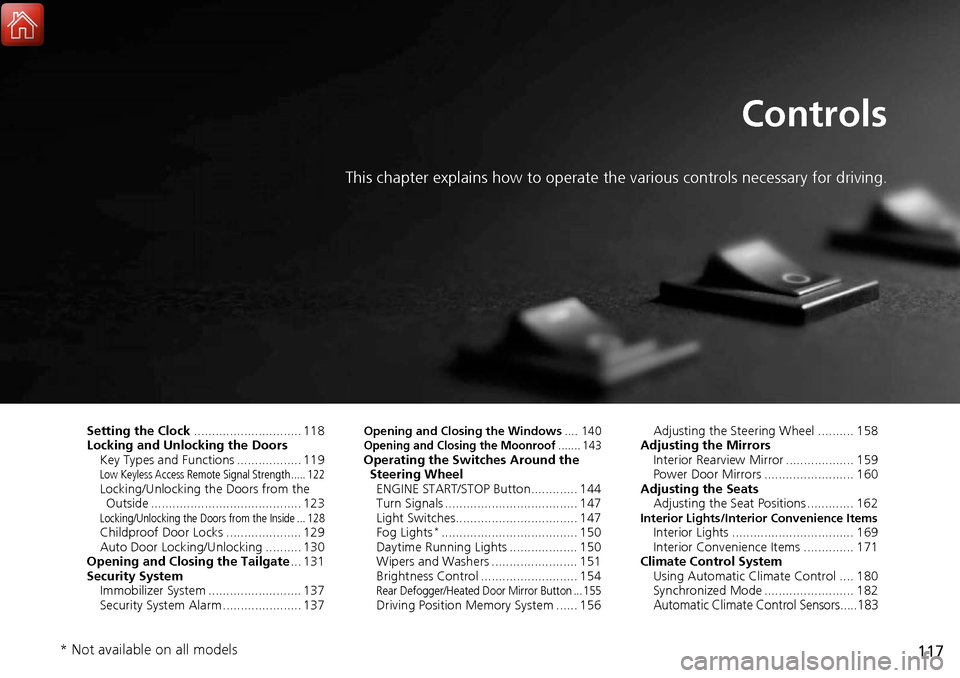
Controls
This chapter explains how to operate the various controls necessary for driving.
Setting the Clock.............................. 118
Locking and Unlocking the Doors Key Types and Functions .................. 119
Low Keyless Access Remote Signal Strength ..... 122Locking/Unlocking the Doors from the Outside .......................................... 123
Locking/Unlocking the Doors from the Inside ... 128Childproof Door Locks ..................... 129
Auto Door Locking/Unlocking .......... 130
Opening and Closing the Tailgate ... 131
Security System Immobilizer System .......................... 137
Security System Alarm ...................... 137
Opening and Closing the Windows .... 140Opening and Closing the Moonroof....... 143Operating the Switches Around the
Steering Wheel ENGINE START/STOP Button............. 144
Turn Signals ..................................... 147
Light Switches.................................. 147
Fog Lights
*...................................... 150
Daytime Running Lights ................... 150
Wipers and Washers ........................ 151
Brightness Control ........................... 154
Rear Defogger/Heated Door Mirror Button ... 155Driving Position Memory System ...... 156 Adjusting the Steering Wheel .......... 158
Adjusting the Mirrors Interior Rearview Mirror ................... 159
Power Door Mirrors ......................... 160
Adjusting the Seats Adjusting the Seat Positions ............. 162
Interior Lights/Interior Convenience ItemsInterior Lights .................................. 169
Interior Convenience Items .............. 171
Climate Control System Using Automatic Climate Control .... 180
Synchronized Mode ......................... 182
Automatic Climate Control Sensors.....183
* Not available on all models
Page 141 of 449

140
Controls
Opening and Closing the Windows
Opening/Closing the Power Windows
The power windows can be opened and closed when the power mode is in ON,
using the switches on the do ors. The driver side switches can be used to open and
close all of the windows.
The power window lock button on the driver side must be switched off (not pushed
in, indicator off) to open and close th e windows from anywhere other than the
driver’s seat.
When the power window lock button is pu shed in, the indicator comes on and you
can only operate the driver’s window. Turn the power window lock button on when
children are in the vehicle.
■Automatic operation
To open: Push the switch down firmly.
To close: Pull the switch up firmly.
The window opens or closes completely. To
stop the window at any time, push or pull the
switch briefly.
■Manual operation
To open: Push the switch down lightly, and
hold it until the desired position is reached.
To close: Pull the switch up lightly, and hold it
until the desired position is reached.
■Opening/Closing Windows with Auto-Open/Close Function
1 Opening/Closing the Power Windows
The power windows can be operated for up to 10
minutes after you set the power mode to VEHICLE
OFF.
Opening either front door cancels this function.
Auto Reverse
If a power window senses resistance when closing
automatically, it will stop closing and reverse
direction.
The driver’s window auto re verse function is disabled
when you continuously pull up the switch.
The auto reverse function stops sensing when the
window is almost closed to en sure that it fully closes.
3WARNING
Closing a power window on someone’s
hands or fingers can cause serious injury.
Make sure your passengers are away from
the windows before closing them.
ON
OFF
Power Window
Lock Button
Indicator
Driver’s
Window
Switch
Front Passenger’s
Window Switch
Page 158 of 449

157
uuOperating the Switches Around the Steering Wheel uDriving Position Memory System
Controls
1. Set the power mode to ON. Adjust the
driver’s seat and the door mirrors to the
desired position.
2. Press the SET button.
u You will hear a beep, and the memory
button indicator light will blink.
3. Press and hold memory button
(1 or (2
within five seconds of pressing the SET
button.
u Once the seat and the door mirrors
position has been memorized, the
indicator light on the button you pressed
stays on.
1. Move the shift lever to
(P.
2. Apply the parking brake.
3. Press a memory button (
(1 or (2).
u You will hear a beep, and the indicator
light will blink.
The seat and the door mirrors will
automatically move to the memorized
positions. When they have finished moving,
you will hear a beep, and the indicator light
stays on.
■Storing a Position in Memory1 Storing a Position in Memory
After you press the SET button, the storing operation
will be canceled when:
•You do not press the memory button within five
seconds.
•You readjust the seat position before the double-
beep.
•You readjust the door mirrors.•You set the power mode to any position except
ON.
Memory
Button 1
Memory
Button 2
SET Button
■Recalling the Stored Position1 Recalling the Stored Position
The seat and the door mirror s will stop moving if you:
•Press the SET button, or a memory button ((1 or (2).
•Adjust the seat position.
•Adjust the door mirrors.•Shift into any position except (P.
Memory
Button 1
Memory
Button 2
SET Button
Page 160 of 449

159
Controls
Adjusting the Mirrors
Interior Rearview Mirror
Adjust the angle of the rearview mirror when you are sitting in the correct driving
position.
When driving after dark, the automatic
dimming rearview mirror and power door
mirrors
* reduce the glare from headlights
behind you.
■Automatic Dimming Rearview Mi rror and Power Door Mirrors*
1Adjusting the Mirrors
Keep the inside and door mi rrors clean and adjusted
for best visibility.
Adjust the mirrors befo re you start driving.
2 Adjusting the Seat Positions P. 162
Sensor
1Automatic Dimming Rearview Mirror and Power Door Mirrors*
The auto dimming function cancels when the shift
position is in (R.
* Not available on all models
Page 163 of 449

162
Controls
Adjusting the Seats
Adjusting the Seat Positions
Adjust the driver’s seat as far back as possible
while allowing you to maintain full control of
the vehicle. You should be able to sit upright,
well back in the seat and be able to
adequately press the pedals without leaning
forward, and grip the steering wheel
comfortably. The passenger’s seat should be
adjusted in a similar manner, so that it is as far
back from the front airbag in the dashboard
as possible.
■Adjusting the front power seats
1Adjusting the Seats
The National Highway Traffic Safety Administration
and Transport Cana da recommend that drivers allow
at least 10 inches (25 cm) between the center of the
steering wheel and the chest.
Always make seat adjustments before driving.
3WARNING
Sitting too close to a front airbag can result
in serious injury or death if the front
airbags inflate.
Always sit as far back from the front
airbags as possible while maintaining
control of the vehicle.
Move back.
Allow sufficient
space.
Horizontal Position
Adjustment
Height Adjustment
*
Seat-back Angle
Adjustment Lumbar Support
Adjustment
*
* Not available on all models