2016 VOLVO XC90 T8 roof
[x] Cancel search: roofPage 123 of 546
INSTRUMENTS AND CONTROLS
121
Using voice commands
The following is an introduction for using voice commands.
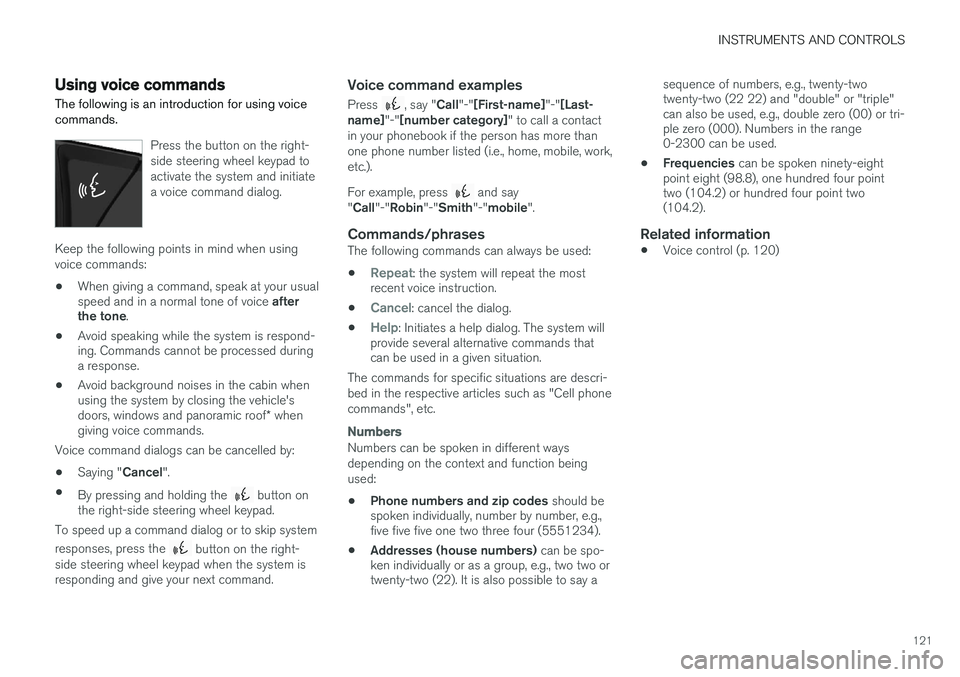
Press the button on the right- side steering wheel keypad toactivate the system and initiatea voice command dialog.
Keep the following points in mind when using voice commands:
• When giving a command, speak at your usual speed and in a normal tone of voice
after
the tone .
• Avoid speaking while the system is respond- ing. Commands cannot be processed duringa response.
• Avoid background noises in the cabin whenusing the system by closing the vehicle's doors, windows and panoramic roof
* when
giving voice commands.
Voice command dialogs can be cancelled by:
• Saying "
Cancel".
• By pressing and holding the
button on
the right-side steering wheel keypad.
To speed up a command dialog or to skip system responses, press the
button on the right-
side steering wheel keypad when the system is responding and give your next command.
Voice command examples
Press , say " Call"-"[First-name] "-"[Last-
name] "-"[number category] " to call a contact
in your phonebook if the person has more than one phone number listed (i.e., home, mobile, work,etc.). For example, press
and say
" Call "-"Robin "-"Smith "-"mobile ".
Commands/phrasesThe following commands can always be used: •
Repeat: the system will repeat the most
recent voice instruction.
•
Cancel: cancel the dialog.
•
Help: Initiates a help dialog. The system will
provide several alternative commands that can be used in a given situation.
The commands for specific situations are descri- bed in the respective articles such as "Cell phonecommands", etc.
Numbers
Numbers can be spoken in different ways depending on the context and function beingused:
• Phone numbers and zip codes
should be
spoken individually, number by number, e.g., five five five one two three four (5551234).
• Addresses (house numbers)
can be spo-
ken individually or as a group, e.g., two two ortwenty-two (22). It is also possible to say a sequence of numbers, e.g., twenty-twotwenty-two (22 22) and "double" or "triple"can also be used, e.g., double zero (00) or tri-ple zero (000). Numbers in the range0-2300 can be used.
• Frequencies
can be spoken ninety-eight
point eight (98.8), one hundred four pointtwo (104.2) or hundred four point two(104.2).
Related information
• Voice control (p. 120)
Page 152 of 546
||
INSTRUMENTS AND CONTROLS
* Option/accessory, for more information, see Introduction.
150
Ground lightingThe ground lighting comes on or goes off when a door is opened or closed.
Doorsill lightingThe doorsill lighting comes on or goes off when adoor is opened or closed.
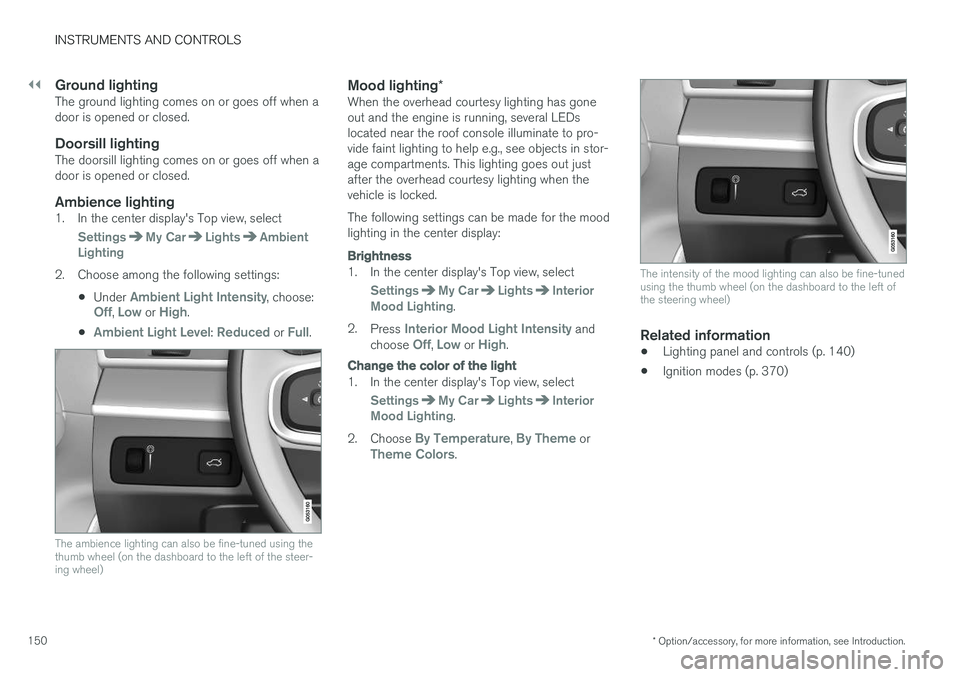
Ambience lighting1. In the center display's Top view, select
SettingsMy CarLightsAmbient
Lighting
2. Choose among the following settings:
•Under
Ambient Light Intensity, choose:Off, Low or High.
•
Ambient Light Level: Reduced or Full.
The ambience lighting can also be fine-tuned using the thumb wheel (on the dashboard to the left of the steer-ing wheel)
Mood lighting *When the overhead courtesy lighting has gone out and the engine is running, several LEDslocated near the roof console illuminate to pro-vide faint lighting to help e.g., see objects in stor-age compartments. This lighting goes out justafter the overhead courtesy lighting when thevehicle is locked. The following settings can be made for the mood lighting in the center display:
Brightness
1. In the center display's Top view, select
SettingsMy CarLightsInterior
Mood Lighting.
2. Press
Interior Mood Light Intensity and
choose Off, Low or High.
Change the color of the light
1. In the center display's Top view, select
SettingsMy CarLightsInterior
Mood Lighting.
2. Choose
By Temperature, By Theme orTheme Colors.
The intensity of the mood lighting can also be fine-tuned using the thumb wheel (on the dashboard to the left ofthe steering wheel)
Related information
• Lighting panel and controls (p. 140)
• Ignition modes (p. 370)
Page 200 of 546
CLIMATE
* Option/accessory, for more information, see Introduction.
198
Air conditioning
The air conditioning cools and dehumidifies the air in the passenger compartment.
Activating/deactivating the main air conditioning unit
1. For the air conditioning to function optimally, close the side windows and laminated panor- amic roof *.
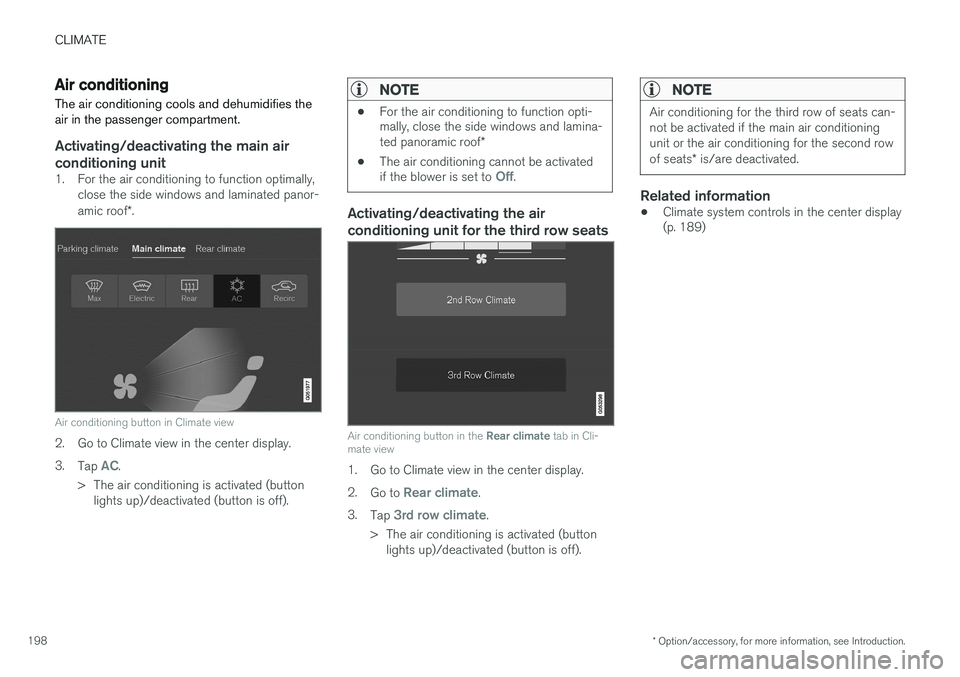
Air conditioning button in Climate view
2. Go to Climate view in the center display. 3.
Tap
AC.
> The air conditioning is activated (button lights up)/deactivated (button is off).
NOTE
• For the air conditioning to function opti- mally, close the side windows and lamina- ted panoramic roof
*
• The air conditioning cannot be activated if the blower is set to
Off.
Activating/deactivating the air conditioning unit for the third row seats
Air conditioning button in the
Rear climate tab in Cli-
mate view
1. Go to Climate view in the center display. 2. Go to
Rear climate.
3. Tap
3rd row climate.
> The air conditioning is activated (button lights up)/deactivated (button is off).
NOTE
Air conditioning for the third row of seats can- not be activated if the main air conditioningunit or the air conditioning for the second row of seats * is/are deactivated.
Related information
• Climate system controls in the center display (p. 189)
Page 218 of 546
||
LOADING AND STORAGE
* Option/accessory, for more information, see Introduction.
216
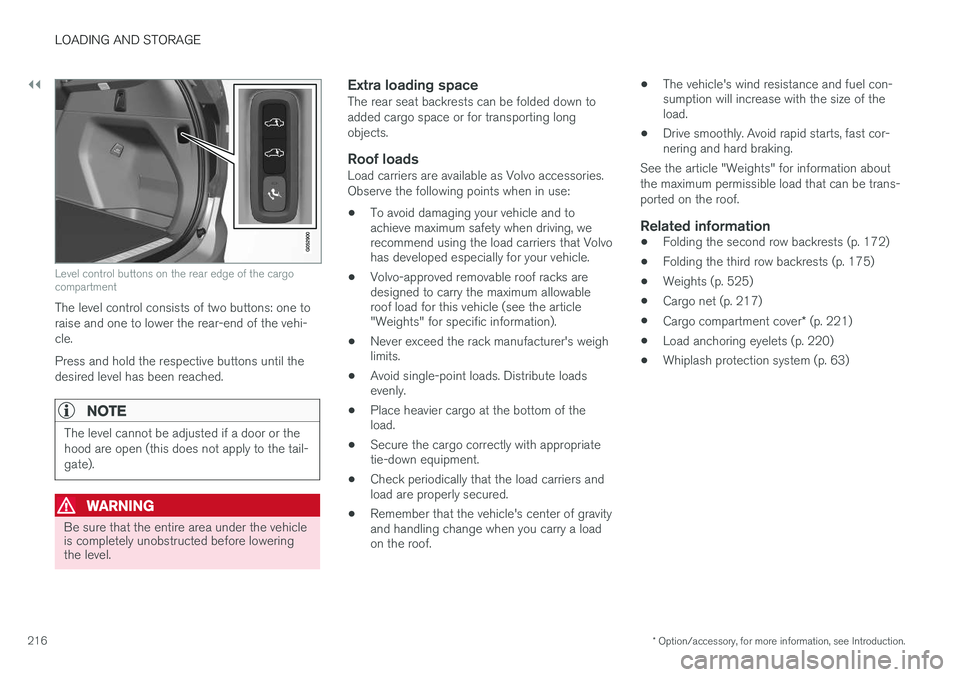
Level control buttons on the rear edge of the cargo compartment
The level control consists of two buttons: one to raise and one to lower the rear-end of the vehi-cle. Press and hold the respective buttons until the desired level has been reached.
NOTE
The level cannot be adjusted if a door or the hood are open (this does not apply to the tail-gate).
WARNING
Be sure that the entire area under the vehicle is completely unobstructed before loweringthe level.
Extra loading spaceThe rear seat backrests can be folded down to added cargo space or for transporting longobjects.
Roof loadsLoad carriers are available as Volvo accessories.Observe the following points when in use:
• To avoid damaging your vehicle and to achieve maximum safety when driving, werecommend using the load carriers that Volvohas developed especially for your vehicle.
• Volvo-approved removable roof racks aredesigned to carry the maximum allowableroof load for this vehicle (see the article"Weights" for specific information).
• Never exceed the rack manufacturer's weighlimits.
• Avoid single-point loads. Distribute loadsevenly.
• Place heavier cargo at the bottom of theload.
• Secure the cargo correctly with appropriatetie-down equipment.
• Check periodically that the load carriers andload are properly secured.
• Remember that the vehicle's center of gravityand handling change when you carry a loadon the roof. •
The vehicle's wind resistance and fuel con-sumption will increase with the size of theload.
• Drive smoothly. Avoid rapid starts, fast cor-nering and hard braking.
See the article "Weights" for information about the maximum permissible load that can be trans-ported on the roof.
Related information
• Folding the second row backrests (p. 172)
• Folding the third row backrests (p. 175)
• Weights (p. 525)
• Cargo net (p. 217)
• Cargo compartment cover
* (p. 221)
• Load anchoring eyelets (p. 220)
• Whiplash protection system (p. 63)
Page 238 of 546
||
LOCKS AND ALARM
* Option/accessory, for more information, see Introduction.
236
NOTE
Avoid placing the remote key closer than approx. (4-6 in.) (10-15 cm) to any metallicobjects or electronic devices such as cellphones, tablets, laptops or chargers.
If interference persists, unlock the vehicle with the detachable key blade and place the remotekey in the backup key reader in the tunnel con-sole cup holder to disarm the alarm.
WARNING
Always remove the remote key from the pas- senger compartment when leaving the vehicle and ensure that the ignition in mode 0, espe-
cially if there are children in the vehicle.
Ordering new keysTwo remote keys are provided with the vehicle (a Key Tag 6
is also included for vehicles equipped
with the optional Passive Entry system). Addi- tional keys (a total of 12) can be ordered andused with the vehicle.
Loss of a remote keyIf a remote key is lost, the others should be takenwith the vehicle to a Volvo retailer. As an anti-theft measure, the code of the lost remote keymust be erased from the system. The number of registered keys for the vehicle can be found inthe center display's Top view.
NOTE
Additional or duplicate remote control keys can be obtained from any authorized Volvoretailer. You can also obtain additional or duplicate remote control keys from certain independentrepair facilities and locksmiths that are quali-fied to make remote control keys. Each keymust be programmed to work with your vehi-cle. A list of independent repair facilities and/or locksmiths known to Volvo that can cut andcode replacement keys can be found: •
on the Volvo website, www.volvocars.com/us
• by calling Volvo Customer Care at1-800-458-1552.
Key TagIn addition to the two remote keys provided, a smaller third key, called a Key Tag, is also provi-ded for vehicles equipped with the optionalPassive Entry system. This key functions in the same way as a standard remote key but does not have a detachable key blade and its battery cannot be replaced; a newKey Tag has to be ordered.
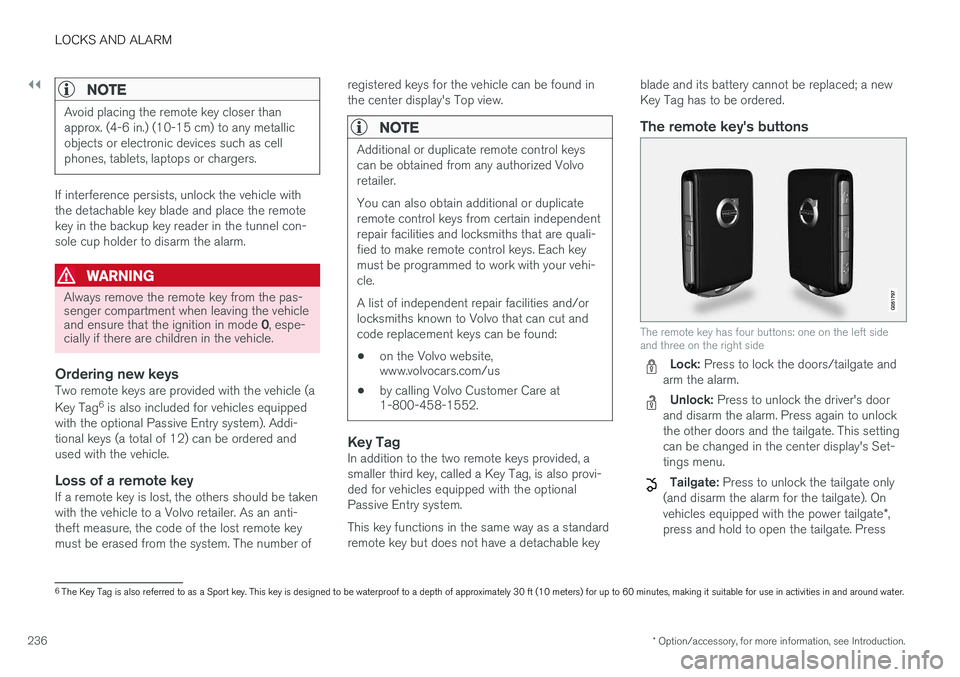
The remote key's buttons
The remote key has four buttons: one on the left side and three on the right side
Lock: Press to lock the doors/tailgate and
arm the alarm.
Unlock: Press to unlock the driver's door
and disarm the alarm. Press again to unlock the other doors and the tailgate. This settingcan be changed in the center display's Set-tings menu.
Tailgate: Press to unlock the tailgate only
(and disarm the alarm for the tailgate). On vehicles equipped with the power tailgate *,
press and hold to open the tailgate. Press
6 The Key Tag is also referred to as a Sport key. This key is designed to be waterproof to a depth of approximately 30 ft (10 meters) for up to 60 minutes, making it suitable for use in activities in and around water.
Page 246 of 546
||
LOCKS AND ALARM
* Option/accessory, for more information, see Introduction.
244
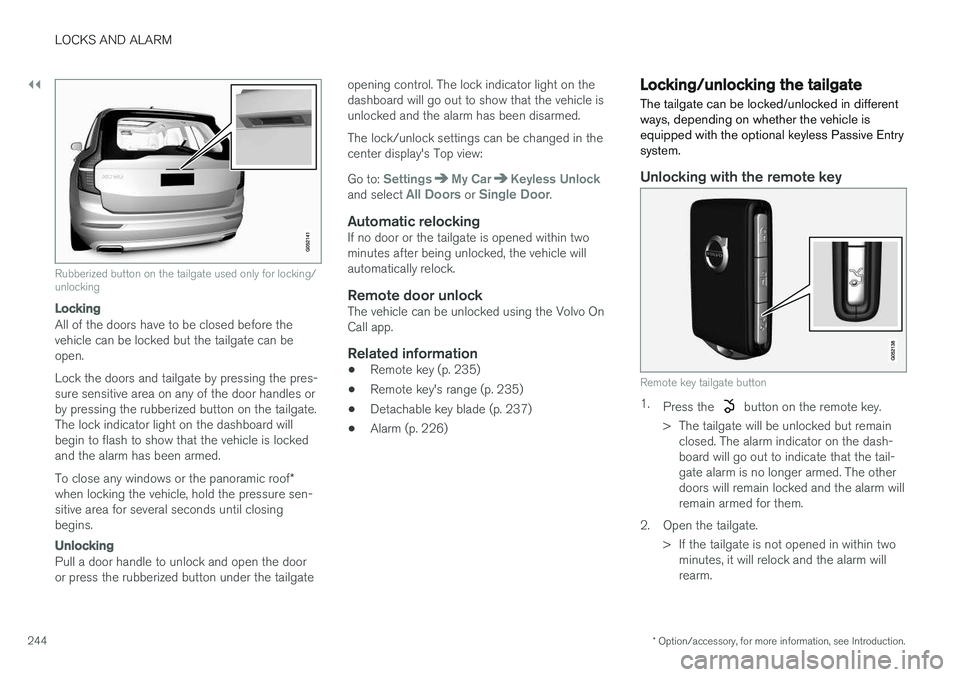
Rubberized button on the tailgate used only for locking/ unlocking
Locking
All of the doors have to be closed before the vehicle can be locked but the tailgate can beopen. Lock the doors and tailgate by pressing the pres- sure sensitive area on any of the door handles orby pressing the rubberized button on the tailgate.The lock indicator light on the dashboard willbegin to flash to show that the vehicle is lockedand the alarm has been armed. To close any windows or the panoramic roof *
when locking the vehicle, hold the pressure sen- sitive area for several seconds until closingbegins.
Unlocking
Pull a door handle to unlock and open the door or press the rubberized button under the tailgate opening control. The lock indicator light on thedashboard will go out to show that the vehicle isunlocked and the alarm has been disarmed. The lock/unlock settings can be changed in the center display's Top view: Go to:
SettingsMy CarKeyless Unlockand select All Doors or Single Door.
Automatic relockingIf no door or the tailgate is opened within two minutes after being unlocked, the vehicle willautomatically relock.
Remote door unlockThe vehicle can be unlocked using the Volvo OnCall app.
Related information
•
Remote key (p. 235)
• Remote key's range (p. 235)
• Detachable key blade (p. 237)
• Alarm (p. 226)
Locking/unlocking the tailgate The tailgate can be locked/unlocked in different ways, depending on whether the vehicle isequipped with the optional keyless Passive Entrysystem.
Unlocking with the remote key
Remote key tailgate button
1.
Press the button on the remote key.
> The tailgate will be unlocked but remain closed. The alarm indicator on the dash- board will go out to indicate that the tail-gate alarm is no longer armed. The otherdoors will remain locked and the alarm willremain armed for them.
2. Open the tailgate. > If the tailgate is not opened in within twominutes, it will relock and the alarm willrearm.
Page 358 of 546

||
STARTING AND DRIVING
356
Preconditioning
•If possible, precondition the vehicle with the charging cable before driving.
• Avoid parking the vehicle so that the passen-ger compartment becomes too hot or cold.Park, if possible, in a climate controlled park-ing garage.
• For short drives after using the precondition-ing function, turn off the climate systemblower if possible.
• If preconditioning is not possible in coldweather, use the seat and steering wheelheating primarily. Avoid heating the entirepassenger compartment, which reduces thehybrid battery's charge level.
Driving
•
Choose the Pure drive mode to help mini-
mize electric power consumption.
• Maintain a constant speed and an adequate distance to the vehicle ahead to minimizeuse of the brakes.
• Brake as gently as possible; doing socharges the hybrid battery using the inte-grated regenerative braking function.
• Balance energy requirements using theaccelerator pedal and utilize the gauge onthe instrument panel to see the amount ofpower available from the electric motor. Thishelps avoid starting the gasoline engineunnecessarily. The electric motor is moreenergy-efficient than the gasoline engine,especially at lower speeds. •
In hilly terrain, put the gear selector in mode B
to utilize the electric motor's braking func-
tion when the accelerator pedal is released. This helps charge the hybrid battery.
• Higher speeds increase energy consumptionand the vehicle's wind resistance increasesalong with speed. Do not exceed postedspeed limits.
• Select the
Save drive mode for higher
speeds when driving farther than is possible using the electric motor only.
• Avoid carrying unnecessary items (extra load)in the vehicle.
• Maintain correct tire pressure. Check tirepressure regularly (when the tires are cold).
• Remove snow tires when threat of snow orice has ended.
• Note that roof racks, ski racks, etc, increaseair resistance and also energy consumption.
• Avoid driving with open windows.
Handling and roadholding
•
Vehicle load, tire design and inflation pres-sure all affect vehicle handling. Therefore,check that the tires are inflated to the rec-ommended pressure according to the vehicleload. Loads should be distributed so thatcapacity weight or maximum permissible axleloads are not exceeded.
• At the specified curb weight your vehicle hasa tendency to understeer, which means thatthe steering wheel has to be turned more than might seem appropriate for the curva-ture of a bend. This ensures good stabilityand reduces the risk of rear wheel skid.Remember that these properties can alterwith the vehicle load. The heavier the load inthe cargo compartment, the less the ten-dency to understeer.
Related information
•
Hybrid-related information in the instrumentpanel (p. 130)
• Parking climate (preconditioning) (p. 179)
Page 373 of 546

STARTING AND DRIVING
* Option/accessory, for more information, see Introduction.371
ModeFunctions available
0•The odometer, clock and tem- perature gauge are illuminated
• Power seats
* can be adjusted
• The power windows can be oper-ated
• The 12-volt socket in the cargocompartment can be used
• The center display is activatedand can be used
• The infotainment system can beused for a limited time
In this mode, certain functions can only be used for a limited time to helpminimize battery drain
I• The laminated panoramic roof
*,
power seats */windows,12-volt
sockets in the passenger com- partment, Bluetooth, navigation system *, climate system blower,
windshield wipers can be oper- ated
• The infotainment system will start(if it was started when the ignitionwas switched off)
Using electrical current will drain the start battery in this mode.
ModeFunctions available
II• The headlights illuminate
• Warning/indicator lights illumi- nate for 5 seconds
• A number of other functions willalso be activated. However, the heated seats
* and heated rear
window functions can only be activated when the engine is run-ning.
This mode should only be used for very short periods to help avoiddraining the battery.
Selecting an ignition mode
Start knob in the tunnel console
• Ignition mode 0
: unlock the vehicle and
keep the remote key in the passenger's com- partment.
NOTE
To access ignition modes I or II without star-
ting the engine, the brake pedal must not be
depressed when these modes are selected.
• Ignition mode I
: Turn the start knob to
START and release it. The knob will return
automatically to its original position.
• Ignition mode II
: Turn the start knob to
START and hold it there for approx.
4 seconds. Release the knob.
• Returning to ignition mode 0
: To return to
mode 0 from mode II or I, turn the start knob
to STOP and release it.
Related information
•Starting the engine (p. 372)
• Turning the engine off (p. 374)