Page 232 of 668
232
SIENNA_OM_OM08013U_(U)
4-2. Driving procedures
WARNING
■When starting the engine
Always start the engine while sitting in the driver’s seat. Do not depress the
accelerator pedal while starting the engine under any circumstances.
Doing so may cause an accident resulting in death or serious injury.
■ Caution while driving
If the vehicle begins to slide due to engine failure or other circumstances, do
not lock or open the doors until the vehicle reaches a safe and complete
stop. Activation of the steering lock in this circumstance may lead to an
accident, resulting in death or serious injury.
■ Stopping the engine in an emergency
If you want to stop the engine in an emergency while driving the vehicle,
press and hold the engine switch for more than 2 seconds, or press it briefly
3 times or more in succession. ( P. 533)
However, do not touch the engine switch while driving except in an emer-
gency. Turning the engine off while driving will not cause loss of steering or
braking control, but the power assist to these systems will be lost. This will
make it more difficult to steer and brake, so you should pull over and stop
the vehicle as soon as it is safe to do so.
NOTICE
■ To prevent battery discharge
●Do not leave the engine switch in ACCESSORY or IGNITION ON mode
for long periods of time without the engine running.
● If the indicator on the engine switch is illuminated, the engine switch is not
off. When exiting the vehicle, always check that the engine switch is off.
● Do not stop the engine when the shift lever is in a position other than P. If
the engine is stopped in another shift lever position, the engine switch will
not be turned off but instead be turned to ACCESSORY mode. If the vehi-
cle is left in ACCESSORY mode, battery discharge may occur.
■ When starting the engine
●Do not race a cold engine.
● If the engine becomes difficult to start or stalls frequently, have the engine
checked immediately.
■ Symptoms indicating a malfunction with the engine switch
If the engine switch seems to be operating somewhat differently than usual,
such as the switch sticking slightly, there may be a malfunction.
Contact your Toyota dealer immediately.
Page 241 of 668
SIENNA_OM_OM08013U_(U)
2414-3. Operating the lights and wipers
4
Driving
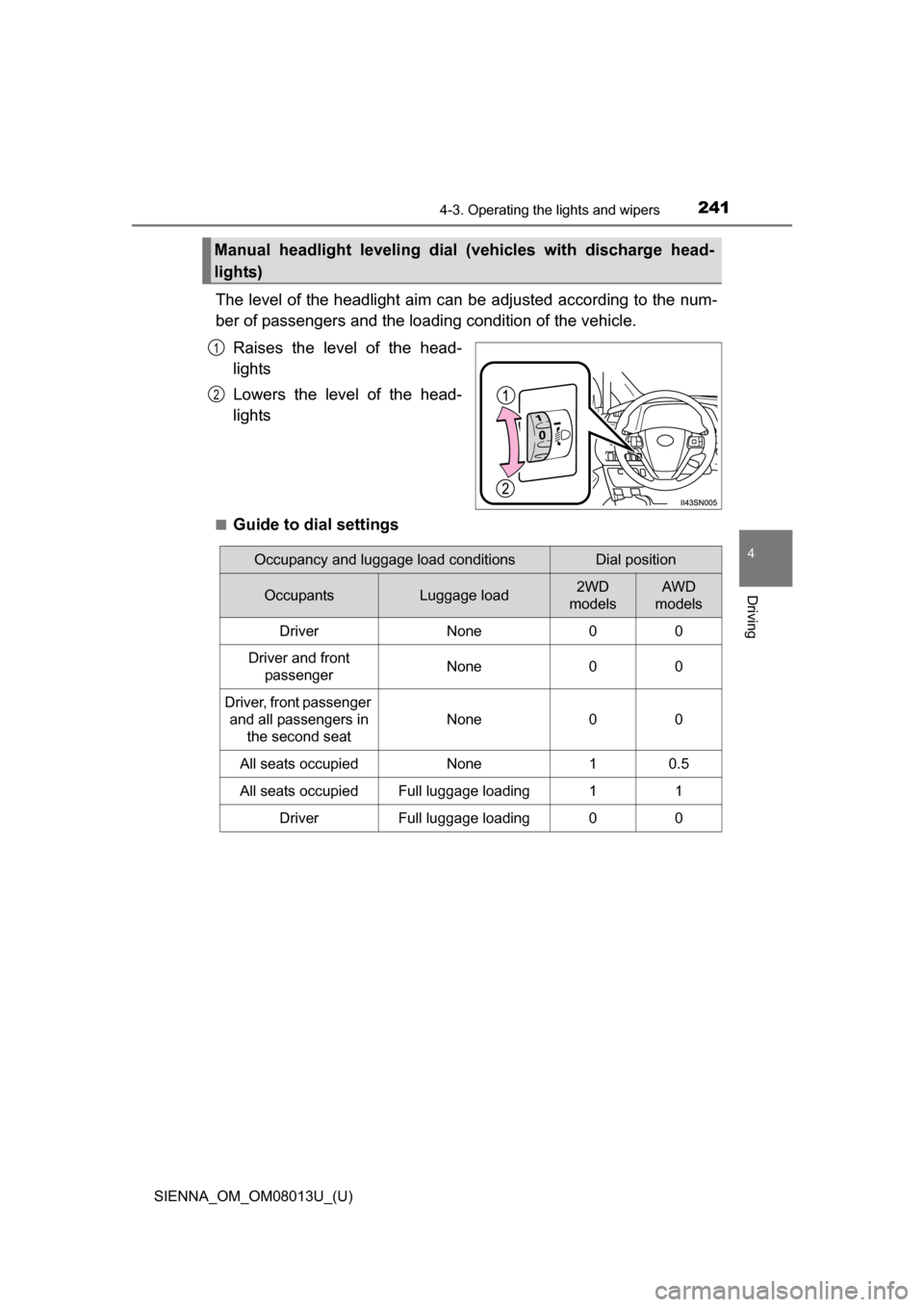
The level of the headlight aim can be adjusted according to the num-
ber of passengers and the loading condition of the vehicle.
Raises the level of the head-
lights
Lowers the level of the head-
lights
■Guide to dial settings
Manual headlight leveling dial (v ehicles with discharge head-
lights)
1
2
Occupancy and luggage load conditionsDial position
OccupantsLuggage load2WD
modelsAWD
models
DriverNone00
Driver and front
passengerNone00
Driver, front passenger and all passengers in the second seat
None00
All seats occupiedNone10.5
All seats occupiedFull luggage loading11
DriverFull luggage loading00
Page 409 of 668
SIENNA_OM_OM08013U_(U)
4096-1. Using the air conditioning system and defogger
6
Interior features
■The “SYNC” button
The air conditioning system swit ches between individual (indica-
tor(s) off) and simultaneous (indicators on) modes.
When the air conditioning system is in simultaneous mode, the pas-
senger and/or rear side temperat ure will be synchronized with
driver side’s.
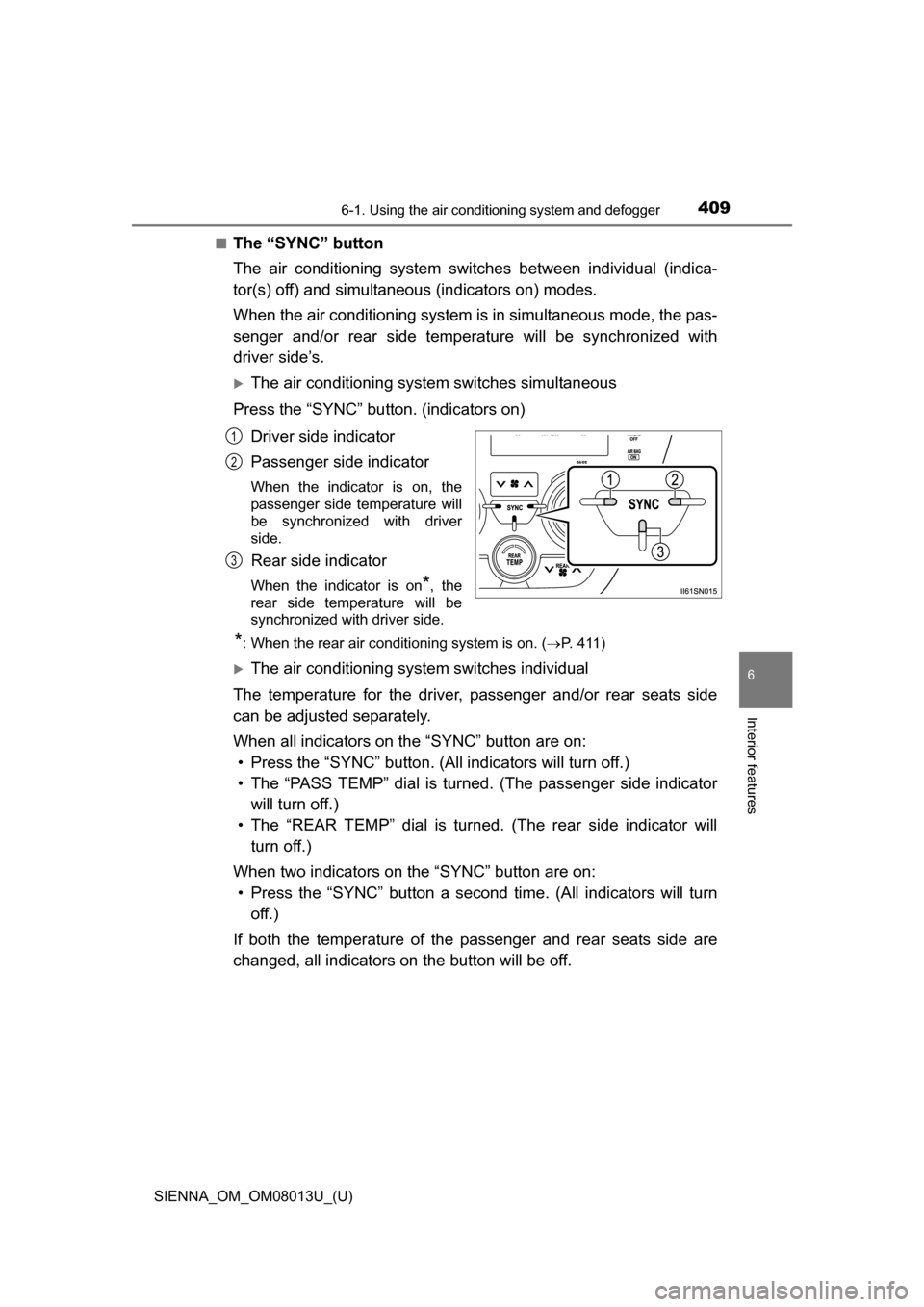
The air conditioning system switches simultaneous
Press the “SYNC” bu tton. (indicators on)
Driver side indicator
Passenger side indicator
When the indicator is on, the
passenger side temperature will
be synchronized with driver
side.
Rear side indicator
When the indicator is on*, the
rear side temperature will be
synchronized with driver side.
*: When the rear air conditioning system is on. ( P. 411)
The air conditioning system switches individual
The temperature for the driver, passenger and/or rear seats side
can be adjusted separately.
When all indicators on the “SYNC” button are on: • Press the “SYNC” button. (All indicators will turn off.)
• The “PASS TEMP” dial is turned. (The passenger side indicator will turn off.)
• The “REAR TEMP” dial is turned. (The rear side indicator will turn off.)
When two indicators on the “SYNC” button are on: • Press the “SYNC” button a second time. (All indicators will turn
off.)
If both the temperature of the passenger and rear seats side are
changed, all indicators on the button will be off.
1
2
3
Page 430 of 668
430
SIENNA_OM_OM08013U_(U)
6-3. Using the storage features
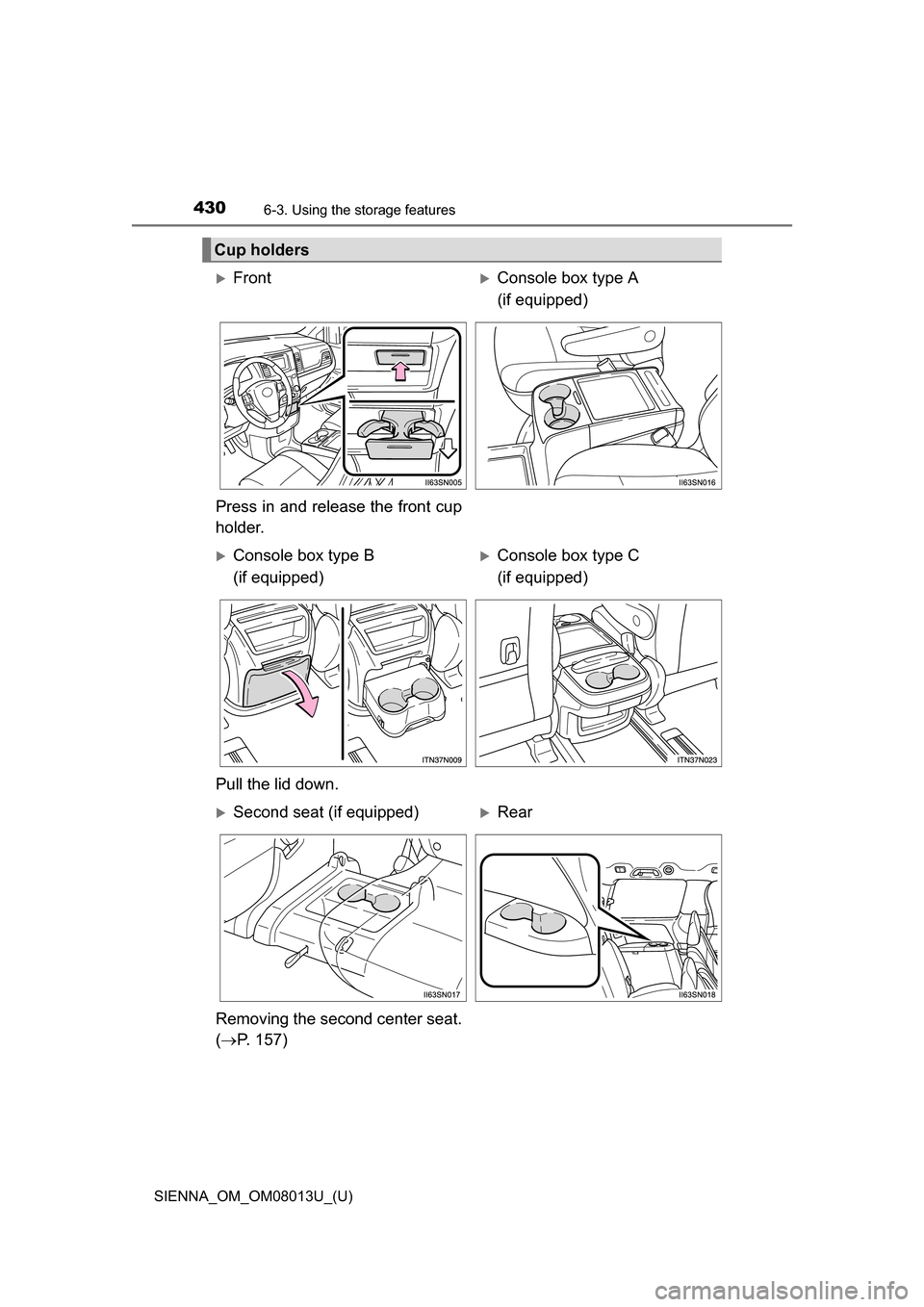
Cup holders
FrontConsole box type A
(if equipped)
Press in and release the front cup
holder.
Console box type B
(if equipped)Console box type C
(if equipped)
Pull the lid down.
Second seat (if equipped)Rear
Removing the second center seat.
( P. 157)
Page 435 of 668
SIENNA_OM_OM08013U_(U)
4356-3. Using the storage features
6
Interior features
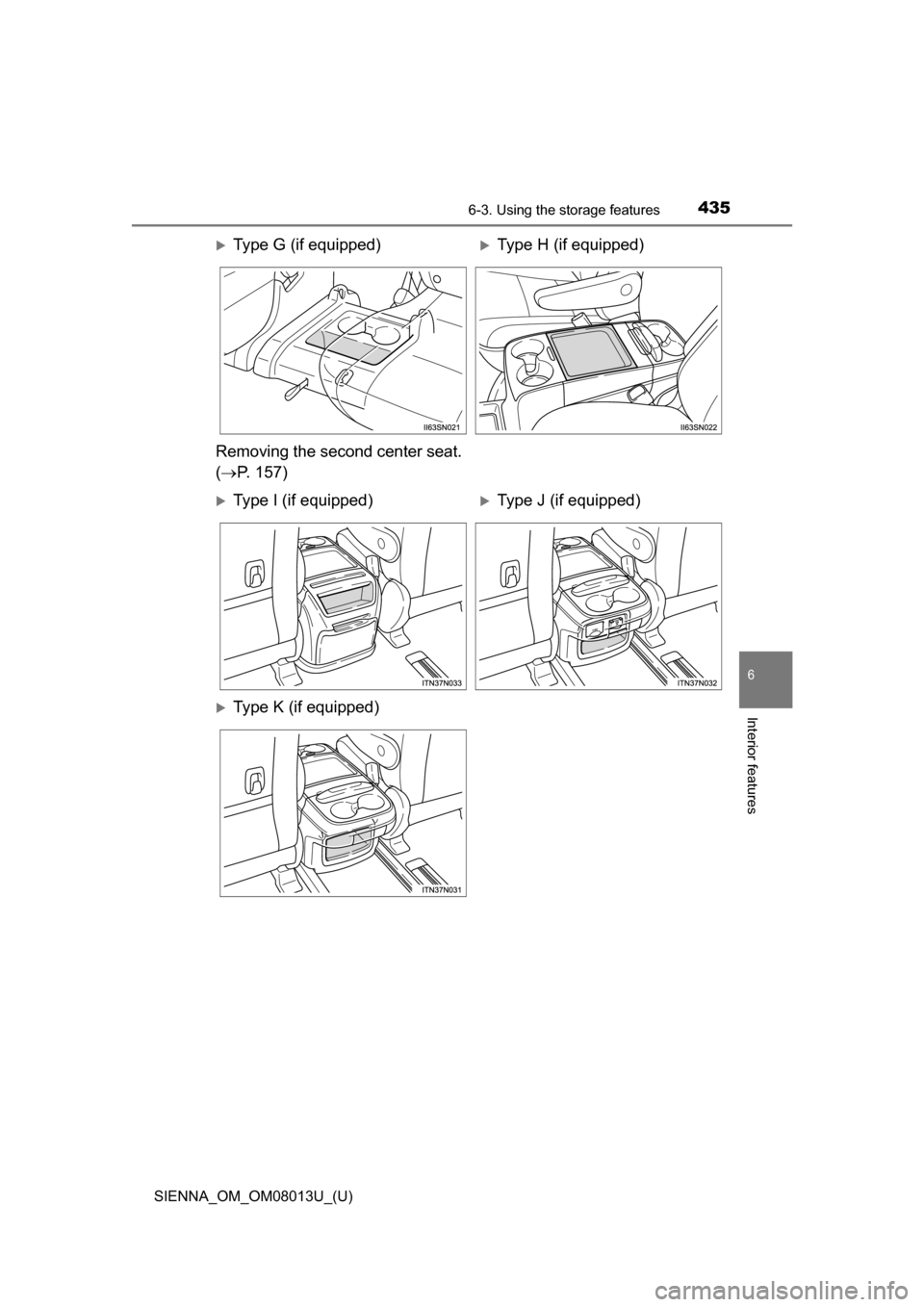
Type G (if equipped)Type H (if equipped)
Removing the second center seat.
( P. 157)
Type I (if equipped)Type J (if equipped)
Type K (if equipped)
Page 444 of 668
444
SIENNA_OM_OM08013U_(U)
6-4. Using the other interior features
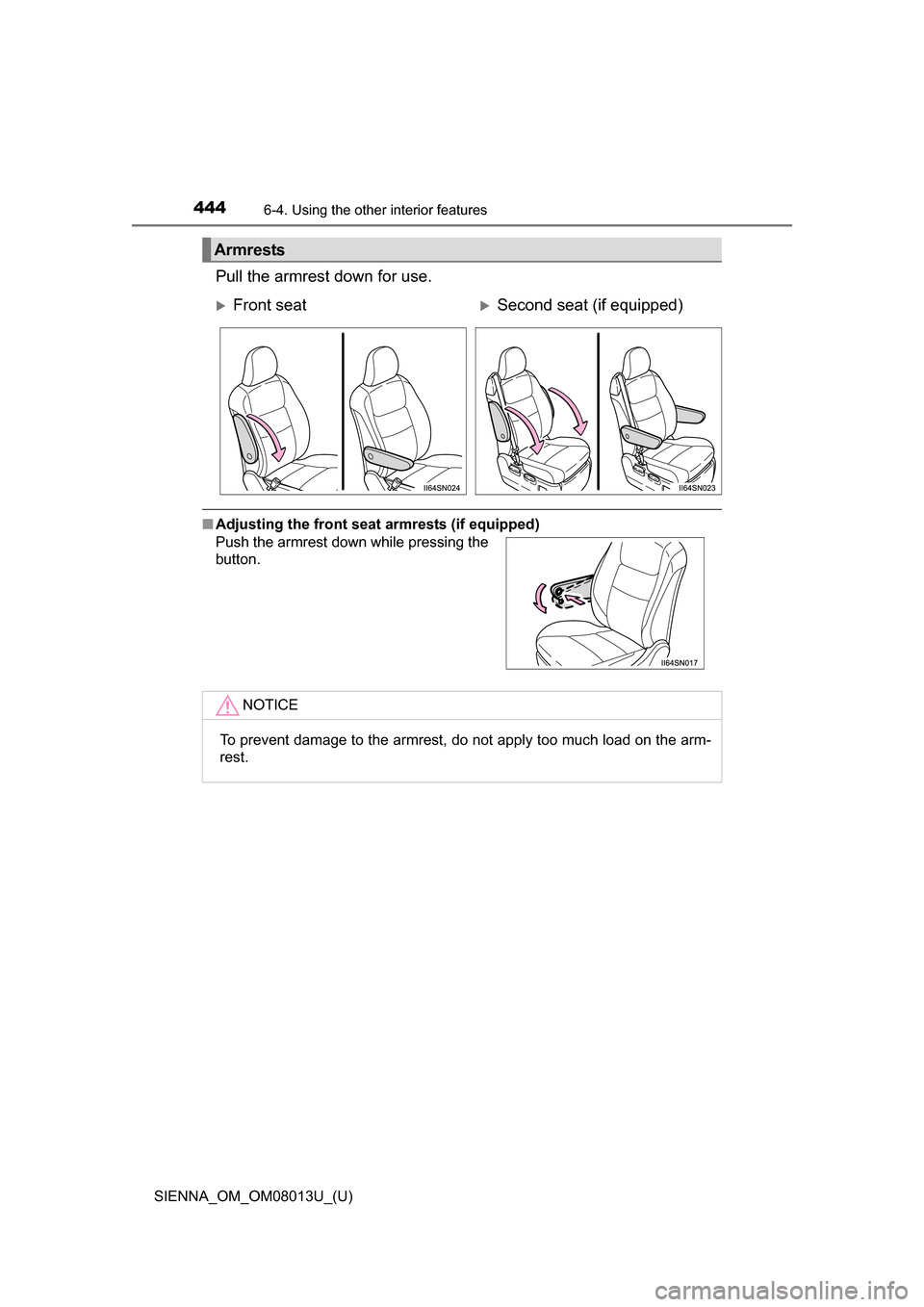
Pull the armrest down for use.
■Adjusting the front seat armrests (if equipped)
Armrests
Front seatSecond seat (if equipped)
Push the armrest down while pressing the
button.
NOTICE
To prevent damage to the armrest, do not apply too much load on the arm-
rest.
Page 489 of 668
SIENNA_OM_OM08013U_(U)
4897-3. Do-it-yourself maintenance
7
Maintenance and care
■Before recharging
When recharging, the battery produces hydrogen gas which is flammable and
explosive. Therefore, observe the following before recharging:
●If recharging with the battery installed on the vehicle, be sure to disconnect
the ground cable.
● Make sure the power switch on the charger is off when connecting and dis-
connecting the charger cables to the battery.
■ After recharging/reconnecting the ba ttery (vehicles with a smart key sys-
tem)
● Unlocking the doors using the smart key system may not be possible imme-
diately after reconnecting the battery. If this happens, use the wireless
remote control or the mechanical key to lock/unlock the doors.
● Start the engine with the engine switch in ACCESSORY mode. The engine
may not start with the engine switch turned off. However, the engine will
operate normally from the second attempt.
● The engine switch mode is recorded by the vehicle. If the battery is recon-
nected, the vehicle will return the engine switch mode to the status it was in
before the battery was disconnected. Make sure to turn off the engine
before disconnecting the battery. Take extra care when connecting the bat-
tery if the engine switch mode prior to discharge is unknown.
If the system will not start even after multiple attempts, contact your Toyota
dealer.
■ Disconnecting the batt ery (vehicles with an AUTO ACCESS SEAT)
Do not disconnect the battery while operating the AUTO ACCESS SEAT. The
AUTO ACCESS SEAT will become inoperable.
For details, refer to “AUTO ACCESS SEAT OWNER’S MANUAL”.
Page 544 of 668
5448-2. Steps to take in an emergency
SIENNA_OM_OM08013U_(U)
*1: Parking brake engaged warning buzzer:P. 554
*2: If equipped
*3: Open door warning buzzer:P. 551
*4: Driver’s seat belt buzzer:
The driver’s seat belt buzzer sounds to alert the driver that his or her seat
belt is not fastened. Once the engine switch is turned to the “ON” position
(vehicles without a smart key system) or IGNITION ON mode (vehicles
with a smart key system), the buzzer sounds for 6 seconds. If the vehicle
reaches a speed of 12 mph (20 km/h), the buzzer sounds once. If the
seat belt is still unfastened after 30 seconds, the buzzer will sound inter-
mittently for 10 seconds. Then, if the seat belt is still unfastened, the
buzzer will sound in a different tone for 20 more seconds.
Front passenger’s seat belt buzzer:
The front passenger’s seat belt buzzer sounds to alert the front passen-
ger that his or her seat belt is not fastened. The buzzer sounds once if the
vehicle reaches a speed of 12 mph (20 km/h). If the seat belt is still unfas-
tened after 30 seconds, the buzzer will sound intermittently for 10 sec-
onds. Then, if the seat belt is still unfastened, the buzzer will sound in a
different tone for 20 more seconds.