Page 171 of 668
SIENNA_OM_OM08013U_(U)
1713-3. Adjusting the seats
3
Operation of each component
■To stop the position recall operation part-way through
Perform any of the following:
●Press the “SET” button.
● Press button “1” or “2”.
● Operate any of the seat adjustment switches (only cancels seat position
recall).
■ Operating the driving position memory after turning the engine switch
off
Recorded seat positions can be activated up to 180 seconds after the driver’s
door is opened and another 60 seconds after it is closed again.
■ In order to correctly use the dr iving position memory function
If a seat position is already in the furthest possible position and the seat is
operated in the same direction, the recorded position may be slightly different
when it is recalled.
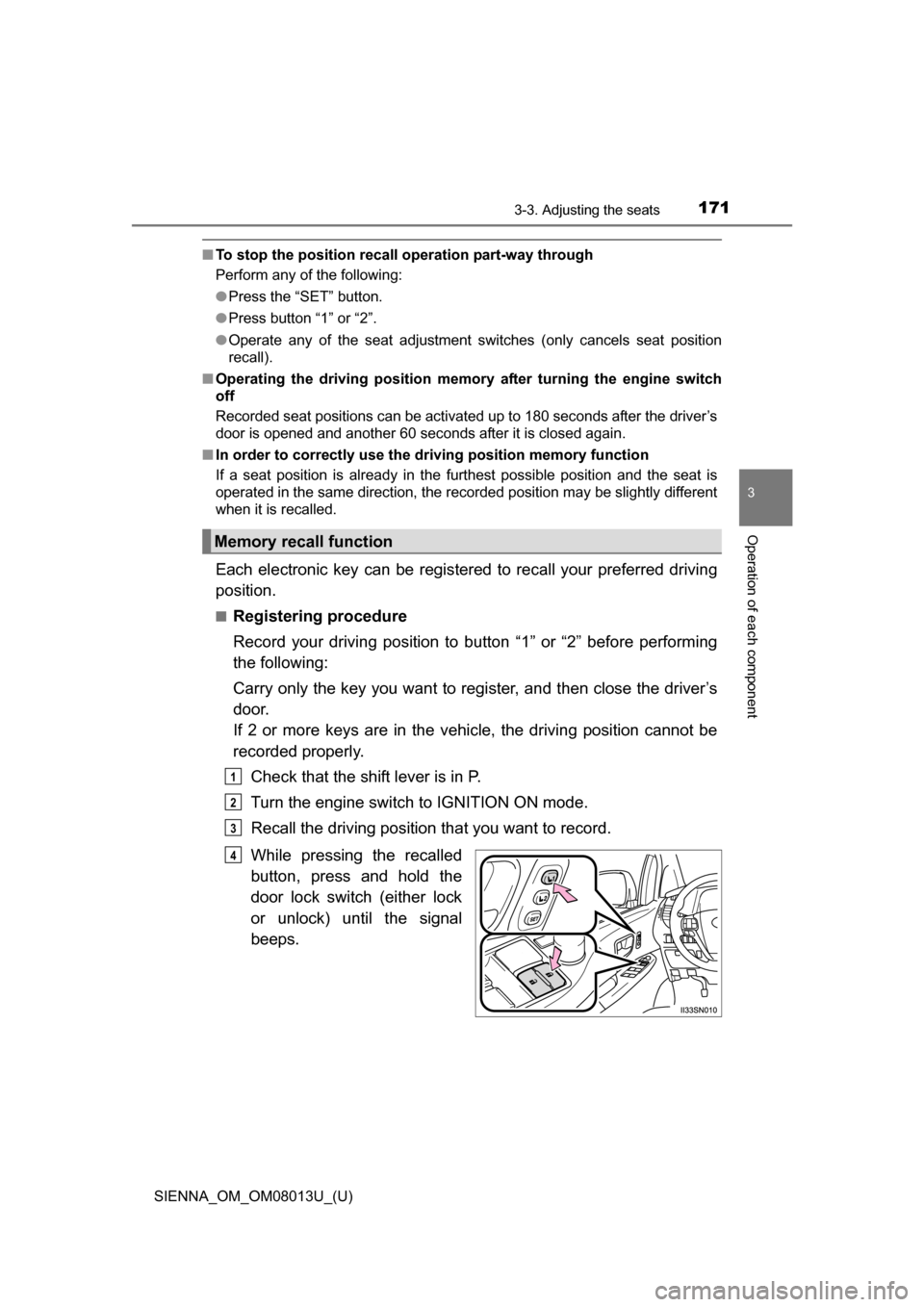
Each electronic key can be registered to recall your preferred driving
position.
■Registering procedure
Record your driving position to button “1” or “2” before performing
the following:
Carry only the key you want to re gister, and then close the driver’s
door.
If 2 or more keys are in the vehicle, the driving position cannot be
recorded properly.
Check that the shift lever is in P.
Turn the engine switch to IGNITION ON mode.
Recall the driving position that you want to record.
While pressing the recalled
button, press and hold the
door lock switch (either lock
or unlock) until the signal
beeps.
Memory recall function
1
2
3
4
Page 172 of 668
172
SIENNA_OM_OM08013U_(U)
3-3. Adjusting the seats
■Recall procedure
Carry the electronic key that has been registered to the driving
position, and then unlock and open the driver’s door using the
smart key system or wi reless remote control.
The driving position will move to the recorded position.
If the driving position is in a position that has already been recorded, the
seat and outside rear view mirrors will not move.
■
Cancelation procedure
Carry only the key you want to cancel and then close the driver’s
door.
If 2 or more keys are in the vehicle, the driving position cannot be
canceled properly.
Check that the shift lever is in P.
Turn the engine switch to IGNITION ON mode.
While pressing the “SET” button, press and hold the door lock
switch (either lock or unlock) until the signal beeps twice.
If the button could not be canceled, the signal beeps continuously for
approximately 3 seconds.
■Recalling the driving position us ing the memory recall function
● Different driving positions can be registered for each electronic key. There-
fore, the driving position that is recalled may be different depending on the
key being carried.
● If a door other than the driver’s door is unlocked with the smart key system,
the driving position cannot be recalled. In this case, press the driving posi-
tion button which has been set.
■ Customization
The unlock door settings of the memory recall function can be customized.
(Customizable features: P. 628)
WARNING
■Seat adjustment caution
Take care during seat adjustment so that the seat does not strike the rear
passenger or squeeze your body against the steering wheel.
1
2
3
Page 173 of 668
173
SIENNA_OM_OM08013U_(U)
3-3. Adjusting the seats
3
Operation of each component
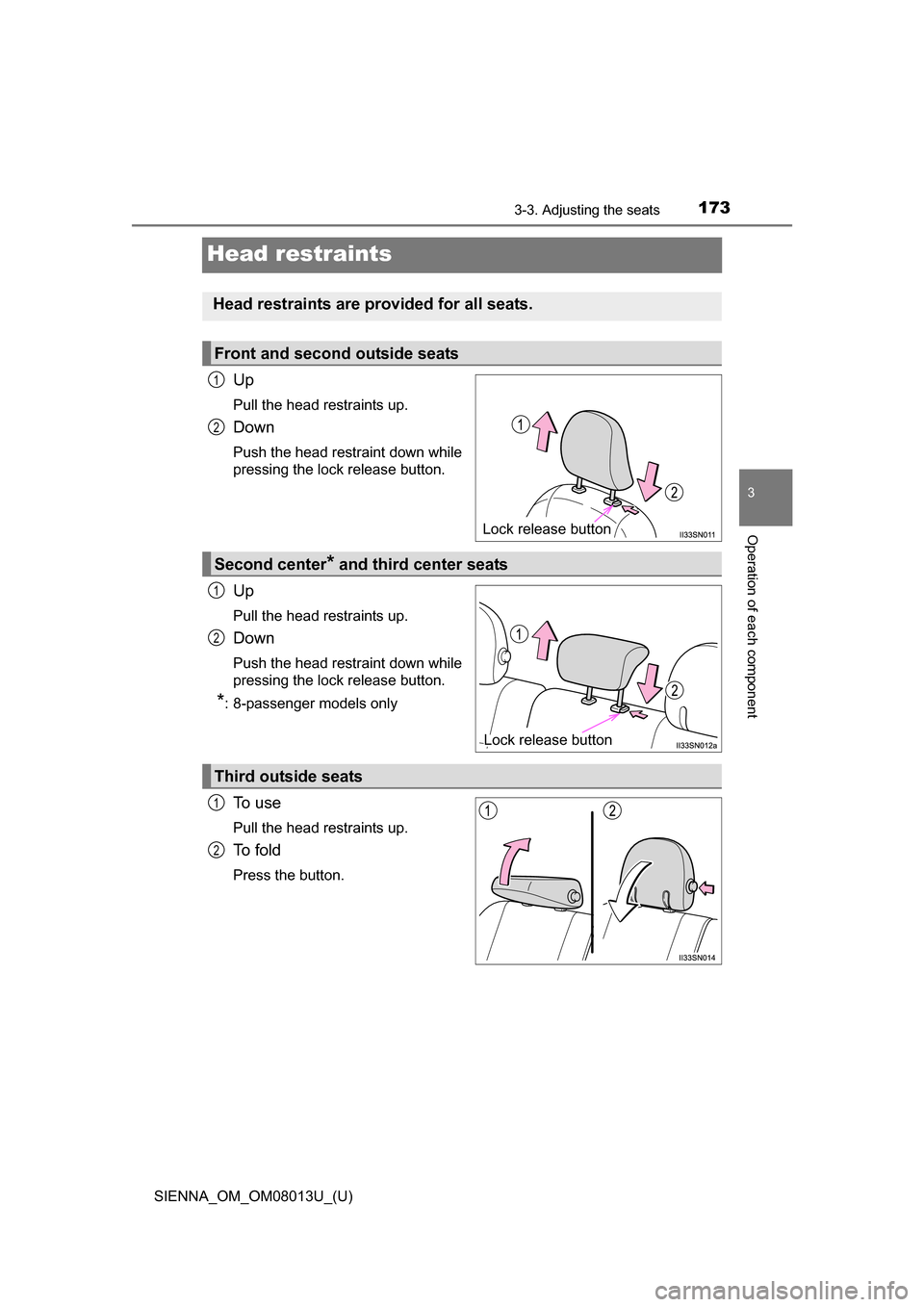
Head restraints
Up
Pull the head restraints up.
Down
Push the head restraint down while
pressing the lock release button.
Up
Pull the head restraints up.
Down
Push the head restraint down while
pressing the lock release button.
*: 8-passenger models only
To u s e
Pull the head restraints up.
To f o l d
Press the button.
Head restraints are provided for all seats.
Front and second outside seats
Lock release button
1
2
Second center* and third center seats
Lock release button
1
2
Third outside seats
1
2
Page 174 of 668
174
SIENNA_OM_OM08013U_(U)
3-3. Adjusting the seats
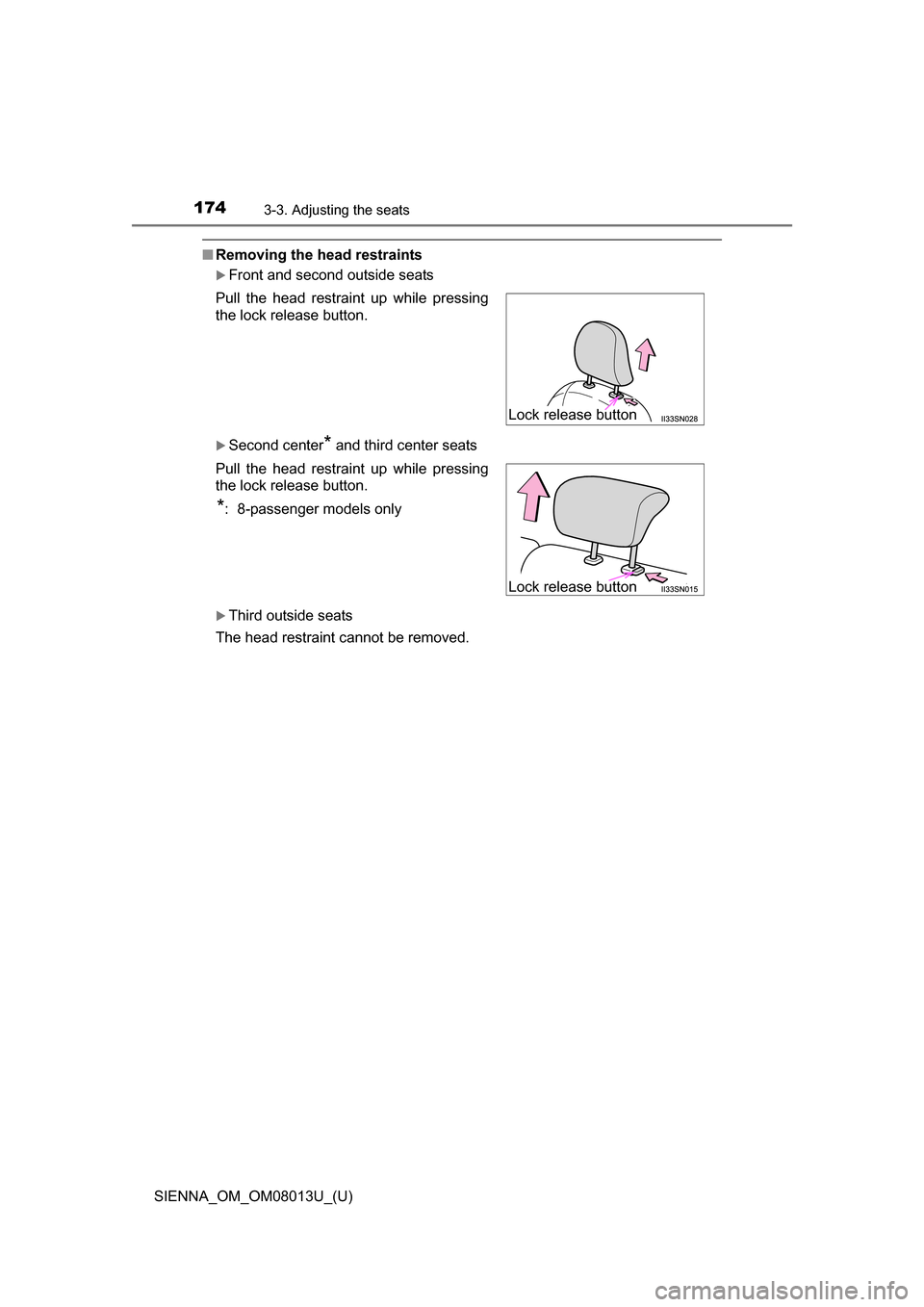
■Removing the head restraints
Front and second outside seats
Second center* and third center seats
Third outside seats
The head restraint cannot be removed. Pull the head restraint up while pressing
the lock release button.
Pull the head restraint up while pressing
the lock release button.
*: 8-passenger models only
Lock release button
Lock release button
Page 175 of 668
SIENNA_OM_OM08013U_(U)
1753-3. Adjusting the seats
3
Operation of each component
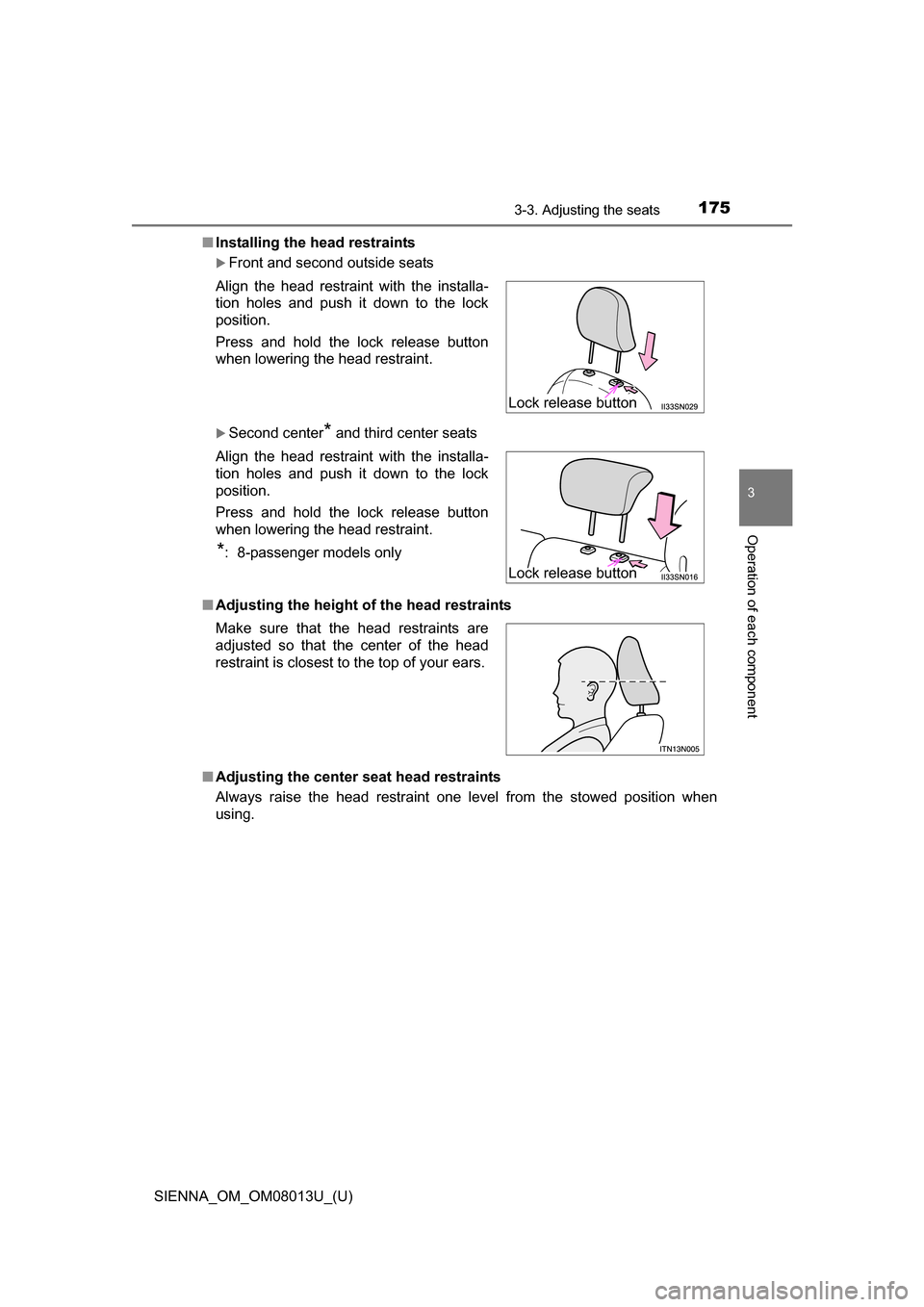
■Installing the head restraints
Front and second outside seats
Second center* and third center seats
■ Adjusting the height of the head restraints
■ Adjusting the center s eat head restraints
Always raise the head restraint one level from the stowed position when
using. Align the head restraint with the installa-
tion holes and push it down to the lock
position.
Press and hold the lock release button
when lowering the head restraint.
Align the head restraint with the installa-
tion holes and push it down to the lock
position.
Press and hold the lock release button
when lowering the head restraint.
*: 8-passenger models only
Make sure that the head restraints are
adjusted so that the center of the head
restraint is closest to the top of your ears.
Lock release button
Lock release button
Page 190 of 668
190
SIENNA_OM_OM08013U_(U)
3-5. Opening, closing the windows and moon roof
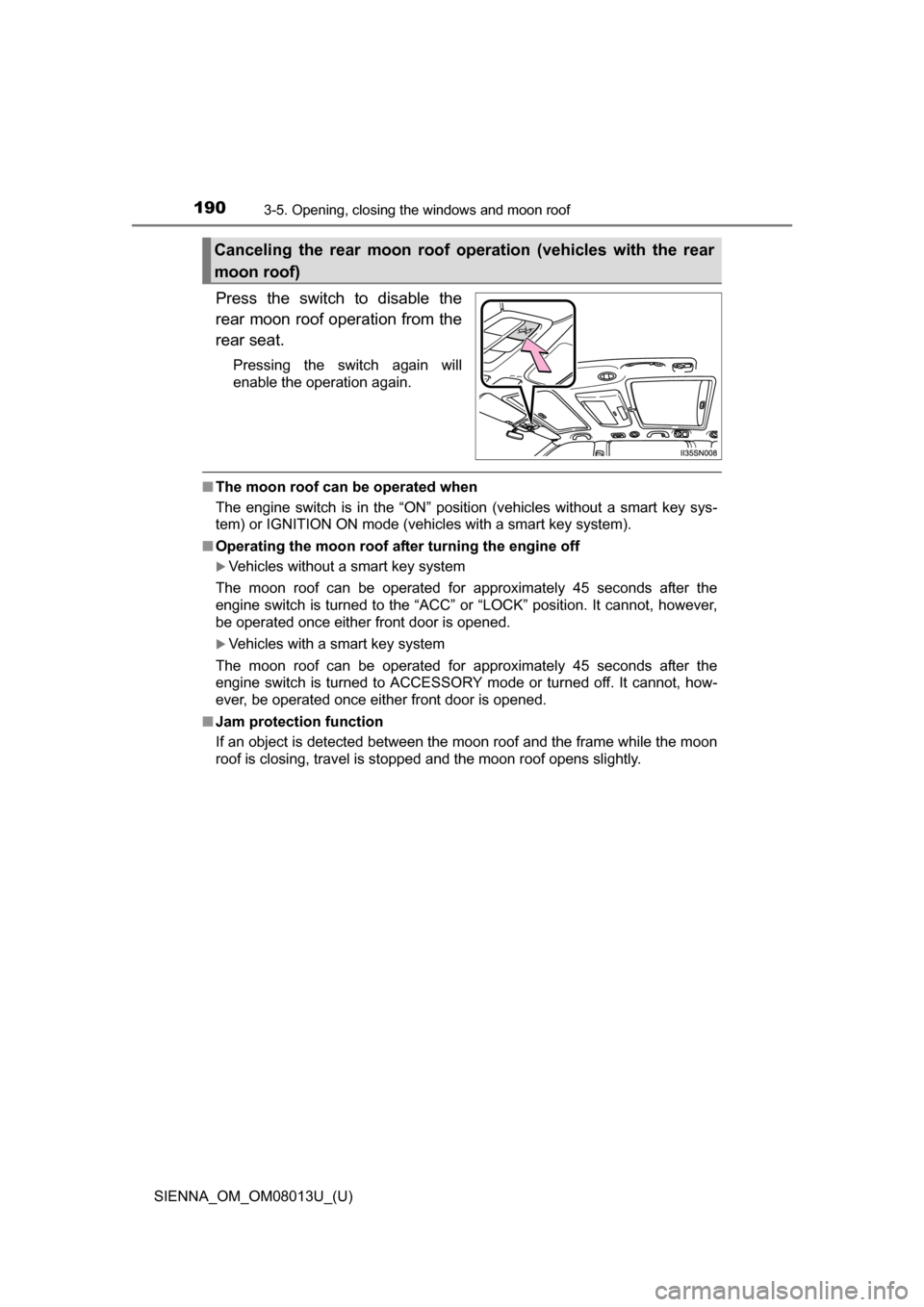
Press the switch to disable the
rear moon roof operation from the
rear seat.
Pressing the switch again will
enable the operation again.
■The moon roof can be operated when
The engine switch is in the “ON” position (vehicles without a smart key sys-
tem) or IGNITION ON mode (vehicles with a smart key system).
■ Operating the moon roof af ter turning the engine off
Vehicles without a smart key system
The moon roof can be operated for approximately 45 seconds after the
engine switch is turned to the “ACC” or “LOCK” position. It cannot, however,
be operated once either front door is opened.
Vehicles with a smart key system
The moon roof can be operated for approximately 45 seconds after the
engine switch is turned to ACCESSORY mode or turned off. It cannot, how-
ever, be operated once either front door is opened.
■ Jam protection function
If an object is detected between the moon roof and the frame while the moon
roof is closing, travel is stopped and the moon roof opens slightly.
Canceling the rear moon roof operation (vehicles with the rear
moon roof)
Page 206 of 668
206
SIENNA_OM_OM08013U_(U)
4-1. Before driving
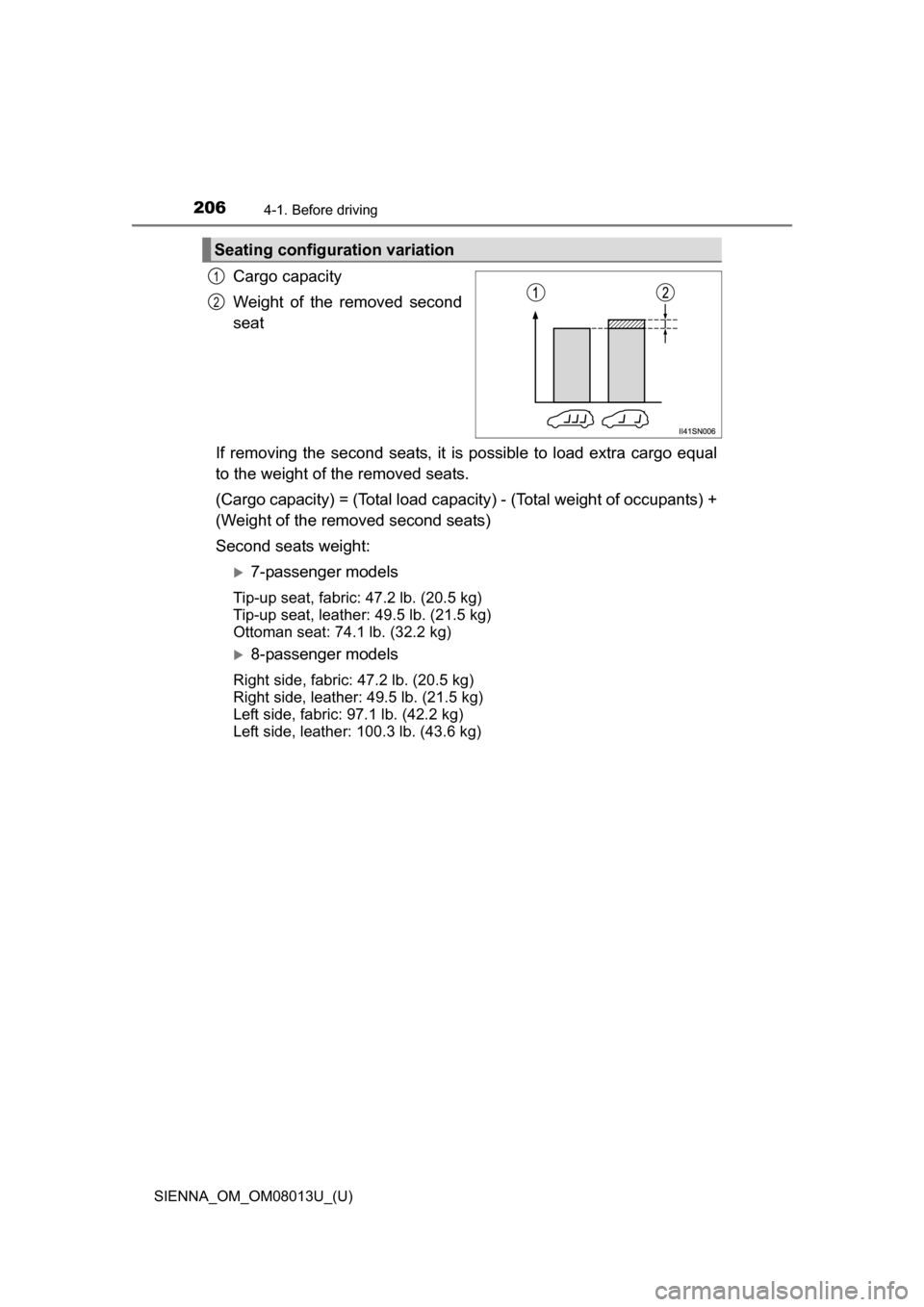
Cargo capacity
Weight of the removed second
seat
If removing the second seats, it is possible to load extra cargo equal
to the weight of the removed seats.
(Cargo capacity) = (Total load capacity) - (Total weight of occupants) +
(Weight of the removed second seats)
Second seats weight:
7-passenger models
Tip-up seat, fabric: 47.2 lb. (20.5 kg)
Tip-up seat, leather: 49.5 lb. (21.5 kg)
Ottoman seat: 74.1 lb. (32.2 kg)
8-passenger models
Right side, fabric: 47.2 lb. (20.5 kg)
Right side, leather: 49.5 lb. (21.5 kg)
Left side, fabric: 97.1 lb. (42.2 kg)
Left side, leather: 100.3 lb. (43.6 kg)
Seating configuration variation
1
2
Page 209 of 668
209
SIENNA_OM_OM08013U_(U)
4-1. Before driving
4
Driving
Vehicle load limits
◆Total load capacity (vehicle capacity weight): P. 5 9 8
Total load capacity means the combined weight of occupants, cargo
and luggage.
◆Seating capacity
Without second center seat: 7 occupants (Front 2, Rear 5)
With second center seat: 8 occupants (Front 2, Rear 6)
Seating capacity means the maxi mum number of occupants whose
estimated average weight is 150 lb. (68 kg) per person.
◆TWR (Trailer Weight Rating): P. 214, 598
TWR means the maximum gross trailer weight (trailer weight plus
its cargo weight) that your vehicle is able to tow.
◆Cargo capacity
Cargo capacity may increase or decrease depending on the weight
and the number of occupants.
■Total load capacity and seating capacity
These details are also described on the tire and loading information label.
( P. 500)
Vehicle load limits include total load capacity, seating capacity,
TWR (Trailer Weight Rati ng) and cargo capacity.
WARNING
■Overloading the vehicle
Do not overload the vehicle.
It may not only cause damage to the tires, but also degrade steering
and braking ability, resulting in an accident.