Page 379 of 800
PRIUS_OM_OM47A29U_(U)
3794-5. Using the driving support systems
4
Driving
■Function summary
When departing from a parallel parking position, select the direction
you would like to depart in, and steering wheel operation assist con-
trol will be provided to guide the vehicle to a position from which
you can take off.
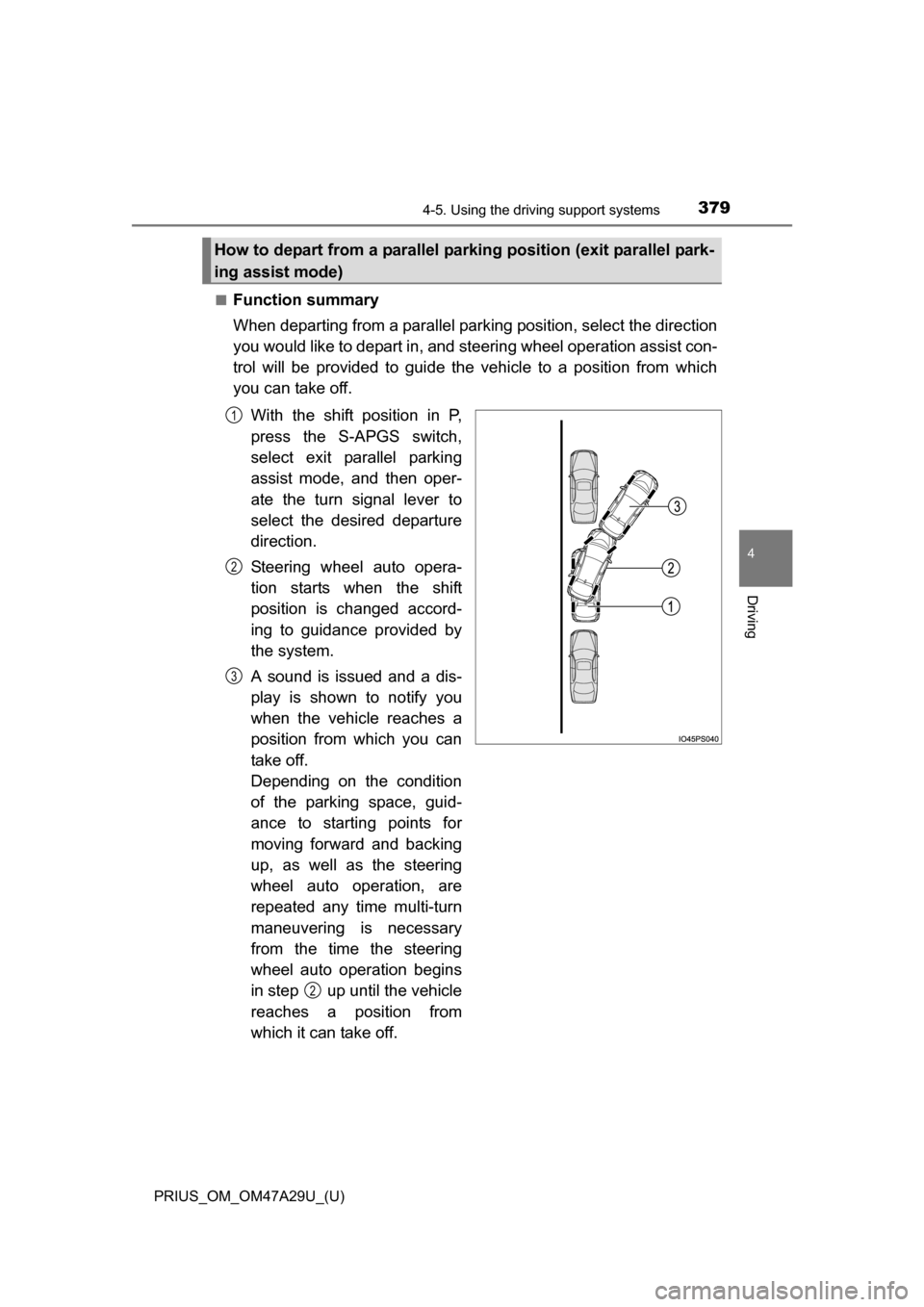
With the shift position in P,
press the S-APGS switch,
select exit parallel parking
assist mode, and then oper-
ate the turn signal lever to
select the desired departure
direction.
Steering wheel auto opera-
tion starts when the shift
position is changed accord-
ing to guidance provided by
the system.
A sound is issued and a dis-
play is shown to notify you
when the vehicle reaches a
position from which you can
take off.
Depending on the condition
of the parking space, guid-
ance to starting points for
moving forward and backing
up, as well as the steering
wheel auto operation, are
repeated any time multi-turn
maneuvering is necessary
from the time the steering
wheel auto operation begins
in step up until the vehicle
reaches a position from
which it can take off.
How to depart from a parallel park ing position (exit parallel park-
ing assist mode)
1
2
3
2
Page 380 of 800
380
PRIUS_OM_OM47A29U_(U)
4-5. Using the driving support systems
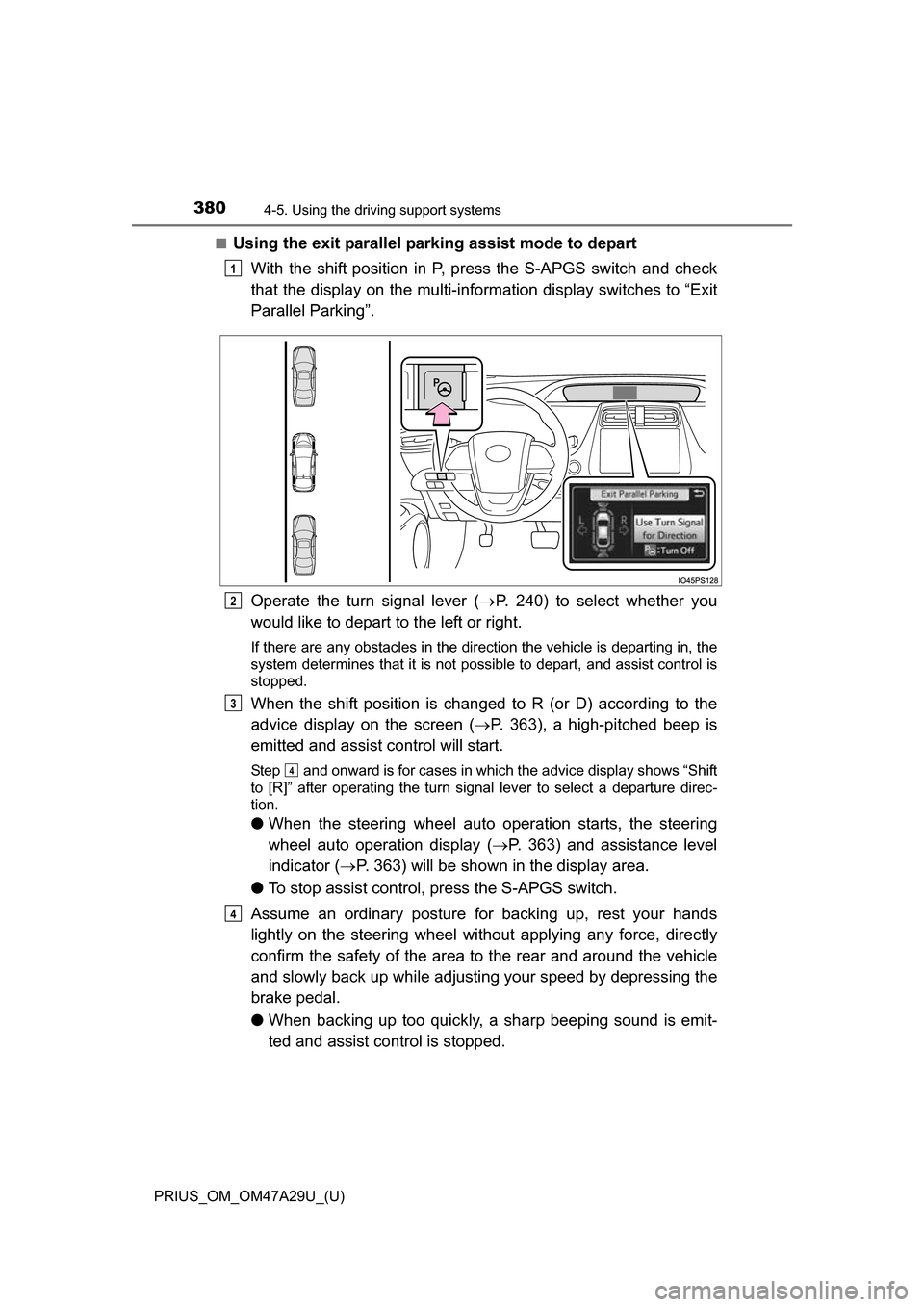
■Using the exit parallel parking assist mode to depart
With the shift position in P, press the S-APGS switch and check
that the display on the multi-information display switches to “Exit
Parallel Parking”.
Operate the turn signal lever ( P. 240) to select whether you
would like to depart to the left or right.
If there are any obstacles in the direction the vehicle is departing in, the
system determines that it is not possible to depart, and assist control is
stopped.
When the shift position is changed to R (or D) according to the
advice display on the screen ( P. 363), a high-pitched beep is
emitted and assist control will start.
Step and onward is for cases in which the advice display shows “Shift
to [R]” after operating the turn signal lever to select a departure direc-
tion.
● When the steering wheel auto operation starts, the steering
wheel auto operation display ( P. 363) and assistance level
indicator ( P. 363) will be shown in the display area.
● To stop assist control, press the S-APGS switch.
Assume an ordinary posture for backing up, rest your hands
lightly on the steering wheel wi thout applying any force, directly
confirm the safety of the area to the rear and around the vehicle
and slowly back up while adjusti ng your speed by depressing the
brake pedal.
● When backing up too quickly, a sharp beeping sound is emit-
ted and assist control is stopped.
1
2
3
4
4
Page 381 of 800
PRIUS_OM_OM47A29U_(U)
3814-5. Using the driving support systems
4
Driving
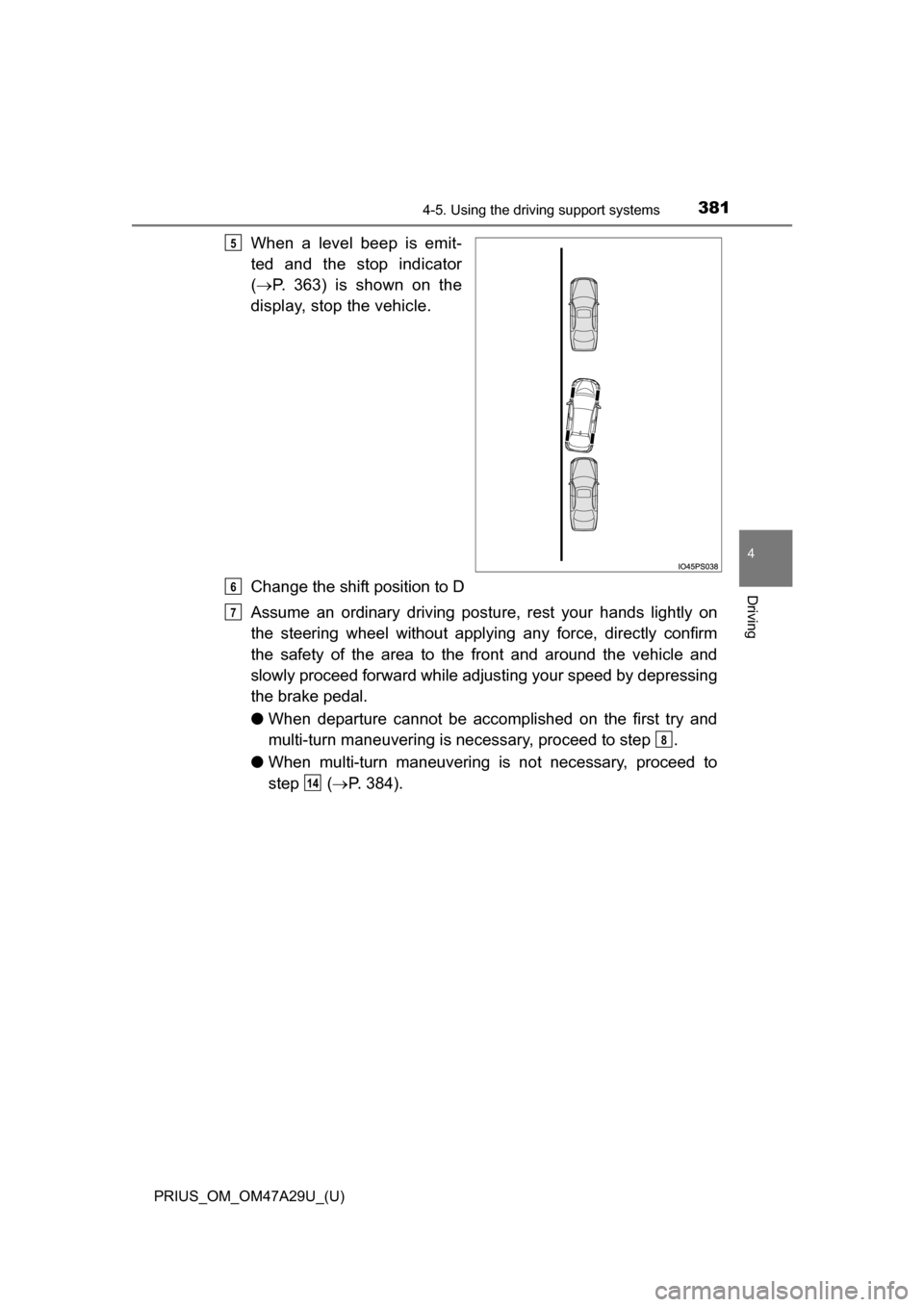
When a level beep is emit-
ted and the stop indicator
( P. 363) is shown on the
display, stop the vehicle.
Change the shift position to D
Assume an ordinary driving postu re, rest your hands lightly on
the steering wheel without applying any force, directly confirm
the safety of the area to the front and around the vehicle and
slowly proceed forward while adjus ting your speed by depressing
the brake pedal.
● When departure cannot be accomp lished on the first try and
multi-turn maneuvering is necessary, proceed to step .
● When multi-turn maneuvering is not necessary, proceed to
step ( P. 384).5
6
7
8
14
Page 382 of 800
382
PRIUS_OM_OM47A29U_(U)
4-5. Using the driving support systems
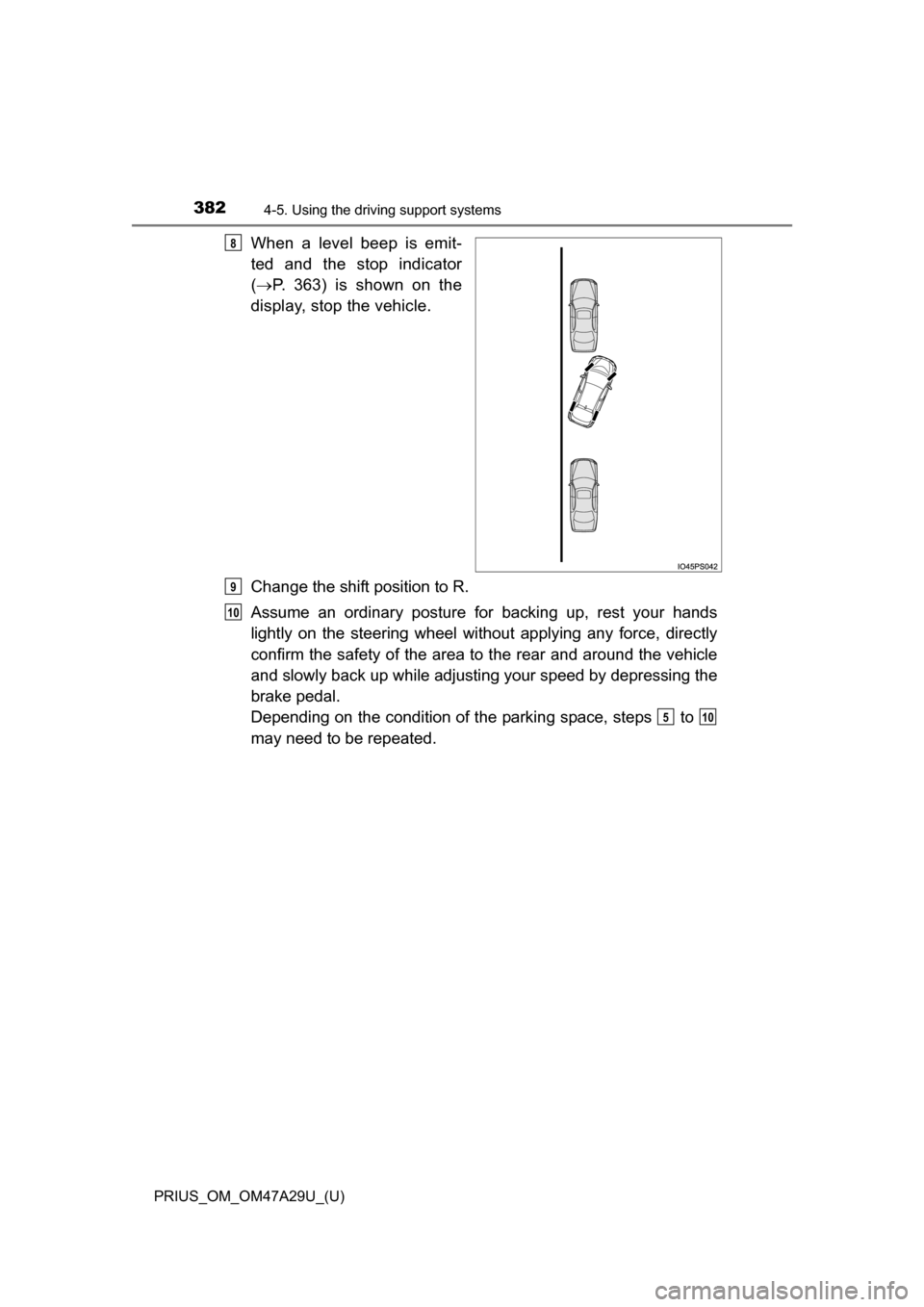
When a level beep is emit-
ted and the stop indicator
( P. 363) is shown on the
display, stop the vehicle.
Change the shift position to R.
Assume an ordinary posture for backing up, rest your hands
lightly on the steering wheel wi thout applying any force, directly
confirm the safety of the area to the rear and around the vehicle
and slowly back up while adjusti ng your speed by depressing the
brake pedal.
Depending on the condition of the parking space, steps to
may need to be repeated.8
9
10
510
Page 383 of 800
PRIUS_OM_OM47A29U_(U)
3834-5. Using the driving support systems
4
Driving
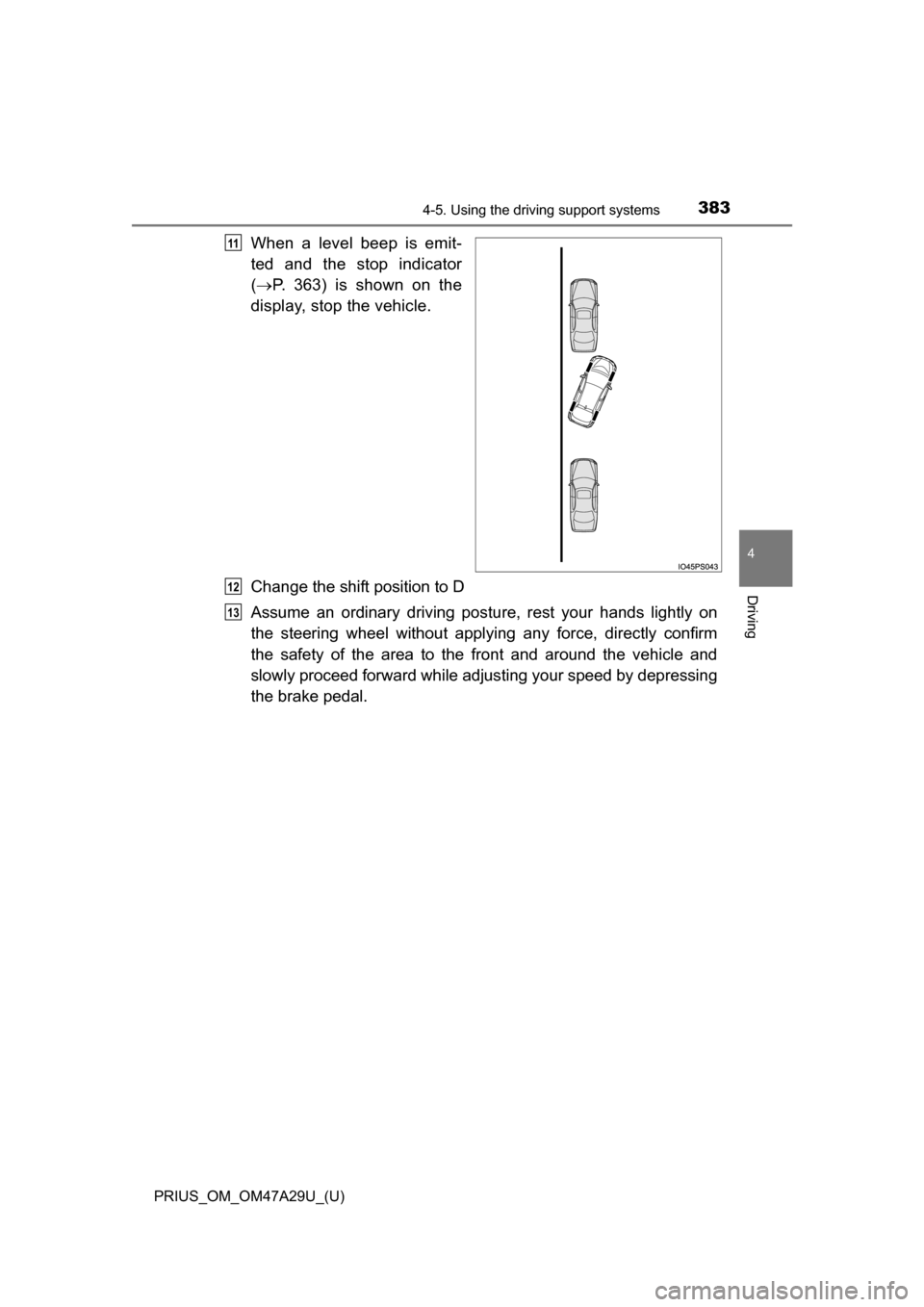
When a level beep is emit-
ted and the stop indicator
( P. 363) is shown on the
display, stop the vehicle.
Change the shift position to D
Assume an ordinary driving postu re, rest your hands lightly on
the steering wheel without applying any force, directly confirm
the safety of the area to the front and around the vehicle and
slowly proceed forward while adjus ting your speed by depressing
the brake pedal.11
12
13
Page 384 of 800

384
PRIUS_OM_OM47A29U_(U)
4-5. Using the driving support systems
When the vehicle has nearly
reached the take-off point, a
high-pitched beep is emitted
and assist control finishes.
From there, grasp the steer-
ing wheel and proceed for-
ward.
■Exit parallel parking assist mode
●During assist control, if the driver determines that they are at a position
where take-off is possible and operates the steering wheel, assist control is
stopped at that position.
● Assist control cannot be used if there are no parked vehicles ahead, or if the
gap between the front of your vehicle and the vehicle parked ahead is too
large.
● When using the exit parallel parking assist mode, the assist mode may be
not be able to operate depending on the surrounding environment.
14
NOTICE
● The detection range of the sensors ( P. 339) is limited. Directly confirm
the safety of your surroundings, and if there is a possibility of a contact
accident, stop the vehicle by depressing the brake pedal.
● It may not be possible to detect objects that are low to the ground. Directly
confirm the safety of your surroundings and, if it seems the vehicle may\
make contact with an obstacle, stop the vehicle by depressing the brake
pedal.
● When departing for a position from which you can take off, directly confirm
the safety of your surroundings.
Page 385 of 800

PRIUS_OM_OM47A29U_(U)
3854-5. Using the driving support systems
4
Driving
When the Simple Advanced Parki ng Guidance System cannot be
operated, or when operation is stopped, canceled, etc., the one of the
following message is displayed on the multi-information display. Take
appropriate action according to the display.
■When it is not possible to operate
Multi-information display messages
MessageSituation•Handling method
The system may be malfunctioning.
Turn the power switch off and then to ON
mode.
Have the vehicle inspected by your Toyota
dealer if the message is displayed again.
There may be a system failure.
Power steering equipment is temporarily overheat-
ing.
Turn the power switch off, wait for a little
while, and then turn the power switch back to
ON mode.
The power switch is not in ON mode.
Turn the power switch to ON mode.
Ice, snow, dirt, etc., has adhered to the sensor.
Remove any ice, snow, dirt, etc.
The sensor is frozen.
Once the sensor thaws, the system will return
to normal.
The battery has been removed and reinstalled.
Drive the vehicle straight ahead for 5 seconds
or more at a speed of approximately 22 mph
(35 km/h) or higher.
The S-APGS switch is operated when the vehicle
speed exceeds 16 mph (30 km/h).
Operate the switch when the vehicle speed is
approximately 16 mph (30 km/h) or less.
Page 386 of 800
386
PRIUS_OM_OM47A29U_(U)
4-5. Using the driving support systems
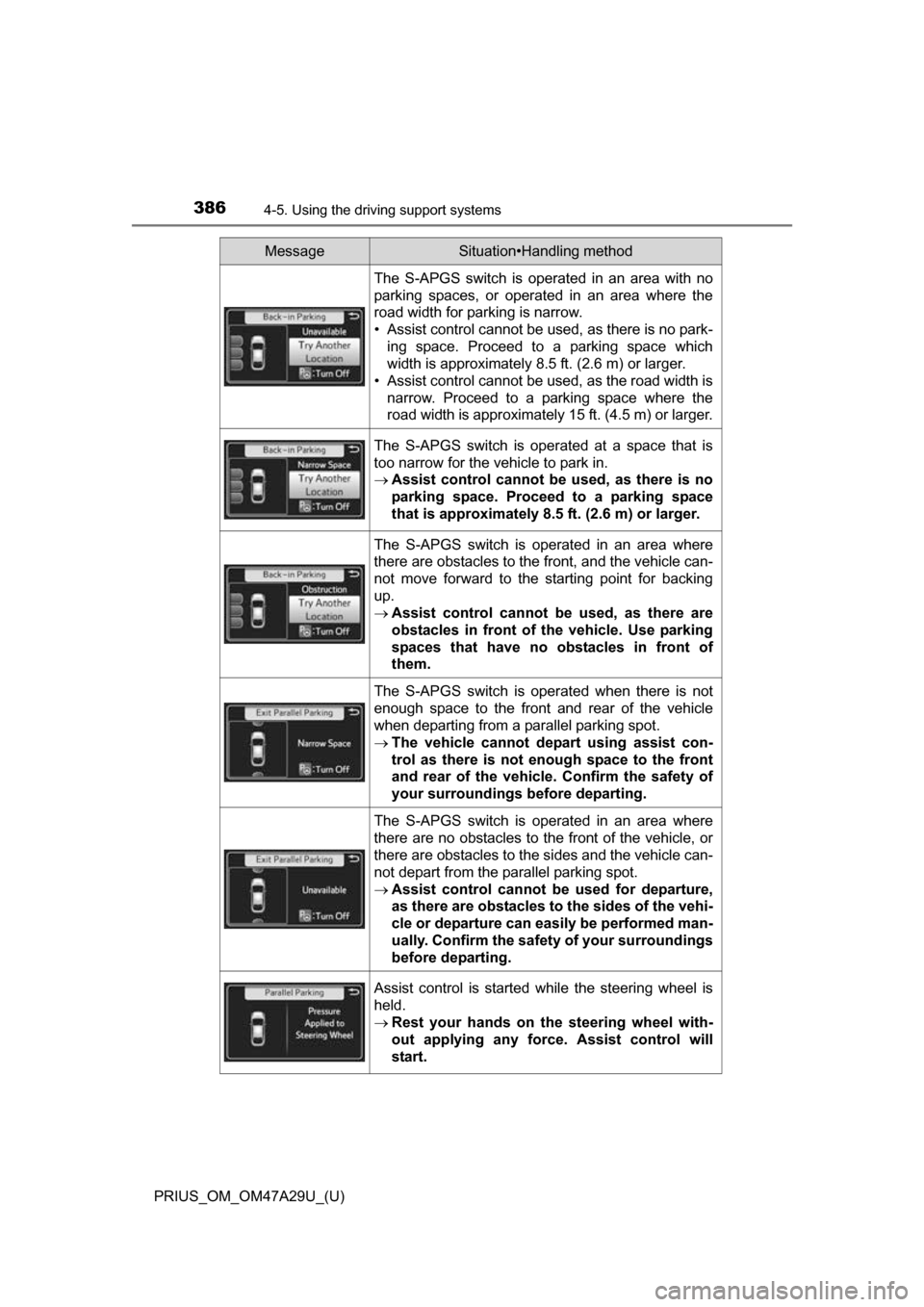
The S-APGS switch is operated in an area with no
parking spaces, or operated in an area where the
road width for parking is narrow.
• Assist control cannot be used, as there is no park-
ing space. Proceed to a parking space which
width is approximately 8.5 ft. (2.6 m) or larger.
• Assist control cannot be used, as the road width is narrow. Proceed to a parking space where the
road width is approximately 15 ft. (4.5 m) or larger.
The S-APGS switch is operated at a space that is
too narrow for the vehicle to park in.
Assist control cannot be used, as there is no
parking space. Proceed to a parking space
that is approximately 8.5 ft. (2.6 m) or larger.
The S-APGS switch is operated in an area where
there are obstacles to the front, and the vehicle can-
not move forward to the starting point for backing
up.
Assist control cannot be used, as there are
obstacles in front of th e vehicle. Use parking
spaces that have no obstacles in front of
them.
The S-APGS switch is operated when there is not
enough space to the front and rear of the vehicle
when departing from a parallel parking spot.
The vehicle cannot depart using assist con-
trol as there is not e nough space to the front
and rear of the vehicle . Confirm the safety of
your surroundings before departing.
The S-APGS switch is operated in an area where
there are no obstacles to the front of the vehicle, or
there are obstacles to the sides and the vehicle can-
not depart from the parallel parking spot.
Assist control cannot be used for departure,
as there are obstacles to the sides of the vehi-
cle or departure can easily be performed man-
ually. Confirm the safet y of your surroundings
before departing.
Assist control is started while the steering wheel is
held.
Rest your hands on the steering wheel with-
out applying any force. Assist control will
start.
MessageSituation•Handling method