Page 393 of 800
PRIUS_OM_OM47A29U_(U)
3934-5. Using the driving support systems
4
Driving
WARNING
●Observe the following precautions, as the sensors may stop functioning
properly which may lead to an accident.
• Do not subject the sensor to strong shocks by hitting it, etc. The sen-
sors may not function properly.
• When using a high-pressure washer to wash the vehicle, do not spray
water directly on the sensors. Equipment may not function properly if
subjected to an impact from strong water pressure. If the vehicle
bumper strikes something, equipment may not operate properly due to
a sensor malfunction. Have the vehicle inspected at your Toyota dealer.
● In the following situations, the sensors may not operate normally and may
lead to an accident. Drive carefully.
• Obstacles cannot be detected in the side areas until a scan of the side
areas is completed ( P. 341).
• Even after the scan of the side areas is completed, obstacles such as other vehicles, people or animals that approach from the sides cannot
be detected.
• The sensor is frozen (if it thaws, the system returns to normal). A warn- ing message may display at particularly low temperatures due to the
sensor freezing and it may not detect parked vehicles.
• The sensor is blocked by someone’s hand.
• The vehicle is tilted a large amount.
• The temperature is extremely hot or cold.
• The vehicle is driven on undulating r oads, slopes, gravel roads, in areas
with tall grass, etc.
• An ultrasonic wave source is nearby, such as the horn or sensors of another vehicle, a motorcycle engine or the air brake of a large vehicle.
• Heavy rain or a water strikes the vehicle.
• The angle of the sensor may be deviated when assist control starts even if there is a parked vehicle next to the target parking spot. Have
the vehicle inspected at your Toyota dealer.
• Do not install any accessories within the sensor detection range.
Page 404 of 800
404
PRIUS_OM_OM47A29U_(U)
4-5. Using the driving support systems
Driving assist systems
◆ECB (Electronically Controlled Brake System)
The electronically controlled system generates braking force corre-
sponding to the brake operation
◆ABS (Anti-lock Brake System)
Helps to prevent wheel lock when the brakes are applied suddenly,
or if the brakes are applied while driving on a slippery road surface
◆Brake assist
Generates an increased level of braking force after the brake pedal
is depressed when the system detects a panic stop situation
◆VSC (Vehicle Stability Control)
Helps the driver to control skidding when swerving suddenly or
turning on slippery road surfaces
◆TRAC (Traction Control)
Helps to maintain drive power and prevent the drive wheels from
spinning when starting the vehicle or accelerating on slippery roads
◆EPS (Electric Power Steering)
Employs an electric motor to redu ce the amount of effort needed to
turn the steering wheel
To help enhance driving safety and performance, the following
systems operate automatically in response to various driving
situations. Be aware, however, that these systems are supple-
mentary and should not be relied upon too heavily when operat-
ing the vehicle.
Page 407 of 800
PRIUS_OM_OM47A29U_(U)
4074-5. Using the driving support systems
4
Driving
■Sounds and vibrations caused by the ABS, brake assist, VSC, TRAC and
hill-start assist control systems
Any of the following conditions may occur when the above systems are oper-
ating. None of these indicates that a malfunction has occurred.
● Vibrations may be felt through the vehicle body and steering.
● A motor sound may be heard also after the vehicle comes to a stop.
● The brake pedal may pulsate slightly after the ABS is activated.
● The brake pedal may move down slightly after the ABS is activated.
■ ECB operating sound
ECB operating sound may be heard in the following cases, but it does not
indicate that a malfunction has occurred.
●Operating sound heard from the engine compartment when the brake pedal
is operated.
● Motor sound of the brake system heard from the front part of the vehicle
when the driver’s door is opened.
● Operating sound heard from the engine compartment when 1 or 2 minutes
passed after the stop of the hybrid system.
■ EPS operation sound
When the steering wheel is operated, a motor sound (whirring sound) may be
heard. This does not indicate a malfunction.
Page 408 of 800
408
PRIUS_OM_OM47A29U_(U)
4-5. Using the driving support systems
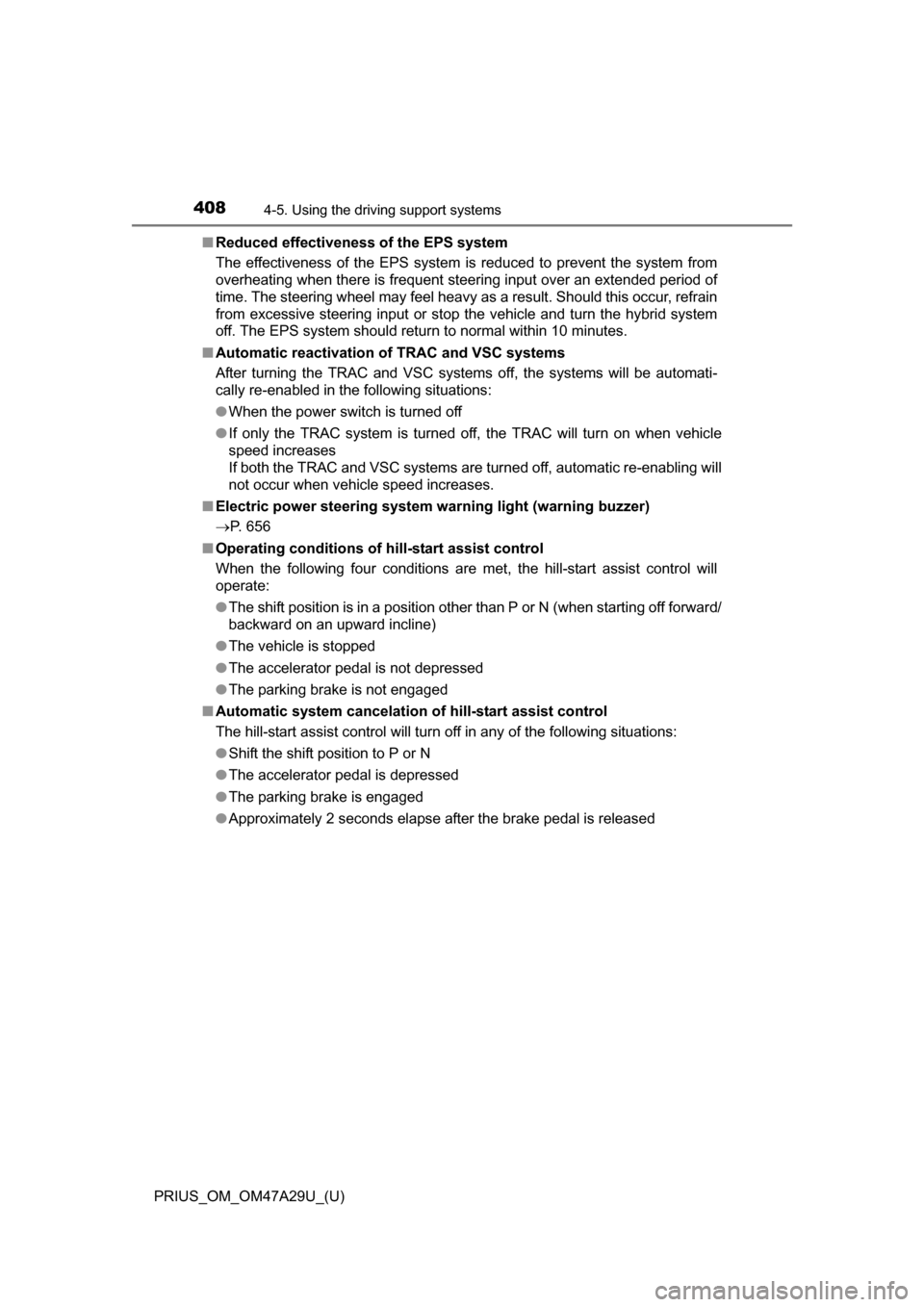
■Reduced effectiveness of the EPS system
The effectiveness of the EPS system is reduced to prevent the system from
overheating when there is frequent steering input over an extended period of
time. The steering wheel may feel heavy as a result. Should this occur, refrain
from excessive steering input or stop the vehicle and turn the hybrid system
off. The EPS system should return to normal within 10 minutes.
■ Automatic reactivation of TRAC and VSC systems
After turning the TRAC and VSC systems off, the systems will be automati-
cally re-enabled in the following situations:
● When the power switch is turned off
● If only the TRAC system is turned off, the TRAC will turn on when vehicle
speed increases
If both the TRAC and VSC systems are turned off, automatic re-enabling will
not occur when vehicle speed increases.
■ Electric power steering system warning light (warning buzzer)
P. 656
■ Operating conditions of hill-start assist control
When the following four conditions are met, the hill-start assist control will
operate:
●The shift position is in a position other than P or N (when starting off forward/
backward on an upward incline)
● The vehicle is stopped
● The accelerator pedal is not depressed
● The parking brake is not engaged
■ Automatic system cancelation of hill-start assist control
The hill-start assist control will turn off in any of the following situations:
● Shift the shift position to P or N
● The accelerator pedal is depressed
● The parking brake is engaged
● Approximately 2 seconds elapse after the brake pedal is released
Page 409 of 800

PRIUS_OM_OM47A29U_(U)
4094-5. Using the driving support systems
4
Driving
WARNING
■The ABS does not operate effectively when
●The limits of tire gripping performance have been exceeded (such as
excessively worn tires on a snow covered road).
● The vehicle hydroplanes while driving at high speed on wet or slick road.
■ Stopping distance when the ABS is operating may exceed that of nor-
mal conditions
The ABS is not designed to shorten the vehicle’s stopping distance. Always
maintain a safe distance from the vehicle in front of you, especially in the
following situations:
● When driving on dirt, gravel or snow-covered roads
● When driving with tire chains
● When driving over bumps in the road
● When driving over roads with potholes or uneven surfaces
■ TRAC/VSC may not operate effectively when
Directional control and power may not be achievable while driving on slip-
pery road surfaces, even if the TRAC/VSC systems are operating.
Drive the vehicle carefully in conditions where stability and power may be
lost.
■ Hill-start assist control does not operate effectively when
●Do not overly rely on the hill-start assist control. The hill-start assist control
may not operate effectively on steep inclines and roads covered with ice.
● Unlike the parking brake, hill-start assist control is not intended to hold the
vehicle stationary for an extended period of time. Do not attempt to use
hill-start assist control to hold the vehicle on an incline, as doing so may
lead to an accident.
■ When the TRAC, VSC and/or ABS is activated
The slip indicator light flashes. Always drive carefully. Reckless driving may
cause an accident. Exercise particular care when the indicator light flashes.
Page 498 of 800
4985-9. Bluetooth® phone
PRIUS_OM_OM47A29U_(U)
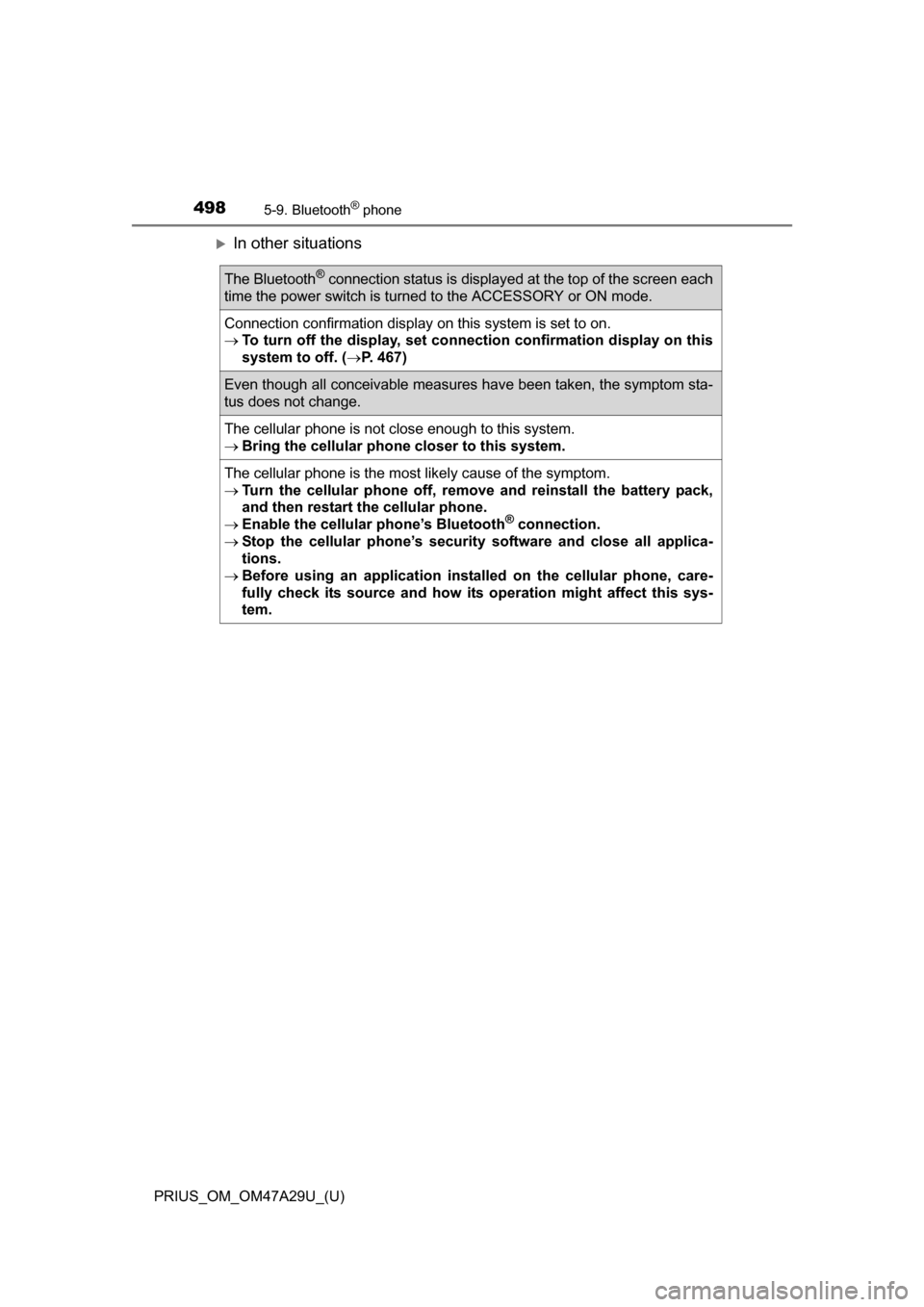
In other situations
The Bluetooth® connection status is displayed at the top of the screen each
time the power switch is turned to the ACCESSORY or ON mode.
Connection confirmation display on this system is set to on.
To turn off the display, set conn ection confirmation display on this
system to off. ( P. 467)
Even though all conceivable measures have been taken, the symptom sta-
tus does not change.
The cellular phone is not close enough to this system.
Bring the cellular phone closer to this system.
The cellular phone is the most likely cause of the symptom.
Turn the cellular phone off, remo ve and reinstall the battery pack,
and then restart the cellular phone.
Enable the cellular phone’s Bluetooth
® connection.
Stop the cellular phone’s security software and close all applica-
tions.
Before using an application installed on the cellular phone, care-
fully check its source and how its operation might affect this sys-
tem.
Page 545 of 800
PRIUS_OM_OM47A29U_(U)
5456-4. Using the other interior features
6
Interior features
■Using the wireless chargerPress the power supply
switch of the wireless
charger.
Switches on and off with each
press of the power supply
switch.
When turned on, the operation
indicator light (green) comes on.
Even with the hybrid system off,
the on/off state of the power
supply switch is memorized.
Place the charging side of
the portable device down.
When charging, the operation
indicator light (orange) comes
on.
If charging is not occurring, try
placing the portable device as
close to the center of the charg-
ing area as possible.
When charging is complete, the operation indicator light (green) comes
on.
●Recharging function
• When charging is complete and after a fixed time in the charge suspension state, charging restarts.
• When the portable device is moved, charging is stopped for a moment and then it restarts.
1
2
Page 546 of 800
546
PRIUS_OM_OM47A29U_(U)
6-4. Using the other interior features
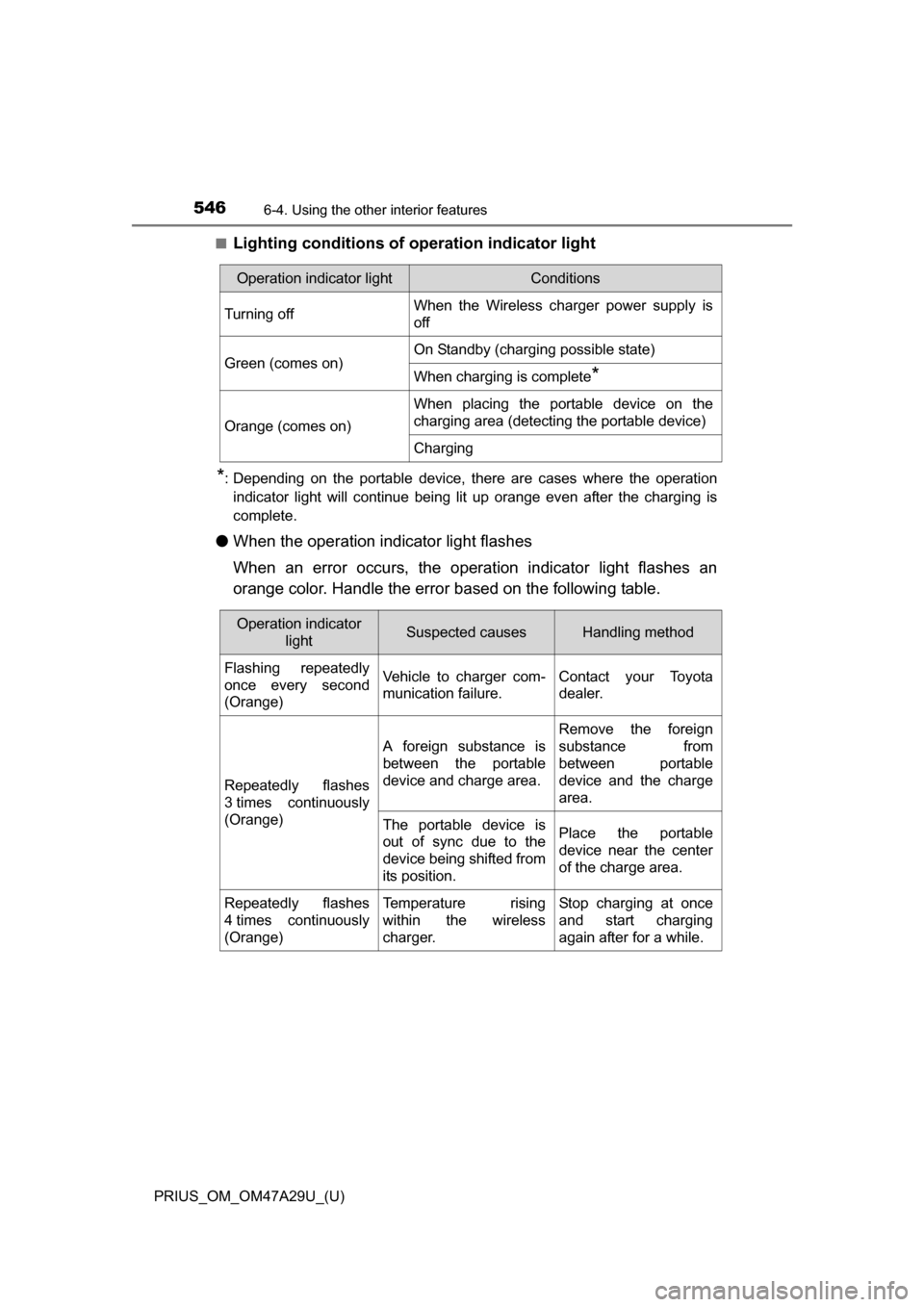
■Lighting conditions of operation indicator light
*: Depending on the portable device, there are cases where the operation
indicator light will continue being lit up orange even after the charging is
complete.
● When the operation indicator light flashes
When an error occurs, the operat ion indicator light flashes an
orange color. Handle the error based on the following table.
Operation indicator lightConditions
Turning offWhen the Wireless charger power supply is
off
Green (comes on)On Standby (charging possible state)
When charging is complete*
Orange (comes on)
When placing the portable device on the
charging area (detecting the portable device)
Charging
Operation indicator lightSuspected causesHandling method
Flashing repeatedly
once every second
(Orange)Vehicle to charger com-
munication failure.Contact your Toyota
dealer.
Repeatedly flashes
3 times continuously
(Orange)
A foreign substance is
between the portable
device and charge area.
Remove the foreign
substance from
between portable
device and the charge
area.
The portable device is
out of sync due to the
device being shifted from
its position.Place the portable
device near the center
of the charge area.
Repeatedly flashes
4 times continuously
(Orange)Temperature rising
within the wireless
charger.Stop charging at once
and start charging
again after for a while.