Page 309 of 716
3094-5. Using the driving support systems
4
Driving
HIGHLANDER_U (OM48F09U)
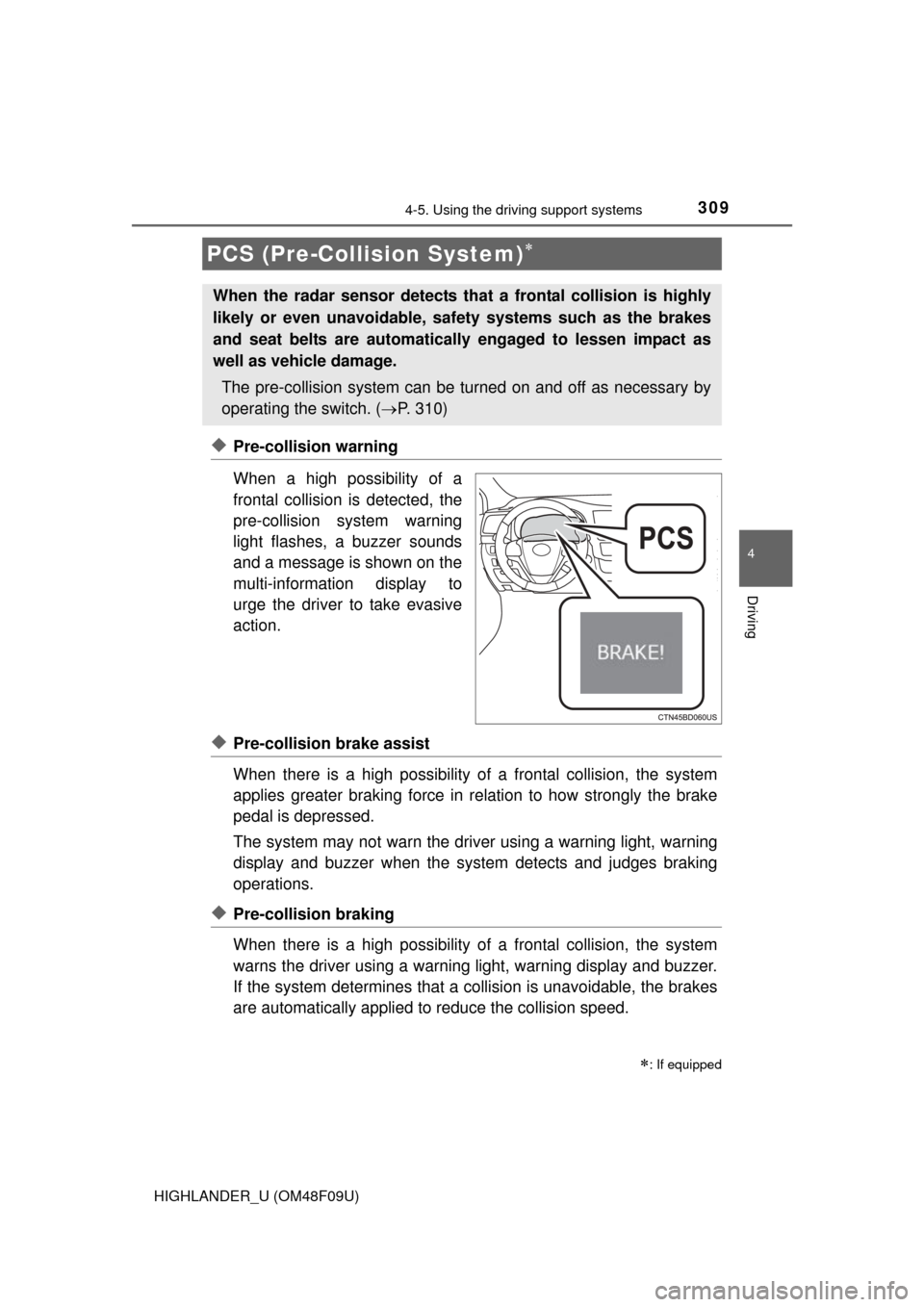
◆Pre-collision warning
When a high possibility of a
frontal collision is detected, the
pre-collision system warning
light flashes, a buzzer sounds
and a message is shown on the
multi-information display to
urge the driver to take evasive
action.
◆Pre-collision brake assist
When there is a high possibility of a frontal collision, the system
applies greater braking force in relation to how strongly the brake
pedal is depressed.
The system may not warn the driver using a warning light, warning
display and buzzer when the system detects and judges braking
operations.
◆Pre-collision braking
When there is a high po ssibility of a frontal collision, the system
warns the driver using a warning light, warning display and buzzer.
If the system determines that a collision is unavoidable, the brakes
are automatically applied to reduce the collision speed.
PCS (Pre-Collision System)
: If equipped
When the radar sensor detects th at a frontal collision is highly
likely or even unavoidable, safety systems such as the brakes
and seat belts are automatically engaged to lessen impact as
well as vehicle damage.
The pre-collision system can be tu rned on and off as necessary by
operating the switch. ( P. 310)
Page 310 of 716
3104-5. Using the driving support systems
HIGHLANDER_U (OM48F09U)
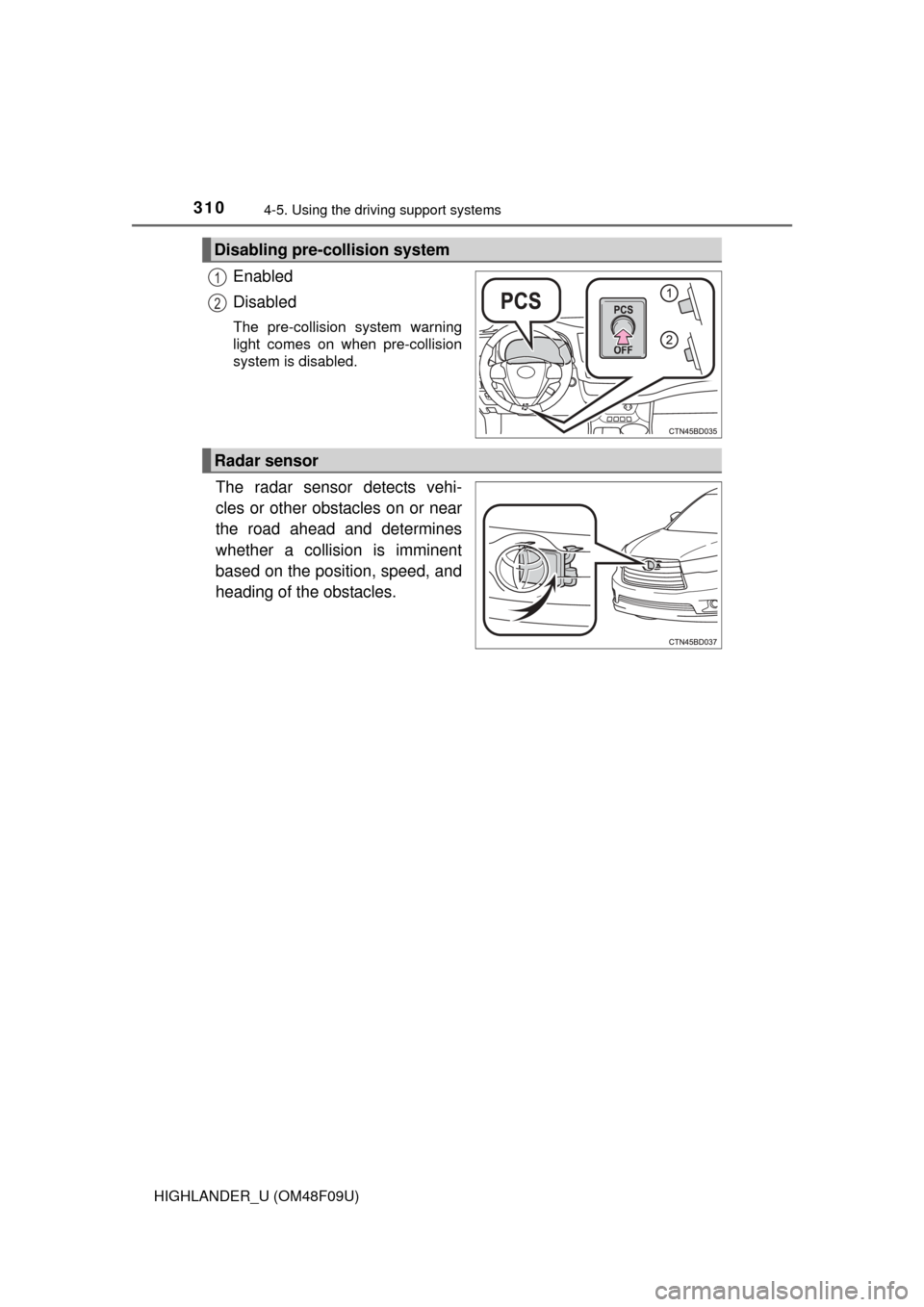
Enabled
Disabled
The pre-collision system warning
light comes on when pre-collision
system is disabled.
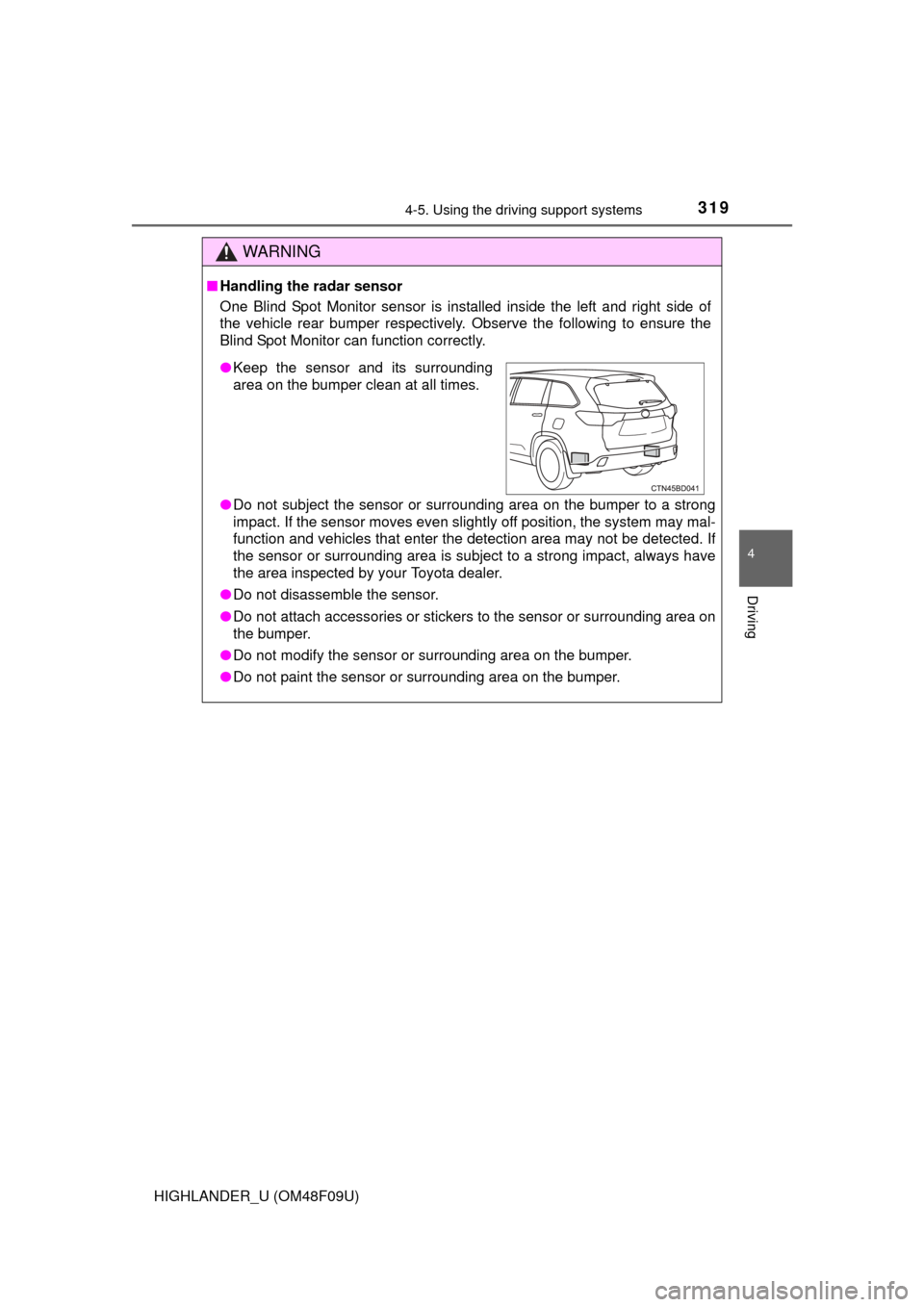
The radar sensor detects vehi-
cles or other obstacles on or near
the road ahead and determines
whether a collision is imminent
based on the position, speed, and
heading of the obstacles.
Disabling pre-collision system
1
2
Radar sensor
Page 311 of 716
3114-5. Using the driving support systems
4
Driving
HIGHLANDER_U (OM48F09U)
■The pre-collision system is operational when
The PCS OFF switch is not pressed and the following conditions are met:
● Pre-collision warning:
• Vehicle speed is greater than about 10 mph (15 km/h).
• The speed at which your vehicle is approaching the obstacle or the vehi-
cle running ahead of you is greater than about 10 mph (15 km/h).
● Pre-collision brake assist:
• The VSC OFF switch is not pressed.
• Vehicle speed is greater than about 19 mph (30 km/h).
• The speed at which your vehicle is approaching the obstacle or the vehi-
cle running ahead of you is greater than about 19 mph (30 km/h).
• The brake pedal is depressed.
● Pre-collision braking:
• The VSC OFF switch is not pressed.
• Vehicle speed is greater than about 10 mph (15 km/h).
• The speed at which your vehicle is approaching the obstacle or the vehi-
cle running ahead of you is greater than about 10 mph (15 km/h).
■ Conditions that may trigger the system even if there is no danger of a
collision
In any of the following situations where the frontal area of the radar sensor is
interrupted, the radar sensor may detect possibility of a frontal collision and
the system may be activated.
● When passing by an oncoming vehicle in a curve or a turn to the right or the
left
● When rapidly approaching an obstacle ahead (e.g. preceding vehicle, toll
gate barrier, etc.)
● When there is a structural object (billboard, low ceiling, fluorescent light,
etc.) above the uphill road ahead
● When driving on a narrow road or through under a low overhead structure
(bridge, tunnel, fly-under, etc.)
● When driving on an uneven road surface
● When there is a metal object, bump, or protrusion on the road surface
● When vehicle’s front part is raised or lowered depending on loading condi-
tions
● When the direction of radar sensor is misaligned by strong impact applied
on an area around the radar sensor, etc.
● When there is an obstacle (guard rail, etc.) by the roadside at the entrance
to a curve
● When the front of your vehicle is pointing upwards (caused by towing a
trailer, during emergency towing or putting a heavy load in the luggage com-
partment etc.)
When the system is activated in the situations described above, there is also
a possibility that the brakes may be applied with a force greater than normal.
Page 312 of 716

3124-5. Using the driving support systems
HIGHLANDER_U (OM48F09U)■
Obstacles not detected
The sensor cannot detect plastic obstacles such as traffic cones. There may
also be occasions when the sensor cannot detect pedestrians, animals, bicy-
cles, motorcycles, trees, or snowdrifts.
■ Situations in which the pre-collis ion system does not function properly
The system may not function effectively in situations such as the following:
● On roads with sharp bends or uneven surfaces
● If a vehicle suddenly moves in front of your vehicle, such as at an intersec-
tion
● If a vehicle suddenly cuts in front of your vehicle, such as when overtaking
● In inclement weather such as heavy rain, fog, snow or sand storms
● If the vehicle is skidding when VSC is not operating
● When an extreme change in vehicle height occurs
● When only part of your vehicle’s front end collides with, or contacts, a vehi-
cle or object in a frontal collision
● When the radar sensor moves off position due to its surrounding area being
subjected to a strong impact
■ Automatic cancelation of the pre-collision system
When a malfunction occurs due to sensor contamination, etc. that results in
the sensors being unable to detect obstacles, the pre-collision system will be
automatically disabled. In this case, the system will not activate even if there
is a collision possibility.
■ When there is a malfunction in the system
The pre-collision system warning light will flash and warning messages will be
displayed. ( P. 570, 585)
Page 314 of 716

3144-5. Using the driving support systems
HIGHLANDER_U (OM48F09U)
WARNING
■Limitations of the pre-collision system
The driver is solely responsible for safe driving. Always drive safely, taking
care to observe your surroundings.
Do not use the pre-collision system instead of normal braking operations
under any circumstances. This system will not prevent collisions or lessen
damage or injuries in all cases. Do not overly rely on this system.
Failure to do so may cause an accident, resulting in death or serious injury.
This system has been designed to help avoid and reduce the impact of col-
lisions. However, the system operates differently depending on the situation
(P. 311). As a result, the same level of performance may not be expected
in all cases. Also, the pre-collision brakes may not operate if the driver is
depressing the brake pedal or turning the steering wheel, as the system will
determine such conditions as collision avoidance operations.
■ When the sensor may not be correct ly detecting the vehicle ahead
Apply the brakes as necessary in any of the following situations:
● When water or snow thrown up by the surrounding vehicles hinders the
functioning of the sensor
● When your vehicle is pointing upwards (caused by a heavy load in the lug-
gage compartment etc.)
● Vehicles that cut in suddenly
● Vehicles with small rear ends (trailers with no load on board etc.)
● Motorcycles traveling in the same lane
■ Handling the radar sensor
Observe the following to ensure the pre-collision system can function effec-
tively.
Otherwise, the system may not function correctly and could result in an
accident.
●Keep the sensor and grille cover clean at all times.
Clean the sensor and grille cover with a soft cloth so you do not mark or
damage them.
● Do not subject the sensor or surrounding area to a strong impact.
If the sensor moves even slightly off position, the system may malfunction.
If the sensor or surrounding area is subject to a strong impact, always
have the area inspected and adjusted by your Toyota dealer.
● Do not disassemble the sensor.
● Do not attach accessories or stickers to the sensor, grille cover or sur-
rounding area.
● Do not modify or paint the sensor and grille cover.
● If the radar sensor needs to be replaced, contact your Toyota dealer.
Page 317 of 716

3174-5. Using the driving support systems
4
Driving
HIGHLANDER_U (OM48F09U)
■The outside rear view mirror indicators visibility
When under strong sunlight, the outside rear view mirror indicator may be dif-
ficult to see.
■ Rear Cross Traffic Alert buzzer hearing
Rear Cross Traffic Alert function may be difficult to hear over loud noises
such as high audio volume.
■ When there is a malfunction in the Blind Spot Monitor
If a system malfunction is detected due to any of the following reasons,\
warn-
ing message will be displayed: ( P. 584, 585)
● There is a malfunction with the sensors
● The sensors have become dirty
● The outside temperature is extremely high or low
● The sensor voltage has become abnormal
Outside rear view mirror indicators
Blind Spot Monitor function:
When a vehicle is detected in the blind spot, the outside rear view mirror
indicator comes on while the turn signal lever is not operated and the out-
side rear view mirror indicator flashes while the turn signal lever is oper-
ated.
Rear Cross Traffic Alert function:
When a vehicle approaching from the right or left rear of the vehicle is
detected, the outside rear view mirror indicators flash.
Rear Cross Traffic Alert buzzer (Rear Cross Traffic Alert function
only)
When a vehicle approaching from the right or left rear of the vehicle is
detected, a buzzer sounds from behind the left-hand third seat.
2
3
Page 319 of 716
3194-5. Using the driving support systems
4
Driving
HIGHLANDER_U (OM48F09U)
WARNING
■Handling the radar sensor
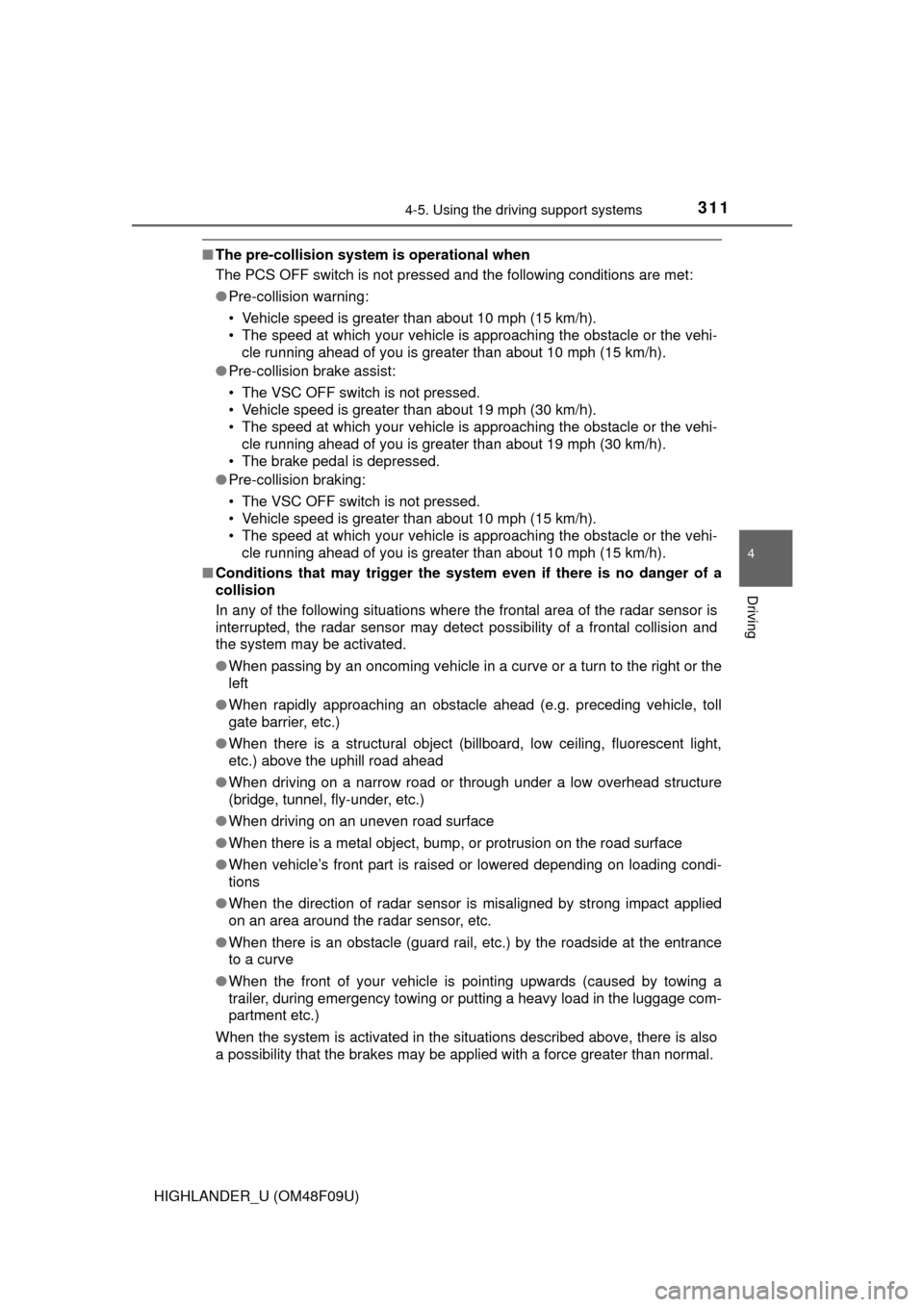
One Blind Spot Monitor sensor is installed inside the left and right side of
the vehicle rear bumper respectively. Observe the following to ensure the
Blind Spot Monitor can function correctly.
●Do not subject the sensor or surrounding area on the bumper to a strong
impact. If the sensor moves even slightly off position, the system may mal-
function and vehicles that enter the detection area may not be detected.\
If
the sensor or surrounding area is subj ect to a strong impact, always have
the area inspected by your Toyota dealer.
● Do not disassemble the sensor.
● Do not attach accessories or stickers to the sensor or surrounding area on
the bumper.
● Do not modify the sensor or surrounding area on the bumper.
● Do not paint the sensor or surrounding area on the bumper.
●Keep the sensor and its surrounding
area on the bumper clean at all times.
Page 327 of 716
3274-6. Driving tips
4
Driving
HIGHLANDER_U (OM48F09U)
Perform the following according to the driving conditions:
● Do not try to forcibly open a window or move a wiper that is frozen.
Pour warm water over the frozen area to melt the ice. Wipe away
the water immediately to prevent it from freezing.
● To ensure proper operation of the climate control system fan,
remove any snow that has accumulated on the air inlet vents in
front of the windshield.
● Check for and remove any excess ice or snow that may have accu-
mulated on the exterior lights, ve hicle’s roof, chassis, around the
tires or on the brakes.
● Remove any snow or mud from the bottom of your shoes before
getting in the vehicle.
Accelerate the vehicle slowly, keep a safe distance between you and
the vehicle ahead, and drive at a reduced speed suitable to road con-
ditions.
Park the vehicle and move the shift lever to P without setting the park-
ing brake. The parking brake may fr eeze up, preventing it from being
released. If necessary, block the wheels to prev ent inadvertent sliding
or creeping.
Before driving the vehicle
When driving the vehicle
When parking the vehicle