Page 355 of 568
3556-4. Other interior features
6
Interior features
CAMRY_U (OM33D37U)
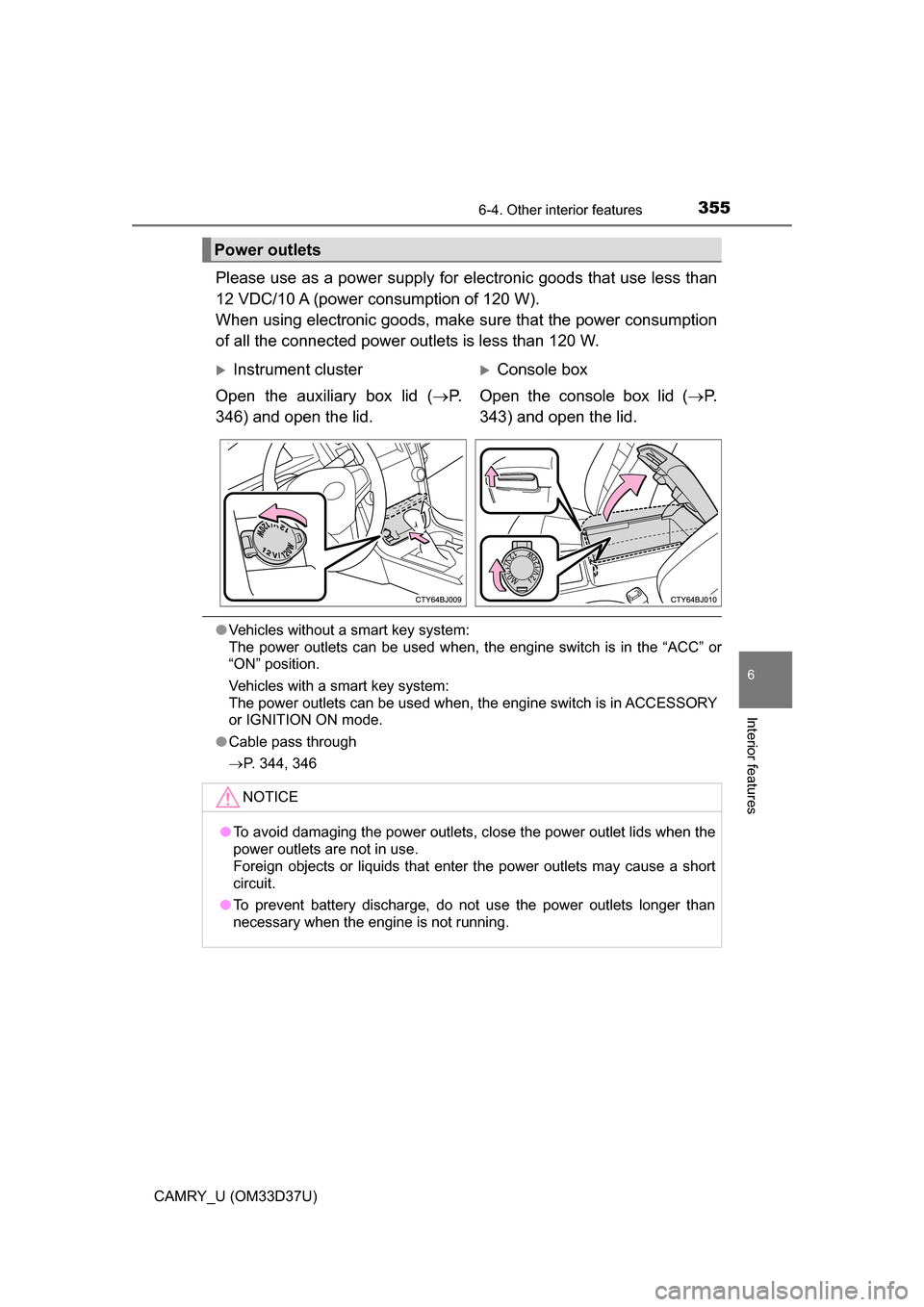
Please use as a power supply for electronic goods that use less than
12 VDC/10 A (power consumption of 120 W).
When using electronic goods, make sure that the power consumption
of all the connected power outlets is less than 120 W.
● Vehicles without a smart key system:
The power outlets can be used when, the engine switch is in the “ACC” or
“ON” position.
Vehicles with a smart key system:
The power outlets can be used when, the engine switch is in ACCESSORY
or IGNITION ON mode.
● Cable pass through
P. 344, 346
Power outlets
Instrument cluster
Open the auxiliary box lid ( P.
346) and open the lid.Console box
Open the console box lid ( P.
343) and open the lid.
NOTICE
● To avoid damaging the power outlets, close the power outlet lids when the
power outlets are not in use.
Foreign objects or liquids that enter the power outlets may cause a short
circuit.
● To prevent battery discharge, do not use the power outlets longer than
necessary when the engine is not running.
Page 356 of 568
3566-4. Other interior features
CAMRY_U (OM33D37U)
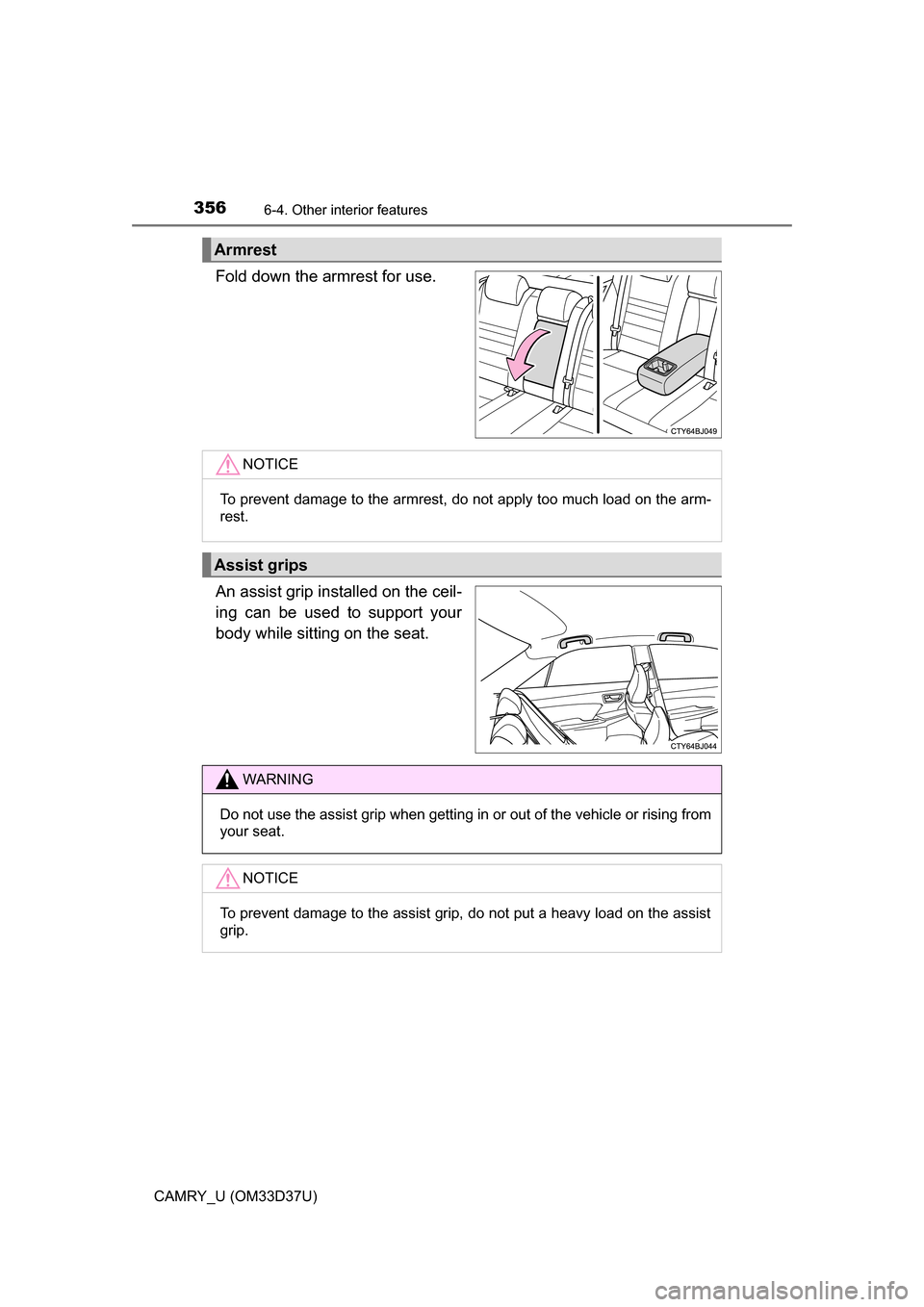
Fold down the armrest for use.
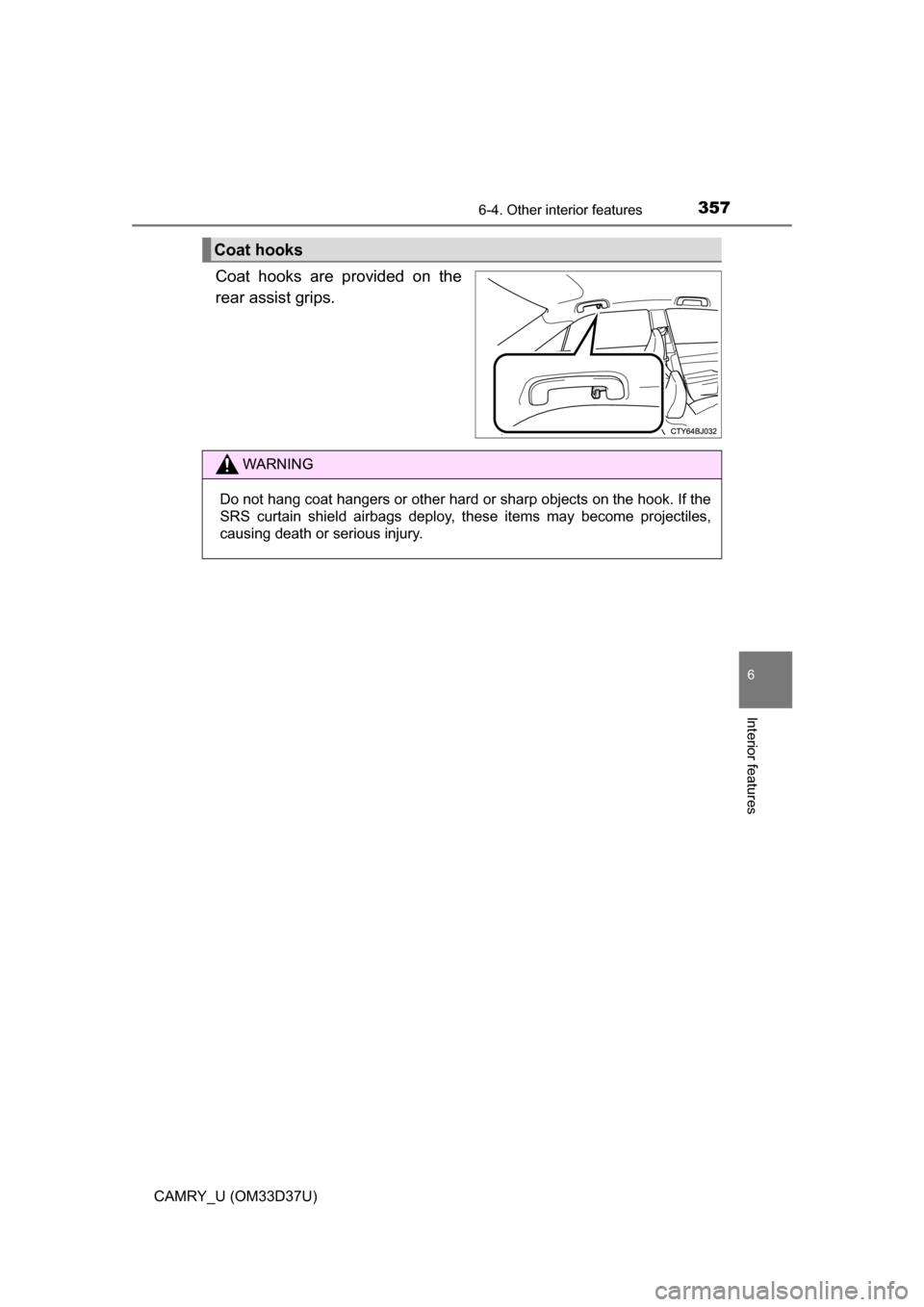
An assist grip installed on the ceil-
ing can be used to support your
body while sitting on the seat.
Armrest
NOTICE
To prevent damage to the armrest, do not apply too much load on the arm-
rest.
Assist grips
WARNING
Do not use the assist grip when getting in or out of the vehicle or rising from
your seat.NOTICE
To prevent damage to the assist grip, do not put a heavy load on the assist
grip.
Page 357 of 568
3576-4. Other interior features
6
Interior features
CAMRY_U (OM33D37U)
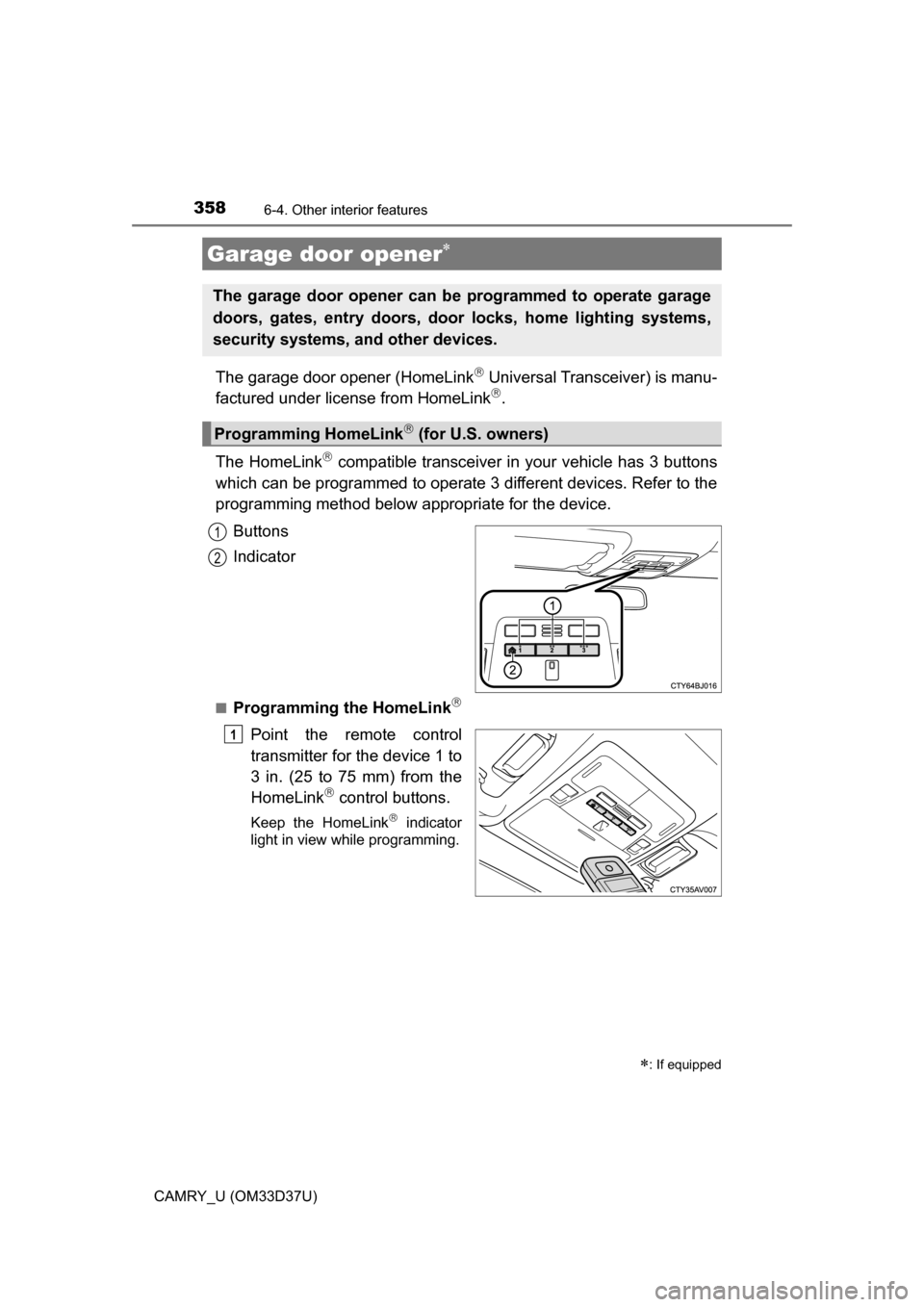
Coat hooks are provided on the
rear assist grips.
Coat hooks
WARNING
Do not hang coat hangers or other hard or sharp objects on the hook. If the
SRS curtain shield airbags deploy, these items may become projectiles,
causing death or serious injury.
Page 358 of 568
3586-4. Other interior features
CAMRY_U (OM33D37U)
The garage door opener (HomeLink Universal Transceiver) is manu-
factured under license from HomeLink.
The HomeLink
compatible transceiver in your vehicle has 3 buttons
which can be programmed to operate 3 different devices. Refer to the
programming method below appropriate for the device.
Buttons
Indicator
■Programming the HomeLink
Point the remote control
transmitter for the device 1 to
3 in. (25 to 75 mm) from the
HomeLink
control buttons.
Keep the HomeLink indicator
light in view while programming.
Garage door opener
: If equipped
The garage door opener can be programmed to operate garage
doors, gates, entry doors, door locks, home lighting systems,
security systems, and other devices.
Programming HomeLink (for U.S. owners)
1
2
1
Page 359 of 568

3596-4. Other interior features
6
Interior features
CAMRY_U (OM33D37U)
Press and hold one of the
HomeLink buttons and the
transmitter button. When the
HomeLink
indicator light
changes from a slow to a
rapid flash, you can release
both buttons.
If the HomeLink indicator light
comes on but does not flash, or
flashes rapidly for 2 seconds
and remains lit, the HomeLink
button is already programmed.
Use the other buttons or follow
the “Reprogramming a Home-
Link
button” instructions. ( P.
361)
Test the HomeLink opera-
tion by pressing the newly
programmed button.
If a HomeLink button has been
programmed for a garage door,
check to see if the garage door
opens and closes. If the garage
door does not operate, see if
your remote control transmitter
is of the rolling code type. Press
and hold the programmed
HomeLink
button. The remote
control transmitter is of the roll-
ing code type if the HomeLink
indicator light flashes rapidly for
2 seconds and then remains lit.
If your transmitter is of the roll-
ing code type, proceed to the
heading “Programming a Rolling
Code system”.
Repeat the steps above to program another device for any of the
remaining HomeLink buttons.
2
3
4
Page 360 of 568

3606-4. Other interior features
CAMRY_U (OM33D37U)■
Programming a Rolling Code system (for U.S. owners)
If your device is Rolling Code equipped, follow the steps under the heading
“Programming HomeLink” before proceeding with the steps listed below.
Locate the learn button on the ceiling mounted garage door
opener motor. The exact location and color of the button may
vary by brand of garage door opener motor.
Refer to the operation manual supplied with the garage door opener
motor for the location of the learn button.
Press the learn button.
Following this step, you have 30 seconds in which to initiate step 3
below.
Press and hold the vehicle’s programmed HomeLink button for
2 seconds and then release it. Repeat this step once again. The
garage door may open.
If the garage door opens, the programming process is complete. If the
door does not open, press and release the button a third time. This third
press and release will complete the programming process by opening
the garage door.
The ceiling mounted garage door opener motor should now recognize
the HomeLink
signal and operate the garage door.
Repeat the steps above to program another rolling code system
for any of the remaining HomeLink buttons.
■Programming an entry gate (for U.S. owners)/Programming a
device in the Canadian market
Place the remote control transmitter 1 to 3 in. (25 to 75 mm)
away from the HomeLink
buttons.
Keep the HomeLink indicator light in view while programming.
Press and hold the selected HomeLink button.
Repeatedly press and release (cyc le) the remote control trans-
mitter for 2 seconds each until step 4 is completed.
When the HomeLink
indicator light starts to flash rapidly,
release the buttons.
Test the HomeLink
operation by pressing the newly pro-
grammed button. Check to see if the gate/device operates cor-
rectly.
Repeat the steps above to program another device for any of the
remaining HomeLink
buttons.
1
2
3
4
1
2
3
4
5
6
Page 361 of 568

3616-4. Other interior features
6
Interior features
CAMRY_U (OM33D37U)■
Programming other devices
To program other devices such
as home security systems, home
door locks or lighting, contact your Toyota dealer for assistance.
■Reprogramming a button
The individual HomeLink
buttons cannot be erased but can be
reprogrammed. To reprogram a button, follow the “Reprogramming
a HomeLink
button” instructions.
Press the appropriate HomeLink
button. The HomeLink indicator
light should come on.
The HomeLink compatible transceiver in your vehicle continues to send a
signal for up to 20 seconds as long as the button is pressed.
Press and hold the desired HomeLink button. After 20 seconds, the
HomeLink indicator light will start flashing slowly. Keep pressing the
HomeLink button and press and hold the transmitter button until the
HomeLink indicator light changes from a slow to a rapid flash.
Release the buttons.
Press and hold the 2 outside but-
tons for 10 seconds until the indi-
cator light flashes.
If you sell your vehicle, be sure to
erase the programs stored in the
HomeLink
memory.
Operating HomeLink
Reprogramming a HomeLink button
Erasing the entire HomeLink memory (all three programs)
Page 362 of 568
3626-4. Other interior features
CAMRY_U (OM33D37U)
■Before programming
●Install a new battery in the remote control transmitter.
● The battery side of the remote control transmitter must be pointed away
from the HomeLink
button.
■ To prevent battery discharge
Vehicles without a smart key system:
HomeLink
will turn off if a door has not been opened and closed for 20 min-
utes or the engine switch is left turned off. (After which programming cannot
be completed.) Open and close a door or turn the engine switch to the “ACC”
position to turn HomeLink
on. We recommend programming while the
engine switch is in the “ACC” position.
Vehicles with a smart key system:
HomeLink
will turn off if a door has not been opened and closed for 20 min-
utes or the engine switch is left turned off. (After which programming cannot
be completed.) Open and close a door or turn the engine switch to ACCES-
SORY mode to turn HomeLink
on. We recommend programming while the
engine switch is in ACCESSORY mode.
■ Certification for the garage door opener
U.S.A.
FCC ID: CB2051AHL4/CB251AHL4NR
NOTE:
This device complies with Part 15 of the FCC Rules. Operation is subject to
the following two conditions: (1) this device may not cause harmful interfer-
ence, and (2) this device must accept any interference received, including
interference that may cause undesired operation.
FCC WARNING:
Changes or modifications not expressly approved by the party responsible for
compliance could void the user's authority to operate the equipment.
Canada
IC ID: 051AHL4/51AHL4NR
NOTE:
Operation is subject to the following two conditions: (1) this device may not
cause interference, and (2) this device must accept any interference, includ-
ing interference that may cause undesired operation of the device.
■ When support is necessary
Visit on the web at www.homelink.com
or call 1-800-355-3515.