Page 98 of 572
982. Instrument cluster
CAMRY_HV_U (OM33C35U)
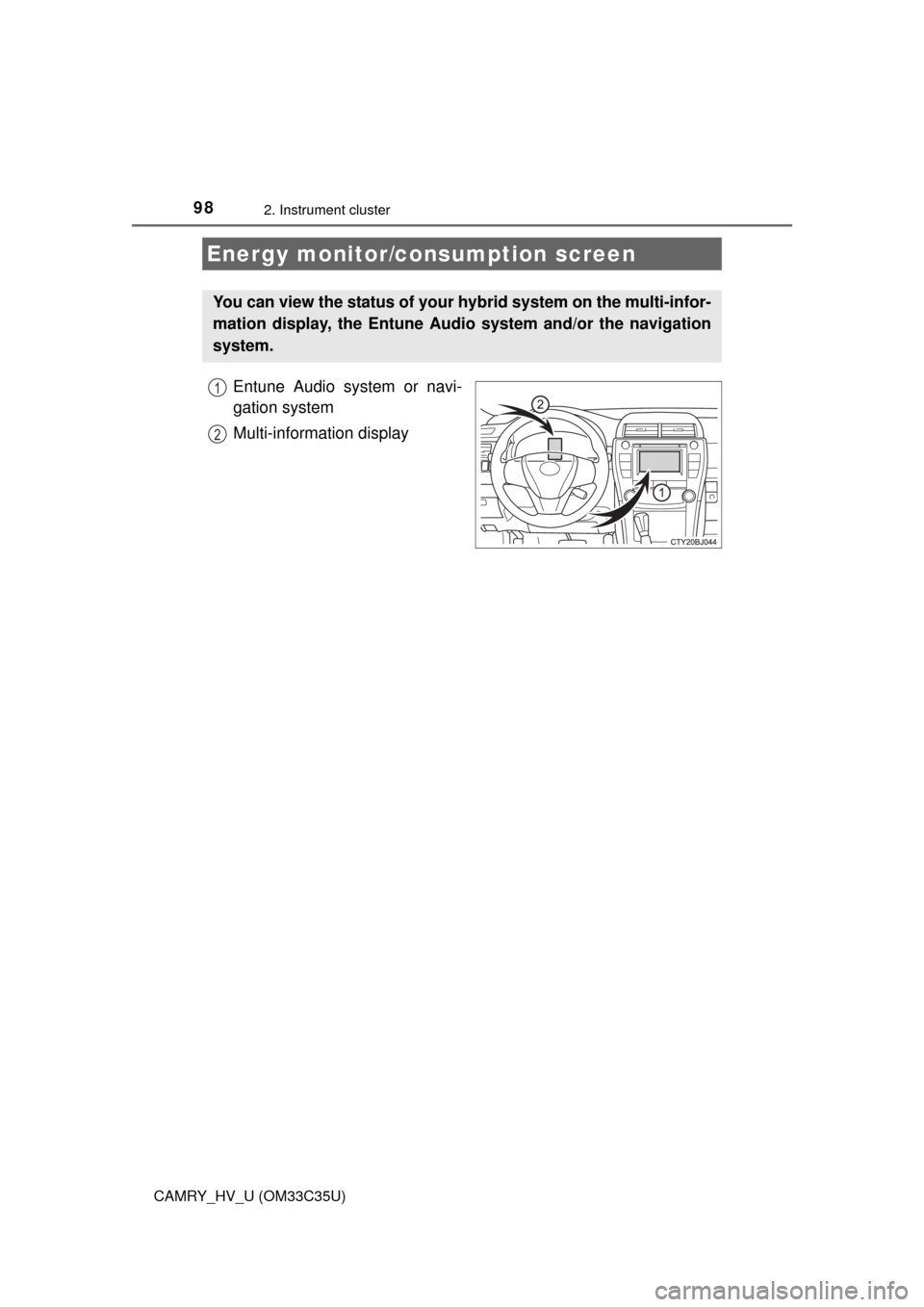
Entune Audio system or navi-
gation system
Multi-information display
Energy monitor/consumption screen
You can view the status of your hybrid system on the multi-infor-
mation display, the Entune Audio system and/or the navigation
system.
1
2
Page 99 of 572
992. Instrument cluster
2
Instrument cluster
CAMRY_HV_U (OM33C35U)
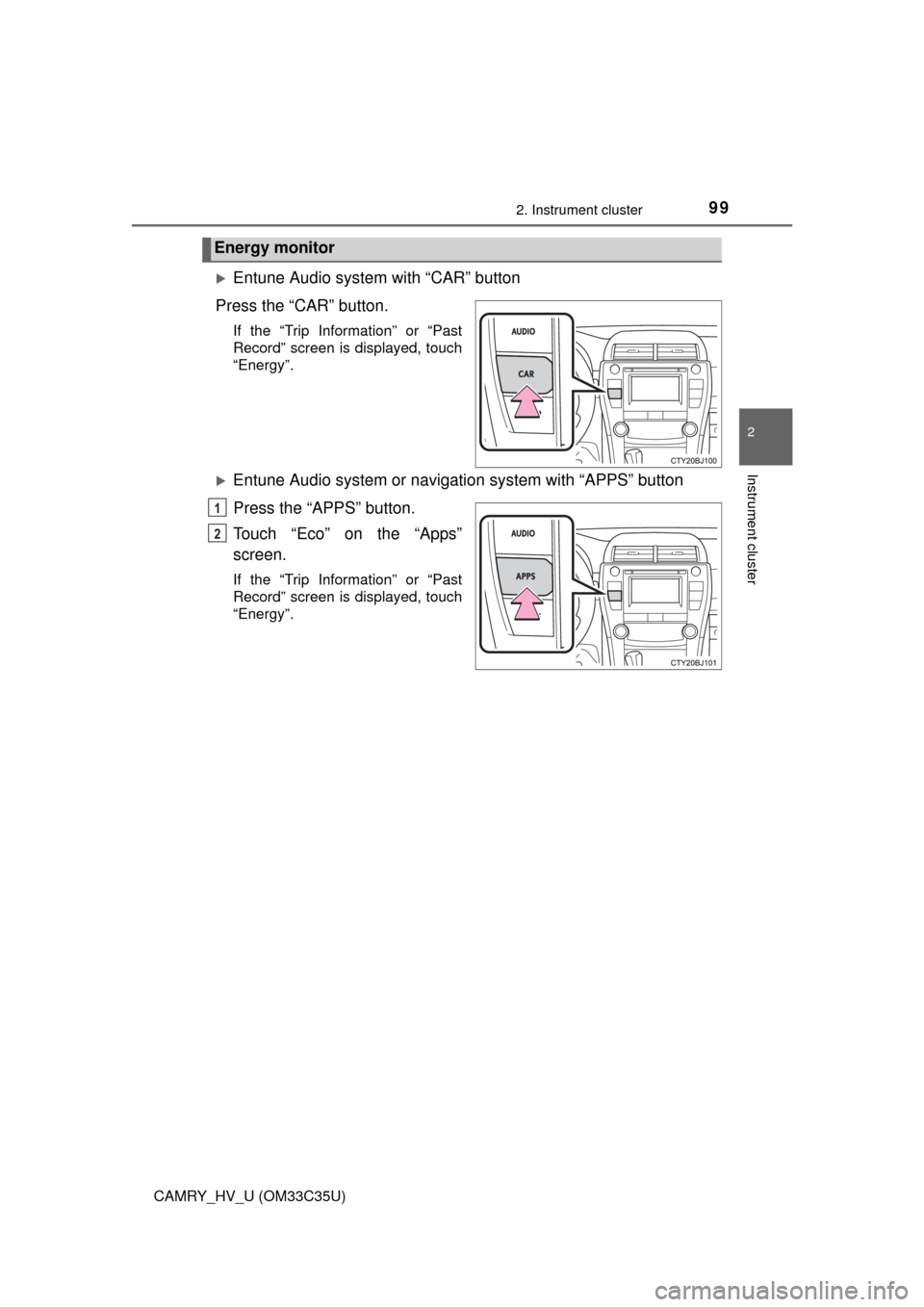
Entune Audio system with “CAR” button
Press the “CAR” button.
If the “Trip Information” or “Past
Record” screen is displayed, touch
“Energy”.
Entune Audio system or navigation system with “APPS” button
Press the “APPS” button.
Touch “Eco” on the “Apps”
screen.
If the “Trip Information” or “Past
Record” screen is displayed, touch
“Energy”.
Energy monitor
1
2
Page 100 of 572
1002. Instrument cluster
CAMRY_HV_U (OM33C35U)n
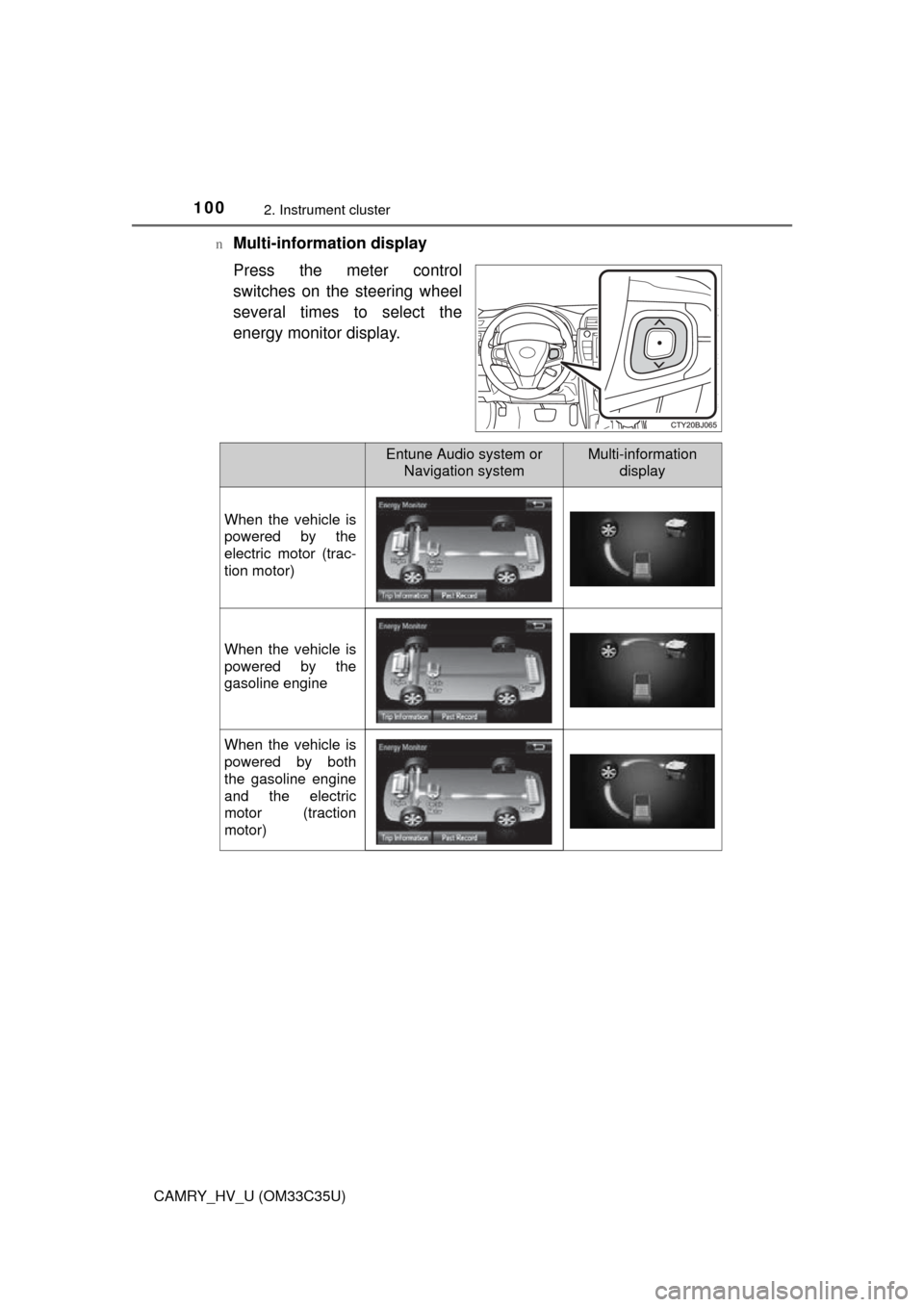
Multi-information display
Press the meter control
switches on the steering wheel
several times to select the
energy monitor display.
Entune Audio system or
Navigation systemMulti-information display
When the vehicle is
powered by the
electric motor (trac-
tion motor)
When the vehicle is
powered by the
gasoline engine
When the vehicle is
powered by both
the gasoline engine
and the electric
motor (traction
motor)
Page 101 of 572
1012. Instrument cluster
2
Instrument cluster
CAMRY_HV_U (OM33C35U)n
Trip information
Entune Audio system with “CAR” button
Press the “CAR” button. ( P. 99)
If the “Energy Monitor” or “Past Record” screen is displayed, touch “Trip
Information”.
Entune Audio system or navigation system with “APPS” button
Press “APPS”. ( P. 9 9 )
Touch “Eco” on the information screen.
If “Energy Monitor” screen is displayed, touch “ECO”.
If “Past Record” screen is displayed, touch “Trip Information”.
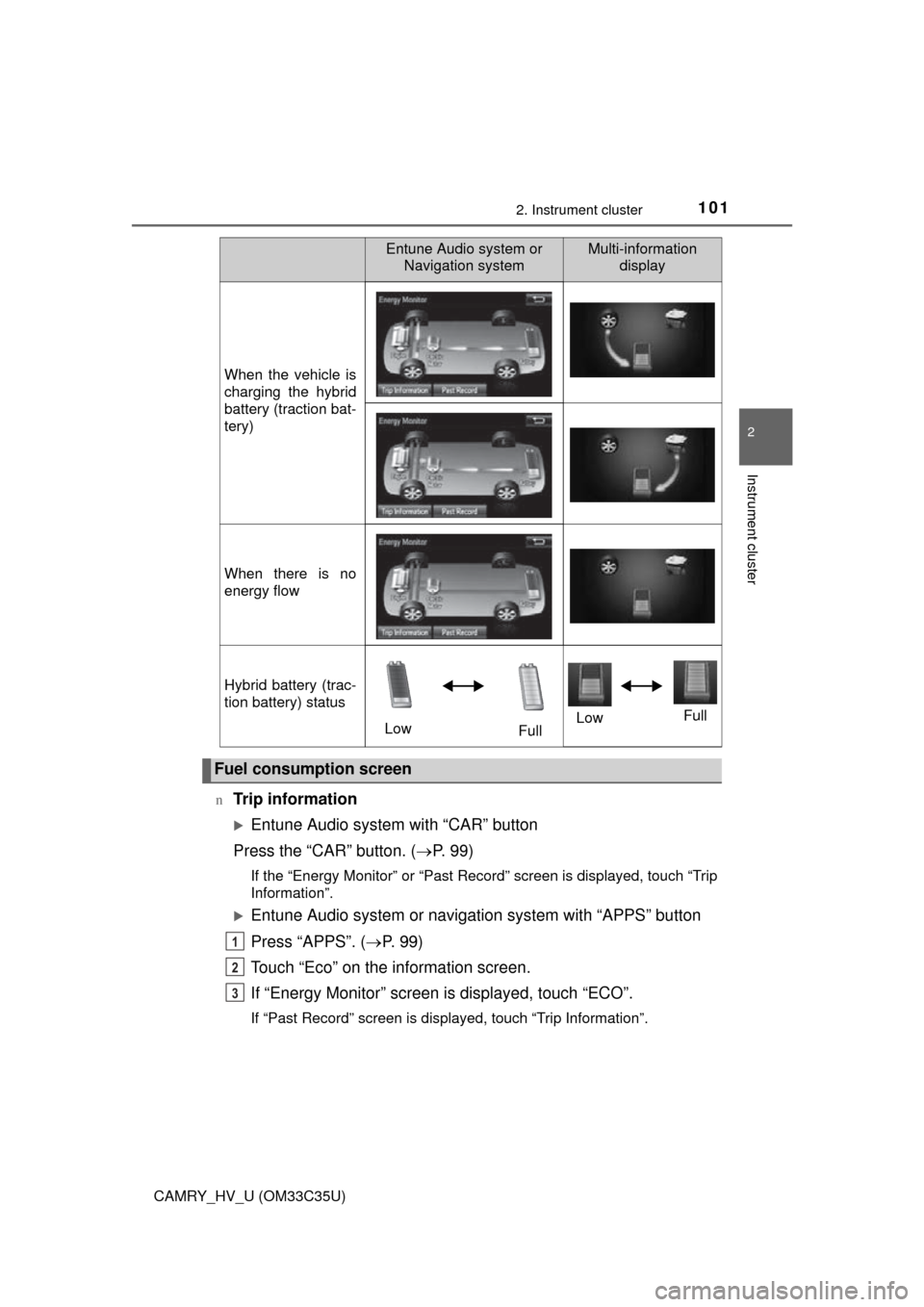
When the vehicle is
charging the hybrid
battery (traction bat-
tery)
When there is no
energy flow
Hybrid battery (trac-
tion battery) status
LowFullLow
Full
Fuel consumption screen
Entune Audio system or
Navigation systemMulti-information display
1
2
3
Page 103 of 572
1032. Instrument cluster
2
Instrument cluster
CAMRY_HV_U (OM33C35U)n
Past record
Entune Audio system with “CAR” button
Press the “CAR” button. ( P. 99)
If the “Energy Monitor” or “Trip In formation” screen is displayed, touch
“Past Record”.
Entune Audio system or navigation system with “APPS” button
Press “APPS”. ( P. 9 9 )
Touch “Eco” on the information screen.
If “Energy Monitor” screen is displayed, touch “ECO”.
If “Trip Information” screen is displayed, touch “Past Record”.
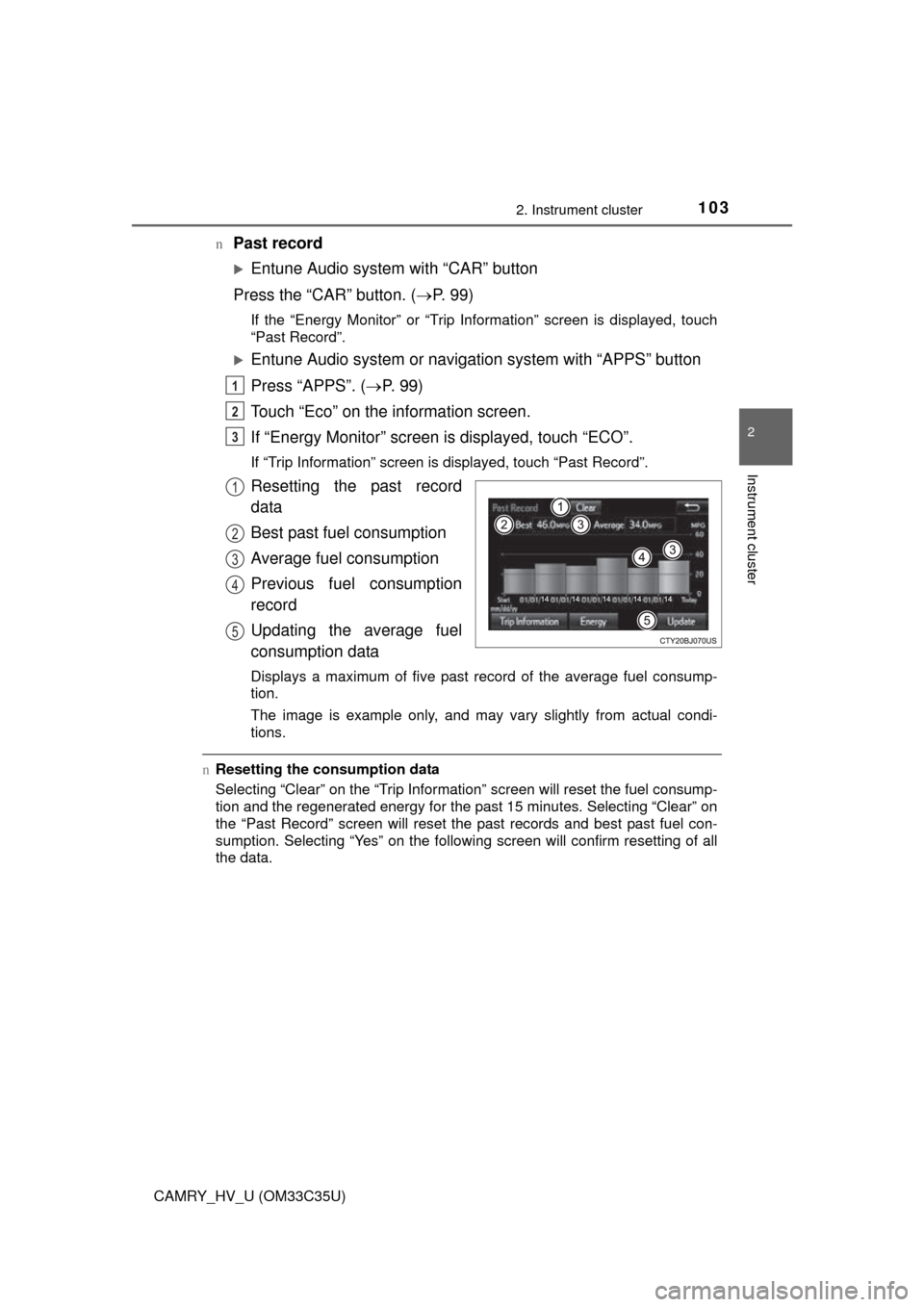
Resetting the past record
data
Best past fuel consumption
Average fuel consumption
Previous fuel consumption
record
Updating the average fuel
consumption data
Displays a maximum of five past record of the average fuel consump-
tion.
The image is example only, and may va ry slightly from actual condi-
tions.
n Resetting the consumption data
Selecting “Clear” on the “Trip Information” screen will reset the fuel consump-
tion and the regenerated energy for the past 15 minutes. Selecting “Clear” on
the “Past Record” screen will reset the past records and best past fuel con-
sumption. Selecting “Yes” on the following screen will confirm resetting of all
the data.
1
2
3
1
2
3
4
5
Page 109 of 572
1093-1. Key information
3
Operation of each component
CAMRY_HV_U (OM33C35U)
NOTICE
nTo prevent key damage
lDo not drop the keys, subject them to strong shocks or bend them.
l Do not expose the keys to high temperatures for long periods of time.
l Do not get the keys wet or wash them in an ultrasonic washer etc.
l Do not attach metallic or magnetic materials to the keys or place the keys
close to such materials.
l Do not disassemble the keys.
l Do not attach a sticker or anything else to the surface of the electronic key.
l Do not place the keys near objects that produce magnetic fields, such as
TVs, audio systems and induction cooker s, or medical electrical equip-
ment, such as low-frequency therapy equipment.
n Carrying the electronic key on your person
Carry the electronic key 3.9 in. (10 cm) or more away from electric appli-
ances that are turned on. Radio waves emitted from electric appliances
within 3.9 in. (10 cm) of the electronic key may interfere with the key, caus-
ing the key to not function properly.
n In case of a smart key system malfunction or other key-related prob-
lems
Take your vehicle with all the electronic keys provided with your vehicle to
your Toyota dealer.
n When an electronic key is lost
If the electronic key remains lost, the risk of vehicle theft increases signifi-
cantly. Visit your Toyota dealer imm ediately with all remaining electronic
keys that were provided with your vehicle.
Page 114 of 572
1143-2. Opening, closing and locking the doors
CAMRY_HV_U (OM33C35U)n
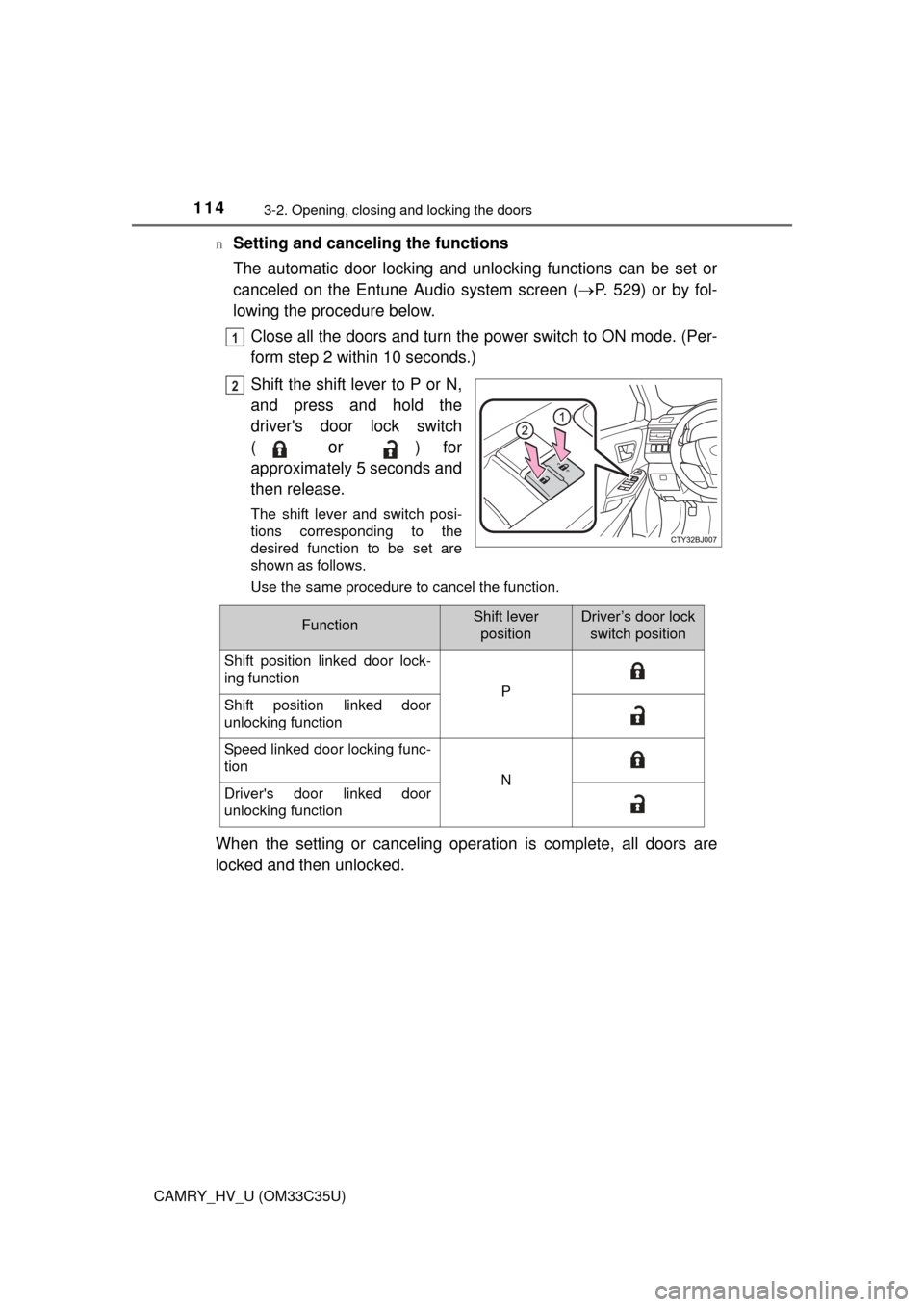
Setting and canceling the functions
The automatic door locking and unlocking functions can be set or
canceled on the Entune
Audio system screen (P. 529) or by fol-
lowing the procedure below.
Close all the doors and turn the power switch to ON mode. (Per-
form step 2 within 10 seconds.)
Shift the shift lever to P or N,
and press and hold the
driver's door lock switch
(
or ) for
approximately 5 seconds and
then release.
The shift lever and switch posi-
tions corresponding to the
desired function to be set are
shown as follows.
Use the same procedure to cancel the function.
When the setting or canceling operation is complete, all doors are
locked and then unlocked.
1
2
FunctionShift lever positionDriver’s door lock switch position
Shift position linked door lock-
ing function
PShift position linked door
unlocking function
Speed linked door locking func-
tion
NDriver's door linked door
unlocking function
Page 124 of 572

1243-2. Opening, closing and locking the doors
CAMRY_HV_U (OM33C35U)n
Conditions affecting operation
The smart key system uses weak radio waves. In the following situations, the
communication between the electronic key and the vehicle may be affected,
preventing the smart key system, wireless remote control and immobilizer
system from operating properly. (Ways of coping: P. 487)
l When the electronic key battery is depleted
l Near a TV tower, electric power plant, gas station, radio station, large dis-
play, airport or other facility that generates strong radio waves or electrical
noise
l When carrying a portable radio, cellular phone, cordless phone or other
wireless communication device
l When the electronic key is in contact with, or is covered by the following
metallic objects
• Cards to which aluminum foil is attached
• Cigarette boxes that have aluminum foil inside
• Metallic wallets or bags
• Coins
• Hand warmers made of metal
• Media such as CDs and DVDs
l When other wireless keys (that emit radio waves) are being used nearby
l When carrying the electronic key together with the following devices that
emit radio waves
• Another vehicle’s electronic key or a wireless key that emits radio waves
• Personal computers or personal digital assistants (PDAs)
• Digital audio players
• Portable game systems
l If window tint with a metallic content or metallic objects are attached to the
rear window
l When the electronic key is placed near a battery charger or electronic
devices