Page 230 of 528

2304-5. Using the driving support systems
4RUNNER (U)_(OM35B23U)
CAUTION
■When using the intuitive parking assist
Observe the following precautions.
Failing to do so may result in the vehicle being unable to be driven safely
and possibly cause an accident.
●Do not use the sensor at speeds in excess of 6 mph (10 km/h).
●The sensors’ detection areas and reaction times are limited. When moving
forward or reversing, check the areas surrounding the vehicle (especially
the sides of the vehicle) for safety, and drive slowly, using the brake to
control the vehicle’s speed.
●Do not install accessories within the sensors’ detection areas.
NOTICE
■When using intuitive parking assist-sensor
In the following situations, the system may not function correctly due to a
sensor malfunction etc. Have the vehicle checked by your Toyota dealer.
●The intuitive parking assist operation display flashes, and a beep sounds
when no obstacles are detected.
●If the area around a sensor collides with something, or is subjected to
strong impact.
●If the bumper collides with something.
●If the display shows continuously without a beep.
●If a display error occurs, first check the sensor.
If the error occurs even if there is no ice, snow or mud on the sensor, it is
likely that the sensor is malfunctioning.
■Notes when washing the vehicle
Do not apply intensive bursts of water or steam to the sensor area.
Doing so may result in the sensor malfunctioning.
Page 233 of 528
2334-5. Using the driving support systems
4
Driving
4RUNNER (U)_(OM35B23U)■
Shifting from H2 to H4
Ty p e A
Reduce vehicle speed to less than 50 mph (80 km/h).
Shift the front-wheel drive control lever to H4.
Ty p e B
Reduce vehicle speed to less than 62 mph (100 km/h).
Push the “UNLOCK” button and turn the front-wheel drive control
switch to H4.
The four-wheel drive indicator will turn on.
■
Shifting from H4 to H2
Ty p e A
Shift the front-wheel drive control lever to H2.
Ty p e B
Push the “UNLOCK” button and turn the front-wheel drive control
switch to H2.
This can be done at any speed.
The four-wheel drive indicator will go off.
■
Shifting from H4 to L4
Stop the vehicle completely and continue to depress the brake
pedal.
Shift the shift lever to N.
Ty p e A
Shift the front-wheel drive control lever to L4.
Ty p e B
Push the “UNLOCK” button and then push and turn the front-
wheel drive control switch to L4.
The low speed four-wheel drive indicator will turn on.
Shifting between H2 and H4
Shifting between H4 and L4
1
2
1
2
1
2
3
3
Page 234 of 528

2344-5. Using the driving support systems
4RUNNER (U)_(OM35B23U)■
Shifting from L4 to H4
Stop the vehicle completely and continue to depress the brake
pedal.
Shift the shift lever to N.
Ty p e A
Shift the front-wheel drive control lever to H4.
Ty p e B
Push the “UNLOCK” button and turn the front-wheel drive control
switch to H4.
The low speed four-wheel drive indicator will go off.
■When the front-wheel drive control lever or switch is shifted to L4
VSC and TRAC are automatically turned off.
■If the four-wheel drive indicator flashes
The transfer mode may not successfully change. Drive straight ahead while
accelerating or decelerating, or drive in reverse.
■If the low speed four-wheel drive indicator continues to flash
The transfer mode may not successfully change. Operate the four-wheel
drive control switch again.
■If the low speed four-wheel drive indicator continues to flash and a
buzzer sounds
The shift lever is not in N and/or the vehicle is moving. Stop the vehicle com-
pletely, shift the shift lever to N and make sure that the indicator stops flash-
ing.
■If the four-wheel drive or low speed four-wheel drive indicator flashes
rapidly
There may be a malfunction in the four-wheel drive system. Have the vehicle
inspected by your Toyota dealer immediately.
■Four-wheel drive usage frequency
You should drive in four-wheel drive for at least 10 miles (16 km) each month.
This will assure that the front drive components are lubricated.
CAUTION
■Shifting the front-wheel drive control lever or switch from H2 to H4
while driving
Never operate the front-wheel drive control lever or switch if the wheels are
slipping.
Stop the slipping or spinning before shifting.
1
2
3
3
Page 236 of 528
2364-5. Using the driving support systems
4RUNNER (U)_(OM35B23U)
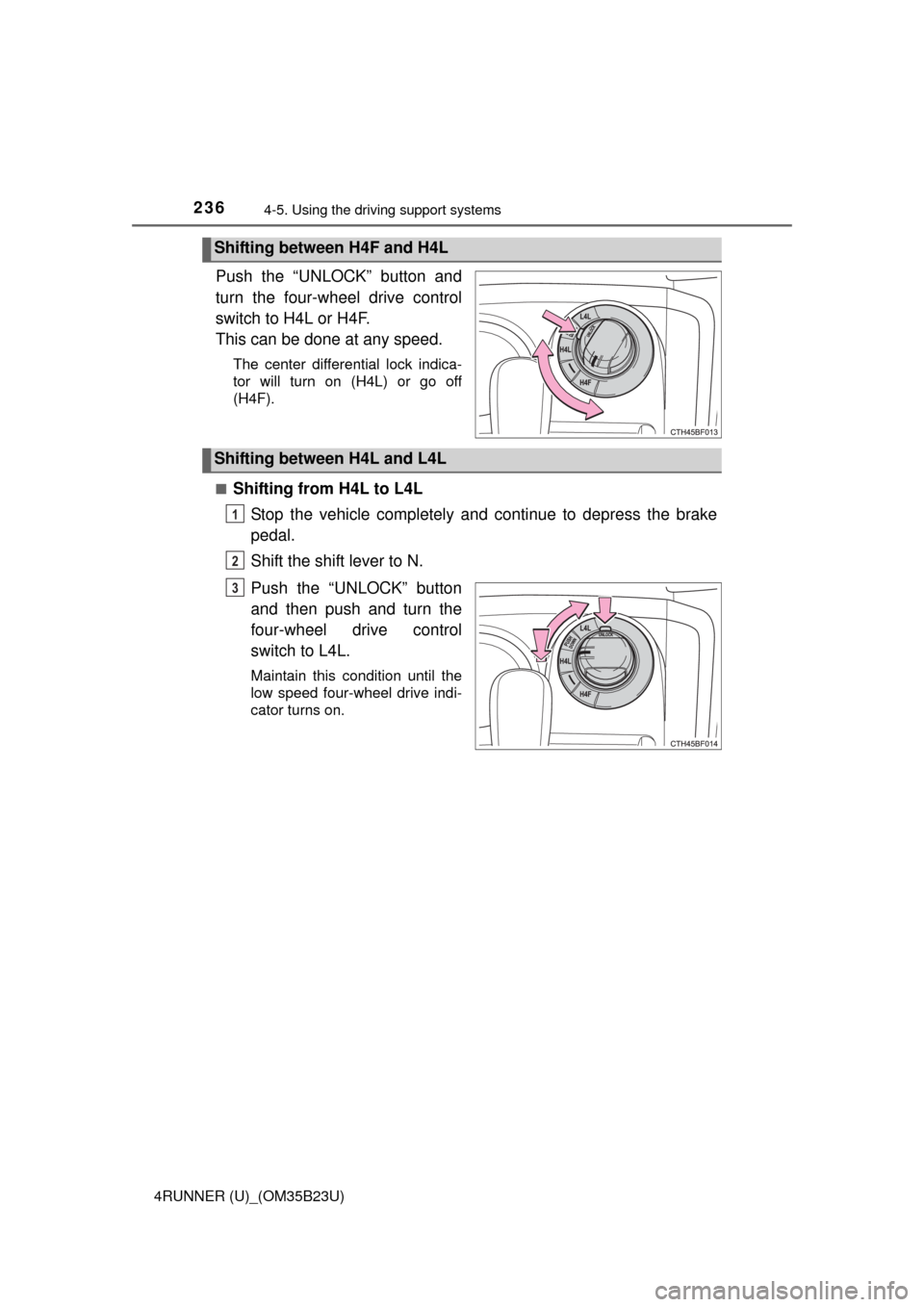
Push the “UNLOCK” button and
turn the four-wheel drive control
switch to H4L or H4F.
This can be done at any speed.
The center differential lock indica-
tor will turn on (H4L) or go off
(H4F).
■
Shifting from H4L to L4L
Stop the vehicle completely and continue to depress the brake
pedal.
Shift the shift lever to N.
Push the “UNLOCK” button
and then push and turn the
four-wheel drive control
switch to L4L.
Maintain this condition until the
low speed four-wheel drive indi-
cator turns on.
Shifting between H4F and H4L
Shifting between H4L and L4L
1
2
3
Page 237 of 528
2374-5. Using the driving support systems
4
Driving
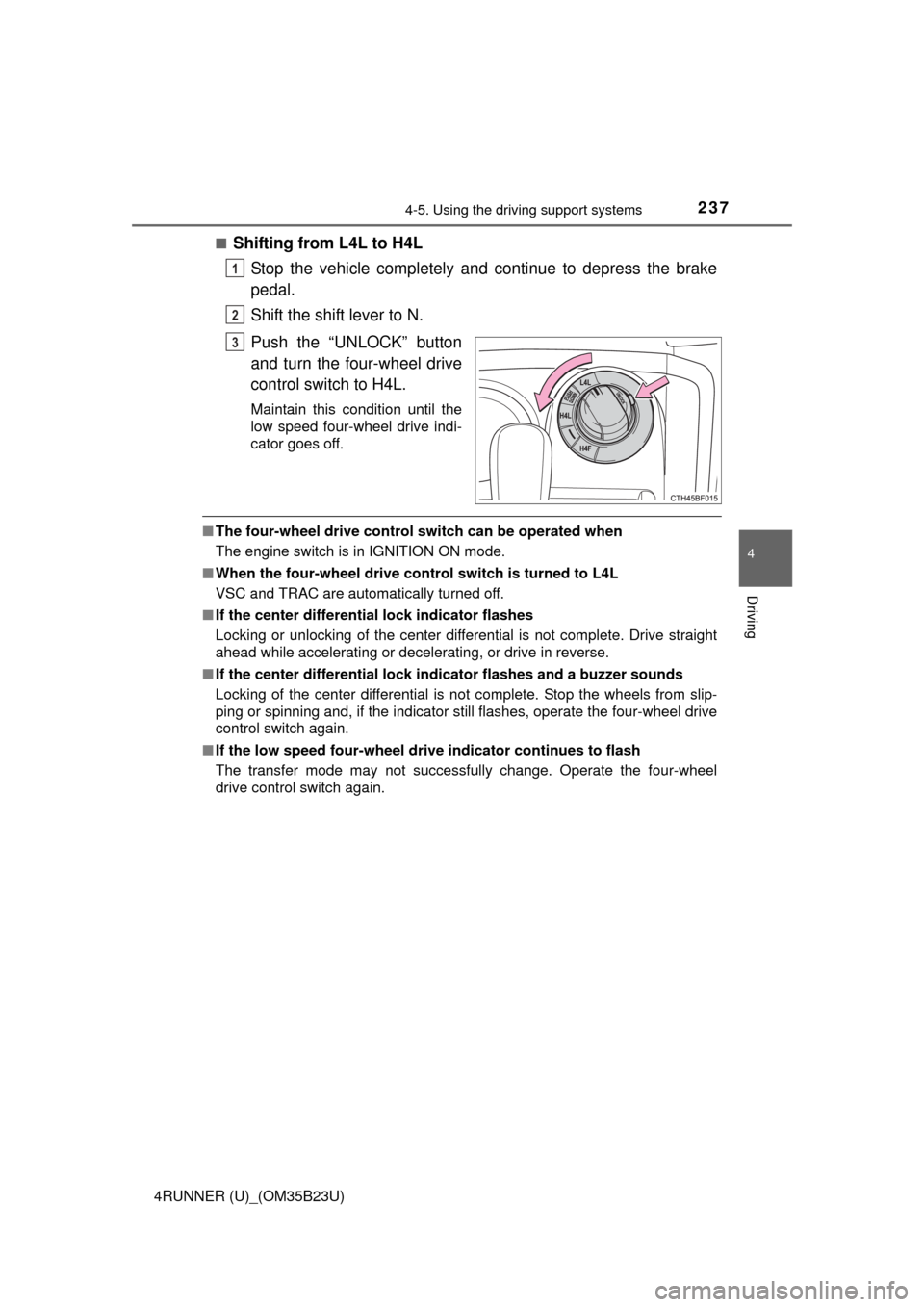
4RUNNER (U)_(OM35B23U)■
Shifting from L4L to H4L
Stop the vehicle completely and continue to depress the brake
pedal.
Shift the shift lever to N.
Push the “UNLOCK” button
and turn the four-wheel drive
control switch to H4L.
Maintain this condition until the
low speed four-wheel drive indi-
cator goes off.
■The four-wheel drive control switch can be operated when
The engine switch is in IGNITION ON mode.
■When the four-wheel drive control switch is turned to L4L
VSC and TRAC are automatically turned off.
■If the center differential lock indicator flashes
Locking or unlocking of the center differential is not complete. Drive straight
ahead while accelerating or decelerating, or drive in reverse.
■If the center differential lock indicator flashes and a buzzer sounds
Locking of the center differential is not complete. Stop the wheels from slip-
ping or spinning and, if the indicator still flashes, operate the four-wheel drive
control switch again.
■If the low speed four-wheel drive indicator continues to flash
The transfer mode may not successfully change. Operate the four-wheel
drive control switch again.
1
2
3
Page 240 of 528
2404-5. Using the driving support systems
4RUNNER (U)_(OM35B23U)
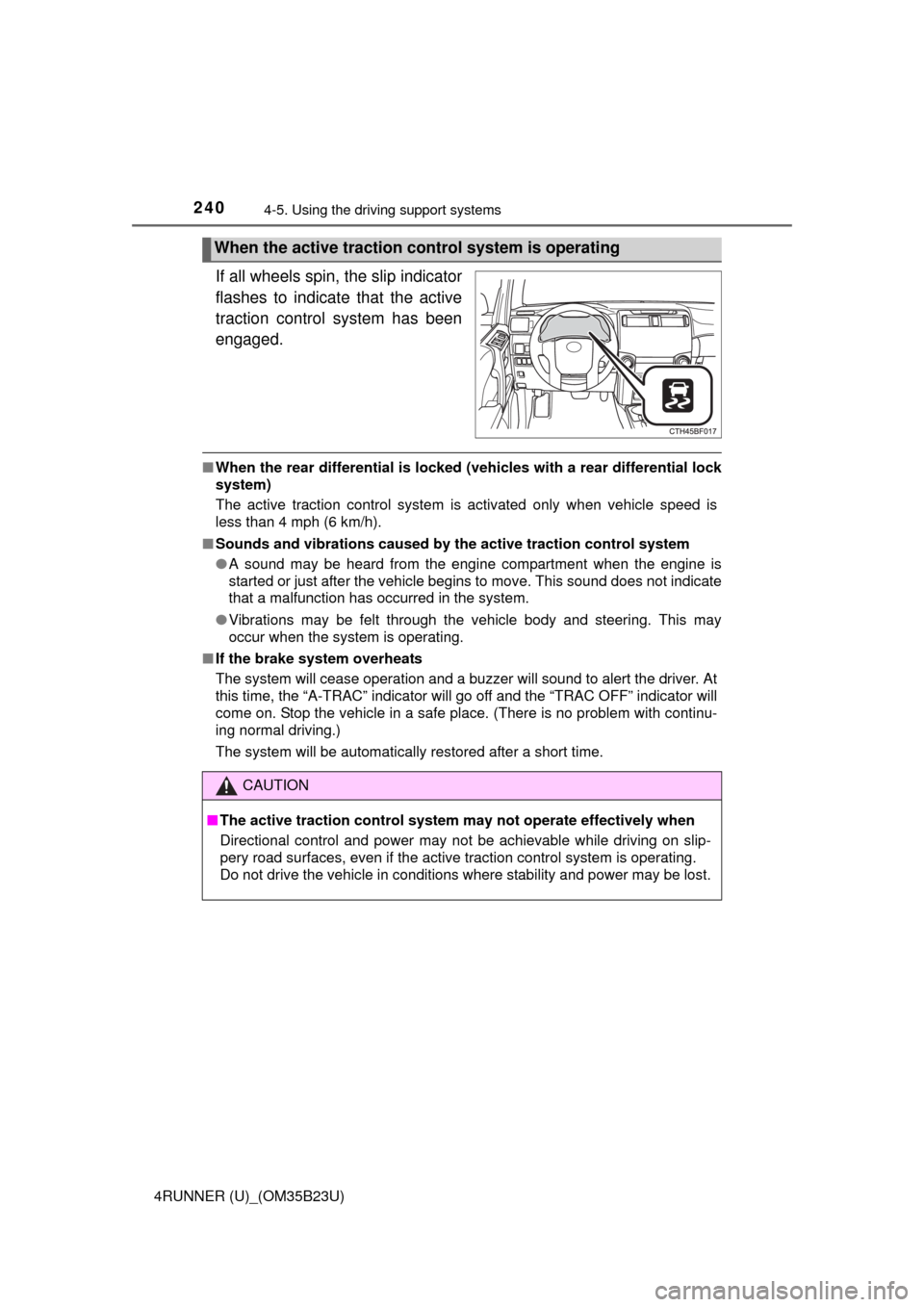
If all wheels spin, the slip indicator
flashes to indicate that the active
traction control system has been
engaged.
■When the rear differential is locked (vehicles with a rear differential lock
system)
The active traction control system is activated only when vehicle speed is
less than 4 mph (6 km/h).
■Sounds and vibrations caused by the active traction control system
●A sound may be heard from the engine compartment when the engine is
started or just after the vehicle begins to move. This sound does not indicate
that a malfunction has occurred in the system.
●Vibrations may be felt through the vehicle body and steering. This may
occur when the system is operating.
■If the brake system overheats
The system will cease operation and a buzzer will sound to alert the driver. At
this time, the “A-TRAC” indicator will go off and the “TRAC OFF” indicator will
come on. Stop the vehicle in a safe place. (There is no problem with continu-
ing normal driving.)
The system will be automatically restored after a short time.
When the active traction control system is operating
CAUTION
■The active traction control system may not operate effectively when
Directional control and power may not be achievable while driving on slip-
pery road surfaces, even if the active traction control system is operating.
Do not drive the vehicle in conditions where stability and power may be lost.
Page 242 of 528
2424-5. Using the driving support systems
4RUNNER (U)_(OM35B23U)
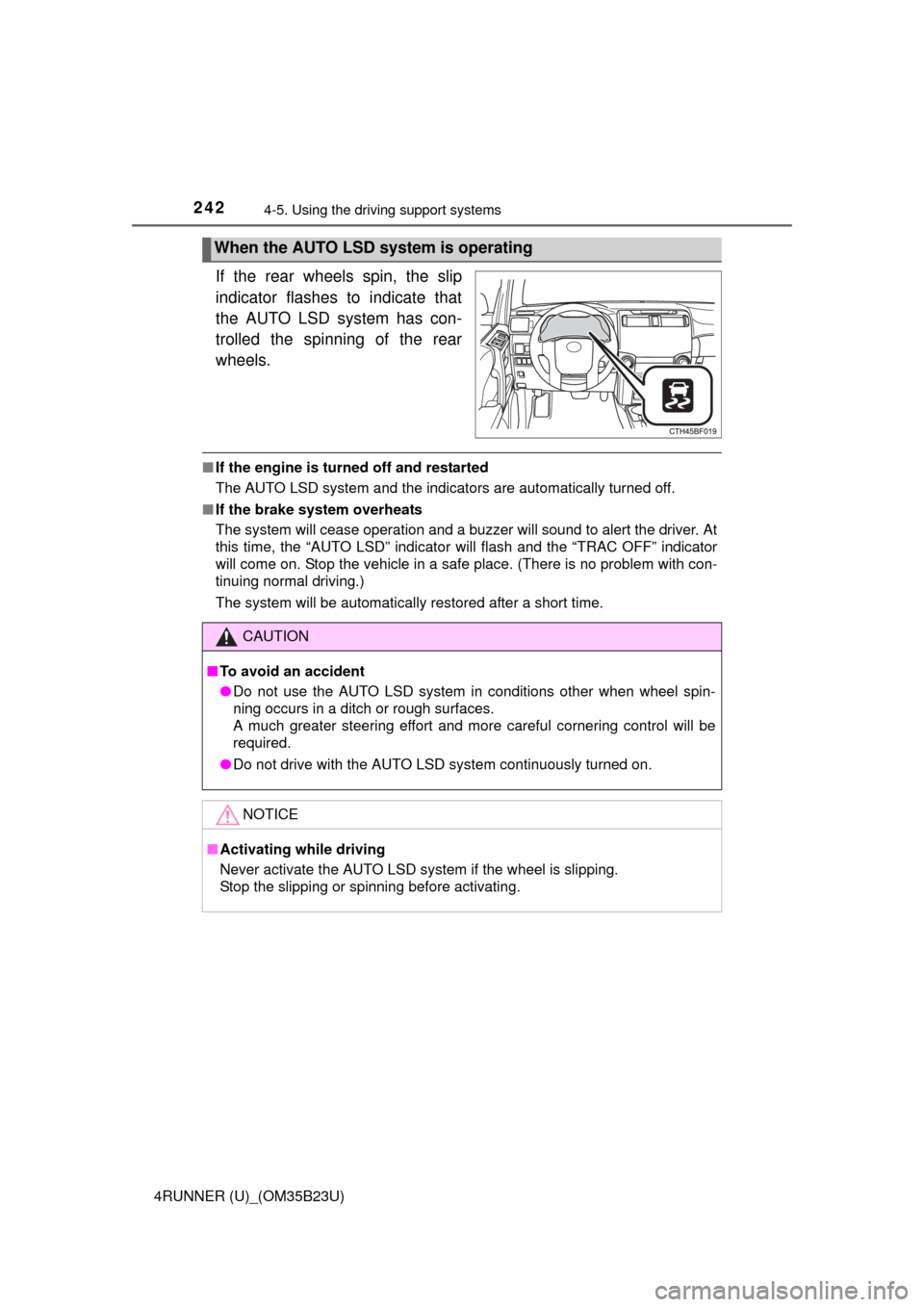
If the rear wheels spin, the slip
indicator flashes to indicate that
the AUTO LSD system has con-
trolled the spinning of the rear
wheels.
■If the engine is turned off and restarted
The AUTO LSD system and the indicators are automatically turned off.
■If the brake system overheats
The system will cease operation and a buzzer will sound to alert the driver. At
this time, the “AUTO LSD” indicator will flash and the “TRAC OFF” indicator
will come on. Stop the vehicle in a safe place. (There is no problem with con-
tinuing normal driving.)
The system will be automatically restored after a short time.
When the AUTO LSD system is operating
CAUTION
■To avoid an accident
●Do not use the AUTO LSD system in conditions other when wheel spin-
ning occurs in a ditch or rough surfaces.
A much greater steering effort and more careful cornering control will be
required.
●Do not drive with the AUTO LSD system continuously turned on.
NOTICE
■Activating while driving
Never activate the AUTO LSD system if the wheel is slipping.
Stop the slipping or spinning before activating.
Page 244 of 528
2444-5. Using the driving support systems
4RUNNER (U)_(OM35B23U)
Before using the rear differential lock system:
Stop the vehicle, shift the shift lever to N and shift the front-wheel
drive control lever into L4 to see if this is sufficient. If this has no
effect, additionally use the rear differential lock system.
Be sure the wheels have stopped spinning.
Press the rear differential lock switch.
Gently depress the accelerator pedal.
After the rear differential is locked, the indicator will come on.
Unlock the rear differential as soon as the vehicle moves.
To unlock the rear differential, press the switch again.
■Locking the rear differential
The following systems do not operate when the rear differential is locked. It is
normal operation for the ABS warning light and VSC OFF indicator to be on at
this time.
•ABS
• Multi Terrain ABS
• Brake assist system
•VSC
• Hill-start assist control
■The rear differential lock is disengaged when
The front-wheel drive control lever or switch is shifted to H2 or H4.
Never forget to turn off the switch after using this feature.
■After unlocking the rear differential
Check that the indicator goes off.
■If the rear differential lock indicator flashes rapidly
There may be a malfunction in the rear differential lock system. Have the
vehicle inspected by your Toyota dealer immediately.
Using the rear differential lock system
1
2
3
4