2016 TESLA MODEL X Seat
[x] Cancel search: SeatPage 106 of 179
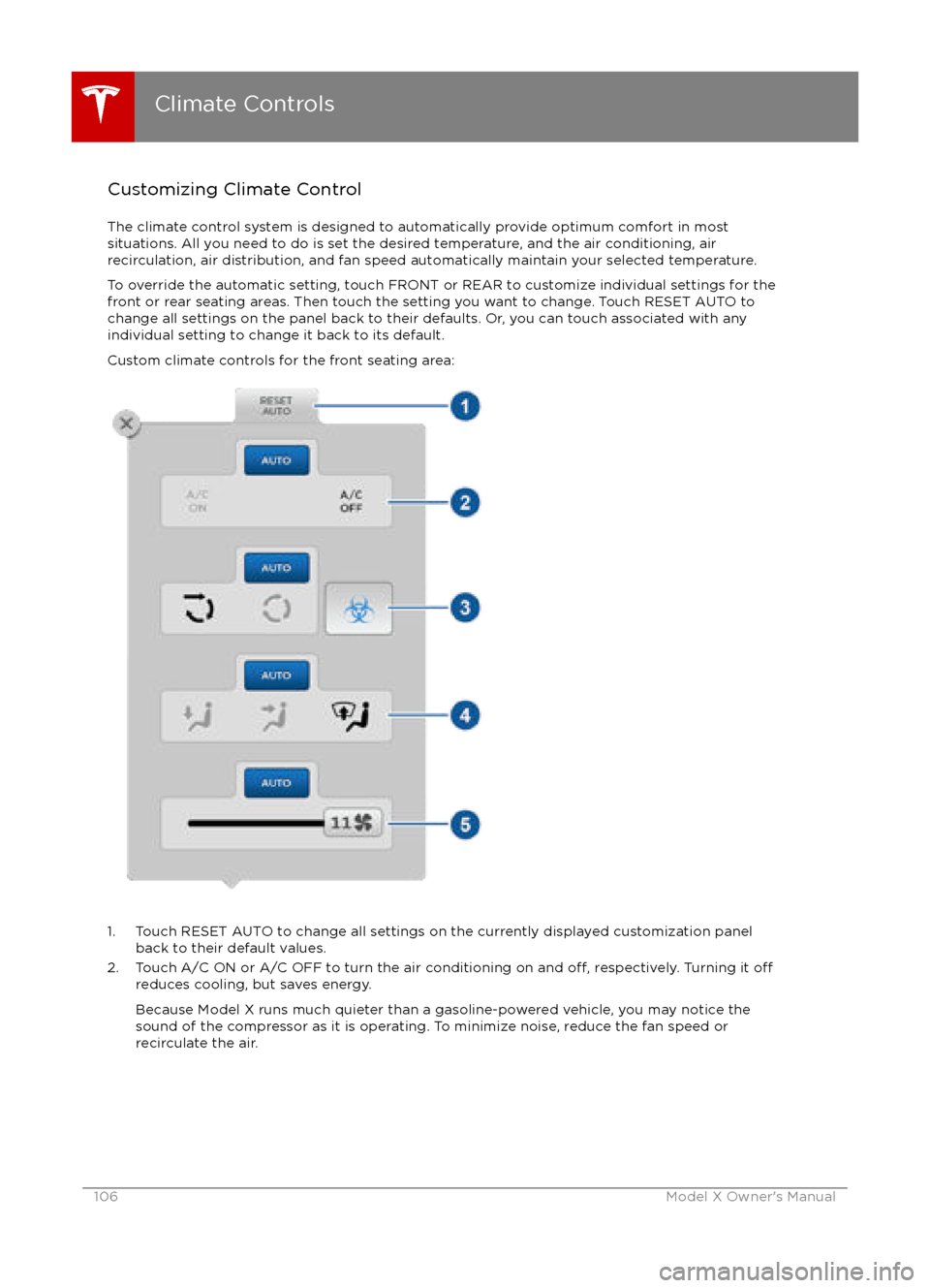
Customizing Climate ControlThe climate control system is designed to automatically provide optimum comfort in most
situations. All you need to do is set the desired temperature, and the air conditioning, air
recirculation, air distribution, and fan speed automatically maintain your selected temperature.
To override the automatic setting, touch FRONT or REAR to customize individual settings for thefront or rear seating areas. Then touch the setting you want to change. Touch RESET AUTO tochange all settings on the panel back to their defaults. Or, you can touch associated with any
individual setting to change it back to its default.
Custom climate controls for the front seating area:
1. Touch RESET AUTO to change all settings on the currently displayed customization panel back to their default values.
2. Touch A/C ON or A/C OFF to turn the air conditioning on and
off, respectively. Turning it offreduces cooling, but saves energy.
Because Model X runs much quieter than a gasoline-powered vehicle, you may notice the
sound of the compressor as it is operating. To minimize noise, reduce the fan speed or
recirculate the air.
Climate Controls
106Model X Owner
Page 107 of 179
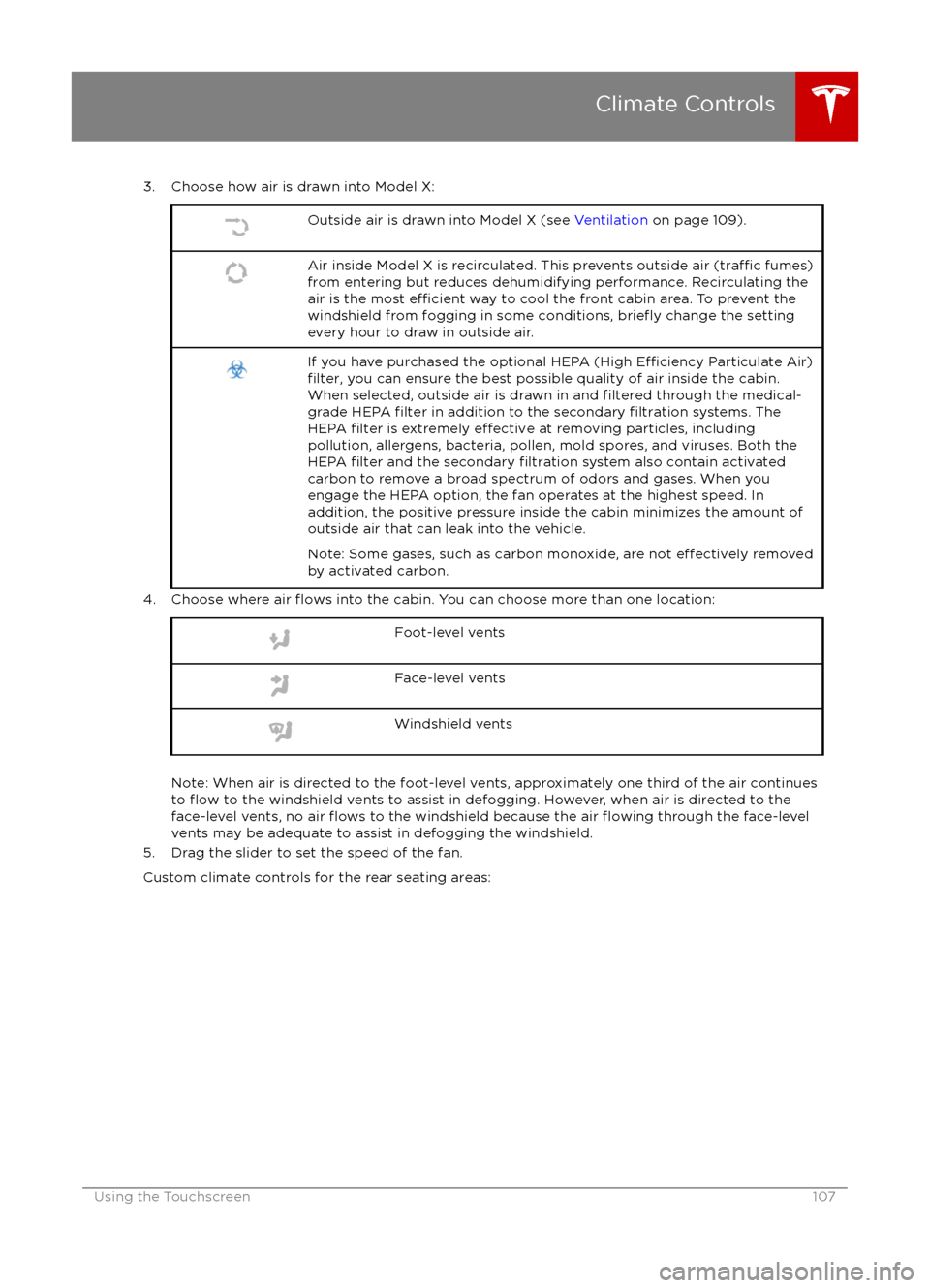
3. Choose how air is drawn into Model X:Outside air is drawn into Model X (see Ventilation on page 109).Air inside Model X is recirculated. This prevents outside air (traffic fumes)
from entering but reduces dehumidifying performance. Recirculating the
air is the most
efficient way to cool the front cabin area. To prevent the
windshield from fogging in some conditions, briefly change the setting
every hour to draw in outside air.
If you have purchased the optional HEPA (High Efficiency Particulate Air)filter, you can ensure the best possible quality of air inside the cabin.
When selected, outside air is drawn in and filtered through the medical-
grade HEPA filter in addition to the secondary filtration systems. The
HEPA filter is extremely effective at removing particles, including
pollution, allergens, bacteria, pollen, mold spores, and viruses. Both the
HEPA
filter and the secondary filtration system also contain activated
carbon to remove a broad spectrum of odors and gases. When you
engage the HEPA option, the fan operates at the highest speed. In
addition, the positive pressure inside the cabin minimizes the amount of
outside air that can leak into the vehicle.
Note: Some gases, such as carbon monoxide, are not
effectively removed
by activated carbon.
4. Choose where air flows into the cabin. You can choose more than one location:
Foot-level ventsFace-level ventsWindshield vents
Note: When air is directed to the foot-level vents, approximately one third of the air continues
to flow to the windshield vents to assist in defogging. However, when air is directed to the
face-level vents, no air flows to the windshield because the air flowing through the face-level
vents may be adequate to assist in defogging the windshield.
5. Drag the slider to set the speed of the fan.
Custom climate controls for the rear seating areas:
Climate Controls
Using the Touchscreen107
Page 114 of 179
USB Hub Connections
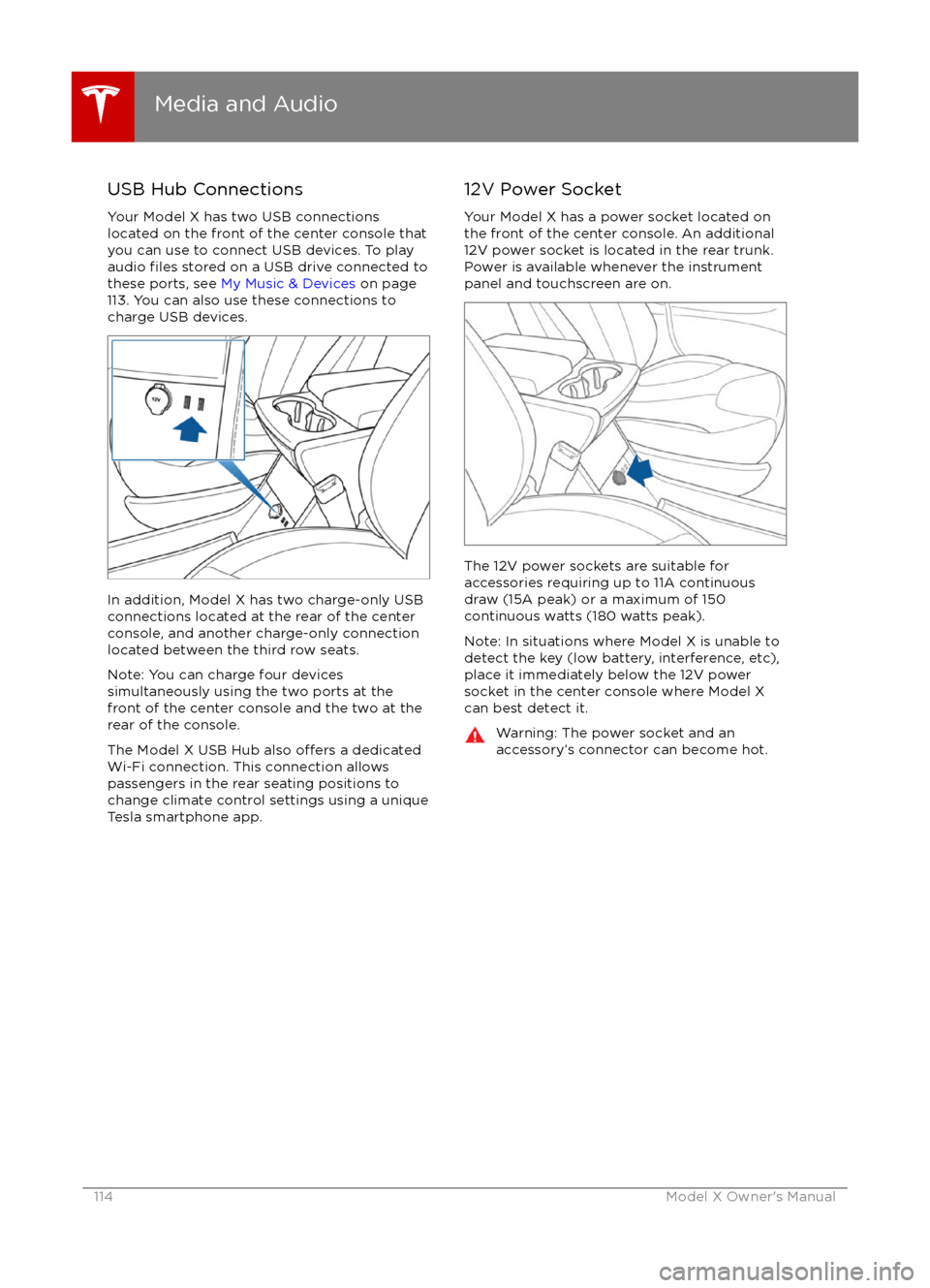
Your Model X has two USB connections
located on the front of the center console that
you can use to connect USB devices. To play
audio
files stored on a USB drive connected to
these ports, see My Music & Devices on page
113. You can also use these connections to
charge USB devices.
In addition, Model X has two charge-only USB
connections located at the rear of the center
console, and another charge-only connection located between the third row seats.
Note: You can charge four devices
simultaneously using the two ports at the
front of the center console and the two at the
rear of the console.
The Model X USB Hub also
offers a dedicated
Wi-Fi connection. This connection allows passengers in the rear seating positions tochange climate control settings using a unique
Tesla smartphone app.
12V Power Socket
Your Model X has a power socket located on
the front of the center console. An additional
12V power socket is located in the rear trunk.
Power is available whenever the instrument
panel and touchscreen are on.
The 12V power sockets are suitable for
accessories requiring up to 11A continuous
draw (15A peak) or a maximum of 150
continuous watts (180 watts peak).
Note: In situations where Model X is unable to detect the key (low battery, interference, etc),
place it immediately below the 12V power
socket in the center console where Model X
can best detect it.
Warning: The power socket and an
accessory
Page 143 of 179

Cleaning the Interior
Frequently inspect and clean the interior to maintain its appearance and to prevent
premature wear. If possible, immediately wipe up spills and remove marks. For general
cleaning, wipe interior surfaces using a soft
cloth (such as micro
fiber) dampened with a
mixture of warm water and mild non-
detergent cleaner (test all cleaners on a
concealed area before use). To avoid streaks,
dry immediately with a soft lint-free cloth.
Interior Glass
Do not scrape, or use any abrasive cleaning
fluid on glass or mirrored surfaces. This can
damage the reflective surface of the mirror
and the heating elements in the rear window.
Airbags
Do not allow any substance to enter an airbag
cover. This could
affect correct operation.
Dashboard and Plastic Surfaces
Do not polish the upper surfaces of the
dashboard. Polished surfaces are
reflectiveand could interfere with your driving view.
Leather Seats
Leather is prone to dye-transfer which can
cause discoloration, particularly on light colored leather. White and tan leather iscoated with an anti-soiling treatment. Wipespills as soon as possible using a soft cloth
moistened with warm water and non-
detergent soap. Wipe gently in a circular
motion. Then wipe dry using a soft, lint-free
cloth. Using detergents or commercially
available leather cleaners and conditioners is
not recommended because they can discolor or dry out the leather.
Cloth Seats
Wipe spills as soon as possible using a soft
cloth moistened with warm water and non-
detergent soap. Wipe gently in a circular
motion. Then wipe dry using a soft, lint-free
cloth. Vacuum the seats as needed to remove
any loose dirt.
Carpets
Avoid over-wetting carpets. For heavily soiled
areas, use a diluted upholstery cleaner.
Seat Belts
Extend the belts to wipe. Do not use any type of detergent or chemical cleaning agent.
Allow the belts to dry naturally while
extended, preferably away from direct
sunlight.
Tesla Built-In Rear Facing Child Seats
Vacuum the seats to remove any loose dirt.
Wipe the seats with a soft cloth dampened
with warm water. You can also use an upholstery cleaner designed for automotive
use. Extend the belts to wipe. Allow the belts
to dry naturally, preferably away from direct
sunlight.
Touchscreen and Instrument Panel
Clean the touchscreen and instrument panel
using a soft lint-free cloth
specificallydesigned to clean monitors and displays. Do not use cleaners (such as a glass cleaner) and
do not use a wet wipe or a dry statically- charged cloth (such as a recently washed
microfiber). To wipe the touchscreen without
activating buttons and changing settings, you
can enable clean mode. Touch Controls > Displays > Clean Mode. The display darkens to
make it easy to see dust and smudges.
Chrome and Metal Surfaces
Polish, abrasive cleaners or hard cloths can
damage the
finish on chrome and metal
surfaces.
Cautions for Interior Cleaning
Warning: If you notice any damage on an
airbag or seat belt, contact Tesla
immediately.Warning: Do not allow any water,
cleaners, or fabric to enter a seat belt
mechanism.Caution: Using solvents (including alcohol), bleach, citrus, naphtha, orsilicone-based products or additives on
interior components can cause damage.
Cleaning
Maintenance143
Page 146 of 179
Removing the Maintenance Panel
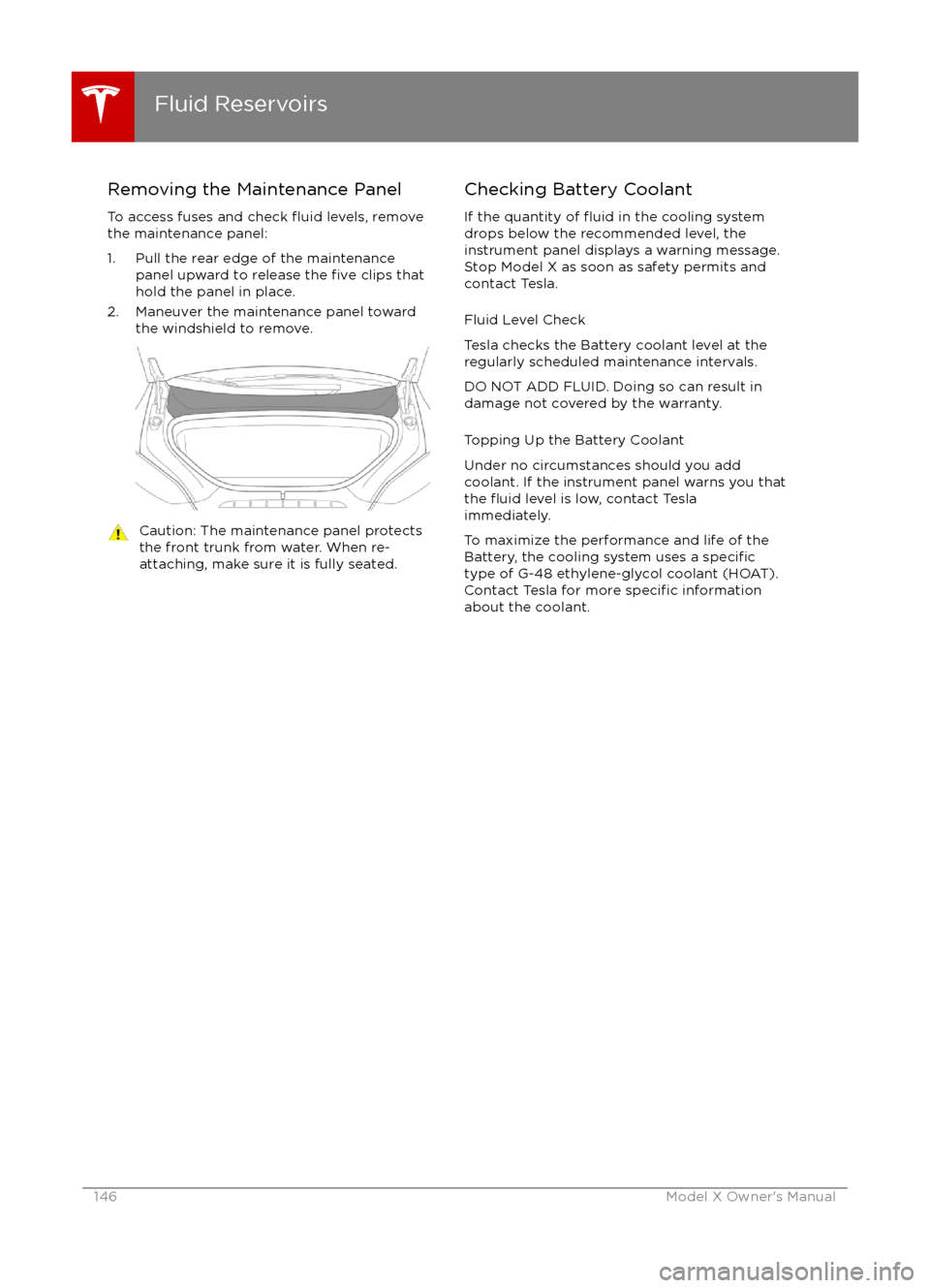
To access fuses and check
fluid levels, remove
the maintenance panel:
1. Pull the rear edge of the maintenance panel upward to release the
five clips that
hold the panel in place.
2. Maneuver the maintenance panel toward the windshield to remove.
Caution: The maintenance panel protects
the front trunk from water. When re-
attaching, make sure it is fully seated.Checking Battery Coolant
If the quantity of
fluid in the cooling system
drops below the recommended level, the
instrument panel displays a warning message.
Stop Model X as soon as safety permits and
contact Tesla.
Fluid Level Check
Tesla checks the Battery coolant level at the
regularly scheduled maintenance intervals.
DO NOT ADD FLUID. Doing so can result in
damage not covered by the warranty.
Topping Up the Battery Coolant
Under no circumstances should you add
coolant. If the instrument panel warns you that
the
fluid level is low, contact Tesla
immediately.
To maximize the performance and life of the
Battery, the cooling system uses a
specifictype of G-48 ethylene-glycol coolant (HOAT).
Contact Tesla for more specific information
about the coolant.
Fluid Reservoirs
146Model X Owner
Page 166 of 179

IllustrationsIllustrations are provided for demonstration
purposes only. Depending on vehicle options, software version, region of purchase, and
specific vehicle settings, your Model X may
appear slightly different.
Although the owner information is applicable
to both right-hand drive and left-hand drive
vehicles, many illustrations show only left-
hand drive vehicles. However, the essential
information that the illustrations are providing
is correct.
Errors or Inaccuracies All
specifications and descriptions are known
to be accurate at time of publishing. However,
because continuous improvement is a goal at
Tesla, we reserve the right to make product
modifications at any time. To communicate
any inaccuracies or omissions, or to provide
general feedback or suggestions regarding the quality of this owner information, send anemail to:
[email protected]
Location of ComponentsThe owner information may specify thelocation of a component as being on the left
or right side of the vehicle. As shown here, left
(1) and right (2) represent the side of the
vehicle when sitting inside Model X in a front-
facing seat.
Document Applicability
Owner information is updated on a regular
basis to
reflect updates to your Model X.
However, in some cases, recently released
features may not be described. To display information about recently released features,
view the Release Notes on the Model X
touchscreen. Release Notes are displayed on
the touchscreen after a software update, and can be displayed at any time by touching the
Tesla "T" at the top center of the touchscreen,
then touching the Release Notes link. If
information related to how to use the Model X
touchscreen
conflicts with information in the
Release Notes, the Release Notes take
precedence.
About this Owner Information
166Model X Owner
Page 175 of 179
AABS (Anti-lock Braking System) 54
Acceleration (dual motor) 97
access panel, removing 146accessoriesinstalling 150
plugging into power socket 114
active hood 61
adaptive headlights 51
air circulation 106
air conditioning 105
air distribution 106
air
filter 109
air suspension 111
air vents 109
airbag, front passenger, disabling 34
airbags 32
alarm 121
all-season tires 135
always connected, setting 63
antennas 9
anti-lock braking (ABS) 54
audioplaying files 112
steering wheel buttons 37
volume control 112
Auto High Beam 51
Auto Lane Change 82
auto-raising suspension 110
Autopark 84
Autopilot 72
Autosteer 80
B
backup camera 65
battery (12V)complete discharge 127specifications 158Battery (high voltage)care of 127
coolant 146
specifications 159
temperature limits 127
battery (key), replacing 5
blind spot warning 86
Bluetoothdevices, playing audio files from 113
general information 115
phone, pairing and using 115
body repairs 150
body touch up 144
brake
fluid replacement 132
brakesautomatic in emergencies 88fluid level 147
overview of 54brakes (continued)specifications 158
brightness of displays 101
C cabin temperature control 105
calendar 119
camera (rear view) 65
car cover 144
car washes 142
Cargo Mode 20
cargo space, maximizing 20
carpets, cleaning 143
CE
certifications 173
CHAdeMO 126
chains 136
change of ownership 104
charge port 128
charge port light 129
chargingcharge settings 130
components and equipment 125
instructions 128
public charging stations 126
scheduling 130
status of 131child protectiondisabling liftgate and rear door handles 9
disabling rear window switches 11child seatscleaning 143
disabling front passenger airbag 34
installing and using 24
cleaning 142
climate controls 105
climate ionizer 101
clock 37
Cold Weather controls 97
collision avoidance assist 88
console12V power socket 114
cup holders 17
USB ports 114contact informationroadside assistance 163coolantBattery, checking level of 146
Battery, replacement interval 132
copyrights 166, 167
Creep 97
cruise control 75
cup holders 17
customizing 101
Index
Index175
Page 176 of 179
D
dashboard overview 2
data recording 168
day mode 101
declarations of conformity 173
delivery mileage 168devicesBluetooth, playing audio files 113
connecting 114
playing audio
files from 113
dimensions 155
display brightness 101
dome (map) lights 48
door labels 152
Door Unlock Mode 4
doors 4
doors, opening 4
Drive gear 42
drive-away locking 9
driverprofiles 36
seat adjustment 18driver assistanceAuto Lane Change 82
Autopark 84
Autosteer 80
blind spot warning 86
collision avoidance assist 88
forward collision warning 88
overtake acceleration 75
overview 72
settings for 101
side collision avoidance 86
side collision warning 86
staying inside lane markings 86
Traffic-Aware Cruise Control 75
drivingseating position 18
starting 41
tips to maximize range 63
E
electric parking brake 55
emergency
flashers 52
energygained from regenerative braking 55
range information 43, 46
tips to minimize usage of 63
energy & charging setting 101
energy app 63
energy saving mode 63
Erase & Reset 104
event data recording 168
exteriorcar cover 144
cleaning 142exterior (continued)dimensions 155
lights 48
overview 3
polishing, touch up, & repair 144
F
factory defaults, restoring 104
factory reset 104
fan speed, interior 106
favorites, adding and removing 113
FCC
certifications 173
features, downloading new 123
firmware (software) updates 123flash drives, playing audio files from 113flashers, warning 52flat tire repair 138floor mats 144
fluidsreplacement intervals 132
reservoirs, checking 146
fog lights 48
forward collision warning 88
front passenger detection 34
front trunk 14
fusesremoving access panel 146
G
GAWR 153
gears 42
glove box 16
Gross Axle Weight Rating 153
Gross Vehicle Weight Rating 153
ground clearance 155, 156
GVWR 153
H hazard warning
flashers 52
head restraints 20
headlightsadaptive 51
after exit 51
high beams 51
heated wipers 53
heating 105
height adjustments (suspension)auto-raising 110
automatic and manual settings 111
disabling (Jack mode) 111
high beam headlights 51
high voltageBattery specifications 159
Index
176Model X Owner