2016 SKODA SUPERB oil reset
[x] Cancel search: oil resetPage 48 of 336

Driving data (Multifunction display)
Introduction
This chapter contains information on the following subjects:
Information overview
46
Display Infotainment
46
Warning when exceeding the set speed
47
Memory
47
The driving data display is only possible with the ignition switched on. After
the ignition is switched on, the function that was last selected before switch-
ing off the ignition is displayed.
If vehicles with MAXI DOTdisplay do not show the driving data after switching
on the ignition, select the menu item
Driving data
in the main menu and confirm
» page 48 .
The units and the display of some information can be set in Infotainment by
tapping
→
→
units
.
Note
The setting of the information display is stored in the active user account per-
sonalisation » page 49.
Information overview
Overview of driving data (depending on the vehicle equipment).
Range - drive distance in km which can be covered with the existing tank ca-
pacity and with the same driving style. If you drive more efficiently this value
can increase.
AdBlue ®
range - drive distance in km which can be covered with the existing
AdBlue ®
tank capacity and with the same driving style. If you drive more effi-
ciently this value can increase.
Average fuel consumption - is calculated continuously since the last time the
memory was deleted. After erasing the memory, no data will appear for the
first 100 m driven.
Current fuel consumption - when the vehicle is stationary or slowly moving,
the fuel consumption is displayed in l/h (--,- km/l appears on models for some
countries).
Oil temperature - if the temperature is lower than 50 °C or if there is a fault in
the system for checking the oil temperature, the symbols are displayed.
Warning when the preset speed is exceeded - allows the setting of a speed
limit where, if exceeded, an acoustic warning signal and a warning message
appears on the display of the instrument cluster.
Dynamic Road Sign Display - traffic signs display » page 246, Traffic sign rec-
ognition .
Current speed - digital speedometer.
Average speed - is calculated continuously since the last time the memory
was deleted. After erasing the memory, no data will appear for the first 300 m
driven.
Driving route - distance driven since the last time the memory was deleted.
Driving time - driving time since the last time the memory was deleted.
Conv. consumers - information about the total consumption of the comfort
consumers in l/h and a list of three consumers (e.g. air conditioning etc.), which
have the largest share of fuel consumption.
There is an option to show/hide the presentation of the multi-function display
menu items in the instrument cluster display and to reset driving data in Info-
tainment by tapping
→
→
Instrument cluster
.
Display Infotainment
Fig. 28
Driving data
›
Press the button, then tap on the function surface
→
Driving data
.
Screen display » Fig. 28
Distance travelled
Driving time
Average speed
ABC46Using the system
Page 51 of 336

▶Front Assist
▶ Lane Assist
▶ Rear Traffic Alert
▶ Assist system for blind spot monitoring
Service interval display
Introduction
This chapter contains information on the following subjects:
Displaying the distance and days until the next service interval
49
Service messages
49
Resetting the service interval display
49
The service interval display shows the kilometres or days until the next service
event.
Information regarding the service intervals » page 258.
Displaying the distance and days until the next service interval
Fig. 30
Button in the instrument cluster
›
Switch on the ignition.
›
Press and hold the button
A
» Fig. 30 until the
Service
menu item is shown in
the display.
›
Release the button
A
.
In the display, the symbol appears for 4 seconds along with the following
message for the kilometres or days to the next service appointment.
The information regarding the remaining kilometres and days until the next service can also be displayed in Infotainment by tapping
→
→
ServiceService messages
Messages before reaching the scheduled service date
Before the next service date has been reached, the symbol
as well as a mes-
sage about the mileage or days until the next service event appears in the dis-
play after switching on the ignition.
Messages upon reaching scheduled service date
Once the service interval is reached, the symbol
appears in the display after
the ignition is switched on, together with the message:
Resetting the service interval display
We recommend that the display reset is completed by a specialist garage.
We recommend that you do not reset the service interval display yourself. In-
correctly setting the service interval display could cause problems to the vehi-
cle.
Variable service interval
For vehicles with variable service intervals, after resetting the oil change serv-
ice display in a specialist garage, the values of the new service interval are dis-
played, which are based on the previous operating conditions of the vehicle.
These values are then continuously matched according to the actual operating
conditions of the vehicle.
Personalisation
Introduction
This chapter contains information on the following subjects:
Function
50
Overview of some of the personalisation functions
50
Setting the personalisation
50
Thanks to the personalisation, more drivers have the opportunity to use a ve-
hicle with individually set system functions by means of a user account which
is assigned to the respective vehicle key.
WARNINGMake all adjustments when the vehicle is stationary - otherwise there is
the risk of accident!49Information system
Page 324 of 336

Pop-up windowMap189
Power steering35
Practical equipment 230-volt socket
97
Practical features 12-volt socket in the interior
96
12 volt socket in luggage compartment97
Ashtray98
Cigarette lighter99
Parking ticket holder88
Pockets94
Reflective vest280
Seat backrest with long cargo channel95
Storage compartment87
Storage compartment for umbrella93
Storage compartment under the front passen- ger seat
93
Waste container91
Preferred contacts170
Preheating unit36
Preset list TV tuner
157
Principles of Infotainment125
Proactive occupant protection242
Proactive passenger protection Warning light
37
Puncture repair kit285
R
Radiator shutters
210
radio Select station
143
Radio Broadcasting
143
DAB - settings141
DAB settings134
FM - settings134, 141
L-band135
List of available stations143
Main menu142
Operation142
Preface142
Radio station logo145
Save station144
Scan143
Search stations143
Set140
set to134
Station buttons144
Traffic program (TP)145
Voice control128
Radio station logo145
Radio station logos Update
134
Radio stations Choose
143
Logo145
Save station144
Search stations143
Select station143
Station buttons144
Raising the vehicle284
Rear fog light69
Warning light36
Rear seats83
Rear traffic alert218
Rear Traffic Alert Activation / deactivation
221
Malfunctions221
Operation219
Rear view mirror77
Rear window - heating74
Record waypoints195
Refill Windscreen washer fluid
270
refilling AdBlue
267
RefillingCoolant272
Engine oil271
Reflective vest280
Refuelling265
Fuel265
Regulation Headlight beam
67
Remote control Auxiliary heating (auxiliary heating and ventila- tion)
120
Changing battery290
Synchronisation process57
Unlocking/locking54
Remote transmission of SIM data167
Removable light109
Changing batteries292
Removable through-loading bag95
Repairs and technical alterations256
Replace Battery
291
Replacing Bulbs
299
Fuses295
Windscreen wiper blades294
Reproduction Media
147
Video DVD155
Restart Infotainment126
Restaurant184
Reversible seat belts17
Reversing camera221
Activation / deactivation222
Function surfaces223
Mode- Driving up to a trailer / Distance moni- toring
225
Mode- Monitoring the area behind the vehicle 225
Mode - Parallel parking
224
Operation222
Orientation lines and roadway223
322Index
Page 326 of 336
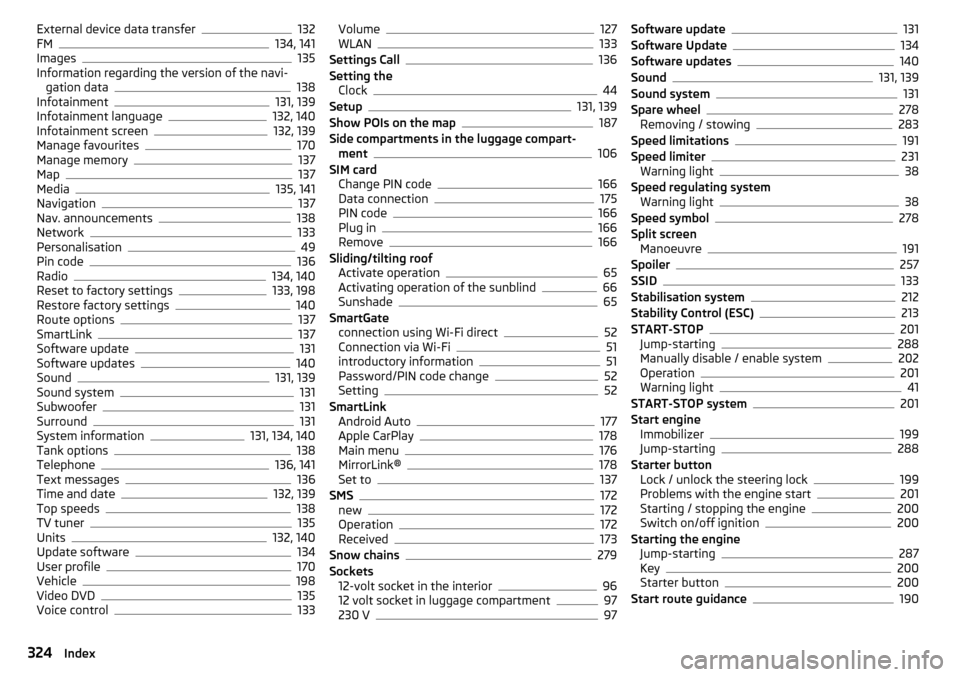
External device data transfer132
FM134, 141
Images135
Information regarding the version of the navi- gation data
138
Infotainment131, 139
Infotainment language132, 140
Infotainment screen132, 139
Manage favourites170
Manage memory137
Map137
Media135, 141
Navigation137
Nav. announcements138
Network133
Personalisation49
Pin code136
Radio134, 140
Reset to factory settings133, 198
Restore factory settings140
Route options137
SmartLink137
Software update131
Software updates140
Sound131, 139
Sound system131
Subwoofer131
Surround131
System information131, 134, 140
Tank options138
Telephone136, 141
Text messages136
Time and date132, 139
Top speeds138
TV tuner135
Units132, 140
Update software134
User profile170
Vehicle198
Video DVD135
Voice control133
Volume127
WLAN133
Settings Call136
Setting the Clock
44
Setup131, 139
Show POIs on the map187
Side compartments in the luggage compart- ment
106
SIM card Change PIN code
166
Data connection175
PIN code166
Plug in166
Remove166
Sliding/tilting roof Activate operation
65
Activating operation of the sunblind66
Sunshade65
SmartGate connection using Wi-Fi direct
52
Connection via Wi-Fi51
introductory information51
Password/PIN code change52
Setting52
SmartLink Android Auto
177
Apple CarPlay178
Main menu176
MirrorLink®178
Set to137
SMS172
new172
Operation172
Received173
Snow chains279
Sockets 12-volt socket in the interior
96
12 volt socket in luggage compartment97
230 V97
Software update131
Software Update134
Software updates140
Sound131, 139
Sound system131
Spare wheel278
Removing / stowing283
Speed limitations191
Speed limiter231
Warning light38
Speed regulating system Warning light
38
Speed symbol278
Split screen Manoeuvre
191
Spoiler257
SSID133
Stabilisation system212
Stability Control (ESC)213
START-STOP201
Jump-starting288
Manually disable / enable system202
Operation201
Warning light41
START-STOP system201
Start engine Immobilizer
199
Jump-starting288
Starter button Lock / unlock the steering lock
199
Problems with the engine start201
Starting / stopping the engine200
Switch on/off ignition200
Starting the engine Jump-starting
287
Key200
Starter button200
Start route guidance190
324Index