2016 SKODA KODIAQ battery
[x] Cancel search: batteryPage 51 of 344
Symbols in the displayCharge status of the telephone battery 1)
Signal strength 1 )
A telephone is connected to the unit
Missed calls (if there are several missed calls, the number of calls is shown
next to the symbol)
Switch-off microphone
Menu item
Assist systems
The following systems are activated/deactivated in the
Assist systems
menu
item.
▶ Front Assist
▶ Lane Assist
▶ Rear Traffic Alert
▶ Assist system for blind spot monitoring
Service interval display
Introduction
This chapter contains information on the following subjects:
Displaying the distance and days until the next service interval
49
Service messages
49
Resetting the service interval display
50
The service interval display shows the kilometres or days until the next service
event.
Information regarding the service intervals » page 268.
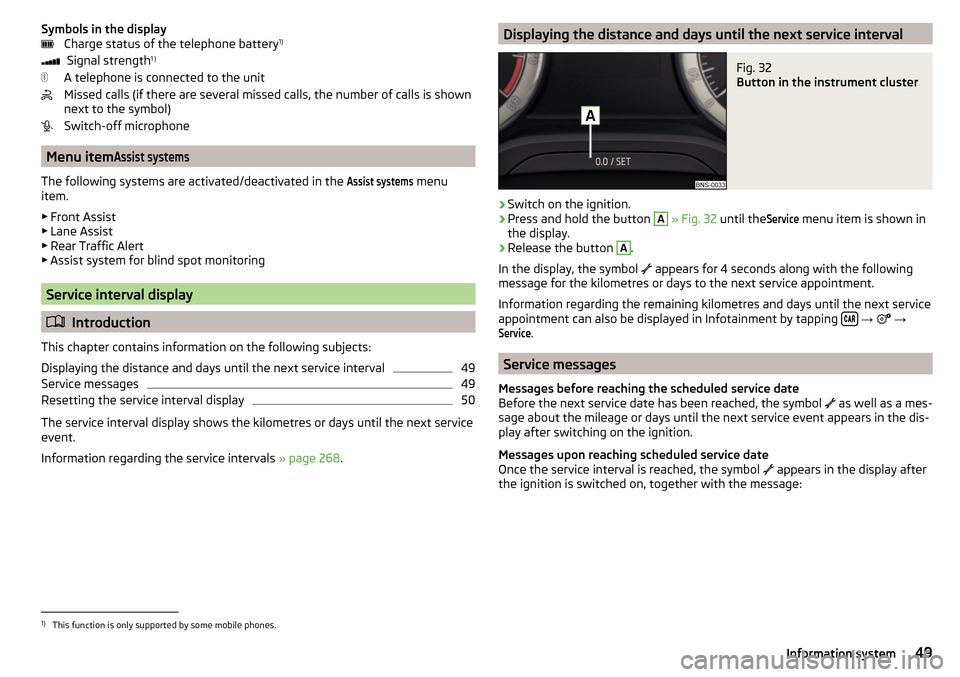
Displaying the distance and days until the next service intervalFig. 32
Button in the instrument cluster
›
Switch on the ignition.
›
Press and hold the button
A
» Fig. 32 until the
Service
menu item is shown in
the display.
›
Release the button
A
.
In the display, the symbol appears for 4 seconds along with the following
message for the kilometres or days to the next service appointment.
Information regarding the remaining kilometres and days until the next service appointment can also be displayed in Infotainment by tapping
→
→
Service
.
Service messages
Messages before reaching the scheduled service date
Before the next service date has been reached, the symbol as well as a mes-
sage about the mileage or days until the next service event appears in the dis-
play after switching on the ignition.
Messages upon reaching scheduled service date
Once the service interval is reached, the symbol appears in the display after
the ignition is switched on, together with the message:
1)
This function is only supported by some mobile phones.
49Information system
Page 55 of 344
Locking button for folding the key bit in/out
Warning light for the battery charge - if the warning light does not flash
when a button on the key is pressed, the battery is discharged.
Unlock/unlatch the boot lid (vehicles fitted with manual folding operation)
By pressing the button
, the lid is unlocked.
By holding the button
, the lid is unlocked and unlatched (partially open).
If the lid is unlocked or unlatched using the
button, then the lid is automat-
ically locked after closing. The period after which the lid is locked can be set
» page 59 .
CAUTION
■
The remote control may be affected by signal superposition of transmitters
that are in the vicinity of the vehicle.■
The effective area of the remote control key is around 30 m. If the central
locking on the remote control responds from a distance of less than around 3
m, the battery must be replaced » page 300.
Remove KESSY emergency key
Fig. 35
KESSY key
Read and observe
and on page 52 first.
The emergency key is, for example, intended for the operation of the child
safety, and for switching off/on the front passenger airbag.
›
Remove retainer tabs
A
in the direction of arrow
1
» Fig. 35 .
›
Remove the emergency key
B
in the direction of the arrow
2
.
ABLocking / unlocking - KESSYFig. 36
Vehicle unlocking / vehicle locking
Read and observe
and on page 52 first.
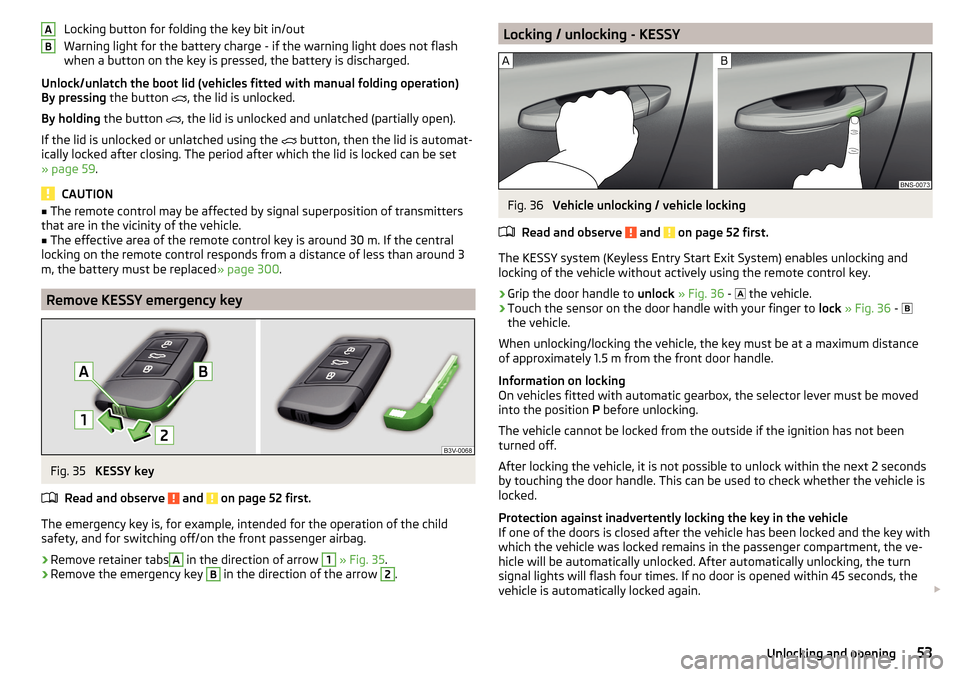
The KESSY system (Keyless Entry Start Exit System) enables unlocking and
locking of the vehicle without actively using the remote control key.
›
Grip the door handle to unlock » Fig. 36 -
the vehicle.
›
Touch the sensor on the door handle with your finger to
lock » Fig. 36 -
the vehicle.
When unlocking/locking the vehicle, the key must be at a maximum distance
of approximately 1.5 m from the front door handle.
Information on locking
On vehicles fitted with automatic gearbox, the selector lever must be moved
into the position P before unlocking.
The vehicle cannot be locked from the outside if the ignition has not been
turned off.
After locking the vehicle, it is not possible to unlock within the next 2 seconds
by touching the door handle. This can be used to check whether the vehicle is
locked.
Protection against inadvertently locking the key in the vehicle
If one of the doors is closed after the vehicle has been locked and the key with
which the vehicle was locked remains in the passenger compartment, the ve-
hicle will be automatically unlocked. After automatically unlocking, the turn
signal lights will flash four times. If no door is opened within 45 seconds, the
vehicle is automatically locked again.
53Unlocking and opening
Page 59 of 344

Locking is displayed in the button by the illumination of the symbol .
When with electric operation in addition to the electric window is blocked in
the respective door.
Malfunctions
Read and observe
and on page 52 first.
Synchronising the remote control
If the buttons on the remote control key have been operated several times be-
yond the effective range of the system or the battery in the remote control key
has been replaced and the vehicle cannot be unlocked using the remote con-
trol, the key must be synchronised.
›
Press any button on the remote control key.
›
Unlock the door with the key in the lock cylinder within 1 minute of pressing
the button.
Fault with the central locking
If the warning light in the driver's door initially flashes quickly for around 2 sec-
onds, and then illuminates for 30 seconds without interruption before flashing
again slowly, you will need to seek the assistance of a specialist garage.
A fault in the central locking system means the vehicle doors and the boot lid
cannot be emergency locked or emergency unlocked » page 302.
Failure of the system KESSY
If there is a fault in the KESSY system, the appropriate error message is dis-
played in the instrument cluster.
Low voltage of the key battery
If the voltage of the key battery is too low, a message appears in the display of
the instrument cluster referring to the need to replace the battery. Replace
the battery » page 300.
Anti-theft alarm system
Introduction
This chapter contains information on the following subjects:
Alarm trigger
57
Interior monitor and towing protection
58The alarm system triggers audible and visual signals if an attempt is made to
break into the vehicle (hereafter referred to as alarm).
The alarm system is activated automatically approximately 30 seconds after
the vehicle is locked. This is automatically disabled after release.
CAUTION
Before leaving the vehicle, it must be checked that all of the windows, doors
and the sliding/tilting roof are locked in order to ensure the full functionality of
the anti-theft alarm system.
Note
The alarm system has its own power source, the service life of which is 5 years.
In order to ensure functionality of the alarm system, we recommend that you
get the alarm checked after this time by a specialist garage.
Alarm trigger
Read and observe
on page 57 first.
The alarm is triggered when one of the following unauthorised actions is acti-
vated on the vehicle with an activated warning system. ▶ Opening the bonnet.
▶ Opening the boot lid.
▶ Opening the doors.
▶ Manipulation of the ignition lock.
▶ Towing the vehicle.
▶ Movement in the vehicle.
▶ Sudden and significant voltage drop of the electrical system.
▶ Uncoupling the trailer.
An alarm is triggered also when the driver's door is unlocked and opened by
the lock cylinder.
The alarm is switched off by pressing the
button on the key or switching on
the ignition.
57Unlocking and opening
Page 61 of 344

NoteButton A » Fig. 44 is deactivated when starting or at a speed of more than 5
km/h. The button is activated again after the vehicle has stopped and a door is
opened.
Setting the delayed locking of the boot lid
Read and observe
on page 58 first.
If the boot lid is unlocked with the button on the key, the lid is automatical-
ly locked again after closing.
The period after which the boot lid is locked automatically can be extended by
a specialist garage.
CAUTION
There is a risk of unwanted entry into the vehicle before the boot lid is locked
automatically.
Electric boot lid
Introduction
This chapter contains information on the following subjects:
Description of operation
60
Set the top position of the lid
60
Malfunctions
61
Operate boot lid contactless
61
The boot lid (hereinafter as lid) can be operated electrically and manual in the
event of an emergency » page 61.
WARNING■
Ensure that the lock is properly engaged after closing the lid. Otherwise,
the lid might open suddenly while the vehicle is moving, even if the lid was
locked – risk of accident!■
Never drive with the lid open or unlatched, as otherwise exhaust gases
may get into the interior of the vehicle – risk of poisoning!
■
Only open and close the lid when no one is located in the opening/closing
range – risk of injury!
WARNING (Continued)■ Make sure that no limbs are caught or crushed when closing the lid - risk
of injury!■
When you open the boot lid make sure that there are no persons in the
opening area of the lid - there is a danger of injury!
CAUTION
■ Do not attempt to close the lid manually during the electrical closing process
- there is a risk of damaging the electric lid operation.■
When washing the vehicle in a car wash, we recommend that you lock the
vehicle (with the central locking button). In some car washes the boot lid might
open automatically due to the pressure action of the washing brushes - there
is a risk of damage to the vehicle interior.
CAUTION
■ Check that no objects are located in the opening/closing area which could
hinder the movement (e.g. cargo on the roof rack or on the trailer etc.) - there
is a risk of damage to the lid!■
In certain circumstances, if the lid is loaded (e.g. by a thick layer of snow), the
opening process of the lid can be interrupted. Remove the snow from the lid to
re-enable the electrical operation.
■
If the lid closes automatically (e.g. under load of snow), you will hear an inter-
mittent beep.
■
The flap is always to be close before disconnecting the battery.
59Unlocking and opening
Page 64 of 344

WARNING■Always close the window carefully and controlled. Otherwise, you may
cause considerable crushing injuries to yourself or fellow passengers.■
The system is fitted with a force limiter » page 63. If there is an obstacle
(e.g. If a body part gets trapped), the closing process is stopped and the
window goes down by several centimetres. However, the windows should
be closed carefully – risk of injury.
CAUTION
■ Keep the windows clean to ensure the correct functionality of the electric
power windows.■
Always close the windows before disconnecting the battery.
Note
If the windows are opened, dust and other dirt can get into the vehicle and the
wind noise is more at certain speeds.
Open / close Window
Fig. 47
Electric window buttons
Fig. 48
Power window button
Read and observe and on page 62 first.
All windows can be operated from the driver's seat. The window in the front
passenger door and the windows in the rear doors are operated via the button
in each door.
Electric window buttons » Fig. 47
Front door left
Front door right
Rear door, left
Rear door, right
Deactivate/activate the buttons in the rear doors (the deactivation may be
advantageous if, for example, children are transported on the rear seats)
Deactivation / activation of the key in the rear door left (part of the child
safety lock with electric operation)
Deactivation / activation of the key in the back door right (part of the child
safety lock with electric operation)
Opening/closing window
›
To open , lightly press the appropriate button down and hold it until the win-
dow has moved into the desired position.
›
or: press the button to the stop, the window automatically opens fully. Re-
newed pressing of the button causes the window to stop.
›
To close , pull gently on the top edge of the corresponding button and hold
until the window has moved into the desired position.
›
or: pull the button briefly to the stop, the window automatically closes fully.
Renewed pulling of the button causes the window to stop immediately.
Disable / enable buttons in the rear doors
›
To deactivate/activate the buttons in the rear doors, press the
E
button. If
the buttons in the rear doors are deactivated, the warning light illumi-
nates in the
E
button.
›
or: On vehicles with child safety lock with electric operation, press the re-
spective key
F
or
G
. If the buttons are deactivated, the warning light illu-
minates in the respective button
F
or
G
.
Note
■ After switching off the ignition, the windows can still open and close for
about 10 minutes.■
After the driver or front passenger door is opened, the operation of the win-
dow is only possible with the button
A
» Fig. 47 , in which case this is pressed
or pulled for approx. 2 seconds.
ABCDEFG62Operation
Page 65 of 344

Force limiterRead and observe
and on page 62 first.
The electrical power windows are fitted with a force limiter.
If there is an obstacle, the closing process is stopped and the window goes
down by several centimetres.
If the obstacle prevents the window from being closed during the next 10 sec-
onds, the closing process is interrupted once again and the window goes down
by several centimetres.
If you attempt to close the window again within 10 seconds of the window be-
ing moved down for the second time, even though the obstacle was not yet
been removed, the closing process is only stopped. During this time it is not
possible to automatically close the window. The force limiter is still switched
on.
The force limiter is only not operational if you attempt to close the window
again within the next 10 seconds – the window will now close with full force!
If you wait longer than 10 seconds, the force limiter is switched on again.
Window convenience operation
Read and observe
and on page 62 first.
The convenience operation for the window offers the option to open/close all
the windows at once (or only the window in the driver's door). The function of
convenience operation can be individually adjusted in the Infotainment menu
→
→
Opening and closing
.
Opening
›
Press and hold the button on the key.
›
or:
Switch off the ignition, open the driver's door and hold the key
A
until it
stops in the open position » Fig. 47 on page 62 .
Closing
›
Press and hold the button on the key.
›
or:
Switch off the ignition, open the driver's door and hold the key
A
until it
stops in the closed position » Fig. 47 on page 62 .
›
In the KESSY system, hold your finger on the sensor on the outside of the
door handle of the front door » Fig. 36 on page 53 .
The convenience operation will only function correctly if all the windows auto-
matically open/close properly.
Convenience opening or closing the window using the key in the driver's door
locking cylinder is only possible within 45 seconds of locking the vehicle.
The movement of the window is stopped immediately when the respective
button is released.
Note
The settings for the window convenience operation are stored (depending on
the Infotainment type) in the active user account personalisation » page 50.
Malfunctions
Read and observe
and on page 62 first.
Repeatedly opening and closing the window can cause the window mecha-
nism to overheat and become temporarily blocked. You will be able to operate
the window again as soon as the operating mechanisms has cooled down.
After disconnecting the vehicle battery, automatic opening / closing of the
window can be deactivated. In this case, the system must be activated as fol-
lows.
Activate window operation
›
Switch-on the ignition.
›
Pull the top edge of the button and close the window.
›
Release the button.
›
Pull up the respective button and hold for 1 second.
Panoramic tilt / slide sunroof
Introduction
This chapter contains information on the following subjects:
Operation
64
Force limiter
64
Activate operation of the sliding/tilting roof
64
Electrically operated sunblind
65
Activating operation of the sunshade
65
63Unlocking and opening
Page 66 of 344

The panorama sliding/tilting roof (hereinafter referred to as sliding/tilting roof)
can only be operated when the ignition is turned on and when the outdoor
temperature is no lower than -20 °C.
The sliding/tilting roof can still be operated for approx. 10 minutes after
switching the ignition off. After opening the driver or front passenger door, it
is no longer possible to operate the sliding/tilting roof.WARNINGWhen operating the sliding/tilting roof and the sunshade, proceed with
caution to avoid causing crushing injuries – risk of injury!
CAUTION
■ During the winter it may be necessary to remove any ice and snow in the vi-
cinity of the sliding/tilting roof before opening it to prevent any damage to the
opening mechanism.■
Always close the sliding/tilting roof before disconnecting the battery.
Operation
Fig. 49
Operation of the tilting / sliding sunroof
Read and observe
and on page 64 first.
Operation of the tilting / sliding sunroof » Fig. 49
Gradual opening
Complete opening
Gradually reset
Fully reset
Gradual opening
12345Fully opening
After the first press, the sliding/tilting roof stops in the position where the
intensity of the wind noise is low (at speeds of approx. less than 80 km/h). Press again and the sliding/tilting roof goes to the stop.
Gradual closing
Complete closing
Force limiter
Read and observe
and on page 64 first.
The sliding/tilting roof is fitted with a force limiter.
If there is an obstacle, the closing process is stopped and the glass pane re-
tracts by several centimetres.
WARNINGIf the sliding/tilting roof is closed by holding down the switch 7 / 8,
» Fig. 49 on page 64 and the closing process is hindered by an obstacle,
then when attempting to close for a third time, the force limiter is rendered
inoperable (if the period of 5 s is not reached between the individual at-
tempts to close). The sliding/tilting roof closes with full force - it may cause
injury.
Activate operation of the sliding/tilting roof
Fig. 50
Operation of the sliding/tilting
roof
Read and observe and on page 64 first.
If the operation of the sliding/tilting roof is deactivated (e.g. after disconnect-
ing and connecting the battery), then operation will have to be activated.
›
Switch on the ignition, pull the switch on the recess all the way down in the
direction of arrow
1
» Fig. 50 and hold.
67864Operation
Page 67 of 344

The sliding/tilting roof opens/closes again after around 10 seconds.›
Release the lever.
Electrically operated sunblind
Fig. 51
Button for operating the sun-
shade
Read and observe and on page 64 first.
Operation of the sunshade » Fig. 51
Open - by pressing (press again - sunshade stops moving)
Close - by pressing (press again - sunshade stops moving)
The sunshade can also be operated by pressing and holding the appropriate
button (starts movement of the sunshade) and releasing it when the sunshade
reaches the desired position.
Activating operation of the sunshade
Read and observe
and on page 64 first.
If the operation of sunshade is deactivated (e.g. after disconnecting and con-
necting the battery), then the operation will have to be activated.
›
Switch on the ignition, press and hold the
» Fig. 51 on page 65 button.
The sunshade opens and closes again after around 10 seconds.
›
Release the button.
Lights and visibility
Light
Introduction
This chapter contains information on the following subjects:
Operating the lights
66
Daytime running lights(DAY LIGHT)
66
Turn signal and main beam
67
Automatic driving light control
67
LED headlights
68
Light Assist
68
Fog lights/rear fog light
69
Fog lights with CORNER function
69
COMING HOME / LEAVING HOME
69
Hazard warning light system
70
Parking light
70
Entry space lighting
70
Driving abroad
70
Unless otherwise stated, the lights only work when the ignition is switched on.
WARNINGThe automatic driving lamp control only operates as a support and
does not release the driver from his responsibility to check the lights and, if
necessary, to switch on the light depending on the prevailing light condi-
tions.
Note
The headlights may mist up temporarily. When the light is switched on, the
light-emitting surface demists after a short period of time.65Lights and visibility