Page 65 of 318
1.59
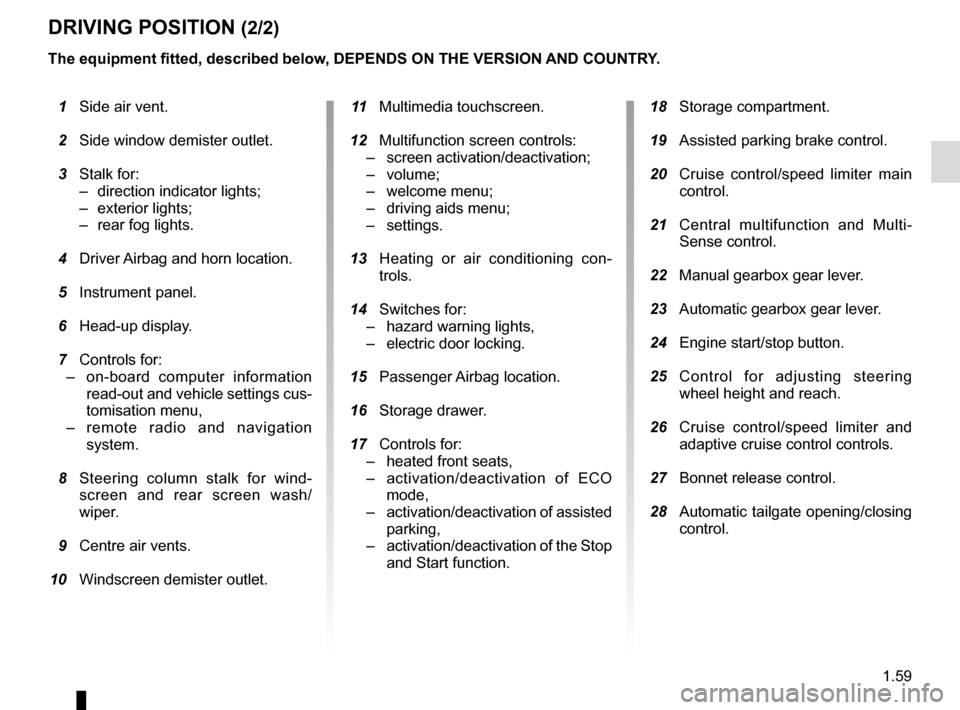
DRIVING POSITION (2/2)
The equipment fitted, described below, DEPENDS ON THE VERSION AND COUNTRY.
1 Side air vent.
2 Side window demister outlet.
3 Stalk for:
– direction indicator lights;
– exterior lights;
– rear fog lights.
4 Driver Airbag and horn location.
5 Instrument panel.
6 Head-up display.
7 Controls for:
– on-board computer information
read-out and vehicle settings cus-
tomisation menu,
– remote radio and navigation
system.
8 Steering column stalk for wind-
screen and rear screen wash/
wiper.
9 Centre air vents.
10 Windscreen demister outlet.
11 Multimedia touchscreen.
12 Multifunction screen controls:
– screen activation/deactivation;
– volume;
– welcome menu;
– driving aids menu;
– settings.
13 Heating or air conditioning con-
trols.
14 Switches for:
– hazard warning lights,
– electric door locking.
15 Passenger Airbag location.
16 Storage drawer.
17 Controls for:
– heated front seats,
– activation/deactivation of ECO
mode,
– activation/deactivation of assisted
parking,
– activation/deactivation of the Stop
and Start function.
18 Storage compartment.
19 Assisted parking brake control.
20 Cruise control/speed limiter main
control.
21 Central multifunction and Multi-
Sense control.
22 Manual gearbox gear lever.
23 Automatic gearbox gear lever.
24 Engine start/stop button.
25 Control for adjusting steering
wheel height and reach.
26 Cruise control/speed limiter and
adaptive cruise control controls.
27 Bonnet release control.
28 Automatic tailgate opening/closing
control.
Page 74 of 318

1.68
DISPLAYS AND INDICATORS (3/4)
Head-up display 7
The display details driving and navi-
gation information from the instrument
panel and the multifunction screen.
If fitted to the vehicle, this comes on
when the engine is started and is re-
tracted when the engine is switched off.
7You can adjust certain settings from the
multifunction screen: with the engine
running, access menu “System”,
“Display” then “Head-up display”.
Adjusting the display information
height
Depending on your driving position,
you can raise or lower the information
on the display.
Adjusting the display brightness
You can adjust the brightness (day or
night mode)
– automatically : the brightness will
vary depending on the outdoor light.
– manually: the brightness automati-
cally switches with the activation/de-
activation of the lights.
In both cases, the day mode varies
based on the outdoor brightness.
Good information visibility can be af-
fected by:
– the seat position;
– the presence of an object placed
on the opened display;
– the polarisation of some spectacle
lenses;
– extreme weather conditions (rain,
snow, very strong sunlight, etc.).
In the event of contradic-
tory information between
the instrument panel and
the head-up display/multi-
function screen, please refer to the
information displayed on the instru-
ment panel.
Do not manually force the opening/
closure of the head-up display.
For safety reasons, carry
out any adjustments when
the vehicle is stationary.
Page 88 of 318

1.82
Welcome and goodbye function
From the multifunction screen, select
menu “Vehicle”, “User settings”,
“External welcom” and activate or de-
activate the function (ON or OFF).
Depending on the selected choice, the
door mirrors will fold out:
– when the ignition is next switched on (function deactivated);
– upon detecting the RENAULT card or upon unlocking the vehicle (func-
tion activated).Folding door mirrors
The door mirrors automatically fold in
when the vehicle is locked (switch 3 in
position B).
In any case, you can make the door
mirrors fold in (switch 3 in position C) or
fold out (switch 3 in position A).
Automatic mode is then deactivated. To
reactivate it, position switch 3 to B.
REAR-VIEW MIRRORS (1/3)
Door mirrors
Adjustment
Select the door mirror using switch 2 ,
then use button 1 to adjust it to the de-
sired position.
Heated door mirrors
Mirror de-icing is carried out at the
same time as rear screen de-icing.
Please refer to the information on
“Automatic climate control” in Section 3.
The driver’s door mirror
may have two clearly de-
fined zones. Zone E shows
what can normally be seen
in an ordinary rear view mirror.
Zone D increases rear side visibility.
Objects in the mirror are closer
than they appear.
For safety reasons, carry
out any adjustments when
the vehicle is not being
driven.
DE
A
BC
12
3
Page 89 of 318

1.83
Position memory
– Adjust the door mirrors (see previous paragraphs);
– from the multifunction screen, select menu “Vehicle”, “Seats”, “Settings”
then “Position” and select “Save”.
The positions of the door mirrors in a
forward gear, reverse and of the front
seats are simultaneously saved.
Rear view mirrors which tilt
in reverse gear
For vehicles equipped with the driver’s
seat with position memory, you can
enter a specific setting for the door mir-
rors when reversing and store the po-
sition.
With the vehicle at a standstill and re-
verse gear engaged, select the door
mirror using switch 2 then, with button 1,
adjust it to the required position.
REAR-VIEW MIRRORS (2/3)
1
Recalling the memorised
position
From the multifunction screen, select
menu “Vehicle”, “Seats”, “Settings” then
“Position” and select “Recall”.
The positions of the door mirrors in
forward gear, reverse and of the front
seats are recalled.
Returning to the driving position
Moving from reverse gear to a forward
gear is done:
– approximately 9 seconds after re- verse gear has been disengaged
when the speed is lower than 6 mph
(10 km/h);
– forward gear engaged when the speed is greater than 6 mph
(10 km/h);
– when the engine is stopped;
– when switch 2 is in neutral position.
For safety reasons, carry
out any adjustments when
the vehicle is not being
driven.
2
Page 90 of 318
1.84
Interior rear view mirror
The rear-view mirror 4 automati-
cally darkens when you are being fol-
lowed by a vehicle using main beam
headlights or in very bright lighting.
REAR-VIEW MIRRORS (3/3)
Special feature:
When the rear-view mirror has been
manually deployed or folded back, it is
possible to reset it to a usage position.
To do this, position the switch 3 to C.
A mechanical noise from the rear-view
mirror unit will be heard.
If it is not the case, place switch 3 to A
and then place switch 3 to C until the
mechanical noise of the rear-view
mirror is heard.
A
C
3
Information regarding the activation
and deactivation of the front pas-
senger airbag is displayed on the in-
terior rear-view mirror (please refer
to information in “Child safety: front
passenger airbag deactivation/acti-
vation” in Section 1).
4
Page 91 of 318
1.85
AUDIBLE AND VISUAL SIGNALS
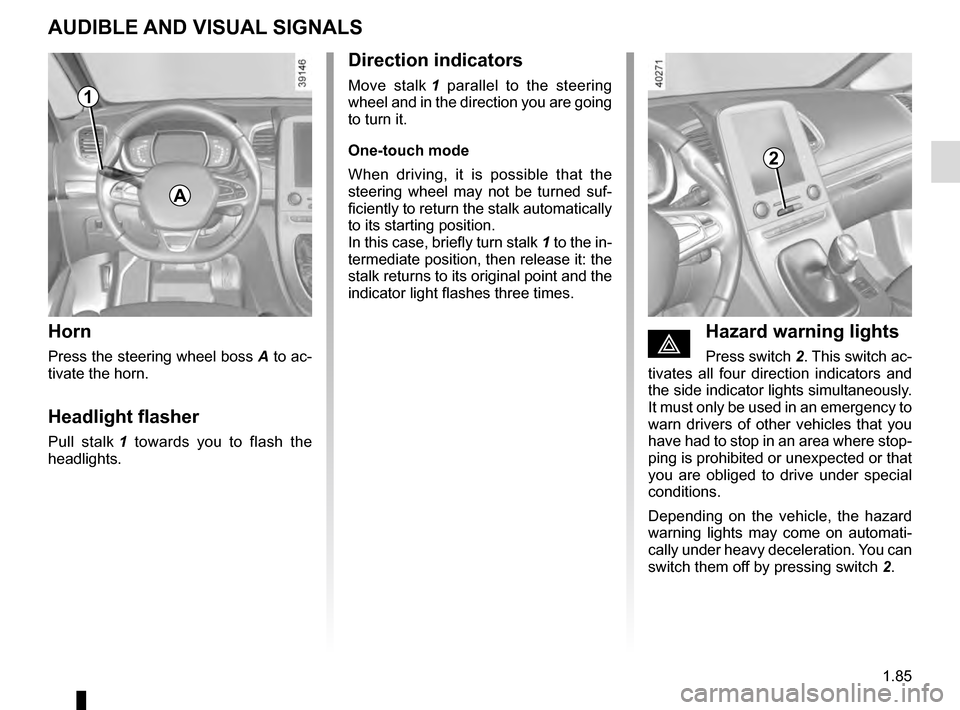
Horn
Press the steering wheel boss A to ac-
tivate the horn.
Headlight flasher
Pull stalk 1 towards you to flash the
headlights.
éHazard warning lights
Press switch 2. This switch ac-
tivates all four direction indicators and
the side indicator lights simultaneously.
It must only be used in an emergency to
warn drivers of other vehicles that you
have had to stop in an area where stop-
ping is prohibited or unexpected or that
you are obliged to drive under special
conditions.
Depending on the vehicle, the hazard
warning lights may come on automati-
cally under heavy deceleration. You can
switch them off by pressing switch 2.
Direction indicators
Move stalk 1 parallel to the steering
wheel and in the direction you are going
to turn it.
One-touch mode
When driving, it is possible that the
steering wheel may not be turned suf-
ficiently to return the stalk automatically
to its starting position.
In this case, briefly turn stalk 1 to the in-
termediate position, then release it: the
stalk returns to its original point and the
indicator light flashes three times.
2
A
1
Page 93 of 318

1.87
Automatic main beam
headlights
Depending on the vehicle, this system
switches the main beam headlights on
and off automatically. The function uses
a camera located behind the interior
rear-view mirror to detect vehicles that
are following and coming in the oppo-
site direction.
The main beam headlights come on au-
tomatically if:
– exterior light is weak;
– no other vehicles or lighting are de-tected;
– the vehicle speed is above approxi- mately 30 mph (45 km/h).
If any of the above conditions are not
fulfilled, the system switches to dipped
beam headlights.
The “automatic main beam
headlights” system should
under no circumstances be
used to replace driver atten-
tion and responsibility with regard
to vehicle lighting and adapting to
light, visibility and traffic conditions.Using the portable naviga-
tion system at night in the
windscreen area below the
camera may disturb the
operation of the “automatic main
beam headlights” system (risk of re-
flection on the windscreen).
EXTERIOR LIGHTING AND SIGNALS (2/5)
3
1
The system may encounter difficul-
ties under certain conditions, inclu-
ding :
– extreme weather conditions (rain, snow, fog, etc.);
– obstruction in front of the winds- creen or camera;
– when a following or oncoming vehicle has weak or hidden li-
ghting;
– incorrect settings for the front headlights;
– reflective systems;
– ...
Activation
Turn ring 3 until the AUTO symbol is op-
posite mark 2.
Push stalk 1 to activate the main beam
headlights. The warning light
comes on on the instrument panel.
Deactivation
– Push stalk 1 again;
– or turn ring 3 to a position other than AUTO ;
– or, from the multifunction screen: select menu “Vehicle”, “Driving as-
sistance”, “Automatic high beams”
then choose “OFF”.
Warning light
goes out on the
instrument panel.
2
Page 94 of 318

1.88
Operating faults
When the message “Check auto li-
ghting” appears on the instrument
panel, the system is deactivated.
Consult an approved dealer.
EXTERIOR LIGHTING AND SIGNALS (3/5)
Switching off the lights
There are two possibilities:
– manually, move ring 3 to position 0;
– automatically, the lights will go out when the engine is switched off, the
driver’s door is opened or the vehicle
is locked. In this case, the next time
the engine is started the lights will be
switched back on according to the
position of the ring 3.
Lights-on reminder buzzer
If the lights are on, a warning beep
sounds when the driver’s door is
opened to warn you that the lights are
still on.
Adjusting the headlight beam
height
The headlight adjustment is automatic,
based on the vehicle load.
Daytime running lights
function
The daytime running lights come on
automatically with no action on stalk 1
when the engine is started, and they go
off once the engine is switched off.
Operating faults
When the message “Check lighting”
with warning light
© is displayed
and warning light
k flashes on the
instrument panel, this indicates that
there is a lighting fault.
Consult an approved dealer.3
2
1
