Page 240 of 268
238
108_en_Chap10b_Autoradio-toyota-2_ed01-2016
Menu item Significance /
Corresponding action
Passkey Change the password.
Phonebook Phone directory.
Radio Display radio mode.
Region Code Activate or deactivate RDS mode.
Reset Reset settings.
Reset all Reset all.
Ringtone Choose a ringtone
Ringtone volume Adjust the ringtone volume.
Searching Searching...
Select Select. Menu item
Significance /
Corresponding action
Setup Settings.
Skip
go t
o the next step.
Sound Setting Display the sound settings.
Speed dials Speed dialling.
t
A
tr
affic announcements.
t
e LDisplay the list of telephone
settings.
tr
ansfer history
tr
ansfer the calls history.
tr
ebleAdjust the treble level.
up
date
up
date the list.
upd
ating
up
dating...
Audio and telematics
Page 246 of 268
244
108_en_Chap10b_Autoradio-toyota-2_ed01-2016
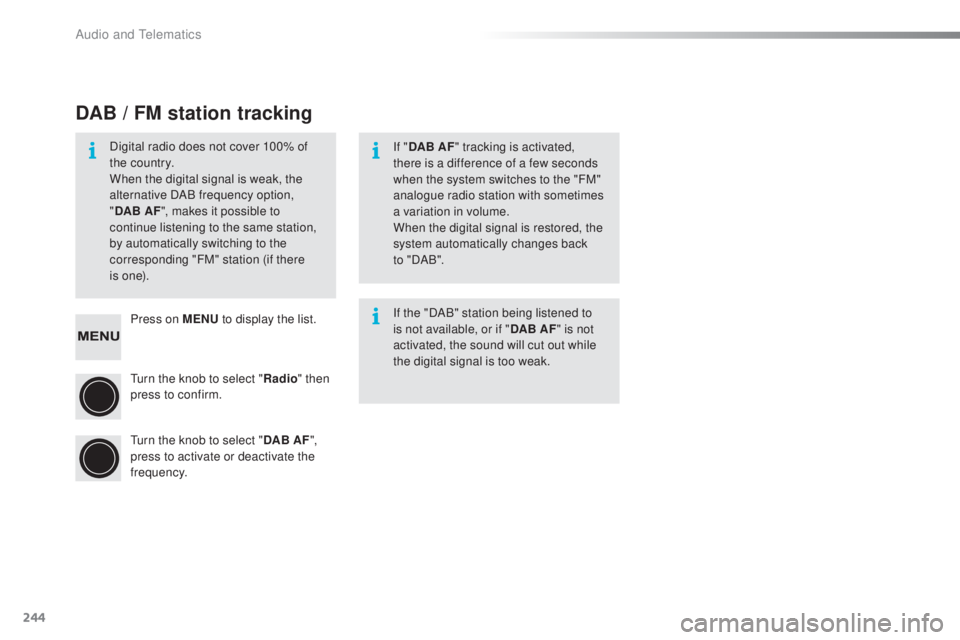
Press on MeNu t o display the list.
tu
rn the knob to select " Radio" then
press to confirm.
tu
rn the knob to select " DAB AF",
press to activate or deactivate the
frequency.
DAB / FM station tracking
Digital radio does not cover 100% of
the country.
When the digital signal is weak, the
alternative DAB frequency option,
" DAB AF ", makes it possible to
continue listening to the same station,
by automatically switching to the
corresponding "FM" station (if there
i s
o n e). If "
DAB AF " tracking is activated,
there is a difference of a few seconds
when the system switches to the "FM"
analogue radio station with sometimes
a variation in volume.
When the digital signal is restored, the
system automatically changes back
to
" DA B ".
If the "DAB" station being listened to
is not available, or if " DAB AF" is not
activated, the sound will cut out while
the digital signal is too weak.
Audio and telematics
Page 250 of 268

248
108_en_Chap10b_Autoradio-toyota-2_ed01-2016
Receiving a call List of telephone menus
An incoming call is announced by a ring and a
superimposed display in the screen.
Press this button to accept the
incoming call. Press on MeN
u, t urn the knob to select "t eL
" , then press to display the list and move
through the menus using this knob.
to r
eject or end a call, press this
button. Press this button to navigate in the
telephone menu.
Making a call
endi
ng a call
Select " Phonebook " to go to your
contacts, then navigate using the
knob.
to d
ial a number, select "
en
ter a
phone num " in the list. Level 1 Level 2
Level 3Corresponding action
t
e
LP
honebookAdd contacts
Add a contact.
Add SD Associate a button with a contact.
Delete call history Delete the history of calls.
Delete contact Delete a contact in the directory.
Delete phonebook Delete the directory.
HF Sound
Setting Call volume
Adjust the volume for calls.
Ringtone volume Adjust the ringtone volume.
Ringtone Choose the ringtone.
t
r a n s f e r
history Overwrite all
Replace all.
Audio and telematics
Page 251 of 268
249
108_en_Chap10b_Autoradio-toyota-2_ed01-2016
List of Bluetooth® menus
Press on MeNu, t urn the knob to select " Bluetooth", then press to display the list and
move through the menus using this knob.
Level 1 Level 2 Level 3Corresponding action
Bluetooth Pairing
- Connect a portable device by
Bluetooth.
List Phone - Display the list of registered
telephones.
List Audio - Display the list of audio devices
registered.
Passkey
en
ter new passkey Change or enter a password.
B
t
Power - Activate or deactivate automatic
Bluetooth connection mode.
Bluetooth info Device name
Device address Information related to Bluetooth in
the system.
Display Setting - Activate or deactivate automatic
display of connection.
Reset Reset all
Sound Setting
Car device info Reset settings.
Bluetooth®
.
Audio and telematics
Page 252 of 268
250
108_en_Chap10b_Autoradio-toyota-2_ed01-2016
Settings
System settings Audio settings
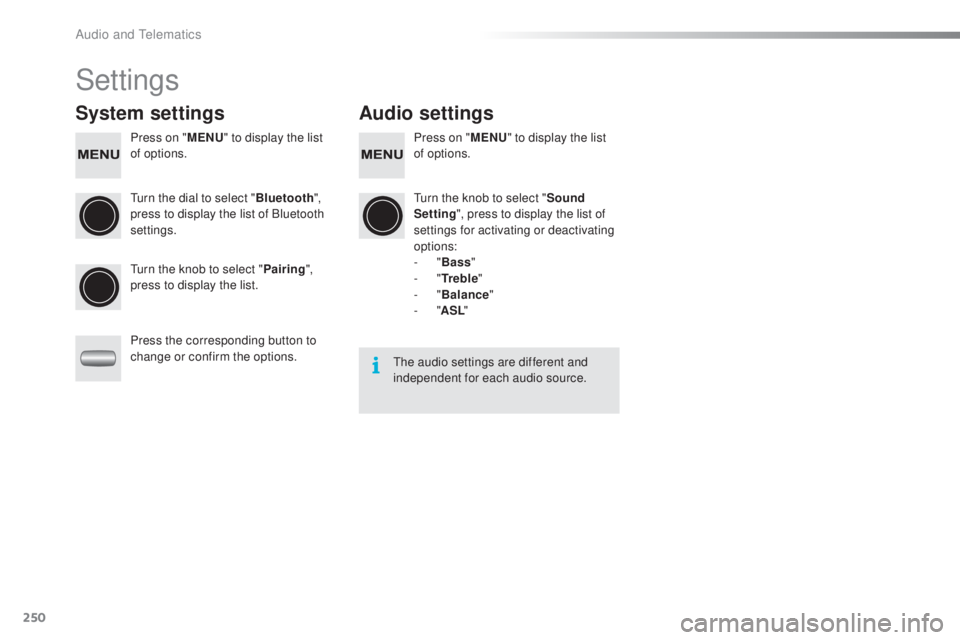
Press on "MeN u" t o display the list
of options. Press on "
MeN u" t o display the list
of options.
tu
rn the dial to select " Bluetooth",
press to display the list of Bluetooth
settings.
tu
rn the knob to select "Sound
Setting ", press to display the list of
settings for activating or deactivating
options:
-
"Bass "
-
"
tr
e b l e"
-
"Balance "
-
"ASL "
tu
rn the knob to select " Pairing",
press to display the list.
Press the corresponding button to
change or confirm the options.
the
audio settings are different and
independent for each audio source.
Audio and telematics
Page 267 of 268
01-16
Labels are fitted in various areas
of your vehicle.
t
h
ey carry safety
warnings as well as vehicle
identification information. Do not
remove them: they form an integral
part of your vehicle. Automobiles P
e
uge
Ot d
eclares, by
application of the provisions of the
e
u
ropean
regulation (Directive 2000/53) relating to
e
nd
of Life Vehicles, that it achieves the objectives
set by this regulation and that recycled
materials are used in the manufacture of the
products that it sells. Reproduction or translation of all or part of
this document is prohibited without written
authorisation from Automobiles P
e
uge
Ot.
P
rinted in the eu
A
nglais
We draw your attention to the following
points:
-
The fitting of electrical equipment or
accessories not listed by P
euge
O
t
may
cause faults and failures with the electrical
system of your vehicle. Contact a
P
euge
O
t
dealer for information on the
range of recommended accessories.
-
As a safety measure, access to the
diagnostic socket, used for the vehicle's
electronic systems, is reserved strictly for
PEUGEOT
dealers or qualified workshops,
equipped with the special diagnostic tool
required (risk of malfunctions of the vehicle's
electronic systems that could cause
breakdowns or serious accidents).
t
he
manufacturer cannot be held responsible if
this advice is not followed.
-
Any modification or adaptation not intended
or authorised by
Automobiles P
euge
O t
or carried out without meeting the technical
requirements defined by the manufacturer
would lead to the suspension of the legal
and contractual warranties.
F
or any work on your vehicle, use a qualified
workshop that has the technical information,
skills and equipment required, all of which a
P
e
uge
Ot
dealer is able to provide.