2016 NISSAN SENTRA brake
[x] Cancel search: brakePage 12 of 478
1. Rear seat (P. 1-2)
2. Moonroof (if so equipped) (P. 2-54)
3. Interior lights (P. 2-56)
4. Sun visors (P. 3-29)
5. Rearview mirror (P. 3-30)
6. Glove box (P. 2-46)
7. Cup holders (P. 2-46)
8. Parking brake (P. 5-21)
9. Front console (P. 2-46)
10. Rear armrest (if so equipped) (P. 1-2)Cup holders (if so equipped) (P. 2-46)
Refer to the page number indicated in pa-
rentheses for operating details.
LII2405
PASSENGER COMPARTMENT
Illustrated table of contents0-5
Page 15 of 478
MRA8DE engine
1. Engine oil filler cap (P. 8-9)
2. Brake and clutch (if so equipped) fluidreservoir (P. 8-12)
3. Air cleaner (P. 8-18)
4. Battery (P. 8-14)
5. Fuse and relay box (P. 8-21)
6. Engine coolant reservoir (P. 8-7)
7. Radiator cap (P. 8-7)
8. Engine oil dipstick (P. 8-9)
9. Drive belt location (P. 8-16)
10. Windshield-washer fluid reservoir
(P. 8-13)
Refer to the page number indicated in pa-
rentheses for operating details.
LDI2931
ENGINE COMPARTMENT CHECK
LOCATIONS
0-8Illustrated table of contents
Page 16 of 478
Warninglight Name Page
or
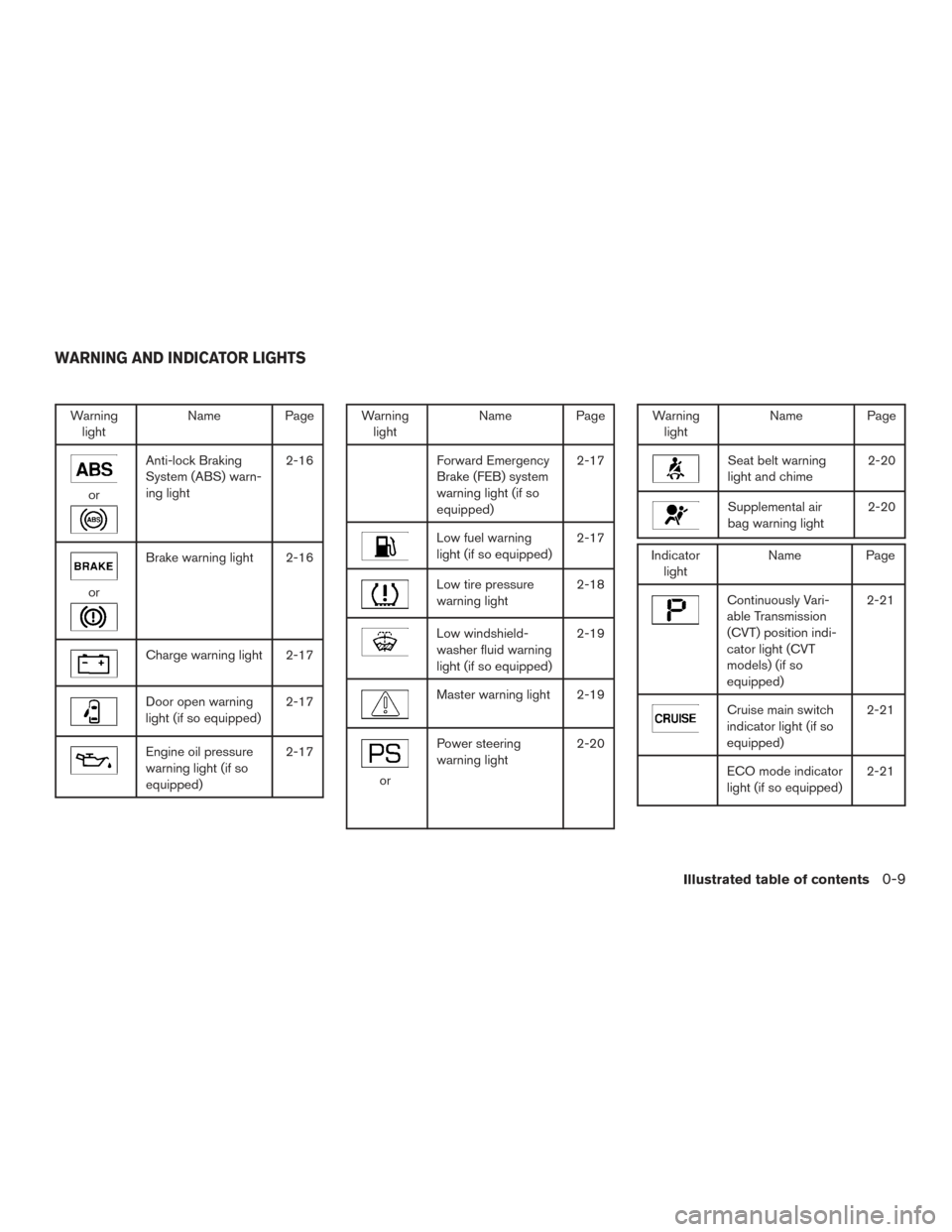
Anti-lock Braking
System (ABS) warn-
ing light 2-16
or
Brake warning light 2-16
Charge warning light 2-17
Door open warning
light (if so equipped)
2-17
Engine oil pressure
warning light (if so
equipped)2-17
Warning
light Name Page
Forward Emergency
Brake (FEB) system
warning light (if so
equipped) 2-17
Low fuel warning
light (if so equipped)
2-17
Low tire pressure
warning light2-18
Low windshield-
washer fluid warning
light (if so equipped)2-19
Master warning light 2-19
or
Power steering
warning light
2-20
Warning
light Name Page
Seat belt warning
light and chime 2-20
Supplemental air
bag warning light2-20
Indicator
light Name Page
Continuously Vari-
able Transmission
(CVT) position indi-
cator light (CVT
models) (if so
equipped) 2-21
Cruise main switch
indicator light (if so
equipped)
2-21
ECO mode indicator
light (if so equipped)
2-21
WARNING AND INDICATOR LIGHTS
Illustrated table of contents0-9
Page 20 of 478
CAUTION
When adjusting the seat positions, be
sure not to contact any moving parts to
avoid possible injuries and/or damage.
FRONT MANUAL SEAT
ADJUSTMENT (for passenger’s seat
and if so equipped for driver’s seat)
Your vehicle seats can be adjusted manually. For
additional information about adjusting the seats,
refer to the steps outlined in this section.
Forward and backward
Pull the center of the bar up and hold it while you
slide the seat forward or backward to the desired
position. Release the bar to lock the seat in
position.
Reclining
To recline the seatback, pull the lever up and lean
back. To bring the seatback forward, pull the lever
up and lean your body forward. Release the lever
to lock the seatback in position.
The reclining feature allows adjustment of the
seatback for occupants of different sizes for
added comfort and to help obtain proper seat
belt fit. For additional information, refer to “Pre-
cautions on seat belt usage” in this section. Also,
the seatback can be reclined to allow occupants
to rest when the vehicle is stopped and the shift
lever (CVT) is in P (Park) or the manual shift lever
is in N (Neutral) with the parking brake applied.
LRS2642LRS2643
Safety—Seats, seat belts and supplemental restraint system1-3
Page 94 of 478
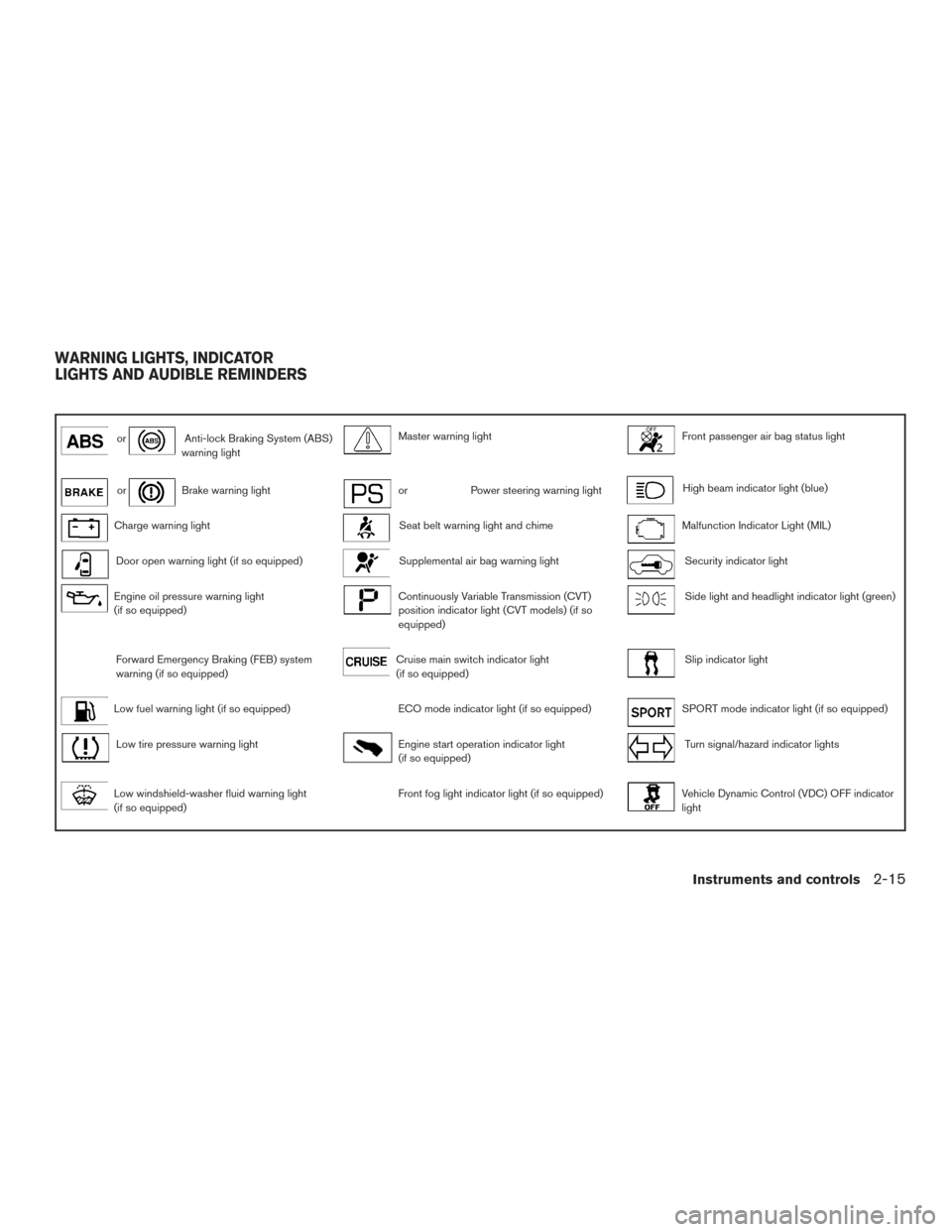
orAnti-lock Braking System (ABS)
warning lightMaster warning lightFront passenger air bag status light
orBrake warning lightorPower steering warning lightHigh beam indicator light (blue)
Charge warning lightSeat belt warning light and chimeMalfunction Indicator Light (MIL)
Door open warning light (if so equipped)Supplemental air bag warning lightSecurity indicator light
Engine oil pressure warning light
(if so equipped)Continuously Variable Transmission (CVT)
position indicator light (CVT models) (if so
equipped)Side light and headlight indicator light (green)
Forward Emergency Braking (FEB) system
warning (if so equipped)Cruise main switch indicator light
(if so equipped)Slip indicator light
Low fuel warning light (if so equipped)ECO mode indicator light (if so equipped)SPORT mode indicator light (if so equipped)
Low tire pressure warning lightEngine start operation indicator light
(if so equipped)Turn signal/hazard indicator lights
Low windshield-washer fluid warning light
(if so equipped)Front fog light indicator light (if so equipped)Vehicle Dynamic Control (VDC) OFF indicator
light
WARNING LIGHTS, INDICATOR
LIGHTS AND AUDIBLE REMINDERS
Instruments and controls2-15
Page 95 of 478
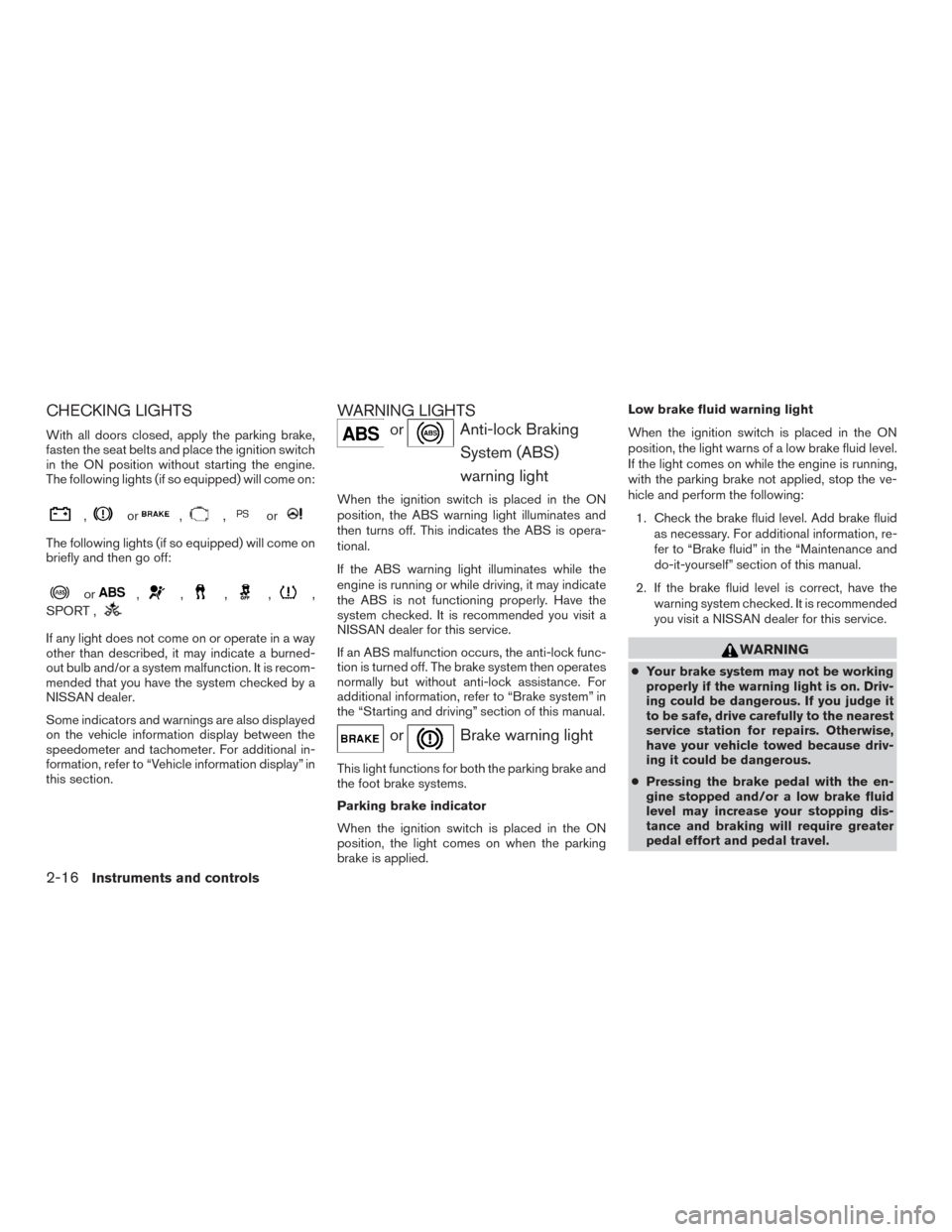
CHECKING LIGHTS
With all doors closed, apply the parking brake,
fasten the seat belts and place the ignition switch
in the ON position without starting the engine.
The following lights (if so equipped) will come on:
,or,,or
The following lights (if so equipped) will come on
briefly and then go off:
or,,,,,
SPORT ,
If any light does not come on or operate in a way
other than described, it may indicate a burned-
out bulb and/or a system malfunction. It is recom-
mended that you have the system checked by a
NISSAN dealer.
Some indicators and warnings are also displayed
on the vehicle information display between the
speedometer and tachometer. For additional in-
formation, refer to “Vehicle information display” in
this section.
WARNING LIGHTS
orAnti-lock Braking
System (ABS)
warning light
When the ignition switch is placed in the ON
position, the ABS warning light illuminates and
then turns off. This indicates the ABS is opera-
tional.
If the ABS warning light illuminates while the
engine is running or while driving, it may indicate
the ABS is not functioning properly. Have the
system checked. It is recommended you visit a
NISSAN dealer for this service.
If an ABS malfunction occurs, the anti-lock func-
tion is turned off. The brake system then operates
normally but without anti-lock assistance. For
additional information, refer to “Brake system” in
the “Starting and driving” section of this manual.
orBrake warning light
This light functions for both the parking brake and
the foot brake systems.
Parking brake indicator
When the ignition switch is placed in the ON
position, the light comes on when the parking
brake is applied. Low brake fluid warning light
When the ignition switch is placed in the ON
position, the light warns of a low brake fluid level.
If the light comes on while the engine is running,
with the parking brake not applied, stop the ve-
hicle and perform the following:
1. Check the brake fluid level. Add brake fluid as necessary. For additional information, re-
fer to “Brake fluid” in the “Maintenance and
do-it-yourself” section of this manual.
2. If the brake fluid level is correct, have the warning system checked. It is recommended
you visit a NISSAN dealer for this service.
WARNING
●Your brake system may not be working
properly if the warning light is on. Driv-
ing could be dangerous. If you judge it
to be safe, drive carefully to the nearest
service station for repairs. Otherwise,
have your vehicle towed because driv-
ing it could be dangerous.
● Pressing the brake pedal with the en-
gine stopped and/or a low brake fluid
level may increase your stopping dis-
tance and braking will require greater
pedal effort and pedal travel.
2-16Instruments and controls
Page 96 of 478
●If the brake fluid level is below the
MINIMUM or MIN mark on the brake
fluid reservoir, do not drive until the
brake system has been checked. It is
recommended you visit a NISSAN
dealer for this service.
Anti-lock Braking System (ABS) warning
indicator
When the parking brake is released and the
brake fluid level is sufficient, if both the brake
warning light and the ABS warning light illumi-
nate, it may indicate the ABS is not functioning
properly. Have the brake system checked and, if
necessary, repaired. It is recommended you visit
a NISSAN dealer for this service. Avoid high-
speed driving and abrupt braking. For additional
information, refer to “Anti-lock Braking System
(ABS) warning light” in this section.
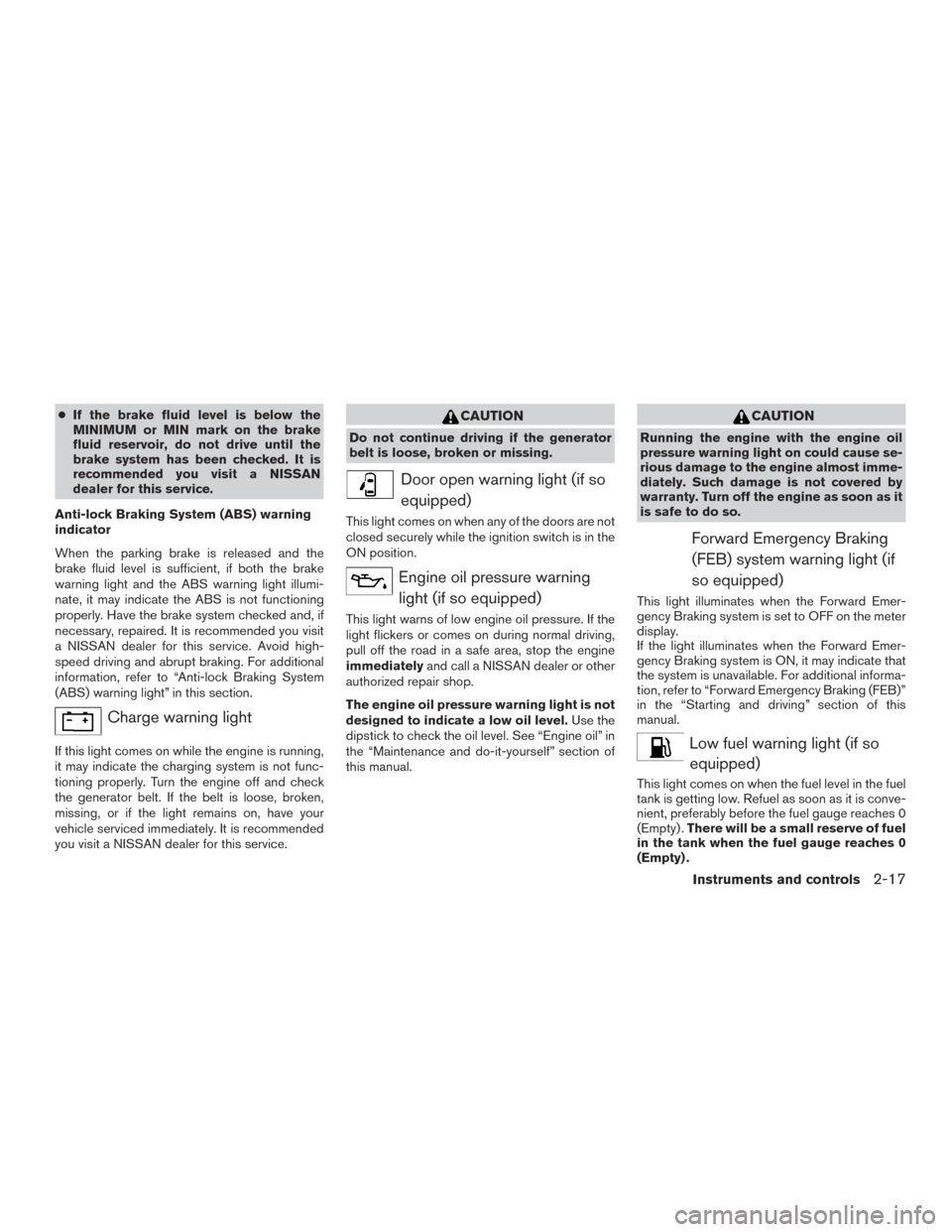
Charge warning light
If this light comes on while the engine is running,
it may indicate the charging system is not func-
tioning properly. Turn the engine off and check
the generator belt. If the belt is loose, broken,
missing, or if the light remains on, have your
vehicle serviced immediately. It is recommended
you visit a NISSAN dealer for this service.
CAUTION
Do not continue driving if the generator
belt is loose, broken or missing.
Door open warning light (if so equipped)
This light comes on when any of the doors are not
closed securely while the ignition switch is in the
ON position.
Engine oil pressure warninglight (if so equipped)
This light warns of low engine oil pressure. If the
light flickers or comes on during normal driving,
pull off the road in a safe area, stop the engine
immediately and call a NISSAN dealer or other
authorized repair shop.
The engine oil pressure warning light is not
designed to indicate a low oil level. Use the
dipstick to check the oil level. See “Engine oil” in
the “Maintenance and do-it-yourself” section of
this manual.
CAUTION
Running the engine with the engine oil
pressure warning light on could cause se-
rious damage to the engine almost imme-
diately. Such damage is not covered by
warranty. Turn off the engine as soon as it
is safe to do so.
Forward Emergency Braking
(FEB) system warning light (if
so equipped)
This light illuminates when the Forward Emer-
gency Braking system is set to OFF on the meter
display.
If the light illuminates when the Forward Emer-
gency Braking system is ON, it may indicate that
the system is unavailable. For additional informa-
tion, refer to “Forward Emergency Braking (FEB)”
in the “Starting and driving” section of this
manual.
Low fuel warning light (if soequipped)
This light comes on when the fuel level in the fuel
tank is getting low. Refuel as soon as it is conve-
nient, preferably before the fuel gauge reaches 0
(Empty) . There will be a small reserve of fuel
in the tank when the fuel gauge reaches 0
(Empty) .
Instruments and controls2-17
Page 98 of 478
●If the light illuminates while driving,
avoid sudden steering maneuvers or
abrupt braking, reduce vehicle speed,
pull off the road to a safe location and
stop the vehicle as soon as possible.
Driving with under-inflated tires may
permanently damage the tires and in-
crease the likelihood of tire failure. Se-
rious vehicle damage could occur and
may lead to an accident and could result
in serious personal injury or death.
Check the tire pressure for all four tires.
Adjust the tire pressure to the recom-
mended COLD tire pressure shown on
the Tire and Loading Information label
located in the driver’s door opening to
turn the low tire pressure warning light
OFF. If the light still comes on while
driving after adjusting the tire pressure,
a tire may be flat. If you have a flat tire,
replace it with a spare tire as soon as
possible.
● When a spare tire is mounted or a wheel
is replaced the TPMS will not function
and the low tire pressure warning light
will flash for approximately 1 minute.
The light will remain on after 1 minute.
Contact a NISSAN dealer as soon as
possible for tire replacement and/or
system resetting. ●
Replacing tires with those not originally
specified by NISSAN could affect the
proper operation of the TPMS.
CAUTION
● The TPMS is not a substitute for the
regular tire pressure check. Be sure to
check the tire pressure regularly.
● If the vehicle is being driven at speeds
of less than 16 mph (25 km/h), the
TPMS may not operate correctly.
● Be sure to install the specified size of
tires to the four wheels correctly.
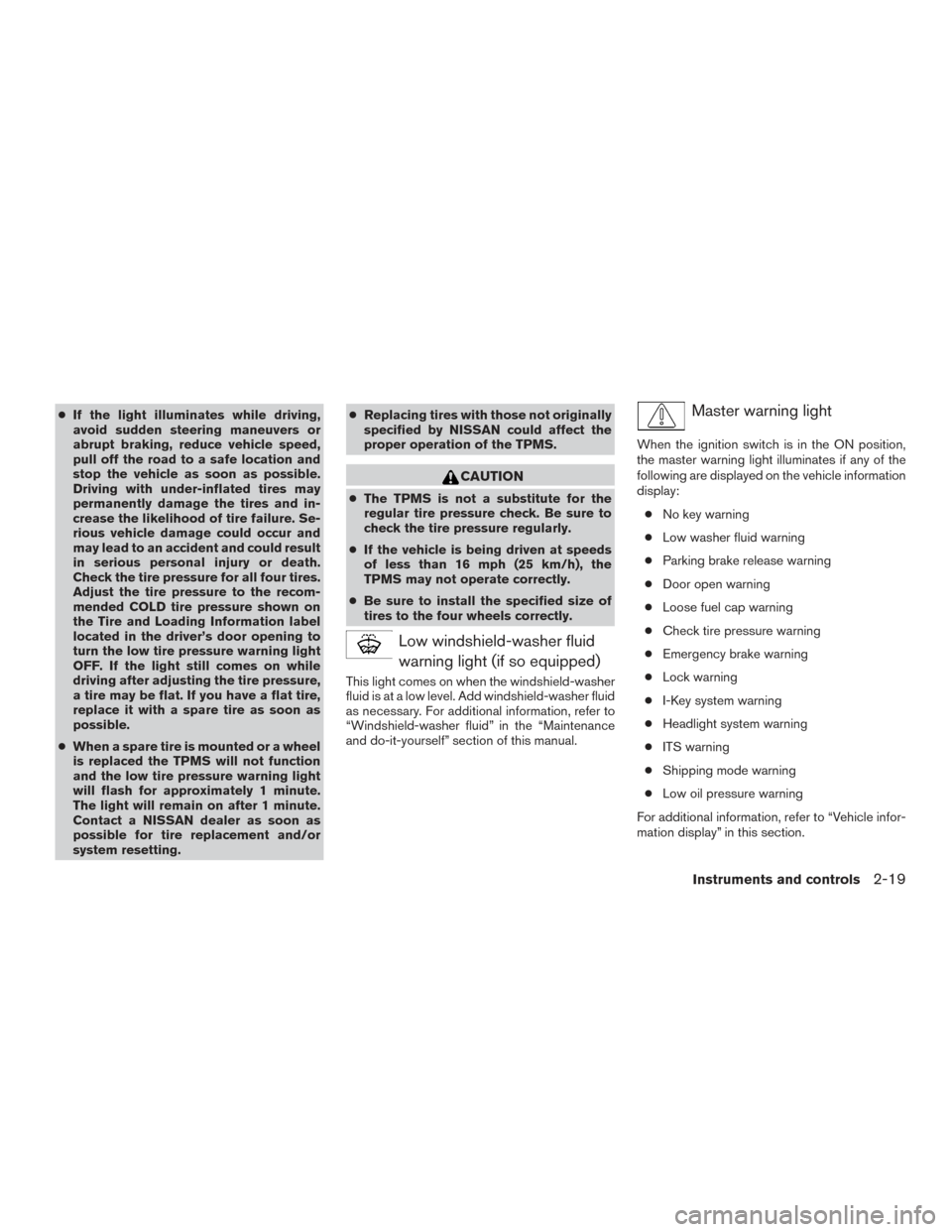
Low windshield-washer fluid
warning light (if so equipped)
This light comes on when the windshield-washer
fluid is at a low level. Add windshield-washer fluid
as necessary. For additional information, refer to
“Windshield-washer fluid” in the “Maintenance
and do-it-yourself” section of this manual.
Master warning light
When the ignition switch is in the ON position,
the master warning light illuminates if any of the
following are displayed on the vehicle information
display:
● No key warning
● Low washer fluid warning
● Parking brake release warning
● Door open warning
● Loose fuel cap warning
● Check tire pressure warning
● Emergency brake warning
● Lock warning
● I-Key system warning
● Headlight system warning
● ITS warning
● Shipping mode warning
● Low oil pressure warning
For additional information, refer to “Vehicle infor-
mation display” in this section.
Instruments and controls2-19