Page 299 of 540
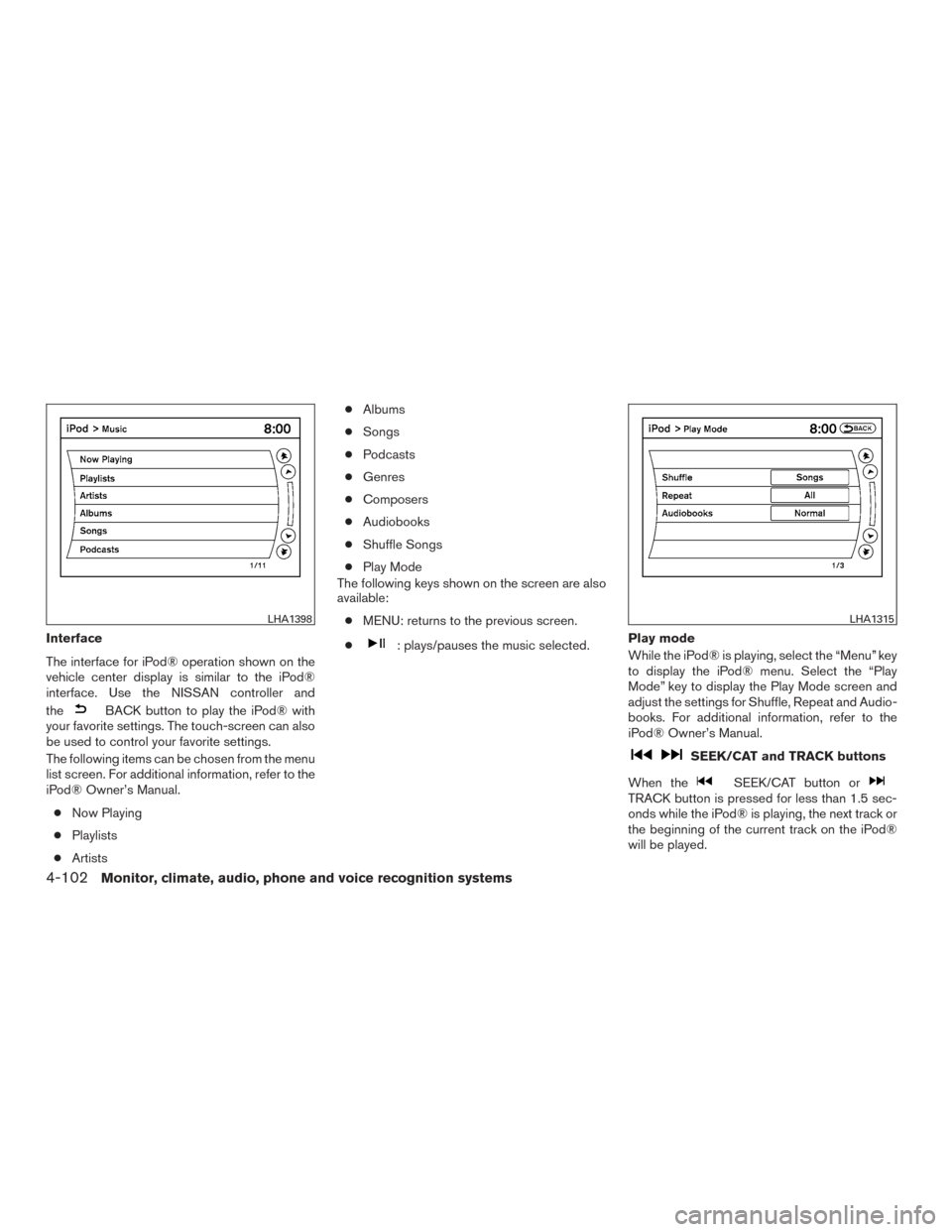
Interface
The interface for iPod® operation shown on the
vehicle center display is similar to the iPod®
interface. Use the NISSAN controller and
the
BACK button to play the iPod® with
your favorite settings. The touch-screen can also
be used to control your favorite settings.
The following items can be chosen from the menu
list screen. For additional information, refer to the
iPod® Owner’s Manual.
● Now Playing
● Playlists
● Artists ●
Albums
● Songs
● Podcasts
● Genres
● Composers
● Audiobooks
● Shuffle Songs
● Play Mode
The following keys shown on the screen are also
available:
● MENU: returns to the previous screen.
●
: plays/pauses the music selected. Play mode
While the iPod® is playing, select the “Menu” key
to display the iPod® menu. Select the “Play
Mode” key to display the Play Mode screen and
adjust the settings for Shuffle, Repeat and Audio-
books. For additional information, refer to the
iPod® Owner’s Manual.
SEEK/CAT and TRACK buttons
When the
SEEK/CAT button orTRACK button is pressed for less than 1.5 sec-
onds while the iPod® is playing, the next track or
the beginning of the current track on the iPod®
will be played.
LHA1398LHA1315
4-102Monitor, climate, audio, phone and voice recognition systems
Page 300 of 540
When theSEEK/CAT button orTRACK button is pressed for more than 1.5 sec-
onds while the iPod® is playing, the iPod® will
play while fast forwarding or rewinding. When the
button is released, the iPod® will return to the
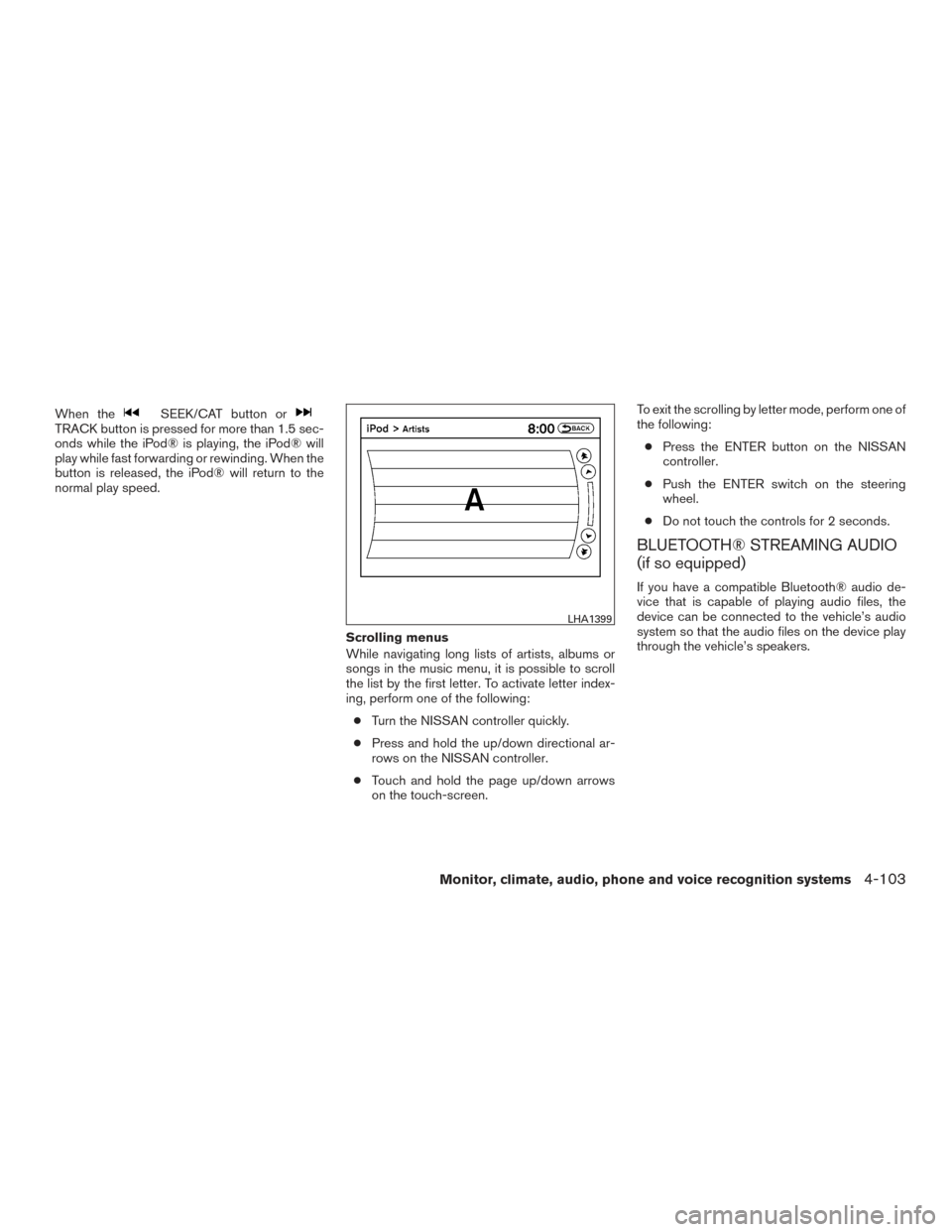
normal play speed.Scrolling menus
While navigating long lists of artists, albums or
songs in the music menu, it is possible to scroll
the list by the first letter. To activate letter index-
ing, perform one of the following:● Turn the NISSAN controller quickly.
● Press and hold the up/down directional ar-
rows on the NISSAN controller.
● Touch and hold the page up/down arrows
on the touch-screen. To exit the scrolling by letter mode, perform one of
the following:
● Press the ENTER button on the NISSAN
controller.
● Push the ENTER switch on the steering
wheel.
● Do not touch the controls for 2 seconds.
BLUETOOTH® STREAMING AUDIO
(if so equipped)
If you have a compatible Bluetooth® audio de-
vice that is capable of playing audio files, the
device can be connected to the vehicle’s audio
system so that the audio files on the device play
through the vehicle’s speakers.
LHA1399
Monitor, climate, audio, phone and voice recognition systems4-103
Page 301 of 540
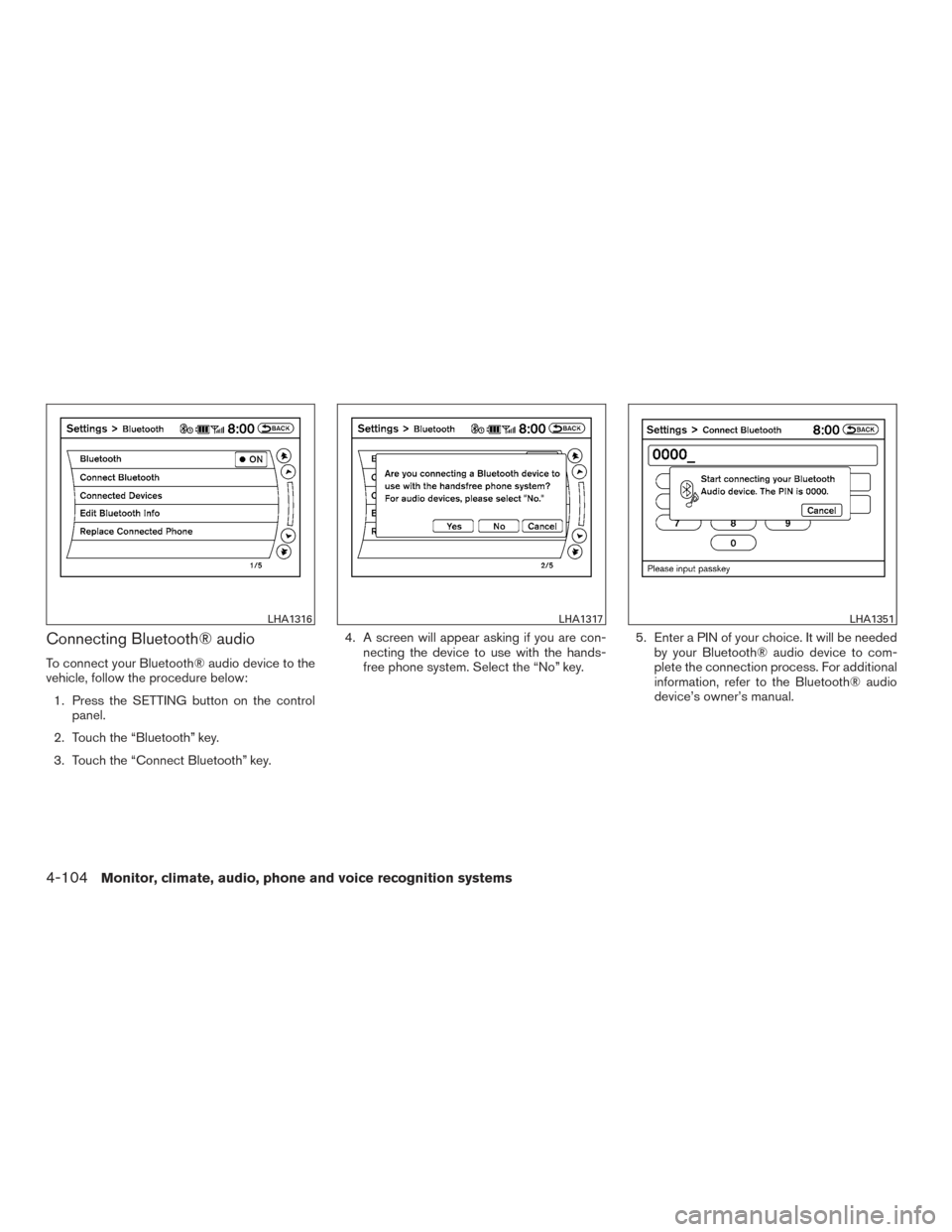
Connecting Bluetooth® audio
To connect your Bluetooth® audio device to the
vehicle, follow the procedure below:1. Press the SETTING button on the control panel.
2. Touch the “Bluetooth” key.
3. Touch the “Connect Bluetooth” key. 4. A screen will appear asking if you are con-
necting the device to use with the hands-
free phone system. Select the “No” key. 5. Enter a PIN of your choice. It will be needed
by your Bluetooth® audio device to com-
plete the connection process. For additional
information, refer to the Bluetooth® audio
device’s owner’s manual.
LHA1316LHA1317LHA1351
4-104Monitor, climate, audio, phone and voice recognition systems
Page 302 of 540
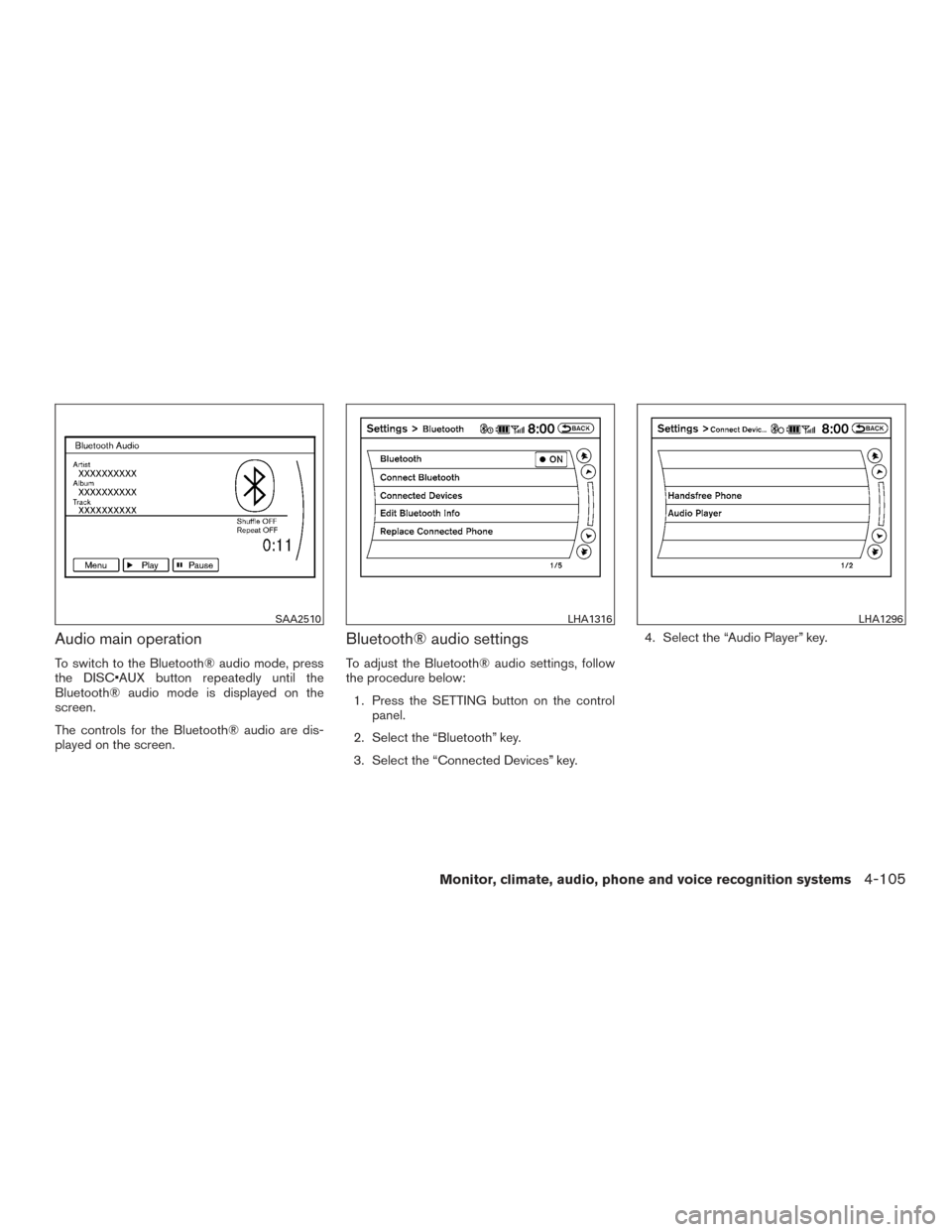
Audio main operation
To switch to the Bluetooth® audio mode, press
the DISC•AUX button repeatedly until the
Bluetooth® audio mode is displayed on the
screen.
The controls for the Bluetooth® audio are dis-
played on the screen.
Bluetooth® audio settings
To adjust the Bluetooth® audio settings, follow
the procedure below:1. Press the SETTING button on the control panel.
2. Select the “Bluetooth” key.
3. Select the “Connected Devices” key. 4. Select the “Audio Player” key.
SAA2510LHA1316LHA1296
Monitor, climate, audio, phone and voice recognition systems4-105
Page 304 of 540
●A new disc may be rough on the inner and
outer edges. Remove the rough edges by
rubbing the inner and outer edges with the
side of a pen or pencil as illustrated.
STEERING WHEEL SWITCH FOR
AUDIO CONTROL
The audio system can be operated using the
controls on the steering wheel.
1.
Tuning switch/ ENTER button
2.
(back) switch
3. SOURCE switch
4. Volume control switch
SOURCE switch
With the ignition switch in the ACC or ON posi-
tion, push the SOURCE switch to turn the audio
system on.
Push the SOURCE switch to change the mode in
the following sequence:
Models without Navigation System
AM →FM1 →FM2 →XM1 →XM2 →XM3
(satellite radio, if so equipped) →USB/iPod®* (if
so equipped) →CD* →AUX* →AM.
Models with Navigation System
AM →FM1 →FM2 →XM1 →XM2 →XM3
(satellite radio, if so equipped) →CD/DVD* →
USB/iPod®* →Bluetooth® Audio* →AUX* →
AM.
* These modes are only available when compat-
ible media storage is inserted into the device.
Volume control switch
Push the volume control switch to increase or
decrease the volume.
Tuning switch/ENTER
button
While the display is showing a MAP, STATUS or
Audio screen, tilt the Tuning switch upward or
downward to select a station, track, CD or folder.
LHA3170
Monitor, climate, audio, phone and voice recognition systems4-107
Page 305 of 540
For most audio sources, tilting the switch
up/down for more than 1.5 seconds provides a
different function than a tilting up/down for less
than 1.5 seconds.
AM and FM● Tilt up/down for less than 1.5 seconds to
increase or decrease the preset station.
● Tilt up/down for more than 1.5 seconds to
seek up or down to the next station.
● Press the ENTER button to show the list of
preset stations.
XM (if so equipped) ● Tilt up/down for less than 1.5 seconds to
increase or decrease the preset station.
● Tilt up/down for more than 1.5 seconds to
go to the next or previous category.
● Press the ENTER button to show the XM
Menu.
iPod® (if so equipped) ● Tilt up/down for less than 1.5 seconds to
increase or decrease the track number.
● Press the ENTER button to show the iPod
Menu. CD
● Tilt up/down for less than 1.5 seconds to
increase or decrease the track number.
● Tilt up/down for more than 1.5 seconds to
increase or decrease the folder number (if
playing compressed audio files) .
● Press the ENTER button to show the CD
Menu.
DVD (if so equipped) ● Tilt up/down for less than 1.5 seconds to
increase or decrease the track number.
● Tilt up/down for more than 1.5 seconds to
increase or decrease the title number.
● Press the ENTER button to select an item
from the DVD display.
● When the transparent operation menu ap-
pears, the switch will control the menu.
USB (if so equipped) ● Tilt up/down for less than 1.5 seconds to
increase or decrease the track number.
● Tilt up/down for more than 1.5 seconds to
increase or decrease the folder number.
● Press the ENTER button to show the USB
Menu. Bluetooth® Audio (if so equipped)
● Tilt up/down for less than 1.5 seconds to
increase or decrease the track number.
AUX
● Press the ENTER button to show the AUX
Menu.
(back) switch
Press the(back) switch to return to the
previous screen or cancel the current selection.
ANTENNA
The antenna cannot be shortened, but can be
removed. When you need to remove the antenna,
turn the antenna rod counterclockwise.
To install the antenna rod, turn the antenna rod
clockwise and hand tighten.
CAUTION
● Always properly tighten the antenna
rod during installation or the antenna
rod may break during vehicle operation.
● Be sure that the antenna is removed
before the vehicle enters an automatic
car wash.
● Be sure to fold down the antenna be-
fore the vehicle enters a garage with a
low ceiling.
4-108Monitor, climate, audio, phone and voice recognition systems
Page 307 of 540
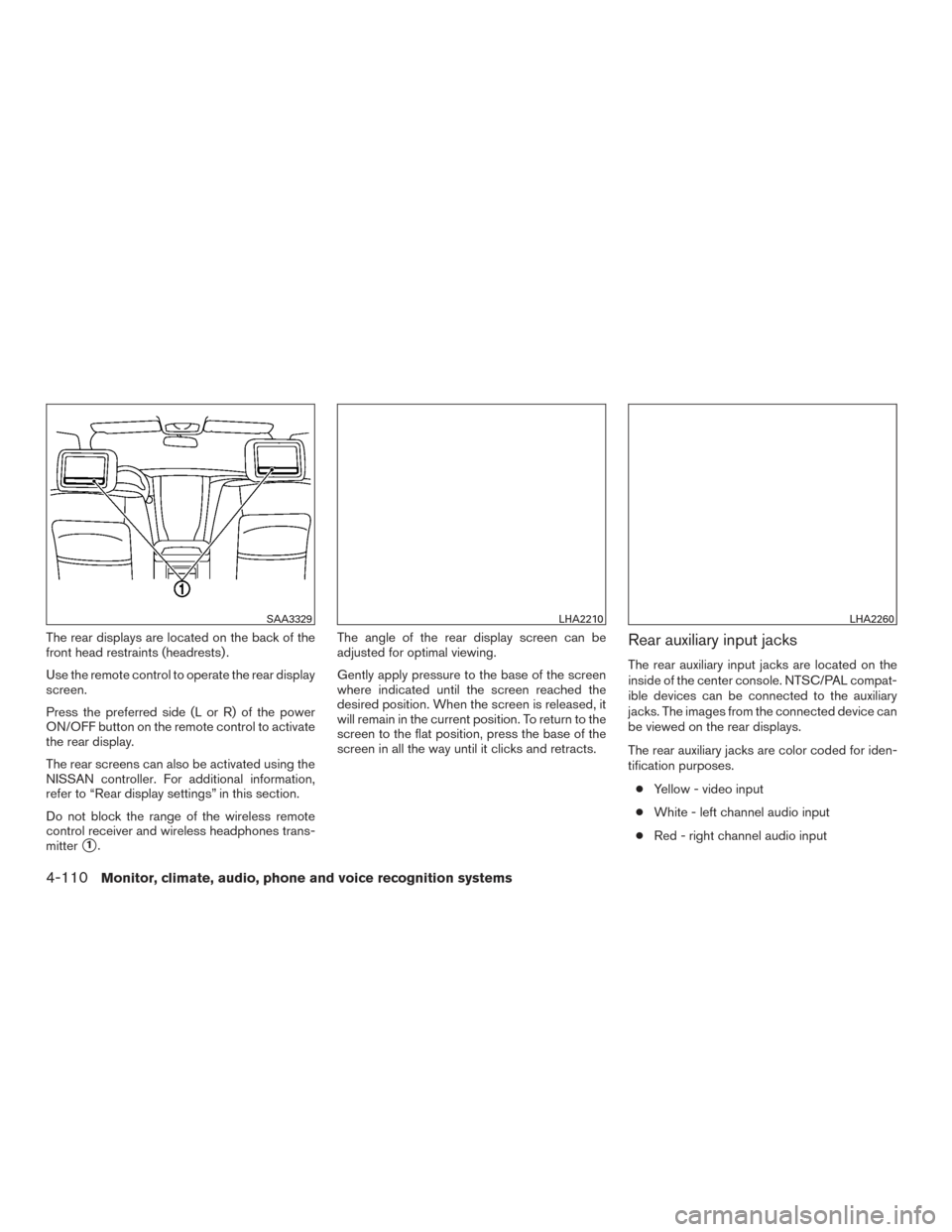
The rear displays are located on the back of the
front head restraints (headrests) .
Use the remote control to operate the rear display
screen.
Press the preferred side (L or R) of the power
ON/OFF button on the remote control to activate
the rear display.
The rear screens can also be activated using the
NISSAN controller. For additional information,
refer to “Rear display settings” in this section.
Do not block the range of the wireless remote
control receiver and wireless headphones trans-
mitter
�1.The angle of the rear display screen can be
adjusted for optimal viewing.
Gently apply pressure to the base of the screen
where indicated until the screen reached the
desired position. When the screen is released, it
will remain in the current position. To return to the
screen to the flat position, press the base of the
screen in all the way until it clicks and retracts.
Rear auxiliary input jacks
The rear auxiliary input jacks are located on the
inside of the center console. NTSC/PAL compat-
ible devices can be connected to the auxiliary
jacks. The images from the connected device can
be viewed on the rear displays.
The rear auxiliary jacks are color coded for iden-
tification purposes.
● Yellow - video input
● White - left channel audio input
● Red - right channel audio input
SAA3329LHA2210LHA2260
4-110Monitor, climate, audio, phone and voice recognition systems
Page 308 of 540
Before connecting a device to a jack, turn off the
power of the portable device.
To display the rear AUX screen, press the pre-
ferred side (L or R) of the AUX (L)/AUX (R)
buttons (rear input jacks) on the remote control.
The device connected to the rear auxiliary input
jacks cannot be displayed on the front screen.
Headphones
The headphones for this system are a wireless
type and no cables are necessary. The head-
phones can only be used in the rear seat.
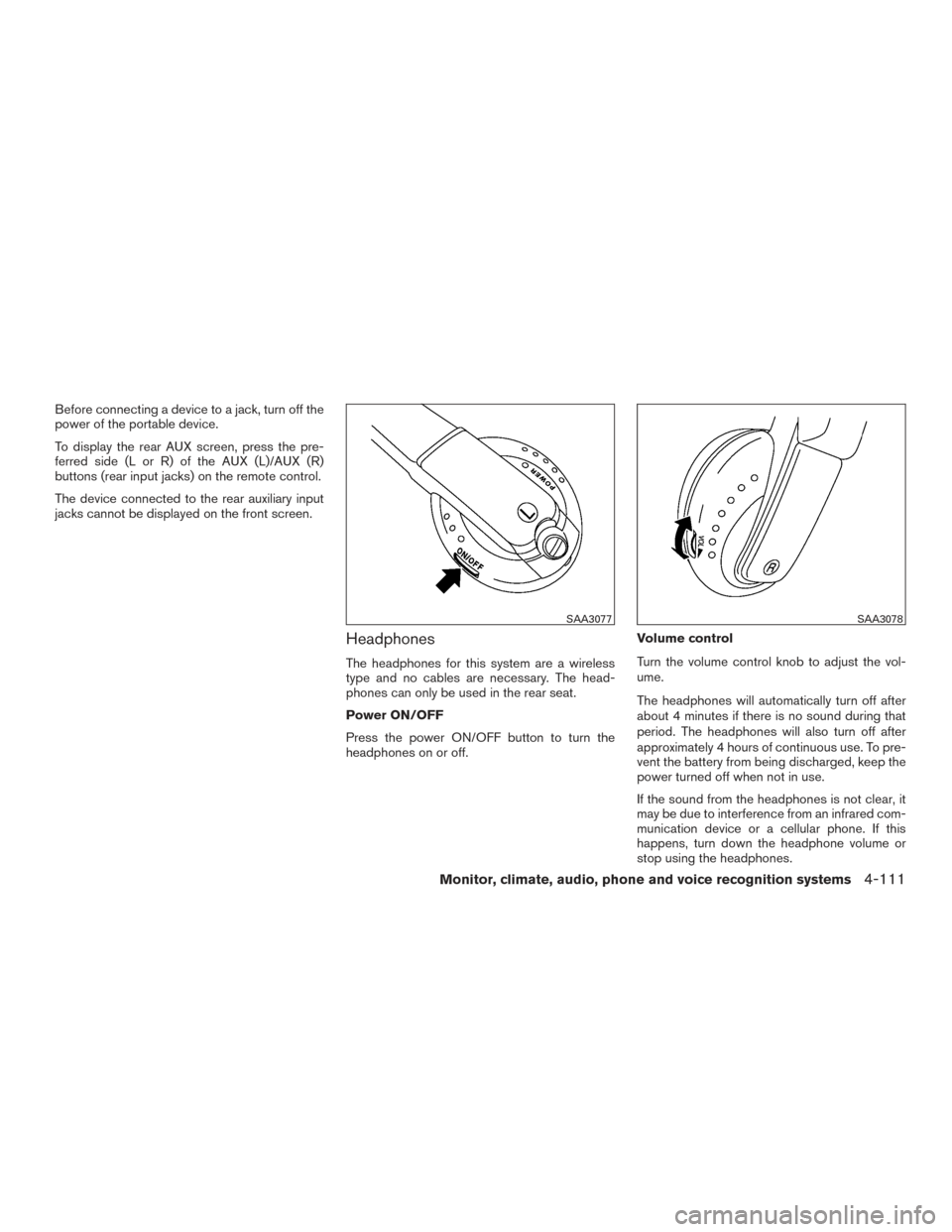
Power ON/OFF
Press the power ON/OFF button to turn the
headphones on or off.Volume control
Turn the volume control knob to adjust the vol-
ume.
The headphones will automatically turn off after
about 4 minutes if there is no sound during that
period. The headphones will also turn off after
approximately 4 hours of continuous use. To pre-
vent the battery from being discharged, keep the
power turned off when not in use.
If the sound from the headphones is not clear, it
may be due to interference from an infrared com-
munication device or a cellular phone. If this
happens, turn down the headphone volume or
stop using the headphones.
SAA3077SAA3078
Monitor, climate, audio, phone and voice recognition systems4-111