Page 315 of 465
SYSTEM TEMPORARILY
UNAVAILABLE
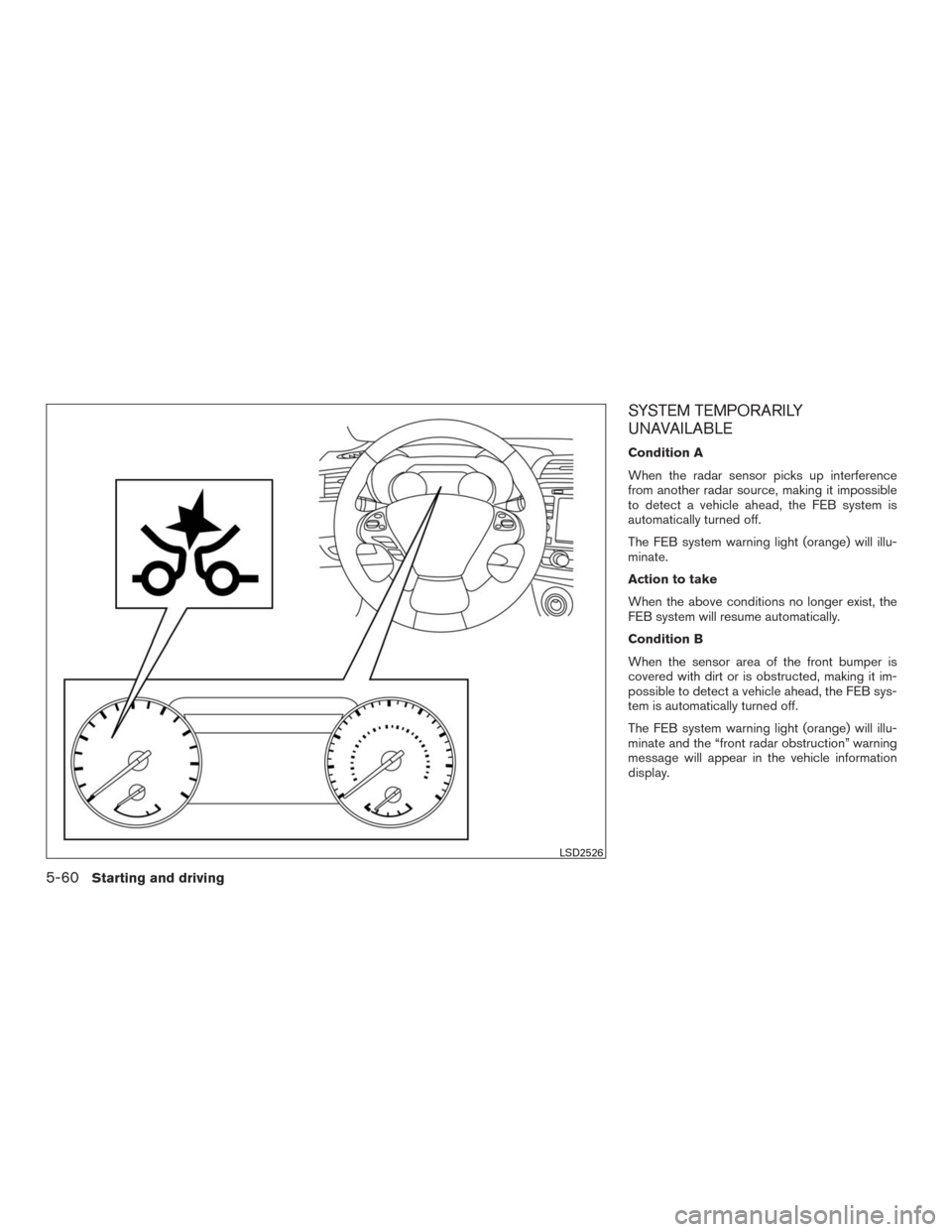
Condition A
When the radar sensor picks up interference
from another radar source, making it impossible
to detect a vehicle ahead, the FEB system is
automatically turned off.
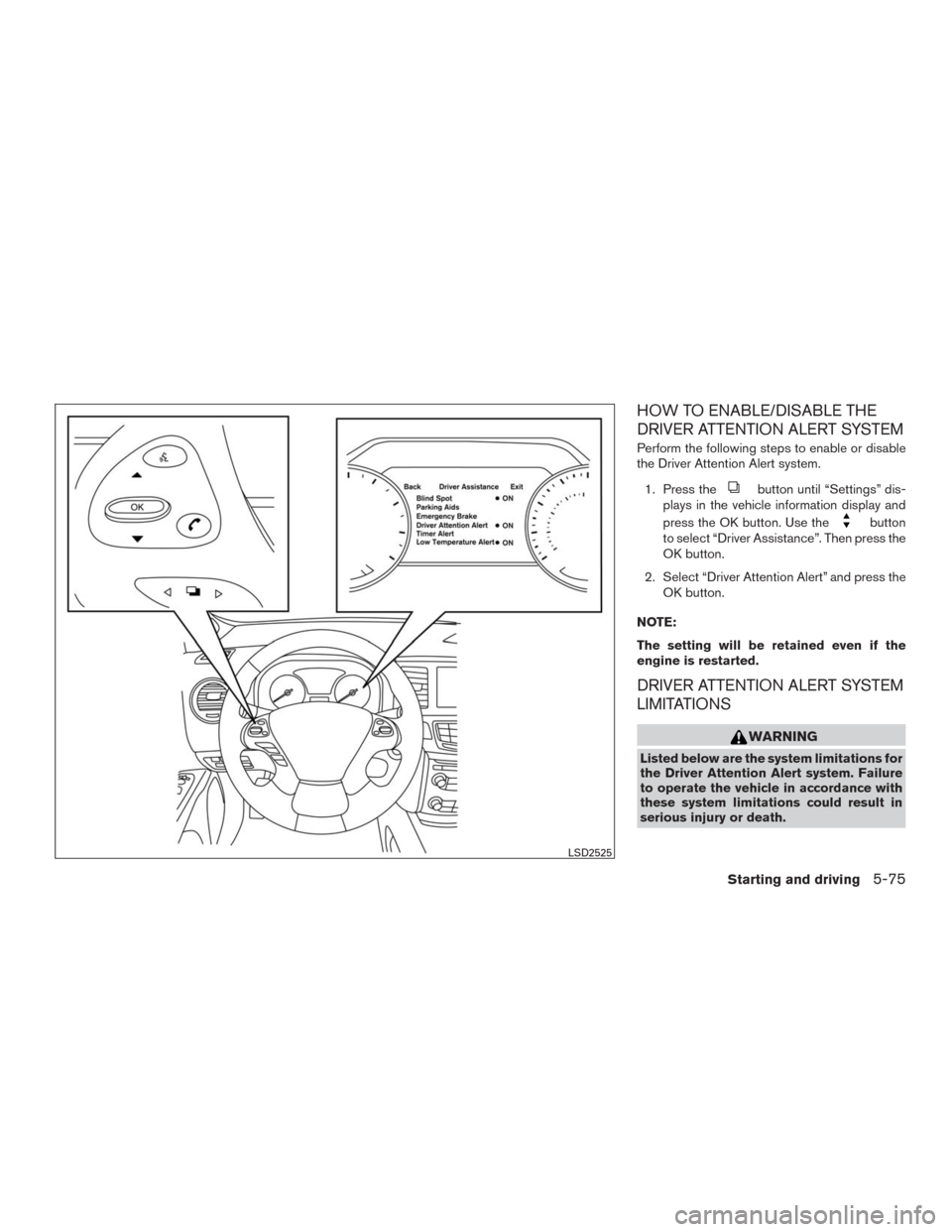
The FEB system warning light (orange) will illu-
minate.
Action to take
When the above conditions no longer exist, the
FEB system will resume automatically.
Condition B
When the sensor area of the front bumper is
covered with dirt or is obstructed, making it im-
possible to detect a vehicle ahead, the FEB sys-
tem is automatically turned off.
The FEB system warning light (orange) will illu-
minate and the “front radar obstruction” warning
message will appear in the vehicle information
display.
LSD2526
5-60Starting and driving
Page 316 of 465
Action to take
If the warning light (orange) comes on, stop the
vehicle in a safe place, place the shift lever in the
P (Park) position and turn the engine off. Clean
the radar cover on the lower grille with a soft
cloth, and restart the engine. If the warning light
continues to illuminate, have the FEB system
checked. It is recommended you visit a NISSAN
dealer for this service.
NOTE:
If the FEB system stops working, the PFCW
system (if so equipped) will also stop work-
ing.
SYSTEM MALFUNCTION
If the FEB system malfunctions, it will be turned
off automatically, a chime will sound, the FEB
warning light (orange) will illuminate and the
warning message [Malfunction] will appear in the
vehicle information display.
Action to take
If the warning light (orange) comes on, stop the
vehicle in a safe location, turn the engine off and
restart the engine. If the warning light continues
to illuminate, have the FEB system checked. It is
recommended you visit a NISSAN dealer for this
service.
SYSTEM MAINTENANCE
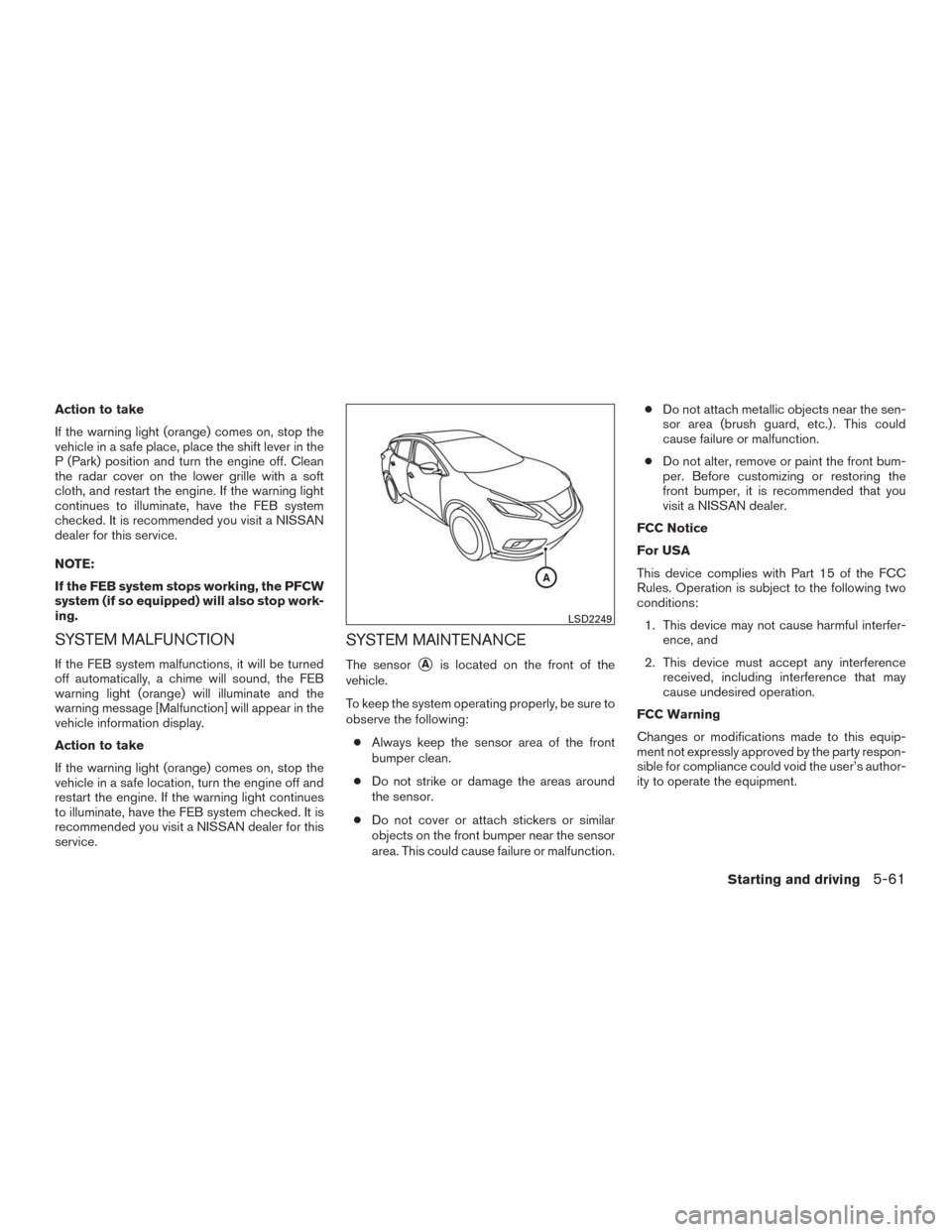
The sensor�Ais located on the front of the
vehicle.
To keep the system operating properly, be sure to
observe the following:
●Always keep the sensor area of the front
bumper clean.
●Do not strike or damage the areas around
the sensor.
●Do not cover or attach stickers or similar
objects on the front bumper near the sensor
area. This could cause failure or malfunction.●Do not attach metallic objects near the sen-
sor area (brush guard, etc.) . This could
cause failure or malfunction.
●Do not alter, remove or paint the front bum-
per. Before customizing or restoring the
front bumper, it is recommended that you
visit a NISSAN dealer.
FCC Notice
For USA
This device complies with Part 15 of the FCC
Rules. Operation is subject to the following two
conditions:
1. This device may not cause harmful interfer-
ence, and
2. This device must accept any interference
received, including interference that may
cause undesired operation.
FCC Warning
Changes or modifications made to this equip-
ment not expressly approved by the party respon-
sible for compliance could void the user’s author-
ity to operate the equipment.
LSD2249
Starting and driving5-61
Page 320 of 465
TURNING THE PFCW SYSTEM
ON/OFF
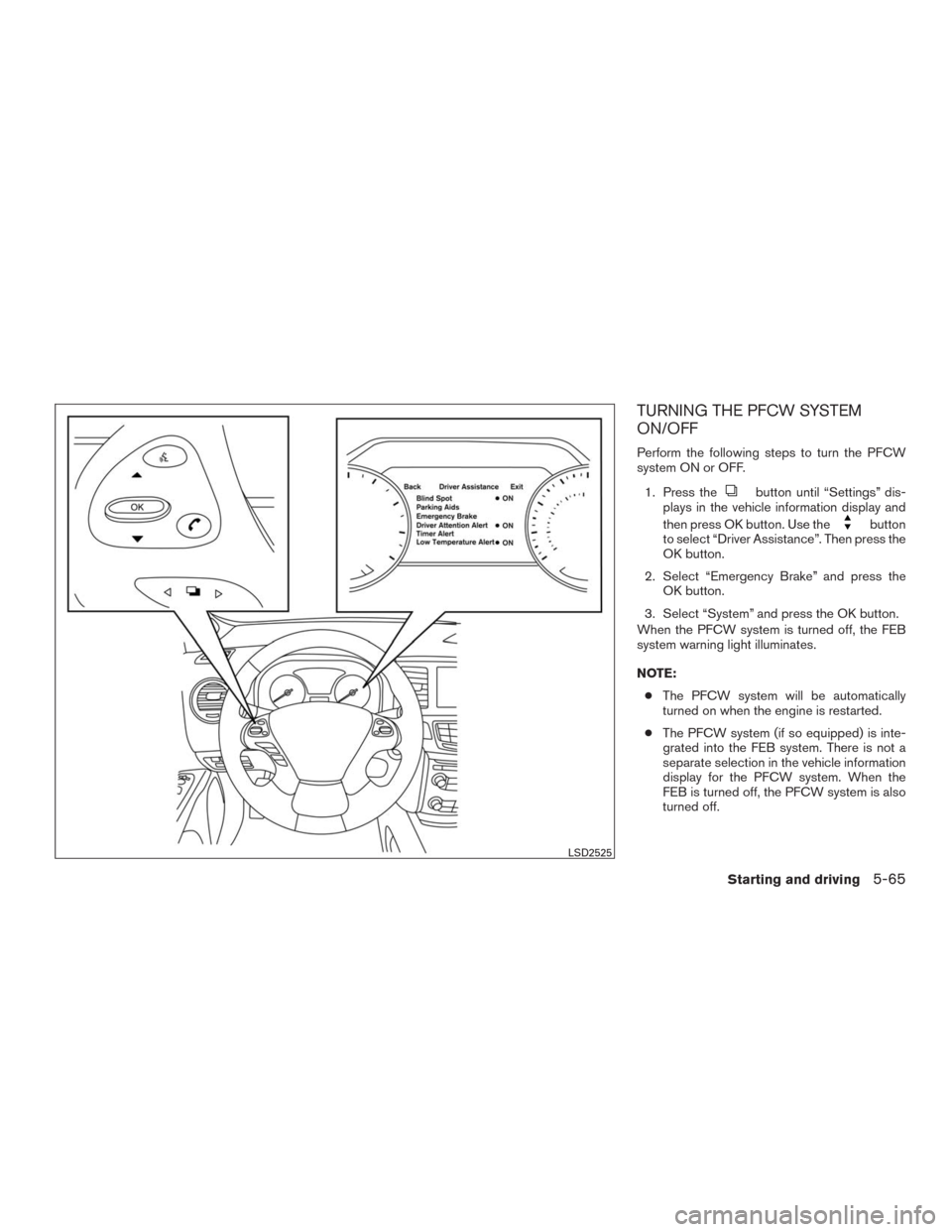
Perform the following steps to turn the PFCW
system ON or OFF.
1. Press the
button until “Settings” dis-
plays in the vehicle information display and
then press OK button. Use the
button
to select “Driver Assistance”. Then press the
OK button.
2. Select “Emergency Brake” and press the
OK button.
3. Select “System” and press the OK button.
When the PFCW system is turned off, the FEB
system warning light illuminates.
NOTE:
●The PFCW system will be automatically
turned on when the engine is restarted.
●The PFCW system (if so equipped) is inte-
grated into the FEB system. There is not a
separate selection in the vehicle information
display for the PFCW system. When the
FEB is turned off, the PFCW system is also
turned off.
LSD2525
Starting and driving5-65
Page 326 of 465
SYSTEM TEMPORARILY
UNAVAILABLE
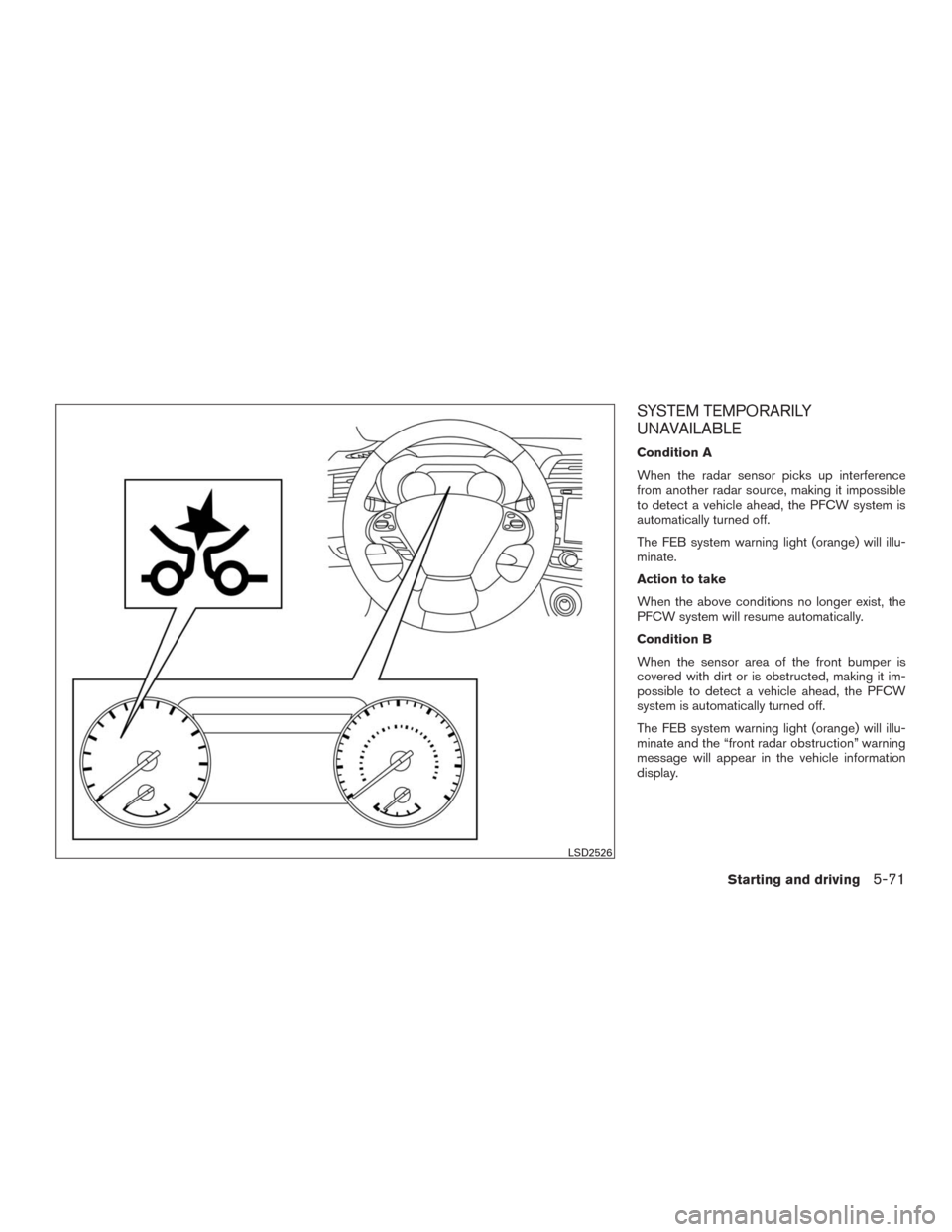
Condition A
When the radar sensor picks up interference
from another radar source, making it impossible
to detect a vehicle ahead, the PFCW system is
automatically turned off.
The FEB system warning light (orange) will illu-
minate.
Action to take
When the above conditions no longer exist, the
PFCW system will resume automatically.
Condition B
When the sensor area of the front bumper is
covered with dirt or is obstructed, making it im-
possible to detect a vehicle ahead, the PFCW
system is automatically turned off.
The FEB system warning light (orange) will illu-
minate and the “front radar obstruction” warning
message will appear in the vehicle information
display.
LSD2526
Starting and driving5-71
Page 327 of 465
Action to take
If the warning light (orange) comes on, stop the
vehicle in a safe place, place the shift lever in the
P (Park) position and turn the engine off. Clean
the radar cover on the lower grille with a soft
cloth, and restart the engine. If the warning light
continues to illuminate, have the PFCW system
checked. It is recommended you visit a NISSAN
dealer for this service.
NOTE:
If the FEB system stops working, the PFCW
system (if so equipped) will also stop work-
ing.
SYSTEM MALFUNCTION
If the PFCW system malfunctions, it will be
turned off automatically, a chime will sound, the
FEB system warning light (orange) will illuminate
and the warning message [Malfunction] will ap-
pear in the vehicle information display.
Action to take
If the warning light (orange) comes on, stop the
vehicle in a safe location, turn the engine off and
restart the engine. If the warning light continues
to illuminate, have the PFCW system checked. It
is recommended you visit a NISSAN dealer for
this service.
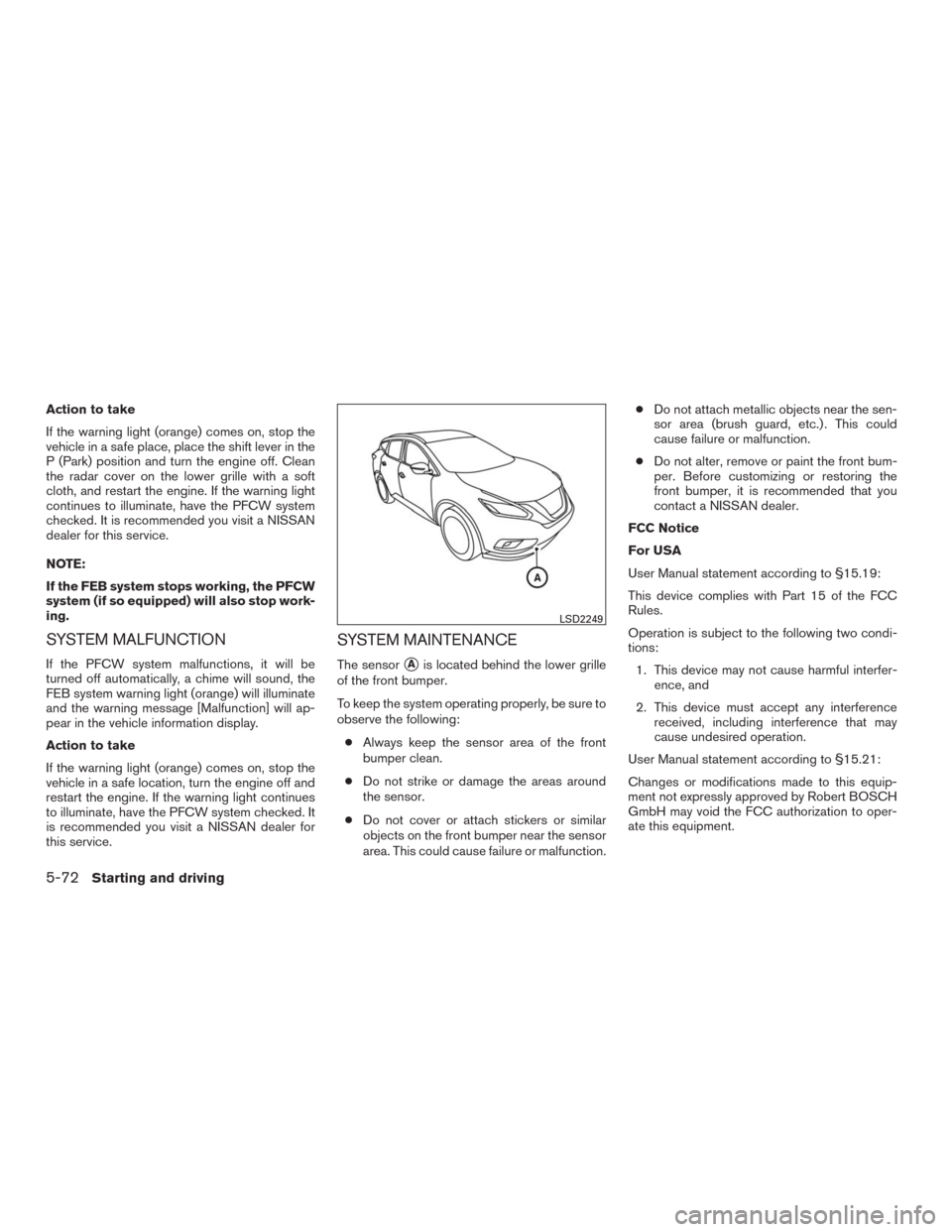
SYSTEM MAINTENANCE
The sensor�Ais located behind the lower grille
of the front bumper.
To keep the system operating properly, be sure to
observe the following:
●Always keep the sensor area of the front
bumper clean.
●Do not strike or damage the areas around
the sensor.
●Do not cover or attach stickers or similar
objects on the front bumper near the sensor
area. This could cause failure or malfunction.●Do not attach metallic objects near the sen-
sor area (brush guard, etc.) . This could
cause failure or malfunction.
●Do not alter, remove or paint the front bum-
per. Before customizing or restoring the
front bumper, it is recommended that you
contact a NISSAN dealer.
FCC Notice
For USA
User Manual statement according to §15.19:
This device complies with Part 15 of the FCC
Rules.
Operation is subject to the following two condi-
tions:
1. This device may not cause harmful interfer-
ence, and
2. This device must accept any interference
received, including interference that may
cause undesired operation.
User Manual statement according to §15.21:
Changes or modifications made to this equip-
ment not expressly approved by Robert BOSCH
GmbH may void the FCC authorization to oper-
ate this equipment.
LSD2249
5-72Starting and driving
Page 329 of 465
The system monitors driving style and steering
behavior over a period of time, and it detects
changes from the normal pattern. If the system
detects that driver attention is decreasing over a
period of time, the system uses audible and visual
warnings to suggest that the driver take a break.
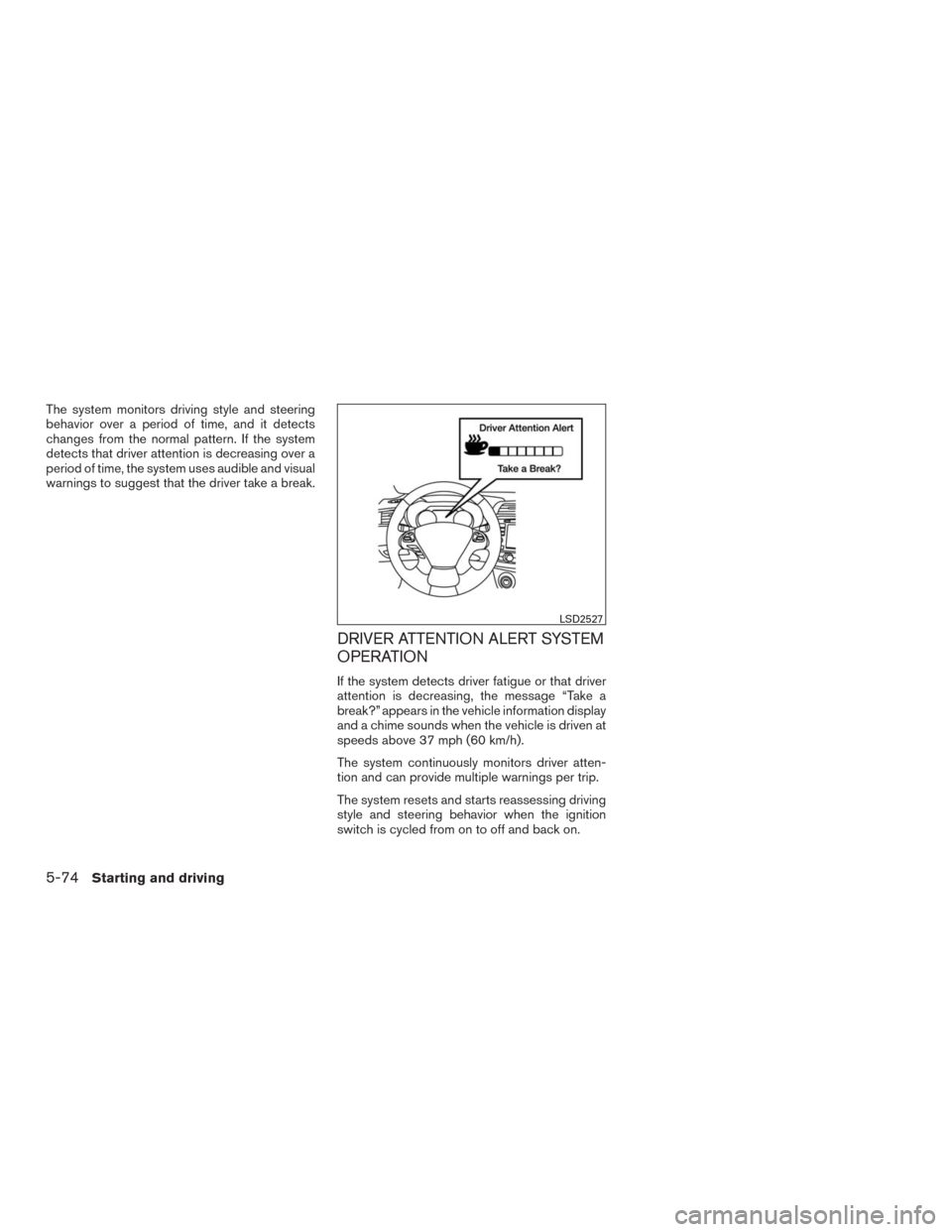
DRIVER ATTENTION ALERT SYSTEM
OPERATION
If the system detects driver fatigue or that driver
attention is decreasing, the message “Take a
break?” appears in the vehicle information display
and a chime sounds when the vehicle is driven at
speeds above 37 mph (60 km/h).
The system continuously monitors driver atten-
tion and can provide multiple warnings per trip.
The system resets and starts reassessing driving
style and steering behavior when the ignition
switch is cycled from on to off and back on.
LSD2527
5-74Starting and driving
Page 330 of 465
HOW TO ENABLE/DISABLE THE
DRIVER ATTENTION ALERT SYSTEM
Perform the following steps to enable or disable
the Driver Attention Alert system.
1. Press the
button until “Settings” dis-
plays in the vehicle information display and
press the OK button. Use the
button
to select “Driver Assistance”. Then press the
OK button.
2. Select “Driver Attention Alert” and press the
OK button.
NOTE:
The setting will be retained even if the
engine is restarted.
DRIVER ATTENTION ALERT SYSTEM
LIMITATIONS
WARNING
Listed below are the system limitations for
the Driver Attention Alert system. Failure
to operate the vehicle in accordance with
these system limitations could result in
serious injury or death.
LSD2525
Starting and driving5-75
Page 331 of 465
●The Driver Attention Alert system may
not operate properly and may not pro-
vide an alert in the following conditions:
– Poor road conditions such as an un-
even road surface or pot holes.
– Strong side wind.
– If you have adopted a sporty driving
style with higher cornering speeds or
higher rates of acceleration.
– Frequent lane changes or changes to
vehicle speed.
●The Driver Attention Alert system will
not provide an alert in the following
conditions:
– Vehicle speeds lower than 37 mph
(60 km/h).
– Short lapses of attention.
– Instantaneous distractions such as
dropping an object.
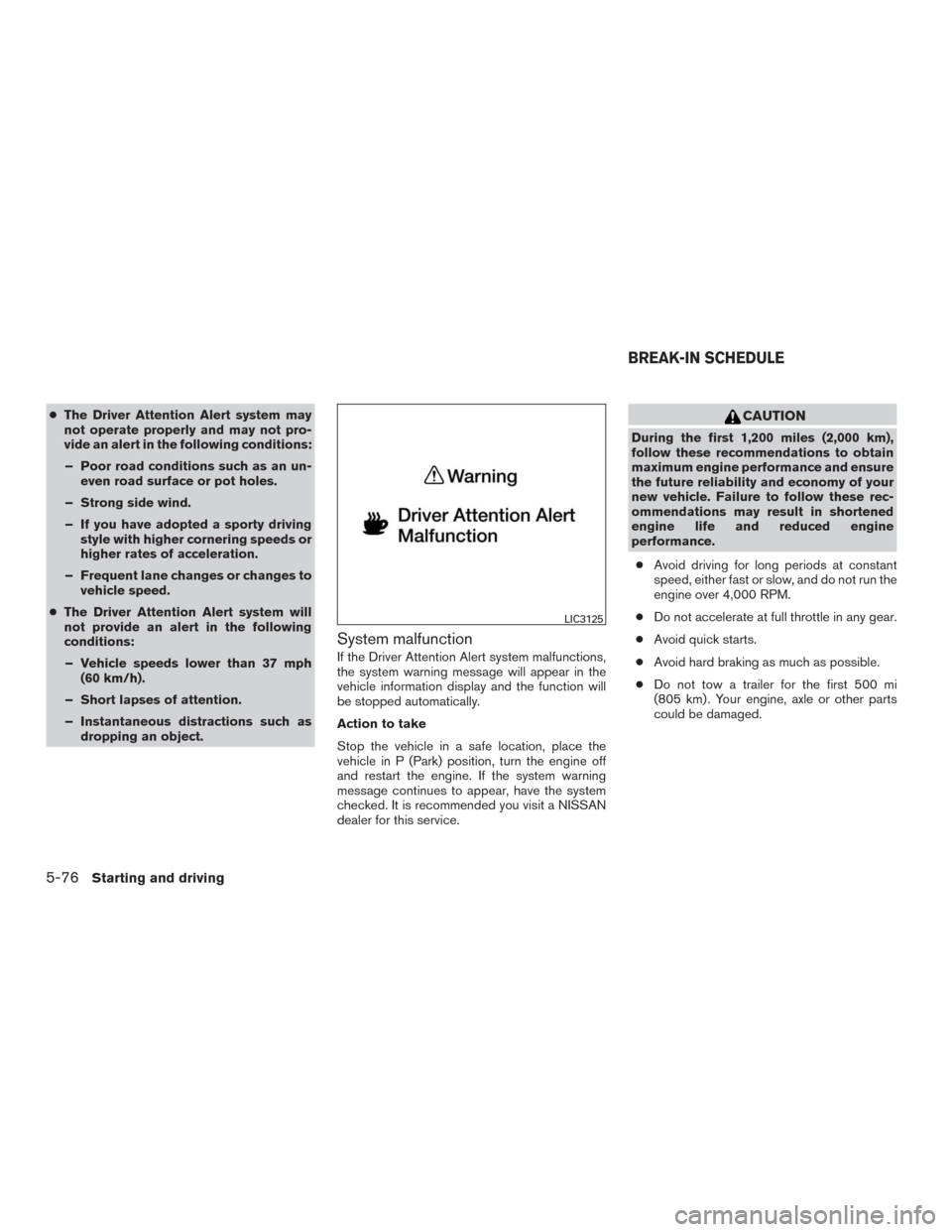
System malfunction
If the Driver Attention Alert system malfunctions,
the system warning message will appear in the
vehicle information display and the function will
be stopped automatically.
Action to take
Stop the vehicle in a safe location, place the
vehicle in P (Park) position, turn the engine off
and restart the engine. If the system warning
message continues to appear, have the system
checked. It is recommended you visit a NISSAN
dealer for this service.
CAUTION
During the first 1,200 miles (2,000 km),
follow these recommendations to obtain
maximum engine performance and ensure
the future reliability and economy of your
new vehicle. Failure to follow these rec-
ommendations may result in shortened
engine life and reduced engine
performance.
●Avoid driving for long periods at constant
speed, either fast or slow, and do not run the
engine over 4,000 RPM.
●Do not accelerate at full throttle in any gear.
●Avoid quick starts.
●Avoid hard braking as much as possible.
●Do not tow a trailer for the first 500 mi
(805 km) . Your engine, axle or other parts
could be damaged.
LIC3125
BREAK-IN SCHEDULE
5-76Starting and driving