2016 NISSAN MURANO HYBRID navigation system
[x] Cancel search: navigation systemPage 13 of 443
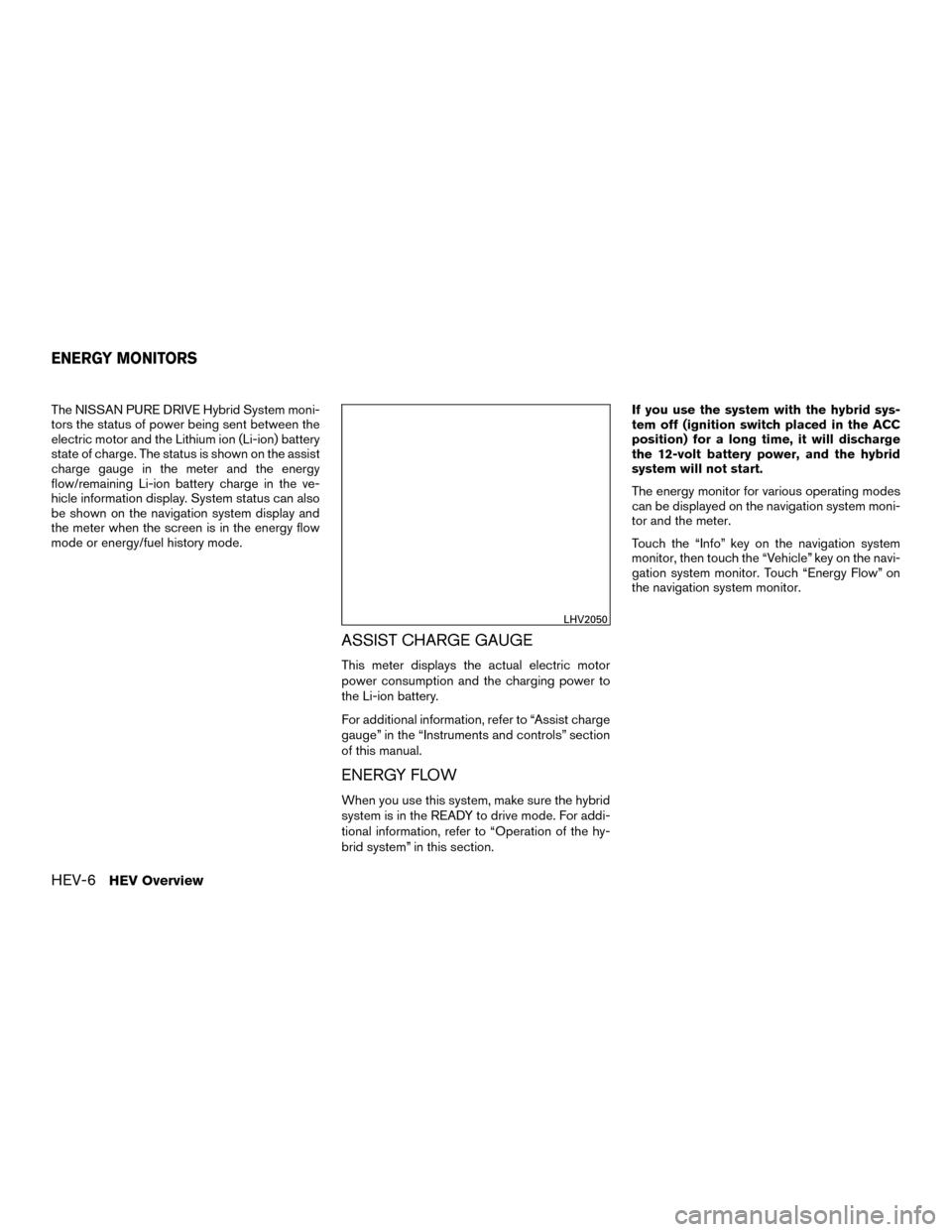
The NISSAN PURE DRIVE Hybrid System moni-
tors the status of power being sent between the
electric motor and the Lithium ion (Li-ion) battery
state of charge. The status is shown on the assist
charge gauge in the meter and the energy
flow/remaining Li-ion battery charge in the ve-
hicle information display. System status can also
be shown on the navigation system display and
the meter when the screen is in the energy flow
mode or energy/fuel history mode.
ASSIST CHARGE GAUGE
This meter displays the actual electric motor
power consumption and the charging power to
the Li-ion battery.
For additional information, refer to “Assist charge
gauge” in the “Instruments and controls” section
of this manual.
ENERGY FLOW
When you use this system, make sure the hybrid
system is in the READY to drive mode. For addi-
tional information, refer to “Operation of the hy-
brid system” in this section.If you use the system with the hybrid sys-
tem off (ignition switch placed in the ACC
position) for a long time, it will discharge
the 12-volt battery power, and the hybrid
system will not start.
The energy monitor for various operating modes
can be displayed on the navigation system moni-
tor and the meter.
Touch the “Info” key on the navigation system
monitor, then touch the “Vehicle” key on the navi-
gation system monitor. Touch “Energy Flow” on
the navigation system monitor.
LHV2050
ENERGY MONITORS
HEV-6HEV Overview
Page 15 of 443
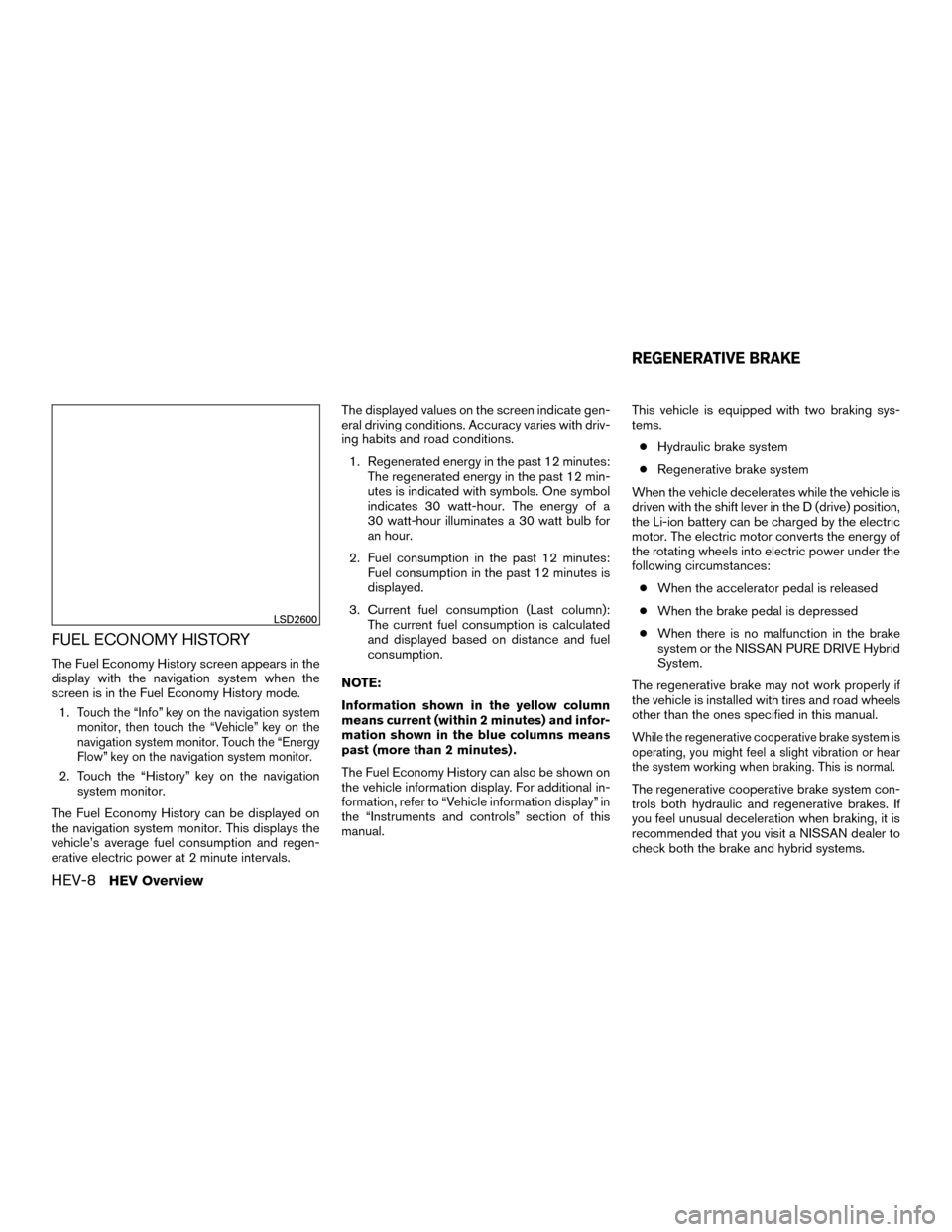
FUEL ECONOMY HISTORY
The Fuel Economy History screen appears in the
display with the navigation system when the
screen is in the Fuel Economy History mode.1.
Touch the “Info” key on the navigation system
monitor, then touch the “Vehicle” key on the
navigation system monitor. Touch the “Energy
Flow” key on the navigation system monitor.
2. Touch the “History” key on the navigation system monitor.
The Fuel Economy History can be displayed on
the navigation system monitor. This displays the
vehicle’s average fuel consumption and regen-
erative electric power at 2 minute intervals. The displayed values on the screen indicate gen-
eral driving conditions. Accuracy varies with driv-
ing habits and road conditions.
1. Regenerated energy in the past 12 minutes: The regenerated energy in the past 12 min-
utes is indicated with symbols. One symbol
indicates 30 watt-hour. The energy of a
30 watt-hour illuminates a 30 watt bulb for
an hour.
2. Fuel consumption in the past 12 minutes: Fuel consumption in the past 12 minutes is
displayed.
3. Current fuel consumption (Last column): The current fuel consumption is calculated
and displayed based on distance and fuel
consumption.
NOTE:
Information shown in the yellow column
means current (within 2 minutes) and infor-
mation shown in the blue columns means
past (more than 2 minutes) .
The Fuel Economy History can also be shown on
the vehicle information display. For additional in-
formation, refer to “Vehicle information display” in
the “Instruments and controls” section of this
manual. This vehicle is equipped with two braking sys-
tems.
● Hydraulic brake system
● Regenerative brake system
When the vehicle decelerates while the vehicle is
driven with the shift lever in the D (drive) position,
the Li-ion battery can be charged by the electric
motor. The electric motor converts the energy of
the rotating wheels into electric power under the
following circumstances: ● When the accelerator pedal is released
● When the brake pedal is depressed
● When there is no malfunction in the brake
system or the NISSAN PURE DRIVE Hybrid
System.
The regenerative brake may not work properly if
the vehicle is installed with tires and road wheels
other than the ones specified in this manual.
While the regenerative cooperative brake system is
operating, you might feel a slight vibration or hear
the system working when braking. This is normal.
The regenerative cooperative brake system con-
trols both hydraulic and regenerative brakes. If
you feel unusual deceleration when braking, it is
recommended that you visit a NISSAN dealer to
check both the brake and hybrid systems.
LSD2600
REGENERATIVE BRAKE
HEV-8HEV Overview
Page 26 of 443
14. Heater and air conditioning controls(P. 4-19)
15. Shift lever (P. 5-16)
16. Push-button ignition switch (P. 5-11)
17. Cruise control main switches
(if so equipped) (P. 5-40)
Intelligent Cruise Control (ICC)
switches (if so equipped) (P. 5-42
18. Driver supplemental knee air bag
(P. 1-46)
19. Bluetooth® Hands-Free Phone System
(P. 4-24)
Audio control switches*
20. Hood release (P. 3-20) Fuel door release (P. 3-26)
Power rear flip-up seats switch
(if so equipped) (P. 1-2)
21. Fuse box (P. 8-23)
22. Liftgate opener switch (if so equipped)
(P. 3-21)
Heated steering wheel switch
(if so equipped) (P. 2-45)
Vehicle Dynamic Control (VDC) OFF
switch (P. 2-46)
ECO mode switch (P. 5-16) 23. Instrument brightness control (P. 2-37)
Twin trip odometer reset switch
(P. 3-29)
*: Refer to the separate Navigation System Own-
er’s Manual.
Refer to the page number indicated in pa-
rentheses for operating details.
Illustrated table of contents0-7
Page 99 of 443
2 Instruments and controls
Instrument panel...................................2-2
Meters and gauges ................................2-4
Speedometer and odometer .....................2-4
Tachometer ....................................2-5
Assist charge gauge ............................2-6
Fuel gauge ....................................2-6
Warning lights, indicator lights and audible
reminders .........................................2-7
Checking lights ................................2-7
Warning lights .................................2-8
Indicator lights ................................ 2-11
Audible reminders ............................. 2-13
Vehicle Information Display ........................2-14
How to use the vehicle information display .......2-14
Startup display ................................ 2-15
Settings ...................................... 2-15
Vehicle information display warnings and
indicators ..................................... 2-22
Control Panel and vehicle information display
Interaction ....................................... 2-27
Audio ........................................ 2-27
Receiving a call ............................... 2-28
Text Messaging ............................... 2-29
Navigation System ............................. 2-31Security systems
................................. 2-33
Vehicle security system ......................... 2-33
NISSAN vehicle immobilizer system .............2-34
Wiper and washer switch ......................... 2-35
Switch operation .............................. 2-35
Rear switch operation .......................... 2-36
Rear window and outside mirror defroster switch .....2-37
Headlight and turn signal switch ....................2-37
Headlight control switch ........................ 2-37
Daytime running light system ....................2-39
Instrument brightness control ...................2-40
Turn signal switch ............................. 2-40
Fog light switch ............................... 2-41
Horn ............................................ 2-41
Heated seat switches (if so equipped) ..............2-42
Heated rearseat
switches (if so equipped) ..........2-43
Climate controlled seat switches (if so equipped) ....2-44
Heated steering wheel switch (if so equipped) .......2-45
Vehicle Dynamic Control (VDC) off switch ...........2-46
Power outlets .................................... 2-46
12v outlets ................................... 2-46
Extended storage switch .......................... 2-48
Storage ......................................... 2-49
Page 102 of 443
14. Heater and air conditioning controls(P. 4-19)
15. Shift lever (P. 5-16)
16. Push-button ignition switch (P. 5-11)
17. Cruise control main switches
(if so equipped) (P. 5-40)
Intelligent Cruise Control (ICC)
switches (if so equipped) (P. 5-42
18. Driver supplemental knee air bag
(P. 1-46)
19. Bluetooth® Hands-Free Phone System
(P. 4-24)
Audio control switches*
20. Hood release (P. 3-20) Fuel door release (P. 3-26)
Power rear flip-up seats switch
(if so equipped) (P. 1-2)
21. Fuse box (P. 8-23)
22. Liftgate opener switch (if so equipped)
(P. 3-21)
Heated steering wheel switch
(if so equipped) (P. 2-45)
Vehicle Dynamic Control (VDC) OFF
switch (P. 2-46)
ECO mode switch (P. 5-16) 23. Instrument brightness control (P. 2-37)
Twin trip odometer reset switch
(P. 3-29)
*: Refer to the separate Navigation System Own-
er’s Manual.
Refer to the page number indicated in pa-
rentheses for operating details.
Instruments and controls2-3
Page 113 of 443
The vehicle information display is located to the
left of the speedometer. It displays such items as:● Vehicle settings
● Trip computer information
● Drive system warnings and settings
● Forward Emergency Braking system (if so
equipped)
● Predictive Forward Collision warning system
(if so equipped)
● Blind Spot Warning system (if so equipped)
● Rear Cross Traffic Alert system (if so
equipped) ●
Cruise control system information
● Intelligent Cruise Control system information
(if so equipped)
● NISSAN Intelligent Key® operation informa-
tion
● Indicators and warnings
● Tire Pressure information
The display will be interrupted when a text mes-
sage or phone call is received. Phone calls can
be answered or rejected through the steering
wheel controls. Text messages can also be oper-
ated using the steering wheel controls (models
with Navigation) .HOW TO USE THE VEHICLE
INFORMATION DISPLAY
The vehicle information display can be changed
using the buttons
and OK located on the
steering wheel.
1. OK — change or select an item in the vehicle information display
2.
— go back or forward through
the vehicle information menu items or to
change from one display screen to the next
(i.e. trip, TPMS, Fuel economy)
3.
— scroll up or down the vehicle infor-
mation menu items.
LIC2205LIC3010
VEHICLE INFORMATION DISPLAY
2-14Instruments and controls
Page 114 of 443
The OK,andbuttons also
control audio and control panel functions. For
additional information, refer to “Steering wheel
switch for audio control” in the “Display screen,
heater, air conditioner, audio and phone systems”
section of this manual.
STARTUP DISPLAY
When the vehicle in placed in the ON or ACC
position the screens that display in the vehicle
information display include:
● Active system status
● Audio
● Navigation (if so equipped)
● Drive Computer
● Fuel Economy
● Driving Aids
● Tire Pressures
● Energy Flow
● Warning Review
● Settings
Warnings will only display if there are any pres-
ent. For additional information on warnings and
indicators, refer to “Vehicle information display
warnings and indicators” in this section. To control what items display in the vehicle infor-
mation display, refer to “Main menu selection” in
this section.
SETTINGS
The setting mode allows you to change the infor-
mation displayed in the vehicle information dis-
play:
● Driver Assistance
● Customize Display
● Vehicle Settings
● Maintenance
● Clock
● TPMS Settings
● Unit/Language
● Key-Linked Settings
● Factory Reset
Instruments and controls2-15
Page 119 of 443
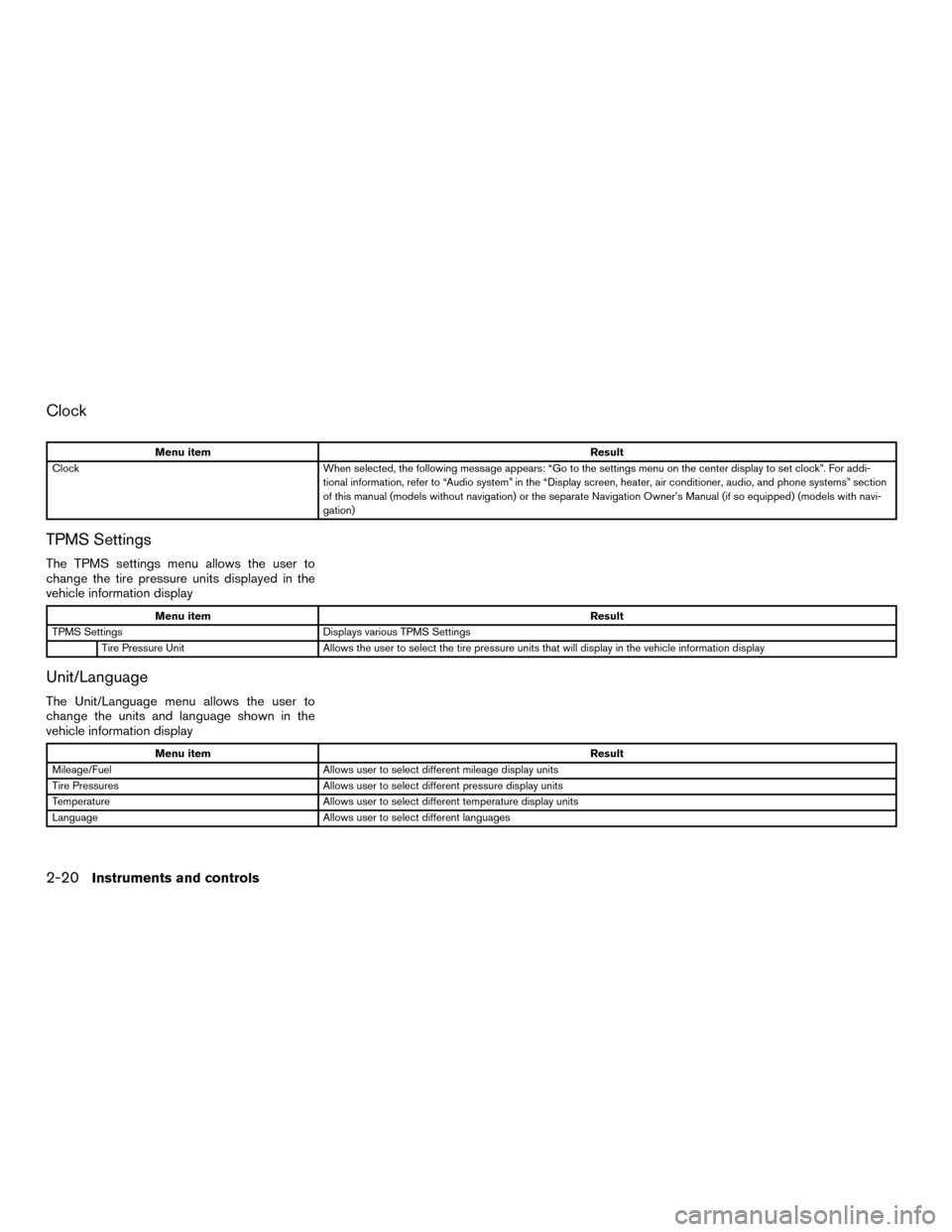
Clock
Menu itemResult
Clock When selected, the following message appears: “Go to the settings menu on the center display to set clock”. For addi-
tional information, refer to “Audio system” in the “Display screen, heater, air conditioner, audio, and phone systems” section
of this manual (models without navigation) or the separate Navigation Owner’s Manual (if so equipped) (models with navi-
gation)
TPMS Settings
The TPMS settings menu allows the user to
change the tire pressure units displayed in the
vehicle information display
Menu item Result
TPMS Settings Displays various TPMS Settings
Tire Pressure Unit Allows the user to select the tire pressure units that will display in the vehicle information display
Unit/Language
The Unit/Language menu allows the user to
change the units and language shown in the
vehicle information display
Menu item Result
Mileage/Fuel Allows user to select different mileage display units
Tire Pressures Allows user to select different pressure display units
Temperature Allows user to select different temperature display units
Language Allows user to select different languages
2-20Instruments and controls