2016 NISSAN MAXIMA power steering
[x] Cancel search: power steeringPage 122 of 401
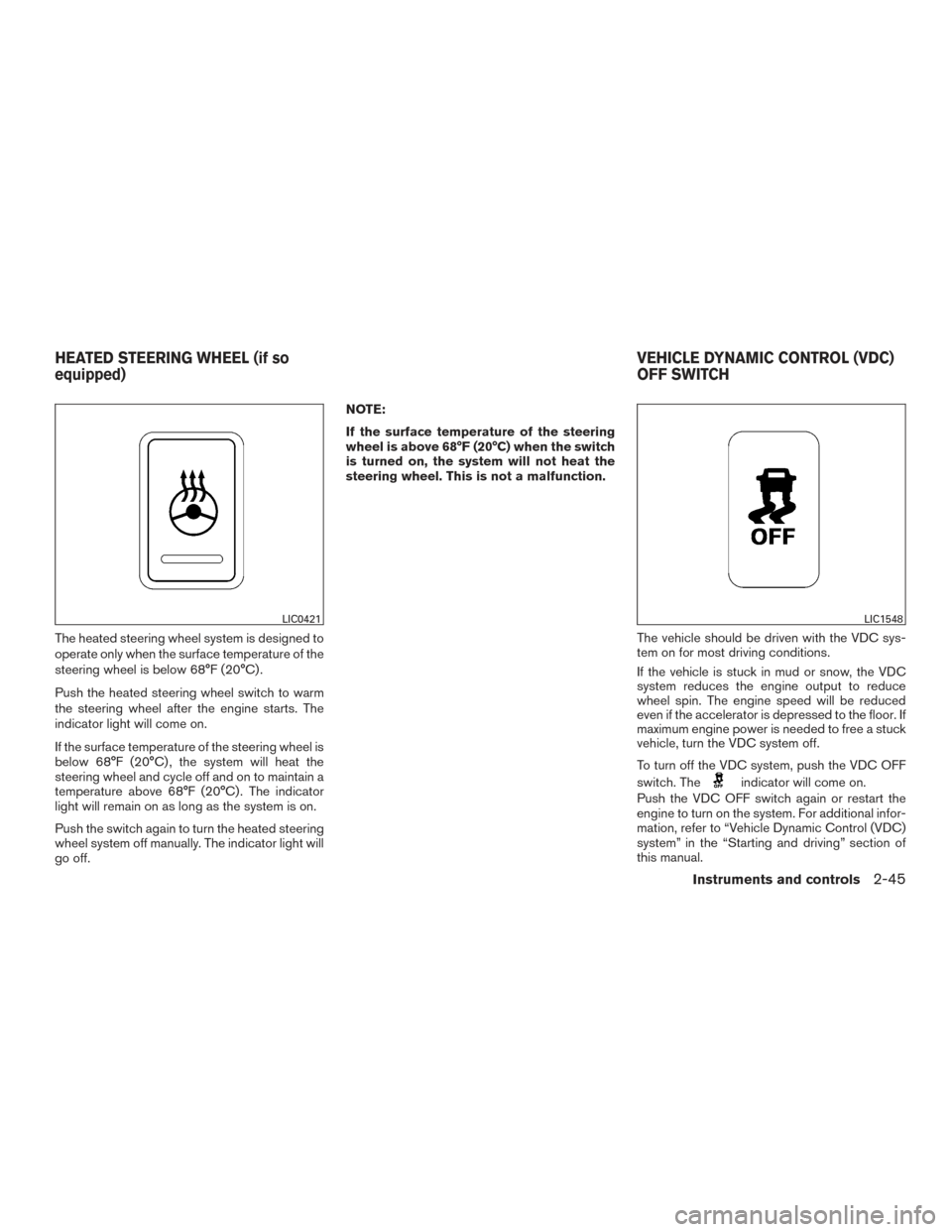
The heated steering wheel system is designed to
operate only when the surface temperature of the
steering wheel is below 68°F (20°C) .
Push the heated steering wheel switch to warm
the steering wheel after the engine starts. The
indicator light will come on.
If the surface temperature of the steering wheel is
below 68°F (20°C) , the system will heat the
steering wheel and cycle off and on to maintain a
temperature above 68°F (20°C) . The indicator
light will remain on as long as the system is on.
Push the switch again to turn the heated steering
wheel system off manually. The indicator light will
go off.NOTE:
If the surface temperature of the steering
wheel is above 68°F (20°C) when the switch
is turned on, the system will not heat the
steering wheel. This is not a malfunction.
The vehicle should be driven with the VDC sys-
tem on for most driving conditions.
If the vehicle is stuck in mud or snow, the VDC
system reduces the engine output to reduce
wheel spin. The engine speed will be reduced
even if the accelerator is depressed to the floor. If
maximum engine power is needed to free a stuck
vehicle, turn the VDC system off.
To turn off the VDC system, push the VDC OFF
switch. The
indicator will come on.
Push the VDC OFF switch again or restart the
engine to turn on the system. For additional infor-
mation, refer to “Vehicle Dynamic Control (VDC)
system” in the “Starting and driving” section of
this manual.
LIC0421LIC1548
HEATED STEERING WHEEL (if so
equipped) VEHICLE DYNAMIC CONTROL (VDC)
OFF SWITCH
Instruments and controls2-45
Page 123 of 401
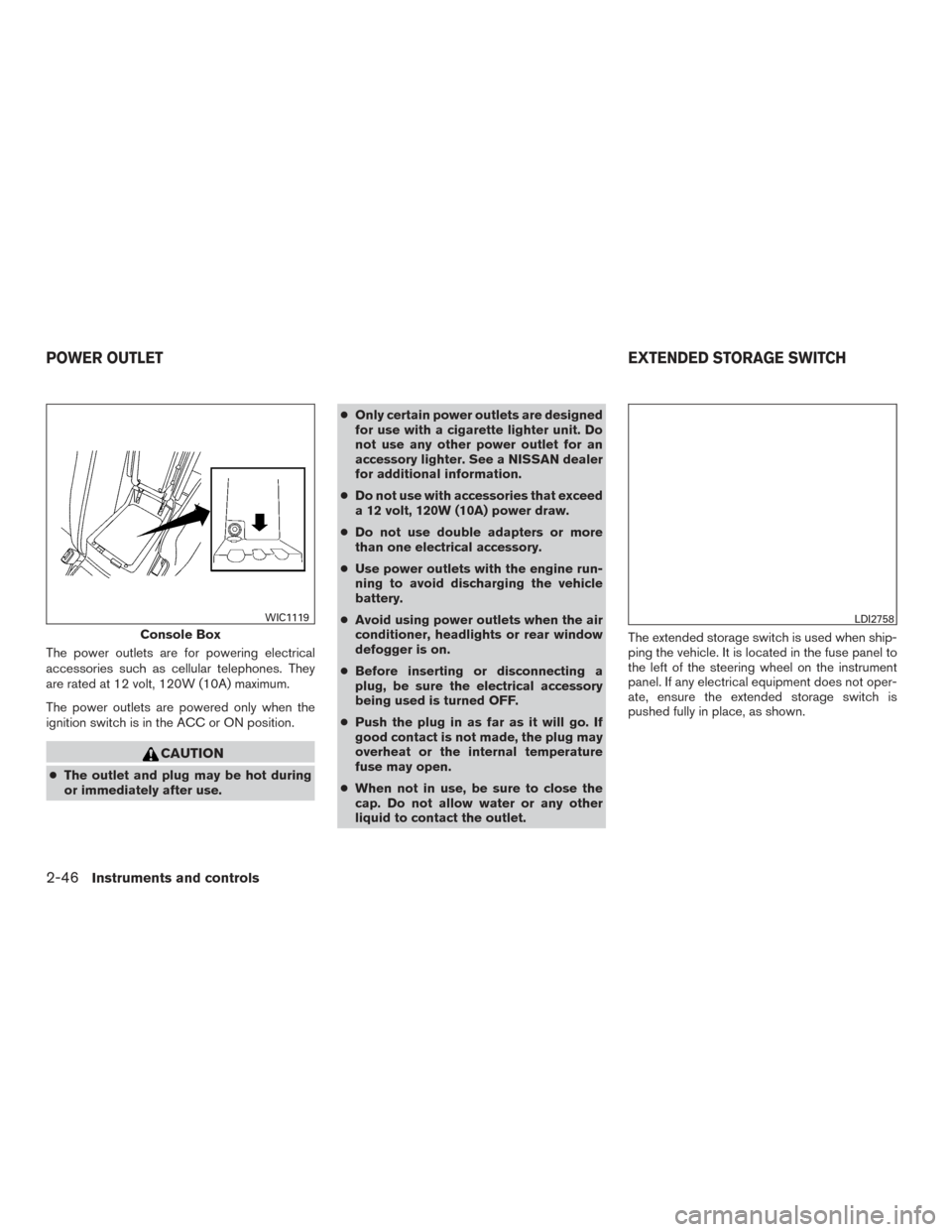
The power outlets are for powering electrical
accessories such as cellular telephones. They
are rated at 12 volt, 120W (10A) maximum.
The power outlets are powered only when the
ignition switch is in the ACC or ON position.
CAUTION
●The outlet and plug may be hot during
or immediately after use. ●
Only certain power outlets are designed
for use with a cigarette lighter unit. Do
not use any other power outlet for an
accessory lighter. See a NISSAN dealer
for additional information.
● Do not use with accessories that exceed
a 12 volt, 120W (10A) power draw.
● Do not use double adapters or more
than one electrical accessory.
● Use power outlets with the engine run-
ning to avoid discharging the vehicle
battery.
● Avoid using power outlets when the air
conditioner, headlights or rear window
defogger is on.
● Before inserting or disconnecting a
plug, be sure the electrical accessory
being used is turned OFF.
● Push the plug in as far as it will go. If
good contact is not made, the plug may
overheat or the internal temperature
fuse may open.
● When not in use, be sure to close the
cap. Do not allow water or any other
liquid to contact the outlet. The extended storage switch is used when ship-
ping the vehicle. It is located in the fuse panel to
the left of the steering wheel on the instrument
panel. If any electrical equipment does not oper-
ate, ensure the extended storage switch is
pushed fully in place, as shown.
Console Box
WIC1119LDI2758
POWER OUTLET
EXTENDED STORAGE SWITCH
2-46Instruments and controls
Page 142 of 401
3 Pre-driving checks and adjustments
Keys .............................................3-2NISSAN Intelligent Key® . .......................3-2
Doors ............................................3-3
Locking with key ................................3-4
Locking with inside lock knob ....................3-5
Locking with power door lock switch . . . ..........3-5
Automatic door locks ...........................3-5
Child safety rear door lock .......................3-6
NISSAN Intelligent Key® ...........................3-6
Operating range ................................3-7
Door locks/unlocks precaution ...................3-8
NISSAN Intelligent Key® Operation ..............3-8
How to use the remote keyless entry
function ...................................... 3-11
Warning signals ............................... 3-15
Troubleshooting guide ......................... 3-16
Remote Engine Start .............................. 3-18
Remote engine start operating range . . . .........3-18
Remote starting the vehicle .....................3-18
Extending engine run time ......................3-19
Canceling a remote start .......................3-19Conditions the remote start will not work
.........3-19
Hood ........................................... 3-20
Trunk lid ......................................... 3-21
Opener operation .............................. 3-21
Interior trunk lid release ........................ 3-22
Interior trunk access ........................... 3-22
Fuel-filler door ................................... 3-23
Opening the fuel-filler door .....................3-23
Fuel-filler cap ................................. 3-23
Steering wheel ................................... 3-25
Manual operation (if so equipped) ...............3-25
Automatic operation (if so equipped)............. 3-26
Sun visors ....................................... 3-27
Vanity mirrors ................................. 3-27
Mirrors .......................................... 3-28
Automatic anti-glare rearview mirror .............3-28
Outside mirrors ............................... 3-28
Automatic drive positioner (if so equipped) ..........3-30
Memory
storage function ....................... 3-30
Entry/exit function ............................. 3-31
System operation .............................. 3-31
Page 205 of 401
FEB system operation.......................... 5-57
Turning the FEB system on/off . . ................5-59
FEB system limitations ......................... 5-59
System temporarily unavailable ..................5-60
System malfunction ............................ 5-61
System maintenance ........................... 5-61
Predictive Forward Collision Warning (PFCW)
(if so equipped) .................................. 5-62
PFCW system operation .......................5-64
Turning the PFCW system on/off ................5-65
PFCW system limitations .......................5-66
System temporarily unavailable ..................5-70
System malfunction ............................ 5-71
System maintenance ........................... 5-71
Driver Attention Alert (if so equipped) ...............5-72
Driver Attention Alert system operation ...........5-73
How to enable/disable the Driver Attention
Alert system .................................. 5-74
Driver Attention Alert system limitations ..........5-74
Break-in schedule ................................ 5-75
Fuel efficient driving tips ........................... 5-75
Increasing fuel economy ........................... 5-76
Parking/parking on hills ............................ 5-77Power steering
................................... 5-78
Brake system .................................... 5-78
Brake precautions ............................. 5-78
Anti-lock Braking System (ABS) .................5-79
Brake assist .................................. 5-80
Vehicle Dynamic Control (VDC) system .............5-80
Brake force distribution ........................ 5-82
Integrated Dynamics-control Module
(if so equipped) .................................. 5-82
Active trace control ............................ 5-82
Active engine brake ............................ 5-83
Active ride control ............................. 5-83
Front and Rear Sonar System (if so equipped) .......5-84
System
operation .............................. 5-84
Cold weather driving .............................. 5-86
Freeing a frozen door lock ......................5-86
Antifreeze ..................................... 5-86
Battery ....................................... 5-86
Draining of coolant water .......................5-86
Tire equipment . . .............................. 5-86
Special winter equipment .......................5-86
Driving on snow or ice ......................... 5-86
Engine block heater (if so equipped) .............5-87
Page 223 of 401
To move the shift lever, complete the following
procedure:1. Press the ignition switch to the LOCK posi- tion.
2. Apply the parking brake.
3. Using a protective cloth on the tip ofa3mm screwdriver, remove the shift lock release
cover.
● If available, a plastic trim tool can also be
used.
4. Insert the small screwdriver in the shift lock release slot and rotate clockwise.
5. Move the shift lever to the N (Neutral) posi- tion while holding down the shift lock re-
lease.
6. Push the ignition switch to the ON position to unlock the steering wheel. Now the ve-
hicle may be moved to the desired location.
If the shift lever cannot be moved out of P (Park) ,
have a NISSAN dealer check the transmission as
soon as possible.
CAUTION
Make sure to take extra care during the
removal of the shift lock cap as this part is
easily damaged.
WARNING
If the shift lever cannot be moved from the
P (Park) position while the engine is run-
ning and the brake pedal is depressed, the
stop lights may not work. Malfunctioning
stop lights could cause an accident injur-
ing yourself and others.
Accelerator downshift
— in D (Drive) position and manual
shift mode
For passing or hill climbing, depress the accel-
erator pedal to the floor. This shifts the transmis-
sion down into lower range, depending on the
vehicle speed.
High fluid temperature protection
mode
This transmission has a high fluid temperature
protection mode. If the fluid temperature be-
comes too high (for example, when climbing
steep grades in high temperatures with heavy
loads, such as when towing a trailer) , engine
power and, under some conditions, vehicle
speed will be decreased automatically to reduce
the chance of transmission damage. Vehicle
speed can be controlled with the accelerator
pedal, but the engine and vehicle speed may be
limited.
Fail-safe
If the vehicle is driven under extreme con-
ditions, such as excessive wheel spinning
and subsequent hard braking, the fail-safe
system may be activated. The MIL may
come on to indicate the fail-safe mode is
activated. For additional information, refer
to “Malfunction Indicator Light (MIL)” in the
“Instrument and controls” section of this
manual. This will occur even if all electrical
circuits are functioning properly. In this
case, place the ignition switch in the OFF
position and wait for 10 seconds. Then
push the switch back to the ON position.
The vehicle should return to its normal op-
erating condition. If it does not return to its
normal operating condition, have a
NISSAN dealer check the transmission and
repair if necessary.
5-20Starting and driving
Page 281 of 401
WARNING
●If the engine is not running or is turned
off while driving, the power assist for
the steering will not work. Steering will
be harder to operate.
● When the power steering warning light
illuminates with the engine running,
there will be no power assist for the
steering. You will still have control of
the vehicle but the steering will be
harder to operate. Have the power
steering system checked by a NISSAN
dealer.
The power steering system is designed to pro-
vide power assist while driving to operate the
steering wheel with light force.
When the steering wheel is operated repeatedly
or continuously while parking or driving at a very
low speed, the power assist for the steering
wheel will be reduced. This is to prevent over-
heating of the power steering system and protect
it from getting damaged. While the power assist
is reduced, steering wheel operation will become
heavy. If the steering wheel operation is still per-
formed, the power steering may stop and the
power steering warning light will illuminate. In a
safe location, stop the engine and push the igni-
tion switch to the OFF position. The temperature of the power steering system will go down after a
period of time and the power assist level will
return to normal after starting the engine. The
power steering warning light will go off. Avoid
repeating such steering wheel operations that
could cause the power steering system to over-
heat.
You may hear a noise from the front of the vehicle
when the steering wheel is operated. This is a
normal operational noise and is not a malfunction.
If the electric power steering warning light illumi-
nates while the engine is running, it may indicate
the power steering system is not functioning
properly and may need servicing. Have the power
steering system checked by a NISSAN dealer.
When the electric power steering warning light
illuminates with the engine running, there will be
no power assist for the steering but you will still
have control of the vehicle. At this time, greater
steering effort is required to operate the steering
wheel, especially in sharp turns and at low
speeds.
The brake system has two separate hydraulic
circuits. If one circuit malfunctions, you will still
have braking at two wheels.
BRAKE PRECAUTIONS
Vacuum assisted brakes
The brake booster aids braking by using engine
vacuum. If the engine stops, you can stop the
vehicle by depressing the brake pedal. However,
greater foot pressure on the brake pedal will be
required to stop the vehicle and stopping dis-
tance will be longer.
Using the brakes
Avoid resting your foot on the brake pedal while
driving. This will overheat the brakes, wear out the
brake pads faster, and reduce gas mileage.
To help reduce brake wear and to prevent the
brakes from overheating, reduce speed and
downshift to a lower gear before going down a
slope or long grade. Overheated brakes may
reduce braking performance and could result in
loss of vehicle control.
POWER STEERING
BRAKE SYSTEM
5-78Starting and driving
Page 282 of 401
WARNING
●While driving on a slippery surface, be
careful when braking, accelerating or
downshifting. Abrupt braking or accel-
erating could cause the wheels to skid
and result in an accident.
● If the engine is not running or is turned
off while driving, the power assist for
the brakes will not work. Braking will be
harder.
Wet brakes
When the vehicle is washed or driven through
water, the brakes may get wet. As a result, your
braking distance will be longer and the vehicle
may pull to one side during braking.
To dry the brakes, drive the vehicle at a safe
speed while lightly pressing the brake pedal to
heat up the brakes. Do this until the brakes return
to normal. Avoid driving the vehicle at high
speeds until the brakes function correctly.
Parking brake break-in
Break-in the parking brake shoes whenever the
effect of the parking brake is weakened or when-
ever the parking brake shoes and/or drum/rotors
are replaced, in order to assure the best braking
performance. This procedure is described in the vehicle service
manual and can be performed by a NISSAN
dealer.
ANTI-LOCK BRAKING SYSTEM
(ABS)
WARNING
●
The Anti-lock Braking System (ABS) is a
sophisticated device, but it cannot pre-
vent accidents resulting from careless
or dangerous driving techniques. It can
help maintain vehicle control during
braking on slippery surfaces. Remem-
ber that stopping distances on slippery
surfaces will be longer than on normal
surfaces even with ABS. Stopping dis-
tances may also be longer on rough,
gravel or snow covered roads, or if you
are using tire chains. Always maintain a
safe distance from the vehicle in front of
you. Ultimately, the driver is respon-
sible for safety.
● Tire type and condition may also affect
braking effectiveness.
– When replacing tires, install the specified size of tires on all four
wheels. – When installing a spare tire, make
sure that it is the proper size and type
as specified on the Tire and Loading
Information label. For additional in-
formation, refer to “Tire and loading
information label” in the “Technical
and consumer information” section
of this manual.
– For additional information, refer to “Wheels and tires” in the “Mainte-
nance and do-it-yourself” section of
this manual.
The ABS controls the brakes so the wheels do
not lock during hard braking or when braking on
slippery surfaces. The system detects the rota-
tion speed at each wheel and varies the brake
fluid pressure to prevent each wheel from locking
and sliding. By preventing each wheel from lock-
ing, the system helps the driver maintain steering
control and helps to minimize swerving and spin-
ning on slippery surfaces.
Using the system
Depress the brake pedal and hold it down. De-
press the brake pedal with firm steady pressure,
but do not pump the brakes. The ABS will oper-
ate to prevent the wheels from locking up. Steer
the vehicle to avoid obstacles.
Starting and driving5-79
Page 302 of 401
6. After the engine cools down, check the cool-ant level in the engine coolant reservoir tank
with the engine running. Add coolant to the
engine coolant reservoir tank if necessary.
Have your vehicle repaired at a NISSAN
dealer. When towing your vehicle, all State (Provincial in
Canada) and local regulations for towing must be
followed. Incorrect towing equipment could dam-
age your vehicle. Towing instructions are avail-
able from a NISSAN dealer. Local service opera-
tors are generally familiar with the applicable laws
and procedures for towing. To assure proper
towing and to prevent accidental damage to your
vehicle, NISSAN recommends having a service
operator tow your vehicle. It is advisable to have
the service operator carefully read the following
precautions:
WARNING
●
Never ride in a vehicle that is being
towed.
● Never get under your vehicle after it has
been lifted by a tow truck.
CAUTION
● When towing, make sure that the trans-
mission, axles, steering system and
powertrain are in working condition. If
any of these conditions apply, dollies or
a flatbed tow truck must be used.
● Always attach safety chains before
towing. For additional information about towing your ve-
hicle behind a recreational vehicle (RV) , refer to
“Flat towing” in the “Technical and consumer
information” section of this manual.
TOWING YOUR VEHICLE
In case of emergency6-11