Page 245 of 437
Backing up on a steep uphill
When backing up the vehicle up a hill, the dis-
tance guide lines and the vehicle width guide
lines are shown closer than the actual distance.
Note that any object on the hill is further than it
appears on the monitor.
Backing up on a steep downhill
When backing up the vehicle down a hill, the
distance guide lines and the vehicle width guide
lines are shown farther than the actual distance.
Note that any object on the hill is closer than it
appears on the monitor.
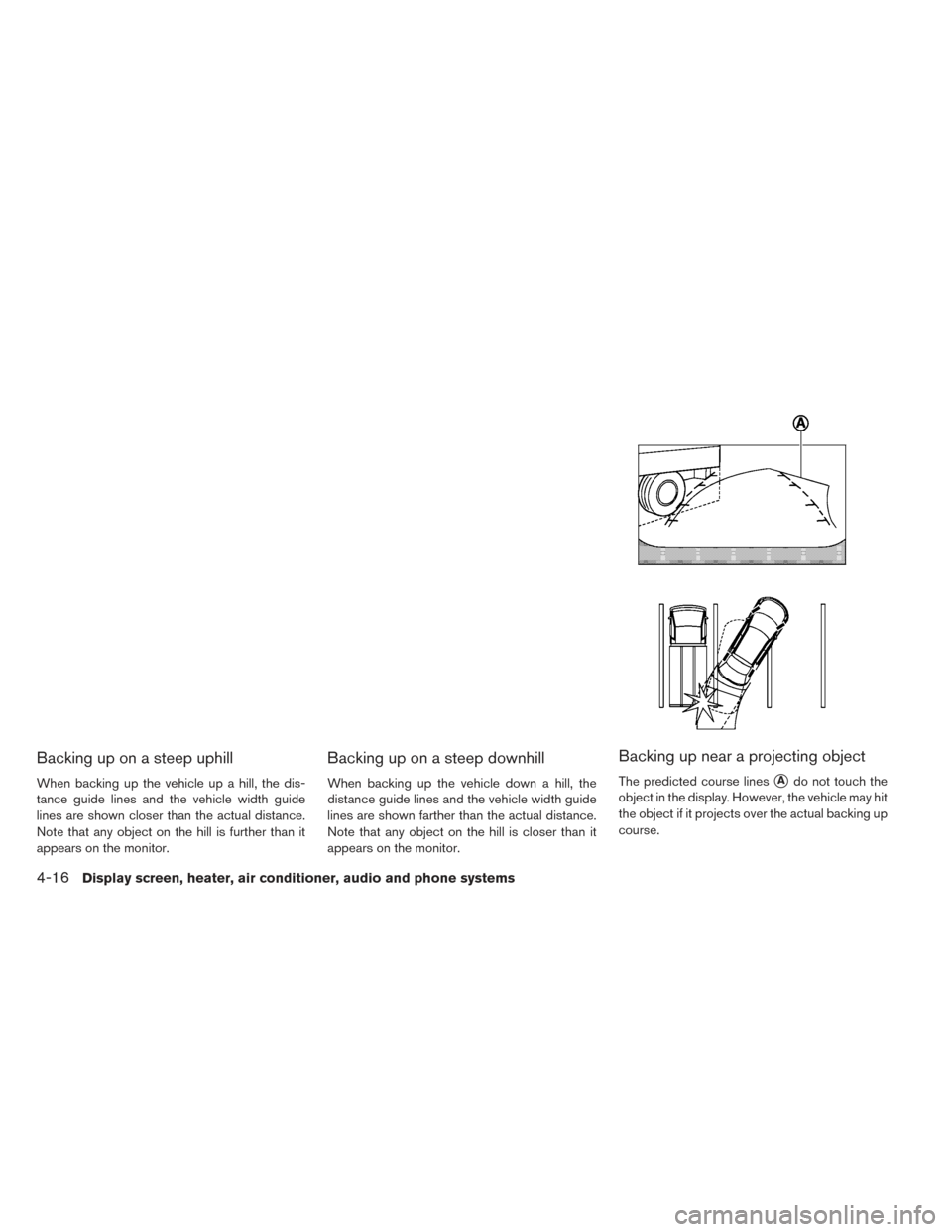
Backing up near a projecting object
The predicted course lines�Ado not touch the
object in the display. However, the vehicle may hit
the object if it projects over the actual backing up
course.
4-16Display screen, heater, air conditioner, audio and phone systems
Page 246 of 437
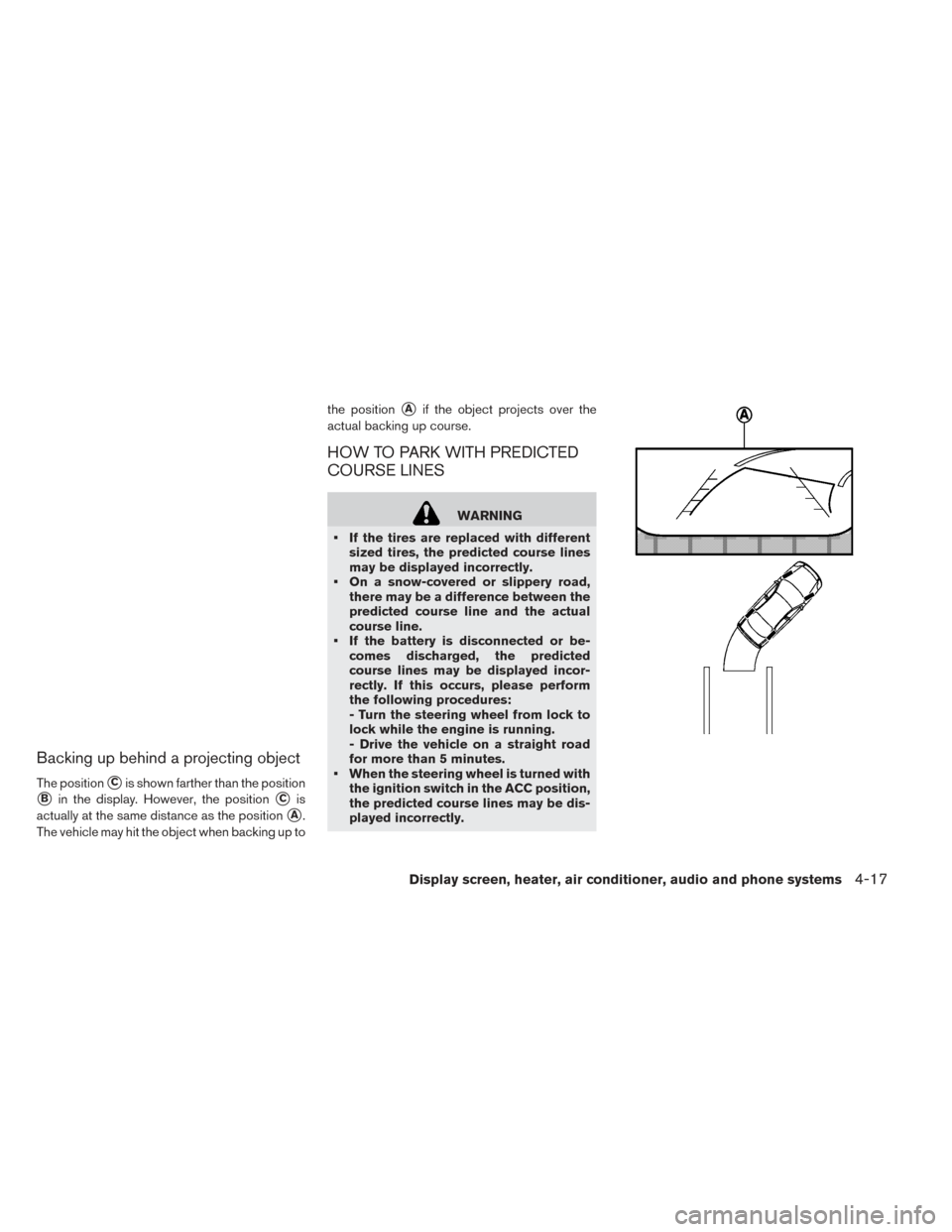
Backing up behind a projecting object
The position�Cis shown farther than the position
�Bin the display. However, the position�Cis
actually at the same distance as the position
�A.
The vehicle may hit the object when backing up to the position
�Aif the object projects over the
actual backing up course.
HOW TO PARK WITH PREDICTED
COURSE LINES
WARNING
• If the tires are replaced with different sized tires, the predicted course lines
may be displayed incorrectly.
• On a snow-covered or slippery road, there may be a difference between the
predicted course line and the actual
course line.
• If the battery is disconnected or be- comes discharged, the predicted
course lines may be displayed incor-
rectly. If this occurs, please perform
the following procedures:
- Turn the steering wheel from lock to
lock while the engine is running.
- Drive the vehicle on a straight road
for more than 5 minutes.
• When the steering wheel is turned with the ignition switch in the ACC position,
the predicted course lines may be dis-
played incorrectly.
Display screen, heater, air conditioner, audio and phone systems4-17
Page 247 of 437
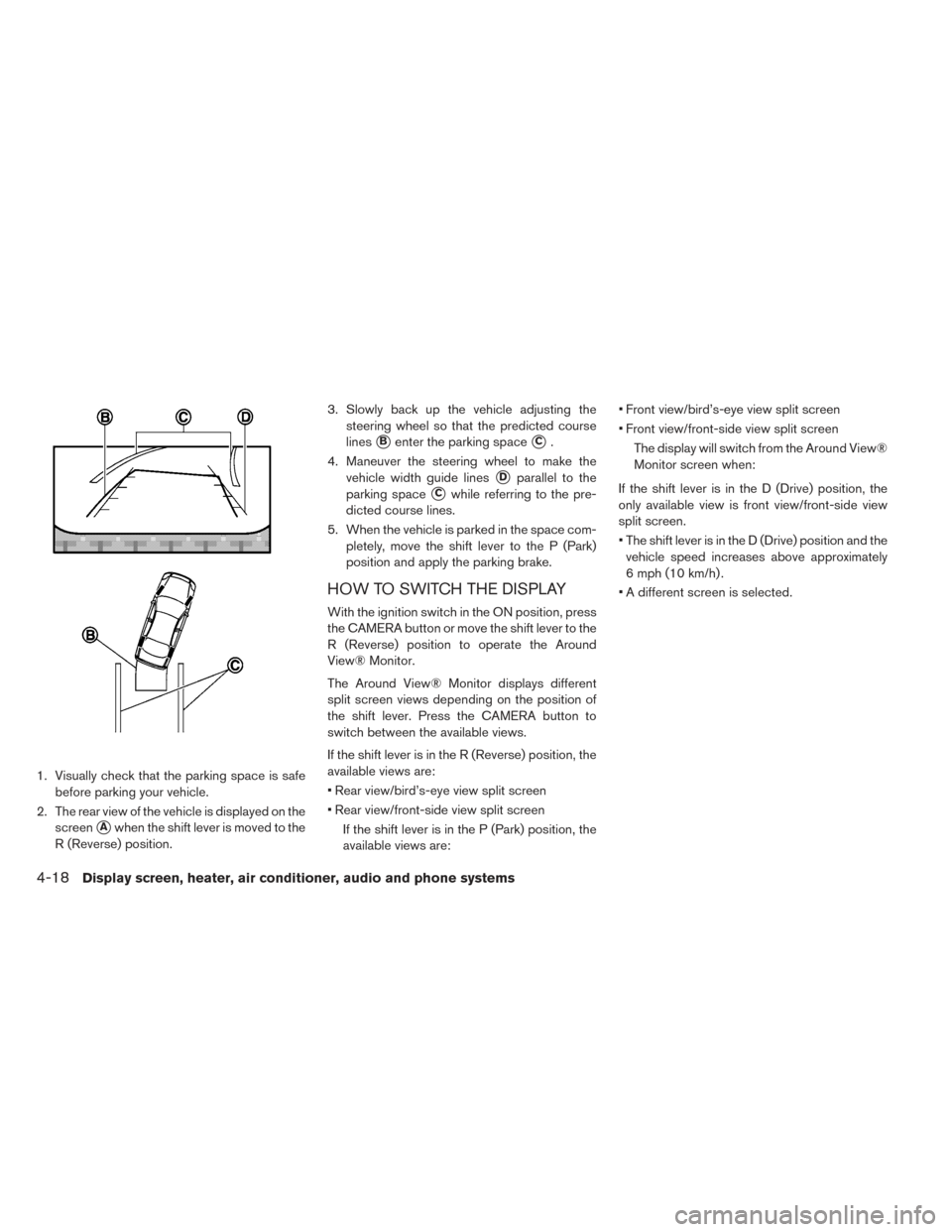
1. Visually check that the parking space is safebefore parking your vehicle.
2. The rear view of the vehicle is displayed on the screen
�Awhen the shift lever is moved to the
R (Reverse) position. 3. Slowly back up the vehicle adjusting the
steering wheel so that the predicted course
lines
�Benter the parking space�C.
4. Maneuver the steering wheel to make the vehicle width guide lines
�Dparallel to the
parking space
�Cwhile referring to the pre-
dicted course lines.
5. When the vehicle is parked in the space com- pletely, move the shift lever to the P (Park)
position and apply the parking brake.
HOW TO SWITCH THE DISPLAY
With the ignition switch in the ON position, press
the CAMERA button or move the shift lever to the
R (Reverse) position to operate the Around
View® Monitor.
The Around View® Monitor displays different
split screen views depending on the position of
the shift lever. Press the CAMERA button to
switch between the available views.
If the shift lever is in the R (Reverse) position, the
available views are:
• Rear view/bird’s-eye view split screen
• Rear view/front-side view split screen
If the shift lever is in the P (Park) position, the
available views are: • Front view/bird’s-eye view split screen
• Front view/front-side view split screen
The display will switch from the Around View®
Monitor screen when:
If the shift lever is in the D (Drive) position, the
only available view is front view/front-side view
split screen.
• The shift lever is in the D (Drive) position and the vehicle speed increases above approximately
6 mph (10 km/h) .
• A different screen is selected.
4-18Display screen, heater, air conditioner, audio and phone systems
Page 248 of 437
ADJUSTING THE SCREEN
1. Touch the touch-screen display with theAround View® Monitor on.
2. Touch the “Brightness,” “Contrast,” “Tint,” “Color,” or “Black Level” key.
3. Adjust the item by touching the + or — key on the touch-screen display.
Note
Do not adjust any of the display settings
of the Around View® Monitor while the
vehicle is moving. Make sure the parking
brake is firmly applied.AROUND VIEW® MONITOR
SYSTEM LIMITATIONS
WARNING
Listed below are the system limitations
for Around View® Monitor. Failure to op-
erate the vehicle in accordance with
these system limitations could result in
serious injury or death.
•
Do not use the Around View® Monitor
with the outside mirrors in the stored
position, and make sure that the trunk is
securely closed when operating the ve-
hicle using the Around View® Monitor.
•The apparent distance between objects
viewed on the Around View® Monitor
differs from the actual distance.
• The cameras are installed on the front grille, the outside mirrors and above
the rear license plate. Do not put any-
thing on the vehicle that covers the
cameras.
• When washing the vehicle with high pressure water, be sure not to spray it
around the cameras. Otherwise, water
may enter the camera unit causing wa-
ter condensation on the lens, a mal-
function, fire or an electric shock.
• Do not strike the cameras. They are precision instruments. Doing so could
cause a malfunction or cause damage
resulting in a fire or an electric shock.
Display screen, heater, air conditioner, audio and phone systems4-19
Page 249 of 437
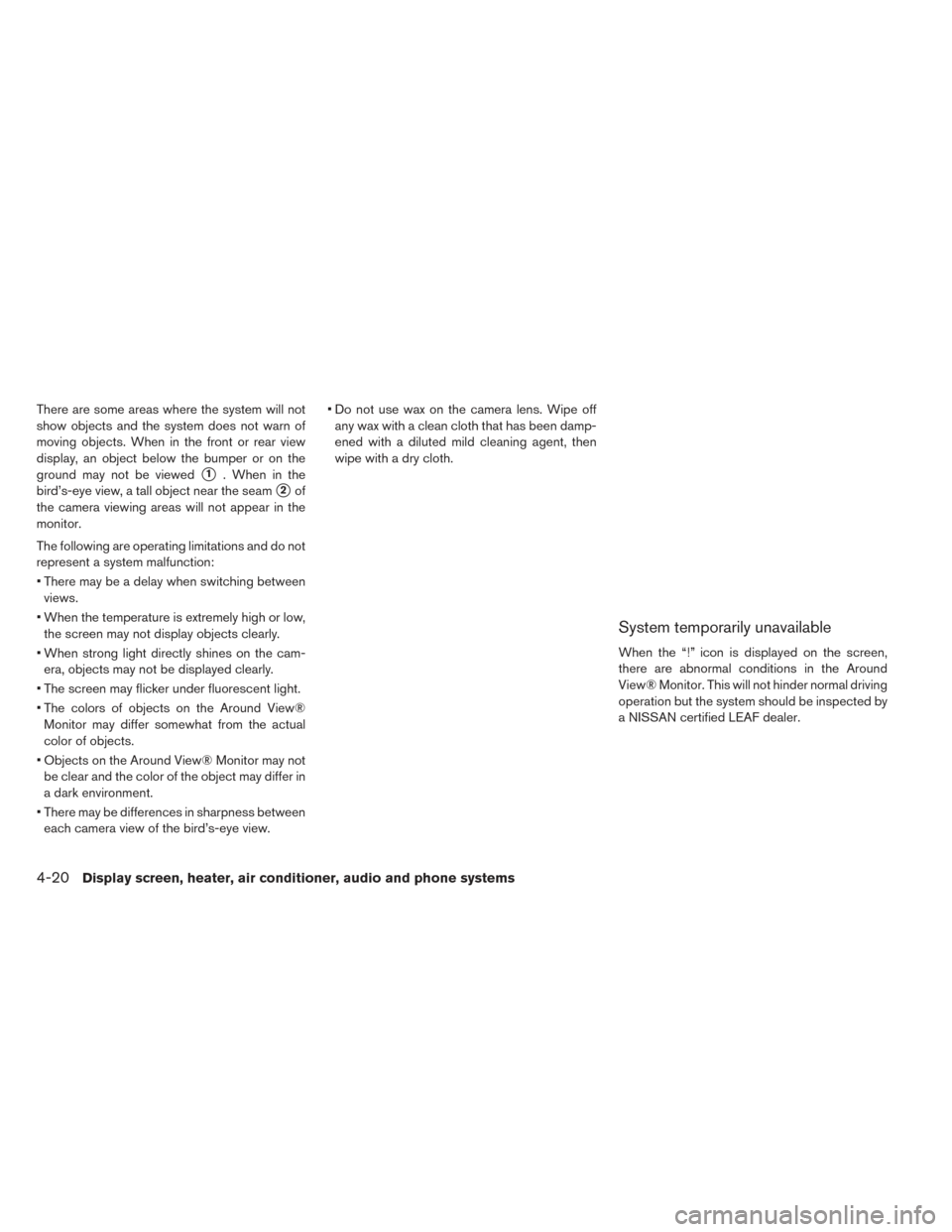
There are some areas where the system will not
show objects and the system does not warn of
moving objects. When in the front or rear view
display, an object below the bumper or on the
ground may not be viewed
�1. When in the
bird’s-eye view, a tall object near the seam
�2of
the camera viewing areas will not appear in the
monitor.
The following are operating limitations and do not
represent a system malfunction:
• There may be a delay when switching between views.
• When the temperature is extremely high or low, the screen may not display objects clearly.
• When strong light directly shines on the cam- era, objects may not be displayed clearly.
• The screen may flicker under fluorescent light.
• The colors of objects on the Around View® Monitor may differ somewhat from the actual
color of objects.
• Objects on the Around View® Monitor may not be clear and the color of the object may differ in
a dark environment.
• There may be differences in sharpness between each camera view of the bird’s-eye view. • Do not use wax on the camera lens. Wipe off
any wax with a clean cloth that has been damp-
ened with a diluted mild cleaning agent, then
wipe with a dry cloth.
System temporarily unavailable
When the “!” icon is displayed on the screen,
there are abnormal conditions in the Around
View® Monitor. This will not hinder normal driving
operation but the system should be inspected by
a NISSAN certified LEAF dealer.
4-20Display screen, heater, air conditioner, audio and phone systems
Page 250 of 437
![NISSAN LEAF 2016 1.G Owners Manual When the “[X]” icon is displayed on the screen,
the camera image may be receiving temporary
electronic disturbances from surrounding de-
vices. This will not hinder normal driving opera-
tion but](/manual-img/5/479/w960_479-249.png "NISSAN LEAF 2016 1.G Owners Manual When the “[X]” icon is displayed on the screen,
the camera image may be receiving temporary
electronic disturbances from surrounding de-
vices. This will not hinder normal driving opera-
tion but")
When the “[X]” icon is displayed on the screen,
the camera image may be receiving temporary
electronic disturbances from surrounding de-
vices. This will not hinder normal driving opera-
tion but the system should be inspected by a
NISSAN certified LEAF dealer if it occurs fre-
quently.SYSTEM MAINTENANCE
CAUTION
• Do not use alcohol, benzine or thinner to clean the camera. This will cause
discoloration.
• Do not damage the cameras as the monitor screen may be adversely af-
fected.
If dirt, rain or snow accumulates on any of the
cameras
�1, the Around View® Monitor may not
display objects clearly. Clean the camera by wip-
ing with a cloth dampened with a diluted mild
cleaning agent and then wiping with a dry cloth.
CENTER VENTS
Open/close the vents by moving the control to
either direction.
: This symbol indicates that the vents are
closed. Moving the side control to this direction
will close the vents.
: This symbol indicates that the vents are
open. Moving the side control to this direction will
open the vents.
Adjust the air flow direction of the vents by mov-
ing the knob (up/down) until the desired position
is achieved.
VENTS
Display screen, heater, air conditioner, audio and phone systems4-21
Page 251 of 437
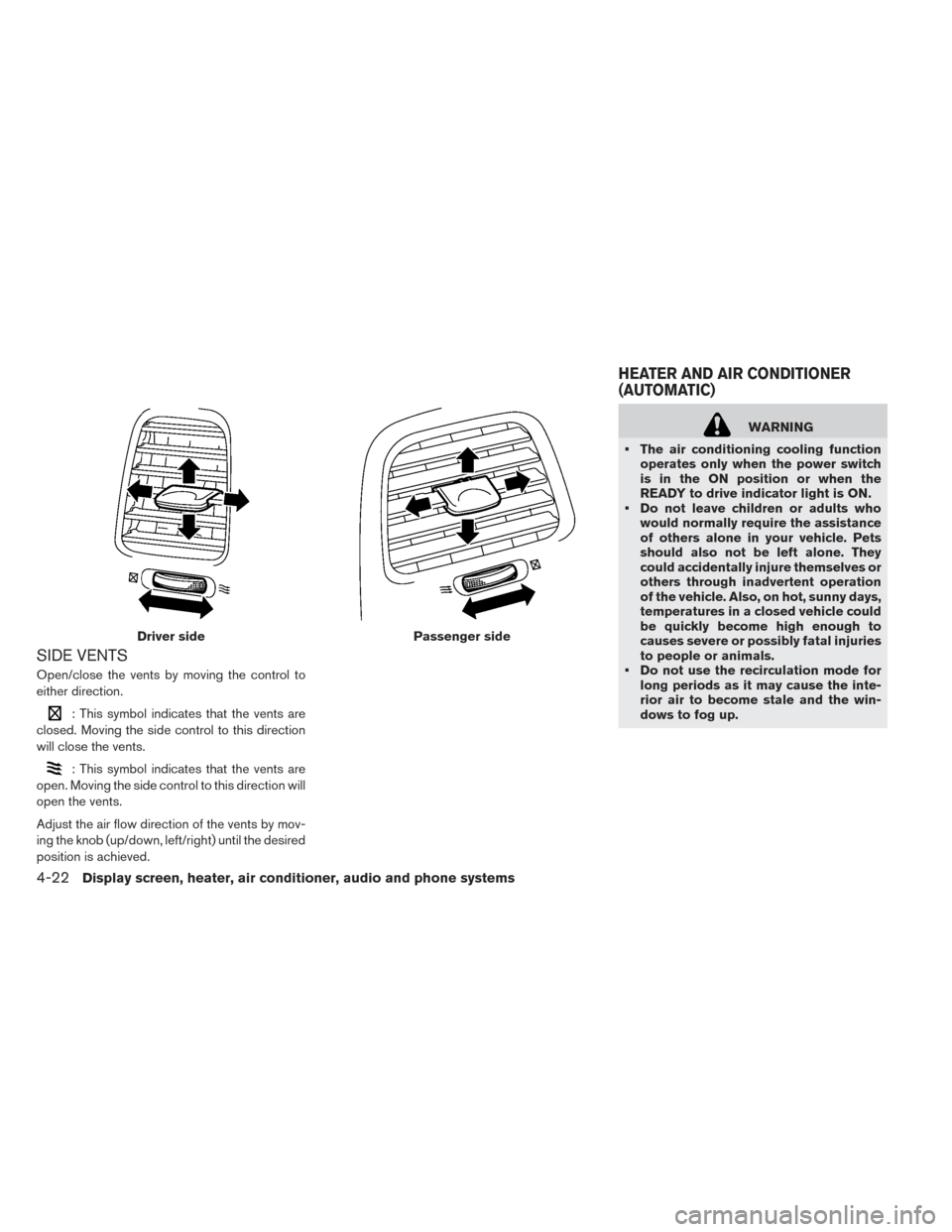
SIDE VENTS
Open/close the vents by moving the control to
either direction.
: This symbol indicates that the vents are
closed. Moving the side control to this direction
will close the vents.
: This symbol indicates that the vents are
open. Moving the side control to this direction will
open the vents.
Adjust the air flow direction of the vents by mov-
ing the knob (up/down, left/right) until the desired
position is achieved.
WARNING
• The air conditioning cooling function operates only when the power switch
is in the ON position or when the
READY to drive indicator light is ON.
• Do not leave children or adults who would normally require the assistance
of others alone in your vehicle. Pets
should also not be left alone. They
could accidentally injure themselves or
others through inadvertent operation
of the vehicle. Also, on hot, sunny days,
temperatures in a closed vehicle could
be quickly become high enough to
causes severe or possibly fatal injuries
to people or animals.
• Do not use the recirculation mode for long periods as it may cause the inte-
rior air to become stale and the win-
dows to fog up.
Driver sidePassenger side
HEATER AND AIR CONDITIONER
(AUTOMATIC)
4-22Display screen, heater, air conditioner, audio and phone systems
Page 252 of 437
Note
•Odors from inside and outside the vehicle
can build up in the air conditioner unit.
Odor can enter the passenger compart-
ment through the vents.
• When parking, set the heater or air condi-
tioner controls to turn off air recirculation
to allow fresh air into the passenger com-
partment. This should help reduce odors
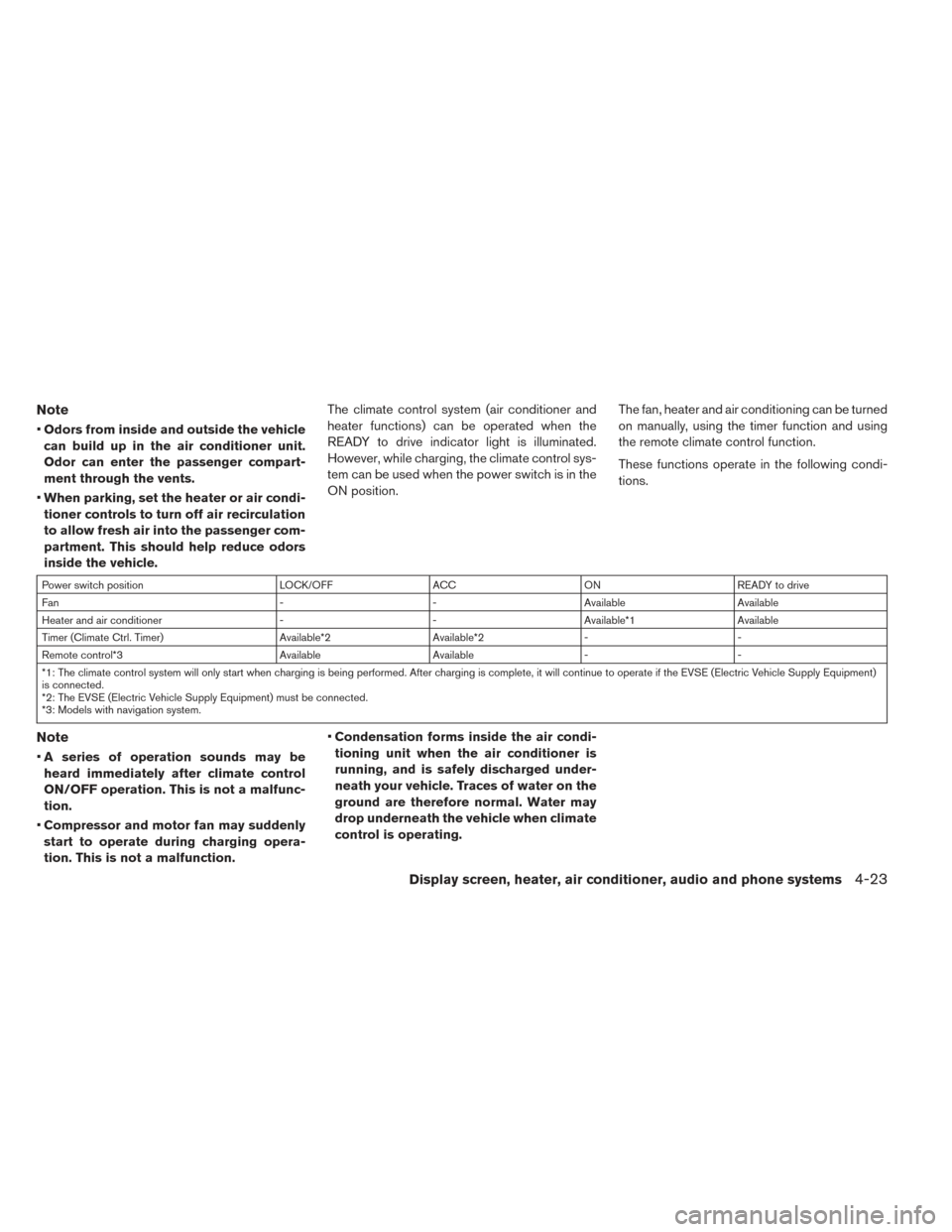
inside the vehicle. The climate control system (air conditioner and
heater functions) can be operated when the
READY to drive indicator light is illuminated.
However, while charging, the climate control sys-
tem can be used when the power switch is in the
ON position.
The fan, heater and air conditioning can be turned
on manually, using the timer function and using
the remote climate control function.
These functions operate in the following condi-
tions.
Power switch position
LOCK/OFFACCON READY to drive
Fan --Available Available
Heater and air conditioner --Available*1 Available
Timer (Climate Ctrl. Timer) Available*2Available*2- -
Remote control*3 AvailableAvailable- -
*1: The climate control system will only start when charging is being performed. After charging is complete, it will continue to operate if the EVSE (Electric Vehicle Supply Equipment)
is connected.
*2: The EVSE (Electric Vehicle Supply Equipment) must be connected.
*3: Models with navigation system.
Note
• A series of operation sounds may be
heard immediately after climate control
ON/OFF operation. This is not a malfunc-
tion.
• Compressor and motor fan may suddenly
start to operate during charging opera-
tion. This is not a malfunction. •
Condensation forms inside the air condi-
tioning unit when the air conditioner is
running, and is safely discharged under-
neath your vehicle. Traces of water on the
ground are therefore normal. Water may
drop underneath the vehicle when climate
control is operating.
Display screen, heater, air conditioner, audio and phone systems4-23