2016 NISSAN LEAF battery
[x] Cancel search: batteryPage 266 of 437
• Communication becomes unavailable when thevehicle is not used for two weeks or more.
When the power switch is placed in the ON
position, communication with the Nissan Data
Center can be restored.
• Air conditioning is limited to the capacity of the electric power when the charge connector is
connected to the vehicle. Therefore, the tem-
perature may not reach a comfortable level due
to performance of the air conditioning being
limited, if the outside temperature is excessively
high or low, or if the charge connector is con-
nected to a 120-volt outlet.
• If the power switch is in the ON position or the charge connector is disconnected, while the
remote climate control is being operated, re-
mote climate control operation is automatically
stopped and an e-mail is sent.
• If remote climate control operation is started while the vehicle is in normal charge mode, the
climate control operates in climate control pri-
ority mode and charging is continued.
• If remote climate control operation is started and charging is stopped while the vehicle is in
quick charge mode, climate control operation is
also stopped. • If the quick charge connector is connected and
charging is not performed, remote climate con-
trol operation starts using the battery electric
power of the vehicle.
Temperature settings
This procedure sets the temperature of Climate
Ctrl. timer and remote climate control.
1. Press the Zero Emission menu key. Touch “Zero Emission Settings”.
2. Touch “Timer/Remote – Set Climate Temp”.
Display screen, heater, air conditioner, audio and phone systems4-37
Page 269 of 437
SATELLITE RADIO RECEPTION
When the satellite radio is used for the first time
or the battery has been replaced, the satellite
radio may not work properly. This is not a mal-
function. Wait more than 10 minutes with satellite
radio ON and the vehicle outside of any metal or
large building for satellite radio to receive all of
the necessary data.
No satellite radio reception is available and “NO
SAT” is displayed when the SAT band option is
selected unless optional satellite receiver and
antenna are installed and a SiriusXM® Satellite
Radio service subscription is active. Satellite ra-
dio is not available in Alaska, Hawaii and Guam.
Satellite radio performance may be affected if
cargo carried on the roof blocks the satellite radio
signal.
If possible, do not put cargo over the satellite
antenna.
A build up of ice on the satellite radio antenna can
affect satellite radio performance. Remove the
ice to restore satellite radio reception.
AUDIO OPERATION PRECAUTIONS
Compact disc (CD) player
CAUTION
• Do not force a compact disc into the CD insert slot. This could damage the
CD and/or CD player.
• Trying to load a CD with the CD door closed could damage the CD and/or
CD player.
• Only one CD can be loaded into the CD player at a time.
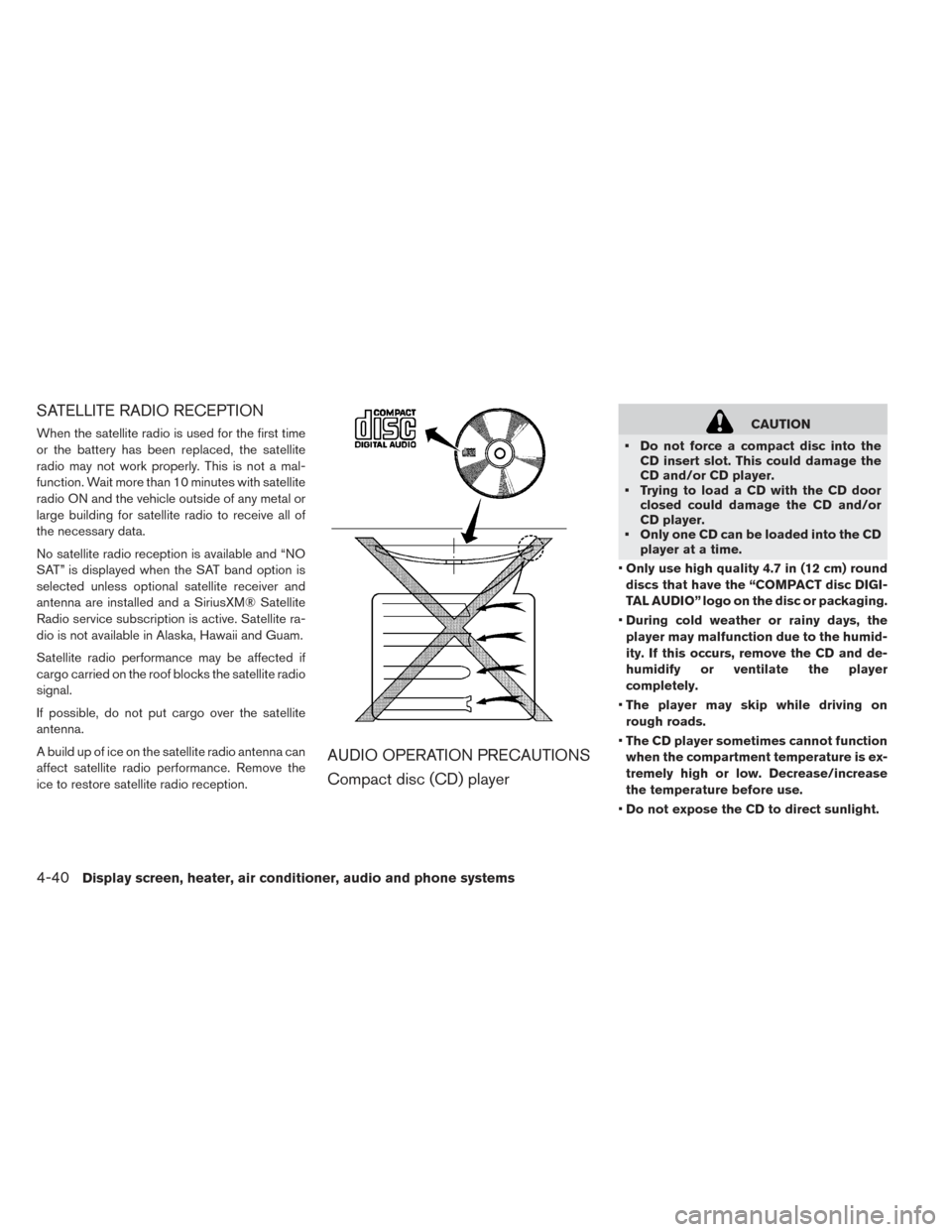
• Only use high quality 4.7 in (12 cm) round
discs that have the “COMPACT disc DIGI-
TAL AUDIO” logo on the disc or packaging.
• During cold weather or rainy days, the
player may malfunction due to the humid-
ity. If this occurs, remove the CD and de-
humidify or ventilate the player
completely.
• The player may skip while driving on
rough roads.
• The CD player sometimes cannot function
when the compartment temperature is ex-
tremely high or low. Decrease/increase
the temperature before use.
• Do not expose the CD to direct sunlight.
4-40Display screen, heater, air conditioner, audio and phone systems
Page 275 of 437
Bluetooth® streaming audio
• Some Bluetooth® audio devices may not berecognized by the in-vehicle audio system.
• It is necessary to set up the wireless connection between a compatible Bluetooth® audio device
and the in-vehicle Bluetooth® module before
using the Bluetooth® audio.
• Operating procedure of the Bluetooth® audio will vary depending on the devices. Make sure
how to operate your audio device before using it
with this system.
• The Bluetooth® audio may be stopped under the following conditions: – Receiving a call on the Hands-Free Phone System.
– Checking the connection to the hands-free phone.
• Do not place the Bluetooth® audio device in an area surrounded by metal or far away from the
in-vehicle Bluetooth® module to prevent tone
quality degradation and wireless connection
disruption.
• While an audio device is connected through the Bluetooth® wireless connection, the battery
power of the device may discharge quicker than
usual. • This system supports the Bluetooth® Audio
Distribution Profile (A2DP, AVRCP) .
BLUETOOTH® is a trademark
owned by Bluetooth SIG, Inc. and licensed to
Visteon.
4-46Display screen, heater, air conditioner, audio and phone systems
Page 279 of 437
1 to 6 Station memory operations
Six stations can be set for the AM band. Twelve
stations can be set for the FM band (6 for FM1, 6
for FM2) . Eighteen channels can be set for the
satellite radio (6 for XM1, 6 for XM2, 6 for XM3) .
1. Choose the radio band AM, FM1 or FM2using the FM·AM select button, or choose the
satellite band XM1, XM2 or XM3 using the
XM button.
2. Tune to the desired station using manual, SEEK or SCAN tuning. Press and hold any of
the desired station memory buttons (1 – 6)
until the preset number is updated on the
display and the sound is briefly muted.
3. The channel indicator will then come on and the sound will resume. Programming is now
complete.
4. Other buttons can be set in the same manner.
If the battery cable is disconnected, or if the fuse
opens, the radio memory will be canceled. In that
case, reset the desired stations.Compact disc (CD) player operation
Place the power switch in the ACC or ON posi-
tion and insert the Compact Disc (CD) into the
slot with the label side facing up. The CD will be
guided automatically into the slot and start play-
ing.
After loading the CD, the number of tracks on the
CD and the play time will appear on the display.
If the radio is already operating, it will automati-
cally turn off and the CD will play.
If the system has been turned off while the CD
was playing, pressing the PWR button will start
the CD.
Do not use 3.1 in (8 cm) discs.
SEEK/CAT buttons
When the FF or REW button is pressed for more
than 1.5 seconds while the CD is being played,
the CD will play while fast forwarding or rewind-
ing. When the button is released, the CD will
return to normal play speed.
When the FF or REW button is pressed for less
than 1.5 seconds while the CD is being played,
the next track or the beginning of the current track
on the CD will be played. Repeat (RPT)
When the RPT play button is pressed while the
CD is played, the play pattern can be changed as
follows:
(CD)
Normal↔1 Track Repeat
(CD with compressed audio files)
Normal→1 Folder Repeat→1 Track Repeat-
→Normal
Random (RDM)
When the RDM play button is pressed while a
CD is being played, the play pattern can be
changed as follows:
(CD)
Normal↔1 Disc Random
(CD with compressed audio files)
Normal→1 Disc Random→1 Folder Random-
→Normal
CD EJECT
When the CD EJECT button is pressed with a
compact disc loaded, the CD will be ejected.
When this button is pressed while the CD is
being played, the CD will be ejected.
4-50Display screen, heater, air conditioner, audio and phone systems
Page 282 of 437
IPOD® PLAYER OPERATION
(MODELS WITHOUT NAVIGATION
SYSTEM)
Connecting iPod®
The USB outlet connector is located in the center
console. Open the lid and connect the iPod®
cable to the USB connection port. The battery of
the iPod® is charged while the connection to the
vehicle.
Depending on the version of the iPod®, the dis-
play on the iPod® shows a NISSAN or Acces-
sory Attached screen when the connection is
completed. When the iPod® is connected to thevehicle, the iPod® music library can only be
operated by the vehicle audio controls.
* iPod® and the iPhone® are a trademark of
Apple Inc., registered in the U.S. and other coun-
tries.
WARNING
Do not connect, disconnect or operate
the USB device while driving. Doing so
can be a distraction. If distracted you
could lose control of your vehicle and
cause an accident or serious injury.
CAUTION
• Do not force the USB device into the USB port. Inserting the USB device
tilted or up-side-down into the port
may damage the port. Make sure that
the USB device is connected correctly
into the USB port.
• Do not grab the USB port cover (if so equipped) when pulling the USB de-
vice out of the port. This could damage
the port and the cover.
• Do not leave the USB cable in a place where it can be pulled unintentionally.
Pulling the cable my damage the port.
Compatibility
The following models are available:
• Third generation iPhone® (Firmware version
IOS4/4.0)
• Fourth generation iPhone® (Firmware version IOS4/4.0)
• Fifth generation iPhone® (firmware version IOS6/6.0)
• Fifth generation iPod® (Firmware version 1.3)
• First generation iPod Classic® (Firmware ver- sion 1.1.1 or 2.0.1)
• Second generation iPod Classic® (Firmware version 2.0.1)
• First generation iPod touch® (Firmware version 1.1 or 2.2.1)
• Second generation iPod touch® (Firmware ver- sion IOS 2.1.1 or 2.2.1)
• Third generation iPod touch® (Firmware ver- sion IOS 3.1 or 3.1.3)
• Fourth generation iPod touch® (Firmware ver- sion IOS 4.1 or 6.1.3)
• Fifth generation iPod touch® (Firmware version IOS 6.0.0 or 6.1.3)
• First generation iPod nano® (Firmware version 1.3.1)
Display screen, heater, air conditioner, audio and phone systems4-53
Page 288 of 437
CAUTION
• Keep the antenna as far away as pos- sible from the electronic control mod-
ules.
• Keep the antenna wire more than 8 in (20 cm) away from the electronic con-
trol system harnesses. Do not route
the antenna wire next to any harness.
• Adjust the antenna standing-wave ra- tio as recommended by the manufac-
turer.
• Connect the ground wire from the CB radio chassis to the body.
• For details, consult a NISSAN certified LEAF dealer.WARNING
• Use a phone after stopping your ve- hicle in a safe location. If you have to
use a phone while driving, exercise ex-
treme caution at all times so full atten-
tion may be given to vehicle operation.
• If you are unable to devote full atten- tion to vehicle operation while talking
on the phone, pull off the road to a safe
location and stop your vehicle.
CAUTION
To avoid draining the vehicle battery, use
a phone after the READY to drive indica-
tor light is on.
BLUETOOTH® HANDS-FREE PHONE
SYSTEM WITHOUT NAVIGATION
SYSTEM (IF SO EQUIPPED)
Display screen, heater, air conditioner, audio and phone systems4-59
Page 290 of 437
• You will not be able to use a hands-free phoneunder the following conditions: – Your vehicle is outside of the cellular service area.
– Your vehicle is in an area where it is difficult to receive a cellular signal; such as in a
tunnel, in an underground parking garage,
near a tall building or in a mountainous area.
– Your cellular phone is locked to prevent it from being dialed.
• When the radio wave condition is not ideal or ambient sound is too loud, it may be difficult to
hear the other person’s voice during a call.
• Do not place the cellular phone in an area surrounded by metal or far away from the in-
vehicle phone module to prevent tone quality
degradation and wireless connection
disruption.
• While a cellular phone is connected through the Bluetooth® wireless connection, the battery
power of the cellular phone may discharge
quicker than usual. The Bluetooth® Hands-
Free Phone System cannot charge cellular
phones. • For additional information, refer to “Trouble-
shooting guide” in this section. You can also visit
www.nissanusa.com/bluetooth or
www.nissan.ca/bluetooth for troubleshooting
help if the hands-free phone system seems to
be malfunctioning.
• Some cellular phones or other devices may cause interference or a buzzing noise to come
from the audio system speakers. Storing the
device in a different location may reduce or
eliminate the noise.
• Refer to the cellular phone Owner’s Manual regarding the telephone charges, cellular phone
antenna and body, etc.
REGULATORY INFORMATION
FCC Regulatory information
CAUTION: To maintain compliance with FCC’s
RF exposure guidelines, use only the supplied
antenna. Unauthorized antenna, modification, or
attachments could damage the transmitter and
may violate FCC regulations.
Operation is subject to the following two condi-
tions:
1. This device may not cause interference and 2. this device must accept any interference, in-
cluding interference that may cause unde-
sired operation of the device.
IC Regulatory information
• Operation is subject to the following two condi- tions: (1) this device may not cause interfer-
ence, and (2) this device must accept any inter-
ference, including interference that may cause
undesired operation of the device.
• This Class B digital apparatus meets all require- ments of the Canadian Interference-Causing
Equipment Regulations.
BLUETOOTH® is a trademark
owned by Bluetooth SIG, Inc. and licensed to
Visteon.
USING THE SYSTEM
The NISSAN Voice Recognition system allows
hands-free operation of the Bluetooth® Hands-
Free Phone System.
If the vehicle is in motion, some commands may
not be available so full attention may be given to
vehicle operation.
Display screen, heater, air conditioner, audio and phone systems4-61
Page 302 of 437
5 Starting and driving
Precautions when starting and driving...........5-2
Tire Pressure Monitoring System (TPMS) .......5-2
Avoiding collision and rollover ..............5-5
Off-road recovery .................... .5-6
Rapid air pressure loss ................. .5-6
Drinking alcohol/drugs and driving ...........5-7
Push-button power switch ................. .5-7
NISSAN Intelligent Key® system ............5-7
Operating range for EV start function .........5-8
Power switch operation ................ .5-9
Power switch positions ................ .5-10
Emergency EV shut off ................ .5-10
NISSAN Intelligent Key® battery discharge .....5-10
Before starting the EV system ...............5-11
Starting the EV system .................. .5-11
Driving the vehicle ..................... .5-12
Electric shift control system ..............5-12
Parking brake ....................... .5-15
Cruise control ....................... .5-16Precautions on cruise control
.............5-16
Cruise control operation ................5-17
Increasing power economy ................5-18
Parking/parking on hills .................. .5-18
Power steering system .................. .5-19
Brake system ........................ .5-20
Brake precautions ................... .5-20
Anti-lock Braking System (ABS) ...........5-22
Vehicle Dynamic Control (VDC) system .........5-23
Hill start assist system .................. .5-24
Cold weather driving ................... .5-25
Freeing a frozen door lock ...............5-26
Antifreeze ........................ .5-26
12-volt battery ..................... .5-26
Draining of coolant water ................5-26
Tire
equipment ..................... .5-26
Special winter equipment ...............5-26
Driving on snow or ice ................ .5-26
Freeing a frozen charge port lid ............5-27