2016 NISSAN 370Z COUPE USB
[x] Cancel search: USBPage 211 of 428
4-50Center display, heater, air conditioner, audio, phone and voice recognition systems
the system in some cases.
Make sure that the iPodŠfirmware is updated.
Operating tips:
. iPod Shuffle
Šand iPod miniŠare not
supported.
. Some iPod
Šoperations may not be available
with this system.
USB button:
When the USB button is pushed with the
system off and the iPod
Šis connected to the
vehicle, the system will turn on.
iPod
Šmain operation:
Interface:
The interface for iPod
Šoperation shown on the
audio system display is similar to the iPodŠ
interface. Use the TUNE/MENU knob to play a
track on the iPodŠ.
The following items can be chosen from the
menu list screen.
. Playlists
. Artists
. Albums
. Tracks
. Genres
For further information about each item, see the
iPod
Šowner’s manual. The following operations are identical to the
audio main operation of the Compact Disc (CD)
operation. For details, see “CD player operation”
(P.4-45) .
.
List view
. Quick search
.
. RDM (Random play)
. RPT (Repeat track)
. Folder browsing
DISP button:
While a track with recorded music information
tags (ID3-tags) is being played, the title of the
played track is displayed. If the tags are not
provided then a notification message is dis-
played.
When the DISP button is pushed repeatedly,
further information about the track can be
displayed along with the track title as follows:
Track time ?Album ?Artist ?Genre ?Track
time
Track details:
Pushing and holding the DISP button will turn
the display into a detailed overview and after a
few seconds it returns to the main display, or
push the DISP button briefly.JVH0936X
AUX (Auxiliary) input
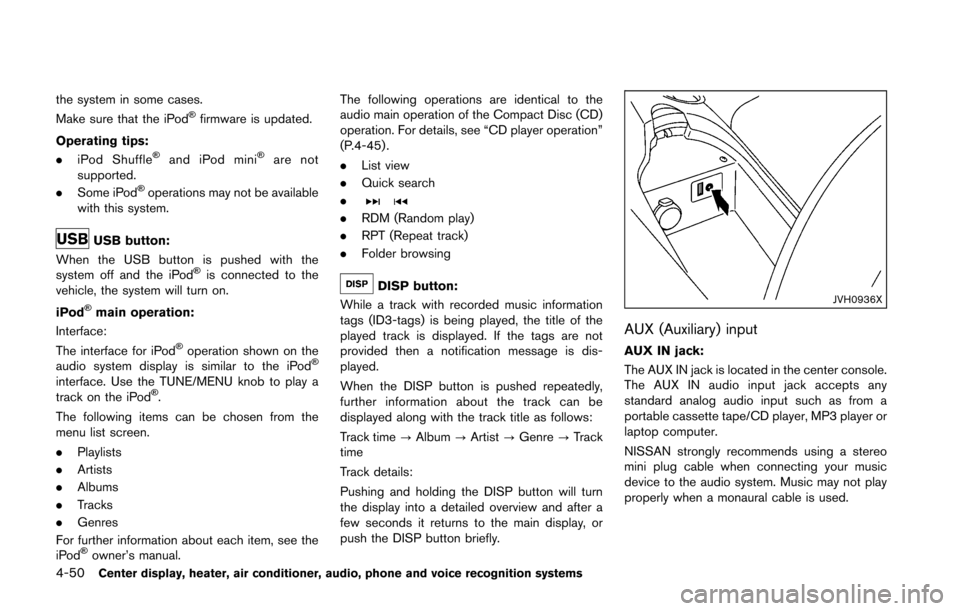
AUX IN jack:
The AUX IN jack is located in the center console.
The AUX IN audio input jack accepts any
standard analog audio input such as from a
portable cassette tape/CD player, MP3 player or
laptop computer.
NISSAN strongly recommends using a stereo
mini plug cable when connecting your music
device to the audio system. Music may not play
properly when a monaural cable is used.
Page 213 of 428
4-52Center display, heater, air conditioner, audio, phone and voice recognition systems
FM-AM-SAT RADIO WITH COMPACT
DISC (CD) PLAYER
For all operation precautions, see “Audio opera-
tion precautions” (P.4-30) .
The satellite radio mode requires an active
SiriusXM Satellite Radio subscription. The sa-
tellite radio is not available in Alaska, Hawaii and
Guam.
It may take some time to receive the activation
signal after subscribing the SiriusXM Satellite
Radio. After receiving the activation signal, an
available channel list will be automatically
updated in the radio. Push the ignition switch
from LOCK to ACC to update the channel list.
Audio main operation
Head unit:
The auto loudness circuit enhances the low and
high frequency ranges automatically in both
radio reception and CD playback.
ON·OFF/Volume control:
Push the ignition switch to the ACC or ON
position, and then push the ON·OFF button
while the system is off to turn on the last audio
source, which was playing immediately before
the system was turned off. While the system is
on, pushing the ON·OFF button turns the system
off.Turn the VOL control knob to adjust the volume.
Adjusting tone quality and speaker bal-
ance:
To adjust Bass, Treble, Balance and Fade, push
the Audio control knob. When the display shows
the setting you want to change (Bass, Treble,
Balance and Fade) , rotate the Audio control
knob to set the desired setting. For the other
setting methods, see “How to use SETTING
button” (P.4-10).
This vehicle has some sound effect functions as
follows:
.
Speed Sensitive Vol.
For more details, see “How to use SETTING
button” (P.4-10).
Switching the display:
Pushing the DISC·AUX button will switch the
displays as follows:
iPod
Š/USB ?CD/DVD ?BluetoothŠAudio ?
AUX ?iPodŠ/USB
FM-AM-SAT radio operation
radio (FM/AM) band select:
Pushing the radio band select button will
change the band as follows:
AM ?FM1 ?FM2 ?AM
radio (SAT) band select:
Pushing the radio band select button will
change the band as follows:
XM1 ?XM2 ?XM3 ?XM1
When the radio band select button is pushed
while the ignition switch is in the ACC or ON
position, the radio will come on at the channel
last played.
The last channel played will also come on when
the ON·OFF button is pushed to ON.
The satellite radio is not available in Alaska,
Hawaii and Guam.
If another audio source is playing when the radio
band select button is turned to ON, the audio
source will automatically be turned off and the
last radio channel played will come on.
When the stereo broadcast signal is weak, the
radio will automatically change from stereo to
monaural reception.
Page 219 of 428
4-58Center display, heater, air conditioner, audio, phone and voice recognition systems
DVD Language (DVD-VIDEO, VIDEO-CD):
Select the “DVD Language” key to open the
number entry screen. Input the number corre-
sponding to the preferred language and select
the “OK” key. The DVD top menu language will
be changed to the one specified.
Display:
To adjust the image quality of the screen, select
the preferred adjustment items.
Audio:
Select the preferred language for audio.
Subtitle (DVD-VIDEO, DVD-VR):
Select the preferred language for subtitles.
Display Mode (DVD-VIDEO, VIDEO-CD,
DVD-VR):
Select from the “Full”, “Wide”, “Normal” or
“Cinema” modes.
Title List (DVD-VR):
Select the preferred title from the list.
Play Mode:
Select the preferred play mode.
PG/PL Mode (DVD-VR):
Select the “PG” or “PL” mode.USB (Universal Serial Bus) CONNEC-
TION PORT (models with navigation
system)
Audio main operation
WARNING
Do not connect, disconnect or operate
the USB device while driving. Doing so
can be a distraction. If distracted you
could lose control of your vehicle and
cause an accident or serious injury.
CAUTION
.Do not force the USB device into the
USB port. Inserting the USB device
tilted or up-side-down into the port
may damage the port. Make sure
that the USB device is connected
correctly into the USB port.
. Do not grab the USB port cover (if
so equipped) when pulling the USB
device out of the port. This could
damage the port and the cover. .
Do not leave the USB cable in a
place where it can be pulled unin-
tentionally. Pulling the cable may
damage the port.
Refer to your device manufacturer’s owner
information regarding the proper use and care
of the device.
Page 220 of 428
SAA2499
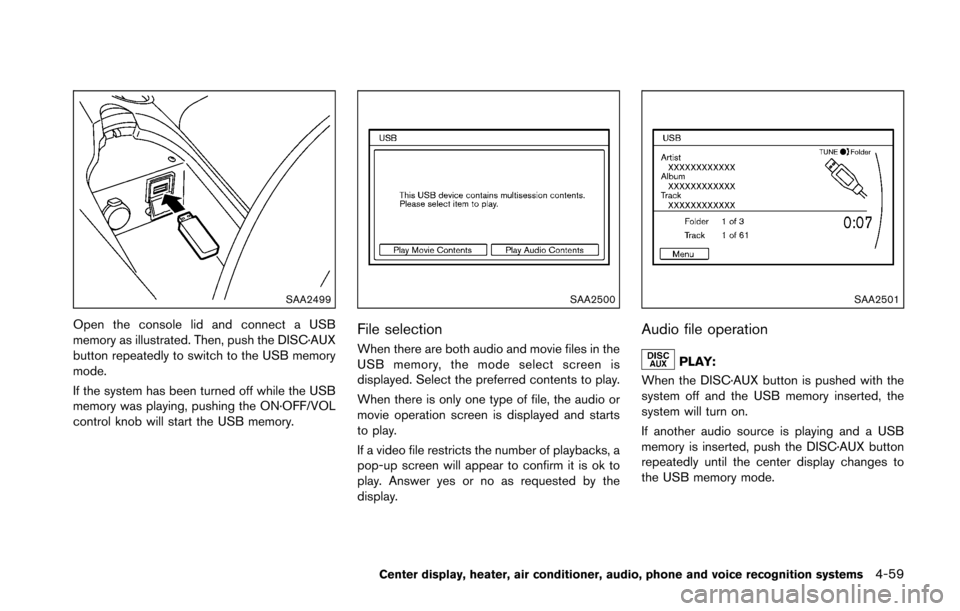
Open the console lid and connect a USB
memory as illustrated. Then, push the DISC·AUX
button repeatedly to switch to the USB memory
mode.
If the system has been turned off while the USB
memory was playing, pushing the ON·OFF/VOL
control knob will start the USB memory.
SAA2500
File selection
When there are both audio and movie files in the
USB memory, the mode select screen is
displayed. Select the preferred contents to play.
When there is only one type of file, the audio or
movie operation screen is displayed and starts
to play.
If a video file restricts the number of playbacks, a
pop-up screen will appear to confirm it is ok to
play. Answer yes or no as requested by the
display.
SAA2501
Audio file operation
PLAY:
When the DISC·AUX button is pushed with the
system off and the USB memory inserted, the
system will turn on.
If another audio source is playing and a USB
memory is inserted, push the DISC·AUX button
repeatedly until the center display changes to
the USB memory mode.
Center display, heater, air conditioner, audio, phone and voice recognition systems4-59
Page 221 of 428
4-60Center display, heater, air conditioner, audio, phone and voice recognition systems
Next/Previous File and Fast
Forward/Rewind:
When the
orbutton is pushed for more
than 1.5 seconds while a USB memory is being
played, the USB memory will play while for-
warding or rewinding. When the button is
released, the USB memory will return to normal
play speed.
When the
orbutton is pushed for less
than 1.5 seconds while the USB memory is
being played, the next track or the beginning of
the current track on the USB memory will be
played.
When the rewind button is pushed for less than
1.5 seconds within 3 seconds after the current
track starts playing, the previous track will be
played.
The multi-function controller can also be used to
select tracks when the USB memory is being
played.
Folder selection:
To change to another folder in the USB memory,
turn the folder selector or choose a folder
displayed on the screen using the multi-function
controller.
REPEAT (RPT) , RANDOM (RDM):
When the RPT button is pushed while the USB
memory is played, the play pattern can be
change as follows.
To change the play mode, push the RPT button
repeatedly and the mode will change as follows.
Normal ?1 Folder Repeat ?1 Track Repeat ?
All Random ?1 Folder Random ?Normal
SAA2502
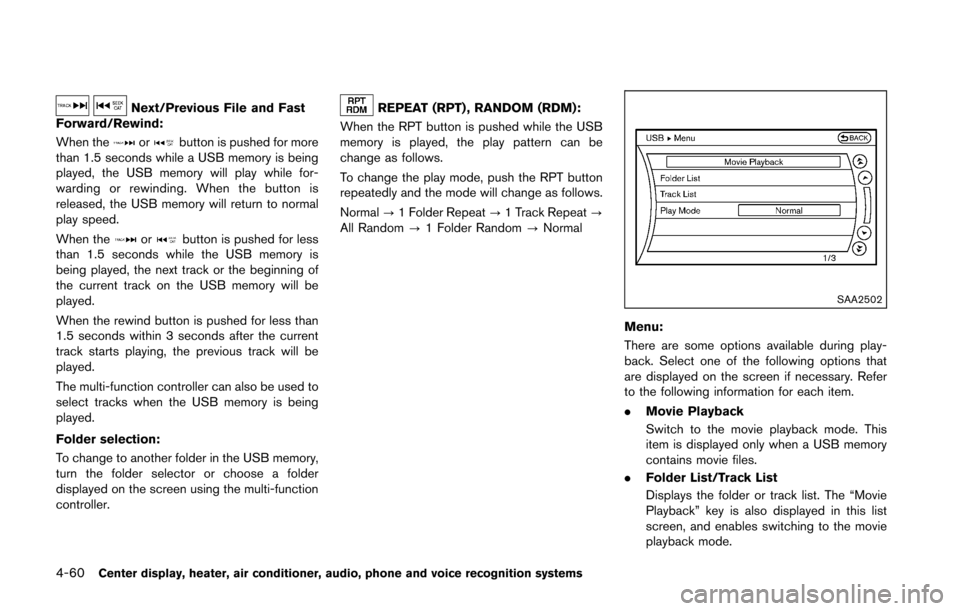
Menu:
There are some options available during play-
back. Select one of the following options that
are displayed on the screen if necessary. Refer
to the following information for each item.
. Movie Playback
Switch to the movie playback mode. This
item is displayed only when a USB memory
contains movie files.
. Folder List/Track List
Displays the folder or track list. The “Movie
Playback” key is also displayed in this list
screen, and enables switching to the movie
playback mode.
Page 222 of 428
.Play Mode
Select the preferred play mode.
SAA2503
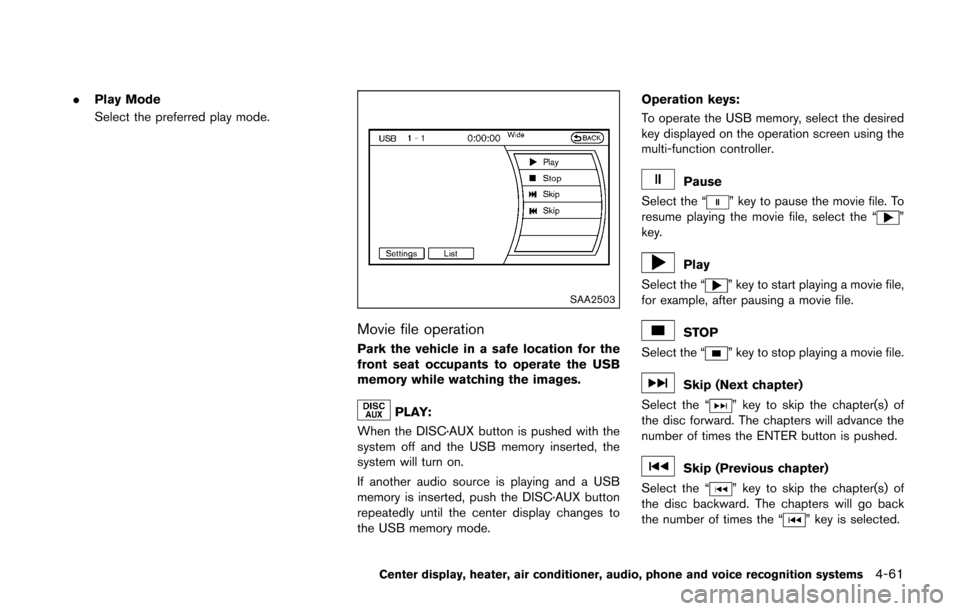
Movie file operation
Park the vehicle in a safe location for the
front seat occupants to operate the USB
memory while watching the images.
PLAY:
When the DISC·AUX button is pushed with the
system off and the USB memory inserted, the
system will turn on.
If another audio source is playing and a USB
memory is inserted, push the DISC·AUX button
repeatedly until the center display changes to
the USB memory mode. Operation keys:
To operate the USB memory, select the desired
key displayed on the operation screen using the
multi-function controller.
Pause
Select the “
” key to pause the movie file. To
resume playing the movie file, select the “”
key.
Play
Select the “
” key to start playing a movie file,
for example, after pausing a movie file.
STOP
Select the “
” key to stop playing a movie file.
Skip (Next chapter)
Select the “
” key to skip the chapter(s) of
the disc forward. The chapters will advance the
number of times the ENTER button is pushed.
Skip (Previous chapter)
Select the “
” key to skip the chapter(s) of
the disc backward. The chapters will go back
the number of times the “
” key is selected.
Center display, heater, air conditioner, audio, phone and voice recognition systems4-61
Page 223 of 428
4-62Center display, heater, air conditioner, audio, phone and voice recognition systems
List:
Select the “List” key on the movie file operation
screen to display the file list.
SAA2504Example
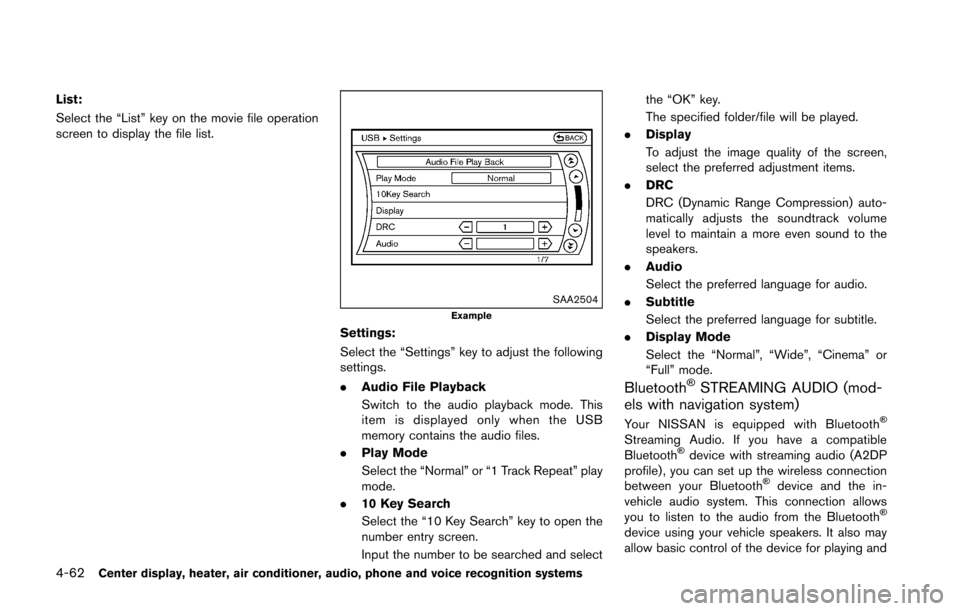
Settings:
Select the “Settings” key to adjust the following
settings.
.Audio File Playback
Switch to the audio playback mode. This
item is displayed only when the USB
memory contains the audio files.
. Play Mode
Select the “Normal” or “1 Track Repeat” play
mode.
. 10 Key Search
Select the “10 Key Search” key to open the
number entry screen.
Input the number to be searched and select the “OK” key.
The specified folder/file will be played.
. Display
To adjust the image quality of the screen,
select the preferred adjustment items.
. DRC
DRC (Dynamic Range Compression) auto-
matically adjusts the soundtrack volume
level to maintain a more even sound to the
speakers.
. Audio
Select the preferred language for audio.
. Subtitle
Select the preferred language for subtitle.
. Display Mode
Select the “Normal”, “Wide”, “Cinema” or
“Full” mode.
BluetoothŠSTREAMING AUDIO (mod-
els with navigation system)
Your NISSAN is equipped with BluetoothŠ
Streaming Audio. If you have a compatible
BluetoothŠdevice with streaming audio (A2DP
profile) , you can set up the wireless connection
between your Bluetooth
Šdevice and the in-
vehicle audio system. This connection allows
you to listen to the audio from the Bluetooth
Š
device using your vehicle speakers. It also may
allow basic control of the device for playing and
Page 228 of 428
SAA2511
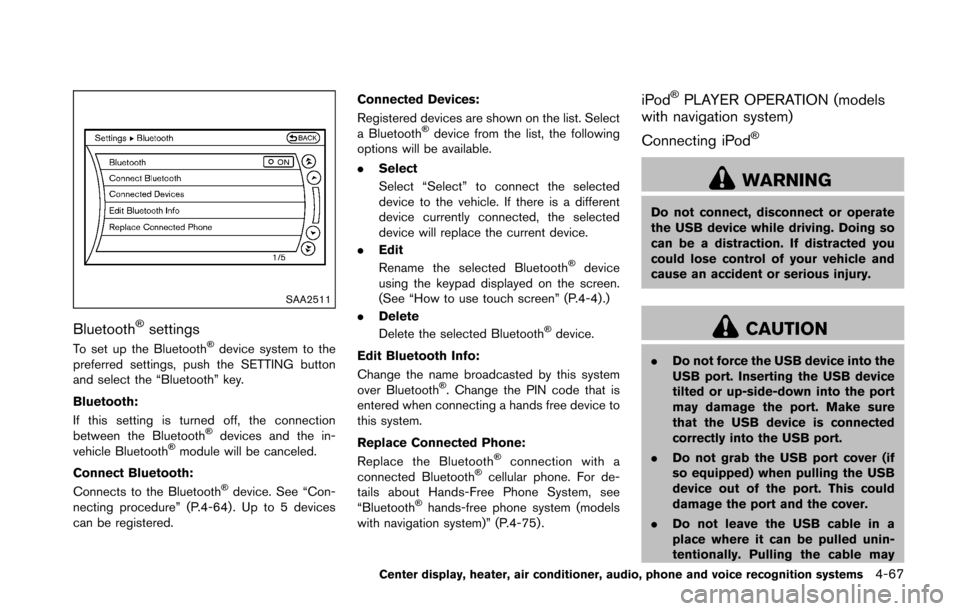
BluetoothŠsettings
To set up the BluetoothŠdevice system to the
preferred settings, push the SETTING button
and select the “Bluetooth” key.
Bluetooth:
If this setting is turned off, the connection
between the Bluetooth
Šdevices and the in-
vehicle BluetoothŠmodule will be canceled.
Connect Bluetooth:
Connects to the Bluetooth
Šdevice. See “Con-
necting procedure” (P.4-64) . Up to 5 devices
can be registered. Connected Devices:
Registered devices are shown on the list. Select
a Bluetooth
Šdevice from the list, the following
options will be available.
. Select
Select “Select” to connect the selected
device to the vehicle. If there is a different
device currently connected, the selected
device will replace the current device.
. Edit
Rename the selected Bluetooth
Šdevice
using the keypad displayed on the screen.
(See “How to use touch screen” (P.4-4).)
. Delete
Delete the selected Bluetooth
Šdevice.
Edit Bluetooth Info:
Change the name broadcasted by this system
over Bluetooth
Š. Change the PIN code that is
entered when connecting a hands free device to
this system.
Replace Connected Phone:
Replace the Bluetooth
Šconnection with a
connected BluetoothŠcellular phone. For de-
tails about Hands-Free Phone System, see
“Bluetooth
Šhands-free phone system (models
with navigation system)” (P.4-75) .
iPodŠPLAYER OPERATION (models
with navigation system)
Connecting iPod
Š
WARNING
Do not connect, disconnect or operate
the USB device while driving. Doing so
can be a distraction. If distracted you
could lose control of your vehicle and
cause an accident or serious injury.
CAUTION
. Do not force the USB device into the
USB port. Inserting the USB device
tilted or up-side-down into the port
may damage the port. Make sure
that the USB device is connected
correctly into the USB port.
. Do not grab the USB port cover (if
so equipped) when pulling the USB
device out of the port. This could
damage the port and the cover.
. Do not leave the USB cable in a
place where it can be pulled unin-
tentionally. Pulling the cable may
Center display, heater, air conditioner, audio, phone and voice recognition systems4-67