2016 MITSUBISHI OUTLANDER III light
[x] Cancel search: lightPage 316 of 464

Vehicle preparation before driving 6-4 Driving safety
6
N00629001709
For a safer and more enjoyable trip, always check for the following: Before starting the vehicle, make certain that you and all passengers are seated and wearing their seat
belts properly (with
children in the rear seat, in appropriate restraints), and that all the doors and the liftgate are locked. Move the driver’s seat as far backward as possible, while keep
ing good visibility,
and good control of the steering wheel,brakes, accelerator,
and controls. Check
the instrument panel
indicators and multi-
information display for any possible prob-lem. Similarly, the front
passenger seat should
also be moved as far back as possible. Make sure that infa
nts and small children
are properly restrained in accordance with all laws and regulations.
Check these by selecting the defroster mode, and set the blower swit
ch on high. You should
be able to feel the air blowing against thewindshield. Refer to “Defrosti
ng or defogging (wind-
shield, door windows)” on page 7-13 Check all the tires for heavy tread wear or uneven wear patterns. Look for stones, nails, glass, or other objects
stuck in the tread. Look
for any tread cuts or
sidewall cracks. Check
the wheel nuts for tightness, and the tires (including spare tire) for proper pressure. Replace your tires before they are heavilyworn out. As your vehicle is equi
pped with a tire pres-
sure monitoring system, there is a risk ofdamage to the tire inflation pressure sensors when the tire is replaced on the rim. Tire replacement should, only, be performed by anauthorized Mitsubishi Motors dealer. Have someone watch while you turn all the exterior lights on and off. Also check the turn
signal indicators and hi
gh-beam indicators on
the instrument panel. Check the ground under the vehicle after parking overnight, for
fuel, water, oil, or
other leaks. Make sure
all the fluid levels are
correct. Also, if you
can smell fuel, you need
to find out why imme
diately and have it
fixed.
N00629201134
Even this vehicle’s sa
fety equipment, and
your safest driving, ca
nnot guarantee that you
can avoid an accident or injury. However, ifyou give extra attention to the following areas, you can better protect yourself and your passengers: Drive defensively. Be aware of traffic, road and weather conditions. Leave plenty of stopping distance between your vehicle and the vehicle ahead. Before changing lanes, check your mir- rors, blind spots, and use your turn-signal light. While driving, watch the behavior of other drivers, bicyc
lists, and pedestrians.
Vehicle preparation before driving Seat belts and seats
Defrosters Tires Lights
Fluid leaks Safe driving techniques
BK0223400US.book 4 ページ 2015年2月13日 金曜日 午後12時15分
Page 317 of 464

Driving during cold weather
Driving safety 6-5
6
Always obey applicab
le laws and regula-
tions. Be a polite and alert driver. Alwaysleave room for unexpected events, such as sudden braking. If you plan to drive in another country, obey their vehicle re
gistration laws and
make sure you will be able to get the right fuel.
N00629400445
Check the battery. At the same time, check the terminals and wiring. During extremely cold weather, the battery will not be as strong. Also, the battery powerlevel may drop beca
use more power is
used for cold starting and driving. Before driving the vehicle, check to see ifthe engine runs at the proper speed and if the headlights are as
bright as normally.
Charge or replace the battery if necessary.During extreme cold weather, it is possi- ble that a very low battery could freeze.
Warm the engine sufficiently. After start- ing the engine, allow a short warm-uptime to distribute oil to all cylinders. Then drive your vehicle slowly. Stay at low speeds at first so that thetransaxle, transfer case and rear axle oil have time to spread to all lubrication points. Check the engine antifreeze. If there is not enough coolant because of a leak or from engine
overheating, add Mit-
subishi Motors Genuine Super Long Life Coolant Premium or equivalent.Please read this section in conjunction with the “Engine coolant” on page 9-8.
N00629501528
All the parts of the brake system are critical to safety. Have the vehicle serviced by anauthorized Mitsubishi Motors dealer or a repair facility of your
choice at regular inter-
vals according to the “WARRANTY ANDMAINTENANCE MANUAL”.
Check the brake system while driving at a low speed immediately
after starting, espe-
cially when the brakes are wet, to confirmthey work normally. A film of water can be formed on the brake discs and prevent normal braking after driv-ing in heavy rain or through large puddles, or after the vehicle is washed. If this occurs, dry the brakes out by drivi
ng slowly while lightly
depressing the brake pedal. On snowy roads, ice can form on the braking system, making the brakes less effective. While driving in such
conditions, pay close
attention to surrounding vehicles and to the condition of the road surface. From time to time, lightly depress the brake pedal andcheck how effective the brakes are. It is important to take advantage of the engine braking by downshifting while driving on steep downhill roads in order to prevent the brakes from overheating.
Driving during cold weather
WA R N I N G The battery gives o
ff explosive hydrogen
gas. Any spark or flame can cause the bat- tery to explode, which could cause serious injury or death.Always wear protecti
ve clothes and a face
mask when working with your battery, or let a skilled mechanic do it.
WA R N I N G Never open the radiator cap when the radiator is hot. You could be seriously burned.
Braking
When brakes are wet When driving in cold weather When driving downhill
BK0223400US.book 5 ページ 2015年2月13日 金曜日 午後12時15分
Page 326 of 464
Trailer towing 6-14 Driving safety
6
Trailer lights and equipment must comply with federal, state,
and local regulations.
Check with your loca
l recreational vehicle
dealer for the requirements in your area, and use only equipment designed for your vehi- cle. Since lighting and wiring
vary by trailer type
and brand, you should have a qualified tech- nician install a suitable connector between thevehicle and the trailer.
Improper equipment or
installation can cause da
mage to your vehi-
cle’s electrical system
and affect your vehicle
warranty. Many states and Canadi
an provinces require
special outside mirrors when towing a trailer. Even if not required,
you should install spe-
cial mirrors if you ca
nnot clearly see behind
you, or if the trailer
creates a blind spot.
Ask your trailer sales or
rental agency if any
other items are recomm
ended or required for
your towing situation.
Towing a trailer requires a certain amount of experience. Before setting out for the open road, you’ll want to get to know your trailer. Acquaint
yourself with the feel of handling and braking with the added weight of the trailer. Alwayskeep in mind that the vehicle you are driving is now a good deal longer and not nearly as responsive as your vehicl
e is without a trailer.
Before you start, check the trailer hitch, safety chains, tires
and mirror adjustment.
Be sure your vehicle’s ti
res are inflated to the
cold inflation pressure listed in the manual. You’ll find these numbe
rs on the tire and
loading information placard at the sill of thedriver’s door. Refer to “Tire inflati
on pressures” on page
9-18. Stay at least twice as far behind the vehicle ahead as you would when driving your vehi- cle without a trailer.
This can help you avoid
situations that require
heavy braking and sud-
den turns.
Trailer lights Additional trailer equipment
Operating hints
WA R N I N G If you have a rear window open and you tow a trailer with
your vehicle, carbon
monoxide gas which
you cannot see or
smell could come into your vehicle. It can cause unconsciousness or death. Refer to“Exhaust system” on page 9-24. To maximize your safe
ty when towing a
trailer: Have your exhaust system inspected for leaks, and make necessary repairs beforestarting on your trip. Keep the rear windows closed.If exhaust does come into your vehicle through a window or
another opening,
drive with your front, main heating or cooling system on an
d with the blower on
any speed. This will
bring fresh, outside
air into your vehicle. Do not use recircula- tion because it only recirculates the air inside your vehicle. Refer to “Air selectionswitch” on page 7-9.
Driver preparation
Vehicle preparation Tire Following distance
BK0223400US.book 14 ページ 2015年2月13日 金曜日 午後12時15分
Page 337 of 464
Automatic climate cont
rol air conditioner
Comfort controls 7-9
7
N00737101221
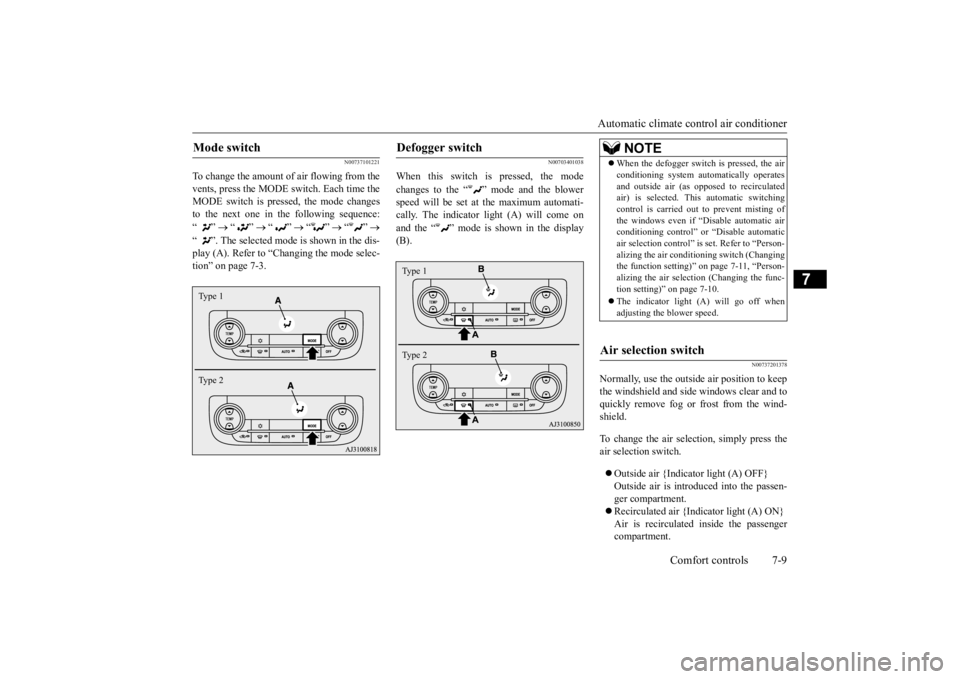
To change the amount of air flowing from the vents, press the MODE switch. Each time the MODE switch is pressed, the mode changesto the next one in the following sequence: “”
“”
“”
“”
“”
“ ”. The selected mode is shown in the dis- play (A). Refer to “C
hanging the mode selec-
tion” on page 7-3.
N00703401038
When this switch is pressed, the mode changes to the “ ”
mode and the blower
speed will be set at the maximum automati- cally. The indicator light (A) will come on and the “ ” mode is shown in the display (B).
N00737201378
Normally, use the outside
air position to keep
the windshield and side
windows clear and to
quickly remove fog or frost from the wind-shield. To change the air selection, simply press the air selection switch. Outside air {Indicator light (A) OFF} Outside air is introduced into the passen-ger compartment. Recirculated air {Indicator light (A) ON} Air is recirculated
inside the passenger
compartment.
Mode switch Type 1 Type 2
Defogger switch Type 1 Type 2
NOTE
When the defogger switch
is pressed, the air
conditioning system au
tomatically operates
and outside air (as opposed to recirculatedair) is selected. This automatic switching control is carried out to prevent misting of the windows even if “D
isable automatic air
conditioning control” or
“Disable
automatic
air selection control” is
set. Refer to “Person-
alizing the air conditi
oning switch (Changing
the function setting)”
on page 7-11, “Person-
alizing the air selecti
on (Changing the func-
tion setting)” on page 7-10. The indicator light
(A) will go off when
adjusting the blower speed.
Air selection switch
BK0223400US.book 9 ページ 2015年2月13日 金曜日 午後12時15分
Page 338 of 464

Automatic climate cont
rol air conditioner
7-10 Comfort controls
7
When the air conditioning turns on, the air selection is controlled automatically. Whenthe air conditioning turns
off, the air selection
automatically goes back
to the outside posi-
tion.If high cooling performanc
e is desired, or if
the outside air is dusty
or contaminated in
some way, use the
recirculat
ion position.
Switch to the outside position every now and then to keep the windows from fogging up.
N00712300036
You can change the following functions tomatch your preference. Enable automatic air selection control: When the AUTO switch is pressed, the airselection switch will also be automatically controlled. Disable automatic air selection control: Even when the AUTO switch is pressed,the air selection switch will not be auto- matically controlled. Changing the settings Press the air selection switch for approxi-mately 10 seconds or longer. When the setting has changed, the system will beep and the indi
cator light will flash.
• When the setting has changed from enabled to disabled, the system will beepthree times and the indicator light will flash three times. • When the setting has changed from dis-abled to enabled, the system will beep two times and the i
ndicator light will
flash three times.On vehicles equippe
d with Mitsubishi
Multi-Communication System, screen operations can also be used to change the setting. Refer to th
e separate owner’s
manual for details.
N00737301353
Push the switch, and the air conditioning compressor will turn on. The “ ” indicator will be shown in the display (A).
CAUTION Using recirculated air for a long time may cause the windows to fog up.NOTE
If the mode selection
is set “ ” position,
you cannot turn the ai
r conditioner off or
select the recirc
ulation position.
This prevents the windows from fogging up.
When the engine coolan
t temperature rises to
a certain level, the air selection is automati-cally switched to the recirculation positionand the indicator light (A) comes on. At this time, the system will not switch to the out- side position even if th
e air selection switch
is pushed.
Personalizing the air selection (Changing the function setting) NOTE
NOTE
The factory setting is “Enable automatic air selection control”. When the defogger switch is pressed, the air selection will automati
cally change to the
outside air position, even if the system is setto “Disable automatic air selection control”, in order to prevent windows from fogging up.
Air conditioning switch
BK0223400US.book 10 ページ 2015年2月13日 金曜日 午後12時15分
Page 339 of 464

Automatic climate cont
rol air conditioner
Comfort controls 7-11
7
Push the switch again and the air condition- ing compressor will stop and the indicatorgoes off.
N00712200022
You can change the following functions tomatch your preference. Enable automatic air conditioning control: When the AUTO switch is pressed, or when the temperature control switch has been set to the minimum temperature, theair conditioning switch is automatically controlled. Disable automatic air conditioning con- trol:The air conditioning switch is not auto- matically controlled,
unless the air condi-
tioning switch is used. Changing the settings Press the air conditioning switch for about 10 seconds or longer.
When the setting has changed, the system will beep and the indi
cator light will flash.
• When the setting has changed from enabled to disabled,
the system will beep
three times and the indicator light willflash three times. • When the setting has changed from dis- abled to enabled, the system will beeptwo times and the indicator light will flash three times. On vehicles equippe
d with Mitsubishi
Multi-Communication System, screen operations can also be used to change thesetting. Refer to the separate owner’s manual for details.
N00703501042
When the AUTO switch is pressed, the indi-cator light (A) comes on and the mode selec- tion, blower speed adju
stment, reci
rculated/
outside air selection, temperature adjustment,
CAUTION Using the air conditioni
ng slightly increases
the engine idle speed. Therefore, make sure your foot is firmly on the brake pedal when shifting the transaxle into drive.NOTE
If a problem is detect
ed in the air condition-
ing compressor, the “ ” indicator blinks. Press the air conditioning
switch once to turn
it off, then once more to turn it back on. If the“ ” indicator does not blink, there is no problem. If it does blink,
have it checked at
an authorized Mitsubish
i Motors dealer or a
repair facility of your choice.
For example, sometimes after using a high- pressure car wash, the
condenser can get wet,
and the “ ” indicator blinks temporarily. Wait for a while, press the air conditioning switch once to turn the system off, then once more to turn it back on. Once the water evap-orates, the blinking will stop.
Personalizing the air conditioning switch (Changing the function set-ting) NOTE
NOTE
The factory setting is
“Enable automatic air
conditioning control”. When the defogger switch
is pressed, the air
conditioner will run au
tomatically, even if
the system is set to “Disable automatic air conditioning control”, in order to prevent windows from fogging up.
AUTO switch
BK0223400US.book 11 ページ 2015年2月13日 金曜日 午後12時15分
Page 342 of 464
Important air condit
ioning operating tips
7-14 Comfort controls
7
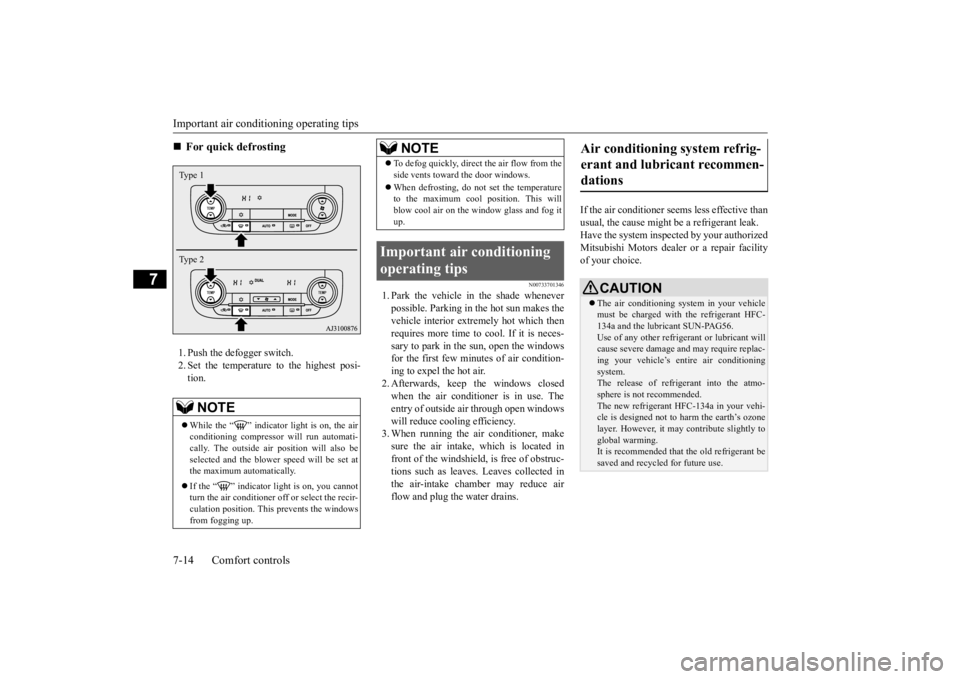
1. Push the defogger switch. 2. Set the temperature to the highest posi- tion.
N00733701346
1. Park the vehicle in the shade whenever possible. Parking in the hot sun makes thevehicle interior extremely hot which then requires more time to cool. If it is neces- sary to park in the sun, open the windowsfor the first few minutes of air condition- ing to expel the hot air. 2. Afterwards, keep the windows closedwhen the air conditioner is in use. The entry of outside air through open windows will reduce cooling efficiency.3. When running the air conditioner, make sure the air intake, which is located in front of the windshield,
is free of obstruc-
tions such as leaves. Leaves collected in the air-intake chamber may reduce air flow and plug the water drains.
If the air conditioner seem
s less effective than
usual, the cause might
be a refrigerant leak.
Have the system inspected by your authorized Mitsubishi Motors dealer
or a repair facility
of your choice.
For quick defrosting NOTE
While the “ ” indicator light is on, the air conditioning compressor
will run automati-
cally. The outside ai
r position will also be
selected and the blower
speed will be set at
the maximum au
tomatically.
If the “ ” indicator light is on, you cannot turn the air conditioner off or select the recir- culation position. This prevents the windows from fogging up.Type 1 Type 2
To defog quickly, direct the air flow from the side vents toward the door windows. When defrosting, do not set the temperature to the maximum cool position. This will blow cool air on the window glass and fog itup.
Important air conditioning operating tips
NOTE
Air conditioning system refrig- erant and lubricant recommen-dations
CAUTION The air conditioning system in your vehicle must be charged with the refrigerant HFC-134a and the lubricant SUN-PAG56. Use of any other refrige
rant or lubricant will
cause severe da
mage and may re
quire replac-
ing your vehicle’s entire air conditioning system. The release of refrigerant into the atmo-sphere is not recommended. The new refrigerant HFC-134a in your vehi- cle is designed not to harm the earth’s ozonelayer. However, it ma
y contribute slightly to
global warming. It is recommended that the old refrigerant besaved and recycled for future use.
BK0223400US.book 14 ページ 2015年2月13日 金曜日 午後12時15分
Page 347 of 464
Handling of Discs
Comfort controls 7-19
7
Fingerprints or other marks on the read surface of the disc may result in its con-tent being more difficult to read. When holding the disc, grip
both edges, or one
edge and the center hole, in order that theread surface is not touched. Do not affix paper or stickers, or other- wise damage the disc. Do not forcefully insert a disc if another is already within the device. This can result in damage to discs, or malfunction. Periodically clean the read surface of the disc. When cleaning, do not wipe in a cir- cular motion. Instead, wipe gently out-wards from the center of the disc to the outer edge. New discs may have burring around the outer edge or in the hole in the center. Ensure you check for these. If there are burrs, these may lead to faulty operation,therefore ensure these are removed. When not using discs, ensure these are kept in cases, and stor
ed out of direct sun-
light.
If discs are not going to be used for a long period of time, remove these from theproduct.
In cold environments such as in mid-winter when the interior of the vehicle is cold, turn- ing the heater on and
immediately trying to
use the product may cause condensation (water droplets) to form
on the disc and inter-
nal optical components,
and this may prevent
the product from operating correctly. In these conditions, rem
ove the disc
, and wait
a short time before use. Actions such as unauthorized reproduction, broadcast, public perfo
rmance, or rental of
discs that comprise other than personal useare prohibited by law.
N00715500026
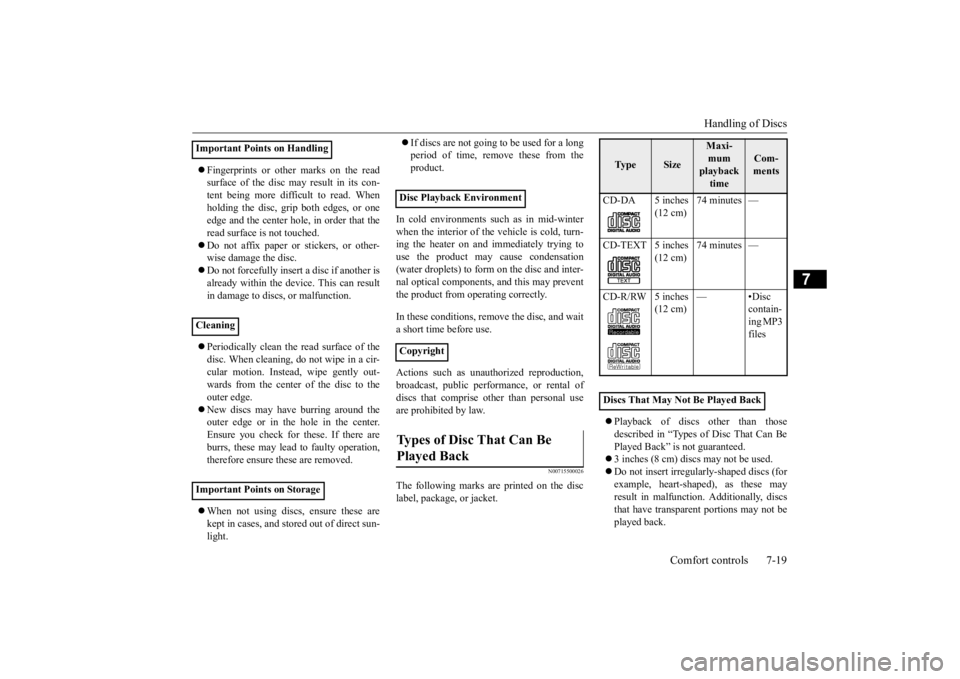
The following marks are printed on the disc label, package, or jacket.
Playback of discs
other than those
described in “Types of Disc That Can Be Played Back” is not guaranteed. 3 inches (8 cm) discs may not be used. Do not insert irregularly-shaped discs (for example, heart-shaped), as these mayresult in malfunction.
Additionally, discs
that have transparent portions may not be played back.
Important Points on Handling Cleaning Important Points on Storage
Disc Playback Environment CopyrightTypes of Disc That Can Be Played Back
Ty p e
Size
Maxi- mum playback time
Com- ments
CD-DA 5 inches
(12 cm)
74 minutes —
CD-TEXT 5 inches
(12 cm)
74 minutes —
CD-R/RW 5 inches
(12 cm)
—•Disc
contain-ing MP3 files
Discs That May Not Be Played Back
BK0223400US.book 19 ページ 2015年2月13日 金曜日 午後12時15分