2016 MERCEDES-BENZ SL-Class air condition
[x] Cancel search: air conditionPage 74 of 614

ABS (Anti-lock Braking System)
Gene ral inform ation
ABSregulates brak epressur ein suc h away
that th ewheels do no tloc kwhen you brake.
This allows you to continu esteering th evehi-
cle when braking .
The ! ABSwarning lamp in th einstrumen t
cluste rlights up when th eignition is switched
on .It goes out when th eengin eis running.
AB Sworks from aspee dof about 5mph
(8 km/h), regardless of road-surface condi-
tions. AB Sworks on slippery surfaces, eve n
when you only brak egently.
Import ant safety notes
iObserveth e"Importan tsafet ynotes" sec -
tion (
Ypage 71).
GWARNIN G
If AB Sis faulty, th ewheels could loc kwhen
braking .The steerabilit yand braking charac -
teristics may be severely impaired. Addition -
ally, further drivin gsafet ysystems are deac -
tivated. There is an increased danger of skid-
din gand accidents .
Drive on carefully. Hav eAB Schecke dimme-
diately at aqualified specialis tworkshop .
When ABSis malfunctioning ,other systems ,
includin gdriving safet ysystems ,will also
become inoperative. Observeth einformation
on th eAB Swarning lamp (
Ypage 272) and
display message swhic hmay be shown in th e
instrumen tcluste r (
Ypage 240).
Braking
XIf ABS intervenes: continueto depress th e
brak epedal vigorously until th ebraking sit -
uation is over.
XTo make a full brak eapplication:
depress th ebrak epedal wit hfull force .
If AB Sintervenes when braking ,you will fee l a
pulsing in th ebrak epedal . The pulsating brak
epedal can be an indica-
tion of hazardous road condition s,and func-
tion sas areminder to tak eextr acar ewhile
driving .
BAS (Brake Assist System)
Gene ral inform ation
BASoperate sin emergenc ybraking situa-
tions. If you depress th ebrak epedal quickly,
BA Sautomatically boosts th ebraking force ,
thus shortening th e stopping distance.
Important safety notes
iObserveth e"Importan t safetynotes" sec-
tion (
Ypage 71) .
GWARNIN G
If BA Sis malfunctioning ,th ebraking distanc e
in an emergenc ybraking situation is
increased. There is aris kof an accident.
In an emergenc ybraking situation ,depress
th ebrak epedal wit hfull force .AB Sprevents
th ewheels from locking .
Braking
XKeepth ebrak epedal firmly depressed until
th eemergenc ybraking situation is over.
AB Sprevents th ewheels from locking .
The brakes will function as usual once you
release th ebrak epedal .BA Sis deactivated.
BAS PLUS (Brake Assist System
PLUS)
Gene ral inform ation
BASPLU Scan help you to minimiz eth eris kof
a collision wit h avehicl eor reduce th eeffects
of such a collision .If BA S PLUS detects a
danger of collision ,you are assisted when
braking .
iObserveth e"Importan t safetynotes" sec-
tion (
Ypage 71) .
72Driving safety systems
Safety
Page 80 of 614

For PRE-SAFE®Brake to assist you when driv-
ing, the radar sensor system must be opera-
tional.
With the help of the radar sensor system,
PRE-SAFE
®Brake can detect obstacles that
are in front of your vehicle for an extended
period of time.
PRE-SAFE
®Brake can help you to minimize
the risk of a collision with a vehicle ahead, and
reduce the effects of such a collision. If PRE-
SAFE
®Brake has detected a risk of collision,
you will be warned visually and acoustically as
well as by automatic braking. PRE-SAFE
®
Brake cannot prevent a collision without your
intervention.
Important safety notes
GWARNING
PRE-SAFE
®Brake will initially brake your vehi-
cle by a partial application of the brakes if a
danger of collision is detected. There may be
a collision unless you also brake. Automatic
emergency braking cannot prevent a colli-
sion. There is a risk of an accident.
Always apply the brakes yourself and try to
take evasive action.
GWARNING
PRE-SAFE
®Brake cannot always clearly iden-
tify objects and complex traffic conditions.
In these cases, PRE-SAFE
®Brake may:
Rgive an unnecessary warning and then
brake the vehicle
Rnot give a warning or intervene
There is a risk of an accident.
Always pay particular attention to the traffic
situation and be ready to brake, especially if
PRE-SAFE
®Brake warns you. Terminate the
intervention in a non-critical driving situation.
In order to maintain the appropriate distance
to the vehicle in front and thus prevent a col-
lision, you must apply the brakes yourself.
GWARNING
PRE-SAFE
®Brake does not react:
Rto people or animals
Rto oncoming vehicles
Rto crossing traffic
Rwhen cornering
As a result, PRE-SAFE
®Brake may neither
give warnings nor intervene in all critical sit-
uations. There is a risk of an accident.
Always pay careful attention to the traffic sit-
uation and be ready to brake.
In the event of snowfall or heavy rain, the rec-
ognition can be impaired.
Recognition by the radar sensor system is
also impaired in the event of:
Rthere is dirt on the sensors or anything else covering the sensors
Rthere is interference by other radar sources
Rthere are strong radar reflections, for
example in parking garages
Ra narrow vehicle traveling in front, e.g. a
motorbike
Ra vehicle traveling in front on a different line
relative to the center of your vehicle
Following damage to the front end of the vehi-
cle, have the configuration and operation of
the radar sensors checked at a qualified spe-
cialist workshop. This also applies to colli-
sions at low speeds where there is no visible
damage to the front of the vehicle.
Function
XTo activate/deactivate: activate or deac-
tivate PRE-SAFE®Brake in the on-board
computer (
Ypage 231).
When the PRE-SAFE®Brake is deactivated,
the multifunction display in the assistance
graphic shows the æsymbol.
Starting at a speed of around 4 mph (7 km/h),
this function warns you if you rapidly
approach a vehicle in front. An intermittent
warning tone will then sound and the ·
78Driving safety systems
Safety
Page 106 of 614

ACatch lever (example: driver's side)
BGuide
XTo install:insert guides Bof trunk part i-
tion :into the brackets.
XSlide in trunk partition :as far as it will go.
XTurn driver's side catch lever Ain the
dire ction of the arrow.
XRepeat the same process on the catch lever
on the passenger side.
Trunk part ition :isunlocked.
XPull trunk partition :by handle ?in the
dire ction of the arrow.
XHook trunk part ition :into fastening eye-
lets =inthe side panels.
XPull net ;forwards and hook the left and
right-hand sides into the holder.
Wind screen
Wind screen
Import ant safety notes
GWARNIN G
If you use th ewin dscree nin darkness or in
other condition sofferin gpoor visibility, your
view to th erear is further impaired .Ther eis a
ris kof an accident.
Only use th ewin dscree nwhen visibilit ycon-
dition sare good .
!When extending or retracting the wind
screen, make sure there are no objects on
the rear compartment trim. Otherwise, the
objects could damage the wind screen. The wind screen offers protection from the
wind when driving with the roof down. The
roof must
befully open before the wind
screen can beextended.
Extending and ret racting
XOpen the roof (Ypage 100).
XOpen the cover inthe lower center console.
The switch for the electrical wind screen is
under the cover.
XTo extend: press button :.
XTo retract: press button :again.
Roller sunblind for the glass roof
The roller sunblin d protects you from exces-
sive glare and heat caused bythe sun shining
through the glass roof.
XTo close: using handle :slide the roller
blin din the direction of the arrow.
XTo open: using handle :slide the roller
blin din the opposite direction to the arrow.
104Roof
Opening and closing
Page 111 of 614

The seat belt should:
Rfit snugly across your body
Rbe routed across the middle of your shoul-
der
Rbe routed in your pelvic area across the hip
joints
XBefore starting off, adjust the rear-view mir-
ror and the exterior mirrors (
Ypage 116) in
such a way that you have a good view of
road and traffic conditions.
XStore the seat, steering wheel and exterior
mirror settings using the memory function
(
Ypage 119).
Seats
Important safety notes
GWARNING
Children could become trapped if they adjust
the seats, particularly when unattended.
There is a risk of injury.
When leaving the vehicle, always take the
SmartKey with you and lock the vehicle. Never
leave children unsupervised in the vehicle.
The seats can still be adjusted when there is
no SmartKey in the ignition lock.
GWARNING
When you adjust a seat, you or other vehicle
occupants could become trapped, e.g. on the seat guide rail. There is a risk of injury.
Make sure when adjusting a seat that no one
has any body parts in the sweep of the seat.
Observe the safety notes on "Air bags"
(
Ypage 56) and "Children in the vehicle"
(
Ypage 68).
GWARNING
If you adjust the seat height carelessly, you or
other vehicle occupants could be trapped and
thereby injured. Children in particular could
accidentally press the electrical seat adjust-
ment buttons and become trapped. There is a risk of injury.
While moving the seats, make sure that your
hands or other body parts do not get under the
lever assembly of the seat adjustment sys-
tem.
GWARNING
If the head restraints are not installed or not
adjusted correctly, they cannot provide pro-
tection as intended. There is an increased risk
of injury in the head and neck area, e.g. in the event of an accident or when braking.
Always drive with the head restraints instal-
led. Before driving off, make sure for every
vehicle occupant that the center of the head
restraint supports the back of the head at
about eye level.
GWARNING
You could lose control of your vehicle if you do the following while driving:
Radjust the driver's seat, head restraint,
steering wheel or mirrors
Rfasten the seat belt
There is a risk of an accident.
Adjust the driver's seat, head restraint, steer-
ing wheel and mirror and fasten your seat belt before starting the engine.
!To avoid damage to the seats and the seat
heating, observe the following information:
Rkeep liquids from spilling on the seats. If
liquid is spilled on the seats, dry them as
soon as possible.
Rif the seat covers are damp or wet, do not
switch on the seat heating. The seat
heating should also not be used to dry
the seats.
Rclean the seat covers as recommended;
see the "Interior care" section.
Rdo not transport heavy loads on the
seats. Do not place sharp objects on the
seat cushions, e.g. knives, nails or tools.
Seats109
Seats, steering wheel and mirrors
Z
Page 119 of 614

The exterior mirrors are automatically heated
after starting the vehicle if the rear window
defroster is switched on and the outside tem-
perature is low. Mirror heating lasts up to 10
minutes.
iYou can also heat up the exterior mirrors
manually by switching on the rear window
defroster.
Folding the exterior mirrors in or out
electrically
XMake sure that the SmartKey is in position
1 or 2in the ignition lock.
XBriefly press button :.
Both exterior mirrors fold in or out.
iMake sure that the exterior mirrors are
always folded out fully while driving. They
could otherwise vibrate.
Exterior mirror pushed out of position
If an exterior mirror has been pushed out of
position, proceed as follows:
XMove the exterior mirror into the correct
position manually.
The mirror housing is engaged again and
you can adjust the exterior mirrors as usual
(
Ypage 116).
Automatic anti-glare mirrors
GWARNING
Electrolyte may escape if the glass in an auto-
matic anti-glare mirror breaks. The electrolyte
is harmful and causes irritation. It must not
come into contact with your skin, eyes, res-
piratory organs or clothing or be swallowed.
There is a risk of injury.
If you come into contact with the electrolyte,
observe the following:
RRinse off the electrolyte from your skin
immediately with water.
RImmediately rinse the electrolyte out of
your eyes thoroughly with clean water.
RIf the electrolyte is swallowed, immediately
rinse your mouth out thoroughly. Do not
induce vomiting.
RIf electrolyte comes into contact with your
skin or hair or is swallowed, seek medical
attention immediately.
RImmediately change out of clothing which
has come into contact with electrolyte.
RIf an allergic reaction occurs, seek medical
attention immediately.
The rear-view mirror and the exterior mirror
on the driver's side automatically go into anti-
glare mode if the following conditions are met
simultaneously:
Rthe ignition is switched on and
Rincident light from headlamps strikes the
sensor in the rear-view mirror.
The mirrors do not go into anti-glare mode if
reverse gear is engaged or if the interior light-
ing is switched on.
Mirrors117
Seats, steering wheel and mirrors
Z
Page 138 of 614

Useful information
i
This Operator's Manual describes all
models and all standard and optional equip-
ment of your vehicle available at the time of
publication of the Operator's Manual.
Country-specific differences are possible.
Please note that your vehicle may not be
equipped with all features described. This
also applies to safety-related systems and
functions.
iRead the information on qualified special-
ist workshops (
Ypage 34).
Overview of climate control systems
General notes
Observe the settings recommended on the
following pages. The windows could other-
wise fog up.
To prevent the windows from fogging up:
Rswitch off climate control only briefly
Rswitch on air-recirculation mode only
briefly
Rswitch on the cooling with air dehumidifi-
cation function
Rswitch on the defrost windshield function
briefly, if required
Climate control regulates the temperature
and the humidity in the vehicle interior and
filters undesirable substances out of the air.
Climate control can only be operated when
the engine is running. Optimum operation is
only achieved with the side windows and roof closed.
The residual heat function can only be acti-
vated or deactivated with the ignition
switched off (
Ypage 146).
iWhen the weather is warm, ventilate the
vehicle for a brief period. This will speed up
the cooling process and the desired vehicle
interior temperature will be reached more
quickly.
iIt is possible that the dehumidification
function of the climate control system may be activated automatically an hour after the
SmartKey has been removed. The vehicle is
then ventilated for 30 minutes to dry the
air-conditioning system.
136Overview of climate control systems
Climate control
Page 157 of 614
Hill start assist is not active if:
Ryou are pulling away on a level road or on adownhill gradient.
Rthe transmission is in position N.
Rthe electric parking brake is applied.
RESP®is malfunctioning.
ECO start/stop function
Introduction
The ECO start/stop function switches the
engine off automatically if the vehicle is stop-
ped under certain conditions.
The engine starts automatically when the
driver wants to pull away again. The ECO
start/stop function thereby helps you to
reduce the fuel consumption and emissions
of your vehicle.
Important safety notes
GWARNING
If the engine is switched off automatically and
you exit the vehicle, the engine is restarted
automatically. The vehicle may begin moving.
There is a risk of accident and injury.
If you wish to exit the vehicle, always turn off
the ignition and secure the vehicle against
rolling away.
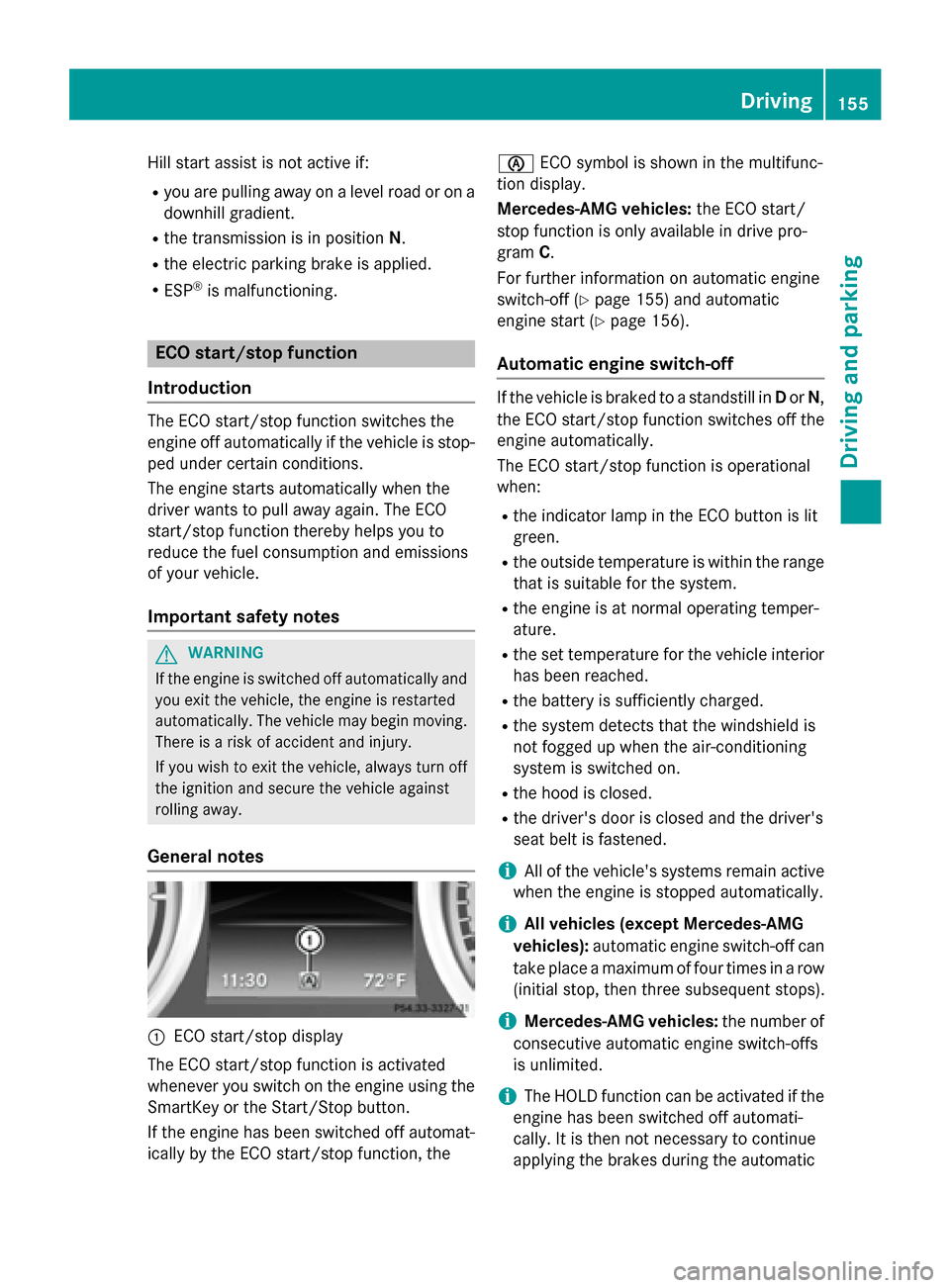
General notes
:ECO start/stop display
The ECO start/stop function is activated
whenever you switch on the engine using the
SmartKey or the Start/Stop button.
If the engine has been switched off automat- ically by the ECO start/stop function, the è
ECO symbol is shown in the multifunc-
tion display.
Mercedes-AMG vehicles: the ECO start/
stop function is only available in drive pro-
gram C.
For further information on automatic engine
switch-off (
Ypage 155) and automatic
engine start (
Ypage 156).
Automatic engine switch-off
If the vehicle is braked to a standstill in Dor N,
the ECO start/stop function switches off the
engine automatically.
The ECO start/stop function is operational
when:
Rthe indicator lamp in the ECO button is lit
green.
Rthe outside temperature is within the range that is suitable for the system.
Rthe engine is at normal operating temper-
ature.
Rthe set temperature for the vehicle interior
has been reached.
Rthe battery is sufficiently charged.
Rthe system detects that the windshield is
not fogged up when the air-conditioning
system is switched on.
Rthe hood is closed.
Rthe driver's door is closed and the driver's
seat belt is fastened.
iAll of the vehicle's systems remain active
when the engine is stopped automatically.
iAll vehicles (except Mercedes-AMG
vehicles): automatic engine switch-off can
take place a maximum of four times in a row
(initial stop, then three subsequent stops).
iMercedes-AMG vehicles: the number of
consecutive automatic engine switch-offs
is unlimited.
iThe HOLD function can be activated if the
engine has been switched off automati-
cally. It is then not necessary to continue
applying the brakes during the automatic
Driving155
Driving and parking
Z
Page 158 of 614

stop phase. When you depress the accel-
erator pedal, the engine starts automati-
cally and the braking effect of the HOLD
function is deactivated.
Automatic engine start
The engine starts automatically if:
Ryou switch off the ECO start/stop function
by pressing the ECO button
Rin transmission position Dor Nthe brake
pedal is released and the HOLD function is
not active
Ryou depress the accelerator pedal
Ryou engage reverse gear R.
Ryou move the transmission out of position
P
Ryou switch to drive program S,S+ orM
(Mercedes-AMG vehicles)
Ryou unfasten your seat belt or open the
driver's door
Rthe vehicle starts to roll
Rthe brake system requires this
Rthe temperature in the vehicle interior devi-
ates from the set range
Rthe system detects moisture on the wind-
shield when the air-conditioning system is
switched on
Rthe battery's condition of charge is too low
iShifting the transmission to position P
does not start the engine.
Deactivating or activating the ECO
start/stop function
All vehicles (except Mercedes-AMG vehi-
cles)
XTo deactivate: press ECO button :.
Indicator lamp ;goes out.
XTo activate: press ECO button :.
Indicator lamp ;lights up.
If the indicator lamp on the ECO button is off,
the ECO start/stop function has been deac-
tivated manually or as the result of a mal-
function.
Mercedes-AMG vehicles
XTo deactivate: in drive program C, press
ECO button :.
or
XSwitch to drive program S,S+ orM
(
Ypage 163).
Indicator lamp ;goes out.
XTo activate: press ECO button :.
Indicator lamp ;lights up.
156Driving
Driving and parking