2016 MERCEDES-BENZ GLC COUPE clutch
[x] Cancel search: clutchPage 8 of 389

Setting ........................................... 141
Setting the centre air vents ........... 141
Setting the side air vents ............... 141
Air-conditioning system
see Climate control
Airbag
Automatic front-passenger front
airbag deactivation .......................... 49
Introduction ..................................... 46
PASSENGER AIR BAG indicator
lamps ............................................... 42
Airbags
Display message ............................ 259
Front airbag (driver, front
passenger) ....................................... 47
Important safety guidelines ............. 46
Kneebag ........................................... 48
Sidebag ............................................ 48
Triggering ......................................... 53
Windowbag ...................................... 48
Alarm
ATA (Anti-Theft Alarm system) ......... 79
Switching off (ATA) .......................... 79
Switching the function on/off
(ATA) ................................................ 79
Alarm system
see ATA (Anti-Theft Alarm system)
AMG
Performance Seat .......................... 106
AMG menu (on-board computer) ..... 245
AMG Performance exhaust system
can be selected ................................. 150
Anti-glare film .................................... 324
Anti-lock braking system
see ABS (Anti-lock Braking System)
Aquaplaning ....................................... 173
Armrest
Stowage compartment .................. 307
Ashtray ............................................... 317
Assistance display (on-board com-
puter) .................................................. 239
Assistance menu (on-board com-
puter) .................................................. 240
ASSYST PLUS
Displaying a service message ........ 330
Driving abroad ............................... 331
Hiding a service message .............. 330 Resetting the service interval dis-
play ................................................ 330
Service message ............................ 330
Special service requirements ......... 331
ATA (Anti-Theft Alarm system)
Activating/deactivating ................... 79
Function ........................................... 79
Switching off the alarm .................... 79
ATTENTION ASSIST
Activating/deactivating ................. 242
Display message ............................ 266
Function/note s............................. 207
Authorised workshop
see Qualified specialist workshop
AUTO lights
Display message ............................ 261
see Lights
Automatic engine start (ECO start/
stop function) .................................... 148
Automatic engine switch-off (ECO
start/stop function) .......................... 148
Automatic front-passenger front
airbag deactivation
Display message ............................ 259
Automatic front-passenger front
airbag deactivation system
Operation ......................................... 49
Problems ......................................... 53
System self-test ............................... 52
Automatic headlamp mode .............. 115
Automatic transmission
Accelerator pedal position ............. 156
Changing gear ............................... 156
DIRECT SELECT lever ..................... 154
Display message ............................ 275
Double-clutch function .................. 156
Drive program display .................... 155
Drive programs .............................. 157
Driving tip s.................................... 156
DYNAMIC SELECT switch .............. 152
Emergency running mod e.............. 161
Engaging drive position .................. 155
Engaging neutral ............................ 154
Engaging park position automati-
cally ............................................... 154
Engaging reverse gear ................... 154
Engaging the park position ............ 154
Gearshift recommendation ............ 160 Index
5
Page 159 of 389
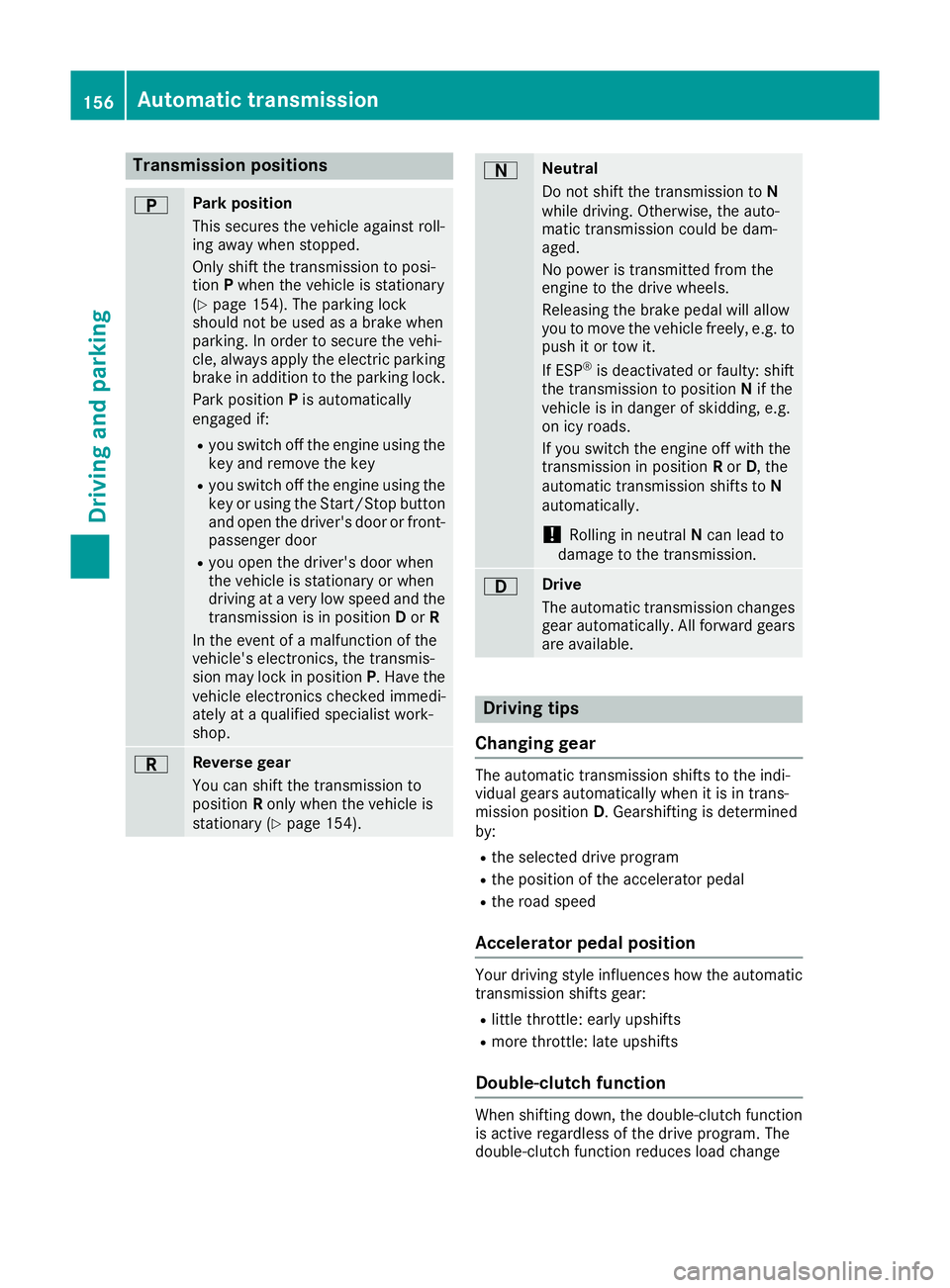
Transmission positions
B Park position
This secures the vehicle against roll-
ing away when stopped.
Only shift the transmission to posi-
tion Pwhen the vehicle is stationary
(Y page 154). The parking lock
should not be used as a brake when
parking. In order to secure the vehi-
cle, always apply the electric parking brake in addition to the parking lock.
Park position Pis automatically
engaged if:
R you switch off the engine using the
key and remove the key
R you switch off the engine using the
key or using the Start/Stop button
and open the driver's door or front- passenger door
R you open the driver's door when
the vehicle is stationary or when
driving at a very low speed and the
transmission is in position Dor R
In the event of a malfunction of the
vehicle's electronics, the transmis-
sion may lock in position P. Have the
vehicle electronics checked immedi-
ately at a qualified specialist work-
shop. C Reverse gear
You can shift the transmission to
position Ronly when the vehicle is
stationary (Y page 154). A Neutral
Do not shift the transmission to
N
while driving. Otherwise, the auto-
matic transmission could be dam-
aged.
No power is transmitted from the
engine to the drive wheels.
Releasing the brake pedal will allow
you to move the vehicle freely, e.g. to push it or tow it.
If ESP ®
is deactivated or faulty: shift
the transmission to position Nif the
vehicle is in danger of skidding, e.g.
on icy roads.
If you switch the engine off with the
transmission in position Ror D, the
automatic transmission shifts to N
automatically.
! Rolling in neutral
Ncan lead to
damage to the transmission. 7 Drive
The automatic transmission changes
gear automatically. All forward gears
are available. Driving tips
Changing gear The automatic transmission shifts to the indi-
vidual gears automatically when it is in trans-
mission position
D. Gearshifting is determined
by:
R the selected drive program
R the position of the accelerator pedal
R the road speed
Accelerator pedal position Your driving style influences how the automatic
transmission shifts gear:
R little throttle: early upshifts
R more throttle: late upshifts
Double-clutch function When shifting down, the double-clutch function
is active regardless of the drive program. The
double-clutch function reduces load change 156
Automatic transmissionDriving an
d parking
Page 160 of 389
reactions and is conducive to a sporty driving
style. The sound generated by the double-clutch
function depends on the drive program.
Kickdown Use kickdown for maximum acceleration:
X Depress the accelerator pedal beyond the
pressure point.
The automatic transmission shifts to a lower
gear depending on the engine speed.
X Ease off the accelerator pedal once the
desired speed is reached.
The automatic transmission shifts back up.
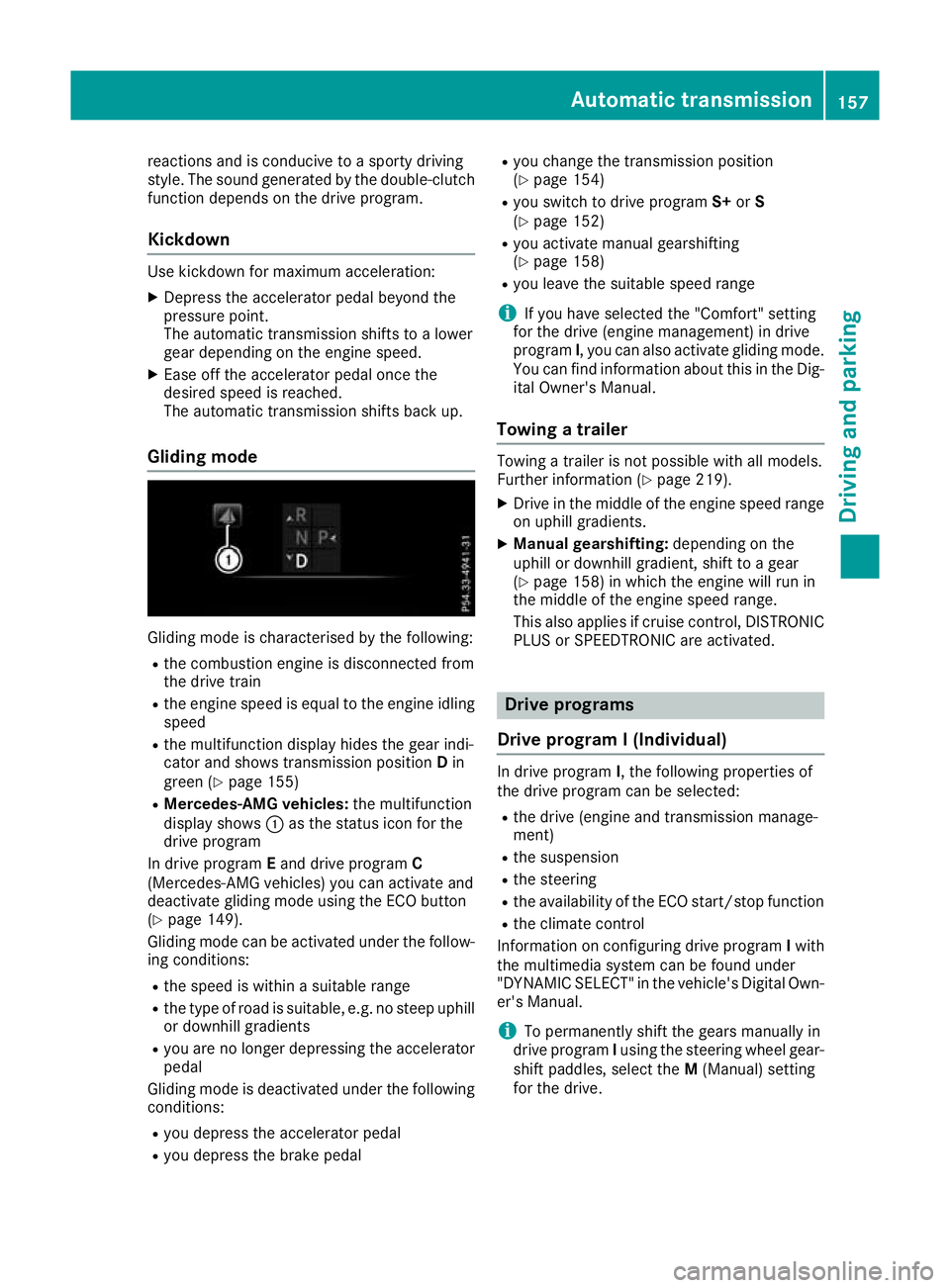
Gliding mode Gliding mode is characterised by the following:
R the combustion engine is disconnected from
the drive train
R the engine speed is equal to the engine idling
speed
R the multifunction display hides the gear indi-
cator and shows transmission position Din
green (Y page 155)
R Mercedes-AMG vehicles: the multifunction
display shows :as the status icon for the
drive program
In drive program Eand drive program C
(Mercedes-AMG vehicles) you can activate and
deactivate gliding mode using the ECO button
(Y page 149).
Gliding mode can be activated under the follow-
ing conditions:
R the speed is within a suitable range
R the type of road is suitable, e.g. no steep uphill
or downhill gradients
R you are no longer depressing the accelerator
pedal
Gliding mode is deactivated under the following
conditions:
R you depress the accelerator pedal
R you depress the brake pedal R
you change the transmission position
(Y page 154)
R you switch to drive program S+orS
(Y page 152)
R you activate manual gearshifting
(Y page 158)
R you leave the suitable speed range
i If you have selected the "Comfort" setting
for the drive (engine management) in drive
program I, you can also activate gliding mode.
You can find information about this in the Dig- ital Owner's Manual.
Towing a trailer Towing a trailer is not possible with all models.
Further information (Y
page 219).
X Drive in the middle of the engine speed range
on uphill gradients.
X Manual gearshifting: depending on the
uphill or downhill gradient, shift to a gear
(Y page 158) in which the engine will run in
the middle of the engine speed range.
This also applies if cruise control, DISTRONIC PLUS or SPEEDTRONIC are activated. Drive programs
Drive program I (Individual) In drive program
I, the following properties of
the drive program can be selected:
R the drive (engine and transmission manage-
ment)
R the suspension
R the steering
R the availability of the ECO start/stop function
R the climate control
Information on configuring drive program Iwith
the multimedia system can be found under
"DYNAMIC SELECT" in the vehicle's Digital Own- er's Manual.
i To permanently shift the gears manually in
drive program Iusing the steering wheel gear-
shift paddles, select the M(Manual) setting
for the drive. Automatic transmission
157Driving and parking Z