2016 MERCEDES-BENZ B-Class ELECTRIC engine
[x] Cancel search: enginePage 163 of 342

XHold test gageAvertically on brake
disc :and slide measuring pin ;onto
brake disc :.
XCheck which color field ?the arrow on
measuring pin ;is pointing to.
Green: the brake pad/lining thickness is
sufficient.
Red: the brake pad/lining thickness is not
sufficient. Have the brake pads/lining
checked at a qualified specialist workshop.
To avoid an inaccurate measurement:
Rmake sure you position the wheels suitably
Rdo not put the measuring pin on a recess in
the brake disc
Driving on wet roads
Hydroplaning
If water has accumulated to a certain depth
on the road surface, there is a danger of
hydroplaning occurring, even if:
Ryou drive at low speeds.
Rthe tires have adequate tread depth.
For this reason, in the event of heavy rain or in conditions in which hydroplaning may occur,
you must drive in the following manner:
Rlower your speed.
Ravoid ruts.
Ravoid sudden steering movements.
Rbrake carefully.
Driving on flooded roads
!Do not drive through flooded areas.
Check the depth of any water before driving through it. Drive slowly through standing
water. Otherwise, water may enter the
vehicle interior or the engine compartment.
This can damage the electronic compo-
nents in the engine or the automatic trans-
mission. Water can also be drawn in by the
engine's air suction nozzles and this can
cause engine damage.
Winter driving
GWARNING
If you increase the recuperation level on slip-
pery road surfaces, the drive wheels may lose
their traction. There is an increased danger of
skidding and accidents.
Do not increase the recuperation level on slip-
pery road surfaces.
Have your vehicle winter-proofed at a quali-
fied specialist workshop at the onset of win-
ter.
Drive particularly carefully on slippery road
surfaces. Avoid sudden acceleration, steering and braking maneuvers. Do not use cruise
control.
If the vehicle threatens to skid or cannot be
stopped when moving at low speed:
XShift the DIRECT SELECT lever to position
N.
The outside temperature indicator is not
designed to serve as an ice-warning device
and is therefore unsuitable for that purpose.
Changes in the outside temperature are dis-
played after a short delay.
Indicated temperatures just above the freez-
ing point do not guarantee that the road sur-
face is free of ice. The road may still be icy,
especially in wooded areas or on bridges.
You should pay special attention to road con-
ditions when temperatures are around freez-
ing point.
For more information on driving with snow
chains, see (
Ypage 305).
For more information on driving with summer
tires, see (
Ypage 304).
Observe the notes in the "Winter operation"
section (
Ypage 304).
Driving tips161
Driving and parking
Z
Page 165 of 342
iCruise control may be unable to maintain
the stored speed on uphill gradients. The
stored speed is resumed when the gradient
evens out. Cruise control maintains the
stored speed on downhill gradients by
automatically applying the brakes.
Storing the current speed or calling up the
last stored speed
GWARNING
If you call up the stored speed and it differs
from th e current speed, the vehicle acceler-
ates or decelerates. If you do not know the
stored speed, the vehicle could accelerate or brake une xpectedly. There is a risk of an acci-
dent.
Pay attention to the road and traffic condi-
tions before calling up the stored speed. If you
do not know th e stored speed, store the
desired speed again.
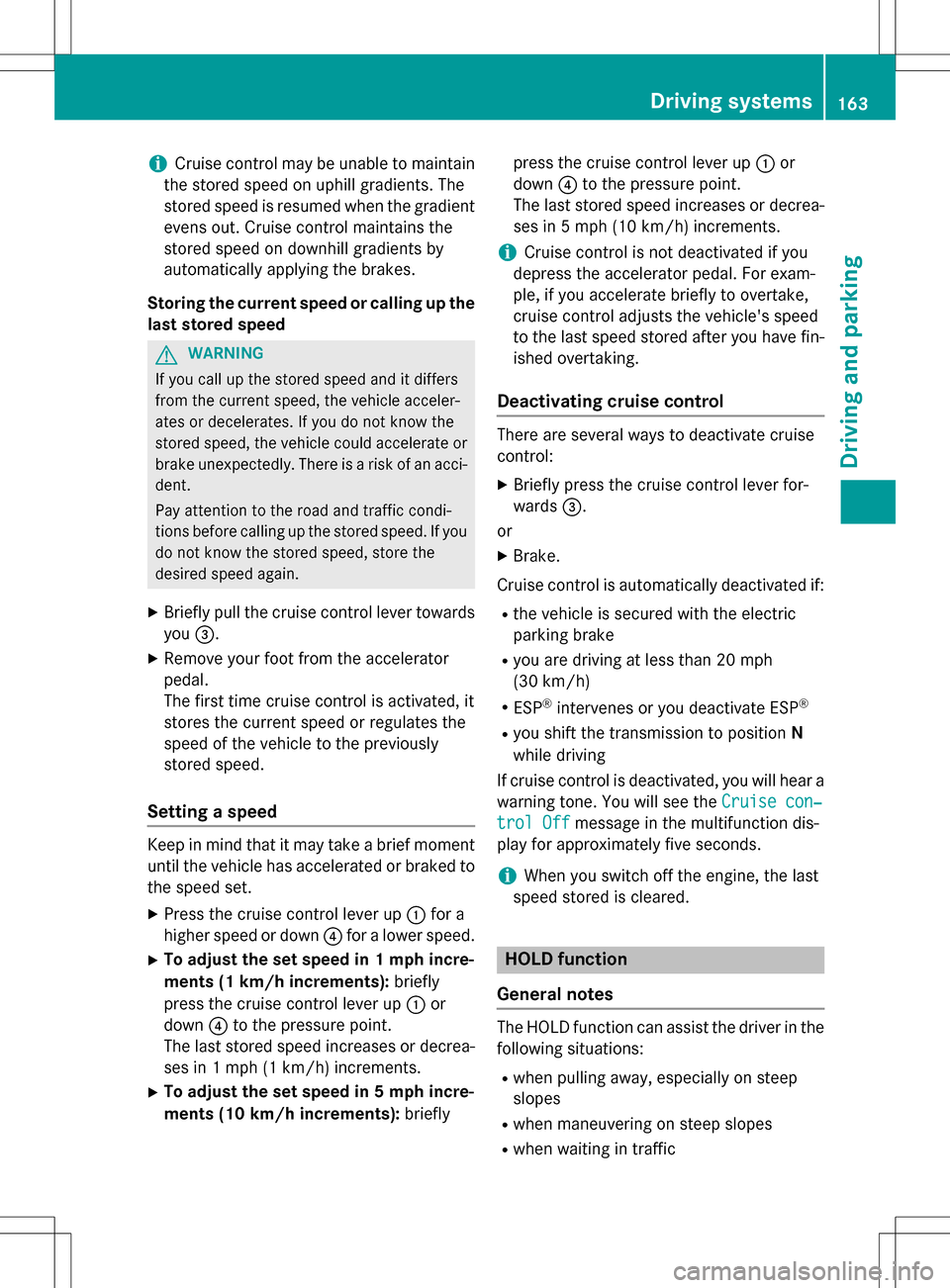
XBriefly pull the cruise control lever towards
you =.
XRemove your foot from the accelerator
pedal.
The first time cruise control is activated, it
stores the current speed or regulates the
speed of the vehicle to the previously
stored speed.
Setting a speed
Keep in mind that it may take a brief moment
until the vehicle has accelerated or braked to
the speed set.
XPress the cruise control lever up :for a
higher speed or down ?for a lower speed.
XTo adju stthe set speed in 1 mph incre-
ments (1 km/h increments): briefly
press the cruise control lever up :or
down ?to the pressure point.
The last stored speed increases or decrea-
ses in 1 mph (1 km/h) increments.
XTo adju st the set speed in 5 mph incre-
ments (10 km/h increments): brieflypress the cruise control lever up
:or
down ?to the pressure point.
The last stored speed increases or decrea-
ses in 5 mph (10 km/h)increments.
iCruise control is not deactivated if you
depress the accelerator pedal. For exam-
ple, if you accelerate briefly to overtake,
cruise control adjusts the vehicle's speed
to the last speed stored after you have fin- ished overtaking.
Deactivating cruise control
There are several ways to deactivate cruise
control:
XBriefly press the cruise control lever for-
wards =.
or
XBrake.
Cruise control is automatically deactivated if:
Rthe vehicle is secured with the electric
parking brake
Ryou are driving at less than 20 mph
(30 km/h)
RESP®intervenes or you deactivate ESP®
Ryou shift the transmission to position N
while driving
If cruise control is deactivated, you will hear a
warning tone. You will see the Cruise con‐
trol Offmessage in the multifunction dis-
play for approximately five seconds.
iWhen you switch off the engine, the last
speed stored is cleared.
HOLD function
General notes
The HOLD function can assist the driver in the
following situations:
Rwhen pulling away, especially on steep
slopes
Rwhen maneuvering on steep slopes
Rwhen waiting in traffic
Driving systems163
Driving and parking
Z
Page 166 of 342
The vehicle is kept stationary without the
driver having to depress the brake pedal.
The braking effect is canceled and the HOLD
function deactivated when you depress the
accelerator pedal to pull away.
Important safety notes
GWARNING
When leaving the vehicle, it can still roll away despite being braked by the HOLD function if:
Rthere is a malfunction in the system or in
the voltage supply.
Rthe HOLD function has been deactivated by
pressing the accelerator pedal or the brake
pedal, e.g. by a vehicle occupant.
Rthe electrical system in the engine com-
partment, the battery or the fuses have
been tampered with.
Rthe battery is disconnected
There is a risk of an accident.
If you wish to exit the vehicle, always turn off the HOLD function and secure the vehicle
against rolling away.
!If the HOLD function is activated, the vehi-
cle brakes automatically in certain situa-
tions.
To prevent damage to the vehicle, deacti-
vate the HOLD function in the following or
other similar situations:
Rwhen towing the vehicle
Rin the car wash
Deactivating the HOLD function
(
Ypage 164).
Activation conditions
You can activate the HOLD function if:
Rthe vehicle is stationary
Rthe engine is running or if it has been auto-
matically switched off by the ECO start/
stop function
Rthe driver's door is closed or your seat belt
is fastened
Rthe electric parking brake is released
Rthe transmission is in position D,Ror N
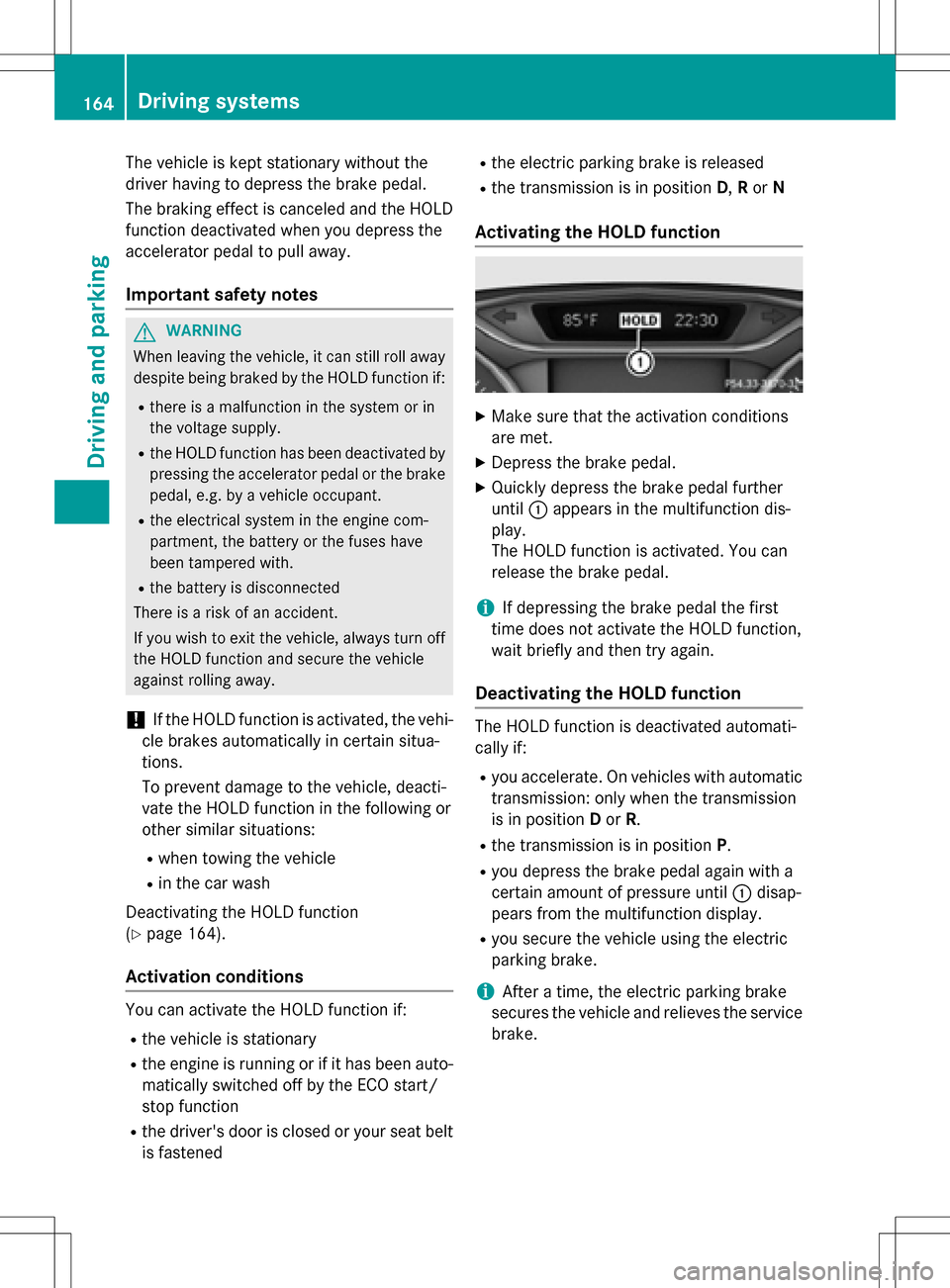
Activating the HOLD function
XMake sure that the activation conditions
are met.
XDepress the brake pedal.
XQuickly depress the brake pedal further
until :appears in the multifunction dis-
play.
The HOLD function is activated. You can
release the brake pedal.
iIf depressing the brake pedal the first
time does not activate the HOLD function,
wait briefly and then try again.
Deactivating the HOLD function
The HOLD function is deactivated automati-
cally if:
Ryou accelerate. On vehicles with automatic
transmission: only when the transmission
is in position Dor R.
Rthe transmission is in position P.
Ryou depress the brake pedal again with a
certain amount of pressure until :disap-
pears from the multifunction display.
Ryou secure the vehicle using the electric
parking brake.
iAfter a time, the electric parking brake
secures the vehicle and relieves the service
brake.
164Driving systems
Driving and parking
Page 167 of 342

The electric parking brake secures the vehicle
automatically if the HOLD function is activa-
ted and:
Rthe driver's seat belt is not fastened and the
driver's door is open.
Rthe engine is switched off, unless it is auto- matically switched off by the ECO start/
stop function.
Ra system malfunction occurs.
Rthe power supply is not sufficient.
The Brake Immediately
message may also
appear in the multifunction display.
XImmediately depress the brake firmly until
the warning message in the multifunction
display goes out.
The HOLD function is deactivated. The horn
sounds at regular intervals if you have
switched off the engine, released the seat
belt and opened the driver's door with the
HOLD function activated. The sounding of the
horn alerts you to the fact that the HOLD
function is still activated. If you attempt to
lock the vehicle, the tone becomes louder.
The vehicle cannot be locked until you have
deactivated the HOLD function.
iAfter switching off the engine, it can only
be started again once you have deactivated
the HOLD function.
PARKTRONIC
Important safety notes
PARKTRONIC is an electronic parking aid with ultrasonic sensors. It monitors the area
around your vehicle using six sensors in the
front bumper and six sensors in the rear
bumper. PARKTRONIC indicates visually and
audibly the distance between your vehicle
and an object.
PARKTRONIC is only an aid. It is not a replace-
ment for your attention to your immediate
surroundings. You are always responsible for
safe maneuvering, parking and exiting a park-
ing space. When maneuvering, parking or pulling out of a parking space, make sure that
there are no persons, animals or objects in
the area in which you are maneuvering.
!When parking, pay particular attention to
objects above or below the sensors, such
as flower pots or trailer drawbars.
PARKTRONIC does not detect such objects
when they are in the immediate vicinity of
the vehicle. You could damage the vehicle
or the objects.
The sensors may not detect snow and other
objects that absorb ultrasonic waves.
Ultrasonic sources such as an automatic
car wash, the compressed-air brakes on a
truck or a pneumatic drill could cause
PARKTRONIC to malfunction.
PARKTRONIC may not function correctly on
uneven terrain.
PARKTRONIC is activated automatically when
you:
Rswitch on the ignition
Rshift the transmission to position D,Ror N
Rshift the transmission to position D,Ror N
Rrelease the electric parking brake
Range of the sensors
General notes
PARKTRONIC does not take objects into con-
sideration that are:
Rbelow the detection range, e.g. people, ani-
mals or objects.
Rabove the detection range, e.g. overhang-
ing loads, truck overhangs or loading
ramps.
Driving systems165
Driving and parking
Z
Page 169 of 342
ments. PARKTRONIC is operational if yellow
segments showing operational readiness=
light up.
The transmission position of the automatic
transmission and the direction in which the
vehicle is rolling determine which warning
display is active when the engine is running.
Transmission
positionWarning display
DFront area activated
R, Nor the vehicle
is rolling back-
wardsRear and front areas
activated
PNo areas activated
One or more segments light up as the vehicle
approaches an obstacle, depending on the
vehicle's distance from the obstacle.
From the:
Rsixth segment onwards, you will hear an
intermittent warning tone for approx-
imately two seconds.
Rseventh segment onwards, you will hear a
warning tone for approximately two sec-
onds. This indicates that you have now
reached the minimum distance.
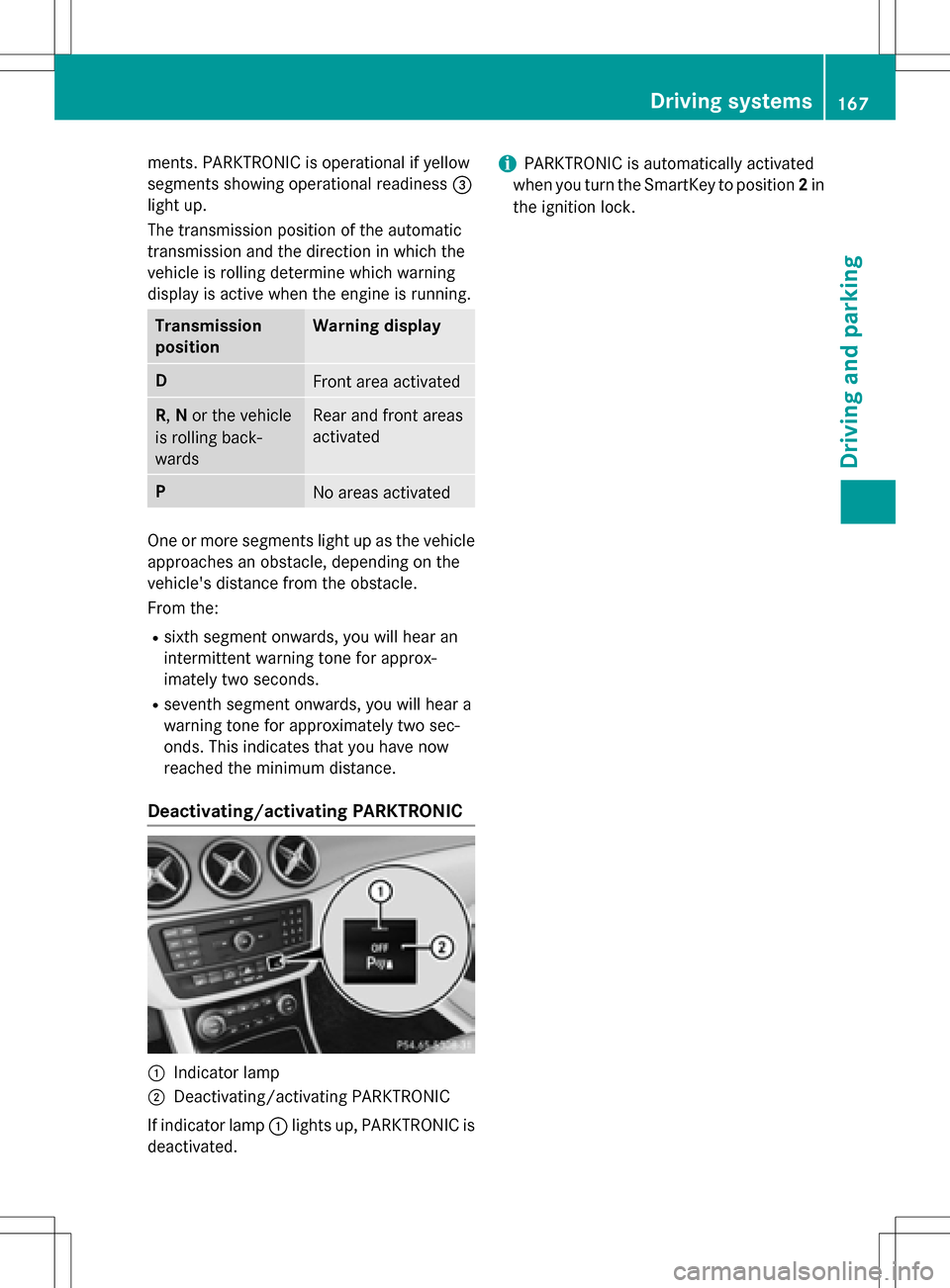
Deactivating/activating PARKTRONIC
:Indicator lamp
;Deactivating/activating PARKTRONIC
If indicator lamp :lights up, PARKTRONIC is
deactivated.
iPARKTRONIC is automatically activated
when you turn the SmartKey to position 2in
the ignition lock.
Driving systems167
Driving and parking
Z
Page 173 of 342
As soon as the parking procedure is com-
plete, thePark
AssistSwitchedOffmes-
sage appears and a warning tone sounds. The
vehicle is now parked.
Active Parking Assist no longer supports you
with steering interventions and brake appli-
cations. When Active Parking Assist is fin-
ished, you must steer and brake again your-
self. PARKTRONIC is still available.
Parking tips:
RThe way your vehicle is positioned in the
parking space after parking is dependent
on various factors. These include the posi-
tion and shape of the vehicles parked in
front and behind it and the conditions of the
location. It may be the case that Active
Parking Assist guides you too far into a
parking space, or not far enough into it. In
some cases, it may also lead you across or
onto the curb. If necessary, you should can-
cel the parking procedure with Active Park-
ing Assist.
RYou can also select preselect transmission position D. The vehicle redirects and does
not drive as far into the parking space.
Should the transmission change take place
too early, the parking procedure will be
canceled. A sensible parking position can
no longer be achieved from this position.
Exiting a parking space
In order that Active Parking Assist can sup-
port you when you exit the parking space:
Ryou need to have parked using Active Park-
ing Assist.
Rthe border of the parking space must be
high enough at the front and the rear. A
curb is too small, for example.
Rthe border of the parking space must not be
too wide, as the position of the vehicle must
not exceed an angle of 45° to the starting
position as it is maneuvering into the park-
ing space.
Ra maneuvering distance of at least 3.3 ft
(1.0 m) must be available. Active Parking Assist can only assist you with
exiting a parking space if you have parked the
vehicle parallel to the direction of travel using
Active Parking Assist.
XStart the engine.
XRelease the electric parking brake.
XSwitch on the turn signal in the direction
you will drive out of the parking space.
XShift the transmission to position
Dor R.
The Start Park Assist? Yes: OK No:
message appears in the multifunction dis-
play %.
XTo cancel the procedure: press the%
button on the multifunction steering wheel or pull away.
or
XTo exit a parking space using Active
Parking Assist: press theabutton on
the multifunction steering wheel.
The Park Assist Active Accelerate
andBrakeObserveSurroundingsmes-
sage appears in the multifunction display.
XLet go of the multifunction steering wheel.
XPull away, being ready to brake at all times.
Do not exceed a maximum speed of
approximately 6 mph (10 km/h) when exit-
ing a parking space. Otherwise Active Park-
ing Assist will be canceled.
XStop when PARKTRONIC sounds the con-
tinuous warning tone, if not before.
XDepending on the message or as required,
shift the transmission to position Dor R.
Active Parking Assist immediately steers in
the other direction. The Park Assist
Active Accelerate and Brake
ObserveSurroundingsmessage appears
in the multifunction display.
iYou will achieve the best results by wait-
ing for the steering procedure to complete
before pulling away.
If you back up after activation, the steering
wheel is moved to the straight-ahead posi-
tion.
Driving systems171
Driving and parking
Z
Page 178 of 342
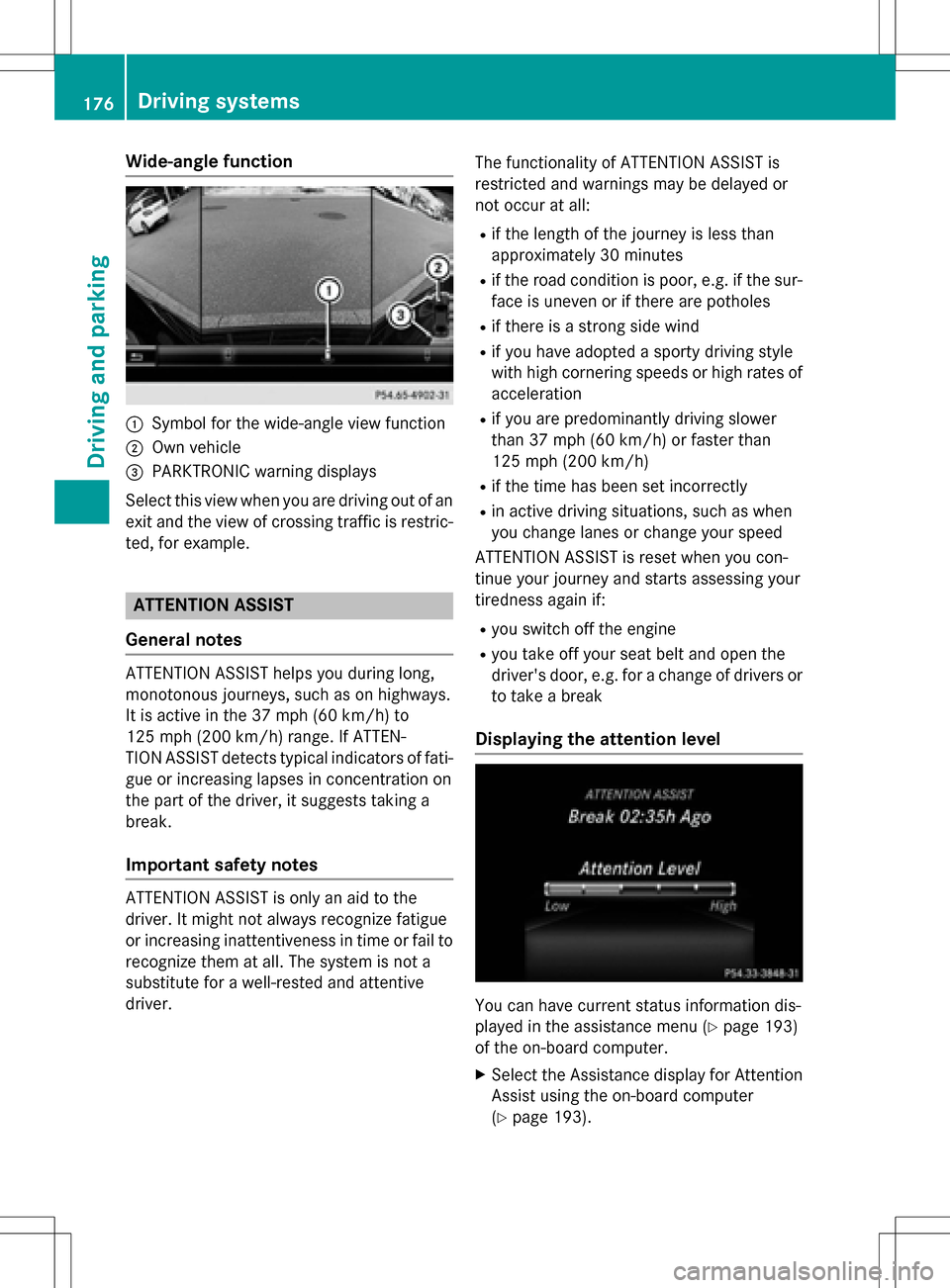
Wide-angle function
:Symbol for the wide-angle view function
;Own vehicle
=PARKTRONIC warning displays
Select this view when you are driving out of an
exit and the view of crossing traffic is restric-
ted, for example.
ATTENTION ASSIST
General notes
ATTENTION ASSIST helps you during long,
monotonous journeys, such as on highways.
It is active in the 37 mph (60 km/h) to
125 mph (200 km/h) range. If ATTEN-
TION ASSIST detects typical indicators of fati-
gue or increasing lapses in concentration on
the part of the driver, it suggests taking a
break.
Important safety notes
ATTENTION ASSIST is only an aid to the
driver. It might not always recognize fatigue
or increasing inattentiveness in time or fail to recognize them at all. The system is not a
substitute for a well-rested and attentive
driver. The functionality of ATTENTION ASSIST is
restricted and warnings may be delayed or
not occur at all:
Rif the length of the journey is less than
approximately 30 minutes
Rif the road condition is poor, e.g. if the sur-
face is uneven or if there are potholes
Rif there is a strong side wind
Rif you have adopted a sporty driving style
with high cornering speeds or high rates of
acceleration
Rif you are predominantly driving slower
than 37 mph (60 km/h) or faster than
125 mph (200 km/h)
Rif the time has been set incorrectly
Rin active driving situations, such as when
you change lanes or change your speed
ATTENTION ASSIST is reset when you con-
tinue your journey and starts assessing your
tiredness again if:
Ryou switch off the engine
Ryou take off your seat belt and open the
driver's door, e.g. for a change of drivers or
to take a break
Displaying the attention level
You can have current status information dis-
played in the assistance menu (
Ypage 193)
of the on-board computer.
XSelect the Assistance display for Attention
Assist using the on-board computer
(
Ypage 193).
176Driving systems
Driving and parking
Page 179 of 342

The following information is displayed:
Rlength of the journey since the last break.
Rthe attention level determined by ATTEN-
TION ASSIST (Attention Level
), dis-
played in a bar display in five levels from
high to low
Rif ATTENTION ASSIST is unable to calculate the attention level and cannot issue a warn-
ing, the System Suspended
message
appears. The bar display then changes the
display, e.g. if you are driving at a speed
below 37 mph (60 km/ h)or above 124 mph
(200 km/ h).
Activating ATTENTION ASSIST
XActivat e ATTENTION ASSIST using the on-
board computer (
Ypage 194).
The system determines the attention level
of the driver depending on the setting
selected:
If Standard
is selected: the sensitivity with
which the system determines the attention
level is set to normal.
If Sensitive
is selected: the sensitivity is set
higher. The attention level detected by Atten-
tion Assist is adapted accordingly and the
driver is warned earlier.
When ATTENTION ASSIST is deactivated, the
é symbol appears in the multifunction
display in the assistance graphic display.
When ATTENTION ASSIST has been deactiva-
ted, it is automatically reactivated after the
engine has been stopped. The sensitivity
selected corresponds to the last selection
activated (standard/sensitive).
Warn ing in the multifunction display
If fatigue or increasing lapses in concentra-
tion are detected, a warning appears in the
multifunction display: ATTENTION ASSIST
TakeaBreak!.
In addition to the message shown in the mul-
tifunction display, you will then hear a warn-
ing tone .
XIf necessary, takeabreak.
XConfirm the message by pressing th ea
button on the steering wheel.
On long journeys, take regular breaks in good
time to allow yourself to rest properly. If you
do not tak eabreak and ATTENTION ASSIST
still detects increasing lapses in concentra-
tion , you will be warned again after
15 minute sat the earliest. This will only hap-
pen if ATTENTION ASSIST still detects typical
indicators of fatigue or increasing lapses in
concentration.
If a warning is output in the multifunction dis-
play, a service station search is performed in
COMAND. You can select a service station
and navigation to this service station will then
begin. This function can be activated and
deactivated in COMAND.
Blind Spot Assist
General notes
Blind Spot Assist monitors the areas on either side of the vehicle that are not visible to the
driver with two lateral, rear-facing radar sen-
sors. A warning display in the exterior mirrors
draws your attention to vehicles detected in
the monitored area. If you then switch on the
corresponding turn signal to change lane, you
will also receive an optical and audible warn-
ing.
Blind Spot Assist supports you from a speed
of approximately 20 mph (30 km/h).
Important safety notes
GWARNING
Blind Spot Assist does not react to:
Rvehicles overtaken too closely on the side,
placing them in the blind spot area
Rvehicles which approach with a large speed
differential and overtake your vehicle
As a result, Blind Spot Assist may not give
warnings in such situations. There is a risk of
an accident.
Driving systems177
Driving and parking
Z