2016 LINCOLN MKS ECO mode
[x] Cancel search: ECO modePage 75 of 382

Headlamp Flasher
Slightly pull the lever toward you and release
it to flash the headlamps.
AUTOLAMPS
WARNING
The autolamps switch position may not
activate the headlamps in all low
visibility conditions, such as daytime
fog. Make sure the headlamps are switched
to auto or on, as appropriate, during all low
visibility conditions. Failure to do so may
result in a crash. When the lighting control is in the autolamps
position, the headlamps automatically turn
on in low light situations or when the wipers
activate.
If equipped, the following also activate when
the lighting control is in the autolamps
position and you switch them on in the
information display:
•
Configurable daytime running lamps.
• Automatic high beam control.
• Adaptive headlamp control.
The headlamps remain on for a period of time
after you switch the ignition off. Use the
information display controls to adjust the
period of time that the headlamps remain
on. See Information Displays (page 89). Note:
With the headlamps in the autolamps
position, you cannot switch the high beam
headlamps on until the autolamps system
turns the low beam headlamps on.
Windshield Wiper Activated
Headlamps
The windshield wiper activated headlamps
turn on within 10 seconds when you switch
the windshield wipers on and the lighting
control is in the autolamps position. They
turn off approximately 60 seconds after you
switch the windshield wipers off.
The headlamps do not turn on by wiper
activation:
• During a mist wipe.
• When the wipers are on to clear washer
fluid during a wash condition.
• If the wipers are in intermittent mode.
Note: If you switch autolamps and autowipers
on, the headlamps will automatically turn on
when the windshield wipers continuously
operate.
72
MKS (CLE) Canada/United States of America, enUSA, First Printing LightingE163268 E173258
A
Page 88 of 382
WARNING LAMPS AND
INDICATORS
The following warning lamps and indicators
will alert you to a vehicle condition that may
become serious. Some lamps will illuminate
when you start your vehicle to make sure they
work. If any lamps remain on after starting
your vehicle, refer to the respective system
warning lamp for further information.
Note:
Some warning indicators appear in the
information display and function the same as
a warning lamp, but do not display when you
start your vehicle.
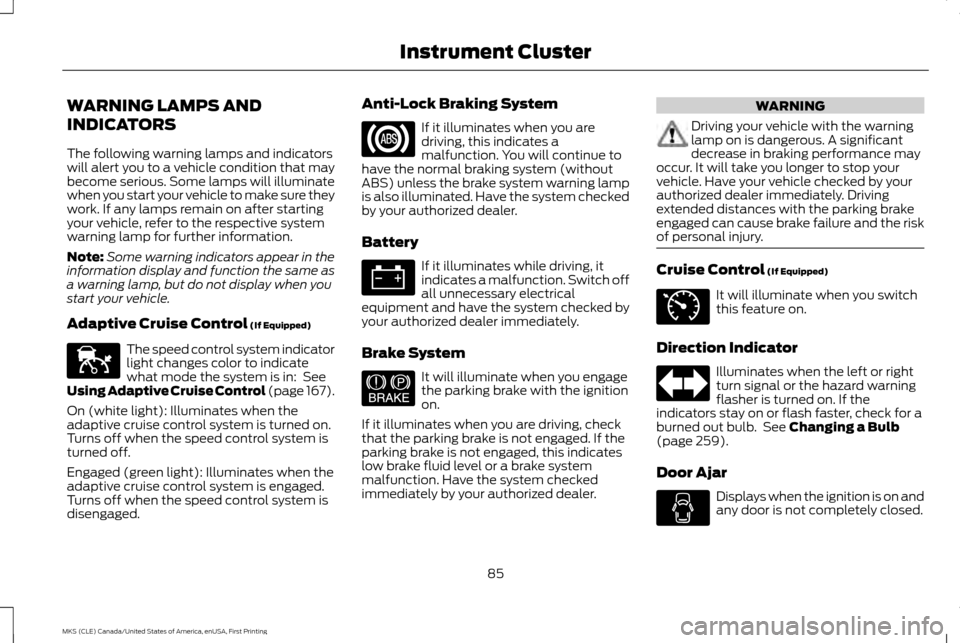
Adaptive Cruise Control (If Equipped) The speed control system indicator
light changes color to indicate
what mode the system is in:
See
Using Adaptive Cruise Control (page 167).
On (white light): Illuminates when the
adaptive cruise control system is turned on.
Turns off when the speed control system is
turned off.
Engaged (green light): Illuminates when the
adaptive cruise control system is engaged.
Turns off when the speed control system is
disengaged. Anti-Lock Braking System If it illuminates when you are
driving, this indicates a
malfunction. You will continue to
have the normal braking system (without
ABS) unless the brake system warning lamp
is also illuminated. Have the system checked
by your authorized dealer.
Battery If it illuminates while driving, it
indicates a malfunction. Switch off
all unnecessary electrical
equipment and have the system checked by
your authorized dealer immediately.
Brake System It will illuminate when you engage
the parking brake with the ignition
on.
If it illuminates when you are driving, check
that the parking brake is not engaged. If the
parking brake is not engaged, this indicates
low brake fluid level or a brake system
malfunction. Have the system checked
immediately by your authorized dealer. WARNING
Driving your vehicle with the warning
lamp on is dangerous. A significant
decrease in braking performance may
occur. It will take you longer to stop your
vehicle. Have your vehicle checked by your
authorized dealer immediately. Driving
extended distances with the parking brake
engaged can cause brake failure and the risk
of personal injury. Cruise Control
(If Equipped)
It will illuminate when you switch
this feature on.
Direction Indicator Illuminates when the left or right
turn signal or the hazard warning
flasher is turned on. If the
indicators stay on or flash faster, check for a
burned out bulb. See
Changing a Bulb
(page 259).
Door Ajar Displays when the ignition is on and
any door is not completely closed.
85
MKS (CLE) Canada/United States of America, enUSA, First Printing Instrument ClusterE144524 E144522 E71340
Page 90 of 382

Parking Lamps
It will illuminate when you switch
the parking lamps on.
Powertrain Fault Illuminates when a powertrain or
an AWD fault has been detected.
Contact your authorized dealer as
soon as possible.
Service Engine Soon If the service engine soon indicator
light stays illuminated after the
engine is started, it indicates that
the On Board Diagnostics system (OBD) has
detected a malfunction of the vehicle
emissions control system. Refer to On board
diagnostics (OBD) in the Fuel and Refueling
chapter for more information about having
your vehicle serviced. See Emission Control
System (page 137).
If the light is blinking, engine misfire is
occurring which could damage your catalytic
converter. Drive in a moderate fashion (avoid
heavy acceleration and deceleration) and
have your vehicle serviced immediately. WARNING
Under engine misfire conditions,
excessive exhaust temperatures could
damage the catalytic converter, the
fuel system, interior floor coverings or other
vehicle components, possibly causing a fire.
Have an authorized dealer service your
vehicle immediately. The service engine soon indicator light
illuminates when the ignition is first turned
on prior to engine start to check the bulb and
to indicate whether the vehicle is ready for
Inspection/Maintenance (I/M) testing.
Normally, the service engine soon light will
stay on until the engine is cranked, then turn
itself off if no malfunctions are present.
However, if after 15 seconds the service
engine soon light blinks eight times, it means
that the vehicle is not ready for I/M testing.
See
Emission Control System (page 137).
Stability Control It will flash when the system is
active. If it remains illuminated or
does not illuminate when you
switch the ignition on, this indicates a
malfunction. During a malfunction the system
will switch off. Have the system checked by
your authorized dealer immediately. See
Using Stability Control
(page 155).
Stability Control Off It will illuminate when you switch
the system off. It will go out when
you switch the system back on or
when you switch the ignition off. See Using
Stability Control
(page 155).
AUDIBLE WARNINGS AND
INDICATORS
Keyless Warning Alert
The horn will sound twice when you exit your
vehicle with the intelligent access key and
your vehicle is in RUN, indicating your vehicle
is still on.
87
MKS (CLE) Canada/United States of America, enUSA, First Printing Instrument Cluster E138639
Page 92 of 382

GENERAL INFORMATION
WARNING
Driving while distracted can result in
loss of vehicle control, crash and injury.
We strongly recommend that you use
extreme caution when using any device that
may take your focus off the road. Your
primary responsibility is the safe operation
of your vehicle. We recommend against the
use of any hand-held device while driving and
encourage the use of voice-operated systems
when possible. Make sure you are aware of
all applicable local laws that may affect the
use of electronic devices while driving. Various systems on your vehicle can be
controlled using the information display
controls on the steering wheel.
Corresponding information is displayed in the
information display. Information Display Controls
•
Press the up and down arrow buttons to
scroll through and highlight the options
within a menu.
• Press the right arrow button to enter a
sub-menu.
• Press the left arrow button to exit a menu.
• Press and hold the left arrow button at
any time to return to the main menu
display (escape button).
• Press the OK button to choose and
confirm settings or messages. This icon gives you the ability to
switch a feature on or off. A check
in the box indicates the feature is
enabled, and unchecked indicates the feature
is disabled.
Main menu
From the main menu bar on the left side of
the information display, you can choose from
the following categories:
Scroll up or down to highlight one of the
categories and then press the right arrow key
or OK to enter into that category. Press the
left arrow key as needed to exit back to the
main menu.
• Display Mode
• Trip 1 & 2
• Fuel Economy
• Driver Assist
• Settings
Display Mode
Use the up or down arrow buttons to choose
between the following display options.
89
MKS (CLE) Canada/United States of America, enUSA, First Printing Information DisplaysE173228 E204495
Page 93 of 382

Display Mode
XXX mi (km) to empty, Fuel gauge and Total odometer
Option 1
Round tachometer, Fuel gauge and Total odometer
Option 2
Round tachometer, Engine coolant temp gauge, Fuel gauge and Total odometer
Option 3
Digital speedometer, Fuel gauge and Total odometer
Option 4
Regardless of display mode chosen, when you use the SelectShift Automatic ™ transmission (SST), the cluster will change to the round
tachometer if not already selected.
XXX mi (km) to empty
Shows approximate fuel level before the fuel
tank reaches empty. The value is dynamic
and can change (raise or lower) depending
on driving style.
Fuel gauge
Switch the ignition on. The fuel gauge will
indicate approximately how much fuel is in
the fuel tank. The arrow next to the fuel pump
symbol shows the fuel filler door side of your
vehicle. When the fuel level becomes low,
the level indicator will change to amber.
When the fuel level becomes critically low,
the level indicator will change to red. Note:
The fuel gauge level may vary slightly
when your vehicle is moving or when driving
on a slope.
Note: When a MyKey® is in use, low fuel
warnings will display earlier.
Round tachometer
Indicates the engine speed in revolutions per
minute. Driving with your tachometer pointer
continuously at the top of the scale may
damage the engine. During SelectShift
Automatic ™ transmission (SST) use, the
currently selected gear will appear in the
display. Engine coolant temperature gauge
Indicates engine coolant temperature. At
normal operating temperature, the level
indicator will be in the normal range. If the
engine coolant temperature exceeds the
normal range, stop your vehicle as soon as
safely possible, switch off the engine and let
the engine cool.
Trip 1 & 2
Choose between the following trip displays.
90
MKS (CLE) Canada/United States of America, enUSA, First Printing Information Displays
Page 109 of 382

Note: Recirculated air may also turn on and off automatically in instrument panel or instrument panel and floor airflow modes during
hot weather to improve cooling efficiency.
MAX A/C:
Adjust for maximum cooling. Recirculated air flows through the instrument panel vents, air conditioning automatically
turns on and the fan automatically adjusts to the highest speed.
E
A/C:
Press to switch the air conditioning on or off. Air conditioning cools your vehicle using outside air. To improve the time to reach
a comfortable temperature in hot weather, drive with the windows open until you feel cold air through the air vents.
F
Note:
In certain conditions (for example, maximum defrost), the air conditioning compressor may continue to operate even though
the air conditioning is switched off.
Power:
Press to switch the system on and off. When the system is off, it prevents outside air from entering the vehicle.
G
AUTO:
Press to switch on automatic operation. Adjust to select the desired temperature. Fan speed, air distribution, air conditioning
operation, and outside or recirculated air are automatically adjusted to heat or cool the vehicle to maintain the desired temperature.
You can also switch off dual zone mode by pressing and holding for more than two seconds.
H
Heated rear window:
Press to switch the heated rear window on and off. See Heated Windows and Mirrors (page 107).
I
Defrost:
Select to distribute air through the windshield air vents. Air distribution to the instrument panel and footwell vents turns
off. You can also use this setting to defrost and clear the windshield of a thin covering of ice.
J
HINTS ON CONTROLLING THE
INTERIOR CLIMATE
General Hints
Note: Prolonged use of recirculated air may
cause the windows to fog up.
Note: You may feel a small amount of air from
the footwell air vents regardless of the air
distribution setting. Note:
To reduce humidity build-up inside your
vehicle, do not drive with the system switched
off or with recirculated air always switched on.
Note: Do not place objects under the front
seats as this may interfere with the airflow to
the rear seats.
Note: Remove any snow, ice or leaves from
the air intake area at the base of the
windshield. Note:
To improve the time to reach a
comfortable temperature in hot weather, drive
with the windows open until you feel cold air
through the air vents.
106
MKS (CLE) Canada/United States of America, enUSA, First Printing Climate Control
Page 116 of 382

Note:
On vehicles with memory seats, to
prevent damage to the seat, the power seats
are designed to set a stopping position just
short of the end of the seat track. If the seat
encounters an object while moving forward or
backward, a new stopping position will be set.
To reset the seat to its normal stopping
position:
1. After encountering the new stopping position, press the power seat control
again to override.
2. Continue pressing the control until it reaches the end of the seat track.
3. Continue pressing the control for about two seconds. You will feel the seat
bounce back slightly.
Power Lumbar Press the top of the control (A) to raise the
height of the lumbar support. Press the
bottom of the control (A) to lower the height
of the lumbar support
Press the front of the control (B) to adjust
firmness. Press the rear of the control (B) to
adjust softness.
Multi-Contour Front Seats With
Active Motion (If Equipped)
Note:
The massage system will turn off after
20 minutes.
Note: The engine must be running or the
vehicle must be in accessory mode to activate
the seats.
Note: Allow a few seconds for any selection
to activate. The seatback and cushion
massage cannot function at the same time. Cushion and seat back massage
control.
A
Lumbar control.
B
Power seat controls.
C
• Seat cushion massage: Press and release
the front portion of the massage control
(A). Press again to cancel or press the
lumbar control to cancel.
• Seatback massage: Press and release the
rear portion of the massage button (A).
Press again to cancel or press the lumbar
control to cancel.
• Lumbar selection: Press either up or down
on the lumbar control (B) to select the
top, middle, or bottom part of the
seatback.
113
MKS (CLE) Canada/United States of America, enUSA, First Printing SeatsE173201 E173202
Page 124 of 382

1. Press and hold the HomeLink button
while you press and release, every two
seconds, your hand-held transmitter
until the HomeLink indicator light
changes from a slow to a rapidly blinking
light.
2. Release both the HomeLink and hand-held transmitter buttons.
3. Continue programing HomeLink. See In-Vehicle Programming
.
Erasing the Function Button Codes
Note: You cannot erase individual buttons. 1. Press and hold the outer two function
buttons simultaneously for approximately
20 seconds until the indicator lights
above the buttons flash rapidly. 2. When the indicator lights flash, release
the buttons. The codes for all buttons are
erased.
Reprogramming a Single Button
To program a device to a previously trained
button, follow these steps:
1. Press and hold the desired button. Do NOT release the button.
2. The indicator light will begin to flash after
20 seconds. Without releasing the button,
follow Step 1 in the Programming section.
For questions or comments, contact
HomeLink at www.homelink.com,
www.youtube.com/HomeLinkGentex or
1-800-355-3515.
Programming to a Genie Intellicode 2
Garage Door Opener
Note: The Genie Intellicode 2 transmitter must
already be programmed to operate with the
garage door opener.
Note: To program HomeLink to the
transmitter you must first put the transmitter
into programming mode. Red indicator light
A.
Green indicator light
B.
1. Press and hold one of the buttons on the
hand-held transmitter for 10 seconds. The
indicator light will change from green to
red and green.
2. Press the same button twice to confirm the change to programming mode. If
done properly the indicator light will
appear red.
3. Hold the transmitter within 1– 3 inches
(2 –8 centimeters) of the button on the
visor you want to program.
121
MKS (CLE) Canada/United States of America, enUSA, First Printing Universal Garage Door OpenerE142660 BAE142661