2016 LEXUS RX450H remove
[x] Cancel search: removePage 89 of 660
891-4. Theft deterrent system
1
For safety and security
RX450h_U_OM0E013U
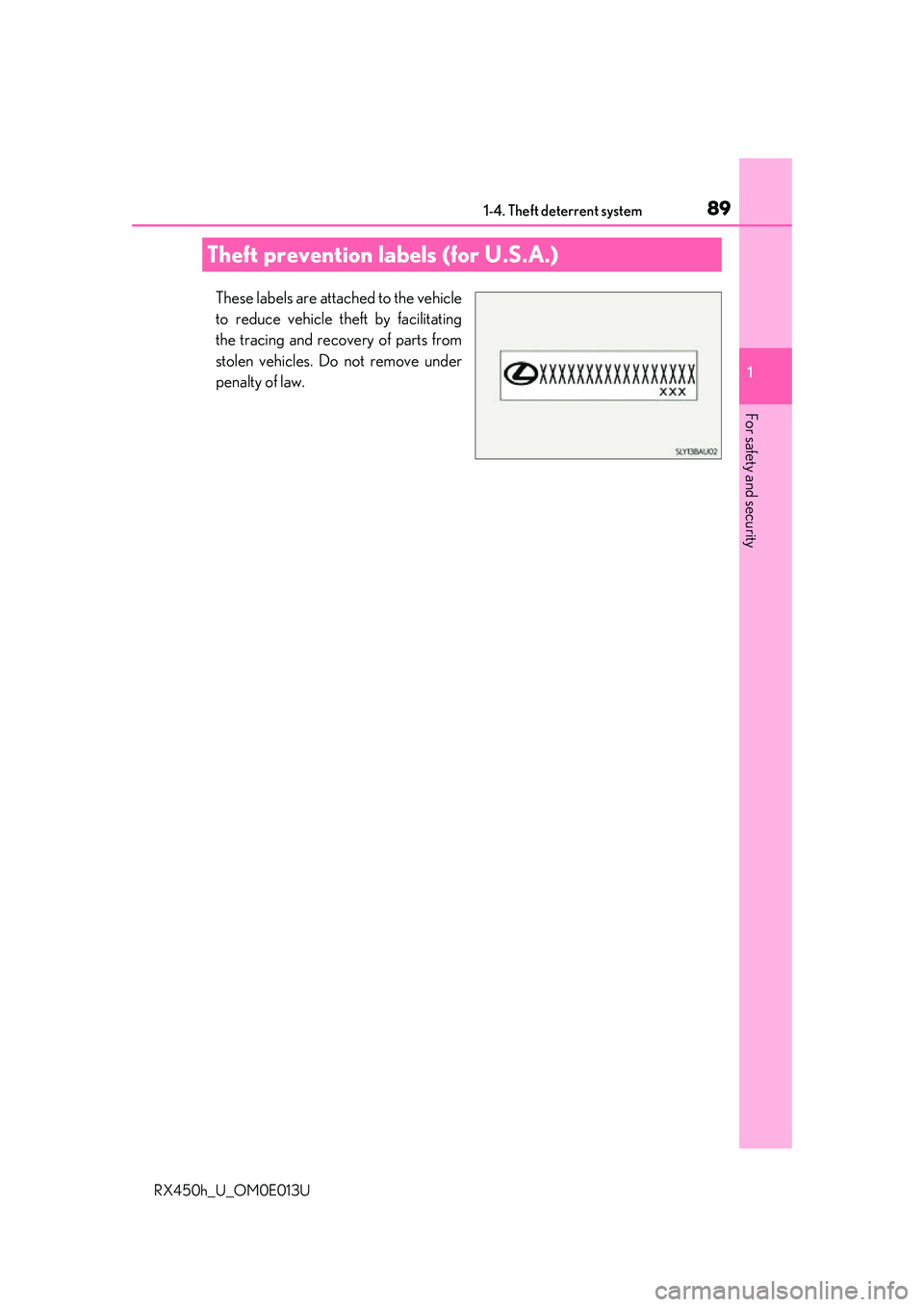
These labels are attached to the vehicle
to reduce vehicle theft by facilitating
the tracing and recovery of parts from
stolen vehicles. Do not remove under
penalty of law.
Theft prevention labels (for U.S.A.)
Page 122 of 660

1222. Instrument cluster
RX450h_U_OM0E013U
■Head-up display
The head-up display may seem dark or hard to see when viewed through sunglasses,
especially pola rized sunglasses.
Adjust the brightness of the head-up display or remove your sunglasses.
■When the 12-volt battery is disconnected
The customize settings of the head-up display will be reset.
■Display brightness
The brightness of the head-up display can be adjusted on of the multi-information
display. Also, it is automatically adju sted according to the ambient brightness.
■Enabling/disabling of the head-up display
If the head-up display is disabled, it will remain disabled when the power switch is turned
off then back to ON mode.
■Street name display (vehicle s with a navigation system)
Only street names which are included in the map data will be displayed.
WARNING
■Before using the head-up display
●Check that the position and brightness of the head-up display image does not inter-
fere with safe driving. Incorrect adjustment of the image’s position or brightness may
obstruct the driver’s view and lead to an acc ident, resulting in death or serious injury.
●Do not continuously look at the head-up display while driving as you may fail to see
pedestrians, objects on the road, etc. ahead of the vehicle.
■Caution for changing settings of the head-up display
As the hybrid system needs to be operating while changing the settings of the head-up
display, ensure that the vehicle is parked in a place with adequate ventilation. In a
closed area such as a garage, exhaust gases including harmful carbon monoxide (CO)
may collect and enter the vehicle. This may lead to death or a serious health hazard.
Page 133 of 660
1333-1. Key information
3
Operation of each component
RX450h_U_OM0E013U
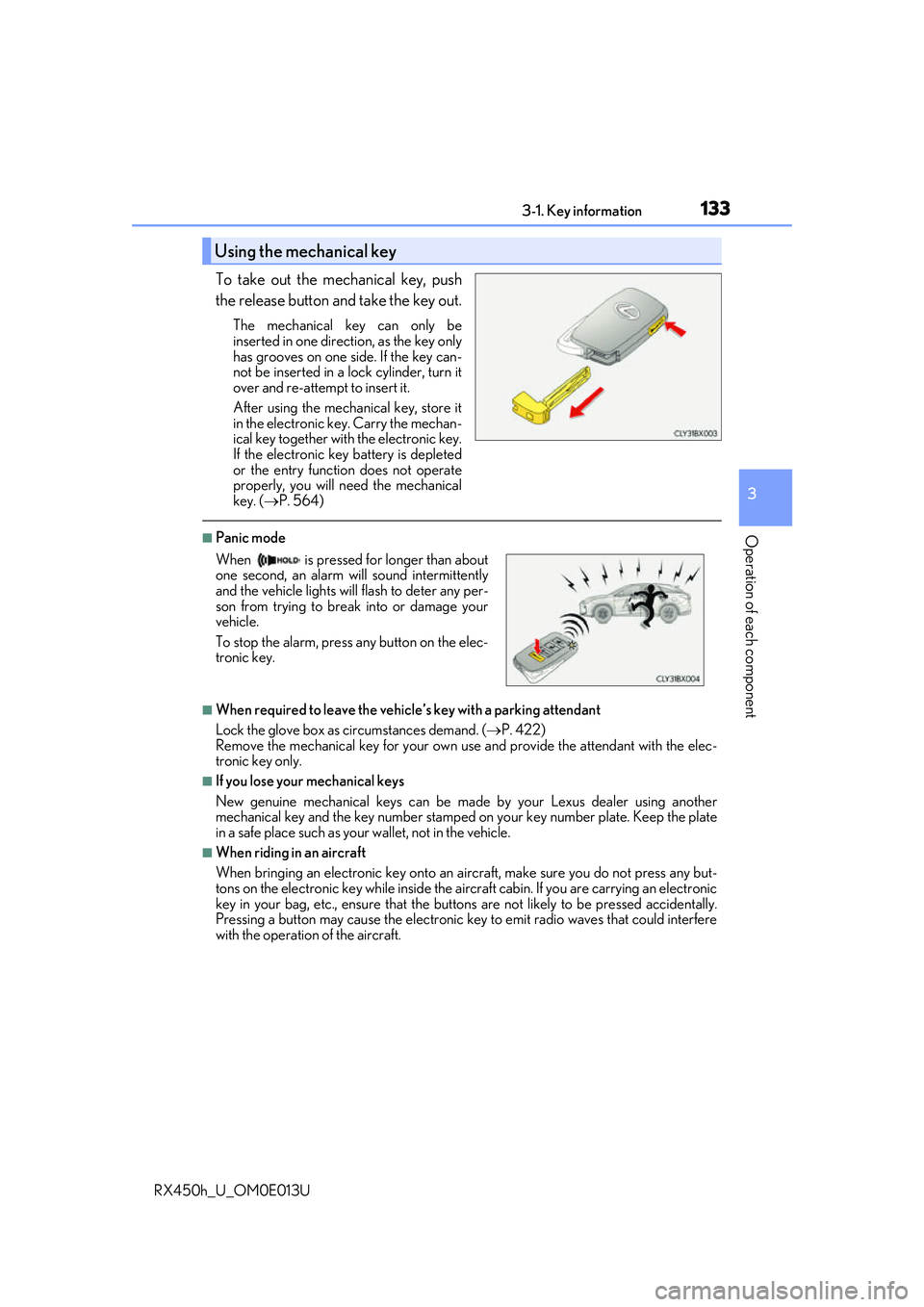
To take out the mechanical key, push
the release button and take the key out.
The mechanical key can only be
inserted in one direction, as the key only
has grooves on one side. If the key can-
not be inserted in a lock cylinder, turn it
over and re-attempt to insert it.
After using the mechanical key, store it
in the electronic key. Carry the mechan-
ical key together with the electronic key.
If the electronic key battery is depleted
or the entry function does not operate
properly, you will need the mechanical
key. ( P. 564)
■Panic mode
■When required to leave the vehicle’s key with a parking attendant
Lock the glove box as circumstances demand. ( P. 422)
Remove the mechanical key for your own use and provide the attendant with the elec-
tronic key only.
■If you lose your mechanical keys
New genuine mechanical keys can be made by your Lexus dealer using another
mechanical key and the key number stamped on your key number plate. Keep the plate
in a safe place such as your wallet, not in the vehicle.
■When riding in an aircraft
When bringing an electronic key onto an aircraft, make sure you do not press any but-
tons on the electronic key while inside the airc raft cabin. If you are carrying an electronic
key in your bag, etc., ensure that the butt ons are not likely to be pressed accidentally.
Pressing a button may cause the electronic key to emit radio waves that could interfere
with the operation of the aircraft.
Using the mechanical key
When is pressed for longer than about
one second, an alarm will sound intermittently
and the vehicle lights will flash to deter any per-
son from trying to break into or damage your
vehicle.
To stop the alarm, press any button on the elec-
tronic key.
Page 137 of 660

1373-2. Opening, closing and locking the doors
3
Operation of each component
RX450h_U_OM0E013U
■Operation signals
Doors:
A buzzer sounds and the emergency flashers flash to indicate that the doors have been
locked/unlocked. (Locked: Once; Unlocked: Twice)
Windows and moon roof or panoramic moon roof:
A buzzer sounds.
■Security feature
If a door is not opened within approximately 60 seconds after the vehicle is unlocked, the
security feature automatically locks the vehicle again.
■When the door cannot be locked by the lock sensor on the surface of the door handle
■Door lock buzzer
If an attempt to lock the doors is made when a door is not fully closed, a buzzer sounds
continuously for 5 seconds. Fully close the d oor to stop the buzzer, and lock the vehicle
once more.
■Setting the alarm
Locking the doors will set the alarm system. ( P. 87)
■If the smart access system with push-button start or the wireless remote control does
not operate properly
●Use the mechanical key to lock and unlock the doors. ( P. 564)
●Replace the key battery with a new one if it is depleted. ( P. 506)
When the door cannot be locked even if the
lock sensor on the surface of the door handle is
touched by a finger, touch the lock sensor with
the palm.
When gloves are being worn, remove the
gloves.
Page 148 of 660

1483-2. Opening, closing and locking the doors
RX450h_U_OM0E013U
■Luggage compartment lights
■If the power back door opener is inoperative
The power back door can be unlocked from the inside. The luggage compartment lights turn on when
the power back door is opened with the respec-
tive luggage compartment light switch on. When the power switch is turned off, the
lights will go off automatically after 20 min-
utes.
Remove the cover.
To protect the cover, place a rag between the
flathead screwdriver and cover as shown in
the illustration.
Move the lever.
1
2
Page 151 of 660
1513-2. Opening, closing and locking the doors
3
Operation of each component
RX450h_U_OM0E013U
■Situations in which the close & lock function may not operate properly
In the following situations, the close & lock function may not operate properly:
●If the switch on the lower part of the power back door ( P. 145) is pressed by a
hand which is holding an electronic key
●If the switch on the lower pa rt of the power back door (P. 145) is pressed
when the electronic key is in a bag, etc. that is placed on the ground
●If the switch on the lower pa rt of the power back door (P. 145) is pressed with
the electronic key not near the vehicle.
■Situations in which the touchless sensor may malfunction (vehicles with a touchless
power back door)
In the following situations, the touchless sensor may operate unintentionally.
To prevent unintentional operat ion, keep the electronic key out of the operational range
or disable the touchless sensor operation. ( P. 112)
●When a large amount of water is applied to the rear emblem, such as in heavy rain
●When the vehicle is being washed and water is applied to the rear emblem
●When dirt is wiped off the rear emblem
●If someone leans toward or against the rear emblem
●When a metal object is brought near the rear emblem
●When a vehicle cover is installed or removed near the rear emblem
■Situations in which the touchless sensor may not operate properly (vehicles with a
touchless power back door)
If the touchless sensor does not operate in the following situations, use the back door
opener switch to open the power back door. (P. 145)
●In the following situations, the sensitivity of the touchless sensor may be temporarily
reduced and the touchless sensor may not operate:
• When a large amount of water is applied to the rear emblem, such as in heavy rain
• When the vehicle is being washed and water is applied to the rear emblem
• For several seconds after dirt is wiped off the rear emblem
• When the rear emblem is covered with mud, snow, ice, etc.
• When the vehicle has been parked for a wh ile near objects that may move and con-
tact the rear emblem, such as tall grass or trees
• When an external radio wave source is near the touchless sensor
●The touchless sensor may not operate in the following situations:
• When an electronic ke y is not being carried
• When an electronic key is not within the operational range
• When an external radio wave source in terferes with the communication between
the vehicle and electronic key ( P. 160)
• When the power back door is not fully closed
• When a hand is held pa rallel to the rear emblem
*
*
: The detection settings can be changed by your Lexus dealer. ( P. 609)
■Customization
Some functions can be customized. ( P. 109, 607)
Page 153 of 660

1533-2. Opening, closing and locking the doors
3
Operation of each component
RX450h_U_OM0E013U
WARNING
■Operating the power back door
Observe the following precautions.
Failure to do so may cause parts of the body to be caught, resulting in death or serious
injury.
●Remove any heavy loads, such as snow and ice, from the power back door before
opening it. Failure to do so may cause the power back door to suddenly shut again
after it is opened.
●When opening or closing the power back door, thoroughly check to make sure the
surrounding area is safe.
●If anyone is in the vicinity, make sure they are safe and let them know that the power
back door is about to open or close.
●Use caution when opening or closing the power back door in windy weather as it may
move abruptly in strong wind.
●Do not pull on the back door spindle ( P. 156) to close the power back door, and
do not hang on the back door spindle.
Doing so may cause hands to be caught or the back door spindle to break, causing
an accident.
●If a bicycle carrier or similar heavy object is attached to the power back door, it may
suddenly shut again after being opened, causing someone’s hands, arms, head or
neck to be caught and injured. When inst alling an accessory part to the power back
door, using a genuine Lexus part is recommended.
●The power back door may suddenly shut if it is
not opened fully, while on a steep incline.
Make sure that the power back door is secure
before using the luggage compartment.
●When closing the power back door, take
extra care to prevent your fingers, etc., from
being caught.
●When closing the power back door, make
sure to press it lightly on its outer surface. If
the back door handle is used to fully close the
power back door, it may result in hands or
arms being caught.
Page 161 of 660

1613-2. Opening, closing and locking the doors
3
Operation of each component
RX450h_U_OM0E013U
■Note for the entry function
●Even when the electronic key is within the effective range (detection areas), the system
may not operate properly in the following cases:
• The electronic key is too close to the window or outside door handle, near the ground, or in a high place when the doors are locked or unlocked.
• The electronic key is near the ground or in a high place, or too close to the rear
bumper center when the back door is opened.
• The electronic key is on th e instrument panel, luggage co mpartment, floor, or in the
door pockets or glove box when the hybrid system is started or power switch modes
are changed.
●Do not leave the electronic key on top of th e instrument panel or near the door pockets
when exiting the vehicle. Depending on the radio wave reception conditions, it may be
detected by the antenna outs ide the cabin and the door will become lockable from the
outside, possibly trapping the electronic key inside the vehicle.
●As long as the electronic key is within th e effective range, the doors may be locked or
unlocked by anyone.
●Even if the electronic key is not inside the vehicle, it may be possible to start the hybrid
system if the electronic key is near the window.
●The doors may unlock if a large amount of wa ter splashes on the door handle, such as in
the rain or in a car wash when the electronic key is within the effective range. (The door
will automatically be locked after approx imately 60 seconds if the doors are not
opened and closed.)
●If the wireless remote control is used to lo ck the doors when the electronic key is near
the vehicle, there is a possibility that the d oor may not be unlocked by the entry func-
tion. (Use the wireless remote control to unlock the doors.)
●Touching the door lock sensor while wearin g gloves may delay or prevent lock opera-
tion. Remove the gloves and touch the lock sensor again.
●When the lock operation is performed using the lock sensor, recognition signals will be
shown up to two consecutive times. After this, no recognition signals will be given.*
●If the door handle becomes wet while the el ectronic key is within the effective range,
the door may lock and unlock repeatedly. In that case, follow the following correction
procedures to wash the vehicle:
• Place the electronic key in a location 6 ft. (2 m) or more away from the vehicle. (Take care to ensure that the key is not stolen.)
• Set the electronic key to battery-saving mode to disable the smart access system with push-button start. ( P. 160)
●If the electronic key is inside the vehicle and a door handle becomes wet during a car
wash, a message may be shown on the mult i-information display and a buzzer will
sound outside the vehicle. To turn off the alarm, lock all the doors.
●The lock sensor may not work properly if it comes into contact with ice, snow, mud, etc.
Clean the lock sensor and attempt to operate it again.
●A sudden approach to the effective range or door handle may prevent the doors from
being unlocked. In this case, return the door handle to the original position and check
that the doors unlock before pulling the door handle again.
●If there is another electronic key in the de tection area, it may take slightly longer to
unlock the doors after the door handle is gripped.