Page 322 of 544
322
GS450h_OM_OM30E99U_(U)
5-5. Using the other interior features
■Enabling 2-way communication with a garage door (only available for com-
patible devices)
When enabled, 2-way communication allows you to check the status of the
opening and closing of a garage door through indicators in your vehicle.
2-way communication is only available if the garage door opener motor used
is a compatible device. (To check device compatibility, refer to
www.HomeLink.com.) Within 5 seconds after programming the garage door opener has been
completed, if the garage door opener motor is trained to HomeLink
®,
both garage door operation indicators will flash rapidly (green) and the
light on the garage door opener moto r will blink twice, indicating that 2-
way communication is enabled.
If the indicators do not flash, perform and within the first 10 presses of
the HomeLink
® button after programming has been completed.
Press a programmed HomeLink
® button to operate a garage door.
Within 1 minute of pressing the HomeLink
® button, after the garage door
operation has stopped, press the “Learn” or “Smart” button on the garage
door opener motor. Within 5 second s of the establishment of 2-way com-
munication with the garage door opener, both garage door operation indi-
cators in the vehicle will flash rapidly (green) and the light on the garage
door opener motor will blink twice, indicating that 2-way communication is
enabled.
■Reprogramming a single HomeLink® button
When the following procedure is performed, buttons which already have
devices registered to them can be overwritten: With one hand, press and hold the desired HomeLink
® button.
When the HomeLink
® indicator starts flashing (orange), continue to hold
the HomeLink® button and perform “Programming HomeLink®” (it
takes 20 seconds for the HomeLink® indicator to start flashing).
Press the appropriate HomeLink
® button. The HomeLink® indicator light
should turn on.
Operating HomeLink®
1
23
2
3
1
2
1
Page 452 of 544
4527-2. Steps to take in an emergency
GS450h_OM_OM30E99U_(U)
Ensure that the shift lever is in P and depress the brake pedal.
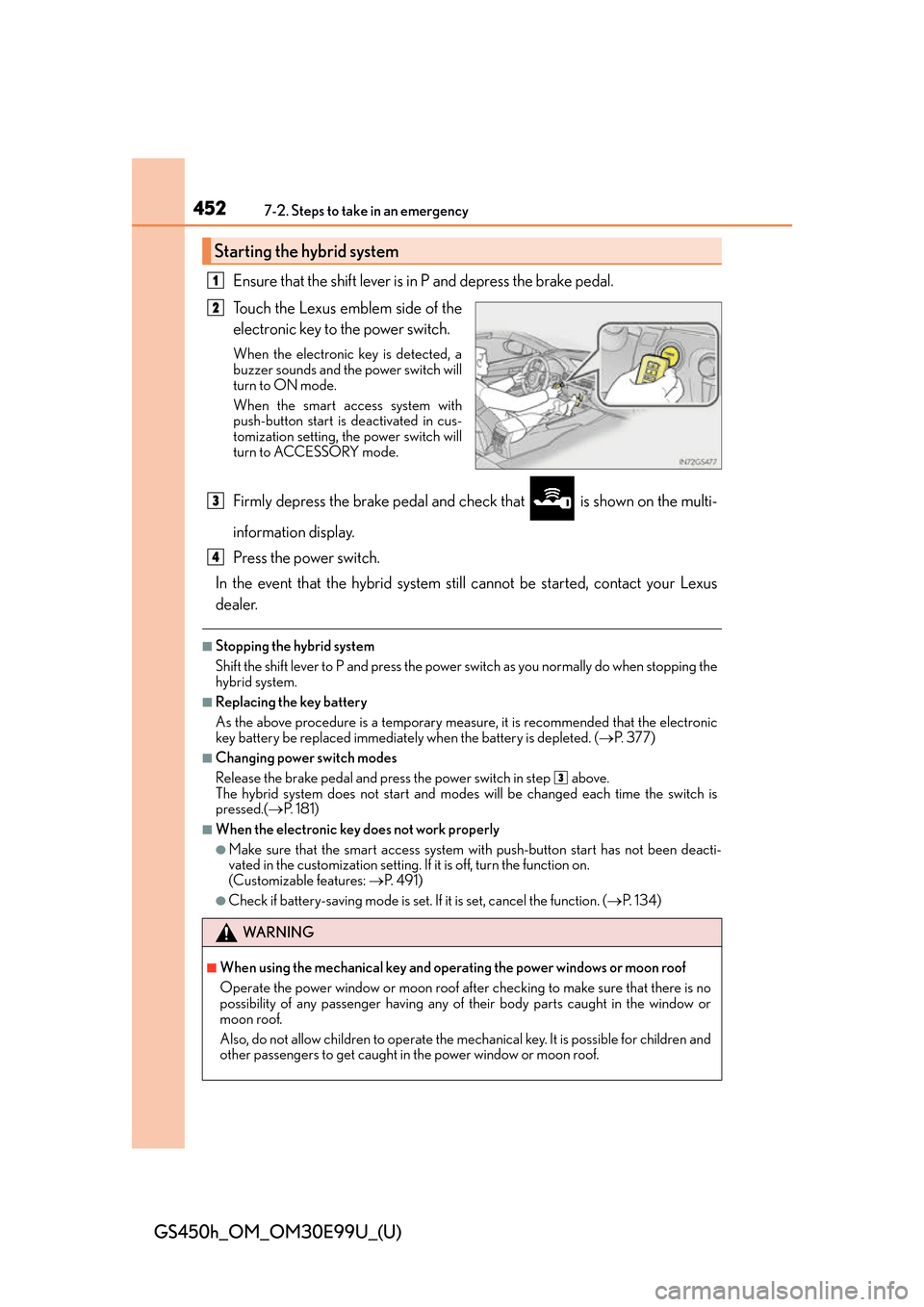
Touch the Lexus emblem side of the
electronic key to the power switch.
When the electronic key is detected, a
buzzer sounds and the power switch will
turn to ON mode.
When the smart access system with
push-button start is deactivated in cus-
tomization setting, the power switch will
turn to ACCESSORY mode.
Firmly depress the brake pedal and check that is shown on the multi-
information display.
Press the power switch.
In the event that the hybrid system still cannot be started, contact your Lexus
dealer.
■Stopping the hybrid system
Shift the shift lever to P and press the power switch as you normally do when stopping the
hybrid system.
■Replacing the key battery
As the above procedure is a temporary measure, it is recommended that the electronic
key battery be replaced immediately when the battery is depleted. ( P. 377)
■Changing power switch modes
Release the brake pedal and press the power switch in step above.
The hybrid system does not start and mode s will be changed each time the switch is
pressed.( P. 181)
■When the electronic key does not work properly
●Make sure that the smart access system wi th push-button start has not been deacti-
vated in the custom ization setting. If it is off, turn the function on.
(Customizable features: P. 4 9 1 )
●Check if battery-saving mo de is set. If it is set, cancel the function. ( P. 1 3 4 )
Starting the hybrid system
1
2
WA R N I N G
■When using the mechanical key and operating the power windows or moon roof
Operate the power window or moon roof afte r checking to make sure that there is no
possibility of any passenger having any of their body parts caught in the window or
moon roof.
Also, do not allow children to operate the mech anical key. It is possible for children and
other passengers to get caught in the power window or moon roof.
3
4
3
Page 531 of 544
531Alphabetical index
GS450h_OM_OM30E99U_(U)
I/M test ..................................................... 344
Identification ........................................... 467Engine ...................................................... 467
Vehicle .................................................... 467
Ignition switch (power switch) ......... 180 Auto power off function................... 182
Changing the power switch modes ..................................................... 181
If your vehicle has to be stopped in an emergency .............................393
Starting the hybrid system ................ 181
Illuminated entry system .................... 304
Immobilizer system ..................................74
Indicators .................................................... 82
Initialization Items to initialize................................. 504
Maintenance........................................ 340
Moon roof .............................................. 162
Power windows ................................... 159
Tire pressure warning system................................363
Initiators (tire pressure warning system)................................. 368
Inside door handle lights ................... 302
Inside rear view mirror .........................152
Instrument panel light control ............ 89
Interior lights........................................... 302
Intuitive parking assist
*
Function*
Warning message ............................ 406 Jack
Positioning a floor jack....................348
Vehicle-equipped jack ...................438
Jack handle .................................................438
Jam protection function Moon roof ............................................... 162
Power trunk opener and closer ............................................128
Power windows................................... 158
Keyless entry ............................................ 133 Smart access system with push-button start.................... 133
Wireless remote control..................120
Keys .............................................................. 116 Battery-saving function ....................135
Electronic key ......................................... 116
Engine switch ....................................... 180
If the electronic key does not operate properly ..........451
If you lose your keys.................... 117, 119
Key number plate ................................. 116
Keyless entry ............................... 120, 133
Mechanical key....................................... 117
Power switch ........................................ 180
Replacing the battery .......................377
Warning buzzer................................... 134
Wireless remote control key .........120
Knee airbags ............................................. 35
IJ
K
*: Refer to the “NAVIGATION AND MULTIMEDIA SYSTEM OWNER’S MANUAL”.