Page 115 of 501
Features of your vehicle
28
4
D080100AAM
Power windows
The ignition switch must be in the ON
position for power windows to oper-
ate.
Each door has a power window
switch that controls the door's win-
dow. The driver has a power window
lock button which can block the oper-
ation of passenger windows. The
power windows can be operated for
approximately 30 seconds after the
ignition key is removed or turned to
the ACC or LOCK position. However,
if the front doors are opened, the
power windows cannot be operated
even within the 30 second period.
✽ ✽
NOTICE
While driving with the rear windows
down or with the sunroof (if
equipped) in an open (or partially
open) position, your vehicle may
demonstrate a wind buffeting or
pulsation noise. This noise is a nor-
mal occurrence and can be reduced
or eliminated by taking the follow-
ing actions. If the noise occurs with
one or both of the rear windows
down, partially lower both front
windows approximately one inch. If
you experience the noise with the
sunroof open, slightly reduce the
size of the sunroof opening.
D080101AUN
Window opening and closing
Type A
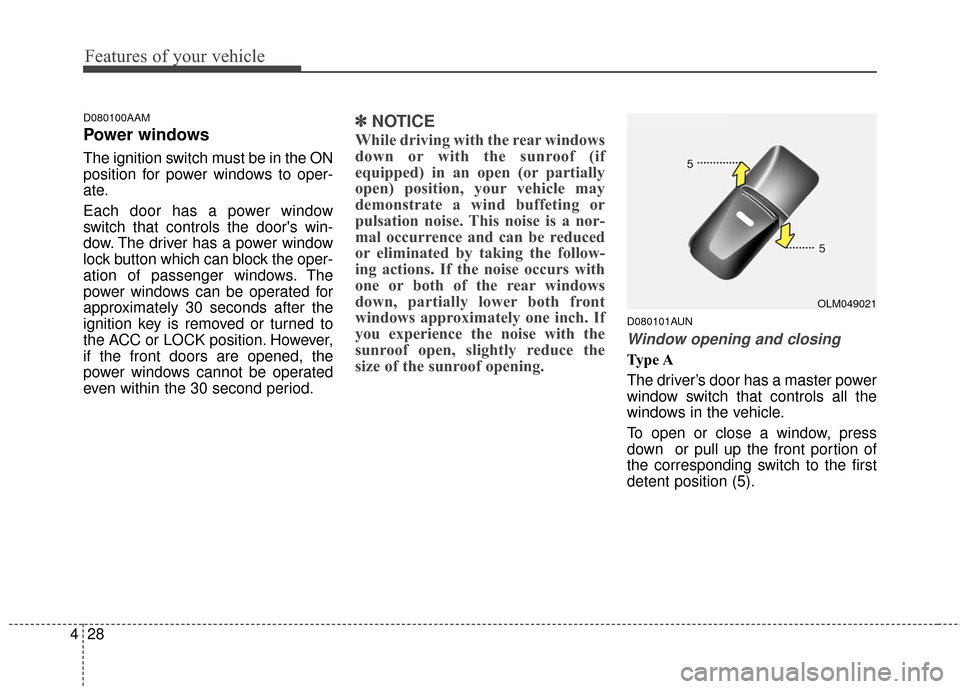
The driver’s door has a master power
window switch that controls all the
windows in the vehicle.
To open or close a window, press
down or pull up the front portion of
the corresponding switch to the first
detent position (5).
OLM049021
Page 116 of 501
429
Features of your vehicle
D080102AAM
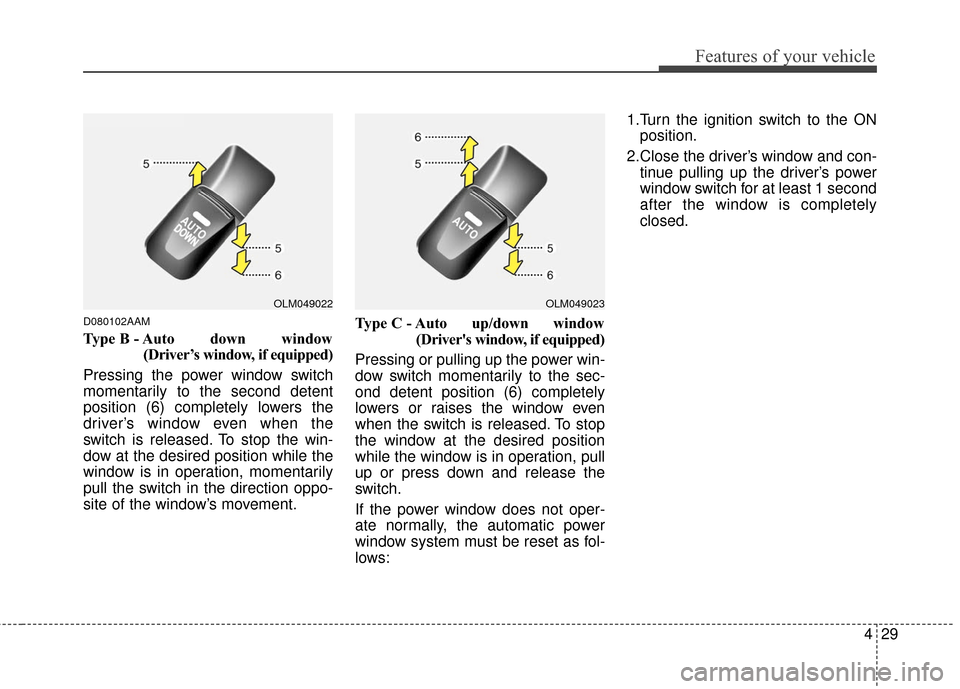
Type B - Auto down window(Driver’s window, if equipped)
Pressing the power window switch
momentarily to the second detent
position (6) completely lowers the
driver’s window even when the
switch is released. To stop the win-
dow at the desired position while the
window is in operation, momentarily
pull the switch in the direction oppo-
site of the window’s movement. Type C - Auto up/down window
(Driver's window, if equipped)
Pressing or pulling up the power win-
dow switch momentarily to the sec-
ond detent position (6) completely
lowers or raises the window even
when the switch is released. To stop
the window at the desired position
while the window is in operation, pull
up or press down and release the
switch.
If the power window does not oper-
ate normally, the automatic power
window system must be reset as fol-
lows: 1.Turn the ignition switch to the ON
position.
2.Close the driver’s window and con- tinue pulling up the driver’s power
window switch for at least 1 second
after the window is completely
closed.
OLM049023OLM049022
Page 124 of 501
437
Features of your vehicle
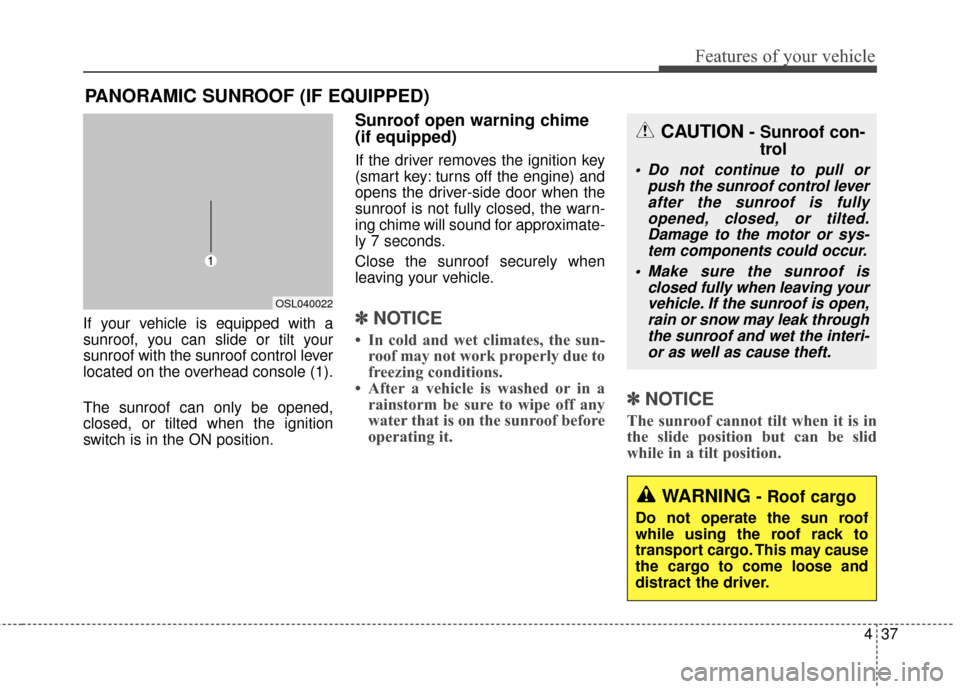
If your vehicle is equipped with a
sunroof, you can slide or tilt your
sunroof with the sunroof control lever
located on the overhead console (1).
The sunroof can only be opened,
closed, or tilted when the ignition
switch is in the ON position.
Sunroof open warning chime
(if equipped)
If the driver removes the ignition key
(smart key: turns off the engine) and
opens the driver-side door when the
sunroof is not fully closed, the warn-
ing chime will sound for approximate-
ly 7 seconds.
Close the sunroof securely when
leaving your vehicle.
✽ ✽NOTICE
• In cold and wet climates, the sun-
roof may not work properly due to
freezing conditions.
• After a vehicle is washed or in a rainstorm be sure to wipe off any
water that is on the sunroof before
operating it.
✽ ✽ NOTICE
The sunroof cannot tilt when it is in
the slide position but can be slid
while in a tilt position.
PANORAMIC SUNROOF (IF EQUIPPED)
OSL040022
CAUTION- Sunroof con-
trol
Do not continue to pull or
push the sunroof control leverafter the sunroof is fullyopened, closed, or tilted.Damage to the motor or sys-tem components could occur.
Make sure the sunroof is closed fully when leaving yourvehicle. If the sunroof is open,rain or snow may leak throughthe sunroof and wet the interi-or as well as cause theft.
WARNING- Roof cargo
Do not operate the sun roof
while using the roof rack to
transport cargo. This may cause
the cargo to come loose and
distract the driver.
Page 127 of 501
Features of your vehicle
40
4
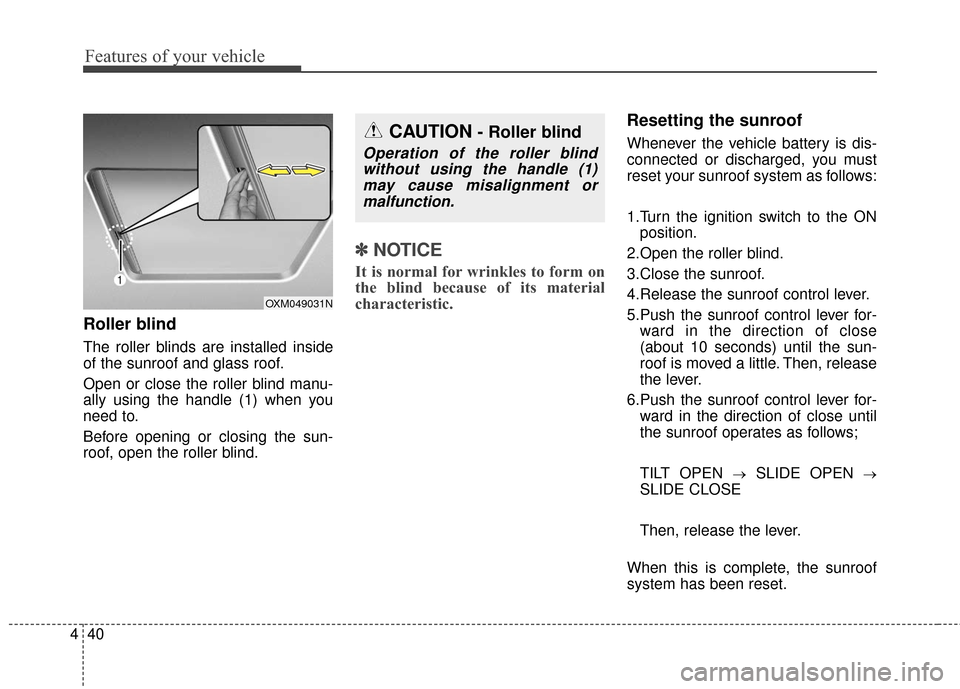
Roller blind
The roller blinds are installed inside
of the sunroof and glass roof.
Open or close the roller blind manu-
ally using the handle (1) when you
need to.
Before opening or closing the sun-
roof, open the roller blind.
✽ ✽
NOTICE
It is normal for wrinkles to form on
the blind because of its material
characteristic.
Resetting the sunroof
Whenever the vehicle battery is dis-
connected or discharged, you must
reset your sunroof system as follows:
1.Turn the ignition switch to the ON
position.
2.Open the roller blind.
3.Close the sunroof.
4.Release the sunroof control lever.
5.Push the sunroof control lever for- ward in the direction of close
(about 10 seconds) until the sun-
roof is moved a little. Then, release
the lever.
6.Push the sunroof control lever for- ward in the direction of close until
the sunroof operates as follows;
TILT OPEN
→SLIDE OPEN →
SLIDE CLOSE
Then, release the lever.
When this is complete, the sunroof
system has been reset.
OXM049031N
CAUTION- Roller blind
Operation of the roller blind without using the handle (1)may cause misalignment ormalfunction.
Page 128 of 501
441
Features of your vehicle
Electric power steering
Power steering uses the motor to
assist you in steering the vehicle. If
the engine is off or if the power steer-
ing system becomes inoperative, the
vehicle may still be steered, but it will
require increased steering effort.
The motor driven power steering is
controlled by the power steering con-
trol unit which senses the steering
wheel torque and vehicle speed to
command the motor.
The steering wheel becomes heavier
as the vehicle’s speed increases and
becomes lighter as the vehicle’s
speed decreases for better control of
the steering wheel.
Should you notice any change in the
effort required to steer during normal
vehicle operation, have the power
steering checked by an authorized
Kia dealer.
✽ ✽NOTICE
The following symptoms may occur
during normal vehicle operation:
• The steering effort is high immedi-
ately after turning the ignition
switch on. This happens as the sys-
tem performs the EPS system
diagnostics. When the diagnostics
is completed, the steering wheel
will return to its normal condition.
• A click noise may be heard from the EPS relay after the ignition
switch is turned to the ON or
LOCK position.
• Motor noise may be heard when the vehicle is at a stop or at a low
driving speed.
• The steering effort increases if the steering wheel is rotated continu-
ously when the vehicle is not in
motion. However, after a few min-
utes, it will return to its normal
conditions.
• When you operate the steering wheel in low temperature, abnor-
mal noise could occur. If tempera-
ture rises, the noise will disappear.
This is a normal condition.
STEERING WHEEL
CAUTION
If the EPS system does not
operate normally, the warninglight will illuminate on theinstrument cluster. The steeringwheel may become difficult tocontrol or operate abnormally.Take your vehicle to an author-ized Kia dealer and have thevehicle checked as soon aspossible.
Page 130 of 501
443
Features of your vehicle
✽
✽NOTICE
After adjudgement, sometimes the
lock-release lever may not lock the
steering wheel. It is not a malfunc-
tion. This occurs when two gears
engage. In this case, adjust the steer-
ing wheel again and then lock the
steering wheel.
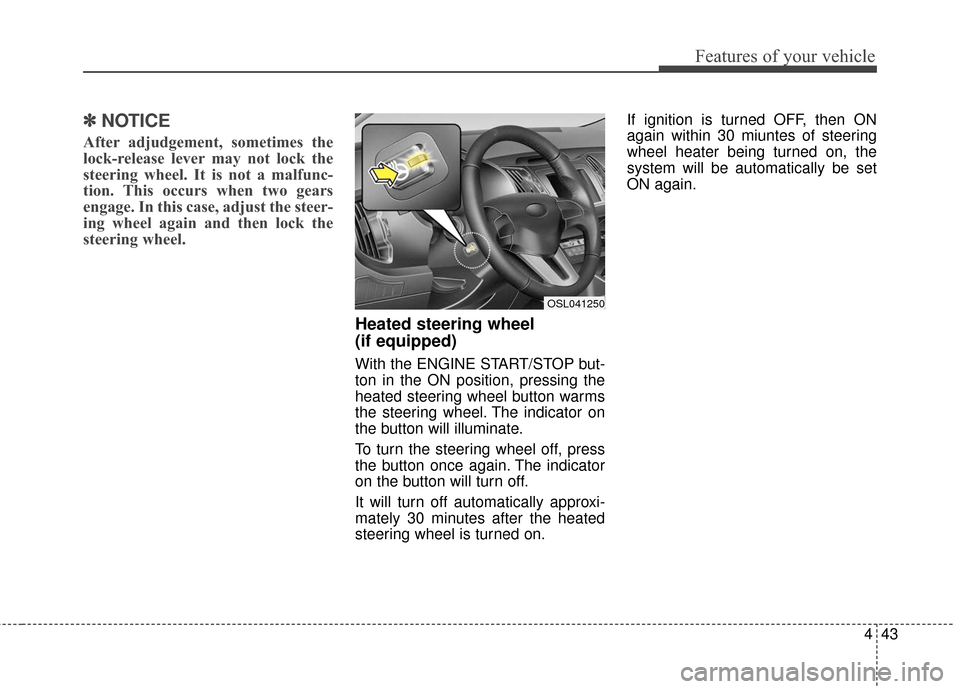
Heated steering wheel
(if equipped)
With the ENGINE START/STOP but-
ton in the ON position, pressing the
heated steering wheel button warms
the steering wheel. The indicator on
the button will illuminate.
To turn the steering wheel off, press
the button once again. The indicator
on the button will turn off.
It will turn off automatically approxi-
mately 30 minutes after the heated
steering wheel is turned on. If ignition is turned OFF, then ON
again within 30 miuntes of steering
wheel heater being turned on, the
system will be automatically be set
ON again.
OSL041250
Page 135 of 501
Features of your vehicle
48
4
D140102AHM-EE-C1
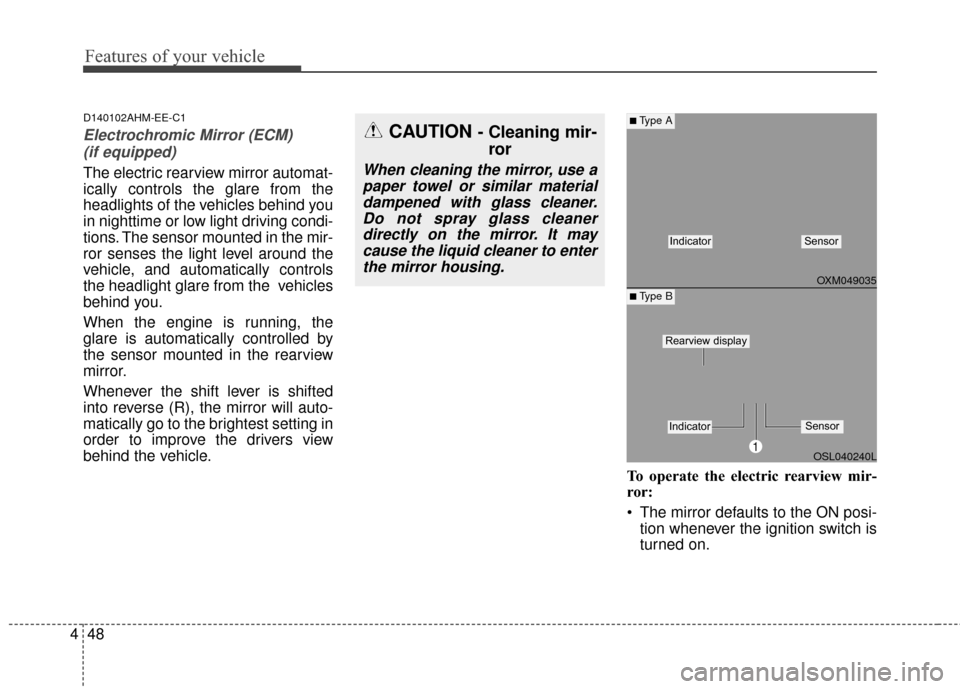
Electrochromic Mirror (ECM)
(if equipped)
The electric rearview mirror automat-
ically controls the glare from the
headlights of the vehicles behind you
in nighttime or low light driving condi-
tions. The sensor mounted in the mir-
ror senses the light level around the
vehicle, and automatically controls
the headlight glare from the vehicles
behind you.
When the engine is running, the
glare is automatically controlled by
the sensor mounted in the rearview
mirror.
Whenever the shift lever is shifted
into reverse (R), the mirror will auto-
matically go to the brightest setting in
order to improve the drivers view
behind the vehicle.
To operate the electric rearview mir-
ror:
The mirror defaults to the ON posi-tion whenever the ignition switch is
turned on.
OXM049035
OSL040240L
■Type A
■ Type B
IndicatorSensor
1
IndicatorSensor
Rearview display
CAUTION - Cleaning mir-ror
When cleaning the mirror, use a
paper towel or similar materialdampened with glass cleaner.Do not spray glass cleanerdirectly on the mirror. It maycause the liquid cleaner to enterthe mirror housing.
Page 137 of 501
Features of your vehicle
50
4
Retain the original transmitter for
future programming procedures (i.e.,
new vehicle purchase). It is also sug-
gested that upon the sale of the vehi-
cle, the programmed HomeLink
®but-
tons be erased for security purposes
(follow step 1 in the “Programming”
portion of this text).
Programming
Your vehicle may require the ignition
switch to be turned to the ACC posi-
tion for programming and/or opera-
tion of HomeLink
®. It is also recom-
mended that a new battery be
replaced in the hand-held transmitter
of the device being programmed to
HomeLink
®for quicker training and
accurate transmission of the radio-
frequency.
Follow these steps to train your
HomeLink
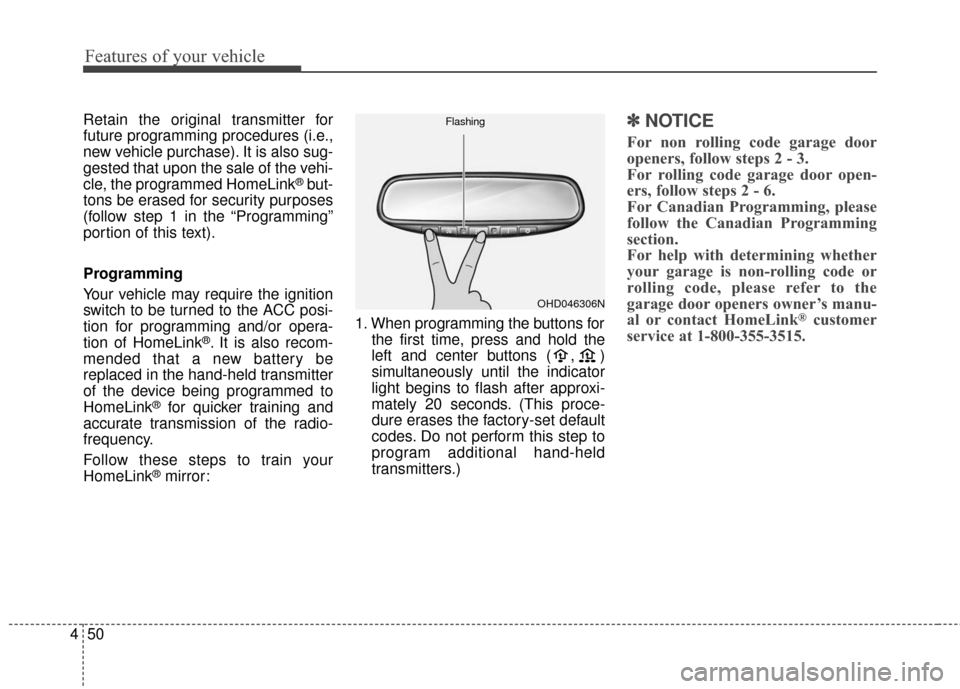
®mirror: 1. When programming the buttons for
the first time, press and hold the
left and center buttons ( , )
simultaneously until the indicator
light begins to flash after approxi-
mately 20 seconds. (This proce-
dure erases the factory-set default
codes. Do not perform this step to
program additional hand-held
transmitters.)
✽ ✽NOTICE
For non rolling code garage door
openers, follow steps 2 - 3.
For rolling code garage door open-
ers, follow steps 2 - 6.
For Canadian Programming, please
follow the Canadian Programming
section.
For help with determining whether
your garage is non-rolling code or
rolling code, please refer to the
garage door openers owner’s manu-
al or contact HomeLink
®customer
service at 1-800-355-3515.
OHD046306N
Flashing