Page 282 of 501
4195
Features of your vehicle
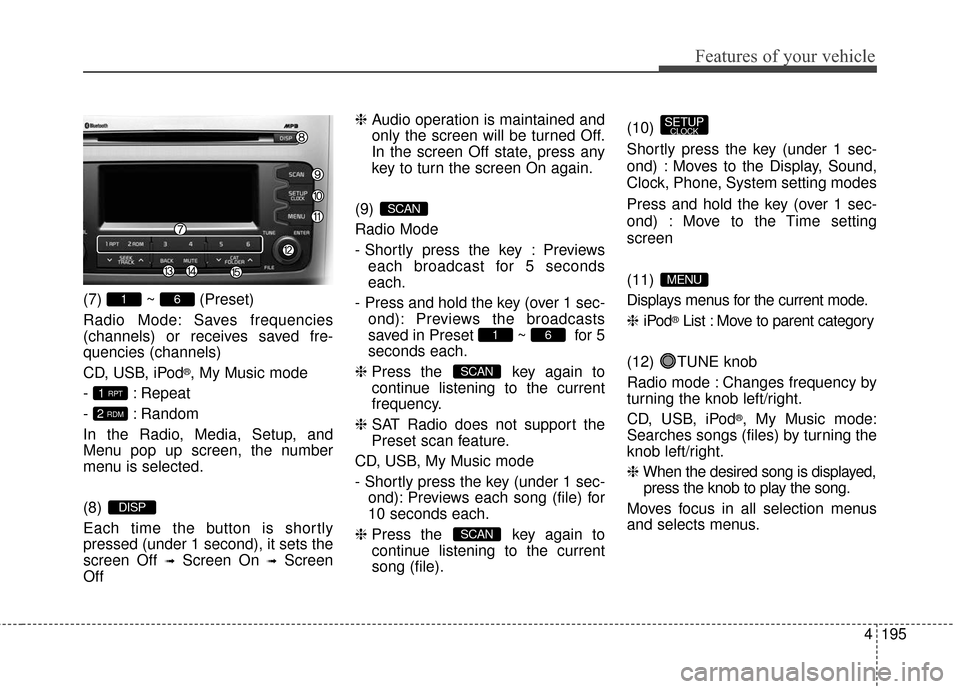
(7) ~ (Preset)
Radio Mode: Saves frequencies
(channels) or receives saved fre-
quencies (channels)
CD, USB, iPod
®, My Music mode
- : Repeat
- : Random
In the Radio, Media, Setup, and
Menu pop up screen, the number
menu is selected.
(8)
Each time the button is shortly
pressed (under 1 second), it sets the
screen Off
➟Screen On ➟Screen
Off ❈
Audio operation is maintained and
only the screen will be turned Off.
In the screen Off state, press any
key to turn the screen On again.
(9)
Radio Mode
- Shortly press the key : Previews each broadcast for 5 seconds
each.
- Press and hold the key (over 1 sec- ond): Previews the broadcasts
saved in Preset ~ for 5
seconds each.
❈ Press the key again to
continue listening to the current
frequency.
❈ SAT Radio does not support the
Preset scan feature.
CD, USB, My Music mode
- Shortly press the key (under 1 sec- ond): Previews each song (file) for
10 seconds each.
❈ Press the key again to
continue listening to the current
song (file). (10)
Shortly press the key (under 1 sec-
ond) : Moves to the Display, Sound,
Clock, Phone, System setting modes
Press and hold the key (over 1 sec-
ond) : Move to the Time setting
screen
(11)
Displays menus for the current mode.
❈
iPod
®List : Move to parent category
(12) TUNE knob
Radio mode : Changes frequency by
turning the knob left/right.
CD, USB, iPod
®, My Music mode:
Searches songs (files) by turning the
knob left/right.
❈ When the desired song is displayed,
press the knob to play the song.
Moves focus in all selection menus
and selects menus.
MENU
SETUPCLOCK
SCAN
SCAN
61
SCAN
DISP
2 RDM
1 RPT
61
Page 283 of 501
Features of your vehicle
196
4
(13)
Go to previous depth(no previous
screen)
(14)
When the button is pressed, stops
sound and "Audio Mute" is displayed
on LCD.
(15)
Radio Mode
- SIRIUS XM
®RADIO : Category
Search
MP3, CD, USB mode : Folder Search Audio Head Unit
(For NON BT model)
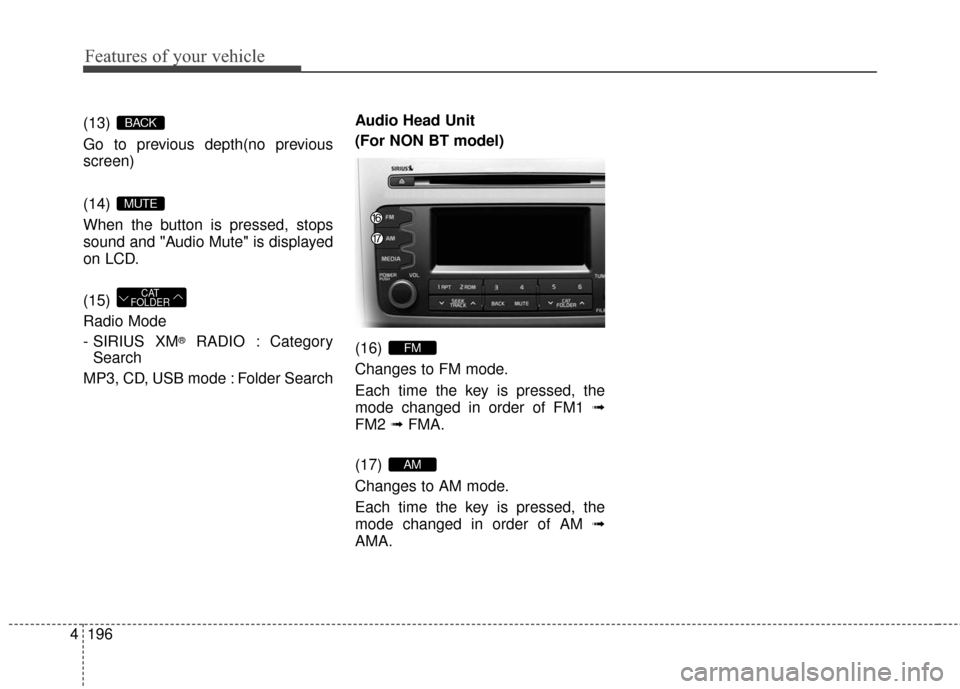
(16)
Changes to FM mode.
Each time the key is pressed, the
mode changed in order of FM1
➟
FM2 ➟FMA.
(17)
Changes to AM mode.
Each time the key is pressed, the
mode changed in order of AM ➟
AMA.
AM
FM
CAT
FOLDER
MUTE
BACK
Page 299 of 501
Features of your vehicle
212
4
\b After selecting, press key
and select the delete menu.
My Music
Even if memory is available, a
maximum of 6,000 songs can be
stored.
The same song can be copied up to 1,000 times.
Memory info can be checked in the System menu of Setup.
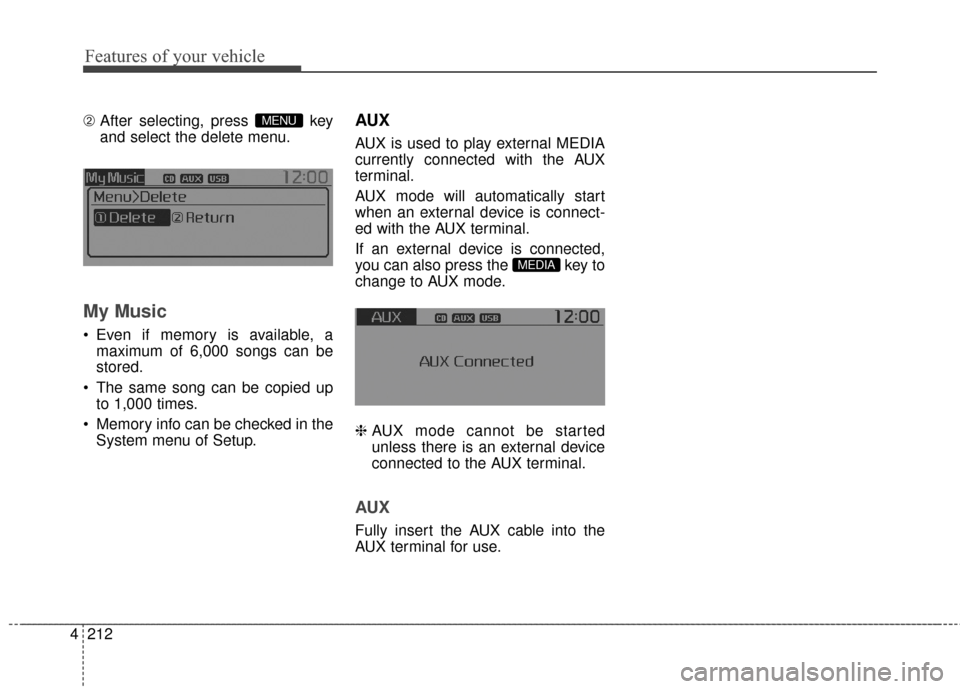
AUX
AUX is used to play external MEDIA
currently connected with the AUX
terminal.
AUX mode will automatically start
when an external device is connect-
ed with the AUX terminal.
If an external device is connected,
you can also press the key to
change to AUX mode.
❈ AUX mode cannot be started
unless there is an external device
connected to the AUX terminal.
AUX
Fully insert the AUX cable into the
AUX terminal for use.
MEDIA
MENU
Page 327 of 501
Driving your vehicle
25
E010000AUN-EU
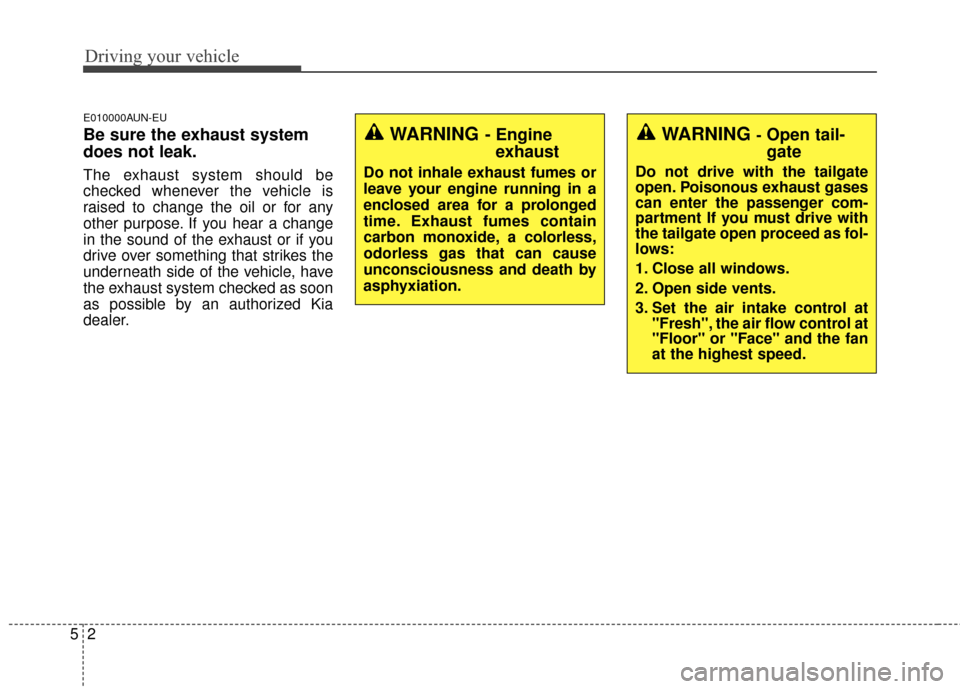
Be sure the exhaust system
does not leak.
The exhaust system should be
checked whenever the vehicle is
raised to change the oil or for any
other purpose. If you hear a change
in the sound of the exhaust or if you
drive over something that strikes the
underneath side of the vehicle, have
the exhaust system checked as soon
as possible by an authorized Kia
dealer.
WARNING- Engineexhaust
Do not inhale exhaust fumes or
leave your engine running in a
enclosed area for a prolonged
time. Exhaust fumes contain
carbon monoxide, a colorless,
odorless gas that can cause
unconsciousness and death by
asphyxiation.
WARNING -Open tail-
gate
Do not drive with the tailgate
open. Poisonous exhaust gases
can enter the passenger com-
partment If you must drive with
the tailgate open proceed as fol-
lows:
1. Close all windows.
2. Open side vents.
3. Set the air intake control at "Fresh", the air flow control at
"Floor" or "Face" and the fan
at the highest speed.
Page 333 of 501
Driving your vehicle
85
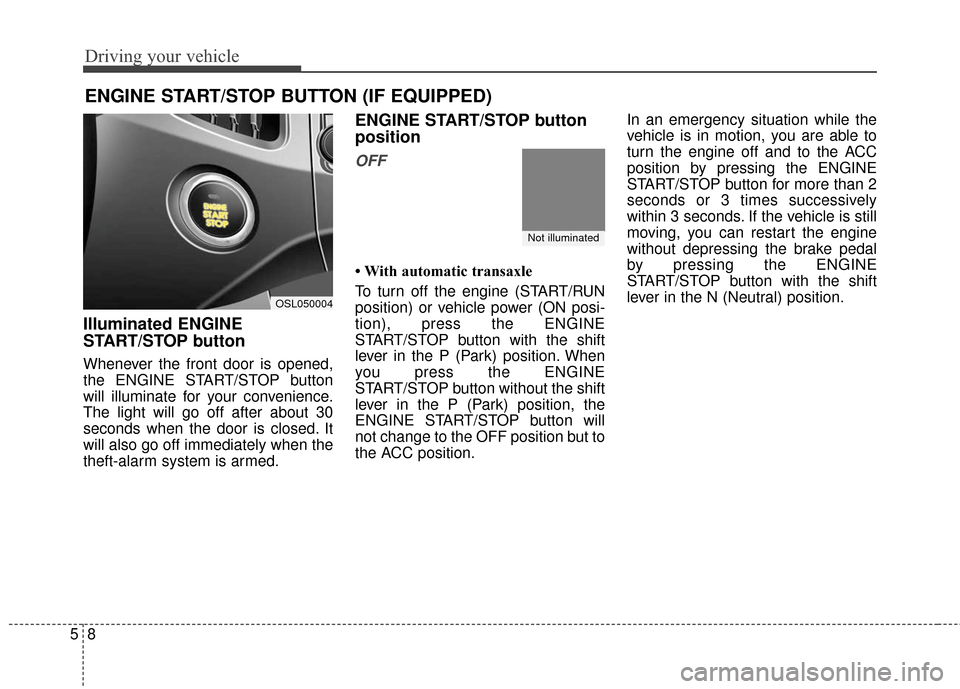
Illuminated ENGINE
START/STOP button
Whenever the front door is opened,
the ENGINE START/STOP button
will illuminate for your convenience.
The light will go off after about 30
seconds when the door is closed. It
will also go off immediately when the
theft-alarm system is armed.
ENGINE START/STOP button
position
OFF
• With automatic transaxle
To turn off the engine (START/RUN
position) or vehicle power (ON posi-
tion), press the ENGINE
START/STOP button with the shift
lever in the P (Park) position. When
you press the ENGINE
START/STOP button without the shift
lever in the P (Park) position, the
ENGINE START/STOP button will
not change to the OFF position but to
the ACC position.In an emergency situation while the
vehicle is in motion, you are able to
turn the engine off and to the ACC
position by pressing the ENGINE
START/STOP button for more than 2
seconds or 3 times successively
within 3 seconds. If the vehicle is still
moving, you can restart the engine
without depressing the brake pedal
by pressing the ENGINE
START/STOP button with the shift
lever in the N (Neutral) position.
ENGINE START/STOP BUTTON (IF EQUIPPED)
Not illuminated
OSL050004
Page 334 of 501
59
Driving your vehicle
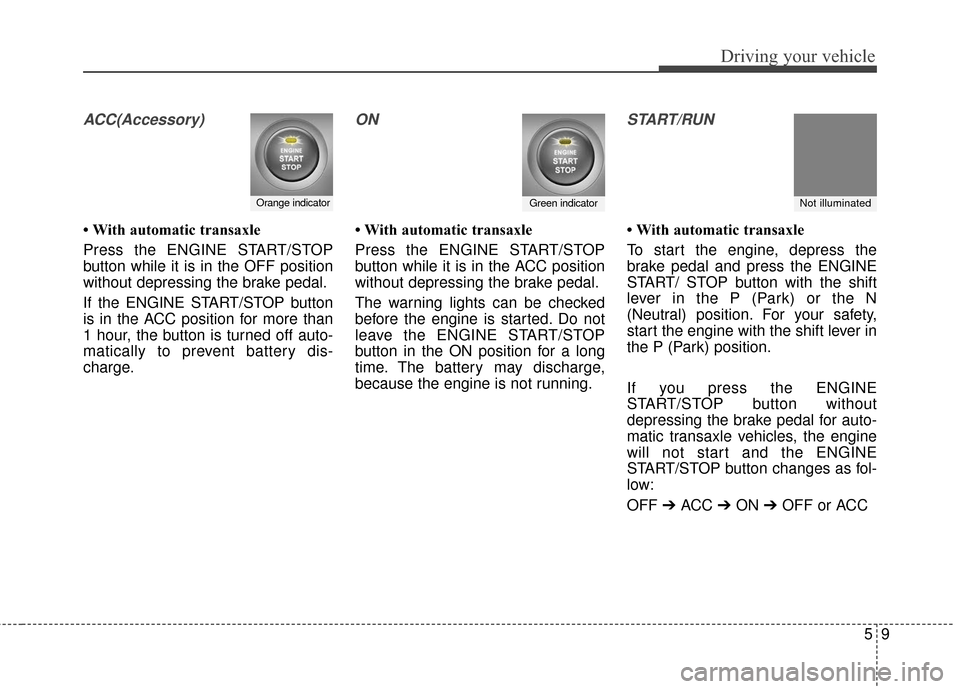
ACC(Accessory)
• With automatic transaxle
Press the ENGINE START/STOP
button while it is in the OFF position
without depressing the brake pedal.
If the ENGINE START/STOP button
is in the ACC position for more than
1 hour, the button is turned off auto-
matically to prevent battery dis-
charge.
ON
• With automatic transaxle
Press the ENGINE START/STOP
button while it is in the ACC position
without depressing the brake pedal.
The warning lights can be checked
before the engine is started. Do not
leave the ENGINE START/STOP
button in the ON position for a long
time. The battery may discharge,
because the engine is not running.
START/RUN
• With automatic transaxle
To start the engine, depress the
brake pedal and press the ENGINE
START/ STOP button with the shift
lever in the P (Park) or the N
(Neutral) position. For your safety,
start the engine with the shift lever in
the P (Park) position.
If you press the ENGINE
START/STOP button without
depressing the brake pedal for auto-
matic transaxle vehicles, the engine
will not start and the ENGINE
START/STOP button changes as fol-
low:
OFF➔ ACC ➔ ON ➔ OFF or ACC
Orange indicatorGreen indicatorNot illuminated
Page 348 of 501
523
Driving your vehicle
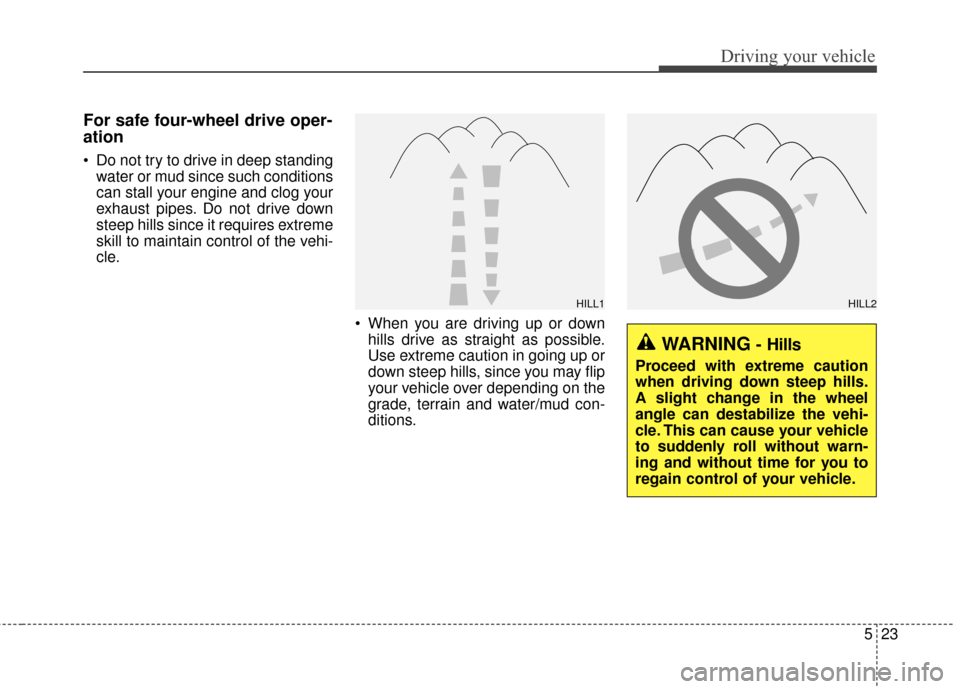
For safe four-wheel drive oper-
ation
Do not try to drive in deep standingwater or mud since such conditions
can stall your engine and clog your
exhaust pipes. Do not drive down
steep hills since it requires extreme
skill to maintain control of the vehi-
cle.
When you are driving up or downhills drive as straight as possible.
Use extreme caution in going up or
down steep hills, since you may flip
your vehicle over depending on the
grade, terrain and water/mud con-
ditions.
HILL1HILL2
WARNING- Hills
Proceed with extreme caution
when driving down steep hills.
A slight change in the wheel
angle can destabilize the vehi-
cle. This can cause your vehicle
to suddenly roll without warn-
ing and without time for you to
regain control of your vehicle.
Page 370 of 501
545
Driving your vehicle
E090300AAM-EU
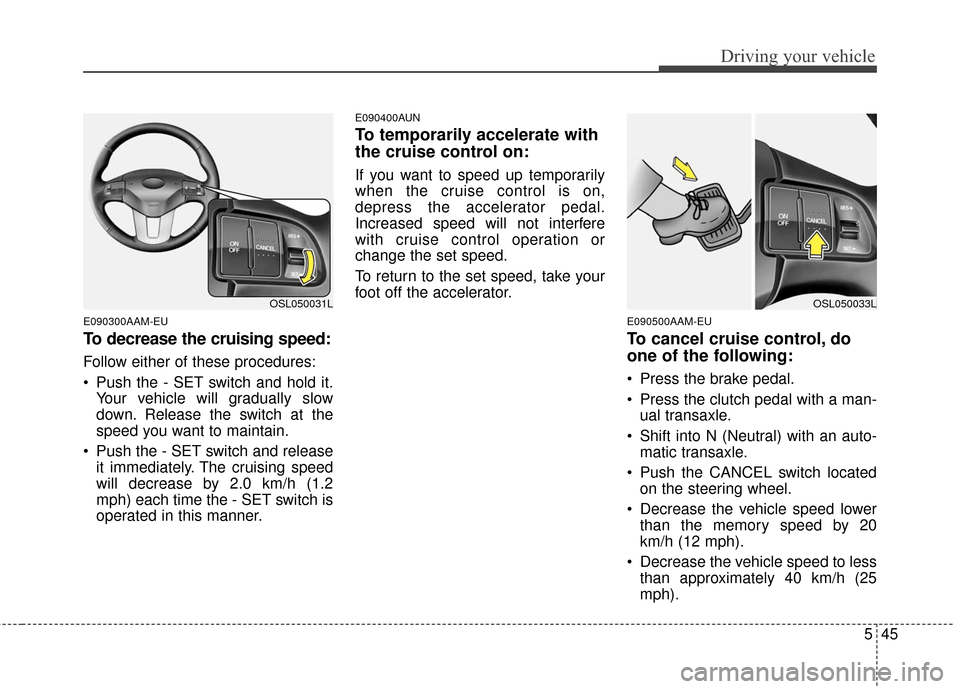
To decrease the cruising speed:
Follow either of these procedures:
Push the - SET switch and hold it.Your vehicle will gradually slow
down. Release the switch at the
speed you want to maintain.
Push the - SET switch and release it immediately. The cruising speed
will decrease by 2.0 km/h (1.2
mph) each time the - SET switch is
operated in this manner.
E090400AUN
To temporarily accelerate with
the cruise control on:
If you want to speed up temporarily
when the cruise control is on,
depress the accelerator pedal.
Increased speed will not interfere
with cruise control operation or
change the set speed.
To return to the set speed, take your
foot off the accelerator.
E090500AAM-EU
To cancel cruise control, do
one of the following:
Press the brake pedal.
Press the clutch pedal with a man-ual transaxle.
Shift into N (Neutral) with an auto- matic transaxle.
Push the CANCEL switch located on the steering wheel.
Decrease the vehicle speed lower than the memory speed by 20
km/h (12 mph).
Decrease the vehicle speed to less than approximately 40 km/h (25
mph).
OSL050031LOSL050033L