Page 12 of 466
Your vehicle at a glance
Exterior overview . . . . . . . . . . . . . . . . . . . . . . . . . . . 2-2
Interior overview . . . . . . . . . . . . . . . . . . . . . . . . . . . 2-4
Instrument panel overview . . . . . . . . . . . . . . . . . . . 2-5
Engine compartment . . . . . . . . . . . . . . . . . . . . . . . . 2-6
Trunk Overview . . . . . . . . . . . . . . . . . . . . . . . . . . . . 2-7
2
Page 14 of 466
23
Your vehicle at a glance
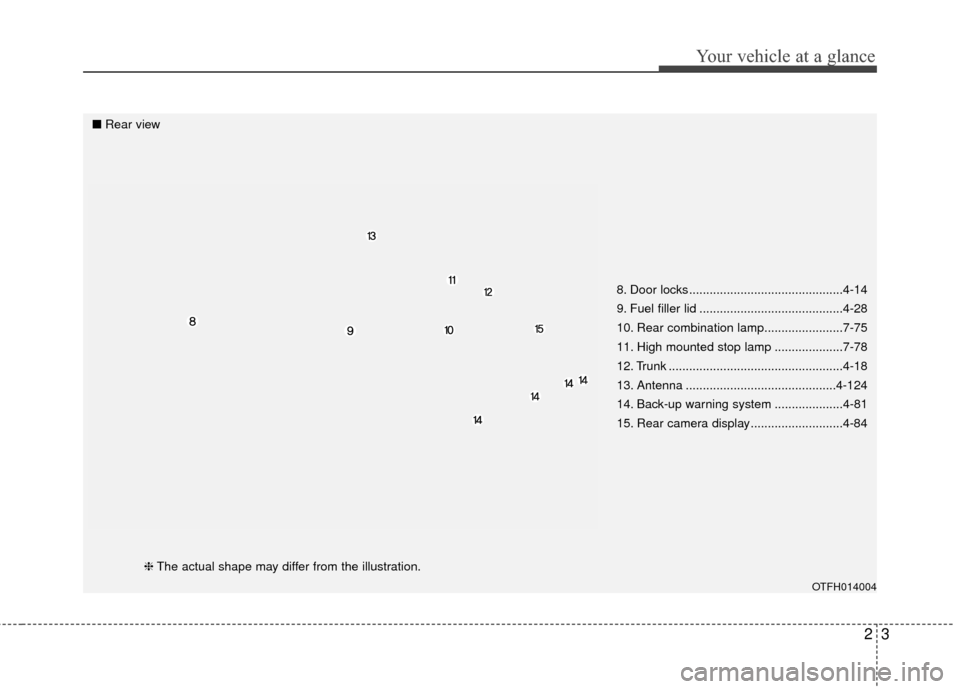
8. Door locks .............................................4-14
9. Fuel filler lid ..........................................4-28
10. Rear combination lamp.......................7-75
11. High mounted stop lamp ....................7-78
12. Trunk ...................................................4-18
13. Antenna ............................................4-124
14. Back-up warning system ....................4-81
15. Rear camera display ...........................4-84
OTFH014004
■Rear view
❈The actual shape may differ from the illustration.
Page 15 of 466

Your vehicle at a glance
42
INTERIOR OVERVIEW
1. Driver position memory system ........4-35
2. Door lock/unlock button ....................4-14
3. Outside rearview mirror control switch ................................................4-42
4. Power window lock button ................4-24
5. Power window switches ....................4-21
6. Central door lock switch....................4-15
7. Instrument panel illumination control button ....................................4-46
8. ESC OFF button ...............................5-23
9. Steering wheel heater On/Off button .. 4-39
10. BSD On/Off button ..........................5-36
11. Steering wheel tilt lever...................4-38
12. Fuse box .........................................7-57
13. Hood release lever ..........................4-26
14. Parking brake pedal ........................5-19
15. Brake pedal .....................................5-17
16. Accelerator pedal ..............................5-9
17. Fuel filler lid release button.............4-28
18. Trunk lid release button...................4-18
OTFH014001N❈ The actual shape may differ from the illustration.
Page 18 of 466
27
Your vehicle at a glance
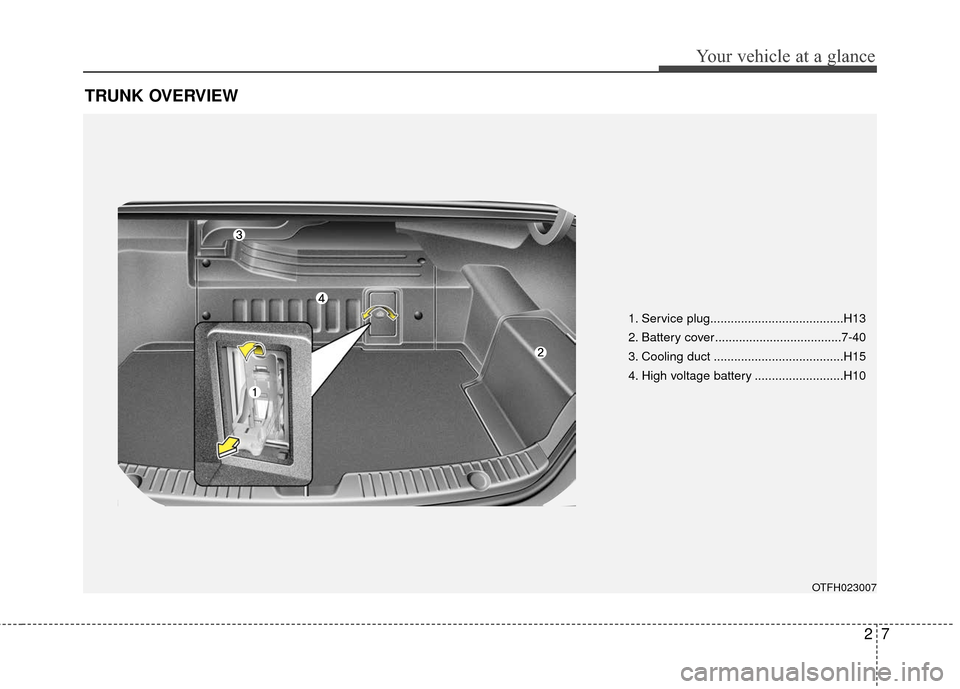
TRUNK OVERVIEW
OTFH023007
1. Service plug.......................................H13
2. Battery cover.....................................7-40
3. Cooling duct ......................................H15
4. High voltage battery ..........................H10
Page 34 of 466
Safety features of your vehicle
16
3
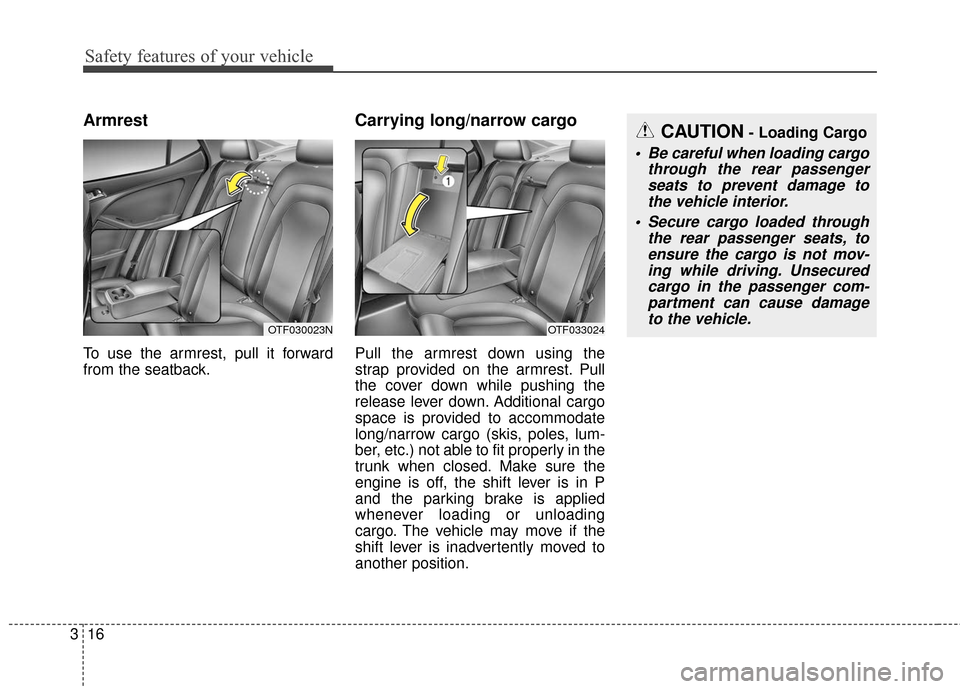
Armrest
To use the armrest, pull it forward
from the seatback.
Carrying long/narrow cargo
Pull the armrest down using the
strap provided on the armrest. Pull
the cover down while pushing the
release lever down. Additional cargo
space is provided to accommodate
long/narrow cargo (skis, poles, lum-
ber, etc.) not able to fit properly in the
trunk when closed. Make sure the
engine is off, the shift lever is in P
and the parking brake is applied
whenever loading or unloading
cargo. The vehicle may move if the
shift lever is inadvertently moved to
another position.
OTF030023NOTF033024
CAUTION- Loading Cargo
Be careful when loading cargo
through the rear passengerseats to prevent damage tothe vehicle interior.
Secure cargo loaded through the rear passenger seats, toensure the cargo is not mov-ing while driving. Unsecuredcargo in the passenger com-partment can cause damageto the vehicle.
Page 76 of 466
Features of your vehicle
Smart key . . . . . . . . . . . . . . . . . . . . . . . . . . . . . . . . . 4-4
• Record your key number . . . . . . . . . . . . . . . . . . . . . . . 4-4
. . . . . . . . . . . . . . . . . . . . . . . . . . . 4-4
. . . . . . . . . . . 4-6
. . . . . . . . . . . . . . . . . . . . . . . . . 4-8
. . . . . . . . . . . . . . . . . . . . . . . . . . . 4-9
. . . . . . . . . . . . . . . . . . . . . . . . . . . 4-10
Theft-alarm system . . . . . . . . . . . . . . . . . . . . . . . . 4-12
. . . . . . . . . . . . . . . . . . . . . . . . . . . . . . . . . 4-12
. . . . . . . . . . . . . . . . . . . . . . . . . . . . 4-13
Door locks . . . . . . . . . . . . . . . . . . . . . . . . . . . . . . . . 4-14
. . . . 4-14
. . . . . . . . . . . . . . 4-16
. . . . . . . . . . . . . . . . . . 4-16
. . . . . . . . . . . . . . . . . 4-16
Trunk . . . . . . . . . . . . . . . . . . . . . . . . . . . . . . . . . . . . \
4-18
. . . . . . . . . . . . . . . . . . . . . . . . . . . . 4-18
. . . . . . . . . . . . . . 4-19
. . . . . . . . . . . . . . . . . . . . . . . . . . . . . 4-19
. . . . . . . . . . . . . . . . . 4-20
Windows . . . . . . . . . . . . . . . . . . . . . . . . . . . . . . . . . 4-21
. . . . . . . . . . . . . . . . . . . . . . . . . . . . . . 4-22
. . . . . . . . . . . . . . . . . . . . . 4-24
Hood. . . . . . . . . . . . . . . . . . . . . . . . . . . . . . . . . . . . \
. 4-26
. . . . . . . . . . . . . . . . . . . . . . . . . . . . 4-26
. . . . . . . . . . . . . . . . . . . . . . . . . . . . . 4-26
Fuel filler lid . . . . . . . . . . . . . . . . . . . . . . . . . . . . . . 4-28
. . . . . . . . . . . . . . . . . . . . . . 4-28
. . . . . . . . . . . . . . . . . . . . . . . 4-28
Sunroof . . . . . . . . . . . . . . . . . . . . . . . . . . . . . . . . . . 4-31\
. . . . . . . . . . . . . . . . . . . . . . . . . . . 4-31
. . . . . . . . . . . . . . . . . . . . . . . . . . . 4-32
. . . . . . . . . . . . . . . . . . . . . . . . . . . . 4-33
. . . . . . . . . . . . . . . . . . . . . . . . . . . . . . . . . . . 4-\
34
. . . . . . . . . . . . . . . . . . . . . . . . . 4-34
Driver position memory system . . . . . . . . . . . . . . 4-35
. . . . . . . . . . . . . . . . . . 4-35
. . . . . . . . . . . . . . . . . . . . . . . . . . 4-36
Steering wheel . . . . . . . . . . . . . . . . . . . . . . . . . . . . . 4-37
. . . . . . . . . . . . . . . . . . . . . . . . 4-37
. . . . . . . . . . . . . . . . . . . . . . . . . . . . . . . . . . . . \
. . . 4-38
. . . . . . . . . . . . . . . . . . . . . . . . . 4-39
Mirrors . . . . . . . . . . . . . . . . . . . . . . . . . . . . . . . . . . 4-40\
. . . . . . . . . . . . . . . . . . . . . . . . 4-40
. . . . . . . . . . . . . . . . . . . . . . . 4-42
4
Page 80 of 466

45
Features of your vehicle
Locking
Pressing the button of the front out-
side door handles with all doors
closed and any door unlocked, locks
all the doors. The hazard warning
lights will blink and the chime will
sound once to indicate that all doors
are locked. The button will only oper-
ate when the smart key is within
0.7~1 m (28~40 in.) from the outside
door handle. If you want to make
sure that a door has locked or not,
you should check the door lock but-
ton inside the vehicle or pull the out-
side door handle.Even though you press the button,
the doors will not lock and the chime
will sound for 3 seconds if any of the
following occurs:
• The smart key is in the vehicle.
The ignition switch is in the ACC or
ON position.
Any door except the trunk is opened.
Unlocking
Pressing the button of the driver's out-
side door handle with all doors closed
and locked, unlocks the driver's door.
The hazard warning lights will blink
and the chime will sound twice to indi-
cate that the driver's door is unlocked.
Pressing the button in the front pas-
senger's outside door handle with all
doors closed and locked, unlocks all
the doors. The hazard warning lights
will blink and the chime will sound
twice to indicate that all doors are
unlocked. The button will only oper-
ate when the smart key is within
0.7~1 m (28~40 in.) from the outside
door handle.
Start-up
You can start the engine without
inserting the key. For detailed infor-
mation refer to "Starting the engine
with a smart key" in chapter 5.
OTF040008
Page 81 of 466

Features of your vehicle
64
Key operations
To remove the mechanical key, press
and hold the release button (1) and
remove the mechanical key (2).
To reinstall the mechanical key, put
the key into the hole and push it until
a click sound is heard.
Remote keyless entry system
operations
Lock (1)
All doors are locked if the lock button
is pressed. If all doors (and trunk) are
closed, the hazard warning lights will
blink once to indicate that all doors
(and trunk) are locked.
Also, if the lock button is pressed
once more within 4 seconds, the
hazard warning lights will blink and
the chime will sound once to confirm
that the door is locked.
OYDDCO2002
OYDDCO2004
WARNING- Ignition key(Smart key)
Never leave the keys in your
vehicle with unsupervised chil-
dren. Leaving children unat-
tended in a vehicle with a man-
ual ignition key or a smart key
is dangerous.
Children copy adults and they
could place the key in the igni-
tion switch or press the start
button. The key would enable
children to operate power win-
dows or other controls, or even
make the vehicle move, which
could result in serious bodily
injury or death.