Page 190 of 688
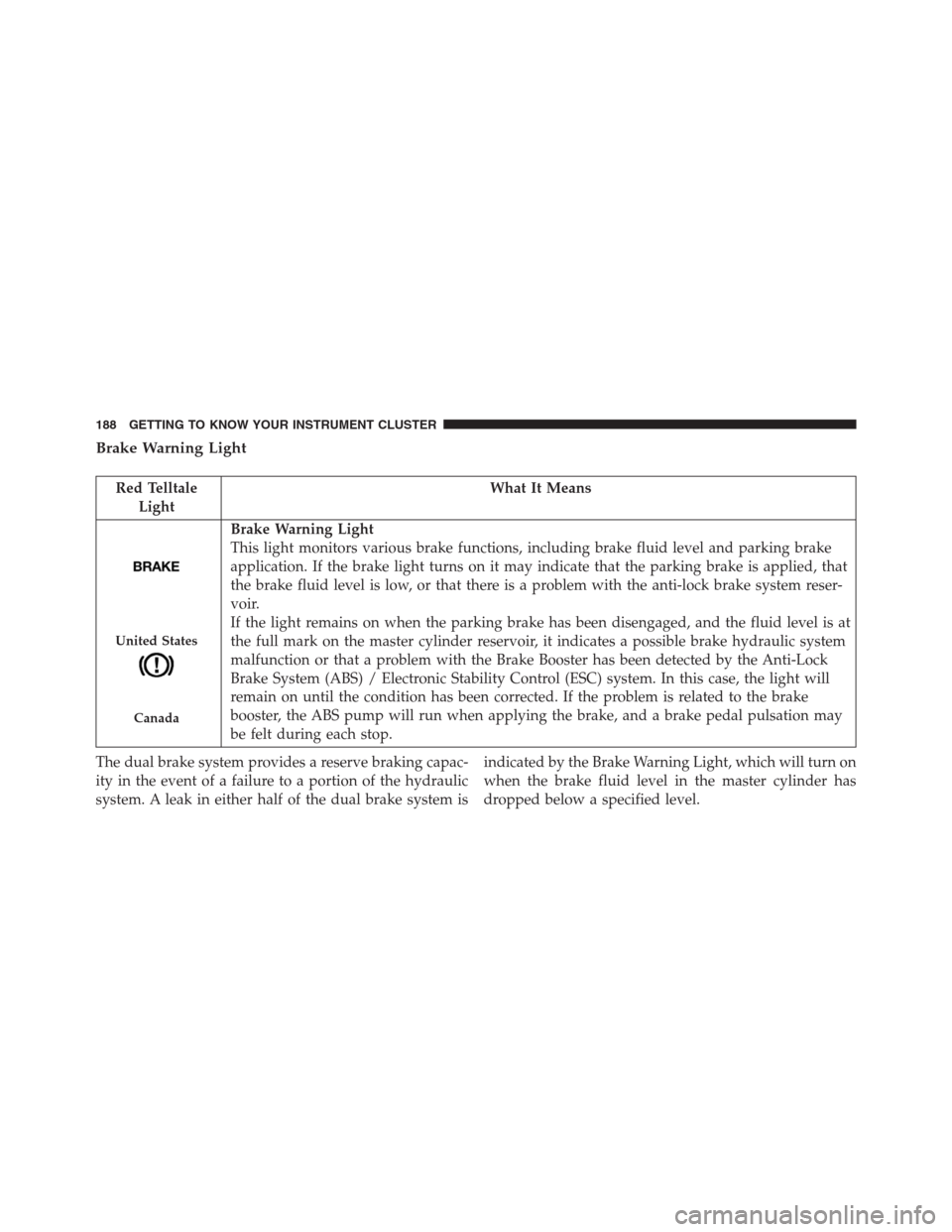
Brake Warning Light
Red Telltale
LightWhat It Means
United States
Canada
Brake Warning Light
This light monitors various brake functions, including brake fluid level and parking brake
application. If the brake light turns on it may indicate that the parking brake is applied, that
the brake fluid level is low, or that there is a problem with the anti-lock brake system reser-
voir.
If the light remains on when the parking brake has been disengaged, and the fluid level is at
the full mark on the master cylinder reservoir, it indicates a possible brake hydraulic system
malfunction or that a problem with the Brake Booster has been detected by the Anti-Lock
Brake System (ABS) / Electronic Stability Control (ESC) system. In this case, the light will
remain on until the condition has been corrected. If the problem is related to the brake
booster, the ABS pump will run when applying the brake, and a brake pedal pulsation may
be felt during each stop.
The dual brake system provides a reserve braking capac-
ity in the event of a failure to a portion of the hydraulic
system. A leak in either half of the dual brake system isindicated by the Brake Warning Light, which will turn on
when the brake fluid level in the master cylinder has
dropped below a specified level.
188 GETTING TO KNOW YOUR INSTRUMENT CLUSTER
Page 191 of 688
The light will remain on until the cause is corrected.
NOTE:The light may flash momentarily during sharp
cornering maneuvers, which change fluid level condi-
tions. The vehicle should have service performed, and
the brake fluid level checked.
If brake failure is indicated, immediate repair is neces-
sary.
WARNING!
Driving a vehicle with the red brake light on is
dangerous. Part of the brake system may have failed.
It will take longer to stop the vehicle. You could have
a collision. Have the vehicle checked immediately.
Vehicles equipped with the Anti-Lock Brake System
(ABS) are also equipped with Electronic Brake Force
Distribution (EBD). In the event of an EBD failure, theBrake Warning Light will turn on along with the ABS
Light. Immediate repair to the ABS system is required.
Operation of the Brake Warning Light can be checked by
turning the ignition switch from the OFF position to the
ON/RUN position. The light should illuminate for ap-
proximately two seconds. The light should then turn off
unless the parking brake is applied or a brake fault is
detected. If the light does not illuminate, have the light
inspected by an authorized dealer.
The light also will turn on when the parking brake is
applied with the ignition switch in the ON/RUN posi-
tion.
NOTE:This light shows only that the parking brake is
applied. It does not show the degree of brake application.
5
GETTING TO KNOW YOUR INSTRUMENT CLUSTER 189
Page 200 of 688
Yellow Telltale Indicator Lights
Anti-Lock Brake (ABS) Indicator Light
Yellow Telltale
LightWhat It Means
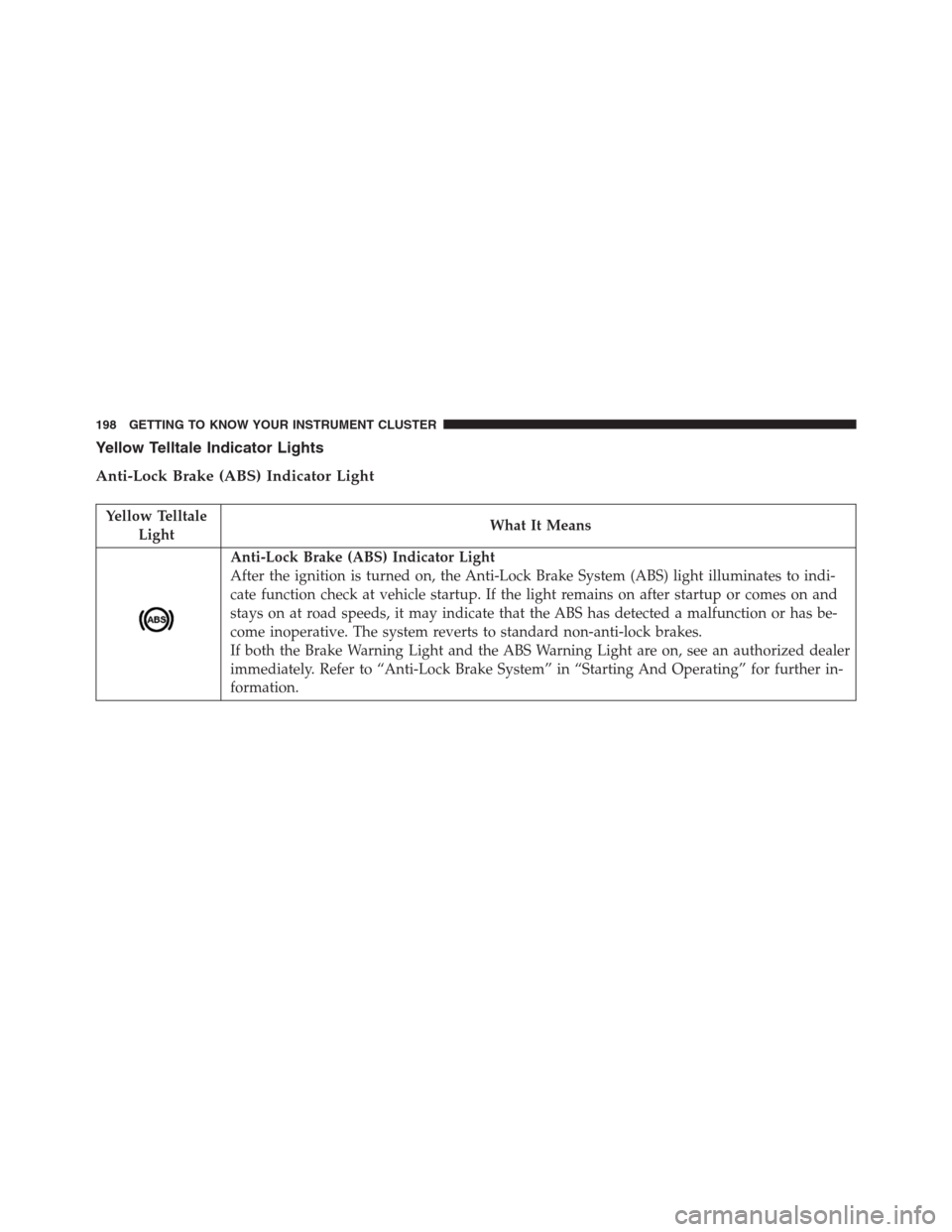
Anti-Lock Brake (ABS) Indicator Light
After the ignition is turned on, the Anti-Lock Brake System (ABS) light illuminates to indi-
cate function check at vehicle startup. If the light remains on after startup or comes on and
stays on at road speeds, it may indicate that the ABS has detected a malfunction or has be-
come inoperative. The system reverts to standard non-anti-lock brakes.
If both the Brake Warning Light and the ABS Warning Light are on, see an authorized dealer
immediately. Refer to “Anti-Lock Brake System” in “Starting And Operating” for further in-
formation.
198 GETTING TO KNOW YOUR INSTRUMENT CLUSTER
Page 208 of 688
Glow Plug Indicator Light — If Equipped
Yellow Telltale
LightWhat It Means
Glow Plug Indicator Light
To prevent possible engine damage while starting at low temperatures, this vehicle will in-
hibit engine cranking and this icon will blink when the ambient temperature is less than
–35° C and the oil temperature sensor reading indicates an engine block heater has not been
used. The message “plug in engine heater” will be displayed in the instrument cluster when
the ambient temperature is below -32° C at the time the engine is shut off as a reminder.
Low Fuel Indicator Light
Yellow Telltale
LightWhat It Means
Low Fuel Indicator Light
When the fuel level reaches approximately 1.3–1.8 gal (5–7 L) this light will turn on, and re-
main on until fuel is added.
206 GETTING TO KNOW YOUR INSTRUMENT CLUSTER
Page 223 of 688

•Zone (16)
– Soft Telltale (Centered)
– Speed Buzzer (Right)
•Zone (17)
– Active Park Sense
•Zone (18)
– Active Park Sense
Oil Change Reset
Oil Change Due
Your vehicle is equipped with an engine oil change indi-
cator system. The “Oil Change Due” message will display
in the DID for five seconds after a single chime has
sounded to indicate the next scheduled oil change interval.
The engine oil change indicator system is duty cycle based,
which means the engine oil change interval may fluctuate,
dependent upon your personal driving style.
Unless reset, this message will continue to display each
time you turn the ignition is cycled to the ON/RUN
position. To reset the oil change indicator system (after
performing the scheduled maintenance), refer to the
following procedure.
1. Without pushing the brake pedal, push the ENGINE
START/STOP button and cycle the ignition to the
ON/RUN position (do not start the engine).
2. Fully depress the accelerator pedal, slowly, three times
within 10 seconds.
3. Without pushing the brake pedal, push the ENGINE
START/STOP button once to return the ignition to the
OFF/LOCK position.
NOTE:If the indicator message illuminates when you
start the vehicle, the oil change indicator system did not
reset. If necessary, repeat this procedure.
5
GETTING TO KNOW YOUR INSTRUMENT CLUSTER 221
Page 230 of 688
•Date (Month/Day)
•Time (Hours/Minutes)
In the central area of the display, you can view all of the
information listed above as well as the following:
•Audio Information
•Speed Display (If Equipped)
•Date (Day/Month/Year)
•Range To Empty
•Menu Item
•Average Consumption
•Current Consumption
•Distance Traveled (Trip)
•Distance Traveled B (Trip B)Restore Default Settings
Selecting this item, and you can reset and restore the
default settings.
Settings
This menu item allows you to change the settings for the
following:
•Display
•Units
•Clock and Date
•Security
•Safety and Assistance
•Lights
•Doors and Locks
•Compass (If Equipped)
228 GETTING TO KNOW YOUR INSTRUMENT CLUSTER
Page 232 of 688

�Clock & Data�
By selecting the item,�Clock & Data�you can adjust the
clock.
Possible options are:
•Set Time: adjust hours/minutes
•Set Format: adjust the time format�12h�(12 hours) or
�24h�(24 hours)
•Set Date: adjust day/month/year
Security
By selecting the item “Security,” you can make the
following adjustments:
•Speed Warning:
Set the vehicle speed limit (km/h or mph), which the
driver is notified through a visual and acoustic signaling
(display of a message and a symbol on the display).When the speed warning is set, the icon should remain
visualized for the same duration time of the pop up. If
the driver exceeded the speed set the icon should remain
for however long the vehicle is over the set speed.
Driver may also turn the Speed Warning “OFF” should
you choose not to use this feature.
•Seat Belt Reminder:
This function is only viewable when the Seat Belt Re-
minder (SBR) system is active.
•Hill Start Assist:
Activation/Deactivation of the Hill Start Assist system.
�Safety & Assistance�
By selecting the item�Safety & Assistance,�you can make
the following adjustments:
•FCW: a selection of operating modes of the system
Forward Collision Warning Plus
230 GETTING TO KNOW YOUR INSTRUMENT CLUSTER
Page 234 of 688
�Lights�
By selecting the item�Lights,�you can make the follow-
ing adjustments:
•Headlight Off Delay: set the delay for headlight shut-
off after engine shutoff
•Headlight Sensitivity: adjust the sensitivity of head-
light brightness
•Daytime Running Lights: activate/deactivate the day-
time running lights
•Cornering lights: activate/deactivate the cornering
lights (If Equipped)
•Automatic High Beam: activate/deactivate the auto-
matic main beam headlights (If Equipped)�Doors & Locks�
By selecting the item�Doors & Locks,�you can make the
following adjustments:
•Auto Door Lock: activate/deactivate the automatic
locking of the doors with the vehicle moving
•Auto Unlock On Exit: automatic unlocking of the
doors when exiting the vehicle
•Flash Light with Lock: activate the direction indicators
when closing the doors
•Sound Horn With Lock: activate/deactivate the horn
when pressing the LOCK button on the RKE. The
options are�Off,��First Press,” and�Second Press.�
•Horn With Remote Start: activate/deactivate the horn
at the Remote Starting of the engine with the RKE.
232 GETTING TO KNOW YOUR INSTRUMENT CLUSTER